How Does Syllaby Work? A Step-by-Step Guide for Beginners
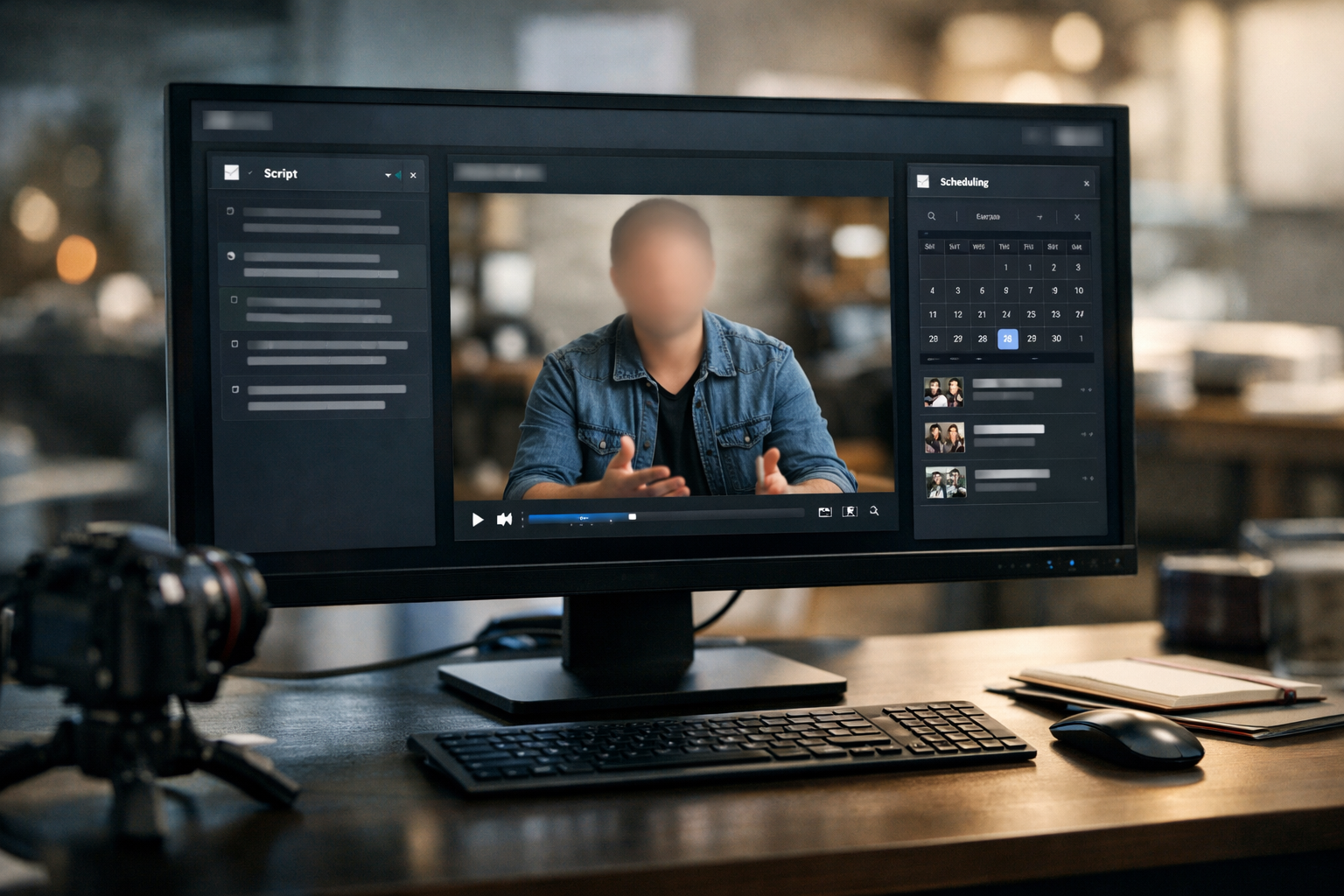
If you are wondering how does syllaby work, the simple answer is that it brings several video-content tasks into one AI-powered platform. You can start with a topic idea, create a script, turn that script into a faceless video, make edits, and then organize publishing through scheduling tools.
This guide explains the Syllaby workflow in plain English, using only features highlighted on its official website. This page contains affiliate links, which may earn us a commission at no extra cost to you. Always verify the latest offer and pricing details on Syllaby’s official site before purchasing.
Official website · Latest pricing & offers
Quick Answer: What Syllaby Does in One Workflow
The 30-Second Explanation
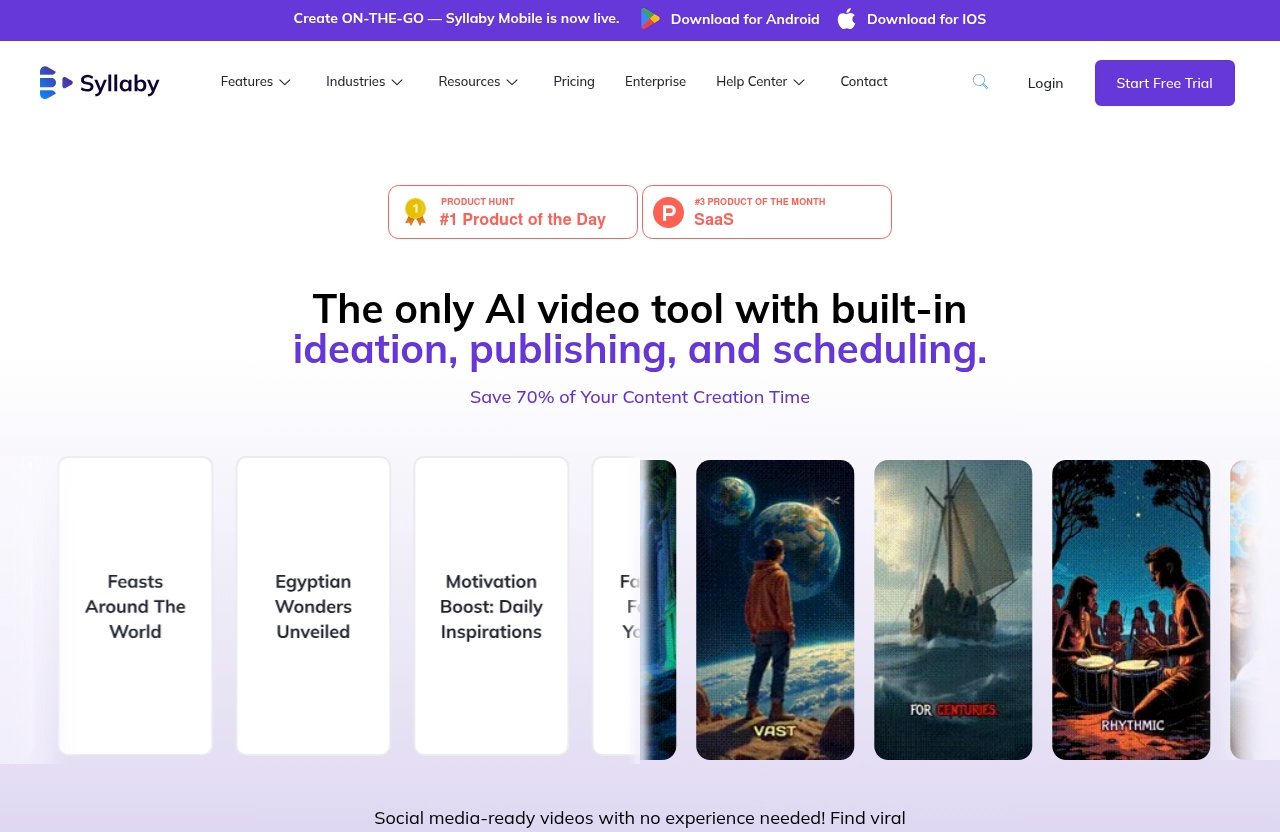
So, how does syllaby work from start to finish? Syllaby is an AI-powered platform designed to help users create social media videos through ideation, script generation, video creation, editing, scheduling, and analytics.
Rather than switching between separate tools for research, writing, voiceovers, video assembly, and content planning, you can work through those stages in one place. The official feature set includes Idea Creation, AI Script Generation, Faceless Video, Video Editor, Content Calendar, Bulk Scheduler, and Social Analytics.
For a beginner, the basic process looks like this:
- Choose a topic or discover an idea.
- Generate and refine a script.
- Create a faceless video from the script.
- Adjust scenes, visuals, audio, and style.
- Edit the finished video.
- Publish or schedule it for social media.
Syllaby does not remove the need for human input. You still need to select useful topics, review the script, and check every final video before it goes live.
Who Syllaby Is Best For
Syllaby may be a practical fit for creators, marketers, service businesses, agencies, and educators who want a more organized video workflow. It is particularly relevant for people who want to publish consistently without being on camera for every video.
The platform’s faceless video tools can be useful if you prefer content built around text, scenes, narration, and visual storytelling. It may also suit teams that need planning support through a content calendar and bulk scheduler.
If your main goal is highly customized, cinematic production, you may still need specialist editing tools and hands-on creative work. But for routine social content, how does syllaby work is easier to understand when you view it as one connected production system rather than a single video generator.
How Syllaby Works: Step-by-Step From Idea to Published Video
Step 1: Find Content Ideas and Topics People Already Ask About
The first stage in the Syllaby workflow is deciding what to create. Its official feature list includes Idea Creation, which positions the platform as a starting point for people who do not want to begin every video with a blank page.
You can use a topic related to your niche, audience, product, or service, then shape that topic into a specific video concept. For example, a local fitness coach might begin with beginner workout questions, while a real estate professional could focus on common buyer concerns.
A good topic should be narrow enough to explain in one video and useful enough that your intended audience would care about it. Syllaby can help streamline idea development, but the best results still begin with knowing who you want to reach.
This step matters because how does syllaby work depends partly on the quality of the starting prompt. Clear inputs generally make it easier to evaluate the script and video output later.
Step 2: Turn the Idea Into an AI Script
Once you have a topic, the next stage is AI Script Generation. This feature helps turn an idea into a draft structure for a video, giving you a practical starting point instead of writing every line from scratch.
A basic script usually needs a strong opening, a clear main point, and an ending that feels complete. Before turning a draft into a video, read it carefully for clarity, accuracy, and tone.
This is an important point in any Syllaby tutorial: AI-generated scripts should be reviewed, not automatically published. Check facts, remove generic wording, and make sure the script reflects your own brand voice or professional knowledge.
The platform also lists AI Voice Cloning among its features. The official feature list confirms its availability, but the provided source details do not explain exactly how voice setup, voice options, or usage limits work. Review the current platform information before relying on a particular voice workflow.
Step 3: Create a Faceless Video
The next step is creating the video itself. Faceless Video is one of Syllaby’s central feature categories, allowing users to build content without filming themselves on camera.
In practical terms, how does syllaby work at this stage? You use the script as the foundation for a video that can be assembled with scenes, visual elements, and audio. This is useful for educational clips, informational posts, niche explainers, product-related content, and other formats where the message matters more than an on-camera presenter.
Faceless content can reduce the friction of recording, lighting, camera setup, and retakes. It does not mean the video should feel automated or impersonal, though. Your script, examples, visual choices, and final edits still determine whether the finished result is useful.
Syllaby also highlights both short-form video and long-form video options. That gives users a path to create content for different publishing needs without treating every idea as the same format.
Step 4: Customize Visuals, Voice, and Scenes
After the initial video is generated, you can shape how the content looks and feels. Relevant official feature categories include Text to Scenes, Art Style, Character Consistency, AI Voice Cloning, and AI Thumbnail Generator.
Text to Scenes suggests a workflow where written content can be translated into individual visual segments. Character Consistency is relevant when you want a recurring character appearance across scenes, while Art Style can support a more unified visual direction.
This is where a generic AI draft can become more specific to your audience. Make sure the visuals match the message, the pacing is comfortable, and any voice or audio choice is understandable.
A useful rule is to avoid treating automation as a substitute for judgment. The answer to how does syllaby work is not simply “press a button”; it is “use AI to assemble a draft, then review the creative decisions that matter.”
Step 5: Edit the Video in the Built-In Editor
Syllaby’s official feature list includes a Video Editor. This matters because generated videos often need a final cleanup before publishing.
Editing is where you can check whether the opening is engaging, scenes match the spoken points, captions are understandable, and the video length fits its intended format. You may also need to remove repetitive lines, tighten transitions, or adjust the order of ideas.
Even a short video benefits from a final watch-through. Look for unclear claims, awkward timing, incomplete sentences, or visuals that could be misunderstood.
For beginners, this stage is often the biggest learning opportunity. The more videos you review, the faster you become at spotting what needs adjustment before an audience sees it.
Step 6: Publish or Schedule the Finished Video
The final step is distribution. The official Syllaby website highlights publishing, scheduling, a Content Calendar, a Bulk Scheduler, and Social Analytics.
A content calendar helps you see planned content in a broader schedule rather than posting only when you remember. A bulk scheduler can be especially useful when you have already prepared multiple videos and want to organize future publication.
This is the final answer to how does syllaby work as an end-to-end system: it supports the route from an initial idea through planning and publication. The exact connected social platforms, scheduling options, and plan-specific limits should be confirmed directly on the official site.
What Features Power the Workflow Inside Syllaby
Idea Creation and Keyword/Question Research
Idea Creation supports the earliest part of the process: finding something worth discussing. Rather than beginning with a fully formed video concept, you can use a topic as the basis for potential content directions.
This can be helpful for creators who need a regular flow of ideas. Still, you should choose topics based on real audience needs, not just because they are easy to generate.
Faceless Video Generation
Syllaby faceless videos are designed for users who want to produce content without appearing on screen. The platform officially promotes faceless video creation as part of its core feature set.
For many beginners, this is the most direct explanation of how does syllaby work: a script can become a video framework without a recording session. You remain responsible for reviewing the output and ensuring it represents your message accurately.
Short-Form and Long-Form Video Options
The official feature categories include both Short Form Video and Long Form Video. This is useful because not every subject needs the same level of detail.
Short-form content can focus on one fast, useful point. Long-form content may work better for deeper explanations, tutorials, or multi-step educational topics.
Audio to Video and URL to Video
Syllaby also lists Audio To Video and Url To Video as feature categories. These options indicate that the platform can support workflows that begin with existing audio or a webpage URL, rather than only a new written prompt.
The official source provided does not describe the precise inputs, output formats, or restrictions for these features. If either capability is essential to your process, verify its current details before subscribing.
Character Consistency and Text to Scenes
Character Consistency and Text to Scenes support the visual assembly stage. They are relevant for users who want their videos to feel more connected across multiple scenes or posts.
A consistent visual approach can make a series easier to recognize. However, you should still review each scene for accuracy, relevance, and appropriate context.
Content Calendar, Bulk Scheduler, and Social Analytics
The content calendar, bulk scheduler, and social analytics features support the operational side of content creation. They can help you move from making isolated videos to managing a repeatable publishing routine.
This is a key difference between a basic video generator and a broader Syllaby workflow. You can plan content, prepare videos in batches, and use analytics as part of an ongoing process.
Official website · Latest pricing & offers
What the User Experience Feels Like in Practice
What You Do Manually vs. What Syllaby Automates
A realistic Syllaby review should separate automation from your role as the creator. You decide the niche, audience, topics, standards, and final approval.
Syllaby can assist with idea creation, AI script generation, faceless video assembly, editing, scheduling, and planning. You still need to guide the process and ensure the content is accurate.
| Task | Manual Workflow | Syllaby-Assisted Workflow |
|---|---|---|
| Find video ideas | Research topics across separate sources | Use Idea Creation within the platform |
| Write a script | Draft from scratch | Start with AI Script Generation |
| Build visuals | Source and assemble scenes manually | Use faceless video and text-to-scenes tools |
| Edit content | Use a separate editing application | Use the built-in Video Editor |
| Plan posts | Maintain a separate calendar | Use the Content Calendar |
| Schedule content | Upload posts individually | Use scheduling and the Bulk Scheduler |
How Much Editing Is Still Needed
It is reasonable to expect editing. AI can speed up drafting and assembly, but it cannot fully understand your business, audience, compliance needs, or personal style without your direction.
Review scripts for factual accuracy and check every visual before posting. This is especially important for health, finance, legal, or other subjects where misleading content can cause real problems.
Understanding how does syllaby work means accepting that it is a production assistant, not a hands-off publishing replacement. The most dependable workflow combines AI speed with human review.
Typical Use Cases for Creators and Businesses
Creators may use Syllaby for educational social posts, niche explainers, list-style videos, and content series. Businesses may use it to organize recurring marketing topics, answer common customer questions, or maintain a more regular publishing rhythm.
It can also be useful for teams that want one place to handle scripting, video creation, content planning, and scheduling. The best use case is usually a repeatable content format, not a one-off project that demands extensive bespoke production.
Syllaby Pricing and Plan Context
Verified Pricing Details From the Official Pricing Page
Syllaby pricing should be checked carefully before you make a purchase decision. The official pricing-page information provided for this guide does not show exact plan names, dollar amounts, feature limits, or package details.
Because those details are not visible in the supplied official source excerpt, it would not be accurate to list prices or compare tiers here. Always check the current pricing page directly, as offers and inclusions can change.
Lifetime Deal Messaging on the Homepage
The Syllaby homepage includes the promotional message: “Lifetime Deal – Pay Once, Use Forever! Save up to 90%.” This is promotional messaging, not a confirmed price or a guarantee of specific plan terms.
Before purchasing, read the offer conditions, included features, and any current limitations. Promotional language can be useful context, but it should not replace reviewing the official purchase details.
What to Verify Before Buying
Before choosing Syllaby, confirm:
- The current price and offer terms
- Which features are included in the offer you are considering
- Any usage limits or credits that apply
- Whether the available AI model options meet your needs
- Current scheduling and publishing integrations
- Your ability to export, edit, and manage finished content
The official homepage references AI model options including VEO 3, VEO 3.1, Sora 2, Sora 2 Pro, 1.0 Pro, 1.0 Lite, 1.5 Pro, v2.6 Pro, o1 Omni, and o3 Omni. The supplied information does not provide plan-level access details for those models, so verify availability before buying.
Pros and Limitations of the Workflow
Main Strengths
The main benefit is consolidation. Syllaby combines idea generation, scripting, faceless video creation, editing, planning, scheduling, and analytics into one workflow.
That can reduce the need to move between multiple tools. For beginners asking how does syllaby work, the appeal is less about replacing creativity and more about reducing repetitive setup tasks.
Other strengths include:
- Built-in support for faceless video production
- Short-form and long-form video categories
- AI Script Generation and text-to-scenes capabilities
- Planning support through a content calendar
- Bulk scheduling and social analytics features
- Mobile app availability for Android and iOS
Where Beginners May Need to Adjust Expectations
AI-generated content still needs review. Scripts may need a clearer voice, scenes may need better context, and generated visuals should always be checked before publication.
There is also a learning curve in developing prompts, choosing strong topics, and understanding what makes a video helpful for a specific audience. The platform can organize the work, but it cannot automatically create a trustworthy content strategy.
Best-Fit Scenarios
Syllaby is likely most useful when you want to make recurring social videos and prefer an all-in-one system. It may be especially relevant if you want to create content without being on camera.
It may be less suitable if you only publish occasionally, require highly technical post-production, or already have a workflow you prefer across separate specialist tools.
How Syllaby Compares to Doing It Manually
Manual Content Workflow
A manual workflow often requires several separate stages and tools. You may research ideas in one place, write in another, record or assemble video elsewhere, edit in a separate application, and manage publishing through social platforms.
That process can work well, especially for experienced creators. However, the handoffs between tools can make it harder to keep a consistent publishing rhythm.
Syllaby-Assisted Workflow
With Syllaby, the workflow is designed to stay more connected. You can move from an idea to AI script generation, faceless video creation, editing, scheduling, and analytics within the same platform.
This does not guarantee better content, but it can make the process more structured. The value is in reducing the number of separate steps you manage manually.
When Syllaby Saves the Most Time
Syllaby is most likely to save time when you create content in batches. For instance, you could develop several ideas, prepare scripts, create multiple videos, review them, and then organize them through the content calendar and bulk scheduler.
The more repeatable your content format is, the more useful a unified workflow can become. If you want to examine the current offer and feature details, you can learn more about Syllaby here before making a decision.
Official website · Latest pricing & offers
FAQ
How Does Syllaby.io Work?
How does syllaby.io work in simple terms? You begin with a topic or content idea, use AI Script Generation to create a draft, turn that draft into a faceless video, and then edit, publish, or schedule the result.
The platform also includes planning tools such as a content calendar, bulk scheduler, and social analytics. You should still review every script and video before publishing.
Is Syllaby Worth It?
Whether Syllaby is worth it depends on your workflow. It may offer value if you want faceless AI video creation, scripting support, and content planning tools in one platform.
It may be less valuable if you only need occasional video editing or prefer a fully manual production process. Review the latest Syllaby pricing and included features on the official site before purchasing.
Can Syllaby Create Faceless Videos?
Yes. Faceless Video is listed as an official Syllaby feature category.
Syllaby faceless videos can help you create script-based social content without filming yourself on camera. You should still review visuals, voice, scenes, and messaging before posting.
Can I Use Syllaby for Short-Form and Long-Form Videos?
Yes. The official feature list includes both Short Form Video and Long Form Video.
That gives you flexibility to create brief social clips or more detailed video content. Choose the format based on the topic and the platform where you plan to publish.
Does Syllaby Have Scheduling and Analytics?
Yes. Syllaby’s official feature categories include Content Calendar, Bulk Scheduler, and Social Analytics.
These tools support the planning and publishing stages after your video is complete. Confirm the latest scheduling options and feature access through the official site before relying on a particular setup.
Final Verdict: Is Syllaby Easy to Use?
Best Summary for Beginners
For most beginners, how does syllaby work is straightforward: choose an idea, create a script, build a faceless video, review it, and organize publication. Its main advantage is that it connects these tasks in one workflow instead of requiring several separate tools.
The platform can make the production process feel more manageable, particularly for people creating recurring social content. However, ease of use should not be confused with automatic quality; thoughtful topic selection and final review remain essential.
Who Should Try It First
Syllaby may be worth exploring if you want to create faceless videos, maintain a consistent content calendar, or simplify a multi-step social media workflow. It is best suited to users who want AI assistance while still keeping control of the final message.
Before committing, confirm the current offer, pricing terms, and feature access on Syllaby’s official website. That is the most reliable way to decide whether its workflow matches your content goals.
Related Reading
References
- Syllaby.io homepage
- Syllaby pricing page
- Syllaby create free faceless videos
- Trustpilot reviews for syllaby.io