Post Planner Pricing 2026: Plans Explained
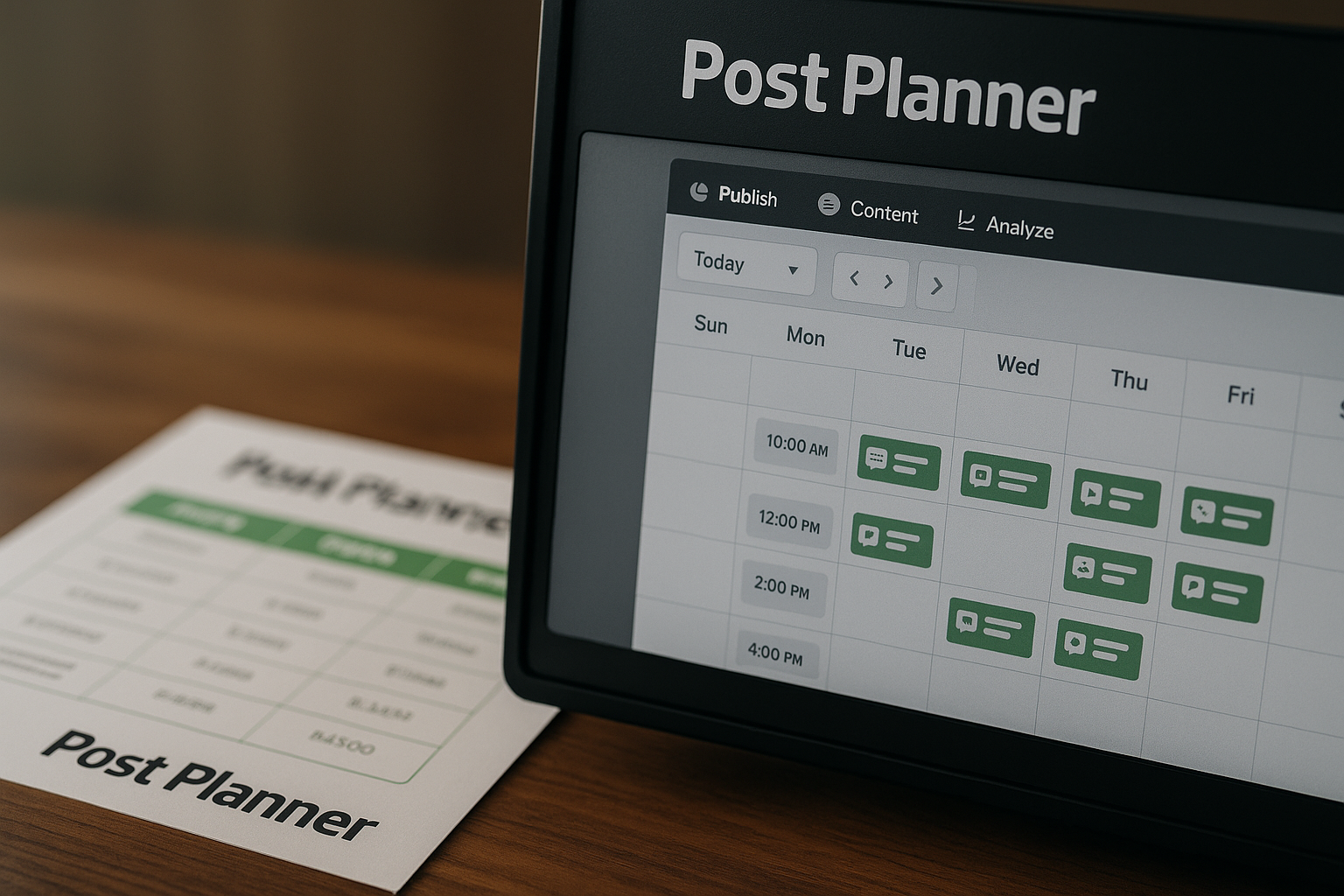
If you are comparing post planner pricing in 2026, the main takeaway is simple: Post Planner has a low-cost entry point for solo creators, a much larger Growth tier for serious posting volume, and higher-capacity Business and Enterprise options for teams that need more users, accounts, and scheduled posts.
Affiliate disclosure: TopTrustReview may earn a commission if you sign up through our links, at no extra cost to you. I only reference pricing, limits, and supported platforms that are shown on Post Planner’s official homepage or pricing page. Because the official pricing page displays some plan prices in more than one format, you should always confirm the current live checkout price before buying. You can review the latest plan details through Post Planner’s official offer page.
Official website · Latest pricing & offers
Post Planner Pricing 2026 at a Glance
Post Planner is positioned as a social media scheduler built for engagement. That matters because post planner pricing is not just about the monthly fee; it is about how many accounts you can connect, how many posts you can schedule, how many team members can use the tool, and how much publishing room you get before hitting limits.
The official pricing page shows five plans: Free, Starter, Growth, Business, and Enterprise. The Free, Starter, and Growth prices are clearly shown in the provided official pricing data, while the Business and Enterprise price displays are inconsistent across different pricing blocks.
Quick verdict: who Post Planner is for
Post Planner is best suited for creators, small businesses, freelancers, and teams that want a scheduler focused on consistent social media publishing. If you manage only one brand or a few accounts, the lower tiers may be enough. If you manage many profiles, work with teammates, or schedule a lot of posts in advance, the higher tiers become more relevant.
For most solo creators comparing post planner pricing, the Starter plan is the first paid plan to consider because it expands beyond the Free plan’s tighter limits. For small teams, Growth is the practical starting point because it includes more social accounts, more scheduled posts, and two users.
What the pricing page shows right away
Based on the official pricing page data provided, Post Planner shows:
| Plan | Monthly price shown | Annual price shown | Key pricing note |
|---|---|---|---|
| Free | $0 | $0 | Free entry-level plan |
| Starter | $6/month | $72/year | Clear official display |
| Growth | $42/month | $468/year | Clear official display |
| Business | Displayed as $6/month in one block | Displayed as $72/year in one block | Official extract also shows another business-tier price elsewhere, so verify checkout |
| Enterprise | Displayed as $6/month in one block | Displayed as $72/year in one block | Official extract also shows another enterprise-tier price elsewhere, so verify checkout |
The important part: I am not “correcting” or guessing the Business and Enterprise prices. The official pricing extract contains conflicting display values, so the safest and most accurate recommendation is to check the current live checkout page before making a purchase.
How this guide is different from generic pricing roundups
Many post planner pricing reviews summarize plans quickly, but they often skip the practical question: “Which limit will I hit first?” This guide focuses on real usage, such as account count, user seats, scheduled queue size, daily publishing limits, and AI image allowances.
That approach is more useful than simply sorting plans by price. A plan that looks cheap may become restrictive if it does not support your number of social profiles or posting workflow.
What Post Planner Is and Why Pricing Matters
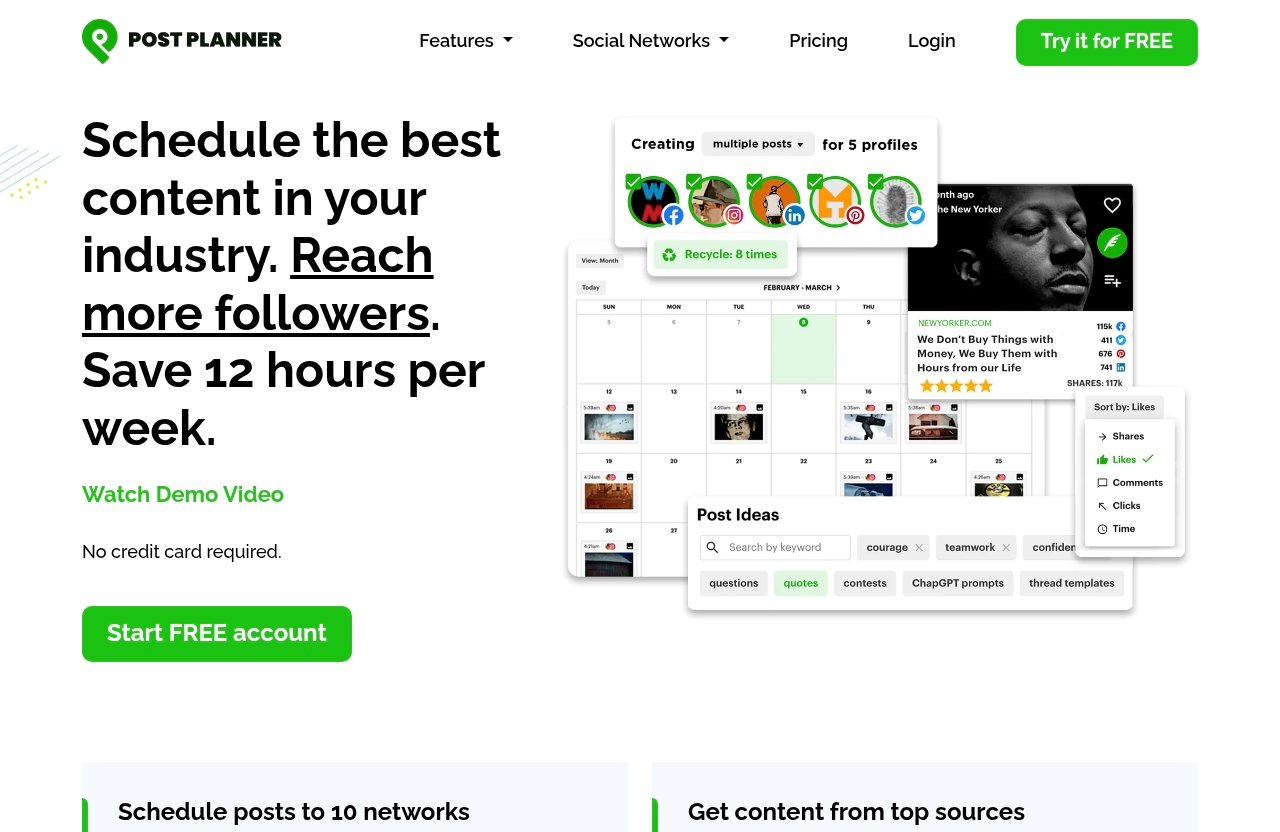
Post Planner is officially described as a social media scheduler built for engagement. In practical terms, it helps users plan and publish social content across supported networks while managing limits such as accounts, users, scheduled posts, and daily posting volume.
When evaluating post planner pricing 2026, those limits are the real buying criteria. A creator with one account has very different needs than a team managing several brands across multiple platforms.
Core product positioning
Post Planner’s official positioning is straightforward: it is a social media scheduler built for engagement. That suggests the product is designed around planning and publishing content consistently rather than simply storing drafts.
The official homepage and pricing page show support for major social networks, including Facebook, Instagram, Google Business, LinkedIn, Pinterest, TikTok, Twitter/X, YouTube, Threads, and Bluesky.
Main use cases for creators, agencies, and small teams
The post planner plans can fit several types of users:
- Solo creators managing a small number of social profiles
- Freelancers scheduling posts for their own brand or a few clients
- Small teams that need shared access
- Agencies or publishers with many accounts and a larger posting queue
- Brands that want a structured content workflow across multiple networks
The best plan depends less on your title and more on how many accounts, users, and scheduled posts you need.
Why social scheduling tools are judged by limits, not just price
A social scheduler can look affordable until you hit a limit that blocks your workflow. For example, one user seat is fine for a solo creator, but it becomes a problem when a marketer, founder, and assistant all need access.
The same applies to scheduled posts. If you batch content weekly or monthly, a larger queue can be more valuable than a lower monthly price. That is why post planner pricing should be judged by workflow fit, not just subscription cost.
Post Planner Plans and Pricing Table
The official Post Planner pricing table includes plan limits for social accounts, users, scheduled posts, daily posts per account, and AI images. It also shows that hashtags, content, and captions are unlimited on all plans.
Because the official pricing page extract includes inconsistent pricing displays for Business and Enterprise, the table below separates verified displayed pricing from verified limits. The limits are presented in the order shown on the official pricing table: Free, Starter, Growth, Business, Enterprise.
| Plan | Price shown | Social accounts | Users | Scheduled posts | Daily posts per account | AI images |
|---|---|---|---|---|---|---|
| Free | $0 | 1 | 1 | 15 | 3 | 1 |
| Starter | $6/month or $72/year | 3 | 1 | 150 | 12 | 15 |
| Growth | $42/month or $468/year | 15 | 2 | 1,500 | 24 | 150 |
| Business | Pricing display is inconsistent in the official extract; one block shows $6/month or $72/year | 25 | 5 | 5,000 | Unlimited | 250 |
| Enterprise | Pricing display is inconsistent in the official extract; one block shows $6/month or $72/year | 100 | 15 | 20,000 | 51+ | 500 |
The plan-to-limit mapping should be read carefully from the official table. Before buying, especially for Business or Enterprise, verify the current live pricing on Post Planner’s official checkout page.
Free plan
The post planner free plan costs $0 and includes 1 social account, 1 user, 15 scheduled posts, 3 daily posts per account, and 1 AI image. Hashtags, content, and captions are shown as unlimited on all plans.
This plan is best for testing the interface or managing one low-volume social presence. It is not built for multi-platform posting or a large content calendar.
Starter plan
The post planner starter plan is shown at $6 per month or $72 per year. It includes 3 social accounts, 1 user, 150 scheduled posts, 12 daily posts per account, and 15 AI images.
For a solo creator, this is the first plan that feels practical. Three social accounts can cover a simple creator setup, and 150 scheduled posts gives much more breathing room than the Free plan.
Growth plan
The post planner growth plan is shown at $42 per month or $468 per year. It includes 15 social accounts, 2 users, 1,500 scheduled posts, 24 daily posts per account, and 150 AI images.
This plan makes sense for users managing several profiles or a small collaborative workflow. The second user seat is especially important if you need someone else to help with content scheduling.
Business plan
The post planner business plan includes 25 social accounts, 5 users, 5,000 scheduled posts, unlimited daily posts per account, and 250 AI images. However, the official pricing extract shows inconsistent Business pricing: one pricing block displays $6 per month or $72 per year, while another monthly cost table shows a different business-tier price.
Because of that inconsistency, do not rely on a single displayed Business price without checking checkout. The limits, however, clearly point to a plan designed for teams with more accounts and heavier publishing needs.
Enterprise plan
The post planner enterprise plan includes 100 social accounts, 15 users, 20,000 scheduled posts, 51+ daily posts per account, and 500 AI images. As with Business, the official extract displays inconsistent Enterprise pricing: one block shows $6 per month or $72 per year, while another table shows a different enterprise-tier price.
Enterprise is the highest-capacity option in the official limit table. It is best evaluated by teams that need many social accounts, many users, and a very large scheduled post queue.
Feature-by-Feature Plan Breakdown
A good post planner pricing decision comes down to limits. The right plan is the one that matches your actual social media workflow without forcing you to upgrade too soon.
Below is how each major limit affects day-to-day usage.
Social accounts and network coverage
The official pages show support for Facebook, Instagram, Google Business, LinkedIn, Pinterest, TikTok, Twitter/X, YouTube, Threads, and Bluesky. That is broad coverage for creators and teams publishing across mainstream social platforms.
The social account limits scale significantly:
| Plan | Social accounts |
|---|---|
| Free | 1 |
| Starter | 3 |
| Growth | 15 |
| Business | 25 |
| Enterprise | 100 |
If you only manage one social profile, Free may be enough to test. If you manage three channels for one brand, Starter is a better fit. If you manage multiple brands or platform-specific accounts, Growth or above becomes more realistic.
Team users and collaboration limits
User seats are one of the clearest dividing lines in post planner pricing 2026. Free and Starter both include 1 user, so they are primarily solo plans.
| Plan | Users |
|---|---|
| Free | 1 |
| Starter | 1 |
| Growth | 2 |
| Business | 5 |
| Enterprise | 15 |
Growth is the first plan that supports more than one user. Business is more appropriate when several people need access, while Enterprise is built for larger teams with many collaborators.
Scheduled post queue size
Scheduled posts determine how far ahead you can plan. If you batch content, this limit matters a lot.
| Plan | Scheduled posts |
|---|---|
| Free | 15 |
| Starter | 150 |
| Growth | 1,500 |
| Business | 5,000 |
| Enterprise | 20,000 |
The jump from Free to Starter is meaningful for solo creators. The jump from Starter to Growth is much larger and makes sense if you manage multiple channels, publish frequently, or like to schedule content far in advance.
Daily posts per account
Daily post limits affect how active each connected account can be.
| Plan | Daily posts per account |
|---|---|
| Free | 3 |
| Starter | 12 |
| Growth | 24 |
| Business | Unlimited |
| Enterprise | 51+ |
For most solo creators, 12 daily posts per account on Starter is likely more than enough. Growth gives more room for heavier publishing. Business removes the daily cap according to the official table, while Enterprise shows 51+ daily posts per account.
AI image generation limits
The official pricing table also lists AI image limits:
| Plan | AI images |
|---|---|
| Free | 1 |
| Starter | 15 |
| Growth | 150 |
| Business | 250 |
| Enterprise | 500 |
If AI images are only an occasional part of your workflow, Starter may be enough. If you create more visual content across many channels, Growth or higher gives more flexibility.
Official website · Latest pricing & offers
Which Post Planner Plan Is Best Value?
The best value depends on your workflow. Post planner pricing is attractive at the lower end for solo users, but the real value for teams appears in the account, user, and queue limits of Growth, Business, and Enterprise.
Here is how I would think about it based strictly on the official limits.
Best for solo creators
For most solo creators, Starter is the best value. It costs $6 per month or $72 per year according to the official pricing page and includes 3 social accounts, 150 scheduled posts, 12 daily posts per account, and 15 AI images.
That combination is practical for a creator posting across a few channels. Free is useful for testing, but 1 social account and 15 scheduled posts can feel tight quickly.
Best for freelancers and side hustlers
Freelancers and side hustlers should compare Starter and Growth. Starter works if you are managing only your own profiles or a very small setup. Growth makes more sense if you need 15 social accounts, 1,500 scheduled posts, and 2 users.
The second user seat on Growth can be useful if you collaborate with a client, assistant, or business partner. If you are looking at post planner monthly pricing only, Growth is a bigger step up, but the limits are also much higher.
Best for small teams
Growth is the first logical small-team plan because it includes 2 users. It also supports 15 social accounts, which can cover multiple networks for a single brand or a few smaller projects.
If your team has more than two people who need access, Business becomes the better limit fit. Its 5 users, 25 social accounts, and 5,000 scheduled posts are more aligned with a collaborative team workflow.
Best for agencies or high-volume publishers
Agencies and high-volume publishers should look at Business or Enterprise based on account count and team size. Business supports 25 social accounts and 5 users, while Enterprise supports 100 social accounts and 15 users.
The major caution is pricing verification. Since the official pricing extract shows inconsistent Business and Enterprise price displays, confirm live checkout pricing before deciding whether either tier offers the best financial value.
Post Planner Free Plan: Is It Enough?
The post planner free plan is enough if your goal is to test the platform, schedule lightly, or manage one social account. It is not enough if you need multi-account scheduling, a large queue, or team access.
For a free plan, the official limits are clear: 1 social account, 1 user, 15 scheduled posts, 3 daily posts per account, and 1 AI image.
What you can realistically do on Free
You can realistically use Free to schedule a small number of posts for one connected account. It is a good way to understand the workflow before paying.
However, 15 scheduled posts can disappear quickly. If you post once per day, that is roughly half a month of scheduled content before you need to manage the queue again.
Who should start here
Start with Free if you are brand new to social scheduling or only need one account. It is also a sensible option if you want to compare the interface before upgrading.
For cautious buyers reviewing post planner pricing reviews, Free gives you a low-risk starting point. Just remember that it is a test-friendly plan, not a full operating setup for most growing creators.
When you will outgrow it
You will likely outgrow Free when you need:
- More than 1 social account
- More than 15 scheduled posts
- More than 3 daily posts per account
- More AI image capacity
- Any team collaboration beyond 1 user
The most natural upgrade is Starter, especially for solo users who want a simple paid plan without jumping to a team-focused tier.
How Post Planner Pricing Compares in Practice
When comparing post planner pricing, it is better to compare plans inside Post Planner rather than guess against competitor pricing. The official table gives enough information to understand where each tier becomes more valuable.
The big tradeoff is simple: lower plans cost less, while higher plans provide more accounts, users, scheduled posts, daily posting room, and AI image allowance.
Monthly vs yearly billing considerations
For Starter, the official pricing page shows $6 per month or $72 per year. For Growth, it shows $42 per month or $468 per year.
That means buyers can evaluate post planner annual pricing against monthly billing based on commitment level. If you are still testing the tool, monthly billing may feel safer. If you already know the limits fit your workflow, annual billing may be easier for budgeting.
For Business and Enterprise, verify live pricing first because the provided official extract contains inconsistent displayed prices.
Value tradeoffs at each tier
Free is best for testing. Starter is best for solo creators who need a useful queue and a few accounts. Growth is best when you need many more accounts, a second user, and a much larger queue.
Business and Enterprise are not just “more expensive plans.” They are capacity plans. Their value comes from supporting more users, more accounts, and much higher scheduled post limits.
When a higher plan can be cheaper per workflow
A higher plan can be the better operational value when it prevents bottlenecks. For example, if two people need access, Starter will not work because it includes only 1 user. Growth may be more efficient than trying to force a team workflow into a solo plan.
Similarly, if you manage more than 3 social accounts, Starter is not enough. The Growth plan’s 15-account limit can be a better fit even if the monthly price is higher.
Pros and Cons of Post Planner Pricing
The strengths and weaknesses of post planner pricing depend on what kind of user you are. Solo creators may appreciate the low entry cost, while teams will care more about user seats and account capacity.
Here is the practical breakdown.
Pricing strengths
- Free plan available at $0
- Low-cost Starter plan at $6 per month or $72 per year
- Clear Growth pricing at $42 per month or $468 per year
- Strong jump in scheduled posts from Starter to Growth
- Higher tiers support more users and social accounts
- Hashtags, content, and captions are shown as unlimited on all plans
- Official network support includes major platforms such as Facebook, Instagram, LinkedIn, TikTok, YouTube, Threads, and Bluesky
Pricing weaknesses
- Free plan is limited to 1 social account and 15 scheduled posts
- Starter includes only 1 user, so it is not a collaboration plan
- Business and Enterprise pricing displays are inconsistent in the provided official pricing extract
- Buyers need to verify current checkout pricing before purchasing higher tiers
- The right plan may be determined by limits more than by the headline price
Best-fit buyer profile
Post Planner is a strong fit for creators and teams that know their account count, posting volume, and collaboration needs. If you only need one account, Free may be enough to start. If you want a practical solo workflow, Starter is the best first paid option.
If you have teammates or many profiles, Growth, Business, or Enterprise are more realistic. In that case, post planner pricing should be evaluated against the cost of workflow friction, not just the subscription line item.
How to Choose the Right Plan
The easiest way to choose is to ignore plan names at first and map your workflow to the limits. Count your social accounts, users, scheduled posts, and daily publishing needs.
If you want to try it while checking the latest live pricing, you can start from Post Planner’s official offer page and compare the current checkout details before committing.
Pick the plan based on account count
Use this quick account-count framework:
| If you need… | Consider this plan |
|---|---|
| 1 social account | Free |
| Up to 3 social accounts | Starter |
| Up to 15 social accounts | Growth |
| Up to 25 social accounts | Business |
| Up to 100 social accounts | Enterprise |
For solo creators, 3 social accounts may be enough. For teams or agencies, account count is often the first reason to move higher.
Pick the plan based on posting volume
If you schedule only a handful of posts, Free can work. If you schedule weekly or monthly batches, Starter’s 150 scheduled posts are much more practical.
For heavier workflows, Growth’s 1,500 scheduled posts create far more planning room. Business and Enterprise are for high-volume publishing with 5,000 and 20,000 scheduled posts respectively.
Pick the plan based on team size
Team size may be the clearest upgrade trigger:
- 1 user: Free or Starter
- 2 users: Growth
- Up to 5 users: Business
- Up to 15 users: Enterprise
If more than one person needs access, Growth is the first plan to consider. If you have a content team, Business or Enterprise may fit better.
Pick the plan based on content workflow
Before choosing, ask:
- How many social accounts do I need to connect?
- How many people need access?
- How many posts do I want scheduled at one time?
- How many posts per account do I publish daily?
- Do I need more AI image capacity?
- Am I comfortable with monthly billing, or do I prefer annual billing?
- For Business or Enterprise, have I confirmed the current checkout price?
This checklist keeps post planner pricing practical. You are not buying the biggest plan; you are buying the plan that removes your actual bottleneck.
Official website · Latest pricing & offers
FAQ
Does Post Planner have a free plan?
Yes. The official pricing page shows a Free plan at $0. It includes 1 social account, 1 user, 15 scheduled posts, 3 daily posts per account, and 1 AI image, so it is best for testing or very light scheduling.
How much does Post Planner cost per month?
The official pricing page shows Free at $0, Starter at $6 per month, and Growth at $42 per month. The Business and Enterprise pricing displays are inconsistent in the provided official extract, with one block showing $6 per month for each but another table showing different prices, so buyers should verify the current live checkout price.
Which Post Planner plan is best for solo creators?
For most solo creators, the Starter plan is the best value. It supports 3 social accounts, 1 user, 150 scheduled posts, 12 daily posts per account, and 15 AI images at the official displayed price of $6 per month or $72 per year.
Which Post Planner plan is best for teams?
Growth is the first team-friendly option because it includes 2 users, 15 social accounts, and 1,500 scheduled posts. Larger teams should compare Business and Enterprise because they support 5 and 15 users respectively, but current checkout pricing should be verified before purchase.
What social networks does Post Planner support?
The official homepage and pricing page show support for Facebook, Instagram, Google Business, LinkedIn, Pinterest, TikTok, Twitter/X, YouTube, Threads, and Bluesky.
Final Verdict: Is Post Planner Worth It in 2026?
So, is post planner worth it in 2026? Based on the official pricing and limits, Post Planner is worth considering if you want a social media scheduler built for engagement and you can match your workflow to the right plan.
The value is strongest when you choose by limits, not just price. Starter is the clearest value pick for solo creators, while Growth is the first serious option for collaboration and higher-volume scheduling.
Bottom line for solo creators
For solo creators, Starter is the best overall balance. It gives you 3 social accounts, 150 scheduled posts, 12 daily posts per account, and 15 AI images without jumping to a much larger team plan.
Free is fine for testing, but most active creators will outgrow it quickly. If you are evaluating post planner pricing as a one-person business, Starter is the plan I would check first.
Bottom line for teams
For teams, Growth is the practical starting point because it includes 2 users and 15 social accounts. Business and Enterprise are better suited to larger teams, more profiles, and bigger scheduled queues.
The only caution is pricing clarity for the higher tiers. Because the official extract shows conflicting Business and Enterprise price displays, confirm current checkout pricing before making a final decision.
Final recommendation
The best-value plan for solo creators is Starter. The best starting point for teams is Growth, with Business or Enterprise reserved for higher account counts, more users, and larger publishing workflows.
Overall, post planner pricing is attractive at the entry level and scalable by limits, but buyers should pay close attention to account count, user seats, queue size, and the live checkout price before choosing a plan.
Related Reading
- ContentStudio Pricing 2026: Plans Explained
- Systeme.io Pricing 2026: Which Plan Is Best Value?
- Best Repurpose.io Alternatives in 2026
References
- Post Planner Plans & Pricing
- Post Planner: Social Media Scheduler built for Engagement
- Post Planner Pricing 2026
- Post Planner Reviews