Vocal Remover Review: Is Lalal.AI Worth Paying for in 2026?
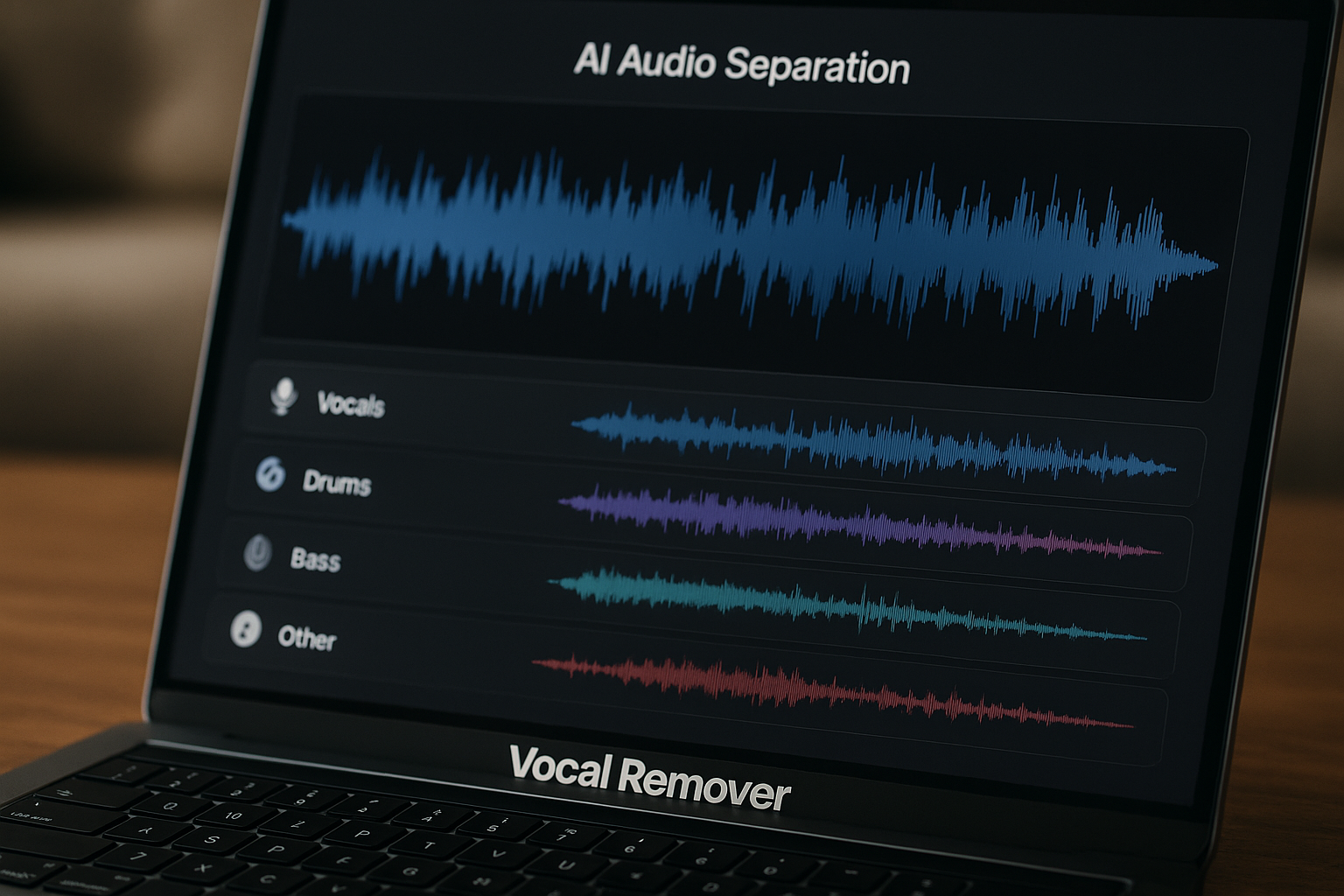
If you are comparing paid AI tools with a free vocal remover, this vocal remover review is built around one practical question: does LALAL.AI remove vocals well enough to justify the price?
Short answer: LALAL.AI makes the most sense if you care about convenience, cleaner separation, and a smoother workflow across music, video, and voice content. Cheaper tools can be enough for casual karaoke or quick practice tracks, but they often require more patience, cleanup, or compromise.
This LALAL.AI review focuses on real buying decisions for musicians, producers, karaoke users, creators, and casual editors who want to remove vocals from a song without turning the process into a technical project.
Official website · Latest pricing & offers
Quick Verdict: Is LALAL.AI a Good Vocal Remover?
Who this vocal remover review is for
This vocal remover review is for people who want more than a simple “yes or no” answer. Vocal separation quality depends heavily on the source track, the mix, and what you plan to do with the output.
If you only need a rough karaoke backing track for personal use, a free vocal remover may be fine. If you need cleaner stems for remix prep, covers, rehearsal, video editing, podcast cleanup, or music practice, LALAL.AI is easier to justify.
The main buying question is not whether free tools exist. They do. The better question is whether the time saved, cleaner output, and broader workflow support are worth paying for.
Bottom-line vocal remover review verdict on quality vs price
LALAL.AI is a strong paid AI vocal remover for users who want polished, convenient vocal removal without managing open-source tools or testing several budget apps. Its official feature set covers vocal and instrumental separation, multiple stem types, voice cleanup, echo and reverb removal, and platform support across web, desktop, mobile, plugin, and API workflows.
That does not mean every track will come out perfect. No vocal separation tool can fully undo every mix, especially when vocals are heavily processed, layered with synths, soaked in reverb, or occupying the same frequency space as guitars and keys.
My verdict: LALAL.AI is worth considering if vocal separation quality matters and you want a smoother workflow than most lower-cost options. If you only need occasional rough backing tracks, start with a cheaper or free tool first.
Best use cases in this vocal remover review vs cheaper tools
LALAL.AI is best suited for:
| User type | Why LALAL.AI may be worth it | When a cheaper tool may be enough |
|---|---|---|
| Musicians | Practice tracks, cover prep, instrumental isolation | Simple rehearsal tracks |
| Producers | Cleaner stems for remix ideas and arrangement work | Experimental demos only |
| Karaoke users | Faster backing track creation | Casual sing-alongs |
| Content creators | Audio cleanup and vocal extraction from video | One-off edits |
| Developers or teams | API and integration options | Manual uploads only |
For users who want to evaluate the official product, you can review LALAL.AI through TopTrustReview’s LALAL.AI link and compare the current pricing against how often you expect to use it.
What LALAL.AI Is and How Its Vocal Remover Works
Core function: remove vocals and instrumentals
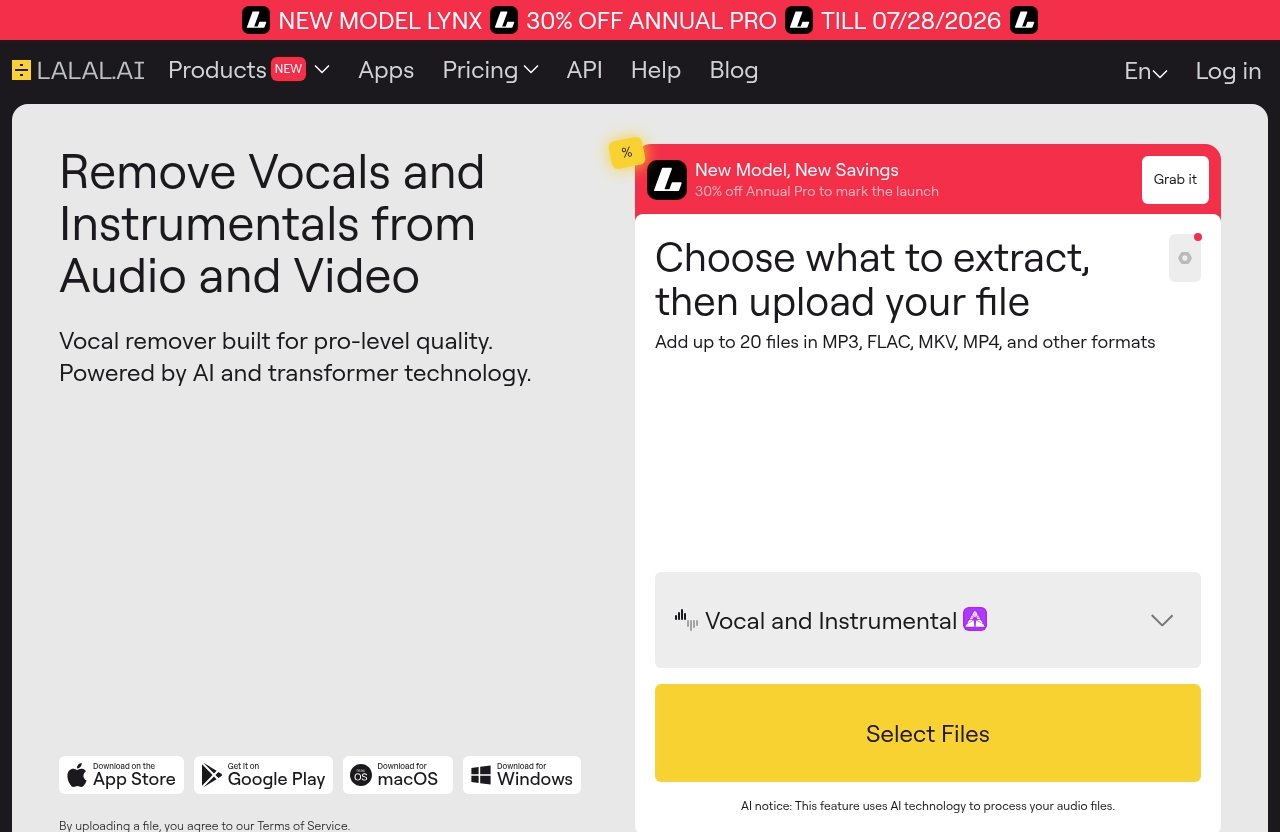
LALAL.AI is an AI audio processing platform whose official Vocal Remover is designed to remove vocals and instrumentals from music tracks, audio clips, and video files. In plain terms, it helps split a finished song into separate parts so you can use the vocal or instrumental on its own.
For this vocal remover review, that core function matters most. A good vocal remover should produce a usable instrumental with minimal vocal bleed, and ideally a vocal stem that does not sound overly watery, phasey, or damaged.
LALAL.AI also offers a Stem Splitter, which officially extracts vocals, instrumental, drums, bass, guitar, synth, string, and wind instruments. That makes it more than a basic karaoke maker.
AI and transformer-based processing
LALAL.AI positions its processing as AI-based and built for advanced stem separation. The practical benefit is that the software tries to identify musical components rather than simply filtering frequencies.
Traditional frequency-based removal often struggles because vocals share space with guitars, synths, snare presence, and reverb tails. Modern AI vocal separation can make smarter guesses, but it still depends on the mix.
In a realistic vocal remover review, the right expectation is “better isolation,” not magic. If the original song has dense mastering, distorted vocals, stacked harmonies, or big ambient effects, some artifacts may remain.
Supported use cases: music, audio clips, and video
Officially, LALAL.AI’s Vocal Remover works with music tracks, audio clips, and video. That is useful for creators who are not only working with studio songs.
A YouTuber might want to isolate speech or reduce music from a clip. A singer might want a backing track. A producer might want an instrumental reference. A teacher might need simplified practice material.
This flexibility is one reason LALAL.AI stands out from lower-cost vocal remover app options that may only be convenient for basic song uploads.
PRODUCT FACTS: Verified Plans, Pricing, and Key Features
Official pricing plans and what is included
For accuracy, this section separates verified official facts from review opinion. The official LALAL.AI pricing page is the correct source for current plan names, prices, and included allowances.
However, the source material supplied for this article does not expose exact pricing plan names, prices, credit amounts, limits, trial details, bundle terms, or promotional offers. Because of that, this vocal remover review does not invent pricing numbers or claim specific allowances.
| Pricing item | What can be stated safely here |
|---|---|
| Current prices | Listed on the official LALAL.AI pricing page, but not visible in the provided source text |
| Plan names | Not supplied in the verified source material for this article |
| Credits or limits | Not supplied in the verified source material for this article |
| Trial or free allowance | Not supplied in the verified source material for this article |
| Promotions | Not mentioned in the provided official content |
Before buying, check the live official pricing page and compare the cost with your expected usage. This is especially important if you only need to remove vocals from a song once or twice.
Verified product features you can claim
The following features are verified from the official LALAL.AI homepage information provided for this review:
| Feature | Officially verified capability |
|---|---|
| Vocal Remover | Removes vocals and instrumentals from any music track, audio clip, or video |
| Stem Splitter | Extracts vocals, instrumental, drums, bass, guitar, synth, string, and wind instruments |
| Voice Cleaner | Removes background music, vocal plosives, mic rumble, and other unwanted noises |
| Voice Changer | Transforms and changes your voice in music, audio recordings, and video files |
| Voice Cloner | Builds a personalized AI voice model from your own recordings and audio samples |
| Echo & Reverb Remover | Removes echo and reverb from vocals, voice recordings, songs, and videos |
| Lead/Back Splitter | Separates lead and backing vocals with pinpoint accuracy |
| Apps | Available for Windows, macOS, Linux, iOS, and Android |
| Integrations | Includes a VST plugin and API |
These features matter because a buyer may start with a simple vocal remover need but later want audio stem separation, voice cleanup, or instrumental isolation.
How to avoid unsupported pricing or feature claims
A trustworthy vocal remover review should not claim secret discounts, exact success rates, hidden limits, or guaranteed studio-quality stems unless those claims are officially documented.
For this article, all feature claims are based on the official LALAL.AI homepage details provided. Pricing is discussed only in general buying terms because the exact pricing data was not included in the supplied official source text.
Comparisons to cheaper tools are also category-level comparisons unless official competitor data is available. Free and low-cost vocal removers vary widely, so the fair comparison is based on common tradeoffs: convenience, output cleanup, stem options, workflow, and reliability.
Audio Quality: How Well Does It Remove Vocals?
Clean vocal separation strengths
The biggest reason to choose a paid AI vocal remover is not just that it removes the lead vocal. It is that the resulting instrumental and vocal stems are more likely to be usable with less cleanup.
In a serious vocal remover review, I look for three things: how much lead vocal remains in the instrumental, how natural the instrumental sounds after removal, and how damaged the isolated vocal becomes. LALAL.AI is positioned for users who care about those details.
For karaoke and practice, minor artifacts may not matter much. For remixing, cover production, or content work, those artifacts become more obvious once you add effects, compression, EQ, or new instruments.
Common artifacts to watch for
Even a strong instrumental isolator can produce artifacts. These usually show up as warbling, metallic edges, smeared reverb, missing cymbal detail, muffled guitars, or ghost-like vocal bleed in the background.
Vocal bleed is one of the most common issues. If the singer’s reverb is spread across the stereo field, the AI may remove the dry vocal but leave traces of the vocal ambience behind.
Another issue is musical overlap. A bright synth lead, distorted guitar, or snare transient can share the same sonic space as the vocal, so removing one may affect the other.
What genres and source quality matter most
Source quality matters as much as the tool. A high-resolution, cleanly mixed track usually gives an AI vocal remover more useful information than a low-bitrate file, noisy recording, or heavily compressed social media clip.
Dense genres can be harder. Metal, EDM, shoegaze, live recordings, and songs with stacked harmonies may leave more artifacts than sparse acoustic, pop, or spoken-word material.
This is where LALAL.AI can be worth paying for compared with lower-cost tools. When the source is challenging, better separation and extra cleanup features can reduce the amount of manual repair needed afterward.
Official website · Latest pricing & offers
LALAL.AI vs Lower-Cost and Free Vocal Removers
When free tools are enough
A free vocal remover can be enough if your expectations are modest. If you want a quick karaoke maker, a practice backing track, or a rough instrumental for personal listening, you may not need a paid product.
Free tools are also useful for experimentation. Many users search vocal remover Reddit discussions because they want to compare open-source tools, including Ultimate Vocal Remover, before paying for a commercial option.
The tradeoff is usually time and consistency. Free tools may require more setup, more model switching, or more trial and error to get a usable stem.
Where paid tools usually win
Paid tools usually win on workflow. You are paying for convenience, product support, broader platform access, and a more guided experience.
For this vocal remover review, LALAL.AI’s advantage is not just vocal removal. It also offers verified tools for stem splitting, voice cleaning, echo and reverb removal, lead/back vocal splitting, and voice-related processing.
That broader toolkit can matter if you regularly work with audio. A musician may need isolated bass and drums. A creator may need to clean voice recordings. A producer may want quick stems without building a technical setup.
Best value for casual users vs creators
The best value depends on how often you use it.
A casual karaoke user may only need a free or low-cost app. If the instrumental has a little vocal bleed, it may still be perfectly fun to sing over.
A creator, musician, or producer is more likely to benefit from LALAL.AI because cleaner stems save editing time. If you repeatedly remove vocals from song files, isolate instruments, or prepare practice material, the convenience can justify paying.
If you are comparing tools, you may also want to read related AI audio comparisons and software reviews on toptrustreview.com before committing.
Ease of Use, Platforms, and Workflow
Web use and quick uploads
LALAL.AI is built around a straightforward workflow: provide a file, choose the type of separation you need, and process the result. That simplicity is important for buyers who do not want to manage local AI models or complicated audio routing.
A practical vocal remover review should value speed and repeatability. If a tool produces decent output but takes too long to set up, casual users may abandon it.
For simple tasks like creating an instrumental, web-based processing can be more convenient than downloading software or learning a full audio production environment.
Desktop, mobile, and plugin availability
Officially, LALAL.AI apps are available for desktop platforms including Windows, macOS, and Linux. It also offers iOS and Android apps.
For more advanced workflows, LALAL.AI also has a VST plugin and API integration. That matters for producers, developers, and teams who want vocal separation inside a broader production or automation process.
This platform coverage makes it more flexible than many basic vocal remover app options. A singer can work from a phone, while a producer can use a desktop setup.
Best workflows for karaoke, remixing, and practice tracks
For karaoke, the workflow is simple: use the Vocal Remover to create an instrumental version, then check whether any vocal bleed is distracting. If the goal is casual singing, perfection is not required.
For remix prep, use vocal separation as a starting point rather than a final master. Listen for artifacts before building a full arrangement around the stem.
For music practice, the Stem Splitter can be useful beyond vocals. Bassists, guitarists, drummers, and vocalists may want to isolate or reduce specific parts to study arrangements more clearly.
Pros and Cons of LALAL.AI for Vocal Removal
Pros
LALAL.AI has a broad official feature set. It is not limited to a basic “remove vocals” function, which makes it more useful for creators who handle different kinds of audio.
Its verified platform support is strong. Windows, macOS, Linux, iOS, Android, VST plugin, and API availability give users multiple ways to fit it into a workflow.
It is a strong option for users who want convenience. Compared with many cheaper tools, LALAL.AI is easier to recommend to people who do not want to troubleshoot technical setups.
It also supports more advanced separation needs through its Stem Splitter and Lead/Back Splitter. That can be useful for serious vocal separation work.
Cons
The biggest concern is price sensitivity. Since exact pricing details were not available in the supplied source text, buyers should check the official pricing page before deciding.
No AI vocal remover is perfect. You may still hear vocal bleed, damaged transients, phasey textures, or reverb residue depending on the track.
It may be overkill for simple needs. If you only want one casual karaoke track, a free vocal remover could be enough.
The broad feature set may not matter to everyone. Users who only need one basic instrumental may not use voice cleaner, reverb removal, API access, or plugin workflows.
Who should skip it
Skip LALAL.AI if you only need occasional, low-stakes vocal removal and do not care about artifacts. A free tool may meet that need.
You should also skip it if you expect flawless studio stems from every commercial master. That is not a realistic expectation for any AI vocal remover.
Budget-focused users should compare the current LALAL.AI pricing with how many files they realistically plan to process. If usage is rare, the value may be lower.
How to Decide If It Is Worth Buying
Choose LALAL.AI if you need higher-quality separation
Choose LALAL.AI if you regularly need cleaner vocal removal, instrumental isolation, or audio stem separation. It is especially appealing if you want one platform for vocals, instruments, voice cleanup, echo and reverb removal, and app-based access.
This vocal remover review is most positive for users who value time. If you would rather process a file quickly than test several free tools, LALAL.AI is easier to justify.
It is also a sensible choice for creators who work with both music and video. Official support for music tracks, audio clips, and video makes it more flexible than a single-purpose tool.
Choose a cheaper tool if your needs are basic
Choose a cheaper tool if you only need rough output. For karaoke nights, casual practice, or one-time experimentation, the difference may not matter enough.
Free tools are also attractive for technically comfortable users. Ultimate Vocal Remover, for example, is often discussed in audio-engineering communities because it gives users room to experiment without paying for a commercial interface.
The downside is that free workflows can take more effort. If you are not comfortable adjusting models, settings, or file handling, a paid tool may be less frustrating.
Recommended buyer scenarios
Here is the simplest way to decide:
| Scenario | Recommendation |
|---|---|
| Casual karaoke at home | Try a free or cheaper tool first |
| Regular karaoke track creation | Consider LALAL.AI for convenience |
| Remix ideas and demos | LALAL.AI is a practical paid option |
| Professional stem work | Use LALAL.AI as a serious tool, but still inspect every output |
| Podcast or creator cleanup | LALAL.AI’s Voice Cleaner and reverb tools may add value |
| Developer or team workflow | API availability may justify looking closely |
If you decide the feature set matches your needs, review the current offer on LALAL.AI via TopTrustReview and compare it with your expected usage before purchasing.
Final Verdict
Best overall takeaway
LALAL.AI is a worthwhile paid option if you want a convenient, capable AI vocal remover with more than basic karaoke functionality. It is best for users who care about cleaner vocal separation, faster workflow, and access to related tools like stem splitting, voice cleaning, and echo removal.
The main reason to pay is not that every track will be perfect. The reason is that better tools can reduce the amount of cleanup, testing, and frustration required to get usable results.
For this vocal remover review, the final takeaway is simple: quality first, value second. If vocal removal quality affects your creative work, LALAL.AI is easier to justify than if you only need casual one-off files.
Value score reasoning
I would rate LALAL.AI as high value for frequent creators, musicians, and producers, but moderate value for casual users. The feature set is broad, and the platform availability is strong.
The unknown variable is exact pricing, because the supplied official pricing content did not include visible plan names or prices. That means buyers should confirm the live pricing before deciding.
Compared with lower-cost tools, LALAL.AI’s value comes from convenience, workflow breadth, and potentially cleaner output. Compared with free tools, its value depends on how much you dislike manual experimentation.
Recommendation by user type
Musicians should consider LALAL.AI if they regularly make practice tracks or isolate instruments. Producers should treat it as a fast stem-prep tool, not a guaranteed replacement for original multitracks.
Karaoke users should buy only if they create tracks often or want a smoother experience than free tools provide. Casual users should start cheaper unless quality is important.
Content creators, podcasters, and editors may get extra value from the broader audio cleanup features. For those users, LALAL.AI is not just a vocal remover app; it is a wider AI audio toolkit.
Official website · Latest pricing & offers
FAQ
Is LALAL.AI trustworthy?
LALAL.AI appears to be a legitimate official AI vocal remover platform with published product pages, official apps, and integrations. Verified availability includes desktop apps for Windows, macOS, and Linux, mobile apps for iOS and Android, a VST plugin, and an API.
That said, trustworthiness should not be confused with guaranteed perfect results. Always review the official website, pricing page, and current terms before buying.
What is the best quality vocal remover?
The best vocal remover depends on the source audio and your use case. A clean studio track, a dense mastered song, and a noisy video clip can all produce different results.
LALAL.AI is positioned as a pro-level option with vocal removal, stem splitting, voice cleaning, and reverb removal features. Free tools may still be enough for casual karaoke or basic practice tracks.
Is the Ultimate Vocal Remover still the best?
Ultimate Vocal Remover is often praised in vocal remover Reddit and audio-engineering discussions because it gives users free experimentation and technical control. For people who enjoy testing models and settings, it can be a strong option.
Paid tools like LALAL.AI may be better for users who want convenience, platform flexibility, and a more polished workflow. The better choice depends on whether you value free control or paid simplicity.
Which is the best vocal remover app?
The best vocal remover app depends on what you need. Mobile users may prioritize iOS or Android access, producers may care about desktop and plugin workflows, and developers may need an API.
LALAL.AI is a strong candidate because it offers web use, desktop apps, iOS and Android apps, a VST plugin, and API integration. If you only need occasional basic vocal removal, a free vocal remover app may still be enough.
Related Reading
References
- LALAL.AI Official Homepage
- LALAL.AI Pricing
- Reddit: Ultimate Vocal Remover is “holy sh*t” level good
- Best Vocal Remover 2026: 9 Tools Tested, Quality Scored