
Best Youlearn AI Alternatives in 2026: Compare AI Study Apps Before You Choose
Official website · Latest pricing & offers
Best YouLearn AI Alternatives at a Glance
If you are comparing youlearn ai alternatives, the right choice depends less on which app sounds most advanced and more on how you actually study. A PDF-heavy law student, a medical student drilling flashcards, and a lifelong learner reviewing recorded lectures need different tools.
Disclosure: toptrustreview.com may earn a commission if you buy through our YouLearn partner link, but our editorial opinions remain independent. If you still want to evaluate YouLearn directly while comparing options, you can visit YouLearn AI here.
Quick comparison table: best for PDFs, videos, quizzes, and course tracking
The table below is a practical starting point. I’ve separated verified claims from broader use-case observations where official competitor details were not provided, so this ai study app comparison stays grounded.
| Tool | Best For | Strongest Study Workflow | Notable Fit | Main Trade-Off To Consider |
|---|---|---|---|---|
| StudyPDF | Whole-course study | Cited answers, connected concept map, graded exams, progress tracking | Students managing an entire course | May be more course-system focused than casual PDF chat users need |
| NotebookLM | Source-grounded studying | Synthesizing uploaded materials and notes | Research-heavy learners | Feature specifics should be checked directly before purchase |
| ChatPDF | Fast PDF Q&A | Asking questions about documents | Students who mostly study PDFs | Less suitable if you need a full exam-prep system |
| Quizlet | Flashcards and memorization | Active recall and self-testing | Learners who need quick drills | Not primarily a deep source-analysis tool |
| Brainscape | Spaced repetition | Long-term retention | Cumulative exams and certification prep | Less ideal for lecture summarization alone |
| Anki | Custom flashcard power use | Highly controlled card decks | Disciplined learners and advanced students | Steeper learning curve |
| Scholarcy | Academic reading summaries | Digesting articles and dense papers | Research papers, journal reading, literature review | Not a complete course-tracking platform |
| ScreenApp | Videos, PDFs, and lectures | Study guides, summaries, flashcards, instant answers | Lecture-heavy courses | Confirm current limits and free-plan details before relying on it |
| CuFlow | AI-powered study workflows | Planning and study-flow support | Learners seeking broader workflow help | Public SERP detail is limited, so verify features directly |
How we selected these alternatives
I selected these youlearn ai alternatives based on the buying questions students usually ask before paying for an AI tutor: What formats can it handle? Does it support PDFs, videos, lectures, notes, quizzes, and flashcards? Can it help with exam prep, or does it only summarize content?
I also weighted practical study depth. A tool that answers questions from one PDF is useful, but it is not the same as a system that tracks progress across a whole course, builds spaced repetition, or generates graded exams.
Where official or SERP-provided facts were available, I used them directly. For example, the provided information describes StudyPDF as built around course-wide study, cited answers, a connected concept map, real graded exams, progress tracking, Anki export, and printable study sheets. ScreenApp is described as a free YouLearn AI alternative for videos, PDFs, and lectures that can create study guides, summaries, flashcards, and instant answers.
For tools where no specific official facts were supplied in the brief, I describe their market fit cautiously. That means you’ll see practical guidance, not unsupported claims about exact pricing, limits, benchmarks, or hidden features.
Who should skip YouLearn and who should stay
You may want to skip YouLearn if your main need is a very specific workflow: course-wide progress tracking, advanced flashcard scheduling, research-paper summarization, or a dedicated pdf study app. In those cases, some youlearn ai alternatives may match your habits better.
You may want to stay with YouLearn if you like the idea of a personal AI tutor that supports ongoing uploads, chats, voice mode, and recorded lectures. The official pricing page positions YouLearn around “Save hours, learn smarter” and mentions “endless content uploads, chats, voice mode, recorded lectures, and more.”
The best decision is not “Which app is most popular?” It is “Which app reduces the most friction in my study routine?” That is the lens I use throughout this roundup of the best youlearn ai alternatives.
What Is YouLearn AI and Why People Look for Alternatives
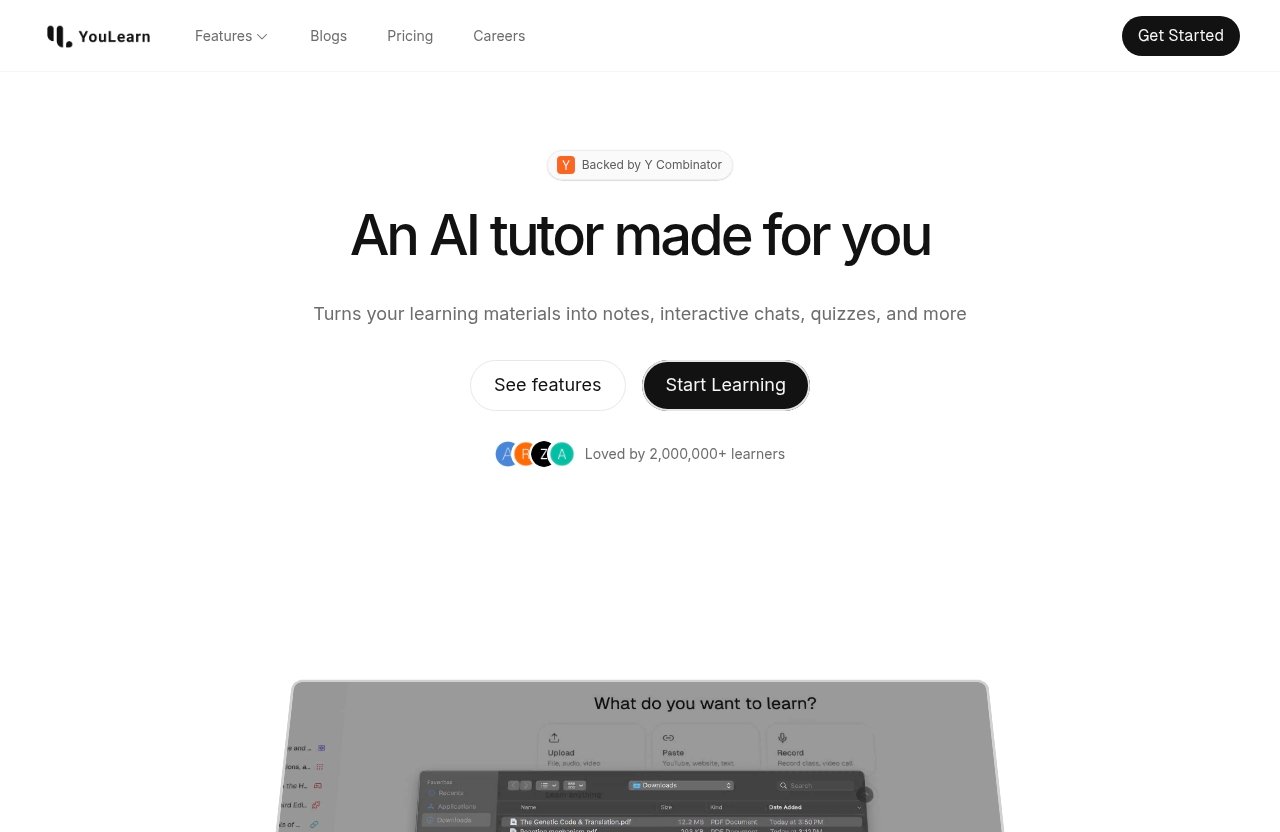
YouLearn AI is best understood as a personal AI tutor for learners who want to interact with study materials instead of passively rereading them. In the market for ai tutor alternatives, it sits in the category of tools that help students upload content, ask questions, and review material more efficiently.
What YouLearn AI is designed to do
Based on the official product facts provided, YouLearn AI positions itself as a personal AI tutor. Its official pricing page says, “Save hours, learn smarter,” and also references “endless content uploads, chats, voice mode, recorded lectures, and more.”
That makes YouLearn especially relevant for students who want one place to work with notes, lectures, and study content. If you regularly ask, “Can this explain my lecture in simpler terms?” or “Can I chat with this material?” YouLearn’s positioning is easy to understand.
Still, when comparing youlearn ai alternatives, it helps to separate broad AI tutoring from specialized study workflows. A general tutor may be convenient, while a focused flashcard, PDF, video, or exam-prep tool may be better for a particular job.
Common reasons users search for alternatives
People usually search for youlearn ai alternatives for one of five reasons. They want a free option, a tool built specifically for PDFs, better support for video lectures, stronger flashcards, or deeper course-level exam preparation.
Some students also want citations. If an AI answer affects a graded assignment or exam review, being able to trace the answer back to source material matters. This is one reason StudyPDF stands out in the provided SERP information: it is described as offering cited answers and course-connected study structure.
Others are not unhappy with YouLearn at all. They are simply comparison shopping before subscribing, which is smart. AI study tools can overlap heavily in marketing language, but differ sharply in workflow once you use them every week.
Free vs paid expectations
The official information confirms that YouLearn AI has a free plan, but it includes usage limits. The exact limits were not provided in the verified facts, so I will not invent them here.
That matters because many students search for youlearn ai alternatives free expecting unlimited AI tutoring at no cost. In practice, free plans often come with restrictions around uploads, chats, processing, storage, or advanced features. You should always check the current official pricing page before depending on any free plan for a full semester.
A paid tool may be worth it if it saves time consistently, improves recall, or helps you prepare for exams more confidently. But if your workload is light, a youlearn ai free alternative or a focused free tool may be enough.
How to Evaluate a YouLearn AI Alternative
Before choosing from the list, define your real study workflow. The best youlearn ai alternatives are not interchangeable, and the “best” one for you depends on formats, depth, pricing, and whether you need memorization or understanding.
Supported formats: PDFs, YouTube, web pages, lectures, slides
Start with content formats. Do you mainly study PDFs, or do you rely on recorded lectures, YouTube videos, slide decks, web articles, and class notes?
If your world is mostly documents, a PDF-first tool like ChatPDF or a course-oriented tool like StudyPDF may be more efficient than a broad AI tutor. If you live inside recorded lectures, ScreenApp deserves attention because the provided SERP description specifically positions it around videos, PDFs, and lectures.
For mixed-format learning, YouLearn remains relevant because its official page mentions content uploads, voice mode, and recorded lectures. But when comparing youlearn ai similar apps, verify exactly which file types, media formats, and usage limits apply today.
Learning depth: summaries vs adaptive study systems
A summary is useful, but it is only the first layer. Real studying often requires active recall, spaced repetition, practice questions, concept linking, and feedback.
This is where youlearn ai alternatives begin to diverge. Scholarcy may suit dense reading and summaries. Quizlet, Brainscape, and Anki lean toward recall. StudyPDF, based on the provided SERP description, is more focused on whole-course study with cited answers, concept maps, graded exams, and progress tracking.
Ask yourself whether you need to understand a chapter today or retain a course for an exam in six weeks. That one question can change which tool is best.
Pricing and free tier quality
For commercial comparison, pricing is not just the monthly number. It is the value of the limits.
A generous free plan may be perfect for occasional PDF questions. A restrictive free plan may fail during finals week. A paid plan may be justified if it handles your main content type and reduces hours of manual study.
Because competitor pricing details were not provided in the verified brief, this article does not invent prices for the other tools. When shortlisting youlearn ai alternatives, check current official pricing pages and look for upload limits, chat limits, export options, team features, and renewal terms.
Collaboration, export, and exam-prep features
Collaboration matters if you study in groups, tutor students, or manage a class. Export matters if you want to move notes into Anki, print study sheets, or keep materials outside a platform.
Exam-prep features are especially important. Practice questions, graded exams, progress tracking, and spaced repetition are more valuable than simple summaries when grades are on the line.
This is why StudyPDF is notable in the verified SERP information: it is described as supporting real graded exams, tracked progress, Anki export, and printable study sheets. Among study ai alternatives, that course-to-exam workflow is a meaningful differentiator.
1. StudyPDF
StudyPDF is one of the strongest youlearn ai alternatives for students who want more than a chat box for individual files. Based on the provided SERP description, it is built around studying a whole course with cited answers, a connected concept map, real graded exams, and tracked progress.
Best for whole-course study and cited answers
StudyPDF is best for learners who want to connect multiple course materials into one coherent study system. If your class includes lecture notes, chapters, readings, and exam objectives, a file-by-file approach can feel fragmented.
The provided SERP content says StudyPDF is recommended when a student studies a whole course, wants answers they can trust, needs real graded exams and progress tracking, and wants to export to Anki or print study sheets. That makes it a strong fit for exam-focused students who need structure.
In practical terms, StudyPDF looks strongest when your goal is not just “summarize this PDF.” It is “help me understand, review, test, and track an entire course.”
Where it beats YouLearn
According to the provided competitor information, StudyPDF is positioned against YouLearn as better for whole-course study, cited answers, a connected map across files, and performance tracking. Those are important advantages if you need depth.
Cited answers are especially valuable when trust matters. If an AI tutor gives a convincing response but you cannot verify where it came from, you may still need to manually search the source. A tool built around citations can reduce that uncertainty.
Among youlearn ai alternatives, StudyPDF is the pick I would look at first for structured course prep. It appears best suited for students who want their materials turned into an organized study environment rather than a loose conversation.
Potential trade-offs
The likely trade-off is simplicity. If you only need to ask quick questions about one PDF, StudyPDF’s course-oriented structure may be more than you need.
It may also require more upfront organization. A whole-course study system is most useful when you feed it the right materials and commit to using its tracking and exam-prep features.
Because pricing details were not included in the verified brief, you should confirm current plans directly before buying. That said, for students comparing youlearn ai alternatives around learning depth, StudyPDF is one of the most compelling options.
2. NotebookLM
NotebookLM is a natural name to consider when researching youlearn ai alternatives, especially for learners who want source-grounded studying across uploaded materials. I’m framing this section cautiously because the prompt did not provide official NotebookLM pricing or feature specifics.
Best for source-grounded research-style studying
NotebookLM is best thought of as a research-style study assistant. It fits learners who want to synthesize notes, readings, and source materials instead of relying on general AI answers.
For students, that can be useful when preparing essays, organizing class readings, or comparing multiple sources. The value is not just speed, but keeping study conversations connected to the material you provided.
If your priority is grounded synthesis rather than flashcard drilling, NotebookLM may belong on your shortlist of ai tutor alternatives.
Ideal use cases
NotebookLM is a good fit for research-heavy courses, humanities reading, graduate seminars, and independent study. It can also suit lifelong learners who collect articles, notes, and references around a topic.
The best use case is when you need to understand relationships between sources. For example, you might compare themes across readings, outline a paper, or build a study guide from several documents.
It may be less ideal if your main goal is daily memorization. In that case, flashcard-first tools like Quizlet, Brainscape, or Anki may serve you better.
Why students compare it to YouLearn
Students compare NotebookLM to YouLearn because both sit in the broader category of AI-assisted studying. Both appeal to learners who want to interact with material rather than simply read it.
The difference is workflow. YouLearn’s verified positioning emphasizes a personal AI tutor, content uploads, chats, voice mode, and recorded lectures. NotebookLM is more commonly considered by students who want source-grounded note synthesis and research-style organization.
If your shortlist includes youlearn ai alternatives for academic reading and source discussion, NotebookLM is worth evaluating. Just verify current capabilities, supported formats, and limits before making it your main study hub.
3. ChatPDF
ChatPDF is one of the simplest youlearn ai alternatives to understand. If you have a PDF and want to ask questions about it, a PDF chat tool is built for that job.
Best for fast PDF Q&A
ChatPDF is best for students who need quick answers from documents. Think textbook chapters, lecture handouts, academic papers, policy documents, or manuals.
The appeal is speed. Instead of scanning a long PDF manually, you can ask targeted questions, request a summary, or locate important ideas. For a document-heavy learner, that can be a meaningful time saver.
As a pdf study app, it is most attractive when your study materials are already in PDF form and you do not need a broader learning dashboard.
Strengths for document-based studying
The main strength is focused document interrogation. If your professor assigns a reading and you need to understand the argument quickly, PDF Q&A can help you orient yourself.
It can also support review sessions. You might ask for definitions, chapter outlines, key claims, or possible discussion questions. Used carefully, it can turn passive reading into a more interactive process.
For students comparing youlearn ai alternatives, ChatPDF is a practical choice when the job is narrow and document-specific.
Where it may fall short
The limitation is that fast answers are not the same as long-term learning. If you need spaced repetition, graded exams, progress tracking, or course-wide concept maps, a PDF-only workflow may feel thin.
It may also be less useful for videos, recorded lectures, or multi-format courses. Students with mixed materials should compare it against YouLearn, ScreenApp, and StudyPDF before deciding.
Choose ChatPDF if your main pain point is PDF understanding. Choose something else if you need a complete exam-prep system.
4. Quizlet
Quizlet is one of the most familiar youlearn ai alternatives for students who care about memorization. It is especially relevant when your exam depends on terms, definitions, formulas, dates, vocabulary, or repeatable facts.
Best for flashcards and memorization
Quizlet’s core appeal is active recall. Instead of rereading notes, you test yourself repeatedly until information becomes easier to retrieve.
That makes it useful for language learning, biology terms, anatomy, history dates, legal definitions, and many introductory courses. It can also help students who need a low-friction way to create and review study sets.
If your main study habit is drilling flashcards, Quizlet may be a better fit than a general AI tutor.
How it fits exam prep
Exam prep usually requires both understanding and recall. YouLearn-style AI tutoring may help explain concepts, while Quizlet-style studying helps you retrieve facts under pressure.
For many students, the ideal workflow is combined: use an AI tutor or PDF tool to understand material, then use flashcards for repetition. That is why Quizlet remains relevant even when newer AI tools are available.
Among youlearn ai alternatives, Quizlet is strongest when you already know what you need to memorize and want a familiar way to practice.
Who should choose it over YouLearn
Choose Quizlet over YouLearn if your biggest problem is recall, not explanation. If you constantly forget terms after reading them, a flashcard system may produce better results than more summaries.
It is also a sensible choice for students who prefer simple, repeatable study sessions. Five minutes of flashcard review between classes can be easier to maintain than a longer AI chat session.
However, if you need help understanding lectures, asking questions from uploaded content, or reviewing recorded classes, YouLearn or other youlearn ai similar apps may be more suitable.
Official website · Latest pricing & offers
5. Brainscape
Brainscape is another memorization-focused option in this list of youlearn ai alternatives, but its biggest appeal is spaced repetition. That matters when you need to remember information for more than a single quiz.
Best for spaced repetition
Spaced repetition is a study method that reviews material at increasing intervals. The goal is to revisit information before you forget it, strengthening memory over time.
For cumulative exams, licensing tests, language learning, and professional certifications, this approach can be more effective than cramming. It turns study into a schedule rather than a last-minute panic.
Brainscape is best for learners who want a structured repetition habit without building a highly customized system from scratch.
Why repetition matters
Many AI study tools are strong at explaining content, but explanation does not guarantee retention. You can understand a concept today and still fail to recall it next month.
That is why memorization tools remain important in an AI-heavy study stack. A strong tutor helps you grasp ideas; a spaced repetition tool helps you keep them.
If you are comparing youlearn ai alternatives for exam performance, do not underestimate repetition. It is often the missing layer between “I understood this” and “I can answer it correctly under time pressure.”
Great for long-term retention
Brainscape is a good fit for students preparing over weeks or months. It is less about one-off summaries and more about building memory gradually.
This can be especially helpful for medical, legal, language, and certification learners. Any subject with a high volume of facts can benefit from repeated retrieval.
The trade-off is that it may not solve your content-ingestion problem. If you need to process lectures or PDFs first, pair it with a tutor, PDF reader, or lecture tool.
6. Anki
Anki is the power-user option among youlearn ai alternatives for memorization. It is widely associated with custom decks, long-term retention, and disciplined study routines.
Best for power users and custom decks
Anki is best for learners who want deep control. If you care about how cards are structured, how decks are organized, and how review schedules behave, Anki-style studying can be extremely appealing.
It suits students who are willing to invest time upfront. The payoff is a highly personalized memory system that can support serious long-term study.
For casual users, that control may feel excessive. For power users, it is the point.
Flexibility and portability
The biggest advantage of a custom deck workflow is portability. You can build study materials that reflect your course, your exam, and your weaknesses.
This is relevant because the provided SERP content says StudyPDF can export to Anki. That creates an interesting workflow: use StudyPDF for course structure and cited study materials, then move selected items into Anki for repetition.
Among study ai alternatives, Anki is not trying to be a conversational tutor. It is better understood as a durable memory engine.
Learning curve to consider
Anki’s main trade-off is the learning curve. Some students love the control; others abandon it because setup and maintenance feel demanding.
If you are already organized, Anki can be excellent. If you struggle to maintain study systems, a simpler tool like Quizlet or Brainscape may be easier to stick with.
Choose Anki if you want maximum customization. Avoid it if you need a polished, low-effort AI tutor experience from day one.
7. Scholarcy
Scholarcy belongs in this roundup of youlearn ai alternatives because many learners do not need a tutor as much as they need help digesting dense academic reading. It is most relevant for articles, papers, and reading-heavy courses.
Best for article and paper summaries
Scholarcy is best for students dealing with long, technical, or academic texts. Instead of treating every document like a chat session, the goal is reading efficiency.
This can be valuable for literature reviews, weekly seminar readings, and research projects. Dense papers often have structure, terminology, and methods that take time to unpack.
A summarization-focused tool can help you decide what deserves deep reading and what can be skimmed.
Research and reading efficiency
The main benefit is triage. When you have ten papers to review, you need to identify the most relevant ones quickly.
A reading-efficiency tool can help extract core ideas, arguments, and sections worth closer attention. That does not replace critical reading, but it can reduce the initial workload.
For students comparing youlearn ai alternatives, Scholarcy is most useful when the bottleneck is academic reading volume rather than interactive tutoring.
Best-fit student profiles
Scholarcy fits graduate students, researchers, dissertation writers, and undergraduates in reading-heavy programs. It may also help lifelong learners who read technical reports or academic material.
It is less likely to be your best standalone tool if your primary need is flashcards, video lecture processing, or graded practice exams. In those cases, other options in this list may be stronger.
Think of Scholarcy as a reading accelerator. Pair it with a memorization or exam-prep tool if your course requires recall and testing.
8. ScreenApp
ScreenApp is one of the most relevant youlearn ai alternatives for students who study from videos and lectures. The provided SERP content describes it as a free YouLearn AI alternative that transforms videos, PDFs, and lectures into AI study guides.
Best for turning videos and lectures into study material
ScreenApp stands out because the SERP description specifically connects it to videos, PDFs, and lectures. It is also described as providing summaries, flashcards, and instant answers.
That makes it especially relevant for online courses, recorded university lectures, webinars, and video-heavy self-study. If your class content lives in recordings rather than textbooks, this workflow matters.
For students looking for a video lecture study tool, ScreenApp is one of the first options I would compare against YouLearn.
Useful for course recordings
Recorded lectures are hard to review efficiently. Rewatching a 90-minute lecture can be slow, and manually writing study notes takes time.
A tool that turns recordings into summaries, flashcards, and answerable study material can reduce friction. It helps you revisit the lecture without replaying every minute.
This is where ScreenApp may appeal to students searching for youlearn ai alternatives free. Just remember to verify current free-plan limits before relying on it for an entire course.
Why it appeals to YouLearn switchers
YouLearn’s official page mentions recorded lectures, so students comparing the two are often focused on lecture workflows. ScreenApp appeals to switchers because the provided SERP content frames it directly as a free alternative for videos, PDFs, and lectures.
The key buying question is whether you want a broad personal AI tutor or a tool strongly associated with media-to-study-material conversion. Your answer should depend on where your course content actually comes from.
If recorded lectures dominate your study life, ScreenApp deserves a close look among youlearn ai alternatives.
9. CuFlow
CuFlow appears in the SERP-provided information as one of the top youlearn ai alternatives in 2026. The available detail is limited, so this section stays deliberately cautious.
Best for AI-powered study workflows
CuFlow is worth considering if you want an AI-powered study workflow rather than a single-purpose PDF or flashcard tool. It may appeal to learners who want help organizing how they study, not just summarizing what they upload.
Because the prompt only confirms that CuFlow is listed among top alternatives, I will not claim exact features, limits, or pricing. Treat it as a shortlist candidate to investigate directly.
It belongs here because the market is moving beyond simple chat tools. Many students now want workflow support: planning, review, progress, and better study routines.
Study planning and performance focus
A study workflow tool can be useful if you struggle with consistency. The problem may not be understanding content; it may be deciding what to study next and how to measure progress.
In that sense, CuFlow may suit learners who want more structure than basic summarization. However, you should verify whether its current product experience actually matches your needs.
When comparing youlearn ai alternatives, I would evaluate CuFlow against StudyPDF for course structure, against Quizlet or Brainscape for memorization, and against ScreenApp for lecture-based study.
When to consider it
Consider CuFlow if you have already tried basic AI summaries and still feel disorganized. It may also be worth testing if you want a broader study-flow assistant.
Do not choose it blindly just because it appears on alternative lists. The more limited the public detail, the more important it is to test the product, read current plan information, and confirm supported formats.
CuFlow is a “research further” pick in this roundup, not a recommendation based on invented specifics.
Which YouLearn AI Alternative Is Best for You?
Choosing among youlearn ai alternatives is easier when you map tools to outcomes. Use the recommendation matrix below to narrow your shortlist quickly.
| Need | Best Pick To Start With | Why |
|---|---|---|
| Whole-course study | StudyPDF | Cited answers, connected concept map, graded exams, progress tracking |
| Free alternative for videos and lectures | ScreenApp | SERP-described as a free alternative for videos, PDFs, lectures, summaries, flashcards, and instant answers |
| PDF-only Q&A | ChatPDF | Simple document question-answering workflow |
| Research-style synthesis | NotebookLM | Useful market fit for source-grounded study across uploaded materials |
| Flashcards and ease | Quizlet | Familiar active recall and self-testing |
| Spaced repetition | Brainscape | Better fit for long-term retention routines |
| Maximum flashcard control | Anki | Custom decks and power-user flexibility |
| Academic paper summaries | Scholarcy | Reading efficiency for dense articles and papers |
| AI study workflow exploration | CuFlow | Worth investigating as an AI-powered study workflow option |
Best overall for course-depth study
For course-depth study, StudyPDF is the strongest recommendation in this list. The verified SERP description gives it several concrete strengths: cited answers, a connected concept map, real graded exams, tracked progress, Anki export, and printable study sheets.
That combination matters because real course prep requires more than summaries. You need to connect ideas, test yourself, identify weak areas, and revisit material before exams.
If you are comparing youlearn ai alternatives because YouLearn feels too general for your course, StudyPDF is the first alternative I would evaluate.
Best free alternative
For a free alternative, ScreenApp is the most directly supported pick from the provided SERP information. It is described as a free YouLearn AI alternative for videos, PDFs, and lectures, with summaries, flashcards, and instant answers.
That said, “free” should not be your only criterion. A free PDF tool may be best for documents, while a free lecture tool may be better for recorded classes. The best youlearn ai free alternative depends on your content format.
If you still want to compare against YouLearn’s own free plan, remember that the official information confirms a free plan exists but includes usage limits. Check current limits before planning a semester around it.
Best for PDFs only
For PDFs only, ChatPDF is the simplest starting point. It is built around fast document Q&A, which is exactly what many students need from a pdf study app.
StudyPDF may be better if your PDFs belong to a larger course and you want citations, concept maps, progress tracking, and graded exams. Scholarcy may be better if your PDFs are mainly academic papers and dense articles.
So the PDF decision is simple: ChatPDF for quick questions, Scholarcy for academic reading, and StudyPDF for course-depth study.
Best for videos and lectures
For videos and lectures, ScreenApp is the most obvious alternative in this roundup. The provided SERP information specifically says it transforms videos, PDFs, and lectures into AI study guides and provides summaries, flashcards, and instant answers.
YouLearn also remains relevant here because the official page mentions recorded lectures. If recorded lecture support is your main priority, compare both tools directly.
Among youlearn ai alternatives, ScreenApp is the strongest lecture-first option based on the supplied competitor details.
Best for memorization
For memorization, choose Quizlet, Brainscape, or Anki based on your preferred level of control. Quizlet is the easiest fit for many students. Brainscape is stronger if you specifically want spaced repetition. Anki is best if you want maximum customization.
This is an important distinction because AI tutors are often better at explanation than retention. If your exam rewards recall, a memorization-first tool may outperform a general AI assistant.
For many learners, the best setup is hybrid: use YouLearn, StudyPDF, NotebookLM, ChatPDF, Scholarcy, or ScreenApp to understand material, then use Quizlet, Brainscape, or Anki to remember it.
YouLearn AI Pricing and Plan Snapshot
If you are comparing youlearn ai alternatives, you should understand YouLearn’s verified pricing facts first. I’m only using the official product facts provided in the brief and avoiding unsupported plan details.
Official pricing overview
The official pricing page positions YouLearn AI with the phrase “Save hours, learn smarter.” It also says users can “Enjoy endless content uploads, chats, voice mode, recorded lectures, and more.”
Those statements describe the product’s positioning and included experience at a high level. They should not be read as a full breakdown of every plan limit, because exact plan-by-plan details were not provided here.
If YouLearn’s personal AI tutor model fits your workflow, you can compare the current offer through YouLearn AI while also checking the alternatives above.
What the free plan appears to include
The official information confirms that a free plan exists, and the PAA guidance says it includes usage limits. The exact limits were not verified in the provided facts, so I will not list numbers.
This is important for students searching for youlearn ai alternatives free. A free plan can be useful for testing the interface, checking response quality, and seeing whether the tool fits your materials.
Before relying on any free plan for serious exam prep, confirm current limits on the official pricing page. Free access is valuable, but predictable access during deadlines is more valuable.
Teams plan details
The official Teams plan is billed yearly at $15 per month per seat, with a minimum of 3 seats required. That is the only verified numeric YouLearn pricing detail provided.
This plan is relevant for study groups, tutoring teams, schools, or small learning organizations. If you are buying for multiple learners, team pricing and collaboration needs should be part of your comparison.
For individual students, the key question is whether YouLearn’s tutor workflow is more useful than a specialized alternative. For teams, the question becomes whether shared access and seat pricing fit the group’s learning process.
Official website · Latest pricing & offers
FAQ
Is YouLearn AI free for students?
Yes, YouLearn AI has a free plan, but it includes usage limits. The official information confirms a free option exists, but the exact limits were not provided in the verified facts used for this review.
If you are comparing youlearn ai alternatives, use the free plan to test whether YouLearn fits your content and study habits. Before depending on it for a full course or exam period, check the current official pricing page.
What is the best free YouLearn AI alternative?
The best free option depends on your study format. Based on the provided SERP information, ScreenApp is a strong candidate if you want a free alternative for videos, PDFs, and lectures.
If you mostly need PDF chat, consider a PDF-first tool. If you need flashcards, look at memorization-focused apps. The best youlearn ai free alternative is the one that matches your actual workflow, not just the one with the broadest feature list.
Which YouLearn AI alternative is best for PDFs?
For fast PDF Q&A, ChatPDF is the simplest option to consider. For academic paper summaries, Scholarcy may be a better fit. For course-wide PDF study with cited answers, concept maps, graded exams, and progress tracking, StudyPDF is the strongest pick based on the provided SERP details.
If your PDFs are part of a full class, StudyPDF is likely more useful than a basic document chat tool. If you only need quick answers from one file, a focused pdf study app may be enough.
Which alternative is best for quizzes and flashcards?
Quizlet is a strong choice for easy flashcards and self-testing. Brainscape is better if spaced repetition is your priority. Anki is best for power users who want custom decks and deeper control.
For exam prep, many students should combine tools. Use an AI tutor or document tool to understand the material, then use flashcards to retain it.
Can YouLearn AI handle recorded lectures and videos?
The official YouLearn pricing page says it supports recorded lectures and content uploads. It also mentions chats, voice mode, and more as part of its product positioning.
If lectures are your main format, compare YouLearn with ScreenApp. The provided SERP content describes ScreenApp as transforming videos, PDFs, and lectures into AI study guides with summaries, flashcards, and instant answers.
Does YouLearn AI offer a team plan?
Yes. The official pricing page shows a Teams plan billed yearly at $15 per month per seat, with a minimum of 3 seats required.
That makes it relevant for study groups, tutoring teams, and educational organizations. Individual students should still compare whether YouLearn or one of the youlearn ai alternatives better fits their personal study workflow.
Final Verdict: Is YouLearn AI Still Worth It?
YouLearn AI can still be worth it if you want a personal AI tutor that supports content uploads, chats, voice mode, and recorded lectures. The official positioning is clear: save time, learn smarter, and work with uploaded study content in a conversational way.
When YouLearn is a strong fit
YouLearn is a strong fit if your study style is interactive. If you like asking questions, getting explanations, reviewing uploaded materials, and working with recorded lectures, it deserves a place on your shortlist.
It is also a sensible option if you want one general tutor rather than several specialized apps. For students who prefer simplicity, that can matter more than having the deepest tool in every category.
If you are comparing youlearn ai alternatives only because you are curious, YouLearn may still be the right choice. Test the free plan, check current limits, and see whether the tutor workflow feels natural.
When an alternative is better
An alternative is better when your needs are more specific. Choose StudyPDF for whole-course depth, cited answers, graded exams, and progress tracking. Choose ScreenApp if videos and recorded lectures are your main materials. Choose ChatPDF for quick PDF Q&A.
For memorization, Quizlet, Brainscape, and Anki are often better fits than a general tutor. For dense academic reading, Scholarcy may be more efficient. For source-grounded research-style studying, NotebookLM is worth evaluating.
The best youlearn ai alternatives are not necessarily better for everyone. They are better when they match a specific study job more closely.
Short recommendation
If you want a broad personal AI tutor, YouLearn remains worth considering. If you want deeper course structure, start with StudyPDF. If you want a free lecture-focused option, compare ScreenApp. If you want memorization, choose Quizlet, Brainscape, or Anki.
My practical recommendation is to pick based on workflow, not brand name. Match the tool to your materials, your exam timeline, and the way you actually study. That is the safest way to choose among youlearn ai alternatives in 2026.
Related Reading
References
- YouLearn AI
- StudyPDF vs YouLearn | The Better Study Companion
- Top 10 YouLearn AI Alternatives for AI-Powered Study in 2026
- Alternatives to youlearn.ai – Top Rated AI Tools






