Cozyla Neo Review: Is It the Better Family Calendar Pick in 2026?
Affiliate disclosure: This article contains an affiliate link. If you purchase through it, Top Trust Review may earn a commission at no extra cost to you. Our assessment is based on verified Cozyla information, official-page snippets, and recurring themes in community feedback.
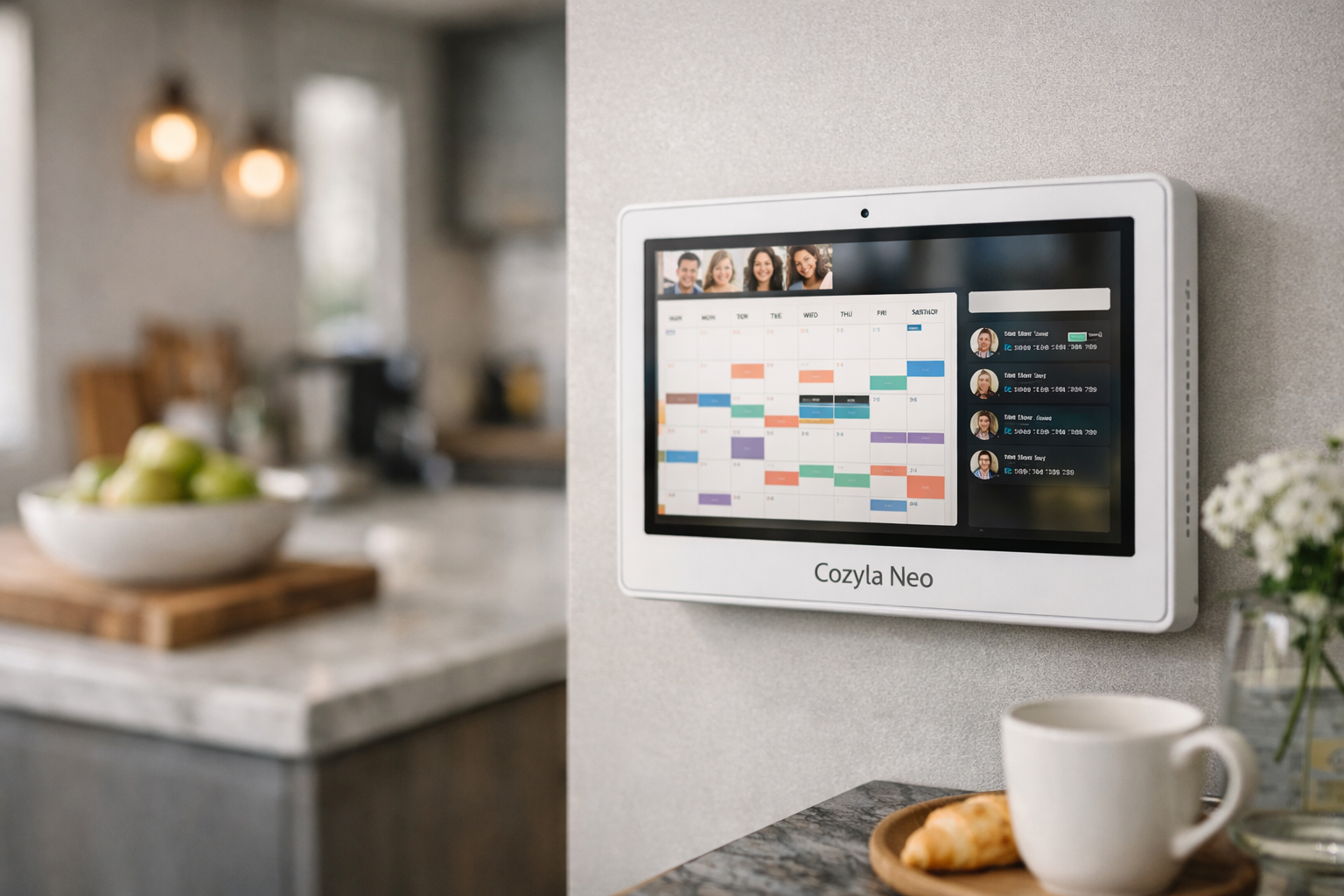
This Cozyla Neo review is for families deciding whether a dedicated smart calendar is more useful than another screen in the house. The Calendar Neo’s appeal is straightforward: it is a 15.6-inch family smart display designed to make shared schedules easier to see and manage. The important catch is that base functionality does not require a subscription, but some headline extras do.
Official website · Latest pricing & offers
Quick Verdict: Is Cozyla Neo A Better Pick?
The Cozyla Calendar Neo is a sensible option for households that want a focused, simplified family organizer rather than a highly customizable Android-style device. It can work especially well when your biggest need is giving everyone a shared visual place for schedules, routines, and household planning.
However, this Cozyla Neo review finds the subscription decision hard to ignore. Buyers who want meal planning, photos, and kids’ rewards should factor in the $79.99 annual plan required for those extras on Neo. That changes the long-term value calculation.
Who Should Buy The Neo
The Neo makes the most sense for families that value a dedicated, controlled household hub. If you want a screen that primarily supports the family calendar concept instead of becoming another general-purpose app device, its narrower approach can be a benefit.
It is also a practical pick for buyers who prefer a 15.6-inch display over a larger format. This size can suit a kitchen counter, hallway wall, or central family area where people need to check the day’s plans without the display dominating the room.
A subscription-free family calendar experience is possible with the Neo’s base features. That matters if your household only needs core planning functions and does not view photo displays, meal planning, or reward features as essentials.
Who Should Skip It
Skip the Neo if you expect every advertised family-management extra to be included with the hardware. The Cozyla Neo subscription model means that premium additions such as meal planning, photos, and kids’ rewards require an ongoing annual plan.
Buyers who want the broadest app flexibility should also look at Cozyla’s Plus models first. Official review-page snippets indicate that Plus models can run Google Play apps, while community conversations around Neo often raise concerns about limited app availability and a more closed experience.
Bottom-Line Recommendation
This Cozyla Neo review recommendation is balanced: choose Neo when you want a purpose-built shared calendar and are comfortable keeping premium extras optional. Choose a Plus model if app access and getting those extras without a separate annual charge matter more than keeping the initial setup simple.
If Neo’s focused approach matches your home, you can check Cozyla’s current Calendar Neo availability and offers. Verify the selected model, included features, and any checkout terms before ordering.
Product Facts
The following product facts are verified from the information provided for this review:
- Product name: Cozyla Calendar Neo
- Display size: 15.6 inches
- Cozyla lists Calendar Neo in its calendar lineup.
- The Neo is described in official and SERP review snippets as a family smart display or giant Android tablet-like device.
- Base features do not require a mandatory subscription.
- Neo extras including meal planning, photos, and kids’ rewards require a $79.99/year plan.
- On Plus models, meal planning, photos, and kids’ rewards are included with the device, and the models can run Google Play apps.
- Cozyla’s official review-page snippets highlight fast, free shipping, a 30-day risk-free trial, a 1-year warranty, and 24/7 customer support.
- As of November 7, 2026, Cozyla’s official homepage showed the code D910NV3C77UB3EFMRO7G alongside “20% Off | 10% Off.” Confirm the applicable offer and code at checkout.
What Cozyla Neo Is And How It Fits In Cozyla’s Lineup
The Cozyla Calendar Neo is positioned as a family-focused smart display: a shared screen intended to bring calendars, routines, and selected household tools into one visible place. In practical terms, it is for families that want fewer missed appointments and less back-and-forth about who needs to be where.
A Cozyla Calendar Neo review should not treat it as a generic tablet replacement. Its value is in its family-organizer role, while its limitations become more relevant for buyers who expect wide app choice or maximum customization.
Neo Vs Plus Family Positioning
The central Cozyla Neo vs Plus decision comes down to simplicity versus flexibility. Neo appears to be the more controlled option, with core family-calendar functionality available without a mandatory plan but optional extras behind an annual fee.
Official and SERP review-page snippets present the Plus models differently. They indicate that meal planning, photos, and kids’ rewards come included on Plus devices, and that these models can run Google Play apps. For many shoppers, those two points are more meaningful than a vague “better” label.
Tablet-Like Family Organizer Concept
A family smart display works best when it is placed where routines already happen. Think of the moments when someone is grabbing breakfast, checking after-school plans, or confirming a pickup time before leaving home.
The Neo’s purpose-built positioning may reduce the distractions associated with using a general tablet for organization. That is an advantage for parents who want one predictable household screen rather than a device filled with unrelated apps and notifications.
Where Neo Sits In The Product Range
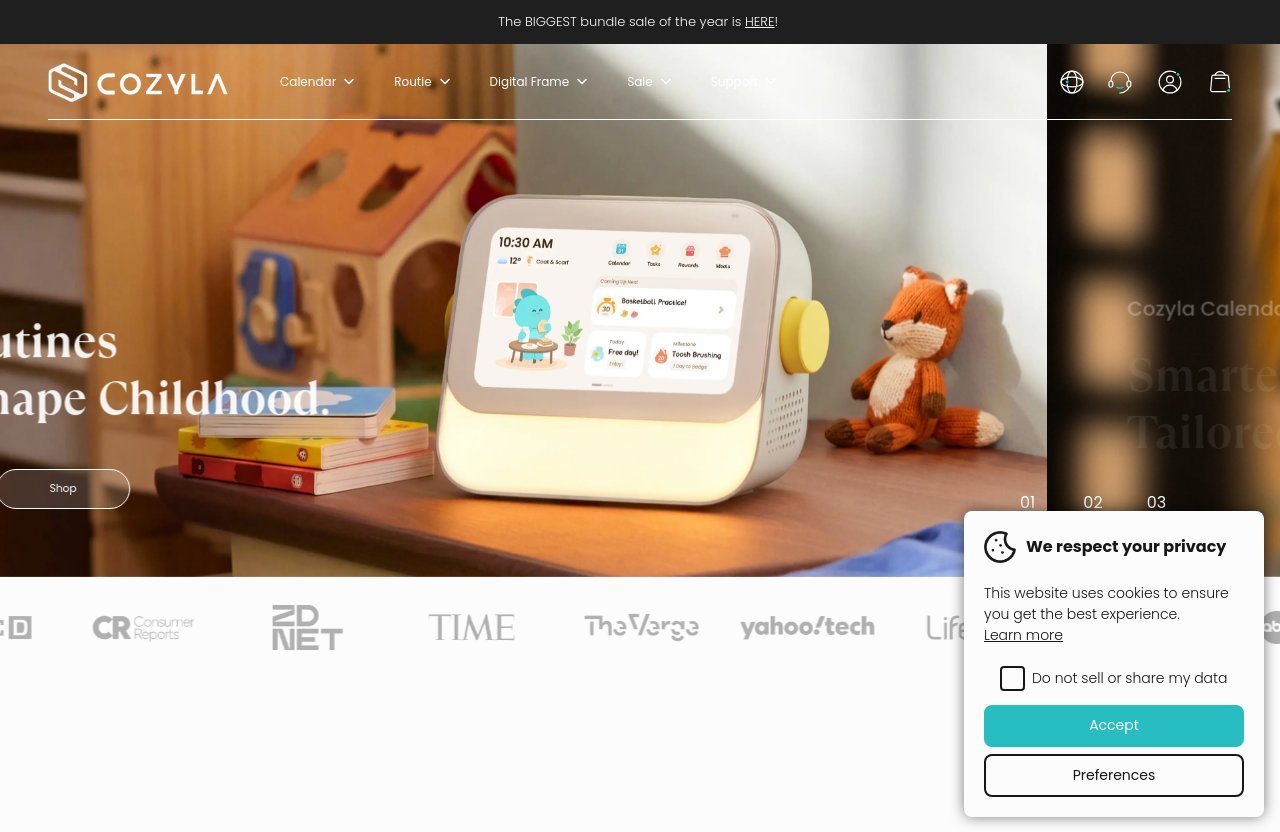
Cozyla’s homepage lists Calendar Neo alongside Calendar Plus 2, Calendar Plus Go, Calendar Max Go, and Calendar Plus 3. That lineup context is useful because it shows that Neo is not the brand’s only approach to family organization.
This cozyla neo review sees the Neo as the streamlined entry point for buyers who prioritize the shared-calendar idea. It is not automatically the best value for every family, particularly when you know from day one that photos, meal planning, rewards, and app flexibility are priorities.
Cozyla Neo Pricing And Plan Structure
Pricing is where many otherwise-positive Cozyla reviews and complaints become more nuanced. A lower hardware cost can be attractive, but the right decision depends on whether you will actually use the paid extras over several years.
A secondary SERP snippet reports pricing from $199.99 for Neo 15.6-inch models to $999.99 across the broader lineup. Because that is a lineup-wide range rather than a confirmed current Neo price list, treat it as general shopping context, not a final quote.
Verified Neo Price From Official/Secondary SERP Sources
The only specific Neo-related starting price in the provided research is the secondary SERP reference to $199.99 for a Neo 15.6-inch device. Product pricing can change, so confirm the current amount on Cozyla’s official sales page before making a purchase decision.
The more durable pricing fact is the premium-plan cost: the Neo’s extra features require a $79.99 yearly plan. A careful Cozyla Neo review should include that figure because it affects ownership cost more than a one-time comparison alone.
What Is Included Without A Subscription
Official and review-page snippets state that the Calendar Neo has no mandatory subscription for base features. This is a meaningful positive for buyers who want calendar-centered functionality without immediately committing to an annual charge.
Still, “no mandatory subscription” does not mean every feature is free. The practical question is whether your household will be satisfied with the base experience or feel that the device is missing the features that initially made it appealing.
What The Essential Plan Unlocks
Provided SERP and official-review snippets identify meal planning, photos, and kids’ rewards as features requiring the $79.99/year plan on Neo. These can be valuable family-oriented tools, but they should be viewed as paid add-ons rather than included benefits.
This distinction is the core Cozyla Neo subscription tradeoff. If you expect to use those extras frequently, compare the Neo’s ongoing cost with the Plus models, where the same categories of features are reportedly included with the device.
Neo Design, Screen Size, And Form Factor
The verified Cozyla Calendar Neo display size is 15.6 inches. That is large enough to serve as a central visual reference for a household while remaining less imposing than a larger wall display.
A cozyla neo review should focus less on whether 15.6 inches sounds big on paper and more on where the screen will live. Visibility depends on your room layout, viewing distance, lighting, and how many people need to check it at once.
15.6-Inch Display Overview
A 15.6-inch display can fit naturally in common household spaces. It may suit a kitchen counter, office nook, entryway area, or a wall location where family members pass through several times daily.
For a smaller household or a compact shared space, this form factor can be a strength. It keeps the organizer visible without making the device feel like a large digital sign.
Wall-Mounted Family Organizer Use Case
A shared calendar is most useful when it is not hidden away in a bedroom or office. Families considering the Neo should first decide on a location where people naturally stop, look, and discuss plans.
The wall-organizer concept can make schedules more accessible than a calendar buried in an individual phone. It may also help younger children participate in routines, though the effectiveness will depend on how consistently the household uses the display.
Why The Smaller Form Factor Matters
The Neo’s 15.6-inch screen is not necessarily better or worse than a larger display; it is a different fit. It may be enough for close-range checks and smaller rooms but less ideal if you want calendar details readable from far across a large open-plan space.
This Cozyla family calendar review perspective is simple: measure the intended location first. If the device will be viewed primarily from a few feet away, the Neo’s size may be a comfortable balance of readability and physical footprint.
Key Features Buyers Care About
Families shopping for a shared calendar generally care about clarity, consistency, and whether every person will actually use it. The Neo’s broader promise is to bring family coordination into one central display.
The feature decision is also where the Neo’s subscription structure matters most. Buyers should separate essential calendar needs from nice-to-have tools before deciding whether the device offers enough value without the paid plan.
Calendar And Scheduling
Calendar visibility is the foundation of the product category. A central display can help parents see appointments, school activities, work schedules, and household commitments in one shared location.
For the right family, the real benefit is behavioral rather than technical: fewer verbal reminders, fewer assumptions, and a clearer overview of what is happening. This Cozyla Neo review considers that everyday visibility the strongest reason to consider the device.
Shared Family Routines
A dedicated family screen can support routine-building because it creates a common reference point. Instead of asking one person to manage every detail on a personal device, the household can use the display as a shared planning surface.
That said, a device cannot fix an unshared planning habit by itself. The families most likely to benefit are those willing to make calendar updates and schedule checks part of their normal morning and evening routines.
Photo And Kid-Friendly Extras
Meal planning, photos, and kids’ rewards are confirmed extras available through the Neo’s $79.99/year plan. These are not trivial features for many families: photos can make a screen feel more personal, while meal and reward tools may encourage more frequent engagement.
But buyers should be honest about usage. If these functions sound appealing but are unlikely to become part of your household routine, the free base experience may be the more sensible way to approach the Neo.
App Availability And Customization Limits
Community feedback and Cozyla Neo review Reddit discussions commonly raise the theme of limited app availability, feature gaps, or a desire for broader customization. These are user-research themes, not a confirmed specification list, but they are important for expectation-setting.
The verified distinction is that Plus models can run Google Play apps. If broad app access is a must-have rather than a bonus, the Plus range deserves serious consideration before you purchase the Neo.
Official website · Latest pricing & offers
Ease Of Use: Setup, Day-To-Day Use, And Family Adoption
A family calendar only earns its place if people use it consistently. The Neo’s focused concept may be easier for some households to understand than a general-purpose device that requires each person to choose and manage separate apps.
Still, setup simplicity should be judged cautiously. There is no verified step-by-step setup claim in the supplied product information, so shoppers should review Cozyla’s current guidance and user feedback before assuming a completely frictionless onboarding experience.
How Intuitive It Feels For Non-Tech Users
The potential advantage of a dedicated family organizer is that its job is clear. A non-technical family member may find it easier to check a visible schedule than to learn a new collection of phone apps or account settings.
That does not guarantee universal ease of use. Software responsiveness and interface preferences are subjective, and some community feedback mentions speed or usability frustrations. Consider who in your home will be responsible for updates.
Kid And Parent Workflow
The Neo’s family focus can be useful when parents want a shared visual way to communicate routines and activities. The kids’ rewards feature may add value for families that plan to use it, though on Neo it falls within the paid-plan category.
Parents should also consider ownership of the workflow. A display works best when at least one adult is prepared to keep calendar information current and when other family members develop the habit of checking it.
What Makes It Easier Than A Generic Tablet
A focused organizer can be easier because it has a narrower purpose. Rather than asking family members to navigate an open-ended device, the Neo is positioned around shared household coordination.
This cozyla neo review sees that simplicity as both an advantage and a limitation. It can reduce distraction for calendar-first households, but it may feel restrictive to buyers who want to install and use a wider set of apps.
What People Like About Cozyla Neo
Review themes suggest that the concept of a large, central family organizer resonates with many buyers. The strongest praise is generally about having an accessible shared place to view household schedules instead of relying entirely on individual phones.
As with all review research, these themes should not be treated as universal outcomes. Individual experiences can vary based on setup, expectations, software updates, and whether the family adopts the device as part of daily life.
Subscription-Free Base Experience
A clear positive is that base features do not require a mandatory subscription. For buyers who only need core household-calendar functionality, that can make Neo more approachable than a device that locks basic use behind monthly or annual fees.
The important qualification is that the subscription-free family calendar value depends on your definition of “basic.” If meal planning, photos, and children’s rewards are central to your buying decision, the annual plan becomes relevant immediately.
Big-Screen Family Visibility
Families often praise the general idea of a big family organizer because a shared screen can make schedules harder to ignore. A 15.6-inch display provides a more communal experience than a calendar that lives only on one parent’s phone.
The Cozyla Neo’s size is most useful when placed intentionally. A visible location can turn it into a quick reference point, while poor placement can make even a capable organizer easy to overlook.
All-In-One Household Hub Appeal
The household-hub appeal comes from putting several family-oriented functions around one display. For some buyers, that sense of a shared home dashboard is more motivating than using separate planning tools.
This Cozyla Neo review remains cautious, though: the all-in-one claim is strongest if the available features match your routines. Families needing deeper app flexibility should not assume the Neo will operate like an unrestricted tablet.
Common Complaints And Tradeoffs
The best buying decision comes from understanding what may disappoint you before the purchase. In Cozyla reviews and complaints, the recurring themes include subscription concerns, limited app availability, feature gaps, and reports of slower software or occasional glitches.
These are community and review patterns rather than verified universal defects. Still, they point to valid questions that prospective buyers should ask before selecting a model.
Subscription Concerns
The most obvious tradeoff is the Cozyla Neo subscription. While core functions do not require a mandatory plan, meal planning, photos, and kids’ rewards cost $79.99 per year on Neo.
For some households, that is a reasonable recurring expense for features they use every week. For others, it can make the lower-cost device feel less compelling over time, especially since supplied snippets say those extras are included on Plus models.
Slower Software Or Glitches
Some community discussions mention software speed, glitches, or a desire for smoother performance. These reports should be weighed as anecdotal feedback, not as proof that every Neo unit will have the same experience.
Before buying, look for recent owner feedback and current software information. This is especially important if your household has low tolerance for troubleshooting or expects the display to be the sole source of schedule information.
Feature Gaps Versus More Open Devices
The Neo’s controlled design is not ideal for everyone. Buyers who expect extensive app choice may see a feature gap compared with more open devices, particularly because the supplied research specifically says Plus models can run Google Play apps.
The practical takeaway from this Cozyla Neo review is to buy Neo for what it is: a dedicated organizer. Do not buy it on the assumption that it will provide the same app freedom as a Plus model.
Neo Vs Plus: Which Cozyla Model Should You Choose?
The Cozyla Neo vs Plus choice should be based on your expected use after the first month, not just the initial product cost. Neo is the simpler proposition, while Plus models appear better suited to buyers who want broader flexibility and included premium family extras.
Because current pricing and detailed specifications can change, verify the exact device configuration directly with Cozyla. The comparison below only reflects the verified distinctions provided for this article.
Choose Neo If You Want Simplicity
Choose Neo if your household mainly wants a visible shared calendar and you appreciate a narrower, family-organizer focus. Its 15.6-inch size can be a good fit for smaller shared spaces or closer viewing.
Neo is also the logical choice if base features meet your needs and you are comfortable treating meal planning, photos, and kids’ rewards as optional paid upgrades. That approach avoids paying for flexibility you may never use.
Choose Plus If You Want More Flexibility
Choose a Plus model if you want the verified Google Play app capability mentioned in official and SERP snippets. That added app flexibility may matter greatly for families that use specific services or want a more adaptable screen.
Plus models are also worth considering if meal planning, photos, and kids’ rewards are must-haves. Those features are described as included with the device on Plus models, which can change the long-term value calculation.
Decision Table By Buyer Type
| Buyer Type | Better Cozyla Direction | Why |
|---|---|---|
| Calendar-first household | Neo | Base features are available without a mandatory subscription. |
| Small-space family | Neo | The verified 15.6-inch display may be easier to place. |
| Family wanting meal planning, photos, and rewards | Plus | These features are reportedly included on Plus models. |
| App-focused buyer | Plus | Plus models can run Google Play apps. |
| Buyer avoiding recurring charges | Neo for base use, or compare Plus carefully | Neo’s base features have no mandatory plan, but premium extras cost annually. |
| Buyer who wants a simpler dedicated hub | Neo | Its more controlled approach may be a better fit. |
Final Verdict: Is Cozyla Neo Worth It In 2026?
Yes, the Cozyla Calendar Neo can be worth it in 2026 for a family that wants a dedicated, visible planning hub and does not require broad app availability. Its verified 15.6-inch display and subscription-free base experience make it a reasonable option for calendar-first households.
The answer becomes less clear when you want premium family tools. The Cozyla Neo subscription costs $79.99 per year for meal planning, photos, and kids’ rewards, while supplied official and SERP snippets say Plus models include those features and support Google Play apps.
Best For Subscription-Conscious Buyers
The Neo is best for subscription-conscious shoppers when they are genuinely happy with the base feature set. There is no mandatory subscription for core use, so it can remain a straightforward shared-calendar device without recurring charges.
If premium extras are non-negotiable, do not overlook their annual cost. Compare the long-term ownership picture against the Plus range rather than evaluating only the upfront Neo price.
Best For Minimalist Families
Minimalist families may find the Neo especially appealing because it centers the household around one clear function: shared organization. A central display can make schedules and routines easier to notice than fragmented phone calendars.
This cozyla neo review recommends Neo to families who want fewer choices, not more. It is a better fit when a controlled experience feels reassuring rather than limiting.
Final Buying Advice
Buy the Neo if you want a simple, dedicated family calendar display and can comfortably live without Google Play flexibility. Consider a Plus model if you want premium family extras included and value broader app options.
Cozyla highlights fast, free shipping, a 30-day risk-free trial, a 1-year warranty, and 24/7 customer support in official review-page snippets. If the Neo fits your household’s needs, review Cozyla’s current Calendar Neo details here, and confirm pricing, available features, the code D910NV3C77UB3EFMRO7G, and checkout terms before purchasing.
Official website · Latest pricing & offers
FAQ
Does Cozyla Neo Require A Subscription?
No, Cozyla Neo does not require a mandatory subscription for base features. However, the verified information states that meal planning, photos, and kids’ rewards require a $79.99/year plan on Neo.
The right question is whether your family needs those extras. If you only need a shared calendar-focused display, the subscription-free base experience may be sufficient.
Is Cozyla Neo Better Than Cozyla Plus?
Neither is universally better. Neo is better for buyers who want a simpler, more controlled family organizer and are comfortable with optional paid extras.
Plus is likely better for families that want more flexibility. Verified snippets state that Plus models can run Google Play apps and include meal planning, photos, and kids’ rewards with the device.
What Size Is Cozyla Neo?
The verified Cozyla Calendar Neo display size is 15.6 inches. That can work well for a kitchen, hallway, desk area, or another shared household spot where people view it from relatively close range.
Whether that size is right for you depends on placement. Families wanting visibility from farther away in larger rooms may prefer to evaluate other Cozyla models as well.
What Do Owners Complain About Most?
Community and review themes commonly mention limited app availability, feature gaps, software speed, or occasional glitches. Subscription concerns also come up because Neo’s meal planning, photos, and kids’ rewards require a $79.99 annual plan.
These comments are not proof that every owner will have the same experience. They are useful expectation-setting points for buyers who prioritize smooth software and app flexibility.
Is Cozyla Neo Worth It For Families?
Cozyla Neo can be worth it for families that want a streamlined central organizer and will use a visible shared calendar consistently. It is particularly compelling if the subscription-free base functions cover your household’s actual needs.
It is less compelling for families that want premium extras, extensive apps, or maximum customization without ongoing costs. In that situation, compare the Neo carefully against Cozyla’s Plus models.
Sources
- Cozyla official homepage and Calendar lineup information
- Cozyla official reviews page snippets
- RemindHer article discussing Cozyla family-calendar positioning
- Cozyla Neo review Reddit discussion themes
- Community feedback themes from Facebook group discussions
Related Reading
References
- Cozyla US reviews page
- RemindHer: Cozyla Calendar Review: Is It Subscription-Free?
- Reddit: Cozyla is a glorified tablet with the new subscription model
- Facebook group: Which Cozyla digital calendar to choose: Neo or Plus?