Best Crocoblock Alternatives in 2026
Choosing between Crocoblock alternatives is less about finding a plugin with the longest feature list and more about choosing the right WordPress workflow. Crocoblock is a broad toolkit built around CrocoBuilder and 23 JetPlugins, so it can cover far more than visual page design.
That breadth is valuable for dynamic directories, WooCommerce stores, booking websites, filtered listings, and template-driven projects. But it can also be more than a simple brochure site or Gutenberg-first content team needs. This guide compares the strongest Crocoblock alternatives in 2026 for agencies, freelancers, WordPress professionals, and business owners who want a lighter stack, lower complexity, or more developer control.
Official website · Latest pricing & offers
What Crocoblock Is Best Known For in 2026
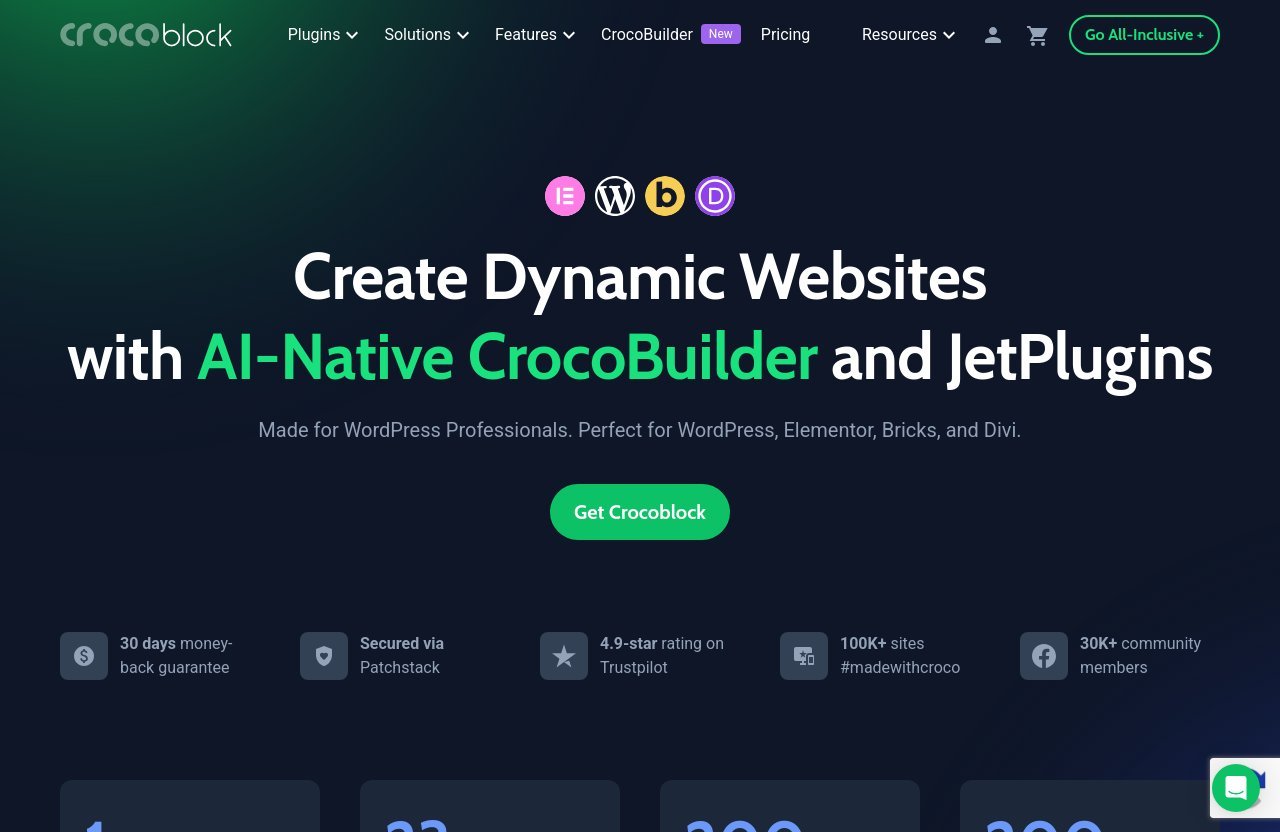
Crocoblock is not one standalone WordPress plugin. Its ecosystem includes CrocoBuilder, 23 JetPlugins, and the additional JetFormBuilder tool, making it a wide-ranging option for professionals who build feature-rich WordPress sites.
The official product positioning is clear: it is designed for WordPress professionals and works with WordPress, Elementor, Bricks, and Divi. The platform also highlights 200 widgets and more than 200 templates, which helps explain why it regularly appears in conversations about WordPress dynamic content plugins.
Core Use Cases: Dynamic WordPress Sites, WooCommerce, Booking, Filtering, Popups, And Templates
Crocoblock is especially relevant when a project needs custom content structures and interactive user experiences. Its official plugin areas include dynamic content, filters, WooCommerce building, booking, search, popups, forms, reviews, menus, templates, product tables, and more.
In practical terms, that makes the ecosystem suitable for projects such as:
- Property directories and marketplace-style websites
- Service sites with appointment or booking workflows
- WooCommerce stores with product filtering and custom layouts
- Membership, listing, or review portals
- Content-heavy websites with custom post types and reusable templates
- Agency projects that need repeatable visual and dynamic components
For a site that requires several of these functions, buying and configuring separate tools can become fragmented. This is where Crocoblock alternatives need to be judged honestly: some replace the visual-building side, while others replace only the dynamic-data side.
Who Crocoblock Is For: WordPress Professionals, Agencies, And Builders Using Elementor, Bricks, Or Divi
Crocoblock makes the most sense for people who build more than a handful of basic pages. Freelancers and agencies can benefit from having related tools in one ecosystem, especially when client sites need filters, custom layouts, templates, and content relationships.
The platform also provides real-time support for subscribers through Zoom calls, live chat, tickets, and human-powered support, with stated 24/5 availability. Officially, it is secured via Patchstack, used on more than 100,000 sites, and has a 4.9-star Trustpilot rating.
These are reassuring signals, but they should not replace a fit assessment. A smaller site may not need the same depth of tooling.
Why Shoppers Start Looking For Crocoblock Alternatives
Most buyers researching crocoblock alternatives are not necessarily unhappy with the product. They are usually trying to solve one of five practical concerns:
| Buying Concern | What It Usually Means |
|---|---|
| Simplicity | The site needs fewer moving parts and a shorter setup process. |
| Gutenberg workflow | The team prefers native WordPress blocks over a separate builder ecosystem. |
| Performance planning | The buyer wants to keep the stack intentionally lean. |
| Budget control | The project needs only a few functions, not an expansive toolkit. |
| Developer flexibility | The team wants to assemble custom fields, templates, and logic independently. |
The best choice depends on the project’s real requirements, not on which ecosystem appears most complete on paper.
How We Chose the Best Crocoblock Alternatives
I evaluated these crocoblock alternatives as buying paths rather than assuming every option is a direct feature-for-feature replacement. In client-style WordPress projects, a visual block library, a custom-field framework, and a listing theme can all solve different parts of the same problem.
That distinction matters. Replacing an entire suite with a single lightweight block plugin may be perfect for a marketing site, but it would be an incomplete plan for a directory with filtering, relationships, custom user submissions, and advanced templates.
Comparison Criteria To Use Across All Options
The comparison below focuses on the factors that tend to affect ownership experience after launch:
- Feature depth: Can the tool handle the site’s required content, templates, and interactions?
- Ease of implementation: How much setup, learning, and troubleshooting is likely?
- Builder compatibility: Does it match Elementor, Gutenberg, Bricks, Divi, or a custom development process?
- Stack weight: Does it add only what the website genuinely needs?
- Long-term value: Will the solution remain manageable as the site expands?
- Team fit: Can clients, content editors, designers, and developers work with it comfortably?
What Counts As A True Alternative Vs A Partial Substitute
A true Crocoblock replacement needs to address a significant portion of its broad site-building and dynamic-content role. A partial substitute can still be the better purchase if your project only needs one area, such as Gutenberg design blocks or custom fields.
For example, Elementor Pro can replace much of the visual site-building workflow for Elementor users. A Toolset, ACF, or Meta Box stack may be a better fit for developers who care primarily about custom data architecture. Meanwhile, Gutenberg alternatives to Crocoblock can be ideal where the project is mainly content, design, and conversion pages.
Important Limitations: Pricing And Features Must Be Verified
This is a commercially focused comparison, so it is important not to overstate parity. Crocoblock’s facts in this article are based on the supplied official product and pricing information. For competitor products, the discussion stays focused on their general category fit rather than unverified plan limits, performance benchmarks, or price claims.
Before buying, check each provider’s current product page, compatibility documentation, renewal terms, and support scope. This is particularly important for WordPress sites that rely on a combination of theme, builder, cache plugin, WooCommerce extensions, and custom code.
Best Crocoblock Alternatives In 2026: Quick Comparison
No single choice will suit every project. The table below gives a practical starting point for comparing the best crocoblock alternatives without pretending that all tools solve the same job.
| Option | Best Use Case | Builder Compatibility | Main Strength | Main Drawback | Ideal User |
|---|---|---|---|---|---|
| Nexter Blocks | Modular Gutenberg builds | Gutenberg | Block-first workflow | Not a complete substitute for every dynamic requirement | Gutenberg-focused freelancers |
| Kadence Blocks | Content-led and marketing sites | Gutenberg | Familiar, streamlined block design | Less suited to deep dynamic workflows alone | Small businesses and content teams |
| Essential Blocks for Gutenberg | Landing pages and modular content | Gutenberg | Broad design-block approach | Requires other tools for advanced data architecture | Budget-conscious site builders |
| Elementor Pro | Visual website creation | Elementor | Mature page-building workflow | May need extensions for specialized dynamic features | Elementor designers |
| Toolset, ACF, or Meta Box | Custom data-driven projects | Theme/builder dependent | Developer control | Requires stack planning and technical confidence | Developers and agencies |
| Voxel | Community, directory, and listing concepts | Product-specific workflow | More opinionated all-in-one route | Less flexible for unrelated project types | Niche listing-site builders |
Best Overall For Modular WordPress Builds
For Gutenberg users, Nexter Blocks is one of the most relevant crocoblock alternatives because it approaches design from a block-first perspective. It is most compelling when the site needs reusable sections and a native editing experience rather than an extensive, multi-plugin toolkit.
Best For Gutenberg Users
Kadence Blocks and Essential Blocks for Gutenberg are both sensible options for teams that want to stay close to the standard WordPress editor. They are generally better suited to editorial, service, landing page, and business sites than highly customized directory platforms.
Best For All-In-One Site Building
Elementor Pro is the obvious comparison for users who already work in Elementor. It can be a simpler route when visual design and site-wide templates are the primary goals, although advanced dynamic requirements may still lead buyers toward specialist plugins.
Best For Performance-First Teams
A carefully selected Gutenberg setup or a developer-built custom-field stack can be easier to keep focused. Performance still depends on the whole implementation, including hosting, assets, theme choices, caching, database queries, and third-party scripts.
Best Budget-Friendly Option
The lowest-cost route is not always the best value. For simple projects, choosing a smaller set of Gutenberg tools may reduce both purchase cost and maintenance time. For complex sites, an incomplete low-cost stack can become expensive once extra plugins, custom work, and troubleshooting are added.
Alternative #1: Nexter Blocks
Nexter Blocks is a strong option for people who want a Gutenberg-native approach to site building. Among JetPlugins alternatives, it is especially relevant for users who do not need every part of a large dynamic toolkit.
Why It Stands Out For Gutenberg-First Users
The practical appeal of Nexter Blocks is that it keeps editors working inside the WordPress block experience. That can reduce training friction for clients who are already comfortable creating pages and posts in the native editor.
For agencies, a Gutenberg-first build can also make handover easier when the final site uses consistent, reusable design patterns. Instead of teaching clients a separate visual-builder interface, the workflow stays closer to standard WordPress editing.
Where It Can Replace Parts Of Crocoblock
Nexter Blocks can cover the design and layout needs of many business sites, landing pages, portfolio sites, and content hubs. It is a realistic alternative when the client primarily needs polished page sections, responsive layouts, and reusable content blocks.
It is less likely to replace Crocoblock completely where a project depends on advanced custom data, booking workflows, complex filtering, or deep WooCommerce customization. In those cases, it may work best as part of a deliberately assembled stack.
Best Fit And Trade-Offs
Pros
- Keeps the team in a Gutenberg-centered workflow
- Suitable for modular page construction
- Can reduce reliance on a broad plugin bundle
- Practical for straightforward client websites
Cons
- May require companion tools for advanced dynamic-site requirements
- Not necessarily a full replacement for specialized JetEngine alternatives
- The final feature set depends on the rest of the WordPress stack
Best for: Freelancers and small agencies building Gutenberg marketing websites, content sites, and service-business projects.
Skip it if: You need an extensive all-in-one solution for listings, booking, advanced relations, or highly customized WooCommerce experiences.
Alternative #2: Kadence Blocks
Kadence Blocks is another prominent Gutenberg option for users who value a streamlined editing and design workflow. It is a sensible choice when the objective is to build attractive pages without adopting an oversized ecosystem.
Why It Appeals To Users Wanting Lighter Gutenberg Workflows
In day-to-day site management, lighter workflows often matter more than theoretical feature depth. Kadence Blocks appeals to teams that want editors to create polished layouts while maintaining a familiar WordPress experience.
This can be especially helpful for small businesses that update pages internally. A straightforward block workflow may create fewer support requests after the website is handed over.
How It Compares On Design Flexibility
Compared with Crocoblock, Kadence Blocks is more naturally framed as a design and content-building route than a full dynamic-site platform. It can be the cleaner fit when templates, content layouts, and marketing sections are the core priorities.
However, buyers should avoid expecting a block library to replace every specialized function in the Crocoblock plugin ecosystem. If your specification includes complex searchable data, booking, or dynamic listing logic, assess those needs separately.
Who Should Choose It Instead Of Crocoblock
Choose Kadence Blocks when your site is primarily a company website, blog, portfolio, educational site, or conversion-focused landing page collection. It is also a good option when editorial users need a controlled but approachable building experience.
Skip it when the project requires a large set of integrated dynamic features. In that scenario, Crocoblock alternatives built around custom data frameworks may be more appropriate than a design-first block setup.
Alternative #3: Essential Blocks For Gutenberg
Essential Blocks for Gutenberg is worth considering for teams that want more visual flexibility inside the block editor. It can be particularly useful for content teams building campaign pages, informational pages, and reusable layout sections.
Why Content Teams Like It
Content teams often need a practical middle ground: more expressive than basic WordPress blocks, but not so technical that every layout change requires a developer. A block-based ecosystem can support this goal by making page components easier to reuse.
For organizations publishing frequent updates, this matters. A consistent block library can help maintain visual standards without forcing editors to rebuild page sections from scratch.
Good Fit For Landing Pages And Modular Content
This type of tool is best considered for marketing sites, product pages, blogs, resource centers, and small-business websites. It can make sense when the key requirement is assembling modular content quickly and keeping layout management approachable.
As one of the more accessible crocoblock alternatives free of unnecessary complexity, a Gutenberg-focused approach can be a better commercial choice for smaller scopes. That does not mean it is automatically free; always verify the available version, features, and licensing directly with the vendor.
Limits Versus A Full Dynamic Suite
Essential Blocks for Gutenberg is not the first choice for a project that needs a full dynamic application layer. Complex content relationships, advanced searchable directories, custom user workflows, and extensive ecommerce logic generally call for more specialized tools.
Best for: Marketing teams, bloggers, startups, and businesses creating content-rich websites.
Skip it if: You are replacing JetEngine-level dynamic site planning rather than simply improving Gutenberg page design.
Official website · Latest pricing & offers
Alternative #4: Elementor Pro
Elementor Pro remains one of the most relevant options for people comparing Elementor alternatives for dynamic websites. For many users, the choice is not between Elementor and Crocoblock; it is whether Elementor Pro alone, or with a limited number of add-ons, can meet the project brief.
When Elementor Pro Plus A Few Add-Ons Can Replace Crocoblock
Elementor Pro can be sufficient when the site’s primary requirements are visual page construction, consistent headers and footers, site-wide design control, and professional-looking marketing pages. If the project only has light dynamic needs, a narrower Elementor setup may be easier to manage.
This route can also work well for designers who already know Elementor’s interface. Staying inside a familiar environment can lower production time and reduce errors during revisions.
Strengths For Page Building And Site-Wide Design
Elementor Pro is most compelling when design freedom and visual iteration are central to the job. It suits designers creating branded pages, conversion funnels, portfolio pages, service pages, and template-led websites.
The trade-off is that specialized functionality can create add-on dependency. Before purchasing extensions, map each required function and avoid adding plugins simply because they are popular.
Where Crocoblock Still Wins
Crocoblock has the stronger argument when one ecosystem needs to cover a wide range of functions. Its official product areas include tools such as JetEngine, JetSmartFilters, JetWooBuilder, JetBooking, JetAppointment, JetSearch, JetPopup, JetReviews, and JetFormBuilder.
For a complex build, consolidating compatible tools can be more practical than piecing together numerous unrelated Elementor add-ons. That does not make it the automatic winner, but it often gives it an advantage in breadth.
Best for: Designers and agencies already committed to Elementor-centric workflows.
Skip it if: Your team wants to move entirely to native blocks or needs a developer-controlled data model without a visual-builder emphasis.
Alternative #5: Toolset, ACF, Or Meta Box Stack
Toolset, Advanced Custom Fields, and Meta Box represent a different category of Crocoblock alternatives. Rather than offering one broad visual ecosystem, these tools are commonly considered when the main job is modeling and managing custom site data.
Best For Developers Building Custom Data-Driven Sites
For developers, the key question is often not “Which builder has the most widgets?” It is “How should this site store, query, present, and maintain custom data over time?”
A framework-oriented stack can be a strong choice for directories, resource libraries, real estate platforms, custom portals, and bespoke business systems. It allows teams to make deliberate choices about fields, post types, taxonomies, templates, and integrations.
When A Framework Approach Beats An All-In-One Suite
A developer-first stack may outperform an all-in-one suite when the project has unusual logic or a long development lifecycle. It can also be preferable when the team wants to work directly with theme templates, custom code, or a carefully selected builder.
This is why discussions around crocoblock alternatives reddit threads often become nuanced. Community opinions can be helpful for identifying real-world concerns, but the right solution still depends on the project’s technical owner and maintenance plan.
Trade-Offs In Learning Curve And Assembling A Stack
The main cost is implementation responsibility. A custom framework stack often requires more planning, stronger WordPress development skills, and careful testing of how each component works with the chosen theme or builder.
Pros
- Greater control over data architecture
- Appropriate for bespoke functionality
- Lets developers choose each layer intentionally
- Can avoid paying for unrelated features
Cons
- More technical setup and maintenance
- Potential compatibility responsibility falls on the implementer
- May be less friendly for non-technical builders
- Can require additional templating work
Best for: Developers and technical agencies creating custom data-driven WordPress websites.
Skip it if: You need a faster visual implementation with broad functionality available from one vendor ecosystem.
Alternative #6: Voxel
Voxel is a niche-oriented option that may appeal to builders planning community, directory, marketplace, or listing-style websites. It is best assessed as a purpose-led platform choice rather than a universal WordPress toolkit.
Why Some Users Prefer An All-In-One Community Or Listing Workflow
For a directory or community project, an opinionated workflow can be useful. Instead of combining a builder, custom fields, filtering system, user-profile tools, and listing templates separately, buyers may prefer a more unified product direction.
This approach can reduce architectural decisions at the beginning of a project. It can also make sense when the planned site closely matches the product’s intended use case.
Performance And Native Experience Considerations
Performance should be evaluated through a real staging build, not marketing assumptions. The final result depends on content volume, hosting, media handling, user activity, caching, database queries, and third-party integrations.
The broader lesson is that a focused platform may create a more cohesive experience for a focused project. But it may also feel restrictive if the site later changes direction.
Ideal Scenarios For Switching
Voxel is most worth evaluating when you are building a listings, marketplace, membership, or community concept and want a more opinionated setup. It is not necessarily the right choice for a standard agency website, ecommerce storefront, or content publication.
Best for: Entrepreneurs and agencies launching specialized directory or community-style sites.
Skip it if: You need general-purpose builder flexibility across many unrelated client projects.
Crocoblock Vs Alternatives: Which One Should You Pick?
The right decision becomes clearer when you start with the website’s complexity rather than the plugin brand. The strongest crocoblock alternatives are the ones that eliminate unnecessary work without removing essential capability.
Choose Crocoblock If You Want Maximum Plugin Breadth
Choose Crocoblock if your project needs multiple advanced functions under one roof. It is a strong fit for agencies and WordPress professionals building dynamic sites with templates, filters, ecommerce elements, booking-related requirements, popups, forms, and custom content workflows.
Crocoblock also offers a 30-day money-back guarantee, which can make a structured evaluation easier. If its breadth matches your requirements, reviewing the official details through Crocoblock’s current offer page is a sensible next step before committing to a stack.
Choose A Gutenberg Alternative If You Want A Lighter Workflow
Choose a Gutenberg alternative when site editing simplicity is more important than maximum dynamic functionality. Nexter Blocks, Kadence Blocks, and Essential Blocks for Gutenberg are logical directions for content-focused, marketing-led, and smaller business websites.
These options can help reduce the temptation to install a large suite for a project that only needs attractive sections, responsive layouts, and easy content editing. They are not necessarily complete JetEngine alternatives, and that distinction should guide the purchase.
Choose A Framework If You Want Developer Control
Choose Toolset, ACF, or Meta Box when the site is fundamentally a custom application built on WordPress. This is the best route when data relationships, custom logic, integrations, and maintainable architecture matter more than a bundled visual toolkit.
The trade-off is clear: you gain control, but you also take responsibility for building and maintaining the system. For a technical team, that can be an advantage rather than a drawback.
Pricing And Value: When Crocoblock Is Worth It Vs When To Skip It
Crocoblock pricing should be viewed as a subscription investment in an ecosystem, not as the price of one plugin. The official pricing page confirms that Crocoblock is a paid subscription offering, so buyers should check the official page for current plans, terms, and eligibility rather than relying on outdated comparison posts.
What You Get From The Official Crocoblock Ecosystem
The official Crocoblock ecosystem includes CrocoBuilder, 23 JetPlugins, and JetFormBuilder. Its verified product areas cover tools and solutions such as JetEngine, JetElements, JetGEO, JetMessenger, JetSmartFilters, JetWooBuilder, JetTabs, JetSearch, JetMenu, JetBooking, JetProductTables, JetThemeCore, JetReviews, JetAppointment, JetPopup, JetProductGallery, JetTricks, JetBlocks, JetCompareWishlist, JetBlog, JetGridBuilder, and JetStyleManager.
It also lists broader solutions including AI Builder, MCP, an AI MCP server and Command Center, AI Features, Performance, and REST API. Whether all of that is valuable depends on your project. Paying for a comprehensive ecosystem is rational when you will use enough of it to reduce separate purchases and integration work.
When An Alternative May Be Cheaper Or Simpler
A Gutenberg block solution may be better value for a five-page business website with a blog and a few conversion pages. A developer stack may also be a smarter investment when only custom fields and custom templates are needed.
This is where searches for crocoblock alternatives free options can be misleading. A lower initial cost can still lead to more expense if you later need separate tools, support, or custom development to complete the functionality.
How To Think About Total Cost Of Ownership
Use this checklist before comparing sticker prices:
| Cost Factor | Questions To Ask |
|---|---|
| Core license | Does the product include the capabilities you truly need? |
| Add-ons | Will you need extra plugins to fill missing functions? |
| Setup time | How long will configuration, design, and testing take? |
| Maintenance | Who will manage updates and compatibility checks? |
| Training | Can clients and editors use the workflow confidently? |
| Scalability | Will the stack still suit the site in a year? |
| Support | Is help available when a client deadline is at risk? |
My recommendation is straightforward: choose Crocoblock when you need a broad, connected dynamic WordPress toolkit and can benefit from its range of JetPlugins. Choose narrower crocoblock alternatives when a simpler Gutenberg workflow, a focused Elementor setup, or a developer-first architecture better matches the scope. The best purchase is the one that solves the full project without creating unnecessary plugin overhead.
Official website · Latest pricing & offers
FAQ
Is Crocoblock Good?
Yes, Crocoblock is good for users who need a broad WordPress toolkit for dynamic content, templates, filtering, booking-related workflows, WooCommerce projects, popups, and builder-based site creation. It is strongest when several of those capabilities are needed within one ecosystem.
For a basic business site, it may be more capability than necessary. In that case, lighter crocoblock alternatives can be easier to implement and maintain.
Is Elementor Still Worth It In 2026?
Yes, Elementor is still worth considering in 2026 for many designers, freelancers, and businesses that value visual page building and site-wide design workflows. It can be a good fit when page design is the central requirement.
Whether it is enough depends on dynamic functionality. If the project needs extensive filtering, custom data relationships, booking, or specialized ecommerce layouts, compare Elementor Pro alone with Crocoblock or a developer-oriented stack.
What Is The Best WordPress Page Duplicator Plugin?
The best WordPress page duplicator plugin depends on your existing theme and builder workflow. For many sites, a simple, well-supported duplication tool that works reliably with your editor is sufficient.
This is separate from choosing a site-building ecosystem. If duplicating templates and pages is important, test that workflow with your preferred builder or block setup before finalizing the wider stack.
Is Crocoblock Free?
No. Crocoblock is a paid subscription product according to its official pricing information. Check the official pricing page for the latest verified plan details, included products, and subscription terms.
Related Reading
- Best Trustindex Alternatives in 2026: A Practical Buyer’s Guide
- Wpforms vs Ninja Forms: Which Wins?
- Best Airdna Alternatives in 2026
References
- Top 3 Crocoblock Alternatives [Faster & Feature Rich]
- Best Crocoblock Alternatives Compared [Gutenberg Blocks]
- Crocoblock
- Plans & Pricing | Crocoblock