Cozyla Calendar+ 2 vs Skylight: Which Family Calendar Is Better in 2026?
Affiliate disclosure: TopTrustReview may earn a commission if you buy through links in this guide, at no extra cost to you. This does not affect our evaluation. We use verified product information where available and flag areas where competitor details are less clear.
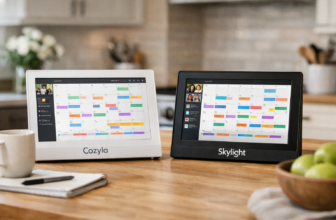
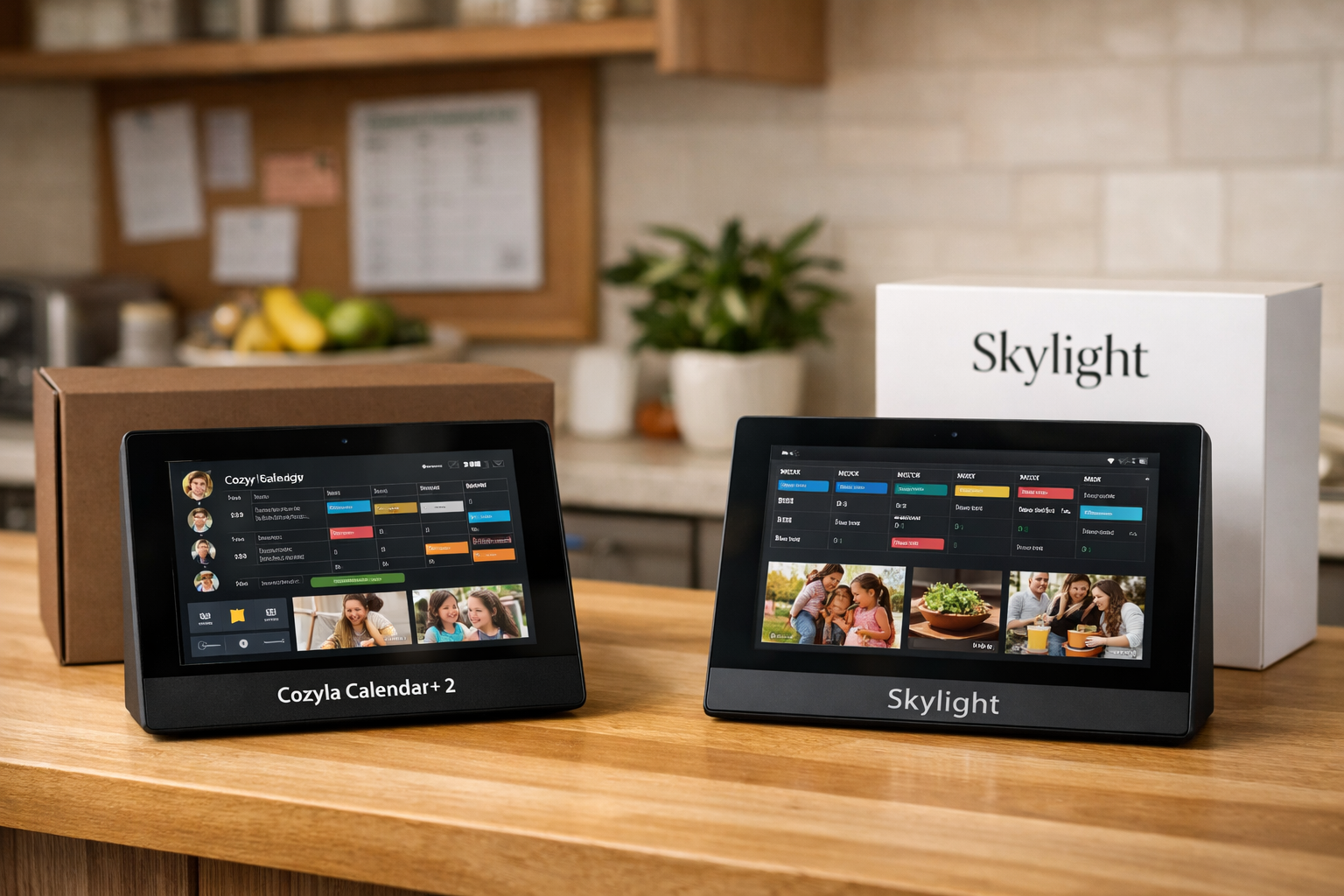
In this cozyla calendar+ 2 vs skylight buyer guide, Cozyla is the stronger option for families that want a large, multifunction display that can serve as more than a shared calendar. Skylight may still be worth considering for shoppers who want a more streamlined digital family calendar experience and prefer to keep the decision simple.
The key distinction is not just the calendar view. Cozyla positions Calendar Plus 2 as a four-in-one device: a digital calendar, tablet, smart home hub, and digital frame. That broader role can make it more useful in a busy kitchen, hallway, or family command center—but it can also be more device than a minimalist household needs.
Official website · Latest pricing & offers
Quick Verdict: Cozyla Calendar+ 2 vs Skylight Calendar
Who each product is best for
Cozyla Calendar Plus 2 is best for households that need a visible, shared planning screen and want extra capability beyond appointments. Its available 15.6-inch, 24-inch, and 32-inch formats make it a practical option for families who regularly coordinate school schedules, activities, chores, meals, and photos from one screen.
Skylight Calendar may appeal more to buyers who want a dedicated calendar concept with a simpler learning curve. Public discussions and general market coverage commonly frame Skylight as a straightforward shared-calendar choice, but shoppers should confirm current features, screen options, and pricing directly with Skylight before purchasing.
Bottom-line recommendation for families
For most feature-focused families, the cozyla calendar+ 2 vs skylight decision comes down to whether you want a calendar or a broader home display. Cozyla has the more expansive verified feature set, including free Smart Import, meal planning, a rewards system, a photo screensaver, and access to the Cozyla Agent App Store.
For a family that only wants to see schedules at a glance and values a more pared-down approach, Skylight may be sufficient. For households hoping to build a central planning station that can grow with their routines, Cozyla has the clearer advantage.
Why this comparison matters now
Digital calendars are no longer just niche gadgets for tech-heavy homes. Families use them to reduce repeated questions, make responsibilities visible, and keep everyone aligned without relying on a single parent’s phone.
This smart family calendar comparison also matters because the cost, size, and daily role of these displays differ significantly. A device that looks great in a product photo can become unused if it is too small for the room, too complicated for children, or too limited for the routines your household actually follows.
At-a-Glance Comparison Table
Display sizes
Core features
Subscription and app flexibility
Best-fit user
| Category | Cozyla Calendar Plus 2 | Skylight Calendar |
|---|---|---|
| Available display sizes | 15.6-inch, 24-inch, and 32-inch versions | Confirm current size availability directly with Skylight |
| 32-inch display options | 4K UHD and 1080P FHD options shown on the official product page | Not compared here due to limited verified competitor data |
| Product positioning | 4-in-1: digital calendar, tablet, smart home hub, and digital frame | Generally positioned as a shared family calendar solution |
| Included planning tools | Free Smart Import, meal planning, and rewards system | Verify current tools and availability directly with Skylight |
| Photos | Free Photo Screensaver | Confirm current photo features directly with Skylight |
| Apps and flexibility | Cozyla Agent App Store included | Public coverage often portrays it as more focused and simpler; verify current app options |
| Membership choices | Official 32-inch page shows device + 30-day free trial membership and purchase-without-membership options | Confirm current membership terms directly with Skylight |
| Best for | Families building a flexible family command center display | Families who prioritize a simpler calendar-first experience |
The table highlights why a cozyla calendar+ 2 vs skylight comparison should not be treated as a simple spec contest. Cozyla’s verified positioning is much broader, while Skylight may better fit buyers who deliberately want fewer functions.
Design, Screen Sizes, and Placement
Cozyla Calendar+ 2 size options
One of the biggest practical strengths in this Cozyla Calendar+ 2 review is choice. Cozyla offers Calendar Plus 2 in 15.6-inch, 24-inch, and 32-inch sizes, giving families more control over where the screen lives and how visible the schedule needs to be.
The 15.6-inch version may suit a desk, apartment kitchen, or smaller counter area. A 24-inch screen can work well as a central display in a kitchen or hallway, while the cozyla 32 inch calendar is aimed at households that want schedules, photos, and routines readable from farther away.
How the larger display changes usability
A larger screen is not automatically better, but it can make a substantial difference in high-traffic homes. When several people need to see the week’s activities at once, more screen space reduces the need to tap, scroll, or stand close to the device.
In the cozyla calendar+ 2 vs skylight discussion, this is an especially important point for larger families. A wall display should be legible to a child grabbing breakfast, a parent entering the room after work, and a visitor checking a shared plan—without everyone taking turns at a small screen.
The 32-inch Cozyla Calendar Plus 2 is available in 4K UHD and 1080P FHD options. Resolution alone should not decide your purchase, but it matters more when the display will also show photos, visual routines, or other content beyond a calendar grid.
Tabletop vs wall use
Placement determines whether a digital family calendar becomes part of the household routine. A tabletop setup can be convenient in a kitchen or home office, while a wall placement can make the calendar feel like a true household information board.
Before choosing a device, identify the place where family members already pause naturally: by the front door, near the refrigerator, or along the route between bedrooms and the kitchen. The best location is usually not the most visually perfect one; it is the one people will reliably look at.
Features That Matter Most for Families
Calendar syncing and daily planning
A shared calendar only helps when everyone can understand it quickly. Parents typically need the high-level weekly view, while children benefit from seeing their own activities, responsibilities, and upcoming events in one consistent place.
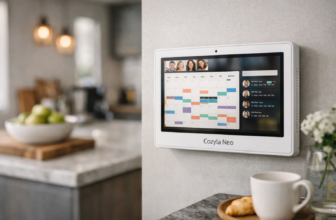
Cozyla describes Calendar Plus 2 as a four-in-one family calendar that combines a digital calendar, tablet, smart home hub, and digital frame. That positioning makes it more suitable for families that want their scheduling display to support several household tasks rather than only show events.
For this cozyla calendar+ 2 vs skylight guide, it is worth separating “calendar syncing” from “family planning.” A calendar can show appointments, but a family planning system also needs to support routines, meal decisions, and accountability. Cozyla’s verified built-in extras are relevant because they address those everyday friction points.
Meal planning and routines
Meal planning is one of the most useful features a family display can offer because it answers a question that comes up every day: “What are we having tonight?” Cozyla lists free meal planning, which can make the device more valuable in a kitchen-centered home.
The benefit is not that a screen magically organizes meals. The benefit is visibility. When dinners, activities, and grocery-related decisions are easier to review in the same area, families may spend less time repeating plans and more time adjusting them together.
Rewards and family management
Cozyla also lists a free rewards system. For families with younger children, visible recognition or task-based incentives can make household routines less abstract than a verbal reminder or a paper chart tucked onto the refrigerator.
This feature will not matter equally to every buyer. A couple, a household with older teenagers, or a family that dislikes reward systems may not use it. But for parents seeking a family command center display that combines schedules with daily accountability, it is a meaningful differentiator.
Photo screensaver and digital frame mode
A shared device is more likely to remain in a prominent place if it also feels personal. Cozyla includes a free Photo Screensaver, helping Calendar Plus 2 function as a digital frame when the family is not actively checking appointments.
That dual use is a key reason the cozyla calendar+ 2 vs skylight choice may favor Cozyla for buyers who dislike the look of a single-purpose screen. Instead of appearing dormant between schedule checks, the display can contribute photos and ambient visual interest to the room.
Software, Apps, and Customization
Cozyla Agent App Store
Cozyla lists the Cozyla Agent App Store as included. This matters because it gives the product a more tablet-like identity than a conventional fixed-function calendar display.
App availability alone does not guarantee that every family will need or use added functions. Still, it creates room for the device to adapt as routines change, which can be valuable for a household whose needs go beyond appointments and chore reminders.
Device flexibility and use cases
The most useful way to approach a cozyla calendar+ 2 vs skylight review is to ask what job the display should perform after the novelty wears off. If you only need a schedule board, simplicity can be a feature. If you want one shared screen for planning, home coordination, photos, and broader app-enabled uses, Cozyla’s approach is more compelling.
Cozyla’s official positioning as a tablet and smart home hub suggests a wider range of potential uses than a calendar-first device. However, buyers should avoid paying for flexibility they will never use. More capability can mean more value, but only when it matches established household habits.
How customization affects long-term value
Customization is often what separates a device used for several years from one that gradually becomes background décor. As children grow, families may move from chore-and-reward routines to school schedules, sports logistics, meal coordination, and shared household responsibilities.
Coverage of Skylight commonly emphasizes simplicity, which can be a genuine strength for users who want fewer options. Since detailed current competitor app and customization specifications were not provided for this guide, it is best to verify them on Skylight’s official site rather than assume the two ecosystems work the same way.
Official website · Latest pricing & offers
Pricing and Value Analysis
Verified Cozyla pricing
The official Cozyla product page lists the 32-inch Calendar Plus 2 at $1,099.99 for the 4K UHD version and $899.99 for the 1080P FHD version. The same page shows options for Device + 30-Day Free Trial Membership and Purchase without Membership at those listed prices.
This is the only Cozyla Calendar Plus 2 price information verified for this guide. Pricing for the 15.6-inch and 24-inch versions is not included here because we do not have verified figures for those models.
As of November 9, 2026, Cozyla’s official site also displays the code D910NV3C77UB3EFMRO7G alongside offer text stating “20% Off | 10% Off.” Confirm eligibility, the applicable discount, and final pricing at checkout before relying on the offer.
How to evaluate total cost over time
A fair cozyla calendar+ 2 vs skylight value comparison should consider more than the initial purchase total. Consider what features are included, whether any membership is optional or necessary for the experience you want, the size you need, and whether the device replaces other household tools.
Cozyla lists free Photo Screensaver, Smart Import, meal planning, and a rewards system. For a family that would actively use those tools, their inclusion can improve long-term value. For a buyer who only needs an event list, those extras may not justify spending more.
Cozyla also states that it offers fast, free shipping, a 30-day risk-free trial, a one-year warranty, and 24/7 customer support. Those policies can reduce purchase risk, but read the current terms before ordering in case conditions change.
When a higher upfront price is worth it
A higher initial price can make sense when the device becomes a shared household fixture rather than a personal gadget. Larger displays, multipurpose functionality, and photo-frame use can be more valuable when the screen is always visible and used by multiple people.
That said, budget-sensitive shoppers should not assume the most capable product is automatically the best choice. Skylight is often viewed as a more budget-oriented alternative in general shopping discussions, but current Skylight pricing was not verified in the materials for this article. Compare the live price and terms directly before deciding.
Setup, Ease of Use, and Family Adoption
What onboarding feels like
The success of any digital family calendar depends on setup discipline. Families should decide who owns updates, what information belongs on the display, and whether the device will be checked at a predictable time each day.
Cozyla’s wider feature set may require more initial choices than a calendar-only device. That is not necessarily a drawback; it simply means the best results will come from starting with the essentials—schedules, meal planning, and a few routines—rather than turning on every possible feature at once.
Everyday usability for parents and kids
The best family screens reduce repeated questions without making parents become full-time administrators. A visible weekly schedule, a clearly placed meal plan, and straightforward routines can help children build independence while keeping adults informed.
In a cozyla calendar+ 2 vs skylight decision, consider the users who are least comfortable with technology. If grandparents, young children, or visiting caregivers must understand the display at a glance, prioritize large text, clear organization, and an accessible location over advanced features.
Who benefits from a simpler interface
Some families genuinely do better with less. If your household is unlikely to use a rewards system, photo display, app store, or smart home functions, a focused calendar interface may lead to faster adoption and fewer distractions.
Skylight may therefore suit users who prefer a dedicated shared-calendar experience. The right question is not which device has the longest feature list; it is which one your family will use consistently after the first month.
Pros and Cons of Cozyla Calendar+ 2
Pros
- Available in 15.6-inch, 24-inch, and 32-inch versions.
- The 32-inch Calendar Plus 2 offers 4K UHD and 1080P FHD options.
- Positioned as a 4-in-1 device: digital calendar, tablet, smart home hub, and digital frame.
- Includes a Cozyla Agent App Store.
- Lists free Smart Import, meal planning, rewards system, and Photo Screensaver.
- Can serve as a more complete family command center display rather than only an event board.
- Cozyla states fast, free shipping, a 30-day risk-free trial, a one-year warranty, and 24/7 support.
Cons
- The verified cozyla calendar plus 2 price for the 32-inch model is a substantial upfront investment.
- Its wider set of functions may be unnecessary for buyers who only need a basic schedule display.
- More available tools can mean more setup decisions before the household settles into a simple routine.
- Buyers should confirm the current membership details, product configuration, and checkout terms for their chosen model.
Best use cases
Cozyla is best for active families that need to coordinate multiple schedules and want the display to do more than list appointments. It is particularly well suited to visible kitchen or hallway setups where a larger screen can become the household’s central reference point.
The cozyla calendar+ 2 vs skylight outcome is especially favorable to Cozyla when photos, meal planning, routines, rewards, and app-enabled flexibility are all part of the buying criteria. If those features are not priorities, the value calculation changes.
When Skylight Calendar May Be the Better Choice
Budget-first households
Skylight may be a sensible option for households trying to minimize the upfront purchase cost. However, because current Skylight pricing has not been verified in the source material used for this guide, shoppers should compare its current live price against their preferred Cozyla configuration rather than rely on older reviews.
A lower price is only better value if the device meets the family’s actual needs. A less expensive calendar that is too small, too limited, or rarely checked can be less useful than a more capable display used daily.
Families who want minimal setup
Some households want a device they can set up quickly and leave largely unchanged. If that describes your family, Skylight’s generally simpler market positioning may be attractive.
This is where skylight vs cozyla becomes a question of preference rather than superiority. Cozyla offers broader verified functionality; a simpler device may be the more comfortable choice for people who do not want to manage extra features.
Users who only need calendar basics
If you already use separate tools for meal planning, photos, smart home control, and chores, a basic shared calendar may be all you need. In that case, paying for a multifunction display may not be necessary.
Before choosing Skylight, confirm its current feature set, customer support terms, compatibility, and any ongoing costs directly from official materials. Competitor specifications and subscription policies can change, and this buyer guide does not treat unverified claims as facts.
Final Recommendation
Choose Cozyla if…
Choose Cozyla if you want a large, adaptable screen that can become a visible household hub. It is the better fit for families interested in Calendar Plus 2’s 4-in-1 positioning, multiple screen sizes, photo screensaver, Smart Import, meal planning, rewards system, and Cozyla Agent App Store.
For readers who want to explore the current configurations and official terms, you can view Cozyla through our verified affiliate link. As always, confirm the final model, price, membership selection, delivery details, and any promotion at checkout.
Choose Skylight if…
Choose Skylight if your main priority is a more focused shared calendar and you prefer a simpler experience over a broader family hub. It may also make sense for budget-first shoppers, provided its current pricing and features compare favorably for your specific needs.
A simple calendar that the whole family checks every day is more valuable than a feature-rich display nobody adopts. Think about your routines first, then buy the level of functionality that supports them.
Affiliate note and next step
Our final cozyla calendar+ 2 vs skylight recommendation is Cozyla for feature-oriented households and Skylight for buyers who want calendar basics with minimal complexity. Cozyla has the better verified range of family-management and display features; Skylight remains a reasonable consideration for simplicity-minded shoppers.
Because this article contains an affiliate link, TopTrustReview may receive a commission if you make a qualifying Cozyla purchase. Our recommendation is based on the verified facts available for this comparison, not on a promise that one device is right for every family.
Official website · Latest pricing & offers
FAQ
Is Cozyla better than Skylight?
Cozyla is usually better for families that want larger display options, more flexibility, and a family command center experience. Its verified features include Smart Import, meal planning, a rewards system, a Photo Screensaver, and access to the Cozyla Agent App Store.
Skylight may be better for people who want a more basic, focused calendar experience. The better choice depends on whether your household will use Cozyla’s added functions.
Is there a better option than the Skylight calendar?
It depends on what “better” means for your household. Cozyla is a strong alternative for families that want more customization, larger screen options, and broader functionality than a basic shared calendar.
In a cozyla vs skylight review, Cozyla stands out most when meal planning, photos, routines, and app flexibility matter. A simpler alternative can still be better for a household that only needs to view shared events.
Is Cozyla a Chinese company?
This guide does not have verified company-origin information that supports a definitive answer. Company origin should not be assumed from product listings or brand appearance.
If this factor is important to your purchase decision, check Cozyla’s current official About and support pages and contact its customer support for a direct, documented response before ordering.
Which calendar is better for families, Everblog, Skylight, or Cozyla?
Cozyla is the strongest fit for families seeking the most feature-rich shared display, especially those wanting a broader family hub with photos, meal planning, rewards, and app access. Skylight may fit families that prioritize simplicity and calendar-first use.
There is not enough verified Everblog product information in this guide to rank it fairly against the other two. Compare each option based on display size, household routines, desired features, current costs, and how likely everyone is to use it consistently.
Related Reading
References
- Skylight Calendar 2 Vs. Cozyla Calendar+ 2
- Which Smart Calendar is Best for Your Family?
- Cozyla vs Skylight Calendar
- Cozyla vs Skylight Calendar: Which Is Better? Our Verdict