Best Online Fax Services Like Alohi: Practical 2026 Comparison
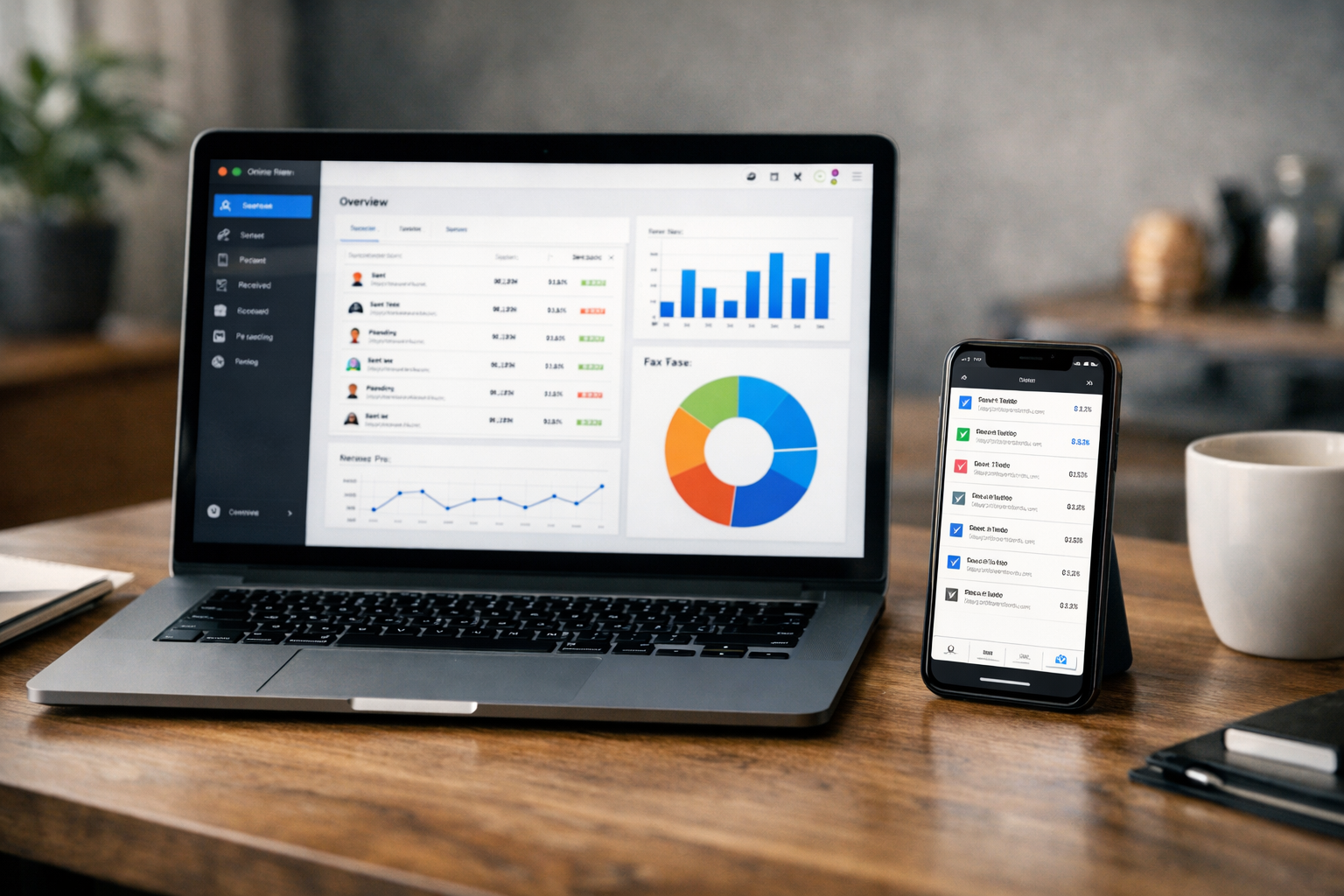
Finding the best online fax services is less about replacing a fax machine and more about choosing a secure document workflow that fits how you work. Alohi’s Fax.Plus is a strong baseline because it combines browser, desktop, and mobile access with business-focused security, integrations, and scalable plans.
This guide compares leading online fax alternatives for freelancers, small businesses, regulated teams, and larger organizations. Our assessment prioritizes practical factors: security, compliance readiness, device access, integrations, team administration, and pricing clarity.
Disclosure: TopTrustReview may earn a commission if you choose Fax.Plus through links in this article. This does not affect our assessment or the price you pay.
Official website · Latest pricing & offers
Quick Verdict: The Closest Online Fax Services Like Alohi
The best online fax services are not identical products. Dropbox Fax is a compelling choice for a polished, everyday experience, while eFax has a more enterprise-oriented position. MyFax may appeal to lighter users watching introductory costs, and iFax is worth considering for mobile-first business and healthcare workflows.
For most buyers who need a modern, security-conscious cloud fax service with room to grow, Fax.Plus remains the closest match to the wider Alohi ecosystem. It is designed around business document flows rather than simply sending the occasional file.
Best for Security and Compliance
Fax.Plus is the strongest starting point for teams that need documented security measures and a clear path toward enterprise features. Alohi states that its services use TLS 1.3 encryption, multi-factor authentication, annual pentest reports, and certifications or compliance positions including ISO 27001, SOC 2 Type 2, PCI-DSS, and HIPAA compliance.
For healthcare workflows, it is important to read plan requirements carefully. Fax.Plus states that HIPAA compliance with a BAA is available on its Enterprise plan only.
Best for Everyday Simplicity
Dropbox Fax stands out when a straightforward interface and familiar document-centric workflow matter most. It is frequently recognized by reviewers, including major technology publications such as PCMag, as a polished choice in the online fax category.
That makes it a sensible option for individuals and small teams that want dependable faxing without spending time configuring a more elaborate workflow.
Best for Enterprise Workflows
eFax is a recognizable name for buyers assessing enterprise-style faxing. It is worth a close look when procurement, larger-scale operations, and a long-established fax provider are central to the decision.
The trade-off is that larger organizations should validate the exact security, administration, integration, and contractual requirements directly with the vendor before committing.
Best Budget-Friendly Option for Lighter Faxing
MyFax is a practical online fax alternative for light to moderate requirements. Its plans have been advertised as starting at $5 for the first month, although introductory pricing can change and should not be treated as a long-term cost estimate.
It is best assessed as a simpler option for users whose fax needs are predictable and who do not require extensive enterprise workflow tools.
What to Look for When Choosing a Fax Service Like Alohi
A good buying decision starts with the workflow, not the brand name. The best online fax services should let you send, receive, store, and manage documents with controls proportionate to the sensitivity of the information involved.
Security and Compliance Requirements
If you handle patient records, financial documents, legal files, or confidential client material, evaluate security first. Ask whether the provider explains encryption, authentication, audit practices, data location, and the plan level required for regulated use.
Alohi emphasizes Swiss privacy laws and describes its platform as Swiss Made. Fax.Plus also states 99.99% consistent, reliable uptime across its services, which is relevant when faxing supports time-sensitive operations.
Do not assume that a platform’s general security messaging means every subscription tier meets your regulatory needs. For example, Fax.Plus specifically states that HIPAA requires its Enterprise plan.
Cross-Device Access and Ease of Use
The strongest cloud fax services remove location as a barrier. Look for browser access, mobile apps, desktop availability, and a workflow that makes it easy to review sent items, incoming documents, and failed transmissions.
Fax.Plus offers web access from any browser plus desktop, Android, and iOS apps. That breadth is useful for hybrid teams where one person works from a laptop, another sends documents from a phone, and an administrator needs central oversight.
Integrations and Workflow Automation
Integrations separate a basic online fax account from a business document system. Consider whether you need email to fax, Google or Microsoft connections, Slack notifications, automated routing, a fax API, or multi-function printer support.
Alohi lists Google integration, Microsoft integration, Slack integration, Zapier, Fax API, Email to Fax, Fax Broadcasting, MFP Integration, Google Workspace, and eSignature Integration among Fax.Plus capabilities. Buyers should focus only on the tools they will actually use; a deep integration list has little value if your team only sends a few documents each month.
Pricing Model and Page Allowances
Price comparisons can be misleading if they ignore included pages, overage charges, annual commitments, or multi-user requirements. Confirm how many pages you expect to send and receive in an average month, then compare that figure with each provider’s current plan terms.
The best online fax services make these limits understandable before checkout. It is also wise to model high-volume months, particularly for seasonal businesses, legal practices, and healthcare offices.
Business vs Personal Use Cases
A solo consultant may only need a fax number and mobile sending. A growing small business may need shared access, centralized billing, and integrations. A regulated organization may require formal compliance support, administrative controls, and a business agreement.
This distinction matters more than broad “best overall” rankings. A feature-rich best fax service for business can be unnecessary for occasional home use, while a low-cost account can become inadequate once multiple people must manage documents.
Best Online Fax Services Like Alohi: Shortlist Overview
Here is a concise scorecard for comparing the leading options by fit rather than relying on blanket claims.
| Service | Best Fit | Why It Belongs on the Shortlist |
|---|---|---|
| Fax.Plus | Security-conscious businesses and teams | Broad device access, business integrations, and clearly stated enterprise/HIPAA plan guidance |
| Dropbox Fax | Straightforward daily document faxing | Frequently well regarded for a polished, easy-to-use experience |
| eFax | Enterprise-oriented buyers | Established enterprise-style positioning and recognizable market presence |
| MyFax | Light to moderate use | A simpler, budget-conscious route, including a stated introductory offer |
| iFax | Mobile-first business and healthcare teams | Flexible device-oriented positioning for professional fax workflows |
| FaxZero | Occasional sending | A limited-use route for people who only need to send a fax infrequently |
The right service depends on whether you prioritize operational simplicity, controls, or scalability. These are the best online fax services to investigate further, but no shortlist replaces checking current plan terms and security documentation.
Dropbox Fax
Dropbox Fax is best viewed as an everyday option for people who value an uncluttered experience. It may be especially appealing to document-heavy professionals who prefer a familiar, polished software environment.
eFax
eFax is a sensible platform to evaluate for enterprise-oriented faxing. Its brand recognition can make it a natural inclusion in formal procurement comparisons and larger organization shortlists.
MyFax
MyFax is aimed at users looking for a straightforward cloud fax service for lighter or moderate demand. Review current allowances and renewal pricing carefully before assuming an introductory offer represents ongoing value.
iFax
iFax is positioned as a flexible secure online fax choice for business and healthcare-facing users. Its cross-device orientation can suit teams that need to handle documents away from a traditional office desk.
Fax.Plus
Fax.Plus is the most direct choice for readers seeking a platform aligned with Alohi’s wider secure document-flow approach. It brings together faxing, integrations, team support, and enterprise-oriented capabilities in one environment.
FaxZero (for Occasional Free Sending)
FaxZero is relevant only for occasional free sending, not as a replacement for a full business fax platform. Free options can involve restrictions, and they should not be the default choice for sensitive, recurring, or compliance-driven communication.
1. Fax.Plus: The Closest Alohi Alternative for Secure Business Faxing
Fax.Plus is not technically separate from Alohi; it is part of the Alohi product ecosystem. In practice, it is the direct answer for buyers looking for the best online fax services with the security-forward and workflow-focused approach associated with Alohi.
Alohi says it helps more than 5,000,000 companies and teams streamline document flows and has an impact across 180+ countries. Those are vendor-stated figures, but they help explain why Fax.Plus is positioned for more than occasional personal faxing.
Why It Feels Most Similar to Alohi
The platform reflects Alohi’s core approach: digital document operations should work securely across devices and locations. Instead of treating faxing as an isolated legacy task, Fax.Plus supports browser, desktop, Android, and iOS access.
That makes it a good fit for teams that want a consistent experience whether they are in the office, at home, or on the move. It also gives buyers a more coherent path from individual use to team and Enterprise needs.
Key Features to Highlight
Fax.Plus offers web access from any browser, desktop and mobile apps, email to fax, print to fax, cover sheets, mobile scanning, and fax number flexibility. These are practical tools rather than novelty extras: they help users create and send faxes from the documents and devices they already use.
For connected workflows, the service lists Google, Microsoft, Slack, Zapier, Google Workspace, eSignature Integration, MFP Integration, Fax Broadcasting, and a fax API. Alohi also lists AI Faxing (MCP) and AI-powered Fax capabilities.
The result is a flexible platform for buyers who need more than a simple upload-and-send tool. You can review Fax.Plus plans and platform details through this partner link if its business-oriented approach matches your requirements.
Where It Stands Out
Fax.Plus has unusually clear official messaging around security and plan-level compliance requirements. Alohi states that Fax.Plus supports TLS 1.3 encryption, multi-factor authentication, annual pentest reports, PCI-DSS, ISO 27001 certification, SOC 2 Type 2 compliance, and HIPAA compliance.
The platform also includes HIPAA Fax and Enterprise Fax capabilities. However, the important qualification is that the official pricing page says HIPAA compliance with a BAA is available only on the Enterprise plan.
For teams adopting an API-led workflow, Fax.Plus is also one of the more relevant online fax alternatives to assess because it explicitly lists a Fax API. That can matter for organizations that need faxing to fit within existing applications rather than remain a manual side process.
Potential Drawbacks to Mention
Fax.Plus may be more capability than a very occasional sender needs. A freelancer who sends one or two non-sensitive documents annually may prefer a limited free option or a basic service rather than a business-grade setup.
Compliance-sensitive buyers must also choose the correct plan. Do not select a lower tier and assume it includes Enterprise-only HIPAA and BAA coverage.
2. Dropbox Fax: Best for Simple, Polished Everyday Faxing
Dropbox Fax is among the best online fax services for people who want a refined product experience without making faxing the center of their technology stack. It is widely discussed in editorial reviews, including coverage from PCMag, which gives it useful third-party visibility.
Why Reviewers Often Rank It Highly
Major reviewers often value software that removes friction from a dated process. Dropbox Fax is commonly considered in that context because it is positioned around clean, accessible everyday document handling.
This appeal is meaningful for buyers who do not need specialized automation but still want a professional platform rather than a free fax website.
Best for Teams That Want an Easy Interface
Small teams often benefit more from clarity than complexity. Dropbox Fax is a credible option when staff need to send documents confidently with minimal onboarding.
It can be a particularly good fit for administrative teams, independent professionals, and client-service businesses that value a polished interface. Before purchase, confirm that its current account structure supports the number of users and workflows you need.
Useful Integrations and Document Handling
Its document-oriented positioning makes Dropbox Fax relevant for teams already accustomed to cloud-based file workflows. That said, buyers should validate the specific integrations, permissions, and automation options they need directly on the Dropbox Fax official site.
This is especially important if you require email to fax, an API, complex routing, or regulated-document controls. Do not assume that one cloud document platform’s capabilities automatically match another’s.
When It May Not Be the Best Fit
Dropbox Fax may not be the first choice for a buyer who needs a deeply specified compliance program, API-first workflow, or formal Enterprise plan requirements for HIPAA use. In those cases, a detailed comparison with Fax.Plus or eFax is more appropriate.
3. eFax: Best for Enterprise-Oriented Faxing
eFax is a longstanding name in online faxing and deserves consideration from larger organizations. Among Alohi alternatives, it is most relevant for buyers who prefer an enterprise-oriented provider with established market recognition.
Security and Compliance Positioning
Security and compliance should be reviewed from current official documentation, not assumed from brand size. Enterprise buyers should ask eFax about controls, policy requirements, contractual options, and implementation support specific to their industry.
That review process is more valuable than a generic comparison chart, especially for legal, health, financial, and public-sector teams.
Scalability for Larger Organizations
eFax is worth assessing when the buying process involves multiple stakeholders, formal approvals, and organization-wide usage. Its enterprise-oriented positioning may be attractive to teams that want a conventional vendor evaluation process.
However, larger scale does not automatically mean better fit. Confirm user administration, fax number management, retention expectations, workflow compatibility, and support arrangements before signing an agreement.
Who Should Consider It
Consider eFax if your organization already recognizes the brand, needs an enterprise-focused conversation, or is comparing several established providers. It can sit alongside Fax.Plus in a procurement shortlist where security expectations and business continuity are central.
Potential Trade-Offs
The trade-off is that enterprise positioning can be excessive for a one-person operation. If you simply need an easy interface and light document sending, Dropbox Fax, MyFax, or another simpler provider may feel more proportionate.
Official website · Latest pricing & offers
4. MyFax: Budget-Conscious Alternative for Light to Moderate Faxing
MyFax is a practical option for buyers seeking lower-complexity best online fax services for routine but not intensive use. Its plans have been promoted as starting at $5 for the first month, though introductory pricing can change.
Simple Sending From Multiple Devices
Cloud faxing is most useful when documents can be handled without a dedicated machine. MyFax is generally positioned as a convenient digital faxing option for users who need basic flexibility rather than a heavily integrated business system.
Why Smaller Users May Like It
Smaller businesses and independent workers may appreciate a service that focuses on core sending and receiving needs. If your requirements are modest, prioritizing ease and current cost can be more sensible than paying for sophisticated enterprise features.
How It Compares on Value
Value is not only the advertised starting price. Compare the current monthly charge after any introductory period, page allowances, overage approach, and whether a fax number or multiple users are required.
This is where MyFax can be a useful alternative, but only if the current terms align with your real usage. It is not automatically the best online fax service for small business simply because the first-month offer appears inexpensive.
Limits to Watch For
Buyers should be cautious about choosing solely on promotional pricing. Validate recurring charges, included volume, device needs, and the security standards applicable to your documents before committing.
5. iFax: A Flexible Option for Business and Healthcare Teams
iFax is a flexible cloud fax service to consider for business and healthcare-oriented workflows. Its positioning around secure faxing and use across devices makes it relevant for professionals who cannot rely on a single office workstation.
Secure Faxing From Any Device
Mobile flexibility is useful when staff need to send a signed form, referral, or client document while away from the office. iFax’s device-oriented positioning can appeal to teams that need cloud access as part of their daily work.
Why It Appeals to Healthcare Users
Healthcare users often need secure, reliable document exchange, but they should never infer specific compliance credentials without reviewing current provider documentation. iFax is commonly positioned toward healthcare use, which makes it worth researching for organizations in that sector.
The key question is whether the service, plan, agreement, and operating procedures meet your exact obligations. That diligence applies to every provider, including other Fax.Plus alternatives.
Fit for Mobile-First Users
iFax may be a good fit for professionals who prioritize phone and tablet access. Field staff, mobile consultants, and distributed teams can benefit from a workflow that does not depend on a fax machine or a fixed desk.
Possible Limitations
If you need extensive team administration, integrations, or a fax API, verify those requirements before selecting iFax. A flexible mobile experience is valuable, but it is only one part of a complete business fax evaluation.
How Alohi/Fax.Plus Pricing Works
Fax.Plus offers both monthly and annual billing. The official pricing page states that annual billing provides 3 months free, which may be attractive for buyers with predictable year-round fax needs.
Monthly vs Annual Billing
Monthly billing is useful for testing fit or handling a short-term project. Annual billing may offer better value for established workflows, but it should be chosen only after you understand your expected volume and required plan tier.
Plan Tiers and Who They Are For
Fax.Plus indicates that Teams need Business or Enterprise, Organizations need Enterprise, and users exceeding 200 pages per month should consider the relevant higher-volume option. These distinctions are helpful because they set expectations before a team outgrows an individual plan.
For buyers comparing the best online fax services, transparent fit guidance can be as important as the initial monthly price.
HIPAA and Enterprise Notes
The official pricing page states that HIPAA requires the Enterprise plan. It also says HIPAA compliance with a BAA is available on the Enterprise plan only.
This is a significant distinction for regulated buyers. Confirm the full agreement and operational requirements with the provider rather than relying on a general “secure online fax” label.
What Is Included at the Base Level
The visible Fax.Plus Basic plan is listed at $6.99 per month or $83.99 billed annually. It includes 200 free pages a month, one fax number, and one member included.
The visible pricing information also states $0.10 per extra page. Plan terms can change, so review the live pricing page before subscribing.
How to Choose the Right Alternative for Your Situation
The best online fax services should match the risk level and frequency of your work. Use the following practical framework to narrow your shortlist.
Solo Professional or Freelancer
Choose a service with simple mobile and browser access, a clear included-page allowance, and a cost structure you can predict. Dropbox Fax, MyFax, iFax, and the entry-level Fax.Plus plan can all be worth evaluating depending on your document sensitivity and frequency.
If you only fax once in a while, a limited free service may be enough. Do not use it for recurring confidential workflows without checking its restrictions and privacy practices.
Small Team
Small teams should prioritize shared processes, reliable access across devices, and integrations that reduce manual work. Fax.Plus is particularly relevant because it offers web, desktop, Android, and iOS access alongside Google, Microsoft, Slack, Zapier, and email-to-fax options.
A team should also verify whether its plan supports the required number of members. Fax.Plus states that Teams need Business or Enterprise.
Regulated Business
Regulated organizations should start with compliance requirements, not price. Request clear answers on security controls, the appropriate plan, agreements, retention practices, and how staff access is managed.
Fax.Plus is a strong candidate for this scenario because it provides detailed security claims and identifies Enterprise as the plan required for HIPAA. eFax and iFax may also belong in the evaluation, but current official documentation should determine the final choice.
High-Volume Enterprise
High-volume teams need a provider that can support governance, formal purchasing, and dependable operational access. Fax.Plus notes that volume exceeding 200 pages per month is a factor in selecting the appropriate plan, while eFax is a logical enterprise-oriented comparison point.
For this group, run a structured pilot. Test document routing, user access, transmission records, integration reliability, and administrative controls before implementing a company-wide solution.
Need for API or Integrations
If faxing must connect to business systems, prioritize documented integration capability. Fax.Plus explicitly lists a Fax API, Zapier, Google and Microsoft integrations, Slack integration, email to fax, MFP Integration, and eSignature Integration.
That makes it one of the best online fax services for organizations trying to reduce repetitive document handling. Still, test the specific workflow you need rather than assuming a listed integration solves every implementation detail.
Final Recommendation: Which Alohi Alternative Should You Pick?
The strongest choice depends on whether you value controls, simplicity, enterprise positioning, or minimum-cost occasional use. Alohi/Fax.Plus is the most complete baseline in this comparison for buyers who need modern access, practical integrations, and a clearly articulated security and Enterprise path.
Best Overall Match
Fax.Plus is our best overall match for businesses seeking a secure, scalable fax environment. Its device access, email to fax, integrations, fax API, and detailed official security posture make it especially compelling for teams that expect their needs to grow.
Best for Simple Faxing
Dropbox Fax is the best fit for buyers who prioritize an easy, polished everyday experience. It is a strong option when usability matters more than building a heavily customized document workflow.
Best for Enterprise Compliance
For compliance-led purchasing, begin with Fax.Plus Enterprise because the provider explicitly states that HIPAA requires that plan and that HIPAA compliance with a BAA is available there. eFax is also a credible enterprise-oriented provider to include in a formal vendor review.
Best for Occasional Faxing
For very occasional, non-sensitive use, limited free services such as FaxZero can be worth considering. For ongoing work, however, one of the best online fax services with clearer security, support, and operational consistency will usually be the more responsible choice.
Official website · Latest pricing & offers
FAQ
What Is the Most Reputable Online Fax Service?
Reputation depends on security, reliability, compliance support, customer experience, and how well a platform fits the intended workflow. Dropbox Fax, Fax.Plus, and eFax are commonly cited names in reviews and buyer comparisons, but the most reputable option for you is the one that meets your documented requirements.
What Is the Best Free Online Fax Service?
Free faxing is usually limited by page caps, sending restrictions, or occasional-use conditions. FaxZero can be relevant for infrequent sending, but it is not a full replacement for a paid secure online fax service used for sensitive or regular business communications.
Can I Send a Fax From Gmail for Free?
Some providers support email-to-fax workflows, but free unlimited Gmail faxing is not typical. You generally need an account with a fax provider, and any free allowance is likely to be limited.
Which Is Better, eFax or Fax.Plus?
Fax.Plus is generally the better fit for teams seeking a modern, security-forward workflow with broad device access, integrations, and a stated Enterprise path for HIPAA requirements. eFax may be a better match for organizations that prefer an enterprise-oriented, established fax provider; compare current terms and security documentation before deciding.
Related Reading
References
- The Best Online Fax Services We’ve Tested for 2026
- Dropbox Fax (Formerly HelloFax) | Send & Receive Fax Online Securely
- Fax.Plus – Best Online Fax Service | Send Fax Online Securely
- Fax Online with eFax | Secure, Scalable, Enterprise Cloud Fax