
FX Replay for Futures: Is It Worth It? (2026 Review)
Using fx replay for futures allows active traders to test discretionary market strategies against real historical contract data without needing complex desktop installations or third-party market data subscriptions. Backtesting index, commodity, and currency futures with bar-by-bar control, automated trade logging, and simulated execution conditions gives traders an objective way to validate their edge before putting real capital at risk.
Affiliate disclosure: This article may contain affiliate links. If you buy through them, we may earn a commission at no extra cost to you. Details were checked on November 14, 2026 and can change.
Official website · Latest pricing & offers
Quick Answer: Is FX Replay for Futures Worth It?
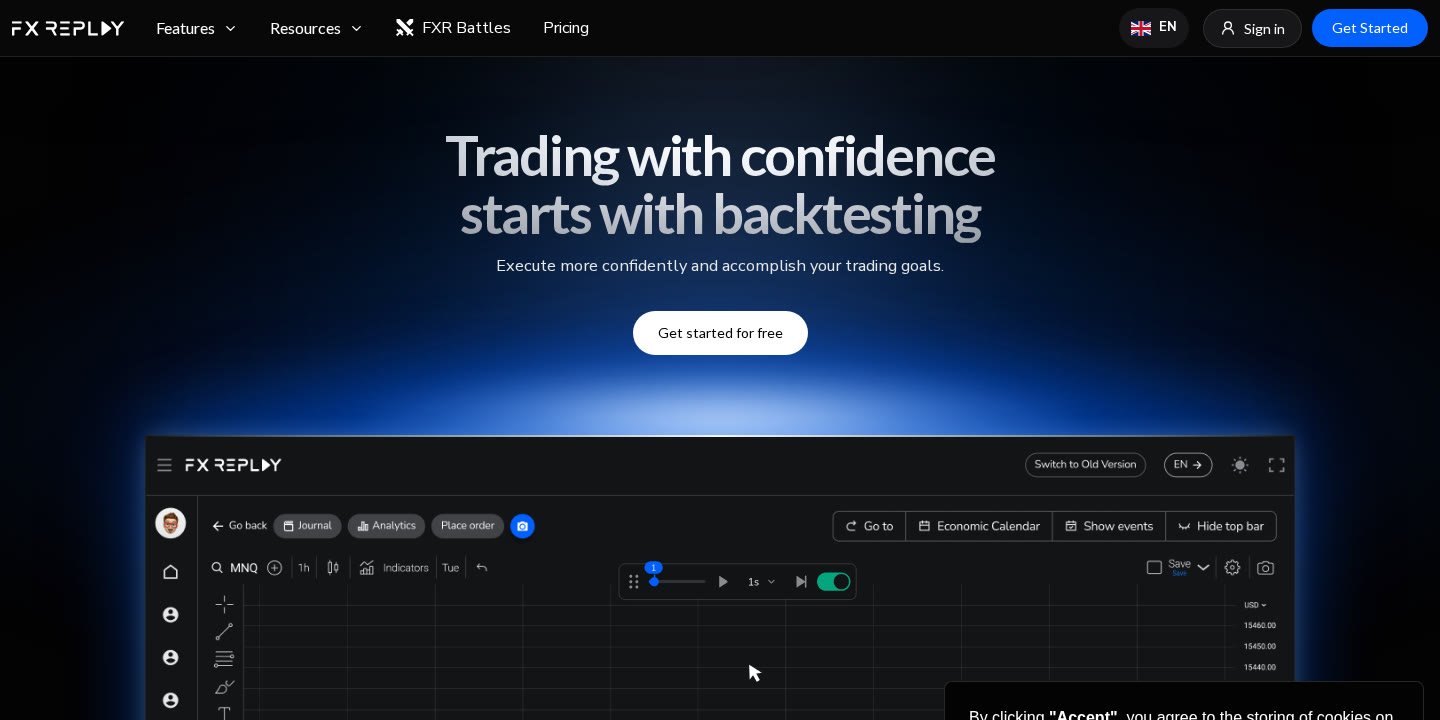
For traders who execute manual setups on major index and commodity contracts—such as the E-mini S&P 500, Nasdaq, Gold, or Crude Oil—FX Replay provides a streamlined, browser-based environment powered by TradingView charting. It delivers deep historical data, granular seconds-level timeframes, and built-in risk management rules without forcing users to purchase, configure, and maintain separate market data feeds.
- Data Coverage: Includes key CME contracts such as ES1, MES, CL1, GC, 6E, 6B, HG, HO, HE, and LE (with historical data reaching back to 2012, and 2019 for MES), alongside other featured futures like NQ1, MNQ, and YM1.
- Execution Precision: Features bar-by-bar stepping, multi-chart layouts, and resolution scaling from 12 months down to 1-second charts.
- Prop Trader Alignment: Built-in Prop Firm Simulator tracks custom profit targets, drawdown limits, spreads, and commissions in real time.
- Post-Trade Analytics: Automated trade logging via FXR Journal, Mentor AI pattern recognition, and Monte Carlo projections for 100 to 300 trades.
- Plan Requirement: In the platform’s asset directory, futures contracts are marked under "Pro only" plan availability, meaning free tier users must upgrade to access these feeds.
Supported Contracts and Historical Data in FX Replay for Futures
A backtesting platform is only as useful as the quality and depth of the market feeds it provides. Traditional futures testing environments often require traders to subscribe to external data vendors, download gigabytes of raw tick archives, and map continuous contracts manually. In contrast, FX Replay integrates historical data directly into its cloud interface, sourcing CME data across index, energy, metals, and currency contracts.
According to the official platform directory, the service supports more than 310 total assets across six markets, with over 120 highlighted for active backtesting. Within the futures category, traders can access both standard mini and micro contracts. Here is a breakdown of key futures assets available on the platform:
| Contract Code | Asset Name | Exchange & Currency | Timeframe Range | Session / Timezone | Historical Depth | Plan Availability |
|---|---|---|---|---|---|---|
| CME_MINI:ES1 | E-Mini S&P 500 Futures | CME (USD) | 1s → 12M | 17:00–16:00 Mon–Fri (Chicago) | Since 2012 (14y) | Pro only |
| CME_MINI:MES | Micro E-Mini S&P 500 Index Futures | CME (USD) | 1s → 12M | 17:00–16:00 Mon–Fri (Chicago) | Since 2019 (7y) | Pro only |
| CME_MINI:CL1 | Crude Oil Futures | CME (USD) | 1s → 12M | 17:00–16:00 Mon–Fri (Chicago) | Since 2012 (14y) | Pro only |
| CME_MINI:GC | Gold Futures | CME (USD) | 1s → 12M | 17:00–16:00 Mon–Fri (Chicago) | Since 2012 (14y) | Pro only |
| CME_MINI:6E | Euro FX Futures | CME (USD) | 1s → 12M | 17:00–16:00 Mon–Fri (Chicago) | Since 2012 (14y) | Pro only |
| CME_MINI:6B | British Pound Futures | CME (USD) | 1s → 12M | 17:00–16:00 Mon–Fri (Chicago) | Since 2012 (14y) | Pro only |
| CME_MINI:HG | Copper Futures | CME (USD) | 1s → 12M | 17:00–16:00 Mon–Fri (Chicago) | Since 2012 (14y) | Pro only |
| CME_MINI:HO | NY Harbor ULSD Futures | CME (USD) | 1s → 12M | 17:00–16:00 Mon–Fri (Chicago) | Since 2012 (14y) | Pro only |
| CME_MINI:HE | Lean Hog Futures | CME (USD) | 1s → 12M | 08:30–13:05 Mon–Fri (Chicago) | Since 2012 (14y) | Pro only |
| CME_MINI:LE | Live Cattle Futures | CME (USD) | 1s → 12M | 08:30–13:05 Mon–Fri (Chicago) | Since 2012 (14y) | Pro only |
Additional contracts featured across the site include NQ1 (E-mini Nasdaq 100), MNQ (Micro E-mini Nasdaq 100), and YM1 (E-mini Dow). Because listed CME futures like ES1 carry historical data extending back to 2012—over a decade of market cycles—traders can evaluate setups across differing macroeconomic environments, ranging from zero-interest-rate bull markets to periods of elevated volatility and rate contraction.
Core Features and Benefits of FX Replay for Futures
Futures markets move rapidly, especially around the New York cash open and scheduled economic announcements. Backtesting these instruments requires more than simply sliding a static chart backward. FX Replay incorporates several specialized tools tailored to the intraday dynamics of futures execution.
1. High-Resolution Seconds Timeframes
One of the primary historical drawbacks of web-based backtesting software has been a lack of intraday resolution. Standard platforms often limit historical replay to 1-minute or 5-minute candles. For index futures scalpers, a 1-minute bar can encompass a massive price swing on NQ or ES, obscuring whether an entry trigger or a stop loss was hit first.
FX Replay solves this by offering seconds timeframe support down to 1 second (1s). This granularity allows traders to observe how price auction unfolds inside high-volume momentum bursts, test sub-minute execution models, and confirm accurate fill sequences during volatile sessions.
2. Replay Mode with Bar-by-Bar Control
The platform’s core Replay Mode enables users to jump to any historical date and advance price action candle by candle. This simulates the psychological tension of live trading, as upcoming price developments remain completely hidden behind the right edge of the chart. Discretionary traders can evaluate entry triggers, trail stops, scale out of positions, and practice trade management without forward-looking bias.
3. Multi-Chart and Multi-Timeframe Layouts
Professional futures strategies rarely rely on a single timeframe. Day traders typically analyze higher-timeframe market structure on daily or 60-minute charts while executing entries on 5-minute or 15-second charts. Powered by TradingView charting technology, FX Replay supports multi-chart layouts that allow users to display multiple timeframes or correlated assets (such as tracking ES1 and NQ1 side by side) within a unified workspace. For a comprehensive overview of how these charting capabilities work, read our guide on FX Replay features explained.
4. Integrated Economic Calendar
Macroeconomic catalysts—such as CPI releases, FOMC rate decisions, and Non-Farm Payrolls (NFP)—frequently cause major price expansions in futures contracts. FX Replay integrates an economic calendar directly into the backtesting timeline. When reviewing past sessions, traders can see which high-impact economic events were scheduled, allowing them to assess whether their rules effectively handle event risk or if staying flat during news releases is statistically superior.
5. Proprietary and Custom Indicators via FXR Script
Active futures traders often utilize volume-weighted benchmarks and trend filters. FX Replay provides community-favorite tools, including:
- Custom VWAP by FX Replay: Serves as an intraday anchor, helping traders evaluate whether price is trading at a premium or discount relative to the session’s volume-weighted average price.
- Custom Supertrend by FX Replay: A visual trend indicator that dynamically shifts between bullish and bearish zones based on market volatility, offering clear trend direction cues.
- FXR Script: A built-in code editor that lets traders translate their tested rules into custom indicators. Changes can be written, edited, and updated live on the chart, allowing custom indicators to be brought straight back into the replay engine.
Testing Futures Strategies with the Prop Firm Simulator
A significant portion of modern futures day trading takes place inside proprietary trading firm challenges. In these evaluations, passing requires strict adherence to maximum daily drawdown, overall trailing drawdown limits, and specific profit targets. Standard backtesting spreadsheets often fail to capture intraday trailing drawdown breaches, leading traders to believe an edge exists when it would have failed challenge rules in reality.
The Prop Firm Simulator in FX Replay addresses this problem by wrapping backtest sessions inside formal risk parameters. Traders can customize specific constraints, including:
- Profit Targets: Set dollar or percentage profit thresholds required to achieve a passing evaluation.
- Drawdown Limits: Configure maximum total drawdown and trailing intraday limits to monitor whether aggressive position sizing triggers a breach.
- Frictional Costs: Incorporate realistic spread and commission models to reflect the true cost of trading contracts like ES or NQ over dozens of executions.
- Live Objective Tracking: The platform monitors every defined objective dynamically as trades are executed, alerting the trader if execution drift threatens rule compliance.
By simulating realistic challenge environments, futures traders can pressure-test their risk sizing and verify whether their rules can survive the psychological and mathematical constraints of prop trading before purchasing a test.
Trade Analytics: FXR Journal, Mentor AI, and Monte Carlo Projections
Execution practice is only half the backtesting equation; post-trade analysis determines whether a trader actually improves. FX Replay includes three distinct analytics layers designed to convert raw practice sessions into actionable feedback.
FXR Journal
Manual trade logging is tedious and often leads traders to abandon journaling altogether. FX Replay’s built-in FXR Journal automates this process by capturing trades, associated chart snapshots, and underlying performance statistics directly from the replay session without manual input. Traders can tag specific setup criteria, mark emotional errors, and filter results across sessions to identify which trading models yield the highest expectancy.
Mentor AI
Rather than evaluating trading sessions in isolation, Mentor AI examines historical trade logs across multiple sessions to surface recurring behavioral and structural flaws. The AI scans entries, exits, and risk parameters to detect patterns that standard manual reviews miss—such as closing winning trades prematurely, widening stop losses under stress, or consistently taking sub-optimal entries during specific market hours. This data-driven feedback ensures adjustments target systemic errors rather than isolated losses.
Monte Carlo Simulation
Discretionary trading results are vulnerable to variance; even a profitable strategy can experience an extended sequence of losses due to statistical distribution. FX Replay includes a Monte Carlo simulation tool that models where a strategy could lead over samples of 100, 200, or 300 trades. By randomizing trade order across the historical sample, traders gain visibility into potential maximum drawdown sequences, helping prevent premature abandonment of a sound methodology during temporary drawdowns.
Step-by-Step Guide: Setting Up FX Replay for Futures
Getting started with futures backtesting inside FX Replay requires only a modern web browser. Follow these steps to configure a structured practice session:
- Create an Account and Verify Access: Visit the official website (fxreplay.com) and select "Get Started" or "Try for free". Because CME futures contracts are designated as "Pro only" in the asset list, ensure your subscription tier includes futures coverage.
- Create a New Session: From your dashboard, click to start a new backtesting session. Select your target futures contract (for example,
CME_MINI:ES1orCME_MINI:MES). - Define Your Historical Date and Capital: Choose the starting date and year for your replay. Input your initial simulated account balance to match your planned live or prop account size.
- Configure Prop Rules (Optional): If practicing for a prop firm challenge, activate the Prop Firm Simulator. Define your maximum loss limit, daily loss threshold, profit target, and commission structure.
- Set Up Multi-Chart Workspaces: Arrange your screen with your preferred layout. For instance, place a 15-minute chart on the left for higher-timeframe liquidity sweeps and a 1-minute or 15-second chart on the right for entry confirmation.
- Execute Your Trading Strategy: Use the playback controls to step through price action candle by candle. Place market or limit orders, define stop losses and take profits, and manage open positions as price unfolds.
- Review Automated Logs and Analytics: Once your session is complete, navigate to the FXR Journal to review every logged execution. Run Mentor AI to check for recurring pattern deviations and evaluate long-term distribution via Monte Carlo modeling.
FX Replay vs Alternative Backtesting Environments for Futures
Futures traders historically relied on desktop-installed charting platforms or native broker simulators. Understanding how FX Replay compares against other backtesting categories helps determine where it fits in an active trader’s tech stack.
For a direct platform-to-platform comparison, see our breakdown of FX Replay vs TradingView Replay, as well as our detailed analysis of FX Replay vs NinjaTrader.
| Platform Category | Typical Workflow | Strengths for Futures | Drawbacks for Futures |
|---|---|---|---|
| Cloud Replay Software (FX Replay) | Browser-based replay, integrated CME feeds, TradingView charts, automated logging. | Zero data configuration, 1-second historical data, built-in prop challenge rules, automated journaling. | Futures require Pro plan; manual/discretionary focus rather than complex automated bot coding. |
| Native Charting Replay (e.g., TradingView Native) | In-chart bar replay within standard web charting interface. | Familiar charting UI, broad global coverage. | Limited historical tick playback on lower timeframes; lacks integrated prop firm rule tracking and automated trading journals. |
| Desktop Futures Platforms (e.g., NinjaTrader) | Locally installed desktop software connected to market data vendors. | Deep Level 2 order book replay, algorithmic C# backtesting, direct live order execution. | Steep learning curve, requires downloading and storing tick files, complex multi-feed setup. |
For active traders whose primary objective is discretionary practice, setup refinement, and prop evaluation preparation, FX Replay eliminates the technical friction of managing local databases while maintaining second-level fidelity.
Pros and Cons of Using FX Replay for Futures
Pros
- Pre-Loaded Historical Feeds: Immediate access to CME futures data dating back to 2012 (2019 for MES) without purchasing third-party data feeds.
- Second-Level Charting: Supports timeframes down to 1 second (1s), allowing scalpers to accurately backtest fast intraday execution.
- TradingView Chart Engine: Familiar charting interface with standard drawing tools, indicators, and multi-chart layout options.
- Prop Challenge Simulation: Tracks drawdown limits, targets, spreads, and commissions in real time under realistic challenge constraints.
- Integrated Analytics: Automated trade logging via FXR Journal, execution critique with Mentor AI, and long-term risk modeling through Monte Carlo analysis.
- Custom Scripting: FXR Script provides an in-app code editor for developing and testing proprietary indicators.
Cons
- Plan Restriction: Listed futures contracts (such as ES1, MES, GC, and CL1) are designated "Pro only" in the official asset directory, meaning they are not accessible on free or basic testing tiers.
- No Direct Broker Routing: FX Replay is strictly a backtesting and replay environment; it cannot be used to execute live trades through a futures brokerage.
- Web-Based Dependency: Because data is streamed to the browser, backtesting performance requires a stable internet connection.
Who Is FX Replay for Futures Best For?
Recommended For:
- Intraday Index & Commodity Scalpers: Discretionary day traders executing strategies on ES, MES, NQ, MNQ, Gold, or Crude Oil who require sub-minute candle precision.
- Prop Firm Challenge Candidates: Traders preparing to take evaluation tests with prop firms who need to practice under strict daily and trailing drawdown constraints.
- Discretionary Price Action Traders: Those who rely on market structure, liquidity sweeps, order blocks, or VWAP levels and want to build visual pattern recognition without risk.
- Traders Seeking Frictionless Setup: Users who want a ready-to-use platform without the burden of downloading gigabytes of tick data or paying separate exchange data fees.
Not Recommended For:
- Algorithmic Automated Bot Developers: Traders looking to backtest high-frequency automated strategies written in C++ or Python that execute orders directly via broker APIs.
- Order Book (DOM) Scalpers: Traders whose edge relies exclusively on Level 2 depth of market (DOM) ladders and order flow footprint software, as FX Replay focuses on candlestick charting.
- Strictly Free Users: Those unwilling to upgrade to a paid subscription, as CME futures data requires Pro-level access according to the platform’s asset table.
Evaluating Feedback, Complaints, and User Sentiment
When researching software across communities like Reddit, Discord, or Trustpilot, it is essential to evaluate user feedback through a balanced, objective lens. Different trading styles yield vastly different experiences with backtesting tools.
When reviewing external feedback regarding futures replay platforms, pay close attention to the following aspects:
- Data Continuity and Session Timings: Check whether users report accurate open and close times for Chicago CME sessions (17:00–16:00 Mon–Fri). Ensure historical rollover gaps on continuous contracts align with your expectations.
- Fill Logic Realism: Discretionary replay tools rely on simulated order fills. Look for discussions on how the software treats limit orders versus market orders inside fast-moving candles.
- Browser Performance: Because multi-chart workspaces and 1-second timeframes demand client-side computing power, verify whether users report smooth playback on machines matching your hardware specifications.
- Differentiating Software Bugs from User Error: Some complaints stem from misunderstanding prop firm drawdown mechanics (e.g., trailing equity vs. trailing balance) rather than software inaccuracies. Evaluate whether critical feedback relates to platform stability or misunderstandings of backtesting constraints.
Official website · Latest pricing & offers
FAQ
Does FX Replay support Micro E-mini futures?
Yes. The platform includes micro contracts such as CME_MINI:MES (Micro E-Mini S&P 500 Index Futures) and MNQ Futures. Historical data for MES is available from 2019 onward, with resolution scaling from 12 months down to 1 second.
Can I backtest futures on FX Replay for free?
While FX Replay offers a "Try for free" option to explore basic features, CME futures contracts (such as ES1, MES, CL1, GC, and 6E) are marked as "Pro only" in the official asset directory. You should check the official pricing page on fxreplay.com for current plan tiers and upgrade requirements.
What historical timeframes are available for futures contracts?
FX Replay provides timeframe resolutions ranging from 12 months (12M) down to 1 second (1s). This includes full seconds-level support, allowing traders to test rapid intraday execution models.
How far back does historical futures data go?
For major CME futures contracts such as E-mini S&P 500 (ES1), Crude Oil (CL1), Gold (GC), and Euro FX (6E), historical data is available starting from 2012, providing roughly 14 years of market history. Micro contracts like MES provide historical coverage starting from 2019.
Can I use custom indicators while backtesting futures?
Yes. In addition to standard indicators, FX Replay provides custom tools like the Custom VWAP and Custom Supertrend. Traders can also write, edit, and implement their own indicator logic directly within the platform using FXR Script.
Does FX Replay track prop firm drawdown for futures trading?
Yes. The built-in Prop Firm Simulator allows you to set custom rules, including profit targets, maximum drawdown limits, commissions, and spreads. It tracks your objectives dynamically throughout the replay session to verify whether your strategy complies with challenge constraints.
Related Reading
- FX Replay Features Explained: 2026 Guide
- FX Replay vs TradingView Replay: Which Replay Tool Is Better in 2026?
- FX Replay vs NinjaTrader: Which Backtesting Platform Fits Your Trading in 2026?
- Backtesting Software Like FX Replay: 5 Practical Alternatives Compared


