How to Deposit on Binance: Card, Bank and Crypto (2026 Guide)

Exclusive reader offer
Get 10% of your spot trading fees back (spot only)
Learning how to deposit on Binance requires understanding the exact funding channels supported for your region, selecting the correct blockchain network or payment route, and verifying your identity before moving any funds. If you are creating a new profile, you can register using our referral code MINTLEAF to get 10% of your spot trading fees back on your account. Before interacting with any exchange features, remember that crypto asset prices are volatile, trading products like margin and futures involve high financial risk where you can lose capital, and nothing in this guide serves as financial advice.
Affiliate disclosure: This article may contain affiliate links. If you buy through them, we may earn a commission at no extra cost to you. Details were checked on November 19, 2026 and can change.
To reduce your spot trading costs from the moment you fund your account, sign up using our referral code MINTLEAF to claim a 10% spot fee rebate on your trading fees.
Official website · Latest pricing & offers
Quick Answer: How to Deposit on Binance
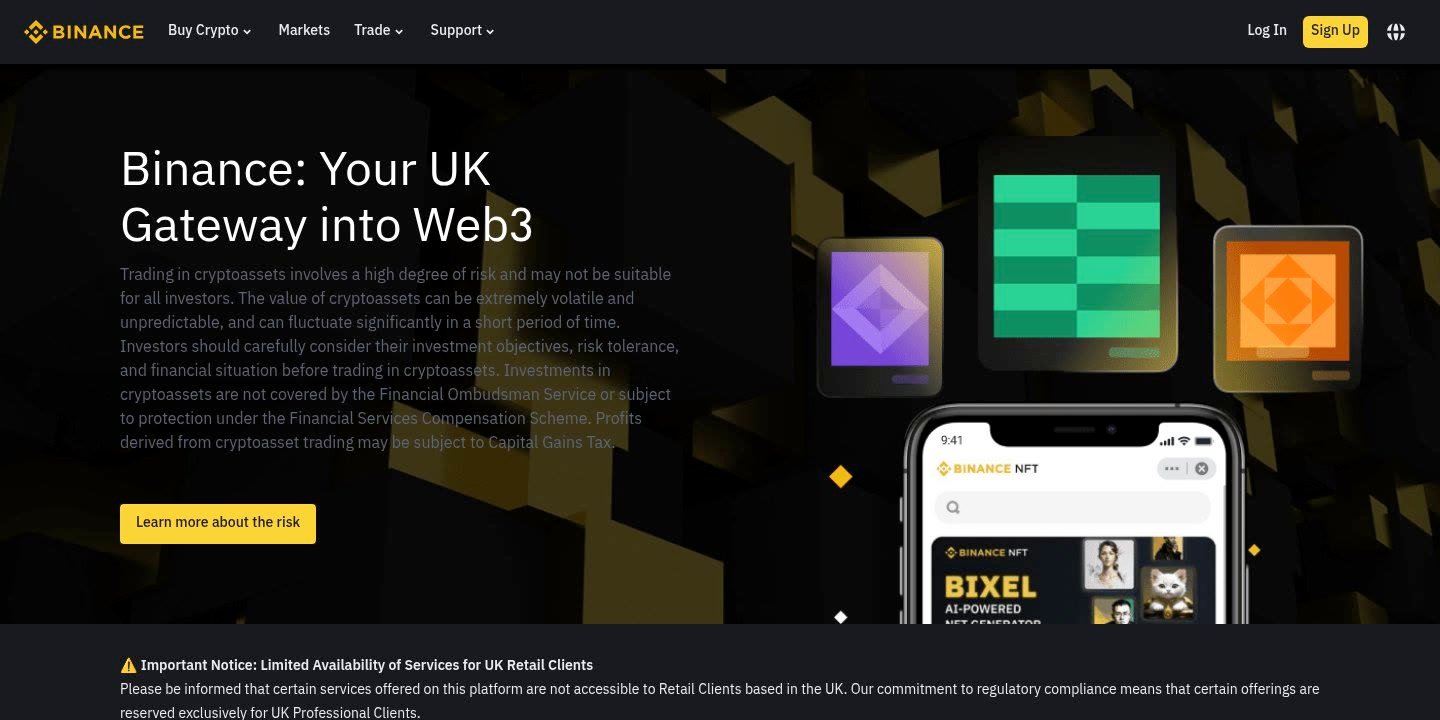
To fund your Binance account, log in on the official website or mobile app, complete mandatory identity verification (KYC), and navigate to the deposit section. From there, select whether you want to deposit cryptocurrency from an external wallet or fund your account using local fiat currency through a bank transfer, debit/credit card, or supported third-party gateway. When opening an account, signing up through our referral link or entering our referral code MINTLEAF gives you a 10% spot fee rebate on your spot trades.
- Mandatory Verification: Binance enforces mandatory identity verification before users are permitted to trade or deposit on the platform.
- Cryptocurrency Deposits: Transfer assets like Bitcoin (BTC), Ethereum (ETH), or Tether (USDT) from an external private wallet or another platform by selecting the asset and matching the exact blockchain network.
- Fiat Deposits: Fund your balance via supported local bank transfers or payment cards, depending entirely on local currency availability and regional banking partnerships in your jurisdiction.
- Trading Fee Considerations: Base VIP 0 spot trading fees are set at 0.100% maker and 0.100% taker, which can be discounted to 0.07500% when paying with BNB (a 25% discount).
- Safety Protocol: Never send crypto over an unsupported network, always double-check the recipient address, and always include a memo or tag if the receiving asset specifies one.
Mandatory Requirements: What to Complete Before Depositing on Binance
Before you transfer any fiat currency or cryptocurrency to Binance, there are specific account setup prerequisites you must satisfy. Skipping these steps or attempting to deposit funds before your account is fully cleared can lead to frozen transactions, delayed credit, or temporary compliance holds.
1. Complete Identity Verification (KYC)
Binance’s official documentation states clearly that you must complete identity verification before trading. Modern regulatory frameworks require exchange operators to verify customer identities to combat illicit financial activity, fraud, and money laundering. As explained in our detailed guide on KYC Binance verification, this process requires submitting a government-issued photo identification document (such as a passport, national identity card, or driver’s license) and completing a live facial verification scan.
Attempting to deposit funds before your identity verification is approved is strongly discouraged. In many jurisdictions, deposit gateways remain completely locked until your identification documentation has been reviewed and approved by the compliance system. Furthermore, newly registered verified users may qualify for welcome rewards of up to 100 USD worth of trading fee rebate vouchers issued across three specific new-user tasks, though these tasks only become available once verification is successfully passed.
2. Review Geographic and Regulatory Restrictions
Binance operates under varying regulatory permissions depending on the country or territory in which you reside. The platform maintains an official List of Prohibited Countries in its Terms of Use, which includes territories currently subject to comprehensive sanctions enforced by the United States. Furthermore, specific product restrictions apply in selected markets:
- Futures and Derivatives Restrictions: Product offerings such as futures and derivatives were discontinued in Germany, Italy, and the Netherlands.
- Australia: Binance introduced restrictions on options, margin products, and leveraged tokens for accounts in Australia.
- Hong Kong: New derivatives accounts are restricted from opening.
- Welcome Reward Exclusions: New user welcome task vouchers do not apply to corporate accounts, users registered via Binance Lite Referral, or residents of the United States, the United Kingdom, Canada, and Japan.
Users must verify their local eligibility directly on the official Binance terms and restricted countries documentation before transferring capital. Never attempt to use a virtual private network (VPN), proxy, or altered documentation to bypass geographic checks, as doing so violates platform policies and can result in account suspension.
3. Secure Your Login Credentials and Two-Factor Authentication (2FA)
Depositing funds moves real financial value onto the platform, making account security essential. Before initiating a deposit, configure multiple security verification layers. Binance supports hardware security keys (FIDO2/WebAuthn), authenticator applications (such as Google Authenticator or Binance Authenticator), passkeys, email verification codes, and SMS text notifications. Ensure at least two independent verification methods are active on your profile to protect your account against unauthorized logins or account takeovers.
Comparing Deposit Methods: How to Deposit on Binance via Crypto, Card, and Bank
Depending on whether you already own digital assets or are entering the market with traditional currency, Binance offers three primary pathways to fund your balance. Each channel operates with different mechanics, processing speeds, and confirmation requirements.
| Deposit Method | Typical Processing Time | Key Verification Requirement | Primary Use Case | Crucial Risk Factor |
|---|---|---|---|---|
| Cryptocurrency Deposit | Network dependent (minutes) | Standard KYC clearance | Moving existing coins from external wallets | Selecting the wrong blockchain network or omitting required memos results in lost funds. |
| Bank Transfer (Fiat) | Varies by channel (instant to 3 business days) | Advanced KYC & bank account in your legal name | Depositing local currency balances directly | Third-party transfers are rejected; banking names must match your Binance identity exactly. |
| Credit/Debit Card (Fiat) | Instant to several minutes | Cardholder name must match Binance account | Immediate purchase or direct fiat top-up | Card issuer cash advance fees, regional card processing fees, or bank transaction blocks. |
Choosing between these methods depends primarily on your starting position. If you already hold stablecoins or tokens on another platform or in a self-custody wallet, a cryptocurrency transfer avoids traditional banking delays. Conversely, if you are introducing new fiat capital into the digital ecosystem, bank transfers generally offer a structured route for larger balances, while card purchases provide rapid execution at the expense of potential processing surcharges.
How to Deposit on Binance Using Cryptocurrency (Step-by-Step)
Transferring digital tokens to Binance from an external platform or cold storage wallet is one of the most common funding actions. While the procedure is straightforward, executing every step with precision is critical because blockchain transactions are permanent and irreversible.
Step 1: Access the Crypto Deposit Interface
Log in to your Binance account on a desktop browser or via the official mobile application. On the navigation bar, click on Deposit and select Deposit Crypto. This will direct you to the dedicated cryptocurrency funding dashboard.
Step 2: Choose the Coin or Token
Use the drop-down menu or search field to locate the exact digital asset you want to transfer. For example, if you wish to deposit Tether, type “USDT”; if transferring Bitcoin, select “BTC”. Ensure you are selecting the exact ticker intended, as many unrelated tokens share similar names.
Step 3: Select the Matching Blockchain Network
This is the most critical technical step in the entire process. A single cryptocurrency can often be transferred across multiple different blockchain networks. For instance, Tether (USDT) exists across networks such as TRON (TRC-20), Ethereum (ERC-20), BNB Smart Chain (BEP-20), and others. You must choose a network that is supported on both the sending platform and Binance.
- Exact Network Match: The network you select on Binance must match the network selected on your withdrawal platform with 100% precision. Selecting ERC-20 on Binance while sending via TRC-20 from your private wallet will lead to an asset mismatch and potential loss of your balance.
- Network Congestion: Confirmation speeds depend on the underlying blockchain. Some networks confirm within seconds, while others require multiple minutes depending on block finality rules.
- Platform Status: Check whether the deposit network shows any maintenance warnings. If Binance has temporarily suspended deposits for a specific network due to upgrades or chain forks, do not initiate the transfer until the network is marked operational.
Step 4: Copy the Deposit Address and Tag/Memo
Once the asset and network are chosen, Binance will generate a unique deposit address and a corresponding QR code. Click the copy icon to duplicate this alphanumeric string to your clipboard. Never type a deposit address manually, as a single typographical error will route your transaction to an unrecoverable destination.
Pay close attention to whether the asset requires a Memo, Tag, or Payment ID. Blockchains like Ripple (XRP), Stellar (XLM), and Cosmos (ATOM) use a shared deposit address for all exchange customers, relying on the unique destination tag or memo to route the funds into your personal account. If a memo or tag is displayed on Binance, you must copy it into the withdrawal form of your sending application alongside the address. Omitting a required memo means your funds will arrive at Binance’s master address without identification, requiring a manual recovery process that may not always succeed.
Step 5: Execute the Withdrawal from Your Sending Wallet
Open your personal crypto wallet or source platform, navigate to its withdrawal or transfer section, paste the copied Binance address, paste the memo/tag (if applicable), verify the network, and enter the amount you wish to transfer. Confirm the transaction using your wallet’s authentication protocols.
Step 6: Monitor Blockchain Confirmations
After broadcasting the transaction, it must be validated by network validators or miners. On your Binance deposit history page, the transaction will initially display as “Pending” or “Confirming”. Once the required threshold of network confirmations is reached, Binance credits the deposit to your account, and the status updates to “Completed”.
How to Deposit on Binance Using Bank Transfer or Debit/Credit Card
For users seeking to allocate fiat currency directly, Binance integrates domestic and international payment gateways tailored to specific geographic markets. Because banking partnerships are subject to local financial regulations, the available currencies, processors, and operational steps differ by country.
Funding via Bank Transfer
Bank wire transfers, automated clearinghouse systems, or domestic faster payment rails represent the standard method for moving cash balances into an exchange. To fund your account via a bank transfer:
- Navigate to the Deposit menu and select Bank Deposit or Deposit Fiat.
- Select your local fiat currency from the supported currency list.
- Review the available payment rails displayed for your chosen currency (e.g., SEPA for Euro transfers, domestic clearing networks for other regions).
- Input the amount you plan to send. The platform will outline any applicable processing charges or limits associated with the selected channel.
- Carefully read the provided payment instructions. Binance will display the official banking beneficiary name, IBAN or account number, sort code/routing number, and a critical Reference Code.
- Log in to your retail banking online portal or banking app and initiate a transfer using the exact details displayed on Binance. Always include the unique reference code in the bank transfer’s remark or description field so the receiving banking partner can map the incoming wire to your exchange profile.
Crucial Rule on Bank Accounts: The bank account used to send the payment must be registered under your exact legal name as verified during your Binance identity verification. Binance strictly prohibits third-party deposits. Transfers originating from joint accounts without matching primary names, business accounts transferring to personal profiles, or bank accounts belonging to friends or relatives will be rejected by the payment processor and refunded, often incurring administrative processing fees.
Purchasing or Depositing via Debit or Credit Card
Card payments offer an immediate funding avenue, allowing users to buy crypto directly or fund a fiat balance using Visa or Mastercard:
- Go to the deposit section and select the credit/debit card payment method.
- Specify the fiat currency and the payment amount you wish to allocate.
- Enter your card details, including the 16-digit card number, expiration date, and CVV security code.
- Complete the 3D Secure (3DS) authentication prompt triggered by your issuing bank (usually via an SMS one-time passcode or banking app push confirmation).
While card transactions settle almost instantly, cardholders should check with their banking institution regarding potential foreign transaction fees or merchant category code restrictions. Many commercial banks classify transactions on cryptocurrency exchanges as cash advances rather than standard retail purchases, which can incur higher interest rates from the card issuer.
Understanding Trading Fees, Rebates, and Account Economics
Understanding fee schedules ensures you manage your capital efficiently after your funds arrive on the platform. Reviewing fees before trading prevents surprises down the line, as outlined in our comprehensive breakdown of Binance fees.
Standard Spot Trading Fee Structure
For regular users categorised at the baseline tier (VIP 0), Binance applies the following spot fee structure:
- Maker Fee: 0.100% per trade.
- Taker Fee: 0.100% per trade.
- BNB Deduction Discount: If you hold BNB in your wallet and enable the fee deduction setting, your trading fee receives a 25% discount, reducing maker and taker charges to 0.07500% / 0.07500%.
Maximizing Your Cost Reductions with Referral Code MINTLEAF
When you create your account using our referral code MINTLEAF, an additional 10% spot fee rebate is applied to your profile. This rebate returns 10% of your spot trading fees directly back to you. The referral rebate applies specifically to Spot trading, and our referral code was configured to share this 10% rebate directly with the referred user.
Keep in mind the clear distinction between referral rebates and welcome task bonuses:
- 10% Spot Fee Rebate: Applied continuously to eligible spot transactions when registered with code MINTLEAF.
- Welcome Rewards: Up to 100 USD provided in the form of trading fee rebate vouchers upon completing new-user tasks within a limited number of days following verification. These vouchers offset trading fees against voucher balances until depleted; they are non-withdrawable promotional credits, not cash balances.
If you already registered an account within the last 30 days without entering a code, Binance provides a referral binding feature under strict conditions: you must have registered within 30 days, have never deposited or traded, have no existing referral link on the account, be a master account, and your identity verification must not have been used on another account in the past 180 days. For step-by-step guidance, refer to our article on adding a referral code after signing up.
Critical Checklist: What to Check Before Depositing on Binance
To ensure your deposit settles smoothly without administrative delays or lost assets, run through this pre-deposit checklist before confirming any transaction:
1. The Name Matching Rule
For all fiat transfers, including domestic wires and card checkouts, the full legal name registered with your banking institution must match the legal name verified on Binance. Third-party deposits are rejected across all supported fiat channels.
2. Network Consistency Check
For cryptocurrency deposits, verify that the withdrawal network selected on your source wallet is identical to the deposit network selected on Binance. If you select BNB Smart Chain (BEP-20) on Binance, the source wallet must dispatch the transaction over BEP-20, not Arbitrum, Polygon, or Ethereum.
3. Destination Memo / Tag Check
Certain digital assets require an auxiliary routing identifier alongside the public address. If Binance displays a Memo, Tag, or Payment ID for your chosen cryptocurrency, entering it on your withdrawal screen is mandatory. If no memo is required by Binance for that specific coin, leave the field empty.
4. Minimum Deposit Limits
Review the minimum deposit amount displayed directly below the deposit address or fiat payment form. If you send an amount below the platform’s stated minimum threshold, the transaction will not be credited to your account balance and cannot be recovered.
5. Contract Address and Token Standard
Some tokens share the same ticker symbol but exist across different standards or contract versions. Verify that the asset contract on the source chain corresponds with the version supported on Binance. When in doubt, perform a small test transfer before moving substantial capital.
Common Deposit Problems and How to Solve Them
Even experienced market participants encounter occasional funding delays. Understanding the root causes of common deposit issues helps you troubleshoot effectively or provide the necessary documentation to customer support.
Problem 1: Crypto Deposit Not Credited Despite Network Confirmation
If your sending wallet indicates that the transfer is complete, but your Binance balance has not updated, locate the transaction hash (TxID) on a public blockchain explorer. Verify that the transaction has accumulated the minimum number of confirmations required by Binance. During periods of severe blockchain congestion, blocks take longer to produce and finalize. If the TxID confirms the correct address, network, and memo, allow extra time for the exchange’s internal nodes to sync.
Problem 2: Omitted or Incorrect Memo/Tag
Forgetting to input a required memo for tokens like XRP or XLM results in the funds arriving at Binance’s shared wallet address without account attribution. To resolve this, navigate to Binance’s Self-Service Recovery Portal. You will need to provide the TxID, the deposit address, the correct memo, and proof of transaction from your sending wallet. A manual recovery process may take several business days and can involve administrative handling fees.
Problem 3: Rejected Fiat Bank Transfer
If your bank transfer does not reflect within the standard operational window, the most frequent reason is a missing payment reference code or a name mismatch. If your bank failed to pass the unique reference code to the clearing partner, the receiving bank cannot route the funds automatically. Contact your bank to confirm the wire details, or submit a proof-of-payment bank statement to Binance support showing your name, account number, and wire reference.
Problem 4: Payment Card Declines
Card transactions can fail if your issuing bank has internal risk controls barring digital currency transactions. If your card fails during checkout, contact your card issuer to inquire whether cryptocurrency merchant transactions are permitted, verify that international online purchases are enabled, or consider using a direct bank transfer instead.
Custody, Asset Security, and Proof of Reserves
When you complete a deposit on Binance, you transition your assets from self-custody or traditional banking custody into exchange custody. Understanding how the exchange manages custodial balances is essential for evaluating platform risk.
Binance publishes a Proof of Reserves (PoR) framework. When the platform refers to Proof of Reserves, it specifically refers to those assets held in custody for users, maintaining a minimum 1:1 reserve ratio for customer balances. This structure is intended to demonstrate that the exchange holds sufficient assets to satisfy user balances in full.
However, keeping balances on any centralized exchange involves counterparty risk. External security incidents represent a recognized operational threat across the crypto ecosystem. Centralized custody means you rely on the platform’s internal operational security rather than your own cryptographic private keys. For long-term holdings not actively utilized in spot trading, earn programs, or order books, many market participants choose to withdraw funds to self-custody hardware wallets.
Pros and Cons of Depositing on Binance
Evaluating the strengths and potential drawbacks of Binance’s funding ecosystem helps determine if it suits your specific financial workflow.
Pros
- Diverse Payment Rails: Supports a wide selection of blockchain networks for crypto deposits, along with regional bank clearing systems and card processing.
- Low Spot Trading Costs: Baseline spot trading fees start at 0.100%, reducible by 25% when paying with BNB (0.07500%), plus an extra 10% spot fee rebate when using referral code MINTLEAF.
- Fast Blockchain Crediting: High-throughput automated node architecture credits crypto transactions promptly once minimum network confirmations are met.
- Robust Security Protocols: Multiple two-factor authentication options, address whitelisting, and device management tools protect deposited balances.
- Clear Fee Architecture: Straightforward VIP 0 tiering provides clear visibility over baseline maker and taker trading expenses.
Cons
- Strict Mandatory KYC: No trading or deposit activity can occur without passing comprehensive identity verification.
- Regional Product Restrictions: Selected services, including derivatives and margin products, are restricted in multiple countries (such as Germany, Italy, the Netherlands, Australia, and Hong Kong).
- Irreversible Network Mistakes: Depositing via an unsupported network or leaving out a destination memo can cause permanent asset loss or complicated recovery processes.
- Bank Transfer Variability: Fiat rails rely on third-party payment processors subject to individual banking policies, resulting in fluctuating availability across different regions.
Who Should Deposit on Binance (and Who Should Look Elsewhere)?
Binance provides an extensive ecosystem of digital asset tools, but it is not tailored to every type of user.
Recommended For:
- Active Spot Traders: Traders seeking low execution fees (0.100% or 0.07500% with BNB) and deep order book liquidity across hundreds of trading pairs.
- Multi-Chain Crypto Users: Users holding tokens across Layer-1 and Layer-2 blockchains who require broad deposit network compatibility.
- Ecosystem Participants: Users looking to engage with integrated services such as Earn, Launchpool, Auto-Invest, or ETH Staking directly from their deposited balance.
Not Recommended For:
- Users Seeking Total Anonymity: Binance requires mandatory identity verification; privacy-focused users unwilling to submit government identification cannot use the exchange.
- Residents of Restricted Jurisdictions: Individuals residing in territories subject to comprehensive US sanctions.
- Traders in Countries with Restricted Products: Users located in jurisdictions where local regulators have prohibited specific offerings, such as futures in Germany, Italy, or the Netherlands, who specifically require those restricted instruments.
Before initiating your deposit, you can open an account using our referral code MINTLEAF to activate your 10% spot fee rebate on spot trading fees.
Official website · Latest pricing & offers
FAQ: How to Deposit on Binance
How much is the minimum deposit on Binance?
There is no uniform minimum deposit across the entire platform. For cryptocurrency, each individual digital asset and network pair has a specific minimum deposit limit displayed on its deposit screen (often a fraction of a token). Any deposit below that specified minimum threshold cannot be processed or credited. For fiat deposits via bank transfer or debit/credit card, minimum transaction thresholds depend on the local currency and payment provider, and are displayed on the payment configuration page prior to confirming the transaction.
Are there fees for depositing crypto on Binance?
Binance does not charge a fee for receiving cryptocurrency deposits. However, when you send crypto from an external wallet or another exchange, you must pay the network transaction fee (gas fee or miner fee) required by the underlying blockchain. This fee is paid to network validators, not Binance. If you subsequently decide to withdraw funds, platform withdrawal fees apply depending on the asset and network.
Why is my cryptocurrency deposit taking so long to arrive?
A delay in cryptocurrency deposits usually stems from blockchain network congestion or an insufficient number of network confirmations. Every blockchain requires a predetermined number of block confirmations before Binance credits the balance to your account. You can verify the progress of your transaction by copying your transaction hash (TxID) into an official blockchain explorer. If the transaction has completed all required confirmations on-chain but does not reflect in your account, verify that you entered the correct address and required memo or tag.
Can I deposit money on Binance without completing identity verification?
No. Binance enforces mandatory identity verification across all accounts. You must successfully complete the identity verification (KYC) process with a government-issued identity document and facial scan before you are permitted to trade or deposit funds on the platform.
What should I do if I forgot to include a memo or tag on my deposit?
If you transferred a token that requires a memo (such as XRP, XLM, or ATOM) without entering the tag, your funds will arrive at Binance’s custodial address without routing to your individual balance. You must submit an application through the Binance Deposit Retrieval / Self-Service Recovery Portal. You will need to provide your account details, the transaction hash (TxID), and proof of transfer from your sending wallet. Binance may charge an administrative fee to recover the assets, and recovery is subject to technical feasibility.
Can a friend or family member deposit funds into my Binance account using their bank card?
No. Binance strictly prohibits third-party deposits for all fiat payment methods. The name registered on the bank account, credit card, or debit card must match the verified legal name on your Binance account exactly. Any fiat transfer originating from a bank account or card with a non-matching name will be rejected by the payment gateway and returned to the sender, which can incur processing or return charges.