OpusClip ClipAnything Explained: How AI Clips Any Video Genre (2026)
The opusclip clipanything model is an AI-powered video clipping engine developed by OpusClip that automatically analyzes, cuts, reframes, and captions highlights from any video format or genre. Unlike earlier generation repurposing tools that rely almost exclusively on conversational dialogue and talking-head podcasts, ClipAnything is built to recognize narrative hooks, visual actions, and engaging moments across vlogs, gaming streams, sports footage, and tutorials.
Affiliate disclosure: This article may contain affiliate links. If you buy through them, we may earn a commission at no extra cost to you. Details were checked on November 19, 2026 and can change.
Official website · Latest pricing & offers
Quick Answer: What Is OpusClip ClipAnything and How Does It Work?
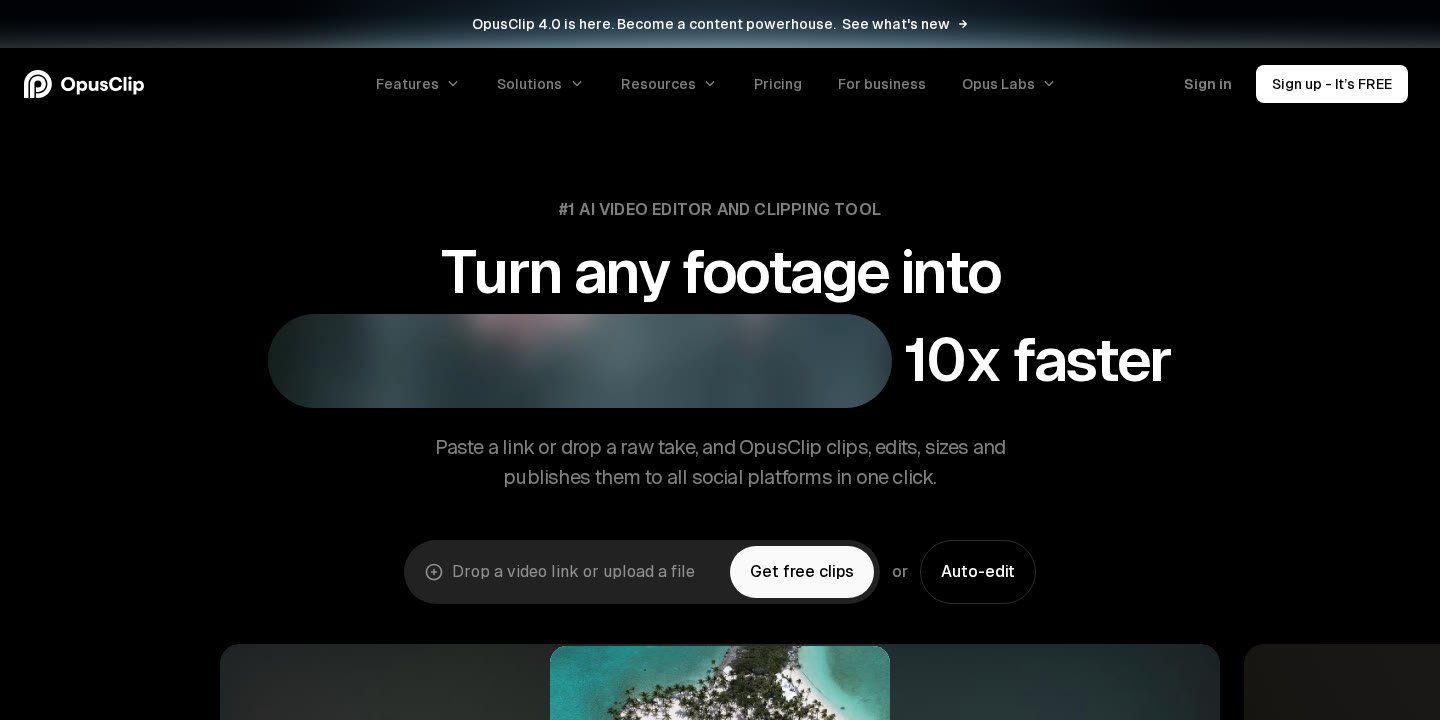
OpusClip ClipAnything is an AI clipping model introduced within OpusClip 4.0 designed to turn any long-form video into social shorts with a single click. While traditional AI clipping software primarily identifies speaker transitions in interviews or video podcasts, ClipAnything processes both visual and contextual signals across multiple genres.
- Multi-genre support: Evaluates content from video podcasts, interviews, vlogs, sports, gaming, and explainer videos.
- AI-driven processing: Automatically identifies compelling segments, assigns a Virality Score, clips the footage, and reframes subjects.
- Flexible import options: Accepts direct uploads up to 10GB or links from platforms including YouTube, Google Drive, Vimeo, Zoom, Rumble, Twitch, Facebook, LinkedIn, Twitter, Loom, Riverside, and StreamYard.
- End-to-end editing suite: Integrates animated captions in over 20 languages, AI B-Roll, speech enhancement, filler word removal, and export options to Premiere Pro or DaVinci Resolve.
Understanding OpusClip ClipAnything: The Technology Behind Multi-Genre AI Clipping
AI video repurposing historically faced a significant technical bottleneck: speech dependency. Most automated clipping platforms relied strictly on automated speech recognition (ASR) transcripts. The algorithm would search transcripts for semantic peaks, question-and-answer exchanges, or specific keywords, assuming that an interesting statement equaled an engaging clip. While this transcript-first methodology functioned adequately for static interviews, panel discussions, and solo webinars, it failed when applied to action-driven or non-conversational media.
The opusclip clipanything engine addresses this limitation by functioning as an AI model that understands video beyond spoken transcripts. By analyzing the visual frames, kinetic movement, pacing, and audio elements simultaneously, the system can parse dynamic video types where the most critical hook might be visual rather than verbal.
According to OpusClip, ClipAnything is positioned as the only AI clipping model that processes any genre into short-form content in one click. Whether a creator submits high-energy outdoor vlogs, fast-paced gaming sessions, athletic sports events, corporate presentations, or educational explainers, the engine identifies self-contained moments that hold stand-alone entertainment or instructional value for platforms like TikTok, YouTube Shorts, and Instagram Reels.
Supported Video Formats and Content Genres in OpusClip ClipAnything
To maximize repurposing efficiency across diverse industries, OpusClip engineered ClipAnything to handle content styles that standard podcast clippers traditionally struggle to format.
1. Vlogs and Lifestyle Footage
Vlogs frequently switch environments, camera angles, and background audio levels. Subjects walk in and out of frame, dialogue is interspersed with ambient noise, and pacing varies wildly. ClipAnything detects focal subjects across dynamic scenes, clipping conversational narrative beats and real-world interactions without requiring continuous studio lighting or stationary microphones.
2. Gaming Streams and Screen Captures
Gaming content presents a distinct visual hurdle: the screen is typically divided between wide gameplay footage and a smaller streamer facecam. ClipAnything recognizes interactive visuals, gameplay climaxes, and streamer reactions, allowing creators to repurpose long Twitch or YouTube streams into compact vertical highlights with specialized screen-share and gameplay layouts.
3. Sports and Kinetic Action
Athletic and sports footage is driven by physical action rather than dialogue. ClipAnything monitors kinetic motion, cheering or audio spikes, and rapid focal point shifts to capture game-winning plays, acrobatic feats, or high-intensity athletic sequences.
4. Interviews, Talks, and Panel Shows
While engineered for complex visual genres, ClipAnything retains comprehensive capabilities for conversational media. It identifies strong narrative arguments, humorous exchanges, and emotional reveals within podcasts, Zoom recordings, StreamYard sessions, and keynote presentations.
5. Explainer Videos and Online Education
For educators, SaaS marketers, and corporate trainers, ClipAnything isolates individual steps, micro-lessons, and conceptual explanations from longer webinars or Loom recordings, turning standard tutorials into digestible modular tips.
Step-by-Step Workflow: How to Use OpusClip ClipAnything
The operational workflow of the opusclip clipanything model is designed for rapid production, allowing users to move from long raw files to finalized shorts without manual timeline assembly. Creators can refer to our detailed walk-through on how to use OpusClip for additional workflow setups.
- Import the Source Video: Users can upload a local video file (up to 10GB per file) directly to the web application. Alternatively, users on supported plans can paste a link from supported hosting and streaming platforms, such as YouTube, Vimeo, Google Drive, Zoom, Rumble, Twitch, Facebook, LinkedIn, Twitter, Loom, Riverside, or StreamYard.
- Configure AI Copilot Preferences: Before generation, creators can leverage the AI Copilot to guide the clipping parameters. Users can specify a target clipping timeframe within the longer video, define preferred clip lengths (such as 0–1 minute, 1–3 minutes, 3–5 minutes, 5–10 minutes, or 10–15 minutes), or enter custom prompts to direct the AI toward specific themes or topics.
- Automated Generation and Virality Scoring: Once submitted, the engine processes the footage. It cuts the long file into multiple short segments, assigns each clip a Virality Score indicating its social retention potential, and extracts an automated hook to capture audience interest in the opening seconds.
- Refining With the AI Editor: After clips are generated, creators can enter the built-in all-in-one AI editor. This interface offers both text-based transcript editing and a visual timeline. Users can reprompt clipping to fine-tune results, trim boundaries, remove filler words or bad takes, and apply custom overlays.
- Styling, Captions, and Branding: OpusClip automatically adds animated captions in over 20 languages (including English, German, Spanish, French, and Portuguese) complete with auto-emojis and keyword highlighting. Users can choose pre-built caption templates, upload custom fonts, and insert brand templates with logos and intro/outro cards.
- Exporting or Direct Scheduling: Finalized clips can be downloaded as MP4 files (rendered up to 1080p), scheduled across multiple social networks using the built-in social media scheduler, or exported via XML for advanced timeline finishing in professional non-linear editors like Adobe Premiere Pro or DaVinci Resolve.
Core Video Editing Models That Complement ClipAnything
The opusclip clipanything engine does not operate in isolation. It is part of OpusClip 4.0’s broader suite of specialized AI editing models that handle vertical formatting, media enrichment, audio fidelity, and workflow automation.
| OpusClip Feature / Model | Core Functionality | Primary Benefit for Creators |
|---|---|---|
| ClipAnything | Multi-genre AI highlight identification | Extracts viral shorts from vlogs, sports, gaming, and talks in 1 click. |
| ReframeAnything | Dynamic AI object tracking and aspect resizing | Keeps moving subjects centered when converting landscape (16:9) to vertical (9:16). |
| AI B-Roll | Contextual overlay generation (Agent Opus) | Generates relevant images, videos, and stock b-roll in under 1 minute. |
| Speech Enhancement | Algorithmic audio cleanup | Delivers studio-grade audio quality without extra recording hardware. |
| Animated Captions | Multi-language animated subtitles | Auto-generates subtitles with emojis and keyword highlights in 20+ languages. |
| AI Video Dubbing | Voice cloning and localization | Dubs original speech into alternate languages using the speaker’s own voice profile. |
| XML Timeline Export | Non-destructive project migration | Enables seamless project transfers into Adobe Premiere Pro and DaVinci Resolve. |
ReframeAnything and Dynamic Layouts
A primary challenge when repurposing widescreen videos for mobile viewing is reframing. Simple center cropping frequently cuts off moving speakers, athletes, or gaming visuals. The ReframeAnything model uses AI object tracking to follow active subjects across the frame, keeping them centered in a 9:16 vertical, 1:1 square, or 16:9 horizontal format. If an unconventional composition requires specific manual adjustments, users can utilize manual tracking controls to instruct the AI exactly what subject to follow. The tool also supports genre-specific reframing models and dynamic layout switching for screen shares and gaming facecam setups.
AI B-Roll Powered by Agent Opus
To prevent visual monotony during long speaking segments, OpusClip includes an automated AI B-Roll tool powered by Agent Opus. In under one minute, the system analyzes the spoken narrative, identifies conceptual gaps, and places relevant AI-generated images, stock videos, or uploaded custom media over the timeline. This reinforces retention without requiring manual stock asset searches.
Speech Enhancement and Cleanup Tools
Audio clarity directly influences social video completion rates. OpusClip integrates an enhance speech tool that eliminates background noise and balances frequencies without requiring specialized microphones or third-party digital audio workstations (DAWs). Additionally, the built-in speech cleanup tools automatically strip out awkward pauses, filler words (“um”, “uh”), and repeated bad takes from raw video recordings.
OpusClip Pricing, Credits, and Plan Availability
Access to ClipAnything and its complementary editing features is structured across multiple tiers based on video processing credits and workflow features. For a complete breakdown of plan values, consult our analysis on OpusClip pricing.
Free Plan ($0/month)
The Free tier provides a recurring monthly allowance of 60 credits. It includes standard processing speed, local video uploads up to 10GB, automatic reframing, and animated captions featuring auto-emojis and keyword highlights. However, the Free tier applies watermarks to all exported videos, restricts timeline editing access, and imposes a strict 3-day storage expiration, after which rendered clips can no longer be exported. To evaluate whether this tier meets your needs, review our guide to the OpusClip free plan.
Starter Plan ($15/month billed monthly)
Tailored for solo creators, the Starter plan costs $15 per month (available strictly as a monthly subscription). It provides 150 processing credits per month and removes all platform watermarks. Starter users receive access to the full AI video editor, AI clipping with Virality Scores, filler and silence removal, one custom brand template, and automated direct publishing to YouTube Shorts, TikTok, and Instagram Reels.
Pro Plan ($29/month billed monthly or $14.50/month billed annually at $174)
The Pro plan is configured for professional creators, marketing teams, and agencies. When billed annually, it provides 3,600 credits distributed over 12 months, with unused credits rolling over for up to two months. The plan includes a team workspace with two seats, two brand templates, and connections for six social media accounts. Pro users can also buy on-demand credit top-ups and choose expanded multi-pack tiers (from 1 pack up to 15 packs).
Key Pro-exclusive capabilities include:
- Video imports from over 10 URL sources (YouTube, Google Drive, Vimeo, Zoom, Rumble, Twitch, Facebook, LinkedIn, Twitter, Loom, Riverside, StreamYard).
- XML project exports to Adobe Premiere Pro and DaVinci Resolve.
- AI B-Roll (supporting images, video, and stock media).
- Viral Hook generator and dynamic motion graphics.
- Speech enhancement and AI video dubbing in the speaker’s own voice.
- Multi-aspect ratio outputs (9:16 vertical, 1:1 square, 16:9 horizontal).
- Full social media scheduler, custom fonts, Intercom chat support, and limited API access.
Business Plan (Custom Pricing)
For organizations requiring enterprise-grade throughput, the Business tier provides custom credit allotments, tailored team seat capacities, and extended social account integrations. It includes dedicated cloud storage, priority project processing, custom onboarding, API and scheduler integration, Master Service Agreements (MSA), dedicated Slack channel support, single sign-on (SSO), and SOC II Type 2 compliance.
Target Use Cases: Who Benefits Most From ClipAnything?
Because the opusclip clipanything engine handles conversational and action-based footage alike, it serves a diverse range of creators and commercial operations listed across OpusClip’s official solutions:
- Podcasters and Talk Show Hosts: Extract high-scoring conversation clips, automatically reframe two-person interviews, and maintain daily publishing consistency across TikTok and YouTube Shorts without hiring full-time assistant editors.
- Livestreamers and Gaming Creators: Ingest hours of long Twitch or YouTube streams to pull exciting gameplay moments, visual gags, and audience reactions, routing traffic back to the primary live broadcast.
- Digital Marketing Agencies: Scale short-form video deliverables for diverse clients. OpusClip notes that agencies can save substantial monthly editing costs (estimated at $2,700) and streamline client asset management through team workspaces and shared brand templates.
- E-Commerce Brands and Advertisers: Turn long-form product demonstrations, founder stories, and customer reviews into scroll-stopping social ad creatives and vertical promotional shorts.
- Real Estate Professionals: Convert horizontal property walk-through tours and community guides into punchy vertical reels to capture buyer and seller leads.
- Churches and Faith Organizations: Repurpose weekly Sunday sermons, choir performances, and community messages into digestible digital clips to expand community outreach.
- Educators and Tech Reviewers: Convert multi-step software demonstrations and explainer lectures into concise vertical lessons using AI captions, automated B-roll, and custom aspect ratios.
Who Should Not Rely Exclusively on OpusClip ClipAnything?
While ClipAnything offers extensive multi-genre automation, it may not be suitable for every video editing objective:
- Cinematic Narrative Filmmakers: Highly stylized narrative films requiring exact color grading, complex multitrack audio mixing, and nuanced artistic pacing still require dedicated non-linear editing software (NLEs) like DaVinci Resolve or Premiere Pro, although OpusClip’s XML export can serve as an initial rough-cut bridge.
- Offline Editors: OpusClip operates via a web application, API, and cloud infrastructure. Users with unstable or slow internet connections may find uploading 10GB raw video files cumbersome compared to local desktop editors.
- Creators Needing 100% Manual Frame Control: While OpusClip offers manual object tracking overrides and a timeline editor, users who insist on manual keyframing for every visual asset will find automated AI reframing less aligned with their workflow.
Common Workflow Challenges and How to Solve Them
When producing short-form content with ClipAnything, creators may encounter operational hurdles related to input quality, platform limits, and account configurations.
Managing the 3-Day Free Plan Export Window
Users testing the platform on the Free plan must note that generated projects expire after three days. Once that window elapses, rendered clips can no longer be exported. To avoid losing generated content, download MP4 exports immediately after processing, or upgrade to a paid plan.
URL Import Errors on Lower-Tier Plans
Pastes from third-party platforms like Zoom, Google Drive, Loom, Vimeo, or Twitch require the Pro plan’s expanded source integration. If you receive an “Invalid URL” error or an import failure on a free or starter tier, ensure that your link is publicly accessible or upload the raw video file directly from your local drive (up to 10GB).
Refining Suboptimal Clip Selections
If the AI isolates segments that miss the core message of your video, avoid re-running the entire source file from scratch, which consumes unnecessary credits. Instead, utilize the AI Copilot features: specify the exact timeframe window where the best moments occur, restrict target clip lengths, or use the reprompt clipping tool in the AI editor to redirect the algorithm’s focus.
Improving Audio Clarity Before Subtitling
While ClipAnything transcribes speech in over 20 languages, intense background noise or heavy music tracks can lead to transcription inaccuracies. Enable the speech enhancement tool to isolate vocal tracks, apply the auto-censor curse words toggle if publishing to brand-safe channels, and use the text-based editor to manually correct specialized brand terminology or technical jargon.
Category Alternatives: How Multi-Genre AI Clipping Compares
When selecting an automated video editing solution, content creators generally choose between three distinct categories of repurposing software:
- Multi-Genre AI Clipping Platforms (e.g., OpusClip): These platforms use visual computer vision and audio modeling to parse dynamic footage—such as sports, vlogs, and gaming—alongside standard conversational podcasts. They incorporate social publishing schedulers, Virality Scores, and automated B-roll to deliver finished shorts directly from raw files.
- Dialogue-Focused Podcast Clippers: Traditional clipping tools specialize in transcript-based conversational cuts. These tools excel at parsing two-person interviews and static webcam discussions but lack the visual tracking models required to process sports, action vlogs, or dynamic screen shares.
- Full-Timeline Text-Based Video Editors: Software focusing on timeline transcript editing allows users to edit video by cutting text directly. These tools prioritize comprehensive desktop recording and podcast production but require manual selection of clip highlights rather than generating scores and viral hooks automatically.
For an overarching view of available software across these categories, read our comprehensive overview of the best AI video repurposing tools.
Official website · Latest pricing & offers
FAQ
What makes OpusClip ClipAnything different from standard AI clipping tools?
Standard AI clipping tools rely primarily on audio transcripts and speech patterns, making them suitable only for video podcasts and static interviews. ClipAnything is designed to understand visual frames and audio dynamics simultaneously, allowing it to cut highlights from action-driven genres like vlogs, gaming streams, sports footage, and tutorials in addition to spoken dialogue.
Which video genres can OpusClip ClipAnything process?
According to official OpusClip documentation, ClipAnything is engineered to process any genre, with specific optimization for vlogs, gaming, sports, interviews, and explainer videos.
What video platforms and input sources are supported?
Users can upload local video files up to 10GB in size. On the Pro plan, users can also paste links directly from YouTube, Google Drive, Vimeo, Zoom, Rumble, Twitch, Facebook, LinkedIn, Twitter, Loom, Riverside, StreamYard, and more.
Does OpusClip ClipAnything support languages other than English?
Yes. OpusClip supports video transcription and animated captions in English, German, Spanish, French, Portuguese, and more than 20 additional languages. Pro users also have access to AI video dubbing to translate videos into other languages using their own voice.
Can I edit the clips generated by ClipAnything?
Yes, paid plans include access to OpusClip’s all-in-one AI editor, which features both timeline-based and text-based transcript editing. Users can trim clips, reprompt clipping parameters, remove filler words, add AI B-roll, customize captions, and adjust aspect ratios. The Free plan does not support timeline editing.
Can I export clips from OpusClip into Adobe Premiere Pro or DaVinci Resolve?
Yes. Pro and Business plan subscribers can export their projects via XML directly into Adobe Premiere Pro or DaVinci Resolve, allowing professional editors to make precise multitrack adjustments in their desktop NLE.
Does ClipAnything leave a watermark on exported videos?
Videos exported on the Free plan include a watermark and are limited to a 3-day export window. Upgrading to the Starter plan ($15/month) or Pro plan ($29/month) removes all watermarks.
Related Reading
- OpusClip Free Plan: What You Get, Credits, and Limits (2026)
- How to Use OpusClip to Turn Long Videos Into Shorts (2026 Guide)
- OpusClip Pricing: Free vs Paid Plans Explained (2026 Guide)
- Best AI Video Repurposing Tools for YouTube Shorts in 2026