Best Klap Alternatives in 2026: Top AI Tools to Turn Long Videos Into Shorts
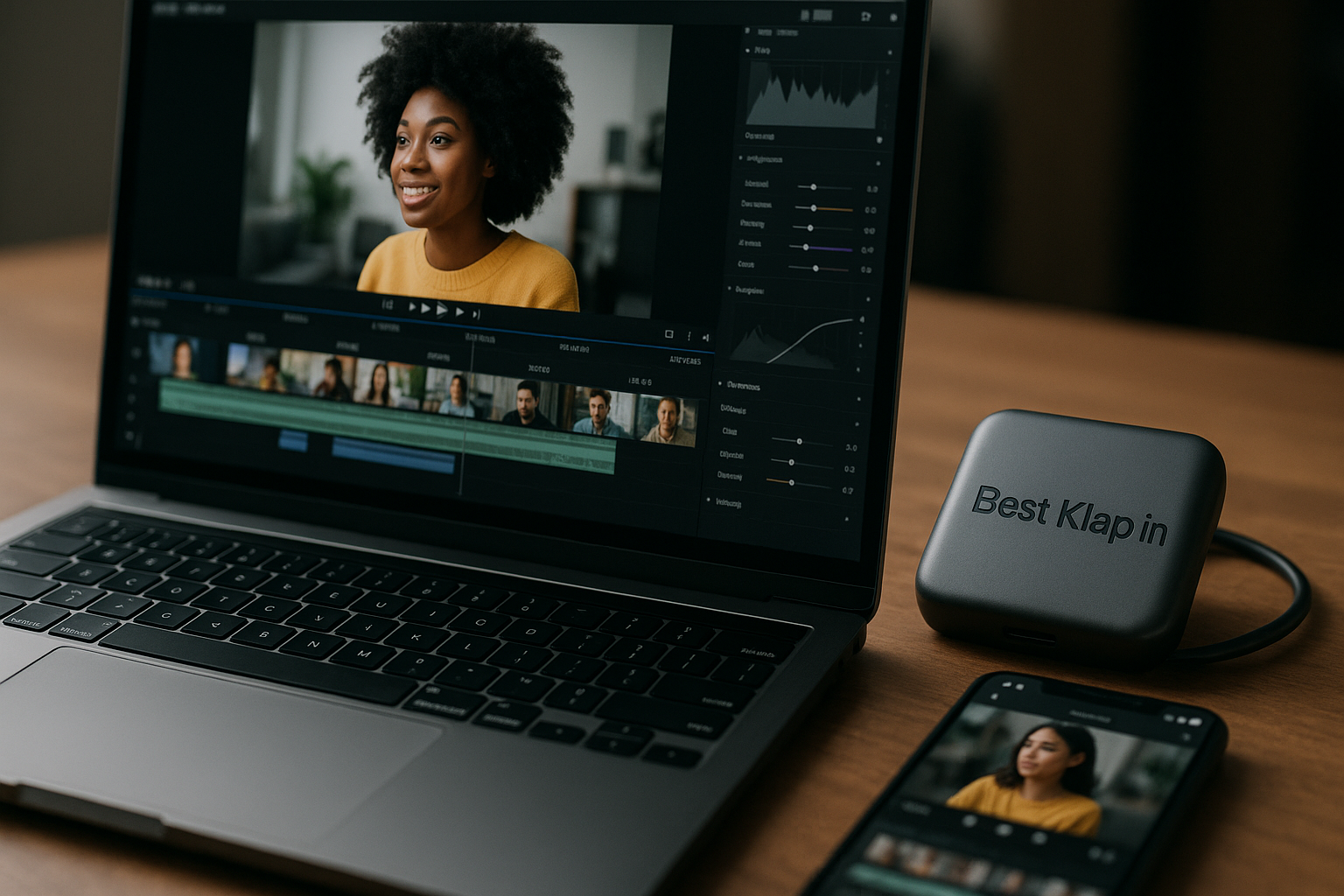
If you are comparing Klap alternatives, you are probably looking for a faster, cheaper, or more controllable way to turn long-form videos into Shorts, Reels, and TikToks. Klap is a strong AI video repurposing tool for creators who want a one-click workflow, AI captions, and vertical clips from YouTube links or uploaded videos.
But it is not the only option. Some creators need deeper editing control, some want a free Klap alternative, and teams may need workflows that fit agencies, podcasts, or YouTube channels at scale.
This guide compares the best Klap alternatives in 2026 with practical, buyer-focused advice.
Official website · Latest pricing & offers
Best Klap Alternatives at a Glance
Klap is still worth considering if your priority is speed. Its official homepage says it can turn long videos into TikToks, Reels, and Shorts in one click, generate AI captions, accept a YouTube link or uploaded video file, and use AI Reframe 2 to resize clips for platforms with layouts such as Split Screen, Screencasts, and Gaming.
If you want to evaluate Klap first, you can review the current offer here: Klap. Still, the best choice depends on your content type, editing expectations, and budget.
Quick comparison table of the top options
| Tool | Best For | Key Positioning | Potential Drawback | Pricing Confidence |
|---|---|---|---|---|
| Klap | Fast short-form repurposing from long videos | One-click clips, AI captions, YouTube link or upload, AI Reframe 2 | May not suit users needing advanced manual control | Verified official annual pricing available |
| Exemplary AI | Speech-heavy content and transcript-led workflows | Often positioned around AI content repurposing and transcription-style workflows | Specific limits and pricing should be checked on its official page | Not publicly confirmed here |
| AI Video Cut | Simple AI clipping workflows | Appears focused on cutting long videos into shorter clips | Feature depth may vary by plan | Not publicly confirmed here |
| WayinVideo | Video search and discovery-style workflows | Appears positioned around finding moments inside videos | May not be ideal if you only want quick one-click shorts | Not publicly confirmed here |
| ClipGOAT | Creators testing AI shorts generation | Appears positioned as a clipping and short-form creation tool | Publicly verified plan details are limited here | Not publicly confirmed here |
| ZapCap | Caption-focused social clips | Appears useful for creators who care strongly about captions | May not replace a full AI repurposing workflow for everyone | Not publicly confirmed here |
| Flowjin | Podcasts, webinars, and long-form talk content | Commonly positioned around repurposing longer media into social clips | Users should verify export, branding, and plan limits | Not publicly confirmed here |
| G2 marketplace alternatives | Teams comparing many vendors | Useful for review-based shortlisting | Reviews may not match your workflow exactly | Varies by vendor |
Who each Klap alternatives tool is best for
The best Klap alternatives are not interchangeable. A podcaster cutting a 90-minute interview has different needs from a YouTuber repurposing tutorials or an agency producing clips for 12 clients.
If you want automation first, Klap and similar AI shorts generator tools are the obvious shortlist. If you want more editorial control, transcript review, collaboration, or brand-specific workflows, you may prefer a competitor after testing exports and editing flexibility.
Fast verdict: easiest to use, cheapest, best for teams, best for captions
For easiest use, Klap remains one of the most straightforward options because the official product positioning is built around pasting a YouTube link or uploading a file and creating short videos quickly.
For cheapest, the answer depends on current free plans, trials, watermarks, export limits, and annual billing. A tool that looks cheaper can become expensive if it limits exports, clip volume, or team seats.
For teams, G2-listed competitors and more workflow-oriented tools may be worth reviewing closely. For captions, Klap includes AI-generated captions, while caption-specialist tools like ZapCap may deserve attention if subtitle styling is your top priority.
What Klap Does Well and Where It Falls Short
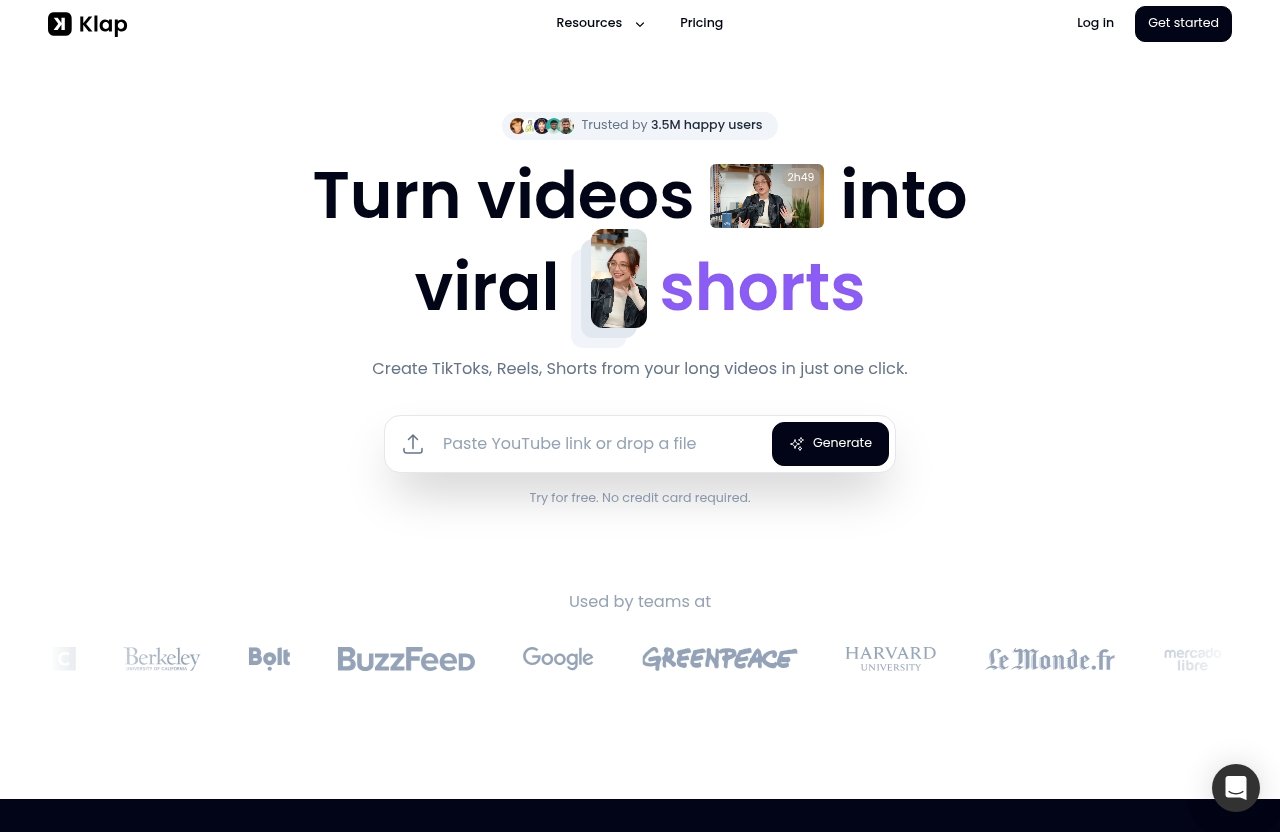
Klap is not just another clip editor. Its main appeal is that it reduces the number of steps between a long video and publishable short-form clips.
That matters if you publish consistently. The best Klap alternatives should be judged against that same standard: can they actually save time without making your content look generic?
Klap’s core strengths for short-form repurposing
Based on Klap’s official homepage, Klap turns videos into viral shorts and creates TikToks, Reels, and Shorts from long videos in one click. It supports pasting a YouTube link or uploading a video file, which is useful for YouTubers, podcasters, coaches, and webinar hosts.
Klap also offers AI-generated captions. For short-form platforms, captions are not optional for many viewers; they improve accessibility and help clips work when watched without sound.
Another verified Klap feature is AI Reframe 2. Klap says this resizes videos for any platform and supports layouts such as Split Screen, Screencasts, and Gaming, which is especially relevant for tutorials, reaction-style videos, gameplay, and talking-head clips.
Limitations buyers should consider before subscribing
Even strong AI tools have tradeoffs. Klap is built around speed and automation, so creators who want frame-level editing, heavy motion design, or a complex team approval system should compare Klap competitors before committing.
The official Klap facts provided here do not confirm every possible advanced editing feature, collaboration option, brand kit, or monthly billing structure. That does not mean those things are absent; it means buyers should verify them directly before purchasing.
This is where Klap alternatives can make sense. Some users may value transcript-first editing, more manual clip selection, caption styling, team workflows, or broader creative controls more than one-click speed.
Who should stick with Klap vs who should switch
Stick with Klap if your main workflow is simple: upload a long video or paste a YouTube link, generate short-form clips, add captions, and publish to TikTok, Reels, or Shorts.
Consider switching if you need more editorial review, if your team has multiple stakeholders, or if you want a free Klap alternative for occasional use. You may also prefer other Klap app alternatives if your content is less speech-heavy and needs more visual editing than highlight extraction.
In practical terms, Klap is best for creators who want fewer steps. The top Klap alternatives are best for users who want more choice in how each step works.
How We Chose the Best Klap Alternatives
This comparison is designed for commercial investigation, not hype. The goal is to help you decide which AI video repurposing tool deserves your time, trial, or subscription.
We prioritized tools that appear in competitor research, SERP-style comparison contexts, or marketplace discussions around clipping long videos into short-form assets. Where features or prices are not publicly confirmed in the supplied information, this article says so instead of guessing.
Selection criteria: quality, speed, captions, workflow, price
We evaluated Klap alternatives using five practical buying criteria.
First is output quality: does the tool help you create clips that feel coherent rather than randomly cut? Second is speed: can you move from a long video to usable clips quickly?
Third is captions, because short-form content often needs readable, well-timed subtitles. Fourth is workflow: YouTube link support, upload options, review steps, editing flexibility, and team handoff can matter as much as AI accuracy.
Finally, we considered price and value. The cheapest AI shorts generator is not always the best value if it slows you down or limits the number of clips you can produce.
Why SERP leaders rank highly
Tools that rank well for searches like Klap AI alternatives, AI video repurposing tool, and create shorts from long videos usually do one thing clearly: they promise to reduce the editing burden.
That said, rankings do not prove a tool is best for your workflow. SERP leaders often have strong positioning, useful landing pages, or recognizable category fit, but hands-on testing is still important.
For this roundup, we treat public claims cautiously. If a competitor appears to offer a capability based on its market positioning, we describe it as an apparent or claimed strength unless verified details are available.
How to evaluate Klap alternatives for YouTube, podcasts, and webinars
For YouTube, look at whether the tool can handle your video length, recognize strong moments, and produce Shorts that keep context. A Klap alternative for YouTube should also preserve speaker clarity and create captions that do not require excessive cleanup.
For podcasts, transcript accuracy and clip coherence are especially important. A quote may be interesting, but it needs enough context to work as a standalone social clip.
For webinars and courses, look for tools that handle screen recordings, speaker layouts, and educational pacing. Klap’s verified AI Reframe 2 layouts, including Screencasts, are relevant here, but alternatives may appeal if they offer a workflow that better matches your review process.
Best AI Tools to Create Shorts from Long Videos
Below are the major tools worth comparing if you are researching Klap alternatives in 2026. These are not ranked only by feature count; they are reviewed by likely fit.
Because public pages and pricing can change, verify export limits, watermark rules, free plan availability, and commercial usage terms before subscribing.
Exemplary AI
Exemplary AI is often discussed among Klap AI alternatives because it appears oriented toward AI-assisted content repurposing, especially for speech-based media. For creators who rely on interviews, podcasts, webinars, or educational videos, that kind of workflow can be appealing.
The likely strength is organization around spoken content. If your repurposing process starts with identifying quotes, topics, or sections from a long recording, Exemplary AI may deserve a closer look.
The tradeoff is that its exact pricing, export limits, and full feature set are not publicly confirmed in the supplied information. Before choosing it over Klap, check whether it supports your preferred inputs, caption controls, export formats, and publishing volume.
Choose Exemplary AI if your workflow is transcript-led and you want to inspect the content before creating clips. Choose Klap if you want a faster one-click path from long video to short-form outputs.
AI Video Cut
AI Video Cut is another name that appears in the broader category of tools designed to create shorts from long videos. Its positioning suggests a simple clipping workflow, which may suit creators who do not want a complex editing suite.
The appeal is directness. If you mainly want to feed in long videos and receive shorter cuts, AI Video Cut may be worth testing against Klap.
However, the details that matter most—pricing, clip limits, export quality, watermark policies, editing depth, and caption options—are not publicly confirmed here. That makes it important to test with one of your own videos, not just a demo.
Among Klap alternatives, AI Video Cut may be most attractive to users who want a focused tool. But if you need verified AI captions and official annual clip limits, Klap is more transparent based on the provided product facts.
WayinVideo
WayinVideo appears to be positioned around helping users search, discover, or navigate video content. That can be useful when your main challenge is finding the right moment inside a long recording.
This type of workflow can be especially valuable for webinars, interviews, internal knowledge videos, or large content libraries. Instead of only generating clips automatically, a discovery-style tool may help you locate moments worth editing.
The potential drawback is that moment discovery and short-form publishing are not always the same thing. If your goal is simply to produce Shorts, Reels, and TikToks quickly, Klap may feel more direct.
WayinVideo is one of the more interesting Klap alternatives if you have a library of long videos and need better search or navigation. For fast social repurposing, compare the number of steps required before export.
ClipGOAT
ClipGOAT is positioned as a creator-friendly option in the AI clipping space. Based on its category presence, it is worth considering if you want a tool that focuses on short-form content generation.
The likely use case is straightforward: creators who publish regularly and want help turning long videos into clips. If you are testing multiple Klap app alternatives, ClipGOAT belongs on the shortlist.
As with several competitors, pricing and plan details are not publicly confirmed in the supplied information. Before buying, confirm whether ClipGOAT has a free plan, whether exports include watermarks, how many clips you can create, and how much editing control you get.
ClipGOAT may be a good fit for creators comparing the best Klap alternative on usability. Klap remains easier to evaluate on confirmed facts because its annual plans and clip limits are clearly listed in the provided pricing data.
ZapCap
ZapCap stands out by name and market positioning as a caption-focused tool. If your biggest complaint with AI clipping tools is caption style, subtitle timing, or readability, it may be worth investigating.
Captions are a major conversion factor for short-form video. They help viewers follow along silently and can make talking-head clips feel more dynamic.
The key question is whether ZapCap is enough for your full workflow. A strong caption tool may not replace an end-to-end AI video repurposing tool if you also need highlight discovery, reframing, and batch clip generation.
Among Klap alternatives, ZapCap makes the most sense for creators who already know what clips they want and mainly need polished captions. Klap is more suitable if you want the AI to help create TikToks, Reels, and Shorts from the long source video.
Flowjin
Flowjin is commonly discussed in the context of repurposing long-form audio or video into social clips. That makes it especially relevant for podcasters, webinar hosts, and interview-based creators.
The likely strength is speech-heavy repurposing. If your content is built around conversations, topics, and quotable moments, Flowjin may be easier to evaluate than tools designed for general-purpose editing.
Still, buyers should verify the current plan limits, export rules, caption functionality, and editing flexibility directly. Those details are not publicly confirmed in the information supplied for this article.
Flowjin is one of the stronger Klap alternatives for podcasters to test. Klap may be better when you want a simple YouTube-link-to-short workflow with built-in captions and platform reframing.
G2 marketplace alternatives
G2 marketplace alternatives can be useful when you want broader social proof. Review platforms often surface Klap competitors across categories such as video editing, AI video generation, transcription, social media content creation, and repurposing.
This route is best for teams that need to compare vendors beyond landing-page claims. Look for reviews that mention your exact use case: YouTube Shorts, podcast clips, webinar repurposing, agency workflows, or caption accuracy.
The limitation is that G2 reviews can be broad. A five-star review from a solo creator may not tell an agency whether the tool supports approvals, multiple brands, or high monthly output.
When browsing G2-listed Klap alternatives, build a shortlist and then test each tool with the same source video. That gives you a fairer comparison than relying on screenshots or feature grids.
Official website · Latest pricing & offers
Klap vs Competitors: Which Alternative Is Best for You?
The right choice depends less on the “best” tool and more on the bottleneck in your workflow. Are you losing time finding clips, editing captions, resizing layouts, or managing client approvals?
Use the following decision paths to narrow the field.
Best for free users
If you are looking for Klap alternatives free of charge, be careful with the word “free.” Some tools offer free plans, some offer free trials, and others offer limited exports with watermarks or usage caps.
A free Klap alternative can be useful for testing clip quality, but it may not be enough for weekly publishing. Always check whether the free option allows downloads, removes watermarks, supports captions, and handles your video length.
For beginners, the best free choice is the one that lets you test your real content before paying. Do not judge an AI video tool only by demo examples.
Best for maximum control
If you want maximum control, look beyond one-click automation. You may need transcript editing, timeline adjustment, custom captions, manual clip selection, and brand-specific formatting.
In that case, some Klap competitors may suit you better than Klap, depending on their current editing depth. However, those features must be verified on each official page because they vary widely by plan.
Klap is more attractive when automation is the goal. The best Klap alternatives for control are the ones that let you intervene without rebuilding every clip manually.
Best for teams and collaboration
Teams should evaluate more than output quality. Agencies, content departments, and social media teams also need predictable pricing, shared workflows, approvals, and brand consistency.
G2 marketplace alternatives are useful here because they can reveal how tools behave in real team environments. Look for reviews from users with similar team size and publishing volume.
Klap may still work for lean teams that want fast repurposing. Larger teams should verify collaboration features directly before choosing any tool.
Best for viral clip discovery
If your main problem is identifying the most engaging parts of a long video, prioritize tools that emphasize highlight discovery, search, or AI selection. This is where products like WayinVideo, Flowjin, and other AI clipping tools may be worth testing.
Klap’s official positioning includes turning videos into viral shorts, which is appealing for creators focused on speed and reach. Still, “viral” outcomes depend on source material, hook quality, editing, niche, and publishing consistency.
For viral discovery, test each tool on the same long video and compare whether the selected moments would make sense to a viewer with no context.
Best for simple repurposing
For simple repurposing, Klap remains one of the easiest tools to recommend. The verified workflow—paste a YouTube link or upload a file, create short-form clips, add AI captions, and reframe for platforms—is exactly what many creators want.
If you value speed over deep customization, Klap may be better than many Klap alternatives. You can review Klap’s current plans and product details here: Klap.
If you want more editing control, a different caption workflow, or a free plan for light use, test the competitors before committing.
Pricing and Value Considerations
Pricing is where AI video tools can become confusing. Some charge by minutes, some by exports, some by users, and some by feature tiers.
For a fair comparison, calculate the cost per usable clip, not just the monthly price. A tool only saves money if it saves time and produces clips you actually publish.
Klap pricing plans and clip limits
Klap’s official pricing page lists three annual-billed plans:
| Klap Plan | Monthly Clip Limit | Price |
|---|---|---|
| 100 clips monthly | 100 clips | $14/month billed yearly |
| Pro | 300 clips | $39/month billed yearly |
| Pro+ | 1000 clips | $94/month billed yearly |
The pricing page also states: “No hidden fees. Cancel anytime.”
These are the only verified Klap pricing details used in this article. Monthly billing, discounts, trials, extra credits, or additional limits are not confirmed in the supplied product facts, so buyers should verify the live pricing page before subscribing.
How to compare pricing models fairly
When comparing Klap alternatives, start with your publishing target. A solo YouTuber posting three Shorts per week needs a different plan than an agency producing hundreds of clips for clients.
Ask these questions:
| Pricing Question | Why It Matters |
|---|---|
| How many clips can I export monthly? | Determines real production capacity |
| Are captions included? | Captions may require another tool if not included |
| Are downloads watermarked? | Watermarks can make free plans unusable professionally |
| Are long videos supported? | Podcasts and webinars may exceed limits |
| Is annual billing required? | A low monthly price may require upfront commitment |
| Can I edit clips before export? | Reduces rework in another editor |
The best Klap alternative is not automatically the cheapest. It is the one that matches your output volume and reduces the most manual work.
When a lower-priced tool is actually more expensive
A lower-priced tool becomes more expensive when it creates hidden labor. If you spend an extra hour fixing captions, reframing shots, or rebuilding clips, the savings disappear quickly.
For creators, time is the real cost. For agencies, revision cycles are the real cost.
That is why Klap’s verified clip limits are useful for comparison. If you know you need 100, 300, or 1000 clips monthly, you can compare competing tools against a concrete production target.
Best Alternatives by Creator Type
Different creators should prioritize different features. The best Klap alternatives for a podcaster may not be the same as the best choice for a course creator or social media agency.
Use this section to shortlist tools by workflow rather than brand name.
Podcasters
Podcasters should prioritize speech-heavy accuracy, topic detection, captions, and context. A great podcast clip needs enough setup to make the quote meaningful.
Flowjin and Exemplary AI may be worth testing for this reason, especially if your workflow starts with long interviews or audio-first content. Verify their current export, caption, and pricing details before choosing.
Klap is a strong option if your podcast episodes are already on YouTube and you want a fast path to Shorts, Reels, and TikToks.
YouTubers
YouTubers searching for a Klap alternative for YouTube should focus on link import, vertical reframing, caption quality, and how well the tool understands the structure of the original video.
Klap’s verified YouTube link support is a clear advantage for creators who publish long-form videos first. AI Reframe 2 is also relevant for tutorials, screencasts, gaming, and talking-head videos.
Other Klap alternatives may be better if you need deeper manual editing or want to compare multiple AI-generated clip selections before export.
Course creators
Course creators often repurpose tutorials, lessons, webinars, and screen recordings. The key challenge is making educational clips feel complete in less than a minute.
Klap’s verified Screencasts layout under AI Reframe 2 is useful here. It suggests that Klap can support screen-based formats, although buyers should still test their own course footage before subscribing.
WayinVideo may also be worth investigating if your main issue is finding specific moments inside a large video library.
Agencies and social media teams
Agencies need repeatable workflows. They should evaluate Klap alternatives based on client volume, review processes, export limits, brand consistency, and team access.
G2 marketplace alternatives are especially helpful for agencies because reviews may reveal workflow issues that do not appear on product pages. Look for feedback from other agencies, not just solo creators.
Klap can still work for agencies producing high volumes of short clips, especially given the verified Pro+ plan with 1000 clips monthly at $94/month billed yearly. But collaboration details should be checked directly before relying on it for client operations.
Beginners on a budget
Beginners should avoid overbuying. If you are still testing short-form video, start with a tool that lets you validate your workflow without paying for unused capacity.
Searches like Klap alternatives free and free Klap alternative are common for a reason. Many creators want to test AI clipping before committing.
Just remember that free access can be limited. If a free plan adds watermarks, restricts exports, or blocks useful features, a low-cost paid plan may be better value.
Final Verdict: Which Klap Alternative Should You Choose?
The best Klap alternatives depend on your workflow, but the decision is simpler than it looks.
Choose Klap if you want a fast, one-click system for turning long videos into TikToks, Reels, and Shorts with AI-generated captions and platform reframing. Choose an alternative if you need deeper editing control, a different transcript workflow, broader team collaboration, or a free plan for occasional use.
Best overall pick
For most creators who want speed and simplicity, Klap is the strongest overall choice in this comparison because its core workflow is clearly defined and its pricing facts are transparent.
Among Klap alternatives, Flowjin and Exemplary AI are strong candidates to test if your content is speech-heavy and you want a more review-oriented process.
Best free pick
The best free pick is the tool that lets you test your real content with acceptable export quality. Because free plan availability, limits, and watermarks are not publicly confirmed here for the competitors, verify each current plan before relying on it.
If you are searching for a free Klap alternative, focus less on the label “free” and more on whether you can actually download usable clips.
Best budget pick
Klap’s verified entry plan offers 100 clips monthly at $14/month billed yearly. That gives budget-conscious creators a clear baseline for comparing Klap alternatives.
A cheaper tool may be better if it meets your needs, but only if it saves time and produces publishable output. If it requires extra editing, it may not be the better budget choice.
Best premium pick
For higher-volume creators, Klap’s Pro+ plan lists 1000 clips monthly at $94/month billed yearly. That may appeal to agencies, prolific YouTubers, and social media teams that need a large monthly clip allowance.
Premium buyers should still compare Klap competitors for collaboration, approvals, brand control, and editing flexibility.
Before choosing, use this quick checklist:
| Buyer Question | Best Direction |
|---|---|
| Do I want the fastest path from long video to shorts? | Start with Klap |
| Do I need transcript-led review? | Test Exemplary AI or Flowjin |
| Do I mainly need captions? | Investigate ZapCap |
| Do I need to search a video library? | Consider WayinVideo |
| Do I need agency workflows? | Compare G2 marketplace alternatives |
| Do I need a free plan? | Verify free limits and watermarks first |
Final editorial take: Klap is still a strong option, especially for creators who want quick AI-generated shorts, captions, and reframing without building a complex editing workflow. The best Klap alternatives are worth testing when customization, collaboration, or pricing flexibility matters more than speed.
Official website · Latest pricing & offers
FAQ
Is Klap AI worth it?
Klap AI can be worth it if you want to extract short-form clips from long videos quickly. Its verified strengths include one-click creation of TikToks, Reels, and Shorts, AI-generated captions, YouTube link or file upload support, and AI Reframe 2 for platform resizing.
However, creators who need deeper editing control, advanced collaboration, or highly customized captions may prefer Klap alternatives. The best approach is to test Klap with your own long video and compare the output against one or two competitors.
Is there a 100% free AI video maker?
Some AI video makers may offer free plans, free trials, or limited free access, but “100% free” can mean different things. Free tools may restrict exports, add watermarks, limit video length, or cap the number of clips.
If you are looking for Klap alternatives free of charge, check the current plan terms carefully. A free Klap alternative is only useful if it lets you export clips you would actually publish.
How to use Klap AI for free?
The general Klap-style workflow is simple: upload a long video or paste a YouTube link, let the AI create clips, review the results, and export if your plan allows it. Any free use depends on Klap’s current plan availability and terms, which should be verified on the official pricing page.
Do not assume that free access, trials, or export limits are permanent. AI video tools often change their plans.
What is the best app to make clips?
The best app to make clips depends on your content, budget, and editing needs. Klap is a strong choice for simple repurposing from long videos into Shorts, Reels, and TikToks, while other Klap alternatives may fit better for transcript review, caption styling, video search, or team workflows.
If you are unsure, test two or three tools with the same source video. The best app is the one that gives you publishable clips with the least cleanup.
Related Reading
References
- Klap official homepage
- Klap pricing page
- Exemplary AI Klap alternative
- AI Video Cut free Klap alternative