Best Stem Separation Tool for Music Producers in 2026
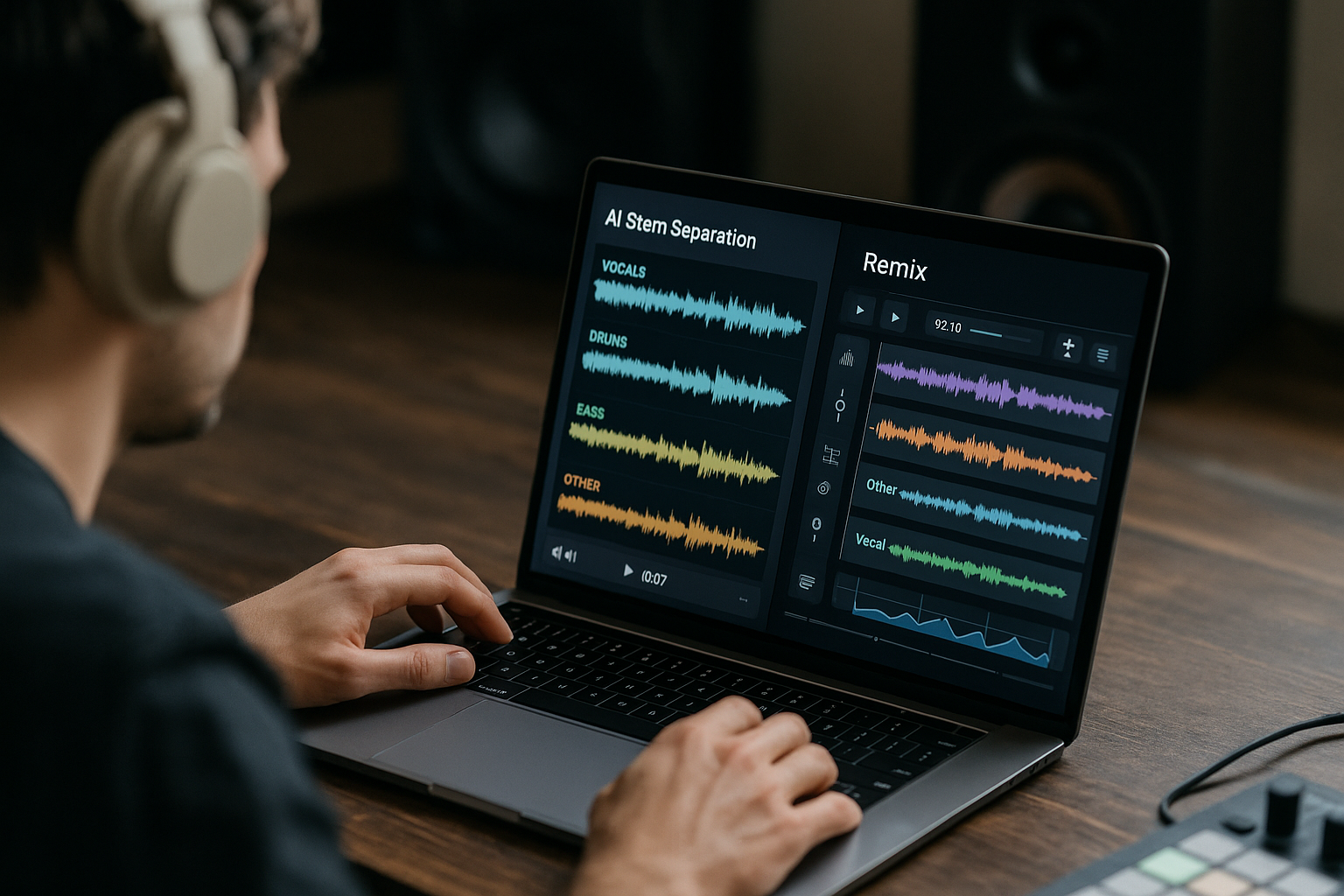
If you are trying to remix a track, isolate a vocal, pull drums from a sample, or create clean practice stems, choosing the best stem separation tool matters more than ever. Modern AI stem splitters can be impressive, but they are not all equal: some prioritize speed, some give deeper editing control, and some require technical setup before you get usable results.
For most producers who want a clean, fast, browser-friendly workflow, LALAL.AI is the benchmark I would test first. It is not the only strong option, though. Ultimate Vocal Remover is excellent for free power users, Moises is easy for everyday use, RipX DAW Pro is better for deep editing, and DAW-native tools can be enough when convenience is the priority.
Official website · Latest pricing & offers
Best Stem Separation Tools at a Glance
The table below gives you the practical shortlist before we get into the detailed reviews. Separation quality always depends on the source mix, but these are the tools I would compare first when looking for the best stem separation tool for production work.
Quick comparison table
| Tool | Best for | Ease of use | Stem types / focus | Platform style | Short verdict |
|---|---|---|---|---|---|
| LALAL.AI | Clean, fast, quality-first separation | Very easy | Vocals, instrumental, drums, bass, guitar, synth, strings, wind instruments | Web, apps, plugins, API, macOS/Windows downloads, mobile app badges shown | Best overall benchmark for most producers |
| Ultimate Vocal Remover | Free advanced separation | Moderate to technical | Model-dependent source separation | Desktop/open-source workflow | Best free stem separation tool for power users |
| Moises | Quick practice, remix prep, mobile-friendly workflows | Very easy | Musician-focused stem splitting | Web/mobile app style | Best convenience-first option |
| RipX DAW Pro | Deep repair, cleanup, note-level editing | Advanced | Stem editing and detailed audio manipulation | DAW-like editing environment | Best for detailed post-separation work |
| DAW-native tools | Fast in-session workflow | Easy if you know the DAW | Depends on DAW | Built into production software | Best when speed matters more than maximum quality |
| LANDR Stems | Simple web-based splitting | Easy | General stem splitting | Online tool | Useful alternative for quick jobs |
| Gaudio Studio | Clean web separation tests | Easy | AI source separation | Online tool | Worth comparing on your own tracks |
| AudioStrip | Vocal/instrument separation tests | Easy | Stem separation and vocal removal | Online tool | Handy for quick extra comparisons |
| Fadr | Remix and creative workflows | Easy to moderate | Stem splitting plus music creation features | Web-based | Good for remix-oriented users |
Affiliate note: TopTrustReview may earn a commission if you choose LALAL.AI through our partner link, at no extra cost to you. That does not affect the ranking logic: the recommendation is based on workflow, separation quality, usability, and practical producer value. You can test it here: try LALAL.AI.
Who each tool is best for
Use LALAL.AI if you want a polished AI stem splitter that feels quick, accessible, and reliable enough to become your default separation stop. It is the safest first test for producers who care about clean vocals, usable instrumentals, and minimal workflow friction.
Use UVR if you want the best stem separation tool free option and you are comfortable experimenting with models, settings, and desktop setup. It can be powerful, but it is less beginner-friendly.
Use Moises if you want a stem separation app that feels approachable for practice, quick edits, and sketching ideas. Use RipX DAW Pro if you want to repair, edit, and manipulate separated material after extraction.
Why LALAL.AI is the benchmark for the best stem separation tool
LALAL.AI works well as the benchmark because it focuses on the thing most producers actually need: fast, clean separation without a complicated setup. The platform is positioned as an AI vocal remover and instrumental isolator powered by AI and transformer technology, and its official product areas include Vocal Remover, Stem Splitter, Voice Cleaner, Voice Changer, Voice Cloner, Echo & Reverb Remover, and Lead/Back Splitter.
That breadth matters because stem separation for producers is rarely just “remove the vocal.” You may need to extract bass, clean a vocal, isolate drums, or build a remix-ready instrumental. A good benchmark tool should make those jobs simple while still producing results that hold up in a mix.
What Stem Separation Software Actually Does
Stem separation software uses machine learning to estimate which parts of a finished mix belong to vocals, drums, bass, guitar, or other sources. It does not recover the original studio multitrack session. Instead, it predicts and reconstructs isolated sources from a stereo or video file.
Authoritative research in music source separation includes Meta’s open-source Demucs, Deezer’s Spleeter, and the Music Demixing Challenge, all of which helped popularize AI-assisted demixing workflows. These projects show why modern tools can sound surprisingly good, while also reminding us that separation is still an estimation process.
Stems vs. multitracks vs. isolated sources
A multitrack session contains the original recorded tracks: lead vocal, harmony vocal, kick, snare, bass DI, guitars, synths, effects returns, and so on. A stem is usually a grouped export, such as drums, vocals, music, or bass.
An isolated source from an AI stem splitter is different. It is a machine-generated approximation of one element from a mixed master. The best stem separation tool can make that approximation very usable, but it cannot perfectly recreate information that was blended, masked, compressed, or limited in the original mix.
Common producer use cases
Producers and DJs use stem separation software for practical creative tasks:
- Isolating vocals for remixes and mashups
- Creating instrumentals for performance or rehearsal
- Extracting drums, bass, or hooks for sample-based production
- Studying arrangements and mix balance
- Removing vocals from reference tracks
- Building DJ edits and live performance tools
- Cleaning dialogue, vocal takes, or instrument beds when no session files exist
The key is to treat separated stems as production material, not magic. Sometimes a separated vocal will sit perfectly under new drums. Other times, it may need EQ, de-essing, gating, transient shaping, or layering to hide artifacts.
What good separation quality looks like
Good separation quality is not just “the vocal is louder than the backing track.” Listen for bleed, metallic chirping, phasey high frequencies, missing transients, low-end smearing, and tonal shifts.
A strong vocal isolation tool should preserve consonants, breath detail, and body without leaving too much snare, cymbal, or reverb behind. A good instrumental output should not sound hollow, underwater, or unstable when played in mono. The best stem separation tool for you is the one that produces the least cleanup work on your own source material.
How We Evaluated the Best Stem Separation Tool Options
This roundup is based on practical production criteria rather than marketing claims. I evaluated each category the way a producer would: can I get usable stems quickly, do they survive processing, and does the tool fit into a real workflow?
Because source separation is song-dependent, no ranking can guarantee the same result on every track. Dense masters, heavy reverb, distorted guitars, stacked harmonies, and aggressive limiting can all make separation harder.
Separation quality and artifact control in the best stem separation tool
The first priority is audible cleanliness. I listen for vocal bleed in instrumentals, drum splash in vocals, bass loss, unstable stereo imaging, and unnatural high-frequency warble.
The best stem separation tool should also preserve tone. If the separated vocal sounds thin, harsh, or phasey, it may be difficult to use even if the backing track is mostly removed.
Workflow speed and ease of use
A great result is less useful if the workflow slows down every idea. Browser-based tools like LALAL.AI and Moises are attractive because they reduce setup friction.
Power-user tools like UVR may offer deeper control, but you have to be willing to manage installation, models, and settings. DAW-native tools win when you need speed inside a session, even if they are not always the most flexible choice.
Pricing and value
Value is not only about the cheapest option. A free tool can be excellent if you have time and technical patience. A paid tool can be better value if it saves hours of testing and cleanup.
For commercial work, I prefer judging value by usable output per minute. If the best stem separation tool for your workflow gets you clean stems faster, it may be worth paying for even when free alternatives exist.
Platform support and export options
Platform support matters because producers work across laptops, studios, mobile devices, and sometimes automated pipelines. Web access is convenient, desktop apps can be more integrated, plugins can speed up production, and APIs matter for developers or businesses.
Also consider file format support and export workflow. If you work with audio and video, make sure the tool can handle the formats you actually receive from clients or collaborators.
1. LALAL.AI — Best Overall Benchmark for Clean Separation
LALAL.AI is my top benchmark for producers who want a quality-first, low-friction AI stem splitter. It is designed as an AI vocal remover and instrumental isolator powered by AI and transformer technology, and it covers more than simple vocal removal.
The main appeal is balance. LALAL.AI is easier than a technical open-source workflow, broader than a basic vocal remover, and practical enough for remix prep, sample extraction, backing tracks, and quick client jobs.
Why producers like it
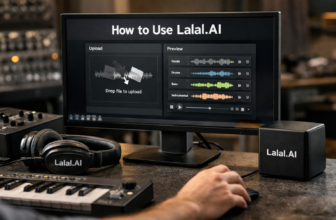
Producers like LALAL.AI because it does not make stem separation feel like a research project. You upload material, choose the separation target, and evaluate whether the output is clean enough for the job.
In day-to-day production, that matters. When you are testing five possible remix hooks, the best stem separation tool is often the one that lets you audition ideas quickly without derailing the session.
LALAL.AI is also useful beyond music-only files because the platform supports audio and video processing. That can help if you are pulling material from performance videos, rough cuts, or client-supplied media.
Stem types and platform support
Based on the official homepage/pricing excerpt provided, LALAL.AI’s Stem Splitter can extract:
- Vocals
- Instrumental
- Drums
- Bass
- Guitar
- Synth
- String instruments
- Wind instruments
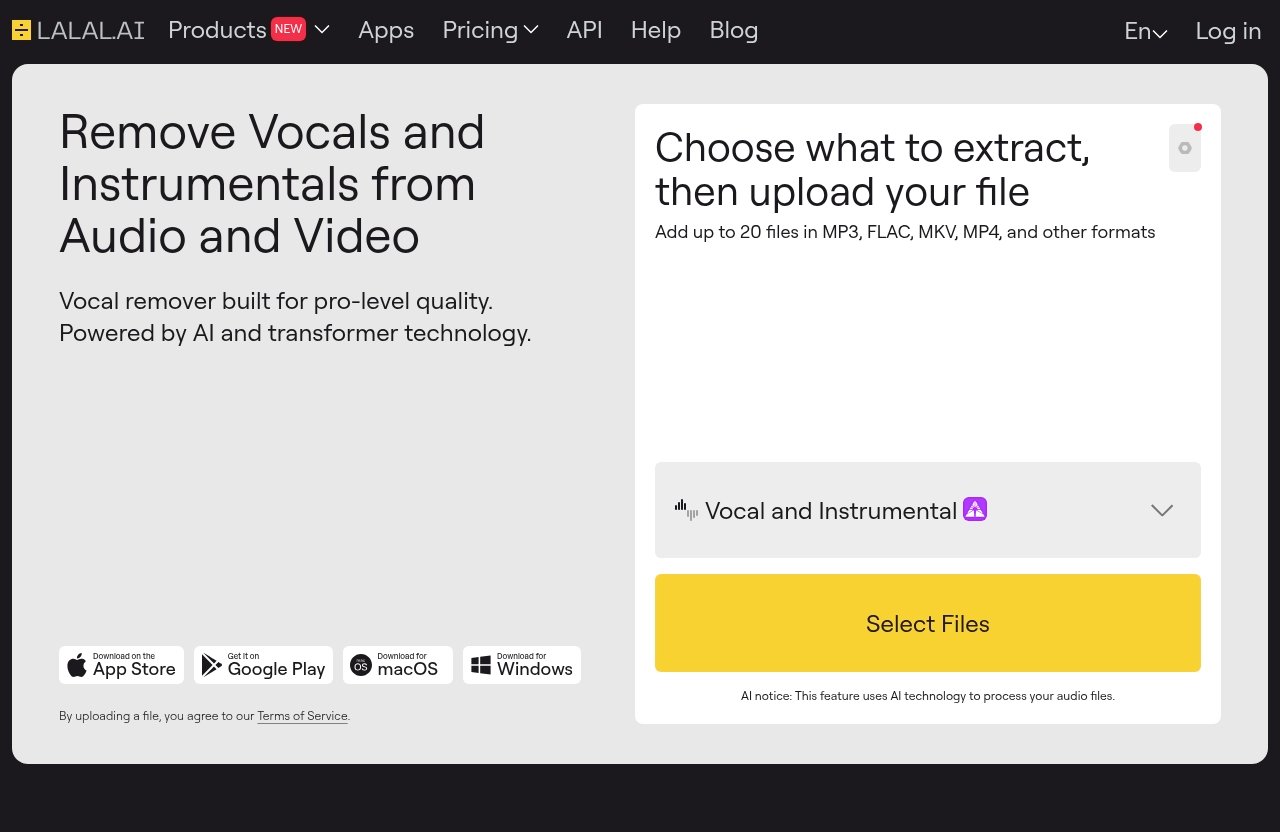
The homepage also shows product areas for Vocal Remover, Stem Splitter, Voice Cleaner, Voice Changer, Voice Cloner, Echo & Reverb Remover, and Lead/Back Splitter. It says users can add up to 20 files in MP3, FLAC, MKV, MP4, and other formats.
For access, LALAL.AI offers apps and plugins, an API, and downloads for macOS and Windows. Mobile app badges are shown for the App Store and Google Play. That range makes it easier to fit into different producer workflows than a single-platform stem separation app.
Strengths and limitations
LALAL.AI’s biggest strength is its combination of clean output, accessibility, and breadth. If you need vocals, instrumentals, drums, bass, or other instrument groups without spending time tuning models, it is an easy recommendation.
The limitation is the same limitation every AI separator has: the original mix still controls the ceiling. Dense mixes, heavy reverb, distorted layers, and mastered tracks with loud cymbals can still produce bleed or artifacts. Even the best stem separation tool needs a listening check before you commit a separated stem to a release.
2. Ultimate Vocal Remover (UVR) — Best Free Power-User Option
Ultimate Vocal Remover, usually called UVR, is one of the most respected free options for advanced users. It is popular because it gives technical users access to powerful source-separation workflows without a typical paid web-app structure.
If your priority is the best stem separation tool free route, UVR belongs near the top of your list. The trade-off is that it can require more setup, testing, and patience than LALAL.AI or Moises.
Why advanced users choose it
Advanced users choose UVR because it can be flexible. Depending on the setup and models used, it can perform very well on vocals, instrumentals, and other separation tasks.
That flexibility is attractive for producers who enjoy experimenting. If one model leaves cymbal bleed in a vocal, you may be able to test another approach and compare outputs.
Pros and cons for workflow
The upside is control. UVR can be a serious stem separation software option if you are willing to learn the workflow.
The downside is friction. Installation, model selection, processing time, and settings can interrupt a creative session. If you want the best stem separation tool purely for speed and simplicity, UVR may feel less direct than a browser-based option.
When free beats paid
Free beats paid when you have more time than budget, when you enjoy technical testing, or when you need to process occasional tracks without committing to a subscription or paid plan. UVR is also useful as a second opinion against commercial tools.
For serious producers, I would not frame UVR as “worse because it is free.” I would frame it as powerful but less streamlined. It can produce excellent results, but you need to be comfortable acting as your own technician.
3. Moises — Best for Everyday Ease of Use
Moises is one of the most approachable names in the stem separation app category. It is designed around quick access, simple controls, and musician-friendly workflows.
For producers who want a low-stress Moises stem splitter experience, it can be a strong pick. It is especially useful when speed, practice, and mobile convenience are more important than deep post-separation editing.
Web/mobile convenience
Moises works well for people who want to move quickly between devices. That makes it appealing for beatmakers, vocalists, instrumentalists, and DJs who are not always sitting at a full studio computer.
The simplicity is the selling point. You do not need to think like an audio engineer to get usable stems for practice or sketching.
Practice and remix workflows
Moises is particularly useful for learning songs, muting parts, studying arrangements, and preparing simple remix ideas. If you want to isolate a vocal and quickly test it over a beat, it can be very convenient.
For final production work, still listen critically. Check the vocal tail, cymbal bleed, low-end stability, and whether the separated material collapses when you add compression or saturation.
Best-fit user profile
Moises is best for users who prioritize ease over technical depth. It is a strong choice for musicians, teachers, casual remixers, and producers who want quick separation without managing a desktop power-user tool.
If you are comparing it with LALAL.AI, the decision comes down to your workflow. Moises is excellent for convenience; LALAL.AI remains the stronger benchmark when you are choosing the best stem separation tool primarily for clean, production-ready extraction.
Official website · Latest pricing & offers
4. RipX DAW Pro — Best for Deep Editing and Cleanup
RipX DAW Pro is different from a simple splitter. It is better thought of as a detailed audio editing environment for users who want to go beyond basic stem extraction.
If you often need to repair separated stems, edit notes, clean problem areas, or manipulate audio more deeply, RipX DAW Pro deserves serious consideration.
Detailed stem repair workflow
The biggest advantage of RipX DAW Pro is the ability to work inside the separated material more surgically. Instead of accepting the output as-is, you can approach the audio as something to inspect, edit, and refine.
That is useful when a vocal has leftover cymbal fizz, a bass stem has artifacts, or a guitar part needs correction before it can sit in a new arrangement.
Audio editing advantages
RipX is appealing for producers who think in terms of audio editing, restoration, and manipulation. It can be especially useful for sound designers, remix artists, and technically minded producers who do not mind a deeper interface.
This is where “better” becomes workflow-specific. RipX may be better than the best stem separation tool benchmark if your project requires detailed editing after separation rather than just fast extraction.
Who should avoid it
Avoid RipX DAW Pro if you only need quick vocal removal or instrumental extraction. It can be more complex than necessary for casual jobs.
If you want to upload a track, split stems, and move back into your DAW immediately, LALAL.AI or Moises will probably feel faster.
5. DAW-Native Stem Separation Tools
DAW-native stem separation tools are becoming more common, and they can be excellent for speed. The big advantage is not always maximum quality; it is staying inside the production environment.
For many working producers, the best stem splitter is the one already inside the DAW when inspiration hits.
Apple Logic Pro
Apple’s Logic Pro has added modern production features around session workflow and audio manipulation, and Apple documents its current capabilities in the official Logic Pro User Guide. For Logic users, built-in separation-style workflows can be appealing because they reduce app switching.
The benefit is immediacy. You can test ideas quickly, arrange around separated material, and keep your creative flow intact.
Ableton Live and other DAWs
Ableton Live and other DAWs are also part of the broader conversation because producers increasingly expect stem handling, sampling, and audio conversion features to happen inside the creative workspace. The exact tools vary by DAW and version, so check your software’s official documentation before assuming a feature is included.
The practical point is simple: DAW-native workflows are convenient. They are often good enough for sketching, DJ edits, practice loops, and arrangement study.
When built-in tools are enough
Built-in tools are enough when you need speed, not perfection. If you are making a rough remix demo, testing an acapella placement, or extracting a part for reference, staying in the DAW can be the smartest move.
For release-quality vocal isolation or client-facing stems, I would still compare the output against a dedicated tool. The best stem separation tool for final work is usually the one with the cleanest result, not just the fastest button.
6. Other Notable Stem Splitters Worth Considering
The market is bigger than the top five. These tools may not be my first recommendation for every producer, but they are useful alternatives when you want to compare outputs on your own tracks.
A smart workflow is to test two or three tools on the same chorus, drop, or dense section. The winner is often obvious after 30 seconds of critical listening.
LANDR Stems
LANDR Stems is worth considering if you already use LANDR’s broader creator ecosystem or want a straightforward online stem workflow. It fits the quick-splitting category rather than the deep-editing category.
Use it as a comparison point when you want another web-based option. As always, check your own material for bleed, tonal loss, and transient damage.
Gaudio Studio
Gaudio Studio is another AI separation option worth testing. It can be useful when you want to compare how different separation engines handle vocals, drums, and dense mixes.
I would treat it as a practical audition tool. Upload a difficult section of your track and judge whether the output needs less cleanup than your current workflow.
AudioStrip
AudioStrip is commonly discussed in vocal removal and stem separation contexts. It can be handy for quick tests, especially when you want a simple vocal/instrumental comparison.
It is not the first tool I would recommend as the overall benchmark, but it is useful to keep in the toolkit. Sometimes a secondary separator handles a specific source better than your main choice.
Fadr
Fadr leans toward creative remix workflows, which makes it interesting for beatmakers and DJs. If you like stem splitting combined with idea generation or remix-oriented tools, it is worth exploring.
Fadr may not replace a dedicated quality-first tool for every job, but it can be fun and practical in the early creative stage. For final exports, compare it against the best stem separation tool benchmark on the same source.
How to Choose the Right Stem Separation Tool for Your Needs
The right tool depends on what you are making. A DJ edit, a sample flip, a transcription exercise, and a commercial remix all have different quality thresholds.
Before paying for anything, test the hardest part of your source track: the loud chorus, dense drop, or section where vocals, cymbals, and guitars overlap.
For remixes and mashups
For remixes and mashups, prioritize vocal quality first. A vocal with metallic artifacts or snare bleed can become more obvious once you place it over a new beat.
LALAL.AI is the safest first test here because it balances speed and cleanliness. UVR is worth trying if you want a free comparison or deeper model experimentation.
For practice and transcription
For practice and transcription, convenience may matter more than perfect audio. Moises and DAW-native tools can be excellent because they help you mute, isolate, and study parts quickly.
In this case, the best stem separation tool is the one you will actually use every day. If the goal is learning a bassline or guitar part, a small amount of artifacting may not matter.
For cleaning vocals or instrumentals
For cleaning vocals or instrumentals, listen beyond the obvious. Solo the result, then place it in a mix. Some artifacts sound bad in solo but disappear in context, while others become worse after compression, EQ, or reverb.
Check for phase problems by summing to mono. Watch for missing low-end in bass stems, splashy cymbals in vocals, and unnatural ambience around lead lines.
For budget-conscious producers
Budget-conscious producers should start with UVR if they are comfortable with technical setup. It is the leading free/open-source option for many power users.
If time is the bigger constraint, a paid or web-based workflow may be better value. The best stem separation tool is not always the cheapest; it is the one that produces usable material with the least wasted time.
LALAL.AI Pricing and Plans
LALAL.AI is commercially attractive because it lets producers test the workflow before committing to heavier use. However, pricing details can change, and the provided official excerpt does not include readable plan names or prices.
For that reason, do not publish specific plan names, prices, discounts, credit amounts, or limits unless you verify them directly from the official LALAL.AI pricing page immediately before publication.
PRODUCT FACTS
Using only the verified official facts provided:
- LALAL.AI is an AI vocal remover and instrumental isolator powered by AI and transformer technology.
- Official product areas shown on the homepage include Vocal Remover, Stem Splitter, Voice Cleaner, Voice Changer, Voice Cloner, Echo & Reverb Remover, and Lead/Back Splitter.
- Stem Splitter can extract vocals, instrumental, drums, bass, guitar, synth, string, and wind instruments.
- The platform supports audio and video processing.
- The homepage says users can add up to 20 files in MP3, FLAC, MKV, MP4, and other formats.
- LALAL.AI offers apps and plugins, API, and downloads for macOS and Windows. Mobile app badges are shown for the App Store and Google Play.
- The pricing page says: “Try it free. Upgrade for higher limits and advanced features.”
If current plan names, prices, or usage limits are needed, verify them directly from the official LALAL.AI pricing page before publishing. Do not invent pricing claims.
How to use the plan that fits your workload
Think in terms of workload. If you only separate the occasional vocal for a remix sketch, your needs are different from a producer processing client material every week.
For serious use, evaluate how often you need batch processing, video support, extra stem types, plugins, API access, or desktop/mobile flexibility. You can start by testing LALAL.AI through this TopTrustReview partner link and then confirm the current plan details on the official pricing page before upgrading.
Whether the free trial is enough to test quality
The official pricing page states: “Try it free. Upgrade for higher limits and advanced features.” That is enough to perform a quality check before deciding whether LALAL.AI is the best stem separation tool for your material.
Test one easy track and one difficult track. Use the difficult track to judge the real ceiling: dense choruses, reverberant vocals, layered guitars, and busy cymbals reveal weaknesses quickly.
Pros and Cons of LALAL.AI for Music Producers
LALAL.AI is the strongest overall recommendation in this roundup, but it is not perfect. The right way to judge it is against your own production workload and source material.
If you want a practical LALAL.AI review in one sentence: it is a clean, fast, producer-friendly benchmark for AI separation, with the usual AI limitation that results vary by mix.
Strengths
- Strong quality-first benchmark for clean vocal and instrumental separation
- Easy workflow compared with technical free tools
- Supports audio and video processing
- Stem Splitter covers vocals, instrumental, drums, bass, guitar, synth, strings, and wind instruments
- Official product ecosystem includes Vocal Remover, Voice Cleaner, Voice Changer, Voice Cloner, Echo & Reverb Remover, and Lead/Back Splitter
- Apps, plugins, API, macOS/Windows downloads, and mobile app badges are shown
- Useful for producers, DJs, remixers, beatmakers, and audio hobbyists
Limitations
- No AI separator is perfect on every mix
- Dense arrangements can still produce bleed or artifacts
- Pricing details must be verified on the official page before publication
- Power users may prefer UVR for free model experimentation
- Deep editors may prefer RipX DAW Pro for post-separation manipulation
Best use cases
LALAL.AI is best for remix prep, acapella extraction, instrumental creation, sample isolation, quick client checks, and producers who want a polished workflow without technical setup.
It is also a strong first stop before deeper editing. If the output is already clean, you can move straight into arrangement and mixing. If not, you can decide whether to try UVR, RipX, or another separator for that specific track.
Official website · Latest pricing & offers
FAQ
What is the best stem separation tool for music producers?
The best overall benchmark is LALAL.AI because it combines clean separation, speed, ease of use, and broad stem support. It is the first tool I would test for quality-focused vocal and instrumental separation.
UVR is the best free power-user option, Moises is best for everyday convenience, RipX DAW Pro is best for deeper editing, and DAW-native tools are best when you want fast in-session workflow.
What is better than LALAL.AI?
Some tools may be better than LALAL.AI in specific workflows. RipX DAW Pro can be better if you need deep audio editing and post-separation cleanup, while UVR can be better for technical users who want a free, customizable workflow.
For straightforward, clean, fast stem separation, LALAL.AI remains one of the strongest benchmarks and the easiest recommendation for most producers.
Is stem separation good?
Yes, stem separation is good for remixes, mashups, vocal isolation, sample extraction, practice tracks, transcription, backing tracks, and learning arrangements. Modern AI tools can produce very usable results.
However, quality depends heavily on the source mix and the tool used. Dense masters, heavy reverb, distorted instruments, and overlapping frequencies can still create artifacts.
What is the best free stem separation tool?
Ultimate Vocal Remover is the leading free/open-source choice for advanced users. It is powerful, flexible, and widely used by people who are comfortable with a more technical workflow.
The trade-off is setup friction. If you want the simplest experience, a paid web-based tool like LALAL.AI or an easy stem separation app like Moises may be faster.
Can stem separation remove vocals cleanly?
Yes, modern AI tools can remove or isolate vocals cleanly on many songs. The best results usually happen when the vocal is centered, clear, and not buried under dense instruments or heavy effects.
No separator is perfect, though. You may still hear reverb tails, cymbal bleed, phase artifacts, or tonal changes, especially on busy mixes.
Final Verdict: Which Stem Separation Tool Should You Pick?
The best stem separation tool for most music producers in 2026 is LALAL.AI. It offers the strongest balance of clean output, ease of use, broad stem support, and practical workflow for remixers, beatmakers, DJs, and audio hobbyists.
That said, your best choice depends on your priorities. Use the matrix below as the final shortcut.
| Category | Pick | Why |
|---|---|---|
| Best overall | LALAL.AI | Best balance of quality, speed, usability, and stem support |
| Best free option | Ultimate Vocal Remover | Powerful free/open-source option for technical users |
| Best for editing | RipX DAW Pro | Better for deep repair, cleanup, and detailed manipulation |
| Best for convenience | Moises | Easy web/mobile workflow for practice and quick ideas |
| Best in-session workflow | DAW-native tools | Fastest if your DAW already supports the task |
| Best extra comparisons | LANDR Stems, Gaudio Studio, AudioStrip, Fadr | Useful when one separator struggles with a specific mix |
Best overall
Choose LALAL.AI if you want the safest quality-first recommendation and do not want to manage open-source models or complex editing software. It is the best starting point for clean vocal isolation, instrumentals, and multi-stem extraction.
Best free option
Choose UVR if your budget is tight and you are comfortable experimenting. It can be excellent, but expect more setup and more trial-and-error.
Best for editing
Choose RipX DAW Pro if separation is only the first step and you need to repair or manipulate audio in detail. It is more advanced, but it gives you deeper control.
Best for convenience
Choose Moises or your DAW-native tools if speed and accessibility matter most. For practice, transcription, quick remix sketches, and everyday stem checks, convenience can beat absolute quality.
Final takeaway: start with LALAL.AI as the benchmark, compare UVR if you want a free power-user alternative, and use RipX or DAW-native tools when your workflow demands deeper editing or maximum speed. The best stem separation tool is ultimately the one that produces the cleanest usable stems from your own tracks with the least friction.
Related Reading
- LALAL.AI alternatives for vocal removal
- Hostinger Pricing 2026: What You Really Pay
- AdCreative.ai Pricing 2026: Plans & Costs
References
- I tested 9 of the best stem separation tools | MusicTech
- I tested 11 of the best stem separation tools – MusicRadar
- Best AI Stem Splitters: 12 Tools Tested & Ranked | Music By Mattie
- Updated – best Stem Separation Software right now? : r/edmproduction