Magica Reviews 2026: What Users Say Before You Buy
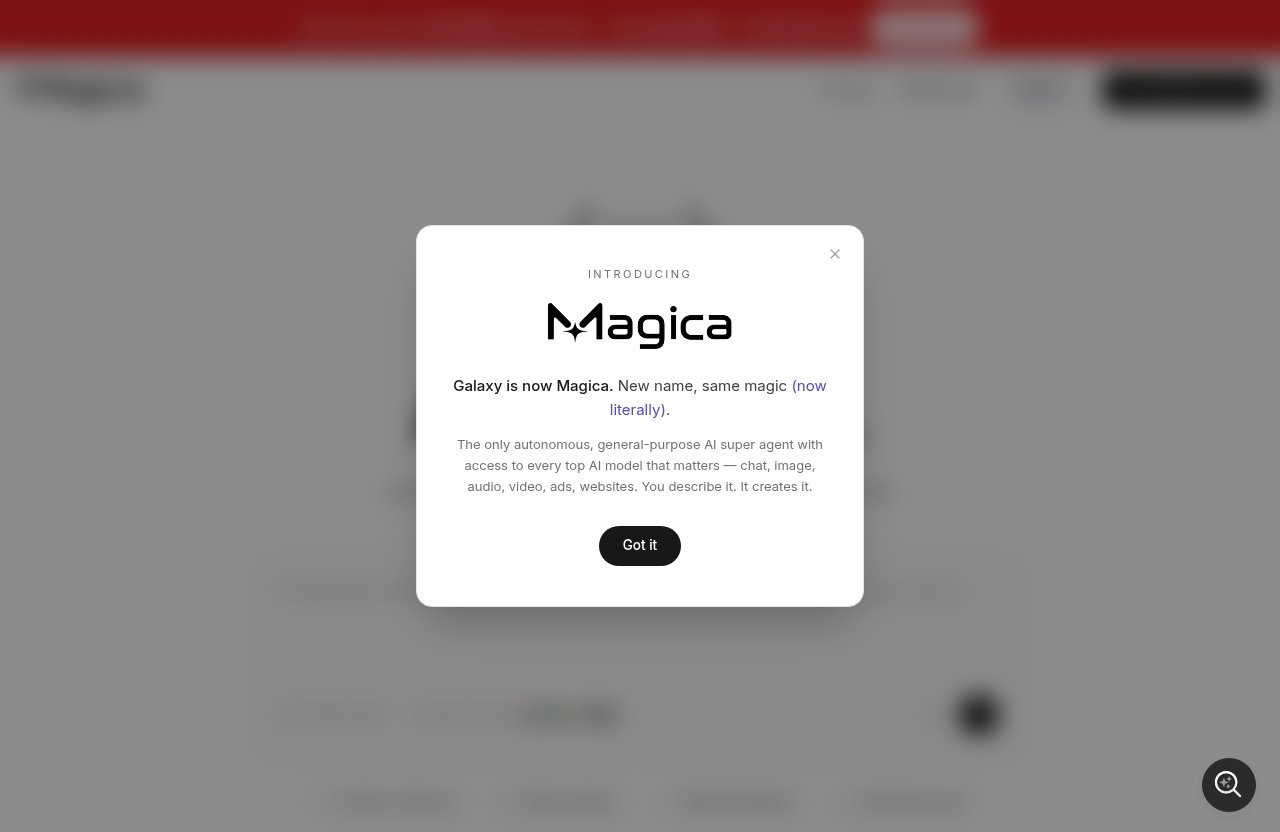
Magica reviews are becoming more common as creators, marketers, and teams look for one AI workspace instead of juggling separate tools for writing, images, ads, automation, and research. Magica describes itself on its homepage as “The #1 All-in-One AI Agent” and “One Agent. All AI Models,” with support for tasks by description, file attachments, tool connections, and integrations such as Gmail, Google Calendar, Google Drive, Slack, GitHub, and Notion.
This Magica review summarizes what users appear to like, where complaints tend to show up, what the verified pricing page actually lists, and whether Magica is worth considering in 2026. This article may contain affiliate links, but the goal is practical buying guidance—not hype.
Official website · Latest pricing & offers
What Magica Is and Why People Search for Reviews
Quick Product Overview
Magica is positioned as an all-in-one AI agent platform. In plain English, that means it aims to help users describe a task, connect relevant tools or files, and complete work across different formats without constantly switching between separate AI apps.
Based on official product information, Magica is built around several broad use cases:
| Area | What Magica Is Positioned For |
|---|---|
| Chat | General AI assistance, brainstorming, task handling |
| Image | Visual generation and creative work |
| Audio | Audio-related AI workflows |
| Video | Video-related creation and support |
| Ads | Ad generation and marketing workflows |
| Websites | Website-related creation or support tasks |
| Integrations | Gmail, Google Calendar, Google Drive, Slack, GitHub, Notion |
The main reason people search for Magica reviews is simple: the promise is broad. When a tool says it can bring “all AI models” into one agent experience, buyers naturally want to know whether real users find it useful, confusing, expensive, or genuinely time-saving.
Who This Review Is For
This guide is for readers doing commercial research before buying or committing time to a new AI platform. That includes solo creators, social media marketers, agencies, startup teams, founders, and operations people trying to reduce tool sprawl.
If you are comparing Magica against specialized AI writing tools, image generators, ad platforms, or workflow automation apps, this review will help you think through the trade-offs. The best fit depends less on whether Magica sounds powerful and more on whether its all-in-one approach matches your daily work.
How We Evaluated User Feedback in Magica Reviews
For this article, I separate three things: official claims, public user sentiment, and practical buyer fit. Official facts come from Magica’s homepage and pricing information supplied for this review. User sentiment is treated qualitatively, because public discussions on communities such as Reddit, Trustpilot-style review sites, and AI tool comparison pages can vary widely by use case.
That distinction matters. A glowing Magica AI review from a heavy creator may not apply to someone who only needs one chatbot. Likewise, a frustrated comment about credits or pricing may reflect a mismatch between expectations and plan limits rather than a broken product.
Magica Reviews 2026: What Users Say at a Glance
The Most Common Praise
Across user-style feedback themes, many users appear to like the convenience of having multiple AI tasks in one place. The biggest positive in Magica reviews is usually the platform concept: instead of opening several tools for chat, content, images, ads, or workflow help, Magica tries to centralize the process.
That is especially appealing for creators and marketers who move quickly between ideation, copywriting, design prompts, campaign planning, and content repurposing. A tool that can accept task descriptions, files, and connected apps has obvious appeal if it reduces manual switching.
The Most Common Complaints
The most common friction points in Magica complaints are not unusual for all-in-one AI platforms. Users often want clearer expectations around credits, limits, pricing, and what each plan can realistically handle.
Some reviewers also seem to question whether they need such a wide platform. If someone only wants one narrow task—like writing emails or generating occasional images—Magica may feel broader than necessary. This does not mean the product is bad; it means the value depends heavily on usage.
Overall Sentiment Snapshot from Magica Reviews
The overall sentiment is mixed-to-positive but should be read carefully. Many users appear attracted to Magica’s breadth, multi-model positioning, and workflow convenience. At the same time, cautious buyers should inspect the pricing page, understand credit usage, and test the free Hobby plan where possible.
A responsible reading of Magica user reviews is this: Magica may be valuable if you actually need a central AI workspace, but it should not be purchased purely because it sounds comprehensive. Match the plan to your workload first.
Positive Feedback: Why Users Like Magica
All-in-One Access to Many AI Models
The strongest reason users appear to like Magica is the all-in-one model. The homepage describes it as “One Agent. All AI Models,” which is the core promise buyers are evaluating.
For people who already use multiple AI tools, that idea can be genuinely useful. In day-to-day work, switching between writing, image, video, audio, and ad tools adds friction. If Magica can help manage those tasks from a single place, the value is not just the output—it is the reduced workflow mess.
In practical terms, this is where Magica reviews tend to sound most positive. Users who like experimenting with AI often prefer a flexible workspace over a single-purpose app. They want optionality, not another isolated tool.
Useful for Creators and Marketers
Creators and marketers are probably the easiest audience to understand for Magica. Their work is naturally multi-format: brainstorming hooks, drafting posts, creating ad concepts, outlining videos, planning campaigns, and organizing assets.
For example, a solo creator might use Magica to brainstorm content ideas, draft captions, generate ad angles, and organize campaign notes. A marketer might use it for content planning, ad generation, rough creative direction, and workflow support across connected tools.
This is why many Magica reviews focus on convenience. The platform’s official positioning around chat, image, audio, video, ads, and websites aligns with how modern marketing work actually happens: messy, fast, and spread across many formats.
Team and Workflow Features
Magica also appears to be aiming beyond individual users. The official pricing page lists Teams and Enterprise plans, with team-oriented features such as an admin dashboard with usage stats, centralized team billing, and access control features for Enterprise.
The homepage also shows integrations with Gmail, Google Calendar, Google Drive, Slack, GitHub, and Notion. These integrations matter because teams usually do not want AI sitting in a separate silo. They want it closer to where work already happens.
For teams, the best-case value is coordination. If multiple people are using AI across marketing, operations, product, or content, centralized usage and billing can be more manageable than each person buying separate tools.
Complaints and Trade-Offs Users Mention
Credit-Based Limits and Usage Questions
A recurring issue in many AI platform reviews is credit clarity, and Magica reviews are no exception in theme. The official Pro plan includes 15M credits monthly, while the Teams plan includes pay-as-you-go AI credits. That sounds generous to some buyers but raises obvious questions for others: how fast will credits run out, and which tasks consume more?
Credits are not inherently bad. They are a common way for AI platforms to manage usage across different models and task types. But buyers should treat credits like a usage budget, not an unlimited promise.
Before upgrading, it is smart to test your real workflow. Try the kinds of tasks you expect to repeat—content drafts, ad concepts, files, integrations, or creative generation—and see whether the plan structure feels predictable.
Learning Curve for Beginners
Another likely trade-off is learning curve. An all-in-one AI agent can feel powerful, but beginners may initially prefer a simpler tool with one obvious purpose.
If you are new to AI, Magica’s breadth could feel like both a benefit and a burden. There may be more to explore, more settings or tools to understand, and more decisions about which workflow to use.
This is where expectations matter. A simple chatbot is easier to understand on day one. A broader AI agent platform may take longer to evaluate fairly, especially if you are connecting tools, attaching files, or using multiple creation formats.
Value vs. Expectations
Some negative Magica reviews or skeptical comments are likely to come from expectation gaps. If a buyer expects one platform to replace every specialized AI tool perfectly, disappointment is possible.
All-in-one tools are usually strongest at convenience and range. Specialized tools may still win for narrow, expert workflows. That is true across many software categories, not just AI.
The fair question is not “Can Magica do everything better than every standalone tool?” The better question is “Does Magica give me enough useful capability in one place to justify the plan I choose?”
Official website · Latest pricing & offers
Magica Pricing in 2026: Verified Plans and What You Get
Free Hobby Plan
The official Magica pricing page lists a Hobby plan as Free. It includes limited AI requests, basic generation limits, and community support.
This is the plan cautious buyers should start with if available for their needs. A free plan helps you test the interface, understand the workflow, and decide whether Magica’s all-in-one approach fits before paying.
| Plan | Official Price Shown | Key Included Items |
|---|---|---|
| Hobby | Free | Limited AI requests, basic generation limits, community support |
For anyone reading Magica reviews before buying, the Hobby plan is useful because it turns vague opinions into your own experience. Even a short test can reveal whether the platform feels natural for your work.
Pro Plan
The official pricing page lists Pro at $14.99/mo and also shows $49 on the pricing page. It includes everything in Hobby, plus 15M credits monthly, extended limits on AI tools, priority processing, and advanced AI models.
| Plan | Official Price Shown | Key Included Items |
|---|---|---|
| Pro | $14.99/mo and $49 shown | Hobby features, 15M monthly credits, extended AI tool limits, priority processing, advanced AI models |
Because two price figures are displayed in the provided pricing facts, buyers should verify the current billing presentation directly on the official page before purchasing. The pricing page also states that monthly and yearly billing exists, and yearly can save up to 80%.
The Pro plan appears best suited to individuals who expect regular use. If you only need occasional AI help, the free plan may be enough to evaluate. If you use AI daily for content, ads, creative work, or research, Pro is the more relevant comparison point.
Lifetime Plan
The official pricing page lists a Lifetime plan and displays both $499 and $1999. It includes everything in Pro, plus lifetime access to all features, no recurring payments ever, priority support forever, early access to new features, an exclusive lifetime member badge, and protection from future price increases.
| Plan | Official Price Shown | Key Included Items |
|---|---|---|
| Lifetime | $499 and $1999 displayed | Pro features, lifetime access, no recurring payments, priority support forever, early access, lifetime badge, future price increase protection |
A Magica lifetime deal can be appealing if you are confident the platform will remain useful to you long term. But lifetime software purchases deserve extra caution. You are paying upfront based on expected future value, so you should understand the product, limits, and your own usage pattern before committing.
This is one area where Magica reviews can be helpful but not decisive. A lifetime plan may be a smart buy for one power user and unnecessary for someone still experimenting.
Teams and Enterprise Plans
The official pricing page lists Teams at $15/user/mo and also shows $49. Teams includes access to the platform, an admin dashboard with usage stats, centralized team billing, pay-as-you-go AI credits, and a minimum of 5 seats.
Enterprise is listed as Custom. It includes all Teams features, plus more usage included, SCIM seat management, a minimum of 100 seats, access control features, priority support, and account management.
| Plan | Official Price Shown | Minimum Seats | Key Included Items |
|---|---|---|---|
| Teams | $15/user/mo and $49 shown | 5 seats | Platform access, admin dashboard, usage stats, centralized billing, pay-as-you-go AI credits |
| Enterprise | Custom | 100 seats | Teams features, more usage included, SCIM seat management, access control, priority support, account management |
For teams, Magica pricing should be evaluated differently than individual pricing. The question is not just the monthly cost—it is whether centralized AI usage, billing, and admin visibility reduce chaos across the organization.
Who Magica Seems Best For
Solo Creators and Marketers
Magica seems best for solo creators and marketers who regularly jump between writing, ideation, ad concepts, visuals, and campaign planning. If your day involves many small creative tasks, an all-in-one AI workspace can feel more efficient than a stack of disconnected apps.
In that context, positive Magica reviews make sense. The value is not just one output; it is being able to move from idea to draft to creative direction more smoothly.
A practical example: a marketer planning a product launch could brainstorm positioning, outline emails, generate ad angles, prepare content ideas, and organize campaign assets. If Magica helps reduce the number of tools involved, that can be valuable.
Power Users Who Want Many Models in One Place
Magica also fits power users who like trying different AI capabilities without constantly managing separate subscriptions. The homepage’s “One Agent. All AI Models” positioning is clearly aimed at this type of buyer.
These users are more likely to appreciate advanced AI models, extended limits, and broader creative formats. They are also more likely to understand plan limits and credit usage because they already use AI frequently.
For this group, the main buying question is whether Magica’s convenience and breadth outweigh the cost. Reading Magica reviews can help, but testing your own workflow is better.
Teams Needing Centralized AI Usage
Teams may benefit if they want shared access, usage visibility, and centralized billing. The Teams plan’s admin dashboard with usage stats is especially relevant for managers who want to understand adoption and cost.
This fit is strongest when several team members are already using AI informally. Instead of scattered accounts and inconsistent tools, Magica may offer a more organized setup.
However, teams should still pilot before rolling out broadly. Different departments may have different needs, and one all-in-one platform may not replace every specialized workflow.
Who Should Think Twice Before Buying
People Wanting One Simple Tool Only
If you only need one simple AI task, Magica may be more than you need. For example, someone who only wants occasional email rewrites or simple chatbot answers might be satisfied with a narrower tool.
This is not a criticism of Magica. It is a fit issue. All-in-one platforms are most valuable when you actually use multiple parts of the platform.
If your workflow is narrow, compare Magica pros and cons against a specialized alternative. The simpler option may be cheaper, easier, or faster for your exact use case.
Users Who Dislike Usage Limits or Credits
If you dislike thinking about credits, request limits, or plan tiers, read the pricing page carefully. The Pro plan includes 15M credits monthly, and Teams includes pay-as-you-go AI credits, so usage structure is part of the product.
Some users are comfortable with credits because they understand them as a flexible AI usage system. Others find credits stressful because they want predictable unlimited access.
This is one of the most important points in Magica reviews: do not buy based only on feature breadth. Buy based on whether the plan structure matches how often and how heavily you use AI.
Budget Buyers Comparing Alternatives
Budget buyers should compare Magica pricing against the tools they already pay for. If Magica replaces several subscriptions, the value equation may look good. If it becomes one more tool on top of existing subscriptions, the cost may be harder to justify.
The Lifetime plan may look attractive to deal hunters, but upfront purchases should be handled carefully. Make sure the platform is central to your workflow before considering a lifetime commitment.
If you want to evaluate it yourself, you can review the current official offer through our affiliate link: check Magica’s official site here. Using this link may support TopTrustReview at no extra cost to you, and it does not change the need to compare plans carefully.
Final Verdict: Is Magica Worth It in 2026?
Best-Case Scenario
The best-case scenario for Magica is a creator, marketer, founder, or team that wants one flexible AI workspace for many tasks. If you regularly work across chat, content, ads, images, audio, video, websites, files, and connected tools, Magica’s all-in-one approach has a clear purpose.
In that situation, the positive themes in Magica reviews are easy to understand. Convenience, breadth, and workflow consolidation can save time if you use them consistently.
Main Caveats
The main caveats are pricing clarity, credit usage, and expectation management. The official pricing page lists several plans and displays some prices in ways buyers should verify directly before purchase, including Pro, Lifetime, and Teams pricing figures.
Also, Magica should not be treated as magic just because it is broad. Some specialized tools may still be better for narrow expert tasks. The platform is most compelling when you want range and centralization.
Bottom-Line Recommendation
So, is Magica worth it in 2026? Based on verified product facts and common Magica reviews themes, it is worth considering if you need a multi-purpose AI agent platform and are willing to test how credits, limits, and workflows fit your real usage.
Beginners should start with the free Hobby plan if possible. Active creators and marketers should compare the Pro plan against their current AI stack. Teams should evaluate admin, billing, and usage needs before committing seats.
If the pros match your workflow and the caveats do not worry you, you can visit Magica’s official site through our affiliate link to review the latest plan details. My recommendation is simple: test first, upgrade only if it clearly saves time or replaces tools you already use.
Official website · Latest pricing & offers
FAQ
Is Magica Legit or a Scam?
Magica appears to be a legitimate AI platform with an official homepage, pricing page, public plan information, and app links for iOS and Android. That said, buyers should evaluate it based on verified features, the free Hobby plan, pricing details, and current user feedback rather than marketing claims alone.
What Do Users Like Most About Magica?
Users most often appear to like the idea of accessing many AI capabilities in one place. Common praise in Magica reviews centers on workflow convenience, broad creative options, and support for tasks across chat, image, audio, video, ads, and websites.
What Do Users Complain About in Magica Reviews?
Common complaints and concerns include understanding credits, plan limits, pricing expectations, and whether an all-in-one AI platform is necessary for narrow use cases. Some users may find the platform more valuable than others depending on how many AI workflows they actually use.
Does Magica Have a Free Plan?
Yes. The official pricing page lists a Hobby plan as Free. It includes limited AI requests, basic generation limits, and community support.
How Much Does Magica Cost in 2026?
The official pricing page lists Hobby as Free, Pro at $14.99/mo with $49 also shown, Teams at $15/user/mo with $49 also shown and a minimum of 5 seats, Enterprise as Custom with a minimum of 100 seats, and a Lifetime option displaying $499 and $1999. The pricing page also states that monthly and yearly billing exists, with yearly saving up to 80%.
Related Reading
References
- Magica Official Homepage
- Magica Plans and Pricing
- Read Customer Service Reviews of magica.com
- ‘Magica Review' : r/productreview