Gohighlevel Free Trial 2026: How to Start Fast
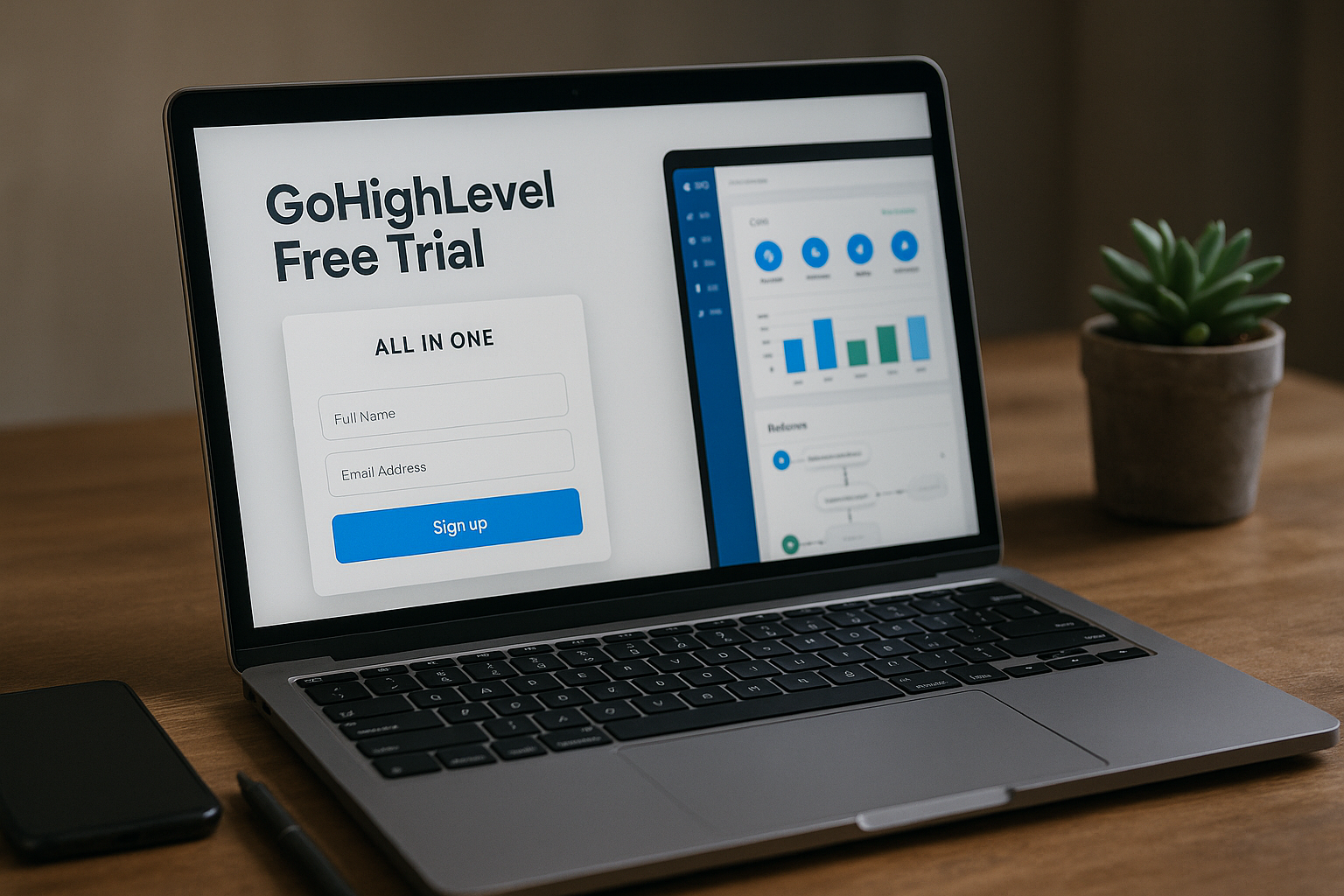
If you want the fastest verified way to start the GoHighLevel free trial in 2026, use the official trial path from the GoHighLevel pricing page or our recommended setup link. The official pricing page confirms: “Start Your 14 Day Free Trial Today!” and “Start with a FREE 14-day trial on any plan below.”
Affiliate disclosure: TopTrustReview may earn a commission if you start through our recommended link, at no extra cost to you. We only use verified official facts for pricing, trial length, and included features.
TL;DR: The verified GoHighLevel free trial is 14 days. You can start from any listed plan, test the core platform, compare features, and decide whether a paid plan makes sense before continuing.
If you want guided setup support while starting, you can use our recommended GoHighLevel free trial link.
Official website · Latest pricing & offers
GoHighLevel Free Trial 2026: The Fastest Way to Start
Quick answer: official trial length for the GoHighLevel free trial
The official HighLevel pricing page confirms a GoHighLevel 14 day free trial. That is the safest claim to rely on when comparing trial options in 2026.
You may see third-party pages in search results promoting longer trial periods, such as 30-day or 60-day offers. Those may be promotional, affiliate-based, outdated, or subject to conditions, so you should verify any longer trial directly before assuming it is available.
The practical answer is simple: if you want the fastest verified route, start from the official pricing page or use a trusted affiliate path that sends you into the real signup flow. The GoHighLevel free trial should be treated as a 14-day evaluation window unless GoHighLevel itself confirms otherwise at signup.
Who this guide is for
This guide is for agencies, consultants, local businesses, and solo marketers who want to test HighLevel before paying. It is especially useful if you are comparing the HighLevel free trial against other CRM, funnel, automation, or marketing platforms.
GoHighLevel positions itself as an AI-powered business operating system for capturing, nurturing, closing, reviewing, and reactivating leads and customers. In practical terms, that means you should use the trial to test real business workflows, not just browse menus.
If you are comparing GoHighLevel with a more traditional sales CRM, our [GoHighLevel vs Pipedrive comparison](/gohighlevel-vs-pipedrive) can help you understand where each platform fits.
What you need before signing up
Before starting the GoHighLevel free trial, prepare a few basics so you can test faster. Have your business name, website, preferred login email, and at least one real use case ready.
I recommend choosing one clear outcome for the trial. For example, “capture leads from a form and follow up automatically,” or “create a booking page and route conversations into one inbox.”
You do not need to build your entire business system on day one. The goal is to validate whether the GoHighLevel CRM, automations, funnels, calendars, and conversation tools match your workflow.
How to Start the GoHighLevel Free Trial Step by Step
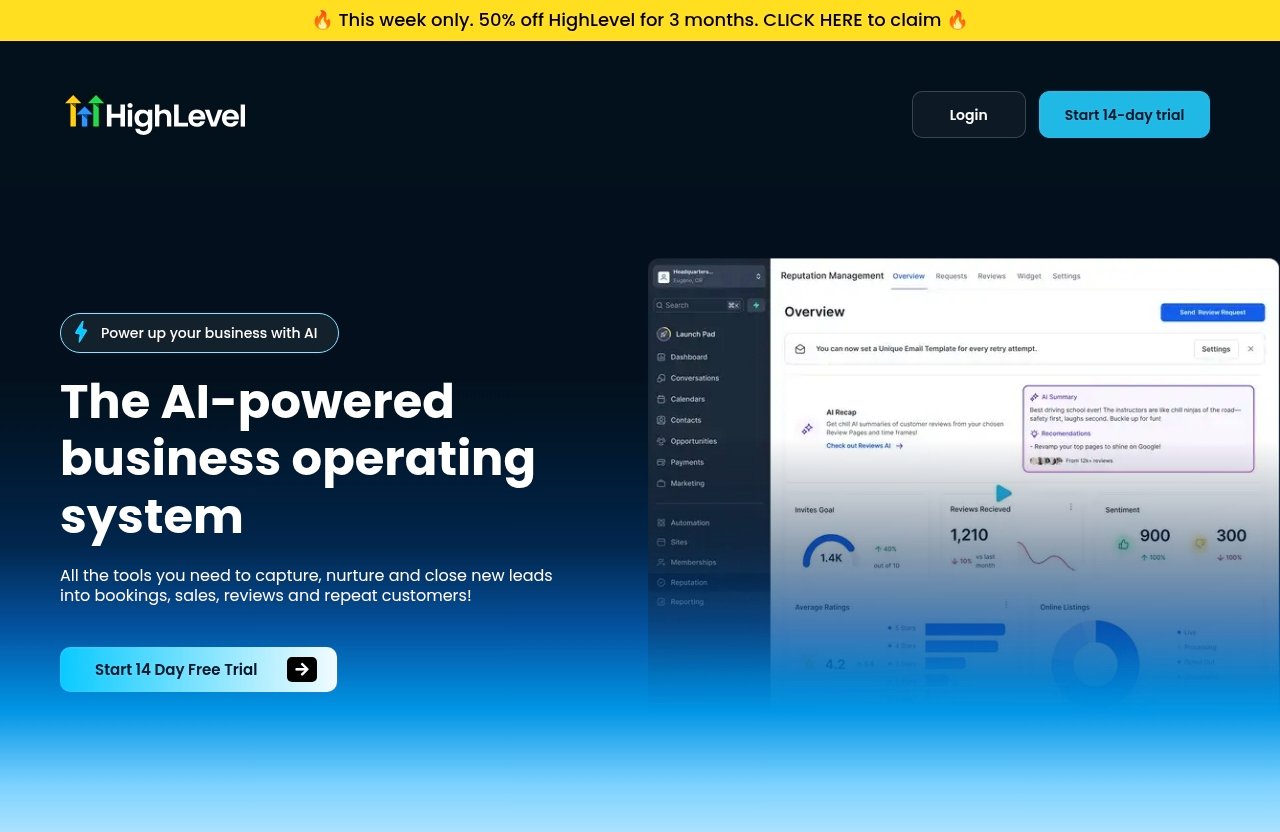
Step 1: Go to the official pricing page
Start by visiting the official HighLevel pricing page or a trusted recommended link. The pricing page states “Start Your 14 Day Free Trial Today!” and says you can start with a free 14-day trial on any listed plan.
This matters because trial-length claims can vary across search results. For a transaction-focused decision, the official page is the source you should trust first.
If you use an affiliate link, make sure it routes you into the legitimate GoHighLevel sign up process. A good affiliate recommendation should add guidance, not confusion.
Step 2: choose a plan
During the GoHighLevel free trial process, you can start from one of the available plans shown on the pricing page. The official plans listed are Starter, Unlimited, Agency Pro, and Enterprise.
Most beginners should choose based on what they need to test. If you are evaluating core features for one business or a few clients, Starter may be enough for the first look. If you are an agency testing multiple client workspaces, Unlimited or Agency Pro may be more relevant.
Do not overthink the plan at this stage. The purpose of the GoHighLevel trial is to test the platform’s fit before committing to a paid subscription.
Step 3: enter business details
Next, enter the requested business and account details. Keep this accurate because the setup experience is easier when your workspace reflects your real business.
Use a business email you can access throughout the trial. You may need it for onboarding, account notifications, or support communication.
If you are testing GoHighLevel for a client-facing agency, use your agency information first. You can then evaluate how sub-accounts, pipelines, and client workflows would fit your delivery model.
Step 4: complete trial details
Review the trial details carefully before completing signup. The verified official trial length is 14 days, so treat the signup date as the start of your evaluation timeline.
This is also the right time to check the current plan terms shown during signup. Pricing and plan information should always match what GoHighLevel displays at the point of purchase.
The GoHighLevel free trial is not the time to guess. If something on a third-party page conflicts with the official checkout or pricing page, trust the official GoHighLevel information.
Step 5: log in and set up your workspace
Once your account is active, log in and set up your workspace. Start with the basics: business profile, users, pipeline, calendar, form, and a simple follow-up workflow.
From practical experience, the biggest mistake new users make is trying to test everything at once. HighLevel has a broad feature set, so you will get better results by testing one complete lead journey.
A good first workflow is: form submission → CRM contact → pipeline opportunity → automated follow-up → booked appointment. That single path will tell you a lot about whether GoHighLevel automation fits your business.
What You Get During the Trial
Core features available to test
The official GoHighLevel feature list includes Conversation AI, Voice AI, Content AI, Funnel AI, Reviews AI, Website & Funnel Builder, Domain Management, CRM & Pipelines, Custom Dashboards & Reporting, Email + SMS Marketing, inbound and outbound calling, Unified Conversations, Social Media Management, Workflow Automation, Forms, Surveys & Quizzes, Booking Calendars, Ad Manager, Online Reputation Management, Prospecting tool, Payments & Invoicing, the HighLevel mobile app, Courses, Communities, API Access, and more.
That is a wide range of tools, so the GoHighLevel free trial should be used strategically. Do not just check whether features exist; check whether they work together for your real workflow.
For example, a local service business may care most about forms, calendars, conversations, reviews, and follow-up. An agency may care more about sub-accounts, reporting, automation, and client delivery systems.
Lead capture and CRM
The GoHighLevel CRM is one of the first areas worth testing. Create a test pipeline with stages such as New Lead, Contacted, Booked, Won, and Lost.
Then add a form or survey and submit a test lead. Check whether the contact record, opportunity, and pipeline movement feel intuitive.
This is where the GoHighLevel free trial becomes useful quickly. In under an hour, you can see whether your lead capture and sales tracking process can live inside one system.
Automation and conversations
Workflow Automation and Unified Conversations are core areas to evaluate. Build a simple automation that sends a follow-up after a form submission or booking request.
You can also test how messages are organized in the conversations area. For businesses that deal with leads across multiple channels, inbox consolidation can reduce manual follow-up work.
The trial is also a good time to explore AI-related features listed by GoHighLevel, such as Conversation AI, Voice AI, Content AI, Funnel AI, and Reviews AI. Just remember that some official feature sections mention usage-based charges, so review current terms carefully before relying on any high-volume use case.
Funnels, calendars, and payments
The GoHighLevel funnel builder, booking calendars, and Payments & Invoicing features are important if you sell services, appointments, consultations, or digital products. During the GoHighLevel free trial, build one simple funnel or landing page connected to a calendar.
Then test the customer path yourself. Submit a form, book a slot, check the confirmation, and review how the contact appears in the CRM.
This hands-on test is more useful than watching demos. If you can create a working lead-to-booking path during the trial, you will have a clearer reason to continue.
Official website · Latest pricing & offers
GoHighLevel Pricing After the Trial
Starter plan
The official GoHighLevel pricing page lists the Starter plan at $97/month or $970/year. It includes 3 Sub-Accounts, Unlimited Contacts, Unlimited Users, 24/7 Support, and All Core Features.
This plan is often the simplest place to evaluate GoHighLevel if you do not need unlimited sub-accounts. It can fit users who want the core system without agency-scale account management.
For a small business or consultant, the Starter plan may be enough to test CRM, funnels, calendars, automation, and conversations after the GoHighLevel free trial ends.
Unlimited plan
The Unlimited plan is listed at $297/month or $2970/year. It includes everything in Starter plus Unlimited Sub-Accounts, Rebill Phone & Email with no markup, and Basic API Access.
This plan is more relevant for agencies or businesses managing multiple brands, locations, or clients. Unlimited sub-accounts can matter if you want separate workspaces instead of forcing everything into one account structure.
If your trial goal is to test multi-client delivery, compare Starter against Unlimited carefully. The GoHighLevel unlimited plan changes the use case from simple CRM testing to agency operating system testing.
Agency Pro plan
The Agency Pro plan is listed at $497/month or $4970/year. It includes everything in Unlimited plus SaaS Mode, Automated Sub-Account Creation, Rebill Phone & Email with Markup, User/Agent Reporting, and Advanced API Access.
This is the plan to evaluate if you are building a more advanced agency or SaaS-style offer. It is not just about using GoHighLevel internally; it is about packaging services or platform access for clients.
If you are considering the GoHighLevel agency pro plan, use the trial to map your offer first. Know what you would sell, who would use it, and what onboarding would require.
Enterprise plan
The Enterprise plan uses custom pricing, and users speak with the Enterprise team. Official Enterprise features include a Dedicated Customer Success Manager and Account Manager, custom development opportunities, dedicated Slack channel, Premium Support included with purchase, increased API limit by request, Quarterly Business Reviews, Enterprise reporting, White Label Mobile App included in purchase, HIPAA compliance included in purchase, and the full feature set of the highest available platform subscription plan.
This is not the typical starting point for most trial users. It is better suited to larger organizations with advanced operational, support, compliance, or integration needs.
If you think the GoHighLevel enterprise plan is relevant, use the trial to document your requirements before speaking with the Enterprise team.
Which plan fits which user
Here is a simple pricing snapshot using only verified official plan information:
| Plan | Official Price | Best Fit | Key Included Items |
|---|---|---|---|
| Starter | $97/month or $970/year | Small teams, consultants, simple client setup | 3 Sub-Accounts, Unlimited Contacts, Unlimited Users, 24/7 Support, All Core Features |
| Unlimited | $297/month or $2970/year | Agencies, multi-location businesses | Everything in Starter, Unlimited Sub-Accounts, Rebill Phone & Email with no markup, Basic API Access |
| Agency Pro | $497/month or $4970/year | Agencies building SaaS-style or advanced client systems | Everything in Unlimited, SaaS Mode, Automated Sub-Account Creation, markup rebilling, reporting, Advanced API Access |
| Enterprise | Custom pricing | Larger organizations | Dedicated success/account management, premium support, Enterprise reporting, HIPAA compliance included, White Label Mobile App included |
The best plan depends on your business model. The GoHighLevel free trial is valuable because it lets you test the workflow before deciding which price point makes sense.
If you are also comparing budget-friendly funnel and automation platforms, you may find our [Systeme.io vs Kartra feature comparison](/systeme-io-vs-kartra-2) and [Systeme.io discount and pricing guide](/systeme-io-discount) useful.
Is the 60-Day Free Trial Real?
What SERP results say
Search results may show pages promoting a GoHighLevel 60-day free trial, a 30-day trial, or other extended promotional offers. Some of these pages may be affiliate campaigns, older promotions, or special landing pages.
That does not automatically mean every longer offer is fake. It does mean you should avoid treating it as verified unless GoHighLevel confirms it in the signup flow or on an official page.
For this guide, we are not presenting 30-day or 60-day access as a verified fact. The verified GoHighLevel free trial information available from the official pricing page is 14 days.
What the official site confirms
The official HighLevel pricing page confirms: “Start Your 14 Day Free Trial Today!” It also states: “Start with a FREE 14-day trial on any plan below.”
That is the information you should rely on when making a purchase decision. If a third-party page promises something different, compare it against the official signup page before entering your details.
In other words, the safest answer is that the verified GoHighLevel free trial is 14 days. Anything longer should be checked directly at the source.
How to avoid outdated promotional claims
The easiest way to avoid outdated trial-length claims is to check the current pricing page before signing up. Trial offers can change, and third-party posts may not be updated immediately.
Also look for vague wording. If a page says “up to,” “special,” or “exclusive” without clearly showing the official trial confirmation, be cautious.
A practical rule: do not base your decision on the longest number you see in search results. Base it on the official trial details shown during GoHighLevel sign up.
Best Way to Test GoHighLevel Before Buying
What to set up first
The best way to test the GoHighLevel free trial is to build one real workflow from start to finish. Start with a lead source, a CRM pipeline, and one follow-up automation.
Here is the simple setup I recommend for most beginners:
- Create or review your business profile.
- Add your first pipeline.
- Create a form or survey.
- Connect the form to a contact record and opportunity.
- Set up a booking calendar.
- Build one follow-up workflow.
- Test the path as if you were a real lead.
This gives you a practical view of GoHighLevel setup without getting buried in advanced settings.
What to test in the first 24 hours
Your first 24 hours should focus on speed to value. Do not spend all day customizing colors, dashboards, or minor settings.
Use this checklist:
- Create a simple CRM pipeline.
- Add a test contact.
- Build one form or survey.
- Submit a test lead.
- Create a booking calendar.
- Send yourself through the booking flow.
- Build one basic workflow automation.
- Check Unified Conversations.
- Review the mobile app experience if relevant.
- Note any setup questions for support.
This first-day test will reveal whether the platform feels usable for your team. The GoHighLevel free trial is only 14 days, so early momentum matters.
If you are comparing other trial-based software research, our [Fireflies AI free trial guide](/fireflies-ai-free-trial) and [Taplio monthly cost guide](/how-much-does-taplio-cost) show how we approach trial evaluation across different tools.
What to test before day 14 ends in the GoHighLevel free trial
Before the trial ends, test the features that affect your buying decision most. For many users, that means automation reliability, pipeline usability, funnel publishing, calendars, reporting, and client or team access.
Use this end-of-trial checklist:
- Confirm your key workflow works from lead capture to follow-up.
- Test at least one funnel or landing page.
- Review calendars and appointment flow.
- Check CRM pipeline visibility.
- Test conversations and notifications.
- Review reporting or dashboards.
- Invite a team member if needed.
- Compare the plan you tested against the official pricing table.
- Note any usage-based features you may rely on.
- Decide whether the platform replaces enough tools to justify the plan.
Do not wait until the final hour to evaluate pricing. Give yourself time to choose the right plan or cancel if it is not a fit.
Should You Use a Free Trial Link or Buy Directly?
When an affiliate link may help
Using a direct official signup path is fine if you already know what you are doing. But an affiliate link may help if it comes with practical guidance, setup support, or a clearer onboarding path.
For example, some readers prefer starting through a reviewed recommendation because they want help deciding what to test first. That can be useful with a broad platform like GoHighLevel.
If you want that guided path, you can start through our recommended GoHighLevel affiliate link. The official trial and pricing details should still be verified during signup.
What extra support can matter
Extra support matters most in the first few days. The platform includes many tools, and beginners can lose time exploring features that are not relevant to their business model.
Good guidance should help you answer questions like:
- Which plan should I test first?
- What workflow should I build during the trial?
- Should I focus on CRM, funnels, calendars, or automation?
- What should I check before the trial ends?
- Which features might involve usage-based charges?
The GoHighLevel free trial is more valuable when you test with a plan instead of wandering through every menu.
Disclosure and trust notes for this GoHighLevel free trial guide
TopTrustReview is an affiliate website. That means we may earn a commission if you sign up through our links, at no extra cost to you.
This does not change the official GoHighLevel pricing, trial length, or plan details. We do not claim unverified discounts, extended trials, or hidden plan terms.
Our recommendation is simple: use the trial to validate real workflows, verify current terms on the official signup page, and continue only if the platform fits your business.
Official website · Latest pricing & offers
FAQ
Is there a free 30 day trial for HighLevel?
The official pages referenced for this guide confirm a 14-day free trial. You may see third-party promotions mentioning longer trial periods, but you should verify those directly on the official GoHighLevel signup or pricing page before relying on them.
Does GoHighLevel offer a free trial?
Yes. The official pricing page says “Start Your 14 Day Free Trial Today!” and “Start with a FREE 14-day trial on any plan below.”
Is GoHighLevel free?
GoHighLevel is not permanently free. It offers a limited free trial, and after that the official paid plans start at $97/month or $970/year for Starter, with higher plans available for Unlimited, Agency Pro, and Enterprise.
What can I test in the GoHighLevel trial?
You can evaluate core features such as CRM & Pipelines, Workflow Automation, Website & Funnel Builder, Forms, Surveys & Quizzes, Booking Calendars, Unified Conversations, Online Reputation Management, Payments & Invoicing, reporting, and the HighLevel mobile app.
What are the disadvantages of GoHighLevel?
The main disadvantages are the learning curve and the breadth of the platform. Because GoHighLevel combines many tools, new users should test one workflow at a time. Also, some feature sections mention usage-based charges, so review current terms if you plan to use high-volume messaging, calling, AI, or similar features.
Final Verdict: Is GoHighLevel Worth Trying in 2026?
Best for agencies
The GoHighLevel free trial is especially worth testing for agencies that manage leads, funnels, calendars, automations, conversations, and client accounts. The Unlimited and Agency Pro plans are the most relevant to evaluate if your business depends on multiple sub-accounts or client delivery systems.
Agencies should use the trial to test one client-style workflow. If the platform can replace multiple tools and simplify delivery, it may be worth continuing after the trial.
Best for local businesses
Local businesses should test lead capture, CRM pipelines, booking calendars, conversations, review tools, and follow-up automation. These are the practical areas most likely to affect day-to-day operations.
The best trial question is not “Does GoHighLevel have many features?” It is “Can this help us capture, follow up with, and convert more leads in one place?”
Best for solo marketers
Solo marketers can also benefit from the GoHighLevel free trial, especially if they want one system for funnels, contacts, appointments, automation, and communications. The key is to avoid overbuilding during the first few days.
Start with one offer, one funnel, one form, one calendar, and one workflow. If that journey feels smooth, you will have a much clearer buying decision.
Final recommendation: the fastest verified way to test GoHighLevel in 2026 is to start the official 14-day trial, build one real workflow, and compare the plan options before the trial ends. If you want guided setup support, use our recommended trial link and verify the official terms during signup.
Related Reading
- Systeme.io vs Kartra feature comparison
- How much does Taplio cost per month?
- Fireflies AI free trial guide
References
- GoHighLevel Official Homepage
- HighLevel Pricing
- GoHighLevel 60 Days Free Trial
- GoHighLevel Free Trial: Home