Tweet Hunter Tutorial 2026: A Beginner’s Step-by-Step Guide

This Tweet Hunter tutorial explains how new X users can move from scattered content ideas to a repeatable posting, engagement, and review workflow. Rather than treating the platform as a collection of features, this guide shows how each part can support a practical routine: find ideas, write posts, schedule them, engage thoughtfully, and learn from results.
Tweet Hunter is designed to help creators and businesses manage X content in one place. It may save time if you regularly struggle with finding post ideas, keeping a schedule, or remembering who has engaged with your content.
Affiliate disclosure: TopTrustReview.com may earn a commission if you sign up through links in this article, at no extra cost to you. This does not change the price you pay or the practical guidance below.
Official website · Latest pricing & offers
What Tweet Hunter Is and Who It’s For
Quick definition of Tweet Hunter
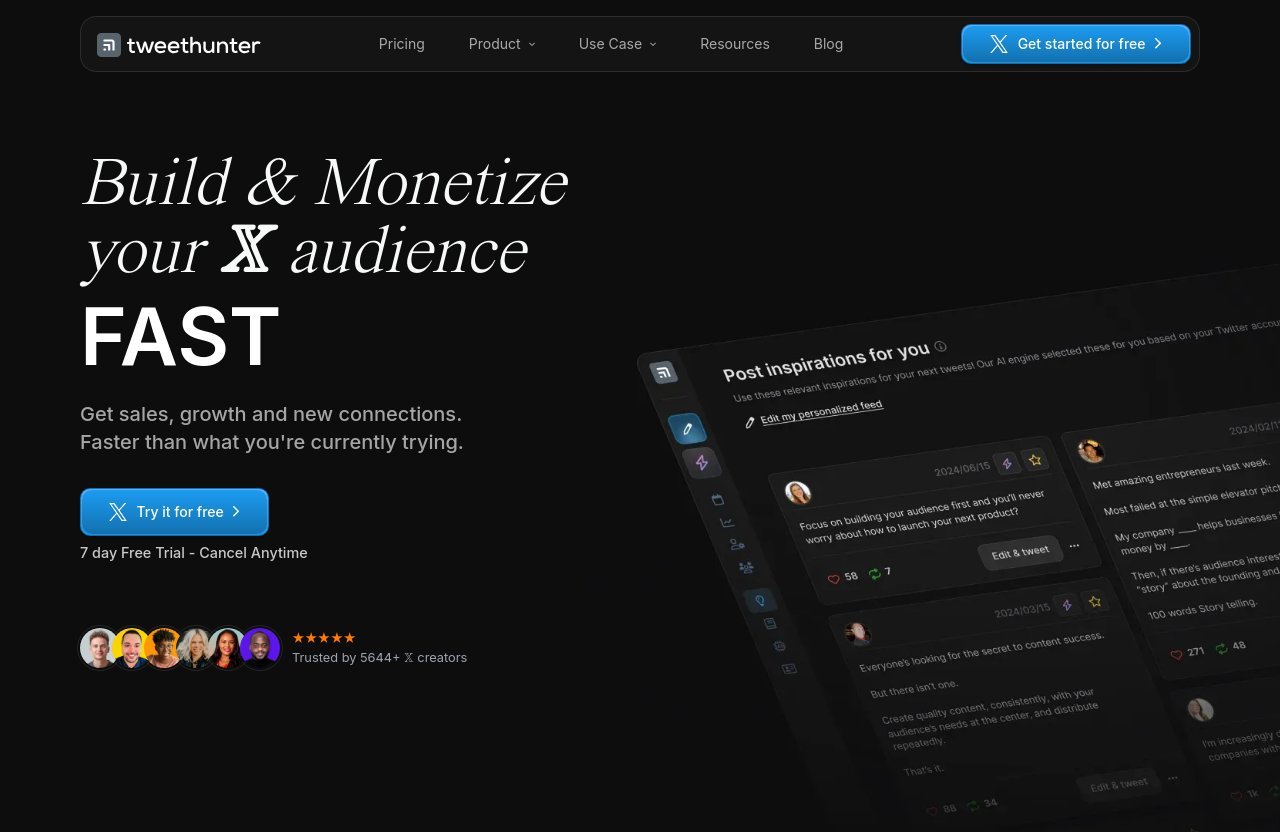
Tweet Hunter is an all-in-one X growth tool for content discovery, writing, scheduling, automation, engagement, audience organization, and performance analysis. Its official homepage positions it as a platform to help users build and monetize an X audience.
In simple terms, it brings several time-consuming X tasks into one workflow. Instead of switching between a notes app, a spreadsheet, X itself, and separate scheduling tools, you can use one platform to plan and review your activity.
This Tweet Hunter tutorial 2026 focuses on the beginner workflow rather than promising a particular growth result. A tool can improve organization and consistency, but your outcomes still depend on content quality, relevance, timing, and genuine interaction.
Best use cases for creators, solopreneurs, and marketers
Tweet Hunter for beginners can make sense if you have a clear reason to show up consistently on X but need a better process. It is most useful for people who publish regularly, want to study successful post formats, or need to manage relationships with followers and prospects.
Typical use cases include:
- Creators building a recognizable content niche
- Solopreneurs sharing expertise to attract conversations
- Marketers planning educational posts and campaign support
- Agencies or consultants managing multiple X accounts
- Ghostwriters who need a structured writing workflow
- Founders who want to track engagement from relevant people
The official site says Tweet Hunter is trusted by 5,644+ X creators. That figure shows adoption, but it should not be read as proof that the tool will produce the same results for every account.
What this tutorial will help you accomplish
By the end of this Tweet Hunter tutorial, you should know how to:
- Start an account and connect your X profile.
- Choose a plan based on your workflow needs.
- Find content inspiration without copying other creators.
- Draft posts, threads, and follow-up content.
- Build a posting queue with scheduling and evergreen content.
- Use automation carefully and professionally.
- Check Tweet Hunter analytics and use CRM features to improve future activity.
The goal is not to automate your entire X presence. The goal is to reduce repetitive work so you can spend more time improving your ideas and having real conversations.
Tweet Hunter Pricing and What You Get
Current plans and pricing
According to the official Tweet Hunter pricing page, the platform offers a 7-day free trial. The page also states that starting a trial includes Tweet Hunter University for free.
Here is a concise Tweet Hunter pricing summary based on the official plan details available at the time of writing. Pricing can change, so verify current terms on the official pricing page before purchasing.
| Plan | Official Monthly Price | X Accounts | Best General Fit |
|---|---|---|---|
| Discover | $29/mo. | 1 | Individual creators and beginners |
| Grow | $49/mo. | 5 | Active creators, marketers, and small teams |
| Enterprise | $199/mo. | Unlimited | High-volume users, agencies, and ghostwriters |
Key features included in each plan
The Discover plan includes one X account, access to a library of more than 12 million viral tweets, custom tweet inspirations, faster engagement tools, tweet and thread scheduling, evergreen tweets, 3,000 Auto-DMs per month, auto-plug and auto-retweet, and complete X analytics.
The Grow plan includes everything in Discover for up to five X accounts. It adds 7,500 Auto-DMs per month, a paid partnership label on posts, AI writer capabilities such as daily AI-written tweets, tweet rewrites, help finishing a tweet, and thread ideas and hooks. It also includes Tweet Hunter CRM features, including account lists, imports from previous tweet and DM interactions, and engagement with tweets from specific lists.
The Enterprise plan includes everything in Grow with unlimited X accounts, 15,000 Auto-DMs per month, ghostwriting mode, priority support, and the AI/custom-trained AI/unlimited AI use described on the official pricing page.
Which plan fits beginners vs. power users
For most people following this Tweet Hunter tutorial for the first time, Discover is the logical place to evaluate the core workflow. It covers the essentials: inspiration, scheduling, evergreen content, engagement support, automation options, and analytics for one account.
Grow is more suitable when you need AI writing functions, CRM-based outreach workflows, or support for several accounts. Enterprise is likely relevant only when account management volume, ghostwriting, or broader team needs justify the higher cost.
A practical approach is to use the Tweet Hunter free trial to test whether the workflow actually fits your posting habits. Avoid choosing a plan solely because it has a higher automation allowance; a useful workflow matters more than feature volume.
How to Get Started With Tweet Hunter
Create your account
Start by creating a Tweet Hunter account through its official signup flow. If you want to follow this guide while testing the platform, you can access the official Tweet Hunter free trial through TopTrustReview.com’s affiliate link.
During Tweet Hunter setup, use an email address you check regularly and take a moment to define your purpose for X. For example, your goal might be to publish three educational posts per week, promote a newsletter, build authority in a niche, or start conversations with potential clients.
A clear goal makes every later decision easier. You will know what ideas to save, what content to schedule, and which analytics signals matter most.
Connect your X account
Next, connect the X account you want to manage. Follow the authorization steps presented during onboarding, and ensure you are connecting the correct profile before confirming access.
For your first week, connect only the account you actively use. Even if your plan supports several accounts, learning one workflow first reduces confusion and helps you notice what is working.
Before you write or schedule anything, review your X profile. Make sure your bio, profile image, link, and pinned post match the topic you plan to discuss. A useful post can attract profile visits, so your profile should explain why a visitor might want to follow you.
Choose the right plan and start the trial
The official pricing page offers a seven-day trial, giving you a short period to test the product before committing to a paid plan. Start with the plan that supports your immediate use case, not the most advanced one.
For a simple Tweet Hunter setup, use the trial to complete these basics:
- Connect your X account.
- Explore content ideas related to your niche.
- Draft several original posts.
- Schedule a small batch of content.
- Review results after publishing.
- Decide whether the time saved justifies the monthly cost.
This method gives you evidence from your own workflow instead of relying only on a Tweet Hunter review or feature list.
Tweet Hunter Dashboard Tour
Main areas to look for first
When you first enter the dashboard, do not try to learn every option at once. Focus on the areas connected to your immediate content loop: idea discovery, writing, scheduling, engagement, analytics, and—where available on your plan—CRM.
Think of the dashboard as a workspace rather than an autopilot system. You provide the strategy, voice, and judgment; the platform helps organize execution.
A good first-session order is:
- Explore content inspirations.
- Open the writing tools.
- Find scheduling options.
- Review analytics areas.
- Look at engagement and list-management tools.
Where content ideas live
The official product information highlights a library containing more than 12 million viral tweets, plus custom tweet inspirations. These resources can help you study patterns that have already earned attention on X.
Use the library as research, not a copying machine. Look for structures you can adapt: a strong opening line, a helpful list format, a contrarian question, a concise lesson, or an effective thread hook.
For example, if you notice that posts in your field often open with “Most people get this wrong,” do not repeat that line word for word. Ask what tension or misconception the original post addresses, then write your own version from your experience or research.
Where scheduling, analytics, and CRM tools are located
Tweet Hunter scheduling tools are where you will prepare tweets, threads, and evergreen content for future publication. The exact interface can evolve, so look for the sections related to publishing, queues, or planned content rather than depending on a specific label from an old screenshot.
Tweet Hunter analytics is the feedback area. Use it to examine performance patterns after you publish, not as a reason to obsess over every post immediately after it goes live.
The Tweet Hunter CRM functions are available on Grow and Enterprise plans according to the official pricing details. These tools center on building account lists, importing prior tweet and DM interactions, and engaging with tweets from specific lists.
How to Build Your First Tweet Workflow
Find inspiration from the viral tweets library
A strong workflow begins with collecting ideas before you need them. Open the viral tweet library and search for content relevant to your topic, audience, or desired post format.
Save patterns that fit your voice. You might keep a small working list of ideas under categories such as:
| Content Category | Example Purpose |
|---|---|
| Practical tip | Teach one useful action |
| Personal lesson | Build trust through experience |
| Opinion | Start a relevant conversation |
| Framework | Explain a repeatable process |
| Proof or example | Show how an idea works |
| Question | Learn from your audience |
The best practice in this Tweet Hunter tutorial is to save ideas continuously, then write in batches. That separation reduces the pressure of trying to research, write, edit, and publish all at once.
Draft tweets faster with AI assistance
AI writer features are listed on the Grow and Enterprise plans. The official pricing page includes daily AI-written tweets, tweet rewriting, help finishing a tweet, and thread ideas and hooks.
Use AI as a drafting assistant, not as your public voice. Start with a real point of view, rough note, customer question, or lesson you have learned. Then use writing help to generate angles, tighten a draft, or create possible hooks.
For example, give the tool a specific input such as: “Write three concise X post ideas for freelancers who struggle to price project work.” Review the outputs, keep only the useful parts, then edit them until they sound like you.
Turn one idea into a tweet, thread, and follow-up post
One quality idea can support multiple original pieces of content. This is more efficient than trying to invent a completely new topic every day.
Suppose your main idea is: “New freelancers should define project scope before quoting a price.” You could turn it into:
- A short tweet with one clear lesson
- A thread explaining five scope questions to ask
- A follow-up post sharing a common pricing mistake
- A question asking followers how they handle revisions
This approach is central to how to use Tweet Hunter effectively. The platform can help you organize and schedule the pieces, but the topic should remain useful, accurate, and relevant to your audience.
How to Schedule Tweets and Threads
Set up a posting queue
Tweet Hunter scheduling helps you create consistency without needing to be online at every publishing time. Begin with a small queue instead of filling weeks of content before you understand what resonates.
A reasonable beginner target is three to five posts for the coming week. Mix formats so your account does not feel repetitive: one practical tip, one opinion, one story or lesson, one question, and perhaps one longer thread.
Before scheduling, read each post on a mobile-sized screen if possible. Short lines, clear spacing, and a direct first sentence usually make X posts easier to scan.
Plan evergreen content
Evergreen tweets are posts you can reuse because their value does not depend on a specific date or current event. The Discover plan and above include evergreen tweets according to the official pricing page.
Good evergreen candidates include:
- A timeless checklist in your niche
- A concise explanation of a common mistake
- A beginner framework
- A useful question your audience often asks
- A clear opinion that remains relevant over time
Avoid making every post evergreen. Timely observations, responses, and current conversations also make an account feel active and human. Review evergreen material before it reappears to ensure it is still accurate and appropriate.
Build a weekly publishing routine
The most practical Tweet Hunter scheduling workflow is batching. Reserve one session each week to find ideas, write drafts, edit them, and schedule the strongest posts.
Here is a simple weekly routine:
- Collect 10 potential ideas.
- Choose four that fit your current audience needs.
- Draft and edit each post.
- Turn one topic into a thread.
- Schedule the batch.
- Leave open slots for timely observations and replies.
This routine prevents scheduling from becoming a burden. It also leaves space for real-time engagement, which is often where the most valuable X conversations happen.
Official website · Latest pricing & offers
How to Use Automation Without Looking Spammy
Auto-DMs and how they fit into the workflow
Tweet Hunter automation includes Auto-DMs, with monthly allowances depending on your plan. Discover includes 3,000 Auto-DMs per month, Grow includes 7,500, and Enterprise includes 15,000.
However, capacity is not a recommendation to send that many messages. Automated direct messages can feel intrusive when they are generic, unexpected, or immediately promotional.
If you use Auto-DMs, make them brief, relevant, and optional. A better message offers a useful resource or welcomes a person in a human tone. Avoid aggressive pitches, repeated follow-ups, or messages that imply a personal relationship that does not exist.
Auto-plug and auto-retweet basics
The official plan details also list auto-plug and auto-retweet features. These can support content distribution, but they should not replace your judgment.
Use auto-plug carefully when it adds a relevant resource to a conversation or content sequence. Do not attach the same promotional message to unrelated posts. Similarly, auto-retweet should support genuinely useful content rather than creating an account that appears to repeat material without context.
Responsible Tweet Hunter automation means setting boundaries before turning features on. Decide what content qualifies, how often an action can occur, and when you will review the results.
Safer engagement habits for long-term account health
A sustainable X strategy is built on relevance, not volume. Engage with accounts because you have something useful to add, not simply because an automation setting makes outreach easier.
Follow these habits:
- Personalize replies when possible.
- Read a post before responding to it.
- Keep promotional mentions limited and relevant.
- Avoid repeating the same reply across conversations.
- Review automated activity regularly.
- Follow X rules and policies, which can change over time.
For a deeper approach, review account safety and platform restrictions before relying heavily on automation. Tools can streamline actions, but you remain responsible for how your account behaves.
How to Use Tweet Hunter Analytics and CRM
Track performance trends
Tweet Hunter analytics can help you look beyond whether a single post did well or poorly. The useful question is not “Did this tweet go viral?” but “What type of content consistently earns meaningful attention from the right people?”
Review performance over a period of time. Look for patterns among your strongest posts: topic, format, opening line, length, timing, and the kind of response they invite.
Do not make major decisions from one day of data. A post may perform differently because of timing, external events, audience activity, or the way a conversation develops.
Identify what content works
Create a short monthly review note with three columns: content that performed well, content that underperformed, and lessons to test next. This turns Tweet Hunter analytics into a planning tool rather than a scoreboard.
For example, you may find that concise checklists generate saves and replies, while broad motivational posts receive little meaningful engagement. That insight tells you what to write more often.
Keep the lesson specific. Instead of writing “threads work,” write something like: “Threads that begin with a concrete problem and give five steps create more useful replies than general advice.”
Organize audience segments and lists
Tweet Hunter CRM is available on the Grow and Enterprise plans. Its official features include creating account lists, importing from previous tweet and DM interactions, and engaging with tweets from specific lists.
Use lists to organize people around a genuine purpose. You might create groups for current customers, peers in your industry, potential partners, engaged followers, or people who frequently discuss a topic you serve.
CRM should support better conversations, not impersonal outreach. A small, well-maintained list of relevant people is often more useful than a large list you never review.
A Simple 7-Day Beginner Workflow
Day 1: Set up and connect accounts
Complete your Tweet Hunter setup by creating your account, connecting one X profile, and reviewing your bio and profile link. Write down one goal for the week, such as publishing four helpful posts or starting five relevant conversations.
Do not activate every automation option immediately. First, understand how the publishing and analytics workflow feels.
Day 2: Collect ideas and draft posts
Spend time in the viral tweets library and collect ideas related to your niche. Save patterns, topics, and hooks that you can transform into original posts.
Draft four short tweets and one possible thread. Use AI writing help only if your plan includes it and only after you have supplied a clear starting idea.
Day 3: Schedule content
Edit your drafts for clarity, accuracy, and voice. Then use Tweet Hunter scheduling to plan the next few days of posts.
Leave at least one open publishing slot. This gives you room to share a timely thought, respond to an industry conversation, or post a lesson from your own work.
Day 4-7: Engage, monitor analytics, and refine
For the next four days, spend a short, focused period engaging with relevant accounts. Reply thoughtfully, ask useful questions, and avoid treating engagement as a numbers game.
Check analytics after your posts have had time to circulate. Note which topics attracted the most relevant replies, profile interest, or discussion. At the end of day seven, keep the best-performing content format and revise the weakest one for the following week.
This Tweet Hunter tutorial workflow is intentionally simple. Consistency and learning matter more than trying to use every feature in seven days.
Common Mistakes to Avoid as a New User
Over-automating too soon
The most common error is turning on automation before you have a clear content strategy or engagement style. Automated actions can save time, but they can also amplify a weak process.
Start manually enough to understand your audience. Once you know what conversations, resources, and post types are genuinely useful, carefully introduce automation with limits and regular review.
Posting without a content niche
You do not need to talk about only one topic forever, but followers should understand what they can expect from you. If one day you post about marketing, the next about fitness, and the next about unrelated news, people may struggle to see why they should follow.
Choose two or three connected themes. For instance, a freelance designer might focus on pricing, client communication, and design process. That gives your content direction while leaving room for variety.
Ignoring analytics and engagement
Scheduling content is not the same as building an audience. If you publish and never review results or respond to people, you miss the learning loop.
Use Tweet Hunter analytics to identify patterns, then improve the next batch of content. Also pay attention to qualitative signals: thoughtful replies, recurring questions, and conversations with people you want to know better.
Is Tweet Hunter Worth It for Beginners?
When it makes sense to pay for it
Tweet Hunter can be worth considering when you are committed to posting on X consistently and need a more organized process. Its official feature set is especially relevant for users who want content inspiration, scheduling, evergreen posts, engagement support, analytics, and—on higher plans—AI writing and CRM functions.
The value is easier to justify when the tool replaces several manual tasks you already perform each week. If you routinely lose ideas, forget to schedule posts, or fail to review performance, a structured workspace may help you create a repeatable system.
When a simpler workflow may be enough
A simpler workflow may be enough if you only post occasionally, are still choosing your niche, or prefer to handle everything directly inside X. You do not need paid software to write good posts or have meaningful conversations.
Likewise, do not subscribe because you expect automated growth. No X growth tool can replace a clear point of view, useful content, audience awareness, and responsible engagement.
Final recommendation and affiliate disclosure
My balanced Tweet Hunter review is that it is best suited to creators, solopreneurs, marketers, and teams who want to make their X process more consistent. The Discover plan offers the core tools for one account, while Grow becomes more compelling if AI writing features, multiple accounts, and Tweet Hunter CRM are important to your workflow.
If you want to follow this Tweet Hunter tutorial hands-on, start with the official seven-day trial and evaluate whether the workflow saves meaningful time. Verify current Tweet Hunter pricing on the official site before choosing a plan.
Affiliate disclosure: TopTrustReview.com may receive a commission if you purchase Tweet Hunter through our affiliate link. This comes at no additional cost to you, and our recommendation is based on the verified plan features and the practical fit for your workflow—not a guarantee of results.
Official website · Latest pricing & offers
FAQ
Is Tweet Hunter free to use?
Tweet Hunter is not permanently free based on the official pricing information provided, but it offers a 7-day free trial. The official pricing page also says the trial includes Tweet Hunter University for free.
After the trial, a paid plan is required to continue using the platform. Check the official site before signing up because trial terms and pricing may change.
How much does Tweet Hunter cost?
Official Tweet Hunter pricing starts at $29 per month for Discover. Grow costs $49 per month, while Enterprise costs $199 per month.
Discover supports one X account and includes scheduling, evergreen tweets, analytics, the viral tweet library, and other core features. Grow adds support for five accounts, AI writer features, more Auto-DMs, and CRM capabilities. Enterprise includes unlimited accounts, ghostwriting mode, priority support, and expanded AI-related features.
Is Tweet Hunter worth it?
Tweet Hunter is worth it for users who will actively use its content research, scheduling, engagement, automation, and analytics tools. It is most practical when you post consistently on X and want to reduce the time spent switching among separate tools.
It may not be worth paying for if you only post occasionally or have not yet established a basic content routine. The seven-day trial is the best way to test fit without making assumptions.
What is the 4-1-1 rule on Twitter?
The 4-1-1 rule is a content ratio concept often used for social media. It generally suggests sharing four helpful or relevant pieces of content from others, one more personal or conversational post, and one promotional post.
You can adapt this idea in Tweet Hunter by scheduling mostly educational or audience-focused content, leaving room for genuine engagement, and limiting direct promotional posts. The ratio is a guideline, not a strict rule; your audience and goals should shape your final mix.
How do I set up Tweet Hunter step by step?
To set up Tweet Hunter, create an account, connect your X profile, select a plan or begin the available trial, and explore the dashboard. Then research ideas, draft original posts, schedule a small batch, engage with relevant people, and review analytics after publishing.
For the smoothest start, connect one account, schedule only a few posts, and avoid enabling extensive automation immediately. Build your routine first, then add features as you understand what helps your audience and saves you time.
Related Reading
- Tweet Hunter pricing 2026
- What Is Tweet Hunter? A Beginner-Friendly Guide for 2026
- Tweet Hunter limits, caps, and restrictions