
Cloudways Review 2026: Is Managed Cloud Hosting Worth It?

Exclusive reader offer · Ends Nov 30, 2026
80% off for 2 months, free migrations
In this comprehensive cloudways review, we examine whether Cloudways delivers sufficient value, performance, and flexibility to justify choosing a managed cloud hosting platform over traditional shared hosting or unmanaged virtual private servers. Cloudways eliminates the tedious system administration typically required to run cloud servers while retaining flexibility across five major cloud infrastructure providers.
Affiliate disclosure: This article may contain affiliate links. If you buy through them, we may earn a commission at no extra cost to you. Details were checked on November 24, 2026 and can change.
Official website · Latest pricing & offers
Quick Answer: Is Cloudways Worth It in 2026?
For businesses, agencies, developers, and eCommerce store operators seeking cloud infrastructure without the friction of manual server maintenance, Cloudways is a compelling hosting solution. Rather than owning its own physical data centers, Cloudways acts as a managed control panel layer on top of leading cloud infrastructure providers, giving users high performance, flexible scaling, and automated maintenance.
Here is a quick summary of what you need to know:
- Infrastructure Choice: Deploy applications across five major cloud infrastructure providers—DigitalOcean, Vultr, Linode, Amazon Web Services (AWS), and Google Compute Engine (GCE)—spanning more than 150 data center locations worldwide.
- Dual Hosting Paths: Choose between Cloudways Flexible (offering full server-level and application-level control for WordPress, WooCommerce, PHP, Laravel, and Magento) and Cloudways Autonomous (fully managed, hands-off WordPress hosting with automated scaling for unpredictable traffic).
- Developer and Modern Workflows: Beyond traditional PHP and CMS hosting, Cloudways supports Node.js application deployment via Cloudways Velocity, along with managed AI agent hosting for frameworks like Hermes and OpenClaw.
- Reliability and Uptime: Features an officially stated 99.99% uptime, automated backups, enterprise-grade DDoS mitigation, and a 3-day free trial without immediate contract lock-ins.
- Support Standards: 24/7 expert human support with an average response time of 90 seconds and a 96% CSAT rating, backed by an industry-leading Net Promoter Score (NPS) of 73.
- Best For: Growing websites, agencies managing multiple client sites, high-volume online stores, and teams transitioning from restrictive shared hosting to high-throughput cloud environments.
- Not Ideal For: Absolute beginners searching for budget shared hosting with built-in email boxes, or users wanting an all-in-one proprietary site builder without learning cloud management basics.
What Is Cloudways? Managed Cloud Hosting Explained
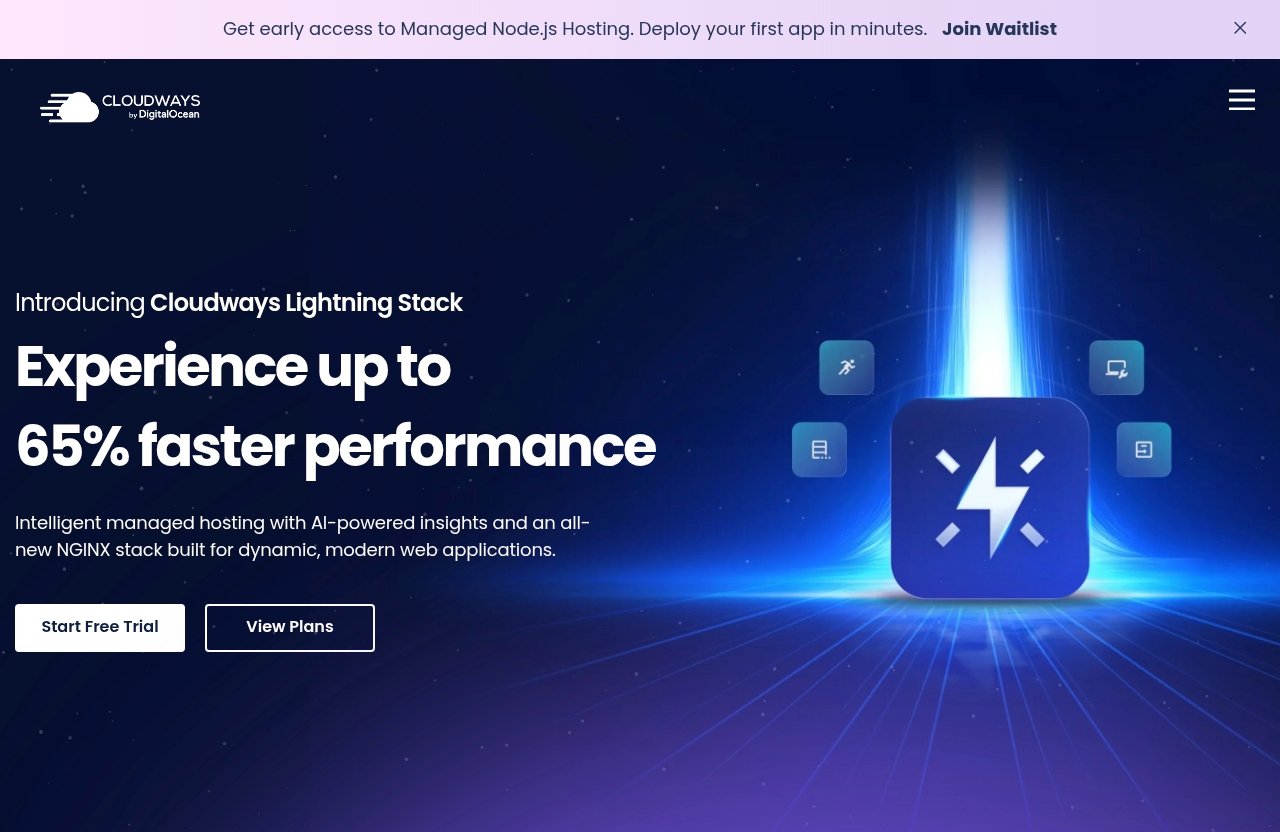
Cloudways is a specialized managed cloud hosting platform designed to simplify complex cloud infrastructure. Traditional cloud computing providers, such as AWS or DigitalOcean, provide bare compute instances (virtual machines) that require manual configuration, operating system updates, firewall setups, PHP runtime optimization, and continuous security patching. For non-sysadmins, this maintenance overhead is often an operational barrier.
Cloudways solves this problem by acting as an intelligent intermediary. Users interact with the clean Cloudways dashboard to spin up servers, deploy web applications, manage databases, configure domain names, and monitor resource usage. Behind the scenes, Cloudways automates the provisioning, server hardening, software stack optimization, and monitoring. Currently, Cloudways manages over 600,000 web applications globally and is trusted by more than 102,000 agencies, small-to-medium businesses, and solo operators. Furthermore, Cloudways is recognized as the #1 rated leader in managed hosting on G2’s Best Cloud Web Hosting Platforms in 2026.
The Core Managed Architecture
Unlike conventional web hosts that lock your sites into shared environments where neighboring accounts can degrade your performance, Cloudways isolates resources at the server level. Every server deployed on Cloudways operates on dedicated cloud slices, ensuring your applications receive their full allocation of CPU, RAM, and storage.
The core software stack is pre-configured for speed and stability. Cloudways incorporates a built-in content delivery network (CDN), intelligent caching layers, and high-performance cloud infrastructure. When comparing Cloudways vs VPS hosting, the primary distinction is operational: Cloudways eliminates the need to touch command-line SSH terminals for mundane administrative tasks, while still granting optional advanced access when developers require it.
Supported Cloud Providers and Global Reach
A central strength of Cloudways is vendor independence. Rather than being restricted to a single hosting vendor’s hardware, users can deploy across five underlying infrastructure providers:
- DigitalOcean: Widely favored for its balance of high compute performance, reliable SSD storage, and cost-effective scalability.
- Vultr: Known for flexible deployment options and high-frequency compute instances.
- Linode (Akamai): Respected across developer communities for consistent performance and open cloud standards.
- Amazon Web Services (AWS): Enterprise-grade global infrastructure engineered for demanding, mission-critical enterprise systems.
- Google Compute Engine (GCE): High-throughput networking and enterprise compute resources backed by Google’s global fiber backbone.
Combined, these providers give users access to more than 150 data center locations across North America, Europe, Asia, Australia, and South America. Understanding and selecting the right Cloudways server location ensures your site resides physically close to your primary audience, cutting time-to-first-byte (TTFB) latency dramatically.
Cloudways Flexible vs Cloudways Autonomous: Which Fits Your Stack?
One of the most consequential decisions when onboarding with Cloudways is selecting between its two primary operational models: Cloudways Flexible and Cloudways Autonomous. Each serves distinct architectural requirements.
| Feature / Dimension | Cloudways Flexible | Cloudways Autonomous |
|---|---|---|
| Core Focus | Customizable, multi-application managed hosting | Fully managed, hands-off WordPress and WooCommerce hosting |
| Supported Applications | WordPress, WooCommerce, Magento, Laravel, PHP | WordPress and WooCommerce exclusively |
| Scaling Mechanism | Manual server resizing and vertical scaling via dashboard | Automated autoscaling that adjusts resources dynamically |
| Server Control | Full control over server size, provider, settings, and stack | Zero server management required; fully managed environment |
| Traffic Handling | Engineered for predictable workloads with manual scaling headroom | Engineered to prevent crashes during massive, unexpected surges |
| Security & CDN Inclusions | Free SSL, dedicated firewalls, Cloudflare Enterprise add-on | Managed security and performance features |
Understanding Cloudways Flexible
Cloudways Flexible represents the classic Cloudways experience. It allows you to select your preferred cloud provider (DigitalOcean, Vultr, Linode, AWS, or GCE), specify your server hardware specifications, select your data center location, and install as many applications as your allocated resources can comfortably handle. There is no arbitrary restriction on the number of websites or applications per server.
This model is ideal for agencies hosting dozens of client sites, developers deploying custom Laravel backends, or eCommerce operators managing high-SKU Magento or WooCommerce stores who want fine-grained control over caching engines, PHP runtime versions, and database parameters.
Understanding Cloudways Autonomous
Cloudways Autonomous represents a modern shift toward serverless-style operational simplicity. Tailored specifically for mission-critical WordPress and WooCommerce setups, Autonomous abstracts away server sizing completely. You do not choose RAM or CPU configurations; instead, the infrastructure automatically scales compute resources up and down in real time to match incoming traffic spikes.
If your website experiences unpredictable traffic surges from viral marketing campaigns, seasonal promotions, or national news coverage, Autonomous prevents performance degradation or total crashes.
Modern Workflows: Velocity and AI Agent Hosting
Cloudways has expanded beyond traditional CMS and PHP hosting to cater to modern software engineering demands:
- Cloudways Velocity: A managed Node.js hosting solution engineered for deploying modern JavaScript applications—including React, Next.js, and Express backends—in minutes. It offers predictable pricing structures designed to eliminate surprise cloud billing or unexpected request timeout walls.
- Managed AI Agents: Dedicated infrastructure for deploying and maintaining AI agents (such as OpenClaw and Hermes agents). This setup bypasses manual Docker configurations, SSL routing, and systems operations overhead, providing a hardened environment for automated agent workloads.
- AI Website Builder: A generally available tool that enables users to generate and launch a professional, ready-to-launch WordPress website in minutes simply by describing their business requirements, without touching custom code.
- Cloudways Copilot and MCP: Built-in AI tools designed to analyze server metrics, provide instant troubleshooting insights, and execute one-click resolutions via SmartFix. With the Model Context Protocol (MCP) support, developers can connect their preferred Large Language Model (LLM) to inspect and manage hosting tasks through natural language prompts.
Key Features Examined in This Cloudways Review
In this section of our cloudways review, we examine the specific platform capabilities, architectural choices, and daily management tools provided across the Cloudways ecosystem.
Optimized Performance Stack
Loading speed directly influences search engine rankings, conversion rates, and user retention. Cloudways deploys an optimized software stack engineered specifically for dynamic web applications. Key components include:
- PHP Optimization: Support for modern PHP runtimes, ensuring code executes with minimal latency.
- Built-In CDN and Cloudflare Enterprise: Seamless integration with edge delivery networks to serve media and scripts from edge servers located closest to end users.
Security, Isolation, and Backup Protection
Security on Cloudways operates across multiple layers to protect applications against modern digital threats. Because servers operate within isolated environments, a compromised site on one instance cannot affect sites on separate servers.
Cloudways incorporates operating-system-level firewalls that block unauthorized access attempts, enterprise-grade DDoS mitigation, and automatic bot detection. Free SSL certificates can be deployed to any domain with a single click. Furthermore, the platform includes automated backup systems, providing automated backup capabilities. Reviewing automated Cloudways backup settings gives site owners confidence that point-in-time disaster recovery is always accessible.
Management Convenience: Site Manager
Managing multiple sites across disparate cloud instances is historically challenging. Cloudways resolves this with its Site Manager feature, enabling agencies and portfolio owners to view, update, and manage every WordPress installation from a centralized dashboard.
24/7 Expert Support and SLAs
Quality of customer support is a critical differentiator for managed hosting providers. Cloudways provides round-the-clock support staffed by technical specialists across 20+ countries. The platform maintains an average response time of 90 seconds on live chat, a 96% Customer Satisfaction (CSAT) rating, and a 73 Net Promoter Score (NPS).
Cloudways Pricing Model: How Pay-As-You-Go Actually Works
Hosting billing is frequently clouded by steep promotional rates that multiply significantly upon contract renewal. Cloudways avoids this pattern by utilizing a transparent, utility-style pay-as-you-go billing model.
No Lock-In Contracts and Hourly Accounting
On Cloudways, you do not sign multi-year contracts or pay for unused future months upfront. Instead, servers are billed based on exact consumption. If you spin up a server for a four-day marketing campaign and subsequently delete it, you are billed strictly for the 96 hours that server was active.
This consumption model offers notable advantages:
- Zero Idle Resource Traps: You only pay for what you actually use, preventing waste on unused infrastructure.
- Seamless Scalability: If your business experiences seasonal spikes (such as holiday sales surges), you can scale up your server resources vertically with a single slider, absorb the traffic, and scale back down when volume normalizes.
- Predictable Forecasting: Clear hourly rates translate into transparent monthly caps, ensuring billing statements contain no surprises.
Free Migration and Risk-Free Onboarding
Cloudways offers a risk-free 3-day trial period that allows new accounts to launch servers, test performance, and evaluate dashboard functionality without an upfront financial commitment. To ease the transition from legacy hosting providers, Cloudways also provides free professional migration services, ensuring your first existing website is migrated smoothly by their engineering team without service interruption.
Step-by-Step: Deploying Your First Application on Cloudways
Deploying a high-performance web application on Cloudways is straightforward and requires no manual operating system setup. Follow these operational steps to launch a server:
- Create Your Account: Register on the official Cloudways platform to initiate your 3-day free trial.
- Select Your Application: Choose your required software environment from the dropdown menu (such as WordPress with built-in optimization, WooCommerce, custom PHP, or Laravel).
- Name Your Architecture: Assign internal identifiers for your application, your server, and your organizational project folder.
- Choose Your Cloud Infrastructure Provider: Select from DigitalOcean, Vultr, Linode, AWS, or Google Compute Engine depending on your performance preferences and budget constraints.
- Configure Server Size and Storage: Use the graphical slider to designate your initial RAM, CPU cores, SSD storage volume, and expected bandwidth capacity. Cloudways displays the exact hourly and estimated monthly cost dynamically.
- Designate Your Data Center Region: Select the geographic location closest to your target audience from over 150 available data centers globally.
- Click Launch Now: Cloudways initiates automated provisioning. Within minutes, your cloud instance and chosen web application are fully deployed and ready to access.
Pros and Cons: A Trust-Focused Cloudways Review Assessment
An honest evaluation requires examining operational compromises alongside technical advantages. Here is an objective analysis of the primary strengths and trade-offs identified in this cloudways review.
Advantages of Cloudways
- High Performance and Isolation: Dedicated cloud slices eliminate noisy-neighbor issues, resulting in fast page generation and low time-to-first-byte (TTFB).
- Extreme Multi-Cloud Flexibility: Freedom to select and switch between five premium infrastructure providers (DigitalOcean, Vultr, Linode, AWS, GCE) across 150+ locations.
- Transparent Pay-As-You-Go Billing: True hourly consumption billing without restrictive 12-month, 24-month, or 36-month lock-in contracts.
- Unlimited Application Hosting: On Cloudways Flexible, you can host as many sites as your hardware resources permit without arbitrary per-site licensing penalties.
- Integrated Modern Tooling: Includes automated backups, Site Manager, Cloudways Velocity for Node.js, AI Agent hosting, and Cloudways Copilot troubleshooting.
- Proven Reputation: Ranked #1 in Managed Hosting on G2 with over 102,000 customers and verified high customer satisfaction metrics (73 NPS, 96% CSAT).
Trade-Offs and Considerations
- No Native Email Inboxes: Cloudways does not provide built-in cPanel-style POP/IMAP email hosting on its application servers to maintain optimal server performance. Users must route business email through dedicated third-party email providers.
- Slight Learning Curve for Beginners: While significantly easier than unmanaged virtual private servers, the Cloudways dashboard requires users to understand fundamental concepts like servers, applications, caching rules, and DNS records.
- Manual Domain Configuration: Because Cloudways is not a domain registrar, users must register domain names independently and configure DNS A-records or CNAMEs manually.
- Resource Monitoring Responsibility: On Cloudways Flexible, users are responsible for monitoring their RAM and storage capacity to ensure their server does not run out of resources during high-traffic events (unless opting for Cloudways Autonomous).
Who Is Cloudways Best For (and Who Should Look Elsewhere)?
Understanding where Cloudways fits within the broader hosting marketplace helps ensure you choose the platform that aligns with your technical competencies and organizational goals.
Cloudways Is Recommended For:
- Growing WordPress and WooCommerce Sites: Store owners and publishers whose traffic has outgrown shared hosting environments and who require rock-solid uptime and fast database response times.
- Digital Agencies and Freelancers: Teams managing dozens or hundreds of client websites that benefit from centralized server grouping, automated backups, staging environments, and client billing automation.
- Developers and Technical Teams: Software engineers seeking clean environments to deploy PHP, Laravel, Node.js applications, and autonomous AI agents without managing bare Linux boxes.
- Businesses Requiring Scalability: Organizations running seasonal flash sales, product launches, or viral media campaigns that need the autoscaling protection offered by Cloudways Autonomous.
Who Should Look Elsewhere:
- Budget-Constrained Hobbyists: Site owners operating personal blogs with negligible traffic who prefer standard low-cost shared hosting packages that bundle cheap domain registration and basic email boxes into one bill.
- Users Seeking Fully Proprietary Site Builders: Non-technical users who want an all-in-one drag-and-drop website builder ecosystem (such as Squarespace or Wix) where hosting, domain, design, and styling are completely abstracted.
- System Administrators Demanding Root OS Access: Engineers who require direct root-level SSH control over their Linux distribution kernel, proprietary custom operating system packages, or non-standard server daemons not supported within the Cloudways managed framework.
Common Hosting Alternatives by Category
To help you contextualize Cloudways within the broader web hosting market, here is how its managed architecture compares across general hosting categories:
- Traditional Shared Hosting: Shared hosts place hundreds of user accounts onto a single server, sharing CPU, memory, and IP addresses. While shared hosting is often cheaper and includes email boxes, it suffers from performance throttling, shared security vulnerabilities, and strict file limitations. Cloudways provides dedicated cloud resources and superior speed.
- Unmanaged Cloud Virtual Private Servers (VPS): Purchasing bare virtual instances directly from cloud providers like DigitalOcean, Linode, or AWS offers rock-bottom hardware pricing. However, it forces you to act as your own system administrator—handling firewall rules, security patches, PHP updates, and server crashes via command-line terminals. Cloudways charges a management markup to automate these exact responsibilities.
- Single-Ecosystem Managed WordPress Hosts: Specialized boutique hosts manage the server environment effectively, but typically restrict users to WordPress alone, enforce rigid limits on monthly visitor counts, charge steep overage fees, and lock you into a single proprietary cloud architecture. Cloudways Flexible supports multiple applications and frameworks with transparent, usage-based resource limits.
Common Cloudways Challenges and How to Handle Them
When migrating to Cloudways, new users frequently encounter a few initial friction points. Understanding these challenges in advance ensures a seamless onboarding experience:
- Handling Domain Name Pointing: Because Cloudways does not function as a domain registrar, you must point your existing domain name to your Cloudways server’s public IP address via your registrar’s DNS management console. Cloudways provides step-by-step documentation and support guidance to simplify this mapping.
- Email Delivery Configuration: Since application servers are optimized strictly for web delivery rather than handling outbound email queues, transactional emails (like password resets and WooCommerce purchase receipts) should be routed through dedicated third-party SMTP services.
- Monitoring Memory Allocation on Flexible Plans: If you host multiple resource-intensive websites on a single small server instance under Cloudways Flexible, you must monitor memory utilization. Cloudways provides built-in monitoring graphs and automated alerts via Cloudways Copilot, allowing you to scale up hardware resources before performance bottlenecks occur.
Official website · Latest pricing & offers
FAQ
Is Cloudways good for beginners?
Cloudways is accessible to non-technical users who have outgrown shared hosting, but it carries a modest learning curve compared to simple website builders. Its graphical dashboard simplifies cloud server creation into a few clicks, eliminating command-line server administration. Beginners who understand basic concepts like domain DNS records and WordPress installations will find the platform intuitive.
Does Cloudways offer a free trial?
Yes, Cloudways offers a 3-day free trial period that allows you to deploy servers, test dashboard features, evaluate loading speeds, and configure applications without upfront commitments. This provides a risk-free window to assess platform stability before deciding on long-term usage.
Can I host multiple websites on a single Cloudways server?
Yes. Under the Cloudways Flexible model, you can host unlimited web applications—including WordPress sites, WooCommerce stores, Magento instances, and custom PHP applications—on a single server instance, limited only by your allocated RAM, CPU, and storage resources.
How does Cloudways handle website backups?
Cloudways provides automated, offsite server and application backups. The platform provides automated backups to protect your applications.
What is the difference between Cloudways Flexible and Cloudways Autonomous?
Cloudways Flexible gives you full control over server sizing, cloud provider selection (from DigitalOcean, Vultr, Linode, AWS, or GCE), and application types. Cloudways Autonomous is a fully managed, hands-off WordPress and WooCommerce hosting solution that automatically autoscales resources to handle unpredictable traffic spikes without manual intervention.
Does Cloudways include free email hosting?
No, Cloudways does not bundle traditional cPanel-style email hosting on its cloud instances, as separating email traffic from web servers protects performance and deliverability. Users can connect dedicated third-party business email solutions.
Related Reading
- Cloudways vs VPS Hosting: Which Is Better for Your Website?
- Cloudways Server Locations: Which Region Should You Choose?
- Cloudways Backup: How Safe Is It for Website Disaster Recovery?
- Cloudways WordPress Setup: A Performance-First Guide for 2026