Best AI Video Repurposing Tools for YouTube Shorts in 2026
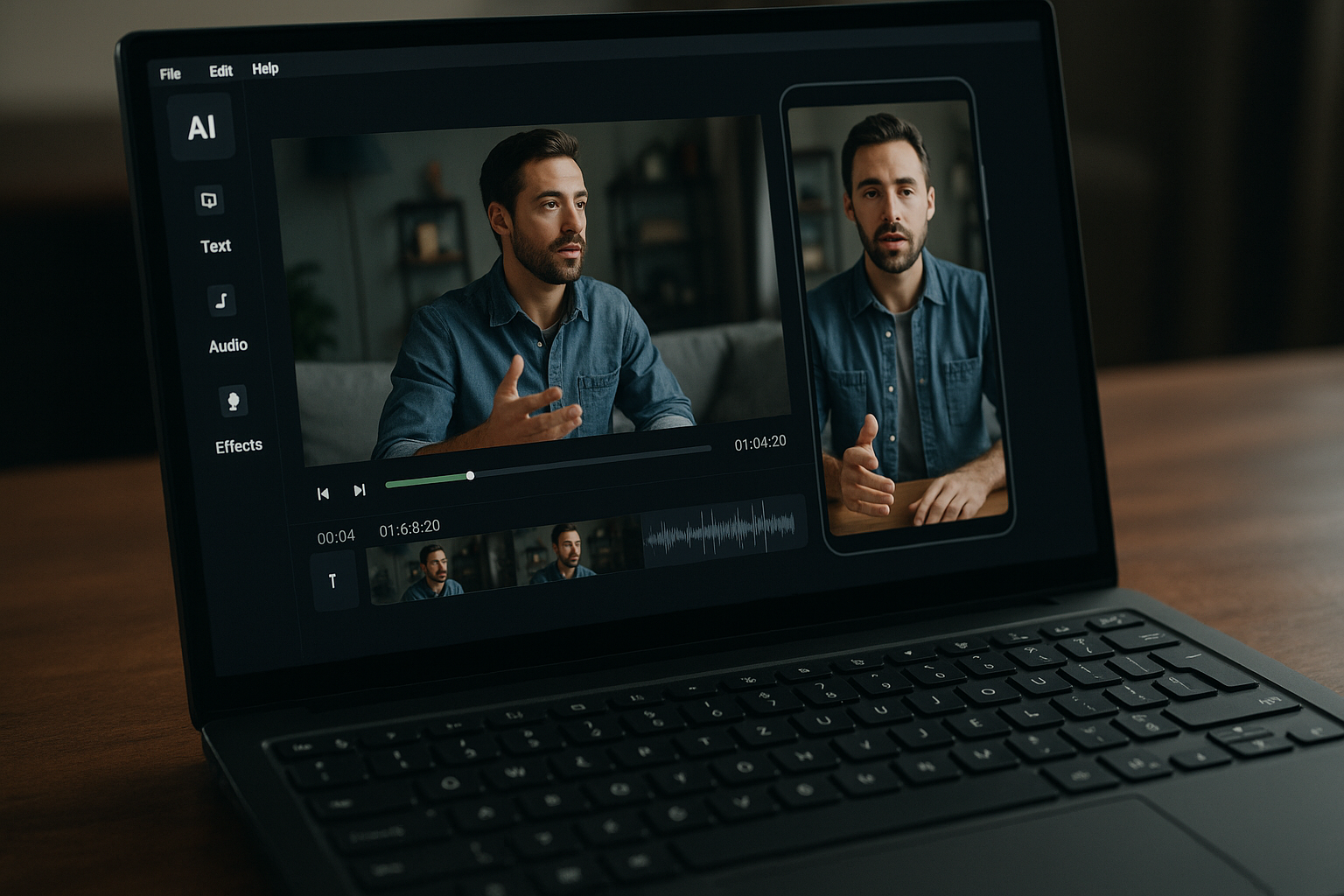
If you publish long-form videos, podcasts, webinars, coaching calls, or interviews, the best ai video repurposing tools can help you turn one source video into a steady stream of YouTube Shorts. The right tool saves editing time, finds clip-worthy moments, adds captions, and reformats horizontal footage for vertical viewing.
Affiliate disclosure: Some links in this article may be affiliate links. TopTrustReview may earn a commission at no extra cost to you if you choose to buy through them. Our recommendations remain editorial and based on workflow fit, public feature sets, and the official product facts available.
Official website · Latest pricing & offers
Best AI Video Repurposing Tools for YouTube Shorts in 2026: Quick Verdict
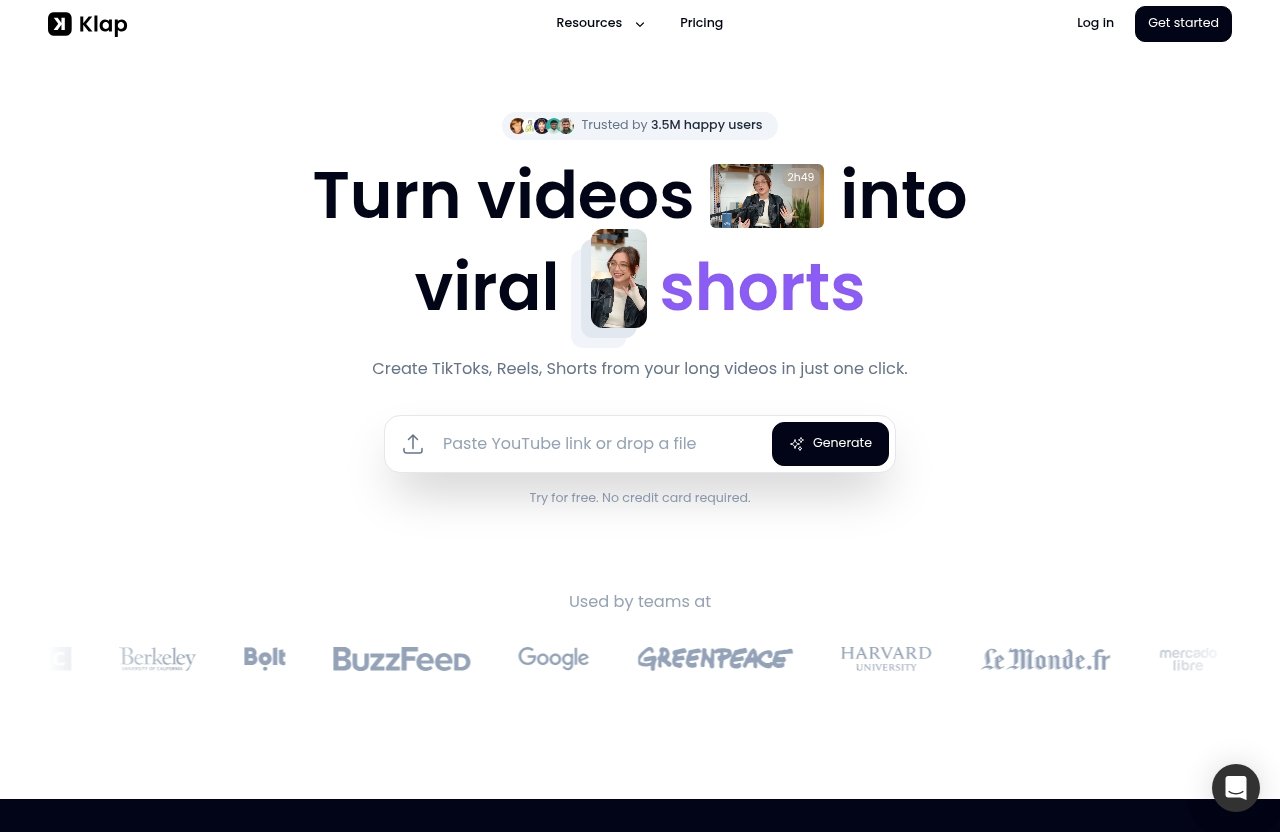
For creators who want speed, consistent output, and a straightforward YouTube-to-Shorts workflow, Klap is our top overall pick. It is built around turning long videos into short vertical clips and, according to its official homepage, can create TikToks, Reels, and Shorts from long videos in one click.
If you want to explore the affiliate-recommended option first, you can review Klap here: try Klap for YouTube Shorts repurposing.
Who this list is for
This guide is for YouTube creators, podcasters, coaches, agencies, marketers, and small content teams who want to repurpose long videos into Shorts without editing every clip manually.
The best ai video repurposing tools are especially useful if you already have long-form assets: YouTube videos, Zoom recordings, interviews, webinars, courses, or livestreams. Instead of starting from scratch, you can extract multiple short clips from content you have already created.
How we judged the tools
Our methodology focuses on practical creator workflows, not hype. We looked at public feature positioning, workflow fit for YouTube Shorts, and the official product facts supplied for Klap from its homepage and pricing page.
We did not use unverified benchmarks, invented speed tests, or unsupported clip-quality claims. For competitors, we keep the comparison cautious and based on publicly visible positioning, such as whether a tool is more focused on clipping, editing, automation, or distribution.
Best overall pick for Shorts creators
Klap is the best overall recommendation for creators who want a focused YouTube Shorts repurposing tool. It supports uploading a video file or pasting a YouTube video link, and its homepage says it can repurpose YouTube videos into multiple Reels, TikToks, and Shorts.
Among the best ai video repurposing tools, Klap stands out because its core promise is simple: turn long videos into short vertical clips with AI-generated captions and reframing.
Best for automation vs best for editing control
If your biggest bottleneck is distribution, Repurpose.io may be a better fit because it is positioned around automated publishing workflows. If your bottleneck is choosing strong moments from long videos, an AI clip generator like Klap or OpusClip is more relevant.
If you need heavier design, editing, and campaign production, broader creative platforms such as Simplified or branded-content tools like Goldcast may make more sense. The best choice depends on whether you need clipping speed, cross-platform automation, or editing control.
What AI Video Repurposing Tools Actually Do
AI repurposing tools take existing video content and help transform it into short-form assets. For YouTube Shorts creators, that usually means extracting vertical clips from long horizontal videos.
The best ai video repurposing tools reduce the repetitive work: watching the full video, finding highlights, trimming segments, adding captions, reframing the speaker, and preparing exports.
Turn long videos into vertical clips
A typical ai video repurposing tool starts with a long source video. You upload a file or paste a link, then the tool scans the content and suggests short segments.
This is useful for creators who publish long interviews, tutorials, podcasts, or livestreams. Instead of manually scrubbing through an hour-long video, you can generate a shortlist of possible Shorts faster.
Auto-detect hooks, highlights, and captions
Many video repurposing ai tools try to identify moments that feel suitable for short-form platforms. These might include strong opening statements, emotional reactions, practical tips, controversial takes, or concise explanations.
Captions are another major benefit. YouTube Shorts are often watched with sound off, so readable captions can improve accessibility and make the clip easier to follow.
Resize, reframe, and export for Shorts
Shorts require vertical formatting, so reframing matters. A good youtube shorts repurposing tool should keep the important subject visible, especially when the original footage was recorded in landscape.
Klap’s official homepage highlights AI Reframe 2, which resizes videos for any platform and analyzes scenes to apply layouts such as Split Screen, Screencasts, and Gaming. For creators repurposing tutorials, podcasts, gaming content, or screen recordings, this type of reframing can be a major workflow advantage.
Why Shorts creators use them
Creators use the best ai video repurposing tools because Shorts rewards consistency. If one long video can become several short clips, you can test more topics, angles, hooks, and titles without producing a new video every day.
The goal is not to replace creative judgment. The goal is to remove repetitive editing steps so you can spend more time choosing the right ideas and improving the final posts.
How to Choose the Right Tool for YouTube Shorts
Choosing the right tool is less about picking the most famous brand and more about matching the tool to your workflow. A solo creator, podcast team, and agency may need very different features.
When comparing the best ai video repurposing tools, use the framework below before looking at price.
Clip quality and hook detection
The first question is simple: does the tool find clips you would actually post? A strong ai clip generator should surface moments with a clear hook, payoff, and standalone context.
For Shorts, the opening seconds matter. If the AI chooses a segment that starts mid-thought or lacks context, you may need to trim or rewrite the intro manually.
Caption accuracy and readability
Captions should be accurate, well-timed, and easy to read on a phone. Fancy caption styles are less important than clarity.
If your content includes technical terms, names, or industry-specific language, check how much correction the tool requires. For coaches, educators, and B2B creators, caption accuracy can directly affect trust.
Reframing and scene detection
Reframing is critical when you repurpose long videos into Shorts. The tool should keep faces, slides, screens, or gameplay visible in a vertical frame.
Scene detection also matters. For example, a podcast clip may need speaker-focused framing, while a tutorial may need a layout that shows both the presenter and the screen.
Export speed and batch workflows
If you plan to publish daily, batch workflows matter. The best ai video repurposing tools should help you process one long video into multiple usable clips, not just one isolated Short.
Klap’s homepage gives a helpful rule of thumb: one minute of video produces about five video clips. Treat that as a general estimate, not a guaranteed result for every video type.
Pricing and clip limits
Pricing should match your posting volume. A creator posting a few Shorts per week has different needs than an agency producing clips for multiple clients.
For Klap, official yearly-billed pricing includes a 100 clips monthly plan at $14/month, Pro at 300 clips monthly for $39/month, and Pro+ at 1000 clips monthly for $94/month. The pricing page says there are no hidden fees and you can cancel anytime, with a custom option indicated for higher needs.
Top AI Video Repurposing Tools Compared
Below is a practical comparison of the main tools creators commonly consider. Some are stronger for AI clipping, while others are better for automation, distribution, or broader marketing production.
| Tool | Best Fit | Main Workflow Strength | Notes |
|---|---|---|---|
| Klap | YouTube Shorts creators | Long video to vertical clips | Strong fit for fast Shorts repurposing |
| OpusClip | Viral clip discovery | AI clip generation | Popular alternative for short-form clipping |
| Repurpose.io | Multi-platform posters | Automated distribution | Better for publishing workflows |
| Vizard | Quick repurposing | Short-form conversion | Worth considering for simple workflows |
| Simplified | Marketing teams | Broader content creation | More all-in-one than Shorts-specific |
| Goldcast | Branded content teams | Event/content repurposing | Better fit for business content libraries |
The best ai video repurposing tools are not interchangeable. A clipping-first tool solves a different problem than a distribution-first platform.
Klap
Klap is designed to turn long videos into short clips for TikTok, Reels, and YouTube Shorts. Its official homepage says it can create engaging clips in a few clicks, provide AI-generated captions, and repurpose YouTube videos into multiple short-form assets.
For creators focused on Shorts, Klap is the most direct fit in this roundup.
OpusClip
OpusClip is commonly considered by creators looking for an ai clip generator focused on short-form highlights. It is a strong alternative when the main goal is finding potentially engaging clips from longer videos.
Because this article avoids unverified claims, we are not listing specific OpusClip pricing or limits here.
Repurpose.io
Repurpose.io is best understood as a distribution and automation tool. It appeals to creators who already publish across multiple platforms and want a more automated posting workflow.
If your main pain point is not clipping but getting content everywhere consistently, it belongs on your shortlist.
Vizard
Vizard is worth considering for creators who want quick video repurposing workflows. It appears in the same category as other short-form repurposing tools, but you should verify its current features and pricing directly before choosing.
For YouTube Shorts, evaluate how well it handles captions, vertical framing, and clip selection.
Simplified
Simplified is better suited for teams that want a broader marketing creation platform. It may fit creators who need design, copy, and content assets beyond video clips.
If you only need the best ai video repurposing tools for YouTube Shorts, a more focused clipper may feel faster.
Goldcast
Goldcast is relevant for teams repurposing branded content, events, or business video assets. It may be more useful for B2B marketing teams than solo Shorts creators.
For individual YouTubers, the fit depends on whether you need branded content workflows or simple Shorts output.
Klap Review for YouTube Shorts Creators
Klap is our top recommendation for creators who want to turn long-form videos into vertical clips for YouTube Shorts. It is especially relevant if you already publish on YouTube and want to extract more value from every upload.
Among the best ai video repurposing tools, Klap has one of the clearest creator-first use cases: paste a YouTube link or upload a video, generate clips, add captions, and prepare short-form versions.
Why Klap is a strong Shorts repurposing pick
Klap’s official homepage describes it as a tool that turns videos into viral shorts and creates TikToks, Reels, and Shorts from long videos in one click. It also says Klap is trusted by 3.5M happy users and has 8.5M clips made by 3.5M creators.
Those are homepage claims, so treat them as company-provided figures. Still, they support the idea that Klap is built for creators who want a direct long-video-to-short-video workflow.
AI Reframe 2 and vertical layout optimization
AI Reframe 2 is one of Klap’s most relevant features for YouTube Shorts creators. The official homepage says it resizes videos for any platform and analyzes scenes to apply layouts like Split Screen, Screencasts, and Gaming.
This matters because Shorts are not just cropped long videos. A good vertical clip needs the subject, screen, or action to stay visible without awkward framing.
How Klap turns one video into multiple clips
Klap supports uploading a video file or pasting a YouTube video link. From there, its workflow is designed to create multiple short clips from longer content.
The homepage says one minute of video produces about five video clips as a rule of thumb. In real creator workflows, you should still review each clip for context, pacing, and brand fit before posting.
Pricing and who each plan fits
Here are the verified Klap pricing facts from the official pricing page:
| Klap Plan | Verified Yearly-Billed Price | Monthly Clip Limit | Best Fit |
|---|---|---|---|
| 100 clips monthly plan | $14/month | 100 clips monthly | Solo creators testing Shorts consistently |
| Pro | $39/month | 300 clips monthly | Creators publishing frequently |
| Pro+ | $94/month | 1000 clips monthly | Agencies, teams, or high-volume channels |
| Custom option | Need more? Let’s talk | Higher needs | Larger production workflows |
The pricing page says there are no hidden fees and you can cancel anytime. The homepage also says “Try for free. No credit card required,” but the verified pricing facts above are the plans supplied for this review.
Best use cases for creators and small teams
Klap is a strong fit for YouTubers, coaches, podcasters, educators, and agencies that want repeatable Shorts output from long-form content. It is also a practical opusclip alternative if your priority is a simple YouTube-to-Shorts workflow.
If that sounds like your workflow, you can compare the plans directly through Klap’s Shorts repurposing page.
OpusClip: Strong Alternative for Viral Clip Generation
OpusClip is another popular name in the short-form clipping category. Creators often consider it when researching the best ai video repurposing tools for turning long videos into social clips.
It may be a good fit if your main interest is generating short clips from existing long-form videos and comparing AI-selected highlights.
Why creators consider OpusClip
Creators consider OpusClip because it is positioned around AI-powered clipping and short-form content generation. That makes it relevant for YouTube Shorts, TikTok, and Reels workflows.
If you are comparing Klap vs OpusClip, focus on your actual process: upload source, review suggested clips, edit captions, reframe, export, and publish.
Notable repurposing features
Based on public positioning, OpusClip belongs in the ai clip generator category. It is commonly associated with identifying short-form moments from longer content.
However, because we are avoiding unsupported claims, this article does not list specific clip limits, pricing, or performance benchmarks for OpusClip.
Where it may fit better than Klap
OpusClip may fit better if you prefer its interface, clip-selection style, or editing workflow after testing both tools. Creator preference matters because a tool you enjoy using is more likely to become part of your publishing rhythm.
It can also be worth testing if you are searching for the best ai video repurposing tools for youtube and want to compare several AI clipping experiences.
Limits of what we can verify from public SERP data
We cannot verify exact pricing, output limits, or proprietary scoring claims from the information provided for this article. Always check the official OpusClip site before making a purchase decision.
This cautious approach protects you from choosing based on outdated roundup claims.
Official website · Latest pricing & offers
Repurpose.io: Best for Cross-Platform Distribution
Repurpose.io is different from a pure clip generator. It is best framed as a tool for creators who want automated publishing and cross-platform content distribution.
That makes it relevant, but not always the first choice, when comparing the best ai video repurposing tools for YouTube Shorts.
Automated publishing workflow
Repurpose.io appeals to creators who want to move content between platforms with less manual uploading. If your workflow includes YouTube, TikTok, Instagram, Facebook, or podcast content, automation can save time.
The main value is distribution consistency rather than AI clip discovery.
Why it appeals to consistent posters
Consistent posters often struggle with repetitive publishing tasks. Downloading, re-uploading, formatting, and scheduling content across channels can become a weekly bottleneck.
A distribution-first tool can help when your clips are already edited and your biggest challenge is getting them posted everywhere.
Best fit for creators already posting everywhere
Repurpose.io is a good fit for creators who have a multi-platform system in place. It can also be relevant for agencies managing repeated posting workflows.
If you are looking for a repurpose.io alternative, ask whether you need better clipping, better publishing automation, or both.
When a clip generator may be better
If you have long videos but no short clips yet, a tool like Klap or OpusClip may be more useful first. You need the clip before you can distribute it.
For many YouTube Shorts creators, the ideal workflow is: generate clips, review edits, then automate publishing if needed.
Other Tools Worth Considering
Not every creator needs the same stack. Some need the best ai video repurposing tools for fast clipping, while others need broader marketing production.
These additional tools are worth exploring if Klap, OpusClip, or Repurpose.io do not match your workflow.
Vizard for quick repurposing workflows
Vizard is worth considering if you want a streamlined way to convert longer videos into shorter content. It may appeal to creators who prioritize simplicity and speed.
Before choosing it, verify the current export options, pricing, caption controls, and YouTube Shorts workflow directly.
Simplified for all-in-one marketing teams
Simplified is more relevant for teams that want a wider content creation environment. If you need social captions, design assets, campaign content, and video support in one place, it may be useful.
For creators focused only on Shorts output, a dedicated ai video repurposing tool may feel more efficient.
Goldcast for branded content repurposing
Goldcast may be a better fit for companies repurposing webinars, events, and branded video libraries. It is less of a solo creator pick and more of a marketing-team consideration.
If your Shorts strategy is tied to B2B thought leadership, events, or customer education, it is worth reviewing.
Best AI Video Repurposing Tools by Use Case
The easiest way to choose is to start with your content type. The best ai video repurposing tools for a podcaster may not be the same as the best option for an agency or faceless channel.
Use the recommendations below as a practical shortcut.
Best for faceless creators
Faceless creators should prioritize captions, pacing, screen layouts, and visual clarity. If your videos rely on tutorials, gameplay, screen recordings, or voiceover content, vertical reframing is especially important.
Klap’s AI Reframe 2 positioning around layouts such as Screencasts and Gaming makes it particularly relevant here.
Best for podcasters
Podcasters need tools that can identify strong soundbites and keep the active speaker visible. Captions also matter because podcast clips often depend on exact wording.
Klap and OpusClip are both relevant options to compare for this use case.
Best for coaches and course creators
Coaches and course creators should look for clips that deliver one clear lesson. The best ai shorts maker for this audience should help extract practical tips without losing context.
For this group, Klap is strong because it supports YouTube links and can generate multiple short-form clips from long educational content.
Best for agencies
Agencies need volume, repeatability, and client-friendly workflows. Clip limits and monthly output matter more when you manage multiple channels.
Klap’s Pro+ plan at $94/month billed yearly includes 1000 clips monthly, based on the verified pricing facts supplied. For higher needs, the pricing page indicates a custom option.
Best for budget-conscious creators
Budget-conscious creators should compare total monthly clip needs before choosing. Searches like “best ai video repurposing tools free” are useful, but free tiers and trials can change often.
Do not choose only by price. A cheaper tool that requires heavy manual correction may cost more in time.
How to Repurpose One Long Video into Multiple YouTube Shorts
A good tool helps, but your process still determines the final quality. The best ai video repurposing tools work best when you feed them source videos with clear ideas, strong moments, and clean audio.
Here is a practical workflow you can repeat weekly.
Pick the right source video
Start with a long video that contains multiple standalone ideas. Interviews, tutorials, list videos, podcast episodes, webinars, and coaching sessions usually work well.
Avoid source videos where every point depends on a long setup. Shorts need fast context.
Find hook-worthy segments
Look for moments that open with tension, curiosity, or a useful promise. Examples include “Most creators get this wrong,” “Here’s the fastest way to fix it,” or “I wish I knew this earlier.”
AI can suggest clips, but you should still review the first three seconds carefully.
Add captions and reframe for vertical
Once you select a clip, add captions and check mobile readability. Keep text away from areas where YouTube interface elements may cover it.
Reframe the video so the viewer can clearly see the subject, screen, or key action. This is where a strong youtube shorts repurposing tool can save significant editing time.
Schedule and test multiple titles
Do not rely on one Short to judge a topic. Repurpose long videos into Shorts in batches, then test different hooks, titles, and angles.
A single long video might contain clips for beginners, advanced viewers, skeptics, and fans. Package each clip for a clear audience.
Review retention and iterate
After publishing, review retention, replays, comments, and subscriber impact. The best ai video repurposing tools can increase output, but analytics tells you what actually works.
Keep a simple spreadsheet of source video, clip topic, hook, title, retention notes, and follow-up ideas.
Pros and Cons of AI Repurposing for Shorts
AI repurposing is useful, but it is not magic. The strongest creators treat AI as an assistant, not a replacement for editorial judgment.
This balanced view matters when comparing the best ai video repurposing tools for your channel.
Speed and consistency benefits
The biggest benefit is speed. AI can help you move from one long video to several short-form assets much faster than manual editing.
That can support a more consistent Shorts schedule, especially for creators who already publish long-form content.
Quality control risks
AI may choose a clip that sounds exciting but lacks context. It may also cut too early, start mid-sentence, or miss the deeper point of a story.
Always watch the final clip before publishing. Shorts are short, but viewers still notice sloppy edits.
Brand voice and editing tradeoffs
Automated captions, templates, and clip choices can sometimes feel generic. If your brand has a specific tone, you may need to adjust captions, pacing, or visual style.
The goal is to speed up production without making every clip feel interchangeable.
When manual editing still matters
Manual editing still matters for premium launches, sponsor integrations, storytelling-heavy videos, and clips where timing is critical. AI is excellent for first drafts and batch production, but your judgment creates the final polish.
For many creators, the best workflow is AI-assisted editing plus human review.
Final Recommendation: Which Tool Should You Choose?
If you want the simplest recommendation, choose Klap if your main goal is to turn long YouTube videos into multiple vertical Shorts quickly. It has a focused workflow, AI-generated captions, YouTube link support, AI Reframe 2, and verified clip-based plans.
Among the best ai video repurposing tools for Shorts creators in 2026, Klap is the strongest fit for speed and consistent output.
Choose Klap if you want fast YouTube-to-Shorts clipping
Choose Klap if you are a creator, podcaster, coach, educator, marketer, or small team with long videos already published. It is especially relevant if you want to repurpose YouTube content into Shorts without building a complex editing stack.
The verified klap pricing structure also makes it easier to match the plan to your clip volume.
Choose automation-first tools if distribution matters more
Choose Repurpose.io or similar automation-first tools if your clips are already edited and your main challenge is cross-platform publishing. This is common for creators posting everywhere at once.
In that case, distribution may matter more than AI highlight detection.
Choose editing suites if you want broader content production
Choose tools like Simplified or other creative suites if your team needs more than video repurposing. They may be better for campaigns, graphics, copy, and general marketing assets.
For Shorts-specific clipping, though, focused AI clippers remain the cleaner choice.
Official website · Latest pricing & offers
FAQ
Which AI is best for recreating videos?
The best AI depends on what you mean by “recreating.” For broader social video creation, tools such as InVideo AI, Vyond, Synthesia, HeyGen, revid.ai, and Pictory are commonly discussed in search results.
For YouTube Shorts creators, however, the better question is which tool can repurpose existing long videos into short vertical clips. In that category, Klap, OpusClip, and similar AI clippers are more relevant.
Can AI edit already made videos?
Yes. AI tools can edit existing videos by trimming footage, finding highlights, reframing clips, adding captions, and generating short-form versions.
Editing depth varies by platform. Some tools focus on quick clipping, while others offer broader editing, design, or publishing workflows.
What is the best AI video repurposing tool for YouTube Shorts?
For creators who want fast clipping, vertical conversion, AI-generated captions, and easy output from long YouTube videos, Klap is a strong fit. It is our top pick among the best ai video repurposing tools for Shorts-focused repurposing.
If you need distribution automation more than clipping, Repurpose.io may fit better.
Are AI video repurposing tools free?
Some tools offer free tiers, trials, or limited access, but availability and limits vary by platform. Searches like “best ai video repurposing tools free” can help you find options, but always verify current pricing on the official site.
For Klap, the homepage says “Try for free. No credit card required,” while the verified pricing plans supplied here are yearly-billed paid plans.
How do I turn long YouTube videos into Shorts faster?
Use an AI clip generator to scan the long video, identify highlights, reframe clips vertically, add captions, and export multiple Shorts in batches.
The fastest workflow is to start with a strong source video, let the tool suggest clips, then manually review the final edits before publishing.
Related Reading
- Klap vs Vizard
- Repurpose.io Pricing 2026: Plans and Value
- Best Klap Alternatives in 2026: Compare the Top AI Shorts Makers Before You Buy
References
- Klap | Turn videos into viral TikToks, Reels & Shorts
- Klap Pricing | Plans for Creators, Teams & API Users
- Video Repurposing Tool – Repurpose Videos Free with AI – OpusClip
- #1 automated content repurposing & distribution platform.