
Webflow vs WordPress: Which Is Better in 2026?
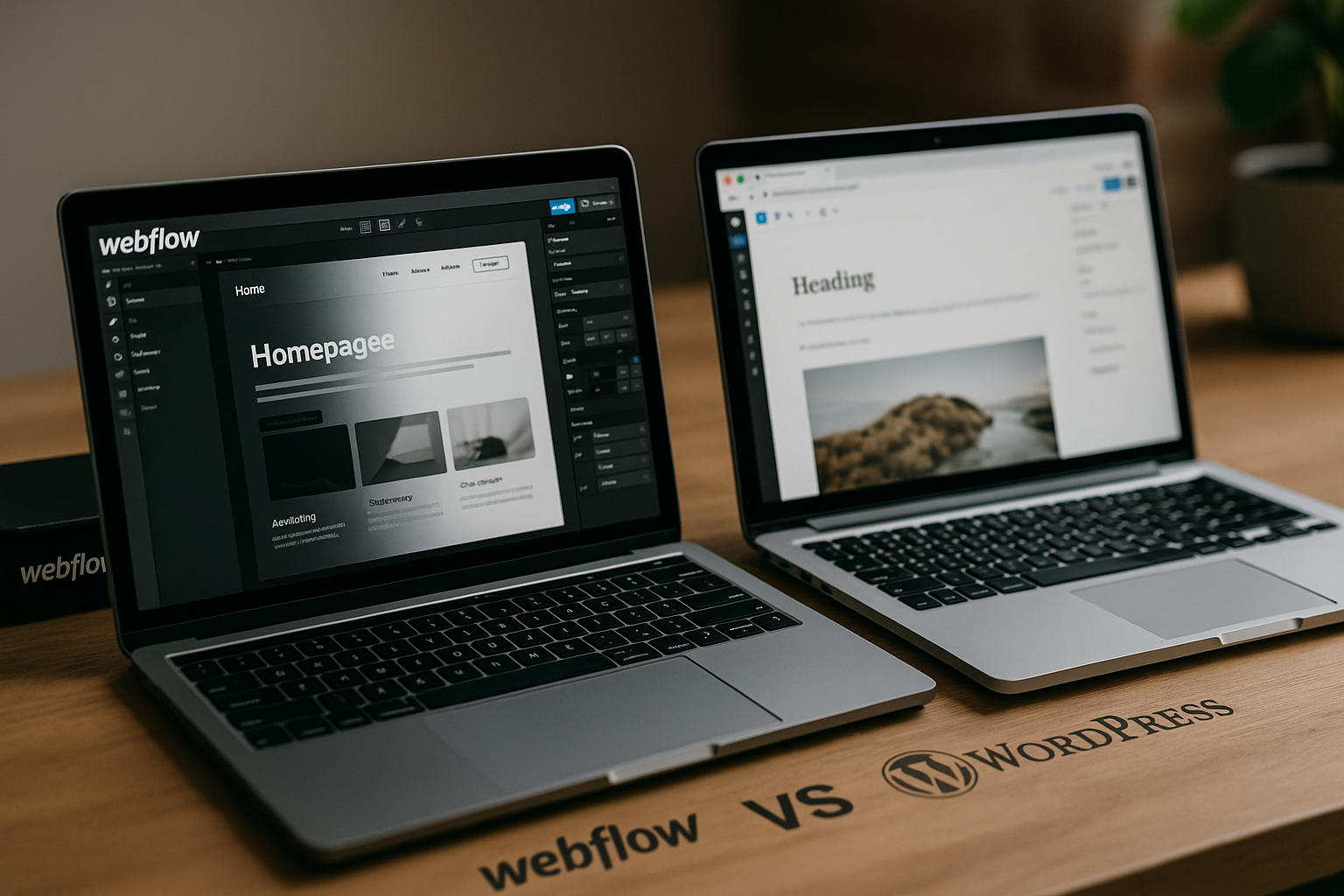
If you are comparing Webflow vs WordPress in 2026, the short answer is this: Webflow is usually the better fit for design-led teams, marketers, agencies, and switchers who want visual control with fewer moving parts. WordPress is still the stronger choice when you need maximum plugin flexibility, deep customization, or a highly content-heavy publishing setup.
This guide is written for buyers, not platform fans. It looks at flexibility, SEO, ease of use, pricing, migration, and long-term ownership so you can choose with confidence.
Disclosure: toptrustreview.com may earn a commission if you evaluate Webflow through our partner link, at no extra cost to you. We only include it where it is relevant to the comparison: explore Webflow here.
Official website · Latest pricing & offers
Webflow vs WordPress in 2026: Quick Verdict
The Webflow vs WordPress decision comes down to how much you value visual control, operational simplicity, and platform ownership.
Webflow gives teams a more integrated website workflow: design, CMS, hosting, publishing, and site management live closer together. WordPress gives you a broader open-source ecosystem, but that flexibility often comes with more decisions around hosting, themes, plugins, updates, compatibility, and maintenance.
| Decision Factor | Better Fit |
|---|---|
| Visual design control without heavy development | Webflow |
| Plugin ecosystem and extensibility | WordPress |
| Lower maintenance complexity | Webflow |
| Large publishing ecosystems | WordPress |
| Marketing sites and landing pages | Webflow |
| Complex plugin-driven builds | WordPress |
| Teams switching from a messy setup | Often Webflow |
Who should choose Webflow
Choose Webflow if your priority is a polished, custom-feeling website that your marketing or design team can manage without constantly relying on developers. In practical projects, Webflow tends to appeal to teams that are tired of theme limitations, plugin conflicts, and fragmented workflows.
Webflow’s official positioning emphasizes platform areas like design, CMS, hosting, localize, security, SEO, AEO, apps, Figma to Webflow, DevLink, MCP, and AI. That matters because the product is increasingly aimed at teams that want a connected website operating system rather than a loose stack of separate tools.
Who should choose WordPress
Choose WordPress if you want the widest ecosystem, deep plugin flexibility, and open-source control. The Webflow vs WordPress comparison is not about whether WordPress is outdated; it is still a strong platform for many use cases.
WordPress can be the better fit for sites that depend heavily on plugins, custom backend logic, editorial workflows, membership features, or complex third-party integrations. It also suits teams that already have WordPress developers, established processes, and a stable hosting setup.
Bottom-line recommendation for switchers
If you are considering a switch from WordPress to Webflow, first identify what is actually causing friction. If the pain is plugin management, theme rigidity, slow design changes, or too many handoffs, Webflow deserves serious consideration.
If your current WordPress site is heavily dependent on specialized plugins or custom functionality, migration needs more caution. For many marketing teams, though, the practical Webflow vs WordPress verdict is simple: Webflow often gives you enough flexibility with less operational drag.
What Webflow and WordPress Are Best Known For

The fairest way to compare Webflow vs WordPress is to understand what each platform was built to do well.
Webflow is known for visual website design and a more integrated publishing workflow. WordPress is known for open-source extensibility and its massive ecosystem of themes, plugins, developers, and documentation.
Webflow’s visual-first, all-in-one workflow
Webflow is built around visual creation. Instead of starting with a theme and modifying it, teams can build layouts more directly in a design-oriented environment.
That is especially useful for brand-led websites, startup sites, service pages, portfolios, campaign pages, and marketing teams that care about design consistency. In real buying decisions, Webflow often wins when the team wants a site that looks custom without building everything from scratch in code.
WordPress’s open-source ecosystem
WordPress is best known for flexibility through its open-source ecosystem. You can choose different hosting providers, themes, page builders, plugins, custom code, and development workflows.
That independence is valuable. It also means the quality of a WordPress site depends heavily on the stack you choose and the people maintaining it. In the Webflow vs WordPress debate, WordPress wins on ecosystem breadth, but Webflow often wins on reducing decisions.
Why this comparison still matters in 2026
This comparison matters more in 2026 because websites are no longer just digital brochures. Teams need fast publishing, reliable SEO workflows, scalable content structures, localization options, AI-readiness, and cleaner governance.
The rise of AI search and answer engine optimization also changes how teams think about content structure and technical quality. Comparing Webflow vs WordPress 2026 is really about choosing the workflow your team can sustain over time.
Flexibility and Design Control
Flexibility is where the Webflow vs WordPress conversation gets nuanced. WordPress can be more extensible overall, but Webflow can feel more flexible for visual design work.
The difference is important: “can do anything” is not the same as “easy to control without developer help.”
Visual design freedom in Webflow
Webflow gives designers and marketers a visual way to create custom layouts, refine spacing, build reusable sections, and publish pages without living inside a traditional theme structure. That is one of its strongest commercial advantages.
For teams that start with Figma designs or brand systems, Webflow can reduce the gap between design intent and finished website. You still need to understand web structure, responsive behavior, and CMS organization, but you are not as boxed in by a prebuilt theme.
Theme, plugin, and code-based flexibility in WordPress
WordPress flexibility comes from themes, plugins, page builders, and custom development. This can be extremely powerful when a site needs specialized functionality or a unique backend workflow.
The tradeoff is stack complexity. A WordPress site may rely on several tools that need to work together cleanly. When comparing Webflow vs WordPress, buyers should ask not only “Can it be done?” but also “Who will maintain it?”
Which platform gives more control without developer help
For visual control without developer help, Webflow usually has the edge. Designers can make layout and style changes more directly, and marketers can manage many page updates without opening a developer ticket.
WordPress can also be user-friendly with the right setup, especially if a good page builder and content model are in place. But in many real-world switcher cases, WordPress becomes difficult when different plugins, themes, and custom code all affect the editing experience.
SEO Comparison: Webflow vs WordPress for SEO
A serious Webflow vs WordPress for SEO comparison should not claim that one platform automatically ranks better. Rankings come from content quality, site structure, backlinks, authority, technical health, internal linking, and user experience.
The better question is: which platform makes good SEO execution easier for your team?
Built-in SEO capabilities in Webflow
Webflow is attractive for SEO because many important website management tasks are part of the platform workflow rather than spread across many plugins. Its official site emphasizes SEO as one of its platform areas, alongside design, CMS, hosting, security, AEO, apps, MCP, and AI.
For teams, the practical benefit is workflow consistency. You can build pages, structure CMS collections, manage content, and think about metadata and indexability within a more unified environment.
When evaluating Webflow vs WordPress, test how easily your team can handle title tags, meta descriptions, URL structures, canonical decisions, alt text discipline, internal linking, and content templates. The winner is the platform your team will actually use correctly.
WordPress SEO with plugins and add-ons
WordPress SEO is often plugin-driven. That can be a strength because mature SEO plugins can provide guided workflows, schema options, XML sitemap controls, redirects, and content checks depending on the tools you choose.
The downside is dependency management. Plugin quality, configuration, compatibility, updates, and overlap all matter. A WordPress site with a clean SEO stack can perform very well, but a bloated or poorly configured stack can create avoidable issues.
In Webflow vs WordPress discussions, WordPress should not be dismissed for SEO. It remains highly capable, especially in experienced hands. The question is whether your team wants to manage SEO through plugins or through a more integrated site-building workflow.
Technical SEO, speed, and content scalability
Technical SEO is where process matters. You need crawlable pages, logical site architecture, clean internal links, mobile-friendly layouts, fast-enough templates, proper redirects, and clear content hierarchy.
Webflow can be easier for teams that want fewer infrastructure choices and less plugin overhead. WordPress can scale into very large content operations, but the architecture must be planned carefully.
For content-heavy websites, review how categories, tags, custom post types, collections, templates, pagination, and internal linking will work. The Webflow vs WordPress answer may change if you are managing 30 service pages versus thousands of editorial URLs.
AEO and AI-search considerations in 2026
In 2026, SEO increasingly overlaps with AEO, or answer engine optimization. AI search systems reward clear information architecture, entity clarity, concise answers, trustworthy sourcing, and well-structured pages.
Webflow’s official platform messaging includes AEO and AI, which signals that it is thinking beyond traditional search. That does not mean Webflow automatically wins AI search. It means buyers should evaluate whether the platform supports structured, maintainable content workflows.
For WordPress, AI-search readiness depends on your theme, plugins, content model, schema setup, and editorial discipline. In Webflow vs WordPress, the best AEO platform is the one where your team can consistently publish clear, structured, expert content.
Ease of Use and Learning Curve
The Webflow vs WordPress ease of use question depends on who is using the platform. A designer, marketer, developer, and content editor may each experience the same platform differently.
Webflow can feel more intuitive for visual thinkers. WordPress can feel more familiar for traditional content publishing and plugin-based workflows.
Getting started as a beginner
Webflow has a learning curve because it exposes real web design concepts: boxes, layout structure, responsive behavior, classes, CMS fields, and styling systems. Beginners who expect a simple drag-and-drop editor may need time to adjust.
That learning curve can pay off. Once the structure is understood, teams often gain more confidence making precise design changes.
WordPress can be easier at the very beginning if you install a theme and start publishing. But as the site grows, beginners may face more decisions around plugins, builders, hosting, backups, caching, and security workflows.
Editing content day to day
For day-to-day editing, Webflow works well when the CMS is modeled cleanly. Editors can update collection items, landing pages, and reusable content areas without needing to understand the full design system.
WordPress is also strong for content editing, especially for blogs and editorial workflows. The difference is that editing quality depends on how the site was built. A clean WordPress setup can be smooth; a cluttered one can be frustrating.
When comparing Webflow vs WordPress, ask your actual editors to test the workflow before deciding. The best platform on paper can fail if the people updating the site dislike using it.
How much maintenance each platform needs
Webflow generally reduces maintenance complexity because hosting and many site management concerns are handled within the platform ecosystem. That can be a major reason people consider switching.
WordPress gives you more independence, but it usually requires ongoing attention to updates, backups, plugin compatibility, security practices, and hosting performance. None of that is inherently bad, but it does require ownership.
This is one of the most important Webflow vs WordPress tradeoffs: Webflow centralizes more of the workflow, while WordPress gives you more control over the stack.
Official website · Latest pricing & offers
Pricing and Total Cost of Ownership: Webflow vs WordPress Pricing
The Webflow vs WordPress pricing comparison should go beyond the monthly fee. Total cost includes platform costs, hosting, design time, development help, maintenance, plugins, migration, content work, and ongoing support.
Webflow pricing is more predictable because official site plans are clearly packaged. WordPress costs are more variable because the final stack depends on hosting, themes, plugins, development needs, and maintenance choices.
Webflow pricing overview
Below are the verified Webflow pricing facts available for this comparison. All prices are in USD, per site, plus applicable taxes at checkout.
| Webflow Plan | Price | Key Included Facts |
|---|---|---|
| Starter | Free | Webflow.io domain, Limited Webflow CMS, 2 static pages, 1 GB bandwidth, 50 form submissions, Webflow AI, MCP server, Webflow Cloud app hosting, Free Starter Workspace |
| Basic | $15/mo billed yearly | Custom domain, 300 static pages, 10 GB bandwidth, unlimited form submissions, password protection, Webflow AI, MCP server, Webflow Cloud app hosting, Free Starter Workspace |
| Premium | $25/mo billed yearly | Everything in Basic plus Webflow CMS, code components, site search, form file upload, well-known files |
| Team | $2500/mo | Annual contract required, everything in Premium plus Site & Workspace, Webflow Localize, AEO agents, publishing workflows, single-page publishing, site activity log & API, foundational governance, enhanced security & compliance, priority support |
| Enterprise | Custom pricing | Everything in Team plus enterprise-ready scale, granular permissions, custom roles, advanced governance, secure integrations, dedicated account manager, enhanced SLAs, custom configurations |
If Webflow fits your use case, you can review the current plans directly through our partner link: compare Webflow options here. Use the pricing table as a starting point, but validate the exact plan requirements against your site’s page count, CMS needs, workflow needs, and governance requirements.
WordPress’s variable cost structure
WordPress costs are harder to summarize because WordPress itself is part of a broader stack. A real WordPress budget may include hosting, a theme or builder, premium plugins, developer support, maintenance, backups, security tools, and performance optimization.
That variability can be good or bad. It gives you control, but it also makes budgeting less predictable. In Webflow vs WordPress, Webflow is easier to price upfront, while WordPress can range from lean to highly customized depending on your setup.
What switchers should budget beyond the monthly fee
Switchers should budget for strategy, information architecture, content cleanup, design rebuilding, CMS modeling, redirects, QA, analytics setup, and post-launch monitoring. These costs exist whether you choose Webflow or WordPress.
For a migration, do not only compare subscription prices. Compare the operational cost of maintaining the site for the next two or three years. The cheapest platform can become expensive if every update requires troubleshooting.
Best Use Cases: When Webflow Wins and When WordPress Wins
The best Webflow vs WordPress choice depends on the type of website you are building.
Instead of asking which platform is “better” overall, match the platform to your business model, internal skills, and growth plans.
Marketing sites, portfolios, and campaigns
Webflow is especially compelling for marketing websites, portfolio sites, agency sites, startup pages, and campaign landing pages. These projects usually need strong visual control, fast iteration, and clean publishing workflows.
If your team regularly launches new pages, tests messaging, updates design sections, or adapts campaigns, Webflow can reduce dependence on developers. That is where the Webflow vs WordPress comparison often tilts toward Webflow.
Blogs, large content sites, and complex plugin needs
WordPress remains a strong choice for blogs, large editorial sites, and plugin-heavy builds. If your roadmap depends on a specific plugin ecosystem or complex publishing setup, WordPress may be the safer option.
For Webflow vs WordPress for ecommerce, be especially careful. Ecommerce needs vary widely, including catalog structure, payments, fulfillment, taxes, subscriptions, and integrations. Evaluate your exact commerce requirements before choosing either platform.
Agencies, teams, and enterprise workflows
Agencies and teams should think beyond the builder interface. Consider approvals, governance, user permissions, localization, activity tracking, security expectations, support needs, and handoff processes.
Webflow’s higher-tier positioning includes team and enterprise-oriented areas such as Webflow Localize, AEO agents, publishing workflows, single-page publishing, site activity log & API, governance, enhanced security and compliance, priority support, granular permissions, custom roles, secure integrations, dedicated account management, enhanced SLAs, and custom configurations.
WordPress can also serve agencies and enterprises well, especially with experienced developers and a managed process. The practical Webflow vs WordPress question is whether your team wants an integrated platform or a more assembled stack.
Switching from WordPress to Webflow: What to Expect
A Webflow vs WordPress migration should be treated as a website rebuild, not just a copy-and-paste transfer. The more strategic you are, the better the result.
Switching is often a chance to simplify navigation, remove outdated content, improve page templates, and rebuild the CMS around how the business actually uses content today.
Content migration considerations
Start by auditing your WordPress content. Identify which pages drive traffic, leads, links, conversions, or sales conversations. Do not migrate low-value content just because it exists.
Map your content types before building in Webflow. Blog posts, case studies, authors, categories, landing pages, resource pages, and service pages may need different CMS structures.
In a real Webflow vs WordPress migration decision, content modeling is one of the biggest success factors. A clean CMS structure makes future editing easier; a rushed structure creates new friction.
SEO preservation during a move
SEO migration planning should start before design work is finished. Export your current URLs, rankings, traffic data, backlinks, metadata, headings, internal links, and indexable pages.
Create a redirect map for changed URLs. Preserve high-value content, avoid unnecessary URL changes, and test redirects before launch. If redirects are handled outside the platform, make sure ownership is clear.
After launch, monitor crawl errors, rankings, organic traffic, index coverage, analytics events, and conversion tracking. In Webflow vs WordPress switching projects, SEO problems usually come from migration execution, not the destination platform itself.
Common mistakes to avoid
The biggest mistake is treating migration as a visual redesign only. A beautiful site can still lose performance if URLs, metadata, internal links, schema strategy, or analytics tracking are ignored.
Avoid rebuilding every old page without questioning its value. Also avoid launching without a rollback plan, QA checklist, redirect testing, form testing, and stakeholder signoff.
If you are comparing webflow vs wordpress reddit discussions, remember that anecdotal experiences vary widely. A bad migration story may reflect poor planning, not a platform limitation.
Pros and Cons at a Glance
A quick Webflow vs WordPress pros and cons view helps clarify the tradeoffs.
Neither platform is perfect. The right choice depends on whether you prefer integrated control or open-ended extensibility.
Webflow pros and cons
| Webflow Pros | Webflow Cons |
|---|---|
| Strong visual design control | Learning curve for beginners |
| More integrated workflow | Smaller ecosystem than WordPress |
| Less plugin management | Not ideal for every complex custom build |
| Predictable official pricing structure | Migration requires careful CMS planning |
| Good fit for marketing teams and designers | Some teams may still need expert setup |
Webflow is strongest when the site is part of your marketing engine and needs frequent design-led updates. It is less ideal if your requirements depend on niche plugins or deeply custom backend logic.
WordPress pros and cons
| WordPress Pros | WordPress Cons |
|---|---|
| Huge ecosystem | More maintenance responsibility |
| Broad plugin flexibility | Quality depends on stack choices |
| Strong for content-heavy sites | Plugin bloat can become an issue |
| Open-source control | Updates and compatibility need management |
| Large developer community | Editing experience varies by build |
WordPress is strongest when extensibility matters most. It is less attractive when the team wants to reduce tool sprawl and maintenance overhead.
Quick comparison table summary
| Category | Webflow | WordPress |
|---|---|---|
| Flexibility | Strong visual flexibility | Strong ecosystem flexibility |
| SEO | Integrated workflow, good for structured execution | Powerful with plugins and proper setup |
| Ease of use | Better for visual teams after learning curve | Familiar for publishing, variable by setup |
| Maintenance | Fewer moving parts | More stack management |
| Scalability | Strong for marketing and structured CMS sites | Strong for large and complex content ecosystems |
| Best fit | Design-led teams, marketers, switchers | Plugin-heavy, content-heavy, custom builds |
The simplest Webflow vs WordPress summary is this: Webflow gives more control inside a managed workflow, while WordPress gives more extensibility through an open ecosystem.
Final Recommendation: Which Is Better in 2026?
The final Webflow vs WordPress recommendation depends on what you are optimizing for.
If you want a modern marketing site, visual control, fewer plugins, and a more streamlined workflow, Webflow is the stronger recommendation for many 2026 buyers. If you want maximum extensibility, open-source ownership, and plugin-driven functionality, WordPress remains a smart choice.
Choose Webflow if you want speed and control
Choose Webflow if your team wants to move faster on design, landing pages, CMS-driven marketing content, and brand presentation. It is especially compelling for switchers who feel their WordPress site has become too dependent on plugins, developers, or fragile theme customizations.
For design-led teams, Webflow often offers the better balance of flexibility, SEO workflow, and ease of use. That is why the Webflow vs WordPress decision increasingly favors Webflow for marketing-focused sites.
Choose WordPress if you want maximum extensibility
Choose WordPress if you need a broad plugin ecosystem, advanced custom development, highly specialized content workflows, or existing WordPress infrastructure that already works well.
There is no reason to switch just because Webflow is popular. If WordPress supports your business efficiently, ranks well, and your team can maintain it confidently, staying put may be the best decision.
Final buyer checklist
Before choosing, answer these questions:
- Who will update the site every week?
- Do you need visual design freedom or plugin extensibility more?
- How complex is your CMS structure?
- How much maintenance can your team realistically handle?
- What SEO risks exist during migration?
- Which platform fits your next two years, not just launch day?
- Are your ecommerce, localization, governance, and integration needs simple or complex?
For many businesses comparing Webflow vs WordPress in 2026, Webflow is the better choice when the goal is a cleaner, more controllable marketing website. WordPress is better when extensibility and ecosystem depth matter more than workflow simplicity.
Official website · Latest pricing & offers
FAQ
Is Webflow still relevant in 2026?
Yes, Webflow is still relevant in 2026, especially for teams that want visual design control, built-in hosting, CMS capabilities, and a more streamlined website workflow. Its official platform focus includes areas such as design, CMS, hosting, SEO, security, AEO, apps, MCP, and AI.
The Webflow vs WordPress conversation remains active because many teams want fewer moving parts than a traditional WordPress stack can involve.
Why are people moving away from WordPress?
People often move away from WordPress because of plugin bloat, maintenance overhead, update management, security responsibilities, and compatibility concerns. In many cases, the issue is not WordPress itself but the complexity of the stack built around it.
Teams comparing Webflow vs WordPress often want a simpler workflow where design, content, publishing, and site management feel more connected.
What are the pros and cons of Webflow?
Webflow’s biggest pros are visual freedom, an integrated workflow, managed site experience, and strong appeal for designers and marketers. It can reduce reliance on external plugins and development handoffs for many marketing sites.
The cons are its learning curve, smaller ecosystem compared with WordPress, and the need to plan CMS structures carefully. In the Webflow vs WordPress decision, Webflow is usually best for teams that value control and simplicity over unlimited extensibility.
Why is Webflow so popular?
Webflow is popular because it gives designers and marketing teams more direct control over how websites look and function. It also makes publishing and managing many types of business websites feel less fragmented than assembling a traditional stack.
The popularity of Webflow vs WordPress comparisons reflects a broader shift: teams want websites that are easier to update, easier to govern, and better aligned with modern marketing workflows.
Related Reading
- Webflow Pricing 2026: Is It Worth It?
- Hostinger vs HostGator: Which Web Host Offers More for Less in 2026?
- GoHighLevel vs ActiveCampaign: Which Wins in 2026?
References
- A powerful WordPress alternative
- I Tried Webflow vs. WordPress in 2026, Here's the Winner
- Webflow vs WordPress: Honest comparison to help you…
- Webflow vs WordPress: Which One to Choose in 2024






