Contentstudio Reviews 2026: Honest User Feedback, Pros, Cons, Pricing, and Verdict

If you are comparing social media tools, ContentStudio reviews can be helpful because they show the difference between a feature list and everyday use. ContentStudio is a unified social media management tool built around publishing, AI-assisted content creation, analytics, engagement, social listening, and content discovery.
This review for toptrustreview.com is written for buyers who want practical validation before signing up. We may include an affiliate link to ContentStudio, but the goal is to stay balanced: what users like, what they complain about, and whether the platform fits your workflow.
Verdict snapshot: ContentStudio looks strongest for agencies, content marketers, and teams that need more than a simple post scheduler. If you only want basic scheduling for one or two channels, some of its broader workflow may feel like more than you need.
Official website · Latest pricing & offers
What is ContentStudio?
ContentStudio is officially described as a unified social media management tool. In plain English, it helps users plan, publish, analyze, engage with audiences, monitor conversations, and discover content ideas from one platform.
This article is not a feature dump. It is a purchase-validation review based on official product information and recurring themes seen across third-party review ecosystems such as Trustpilot, G2, Capterra, Software Advice, Reddit, and Quora search results.
For readers comparing ContentStudio reviews, the key question is not “does it have features?” It is whether those features make your work easier enough to justify the price and setup time.
Core use cases: publishing, analytics, engagement, listening, and discovery
ContentStudio’s verified official feature categories are:
| Workflow | What it helps with |
|---|---|
| Publish | Planning and scheduling social content |
| AI Studio | Creating AI-generated captions and images |
| Analyze | Measuring social media KPIs |
| Engage | Managing social media customer care |
| Social Listening | Following conversations across channels |
| Discover | Managing and reading feeds |
Official pages also list features such as Workspaces, Clip maker, Calendar/Planner, Smart scheduling, Media library, Bulk scheduling, Approval workflow, Client management, White-label tools, AI content library, AI video generator, Competitor analytics, Automation, Mobile app, and API access.
That makes ContentStudio more of a social media operations platform than a narrow scheduler. It supports major networks shown on official pages, including Facebook, Instagram, X, Google Business Profile, LinkedIn, TikTok, Bluesky, Meta Threads, YouTube, Pinterest, and Telegram.
Who the platform is designed for: solo creators, agencies, teams, and enterprise
ContentStudio can appeal to solo creators who want a structured content calendar, but the broader feature set points strongly toward teams and agencies. Workspaces, approval workflow, client management, white-label options, and reseller-oriented tools are especially relevant when multiple brands or clients are involved.
Enterprise-style users may also care about workflows like analytics, engagement, listening, automation, and API access. ContentStudio states that its API plan is available and can be used with Claude, Zapier, n8n, and Make.
Based on the themes that show up in ContentStudio reviews, the platform is most attractive when users need a connected workflow. If your social media process includes research, creation, scheduling, collaboration, reporting, and inbox-style engagement, the product makes more sense than if you only need to queue occasional posts.
ContentStudio Reviews at a Glance
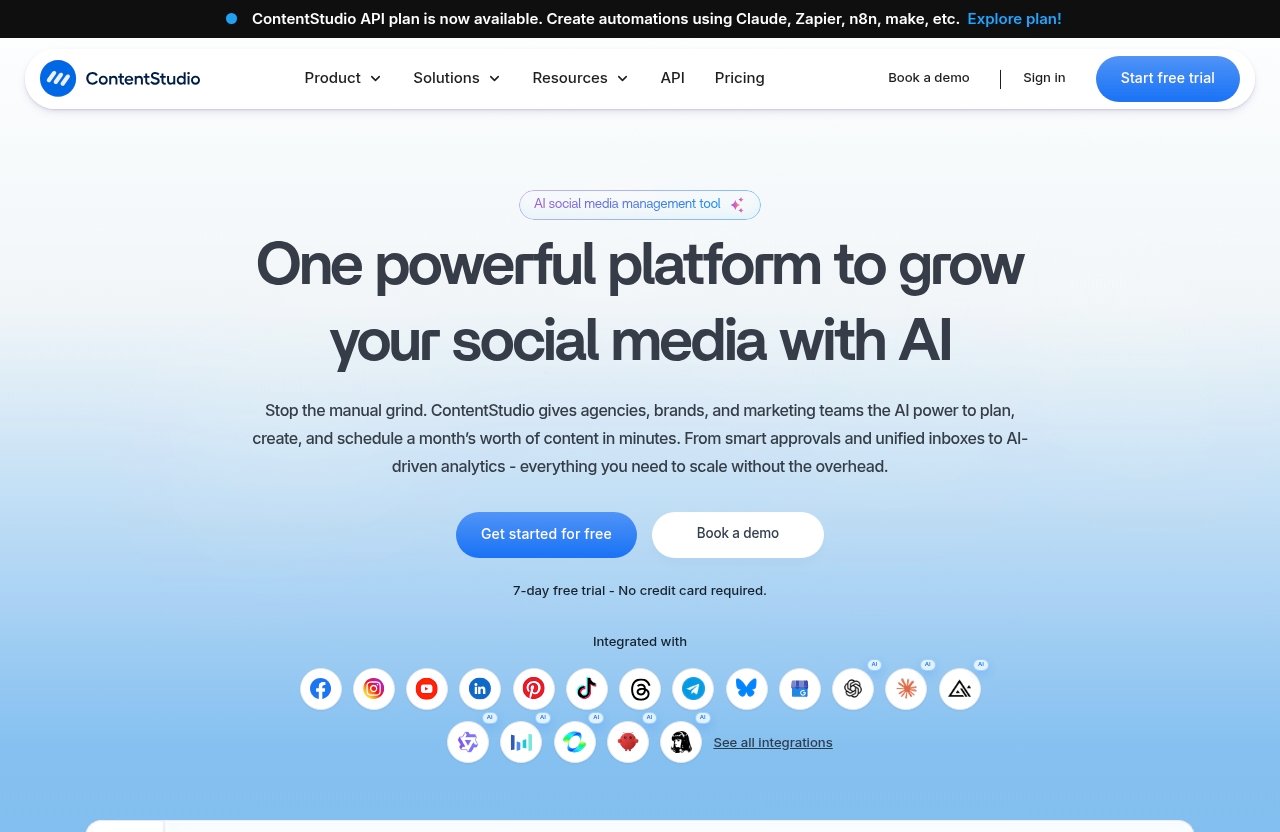
The broad picture from ContentStudio reviews is generally practical rather than flashy. Users often appear to value the platform for bringing multiple social media tasks into one place, especially scheduling, content planning, and agency collaboration.
At the same time, recurring concerns tend to focus on learning curve, setup decisions, workflow preferences, and whether the cost makes sense for smaller users. That is common with all-in-one tools: the same breadth that helps busy teams can feel heavier for simple use cases.
Overall sentiment from ContentStudio reviews on review sites
Third-party review platforms such as Trustpilot, G2, Capterra, and Software Advice are useful because they show patterns across different buyer types. SERP-level review themes suggest that users frequently evaluate ContentStudio around ease of use, scheduling reliability, discovery tools, automation, collaboration, and support.
Reddit and Quora-style discussions tend to be more informal. They are often helpful for seeing how buyers compare ContentStudio reviews with actual day-to-day expectations, especially when people ask whether it is better for agencies, small businesses, or solo content workflows.
The safest way to interpret these sources is by looking for repeated themes rather than treating any single review as definitive. A five-star comment from an agency and a complaint from a solo user can both be true if they have different needs.
The main ContentStudio reviews themes readers should expect: ease of use, automation, content discovery, and support
The main positive themes are easy scheduling, a useful calendar/planner, content discovery, automation, and team-friendly features. These are closely aligned with verified official capabilities such as Calendar/Planner, Smart scheduling, Discover, Bulk scheduling, Approval workflow, Workspaces, and Client management.
The more cautious themes usually relate to adoption. Some users may need time to configure workspaces, connect networks, understand workflows, and decide how to use AI, discovery, analytics, and engagement together.
In other words, ContentStudio reviews suggest a tool that rewards users who commit to building a real process inside it. It may be less compelling if you want something extremely minimal.
What Users Like Most About ContentStudio
The most useful way to read ContentStudio reviews is to separate feature praise from workflow praise. A feature may sound impressive, but what buyers really care about is whether it saves time, reduces manual work, or improves consistency.
Across review themes, the strongest praise tends to cluster around scheduling, planning, content discovery, AI-assisted creation, and agency-oriented collaboration.
Easy scheduling and planner workflow
Users commonly praise ContentStudio’s publishing workflow because it supports planning and scheduling content in a centralized calendar-style environment. Official features such as Calendar/Planner, Smart scheduling, Bulk scheduling, and Media library support this use case.
For a content marketer, this matters because social posting is rarely one isolated task. You usually need to prepare creative assets, organize captions, plan posting dates, and keep campaigns visible to stakeholders.
This is where ContentStudio reviews tend to be strongest: users like having a place where planning and execution sit together. Instead of jumping between spreadsheets, folders, and platform-native schedulers, teams can structure publishing from one system.
Content discovery and curation tools
Content discovery is another repeated reason buyers consider ContentStudio. The official Discover category is designed to help users manage and read feeds, which can support idea generation and content curation.
This is useful for brands that publish frequently and need a steady flow of relevant topics. It can also help agencies monitor industry themes for different clients without rebuilding the research process every week.
Many ContentStudio reviews frame discovery as a productivity advantage. The value is not just finding things to post; it is reducing the time it takes to identify timely, relevant material for different audiences.
AI-assisted content creation
ContentStudio includes AI Studio for AI-generated captions and images, plus official features such as AI content library and AI video generator. This matters for teams that need to produce social variations quickly.
AI features are not a replacement for strategy or editing. However, they can help users draft captions, rework ideas, and move faster from concept to publishable content.
In ContentStudio reviews, AI-assisted creation is best understood as a workflow accelerator. It is likely most valuable for marketers who already know their audience and need help scaling output, not for users expecting the software to solve brand positioning on its own.
Agency-friendly collaboration features
ContentStudio’s official feature set includes Workspaces, Approval workflow, Client management, White-label, and White-label reseller capabilities. Those features are especially relevant for agencies managing multiple brands.
This is one of the clearest buying signals in many ContentStudio reviews. Agencies usually need structure: separate spaces, client review processes, campaign planning, and reporting conversations that do not live entirely in email threads.
For teams, collaboration features can reduce confusion around who approves what and where content stands in the workflow. That does not mean every agency will prefer the same setup, but the platform clearly targets more than casual posting.
If this agency-style workflow sounds close to what you need, you can review the current official offer through ContentStudio via toptrustreview.com. Check the live pricing page before purchasing because plan details can change.
Common Complaints and Dealbreakers
A balanced ContentStudio review should not stop at praise. The same capabilities that make the platform appealing can also create friction for users who want something simpler.
The most common complaint themes are not necessarily dealbreakers for everyone. They depend on your team size, technical comfort, social media volume, and expectations.
Learning curve or setup complexity
All-in-one tools usually require more initial setup than basic schedulers. ContentStudio covers publishing, AI content, analytics, engagement, listening, discovery, collaboration, and more, so users may need time to configure their preferred workflow.
This is where some ContentStudio reviews become mixed. A marketer who invests time in setup may see the platform as efficient, while a casual user may feel there are more moving parts than expected.
The practical question is simple: will you use enough of the system to justify learning it? If you only schedule a few posts per month, the broader workflow may not feel necessary.
Potential limitations around advanced reporting or workflow preferences
Some users evaluating social media platforms care deeply about reporting style, analytics depth, and how approval processes are structured. ContentStudio officially includes Analyze for social media KPIs, Competitor analytics, Approval workflow, and Client management, but buyers should still verify whether the reporting and workflow match their exact needs.
This point matters because “analytics” can mean different things to different teams. One business may only need KPI tracking, while another may need specific stakeholder-ready reporting formats.
When reading ContentStudio reviews, pay attention to the reviewer’s role. A solo creator, a small business owner, and an agency account manager may judge the same reporting screen very differently.
Pricing sensitivity for smaller users
ContentStudio’s pricing page headline says “Plans From $19 per Month,” and at least one plan starts at $19 per month. That gives buyers a clear official starting point, but it does not automatically mean the platform is the best value for every user.
Smaller users may be more price-sensitive if they only need basic scheduling. If they do not plan to use discovery, AI Studio, analytics, engagement, listening, workspaces, or client workflows, the value equation changes.
This is why ContentStudio reviews should be interpreted by use case. The platform may feel affordable to a team replacing multiple manual processes, but less compelling to someone who simply wants to publish occasionally.
Official website · Latest pricing & offers
ContentStudio Pricing: Verified Plans and Features
When discussing ContentStudio pricing, it is important to avoid unsupported claims. The verified official pricing fact is that the pricing page shows plans starting from $19 per month.
Because plan details, inclusions, and billing options can change, buyers should confirm current information directly on ContentStudio’s official pricing page before purchasing.
Official pricing starting at $19 per month
The official pricing page headline states: “Plans From $19 per Month.” That is the only verified price point available for this review, so we will not invent plan tiers, annual discounts, user limits, or feature caps.
What we can say is that the platform’s verified feature categories include Publish, AI Studio, Analyze, Engage, Social Listening, and Discover. Official pages also identify features such as Smart scheduling, Calendar/Planner, Bulk scheduling, Approval workflow, Workspaces, Client management, White-label tools, Automation, Mobile app, and API access.
For readers comparing ContentStudio reviews, the price should be weighed against the number of workflows you will actually use. A low starting price is helpful, but fit matters more than the headline number.
Plan comparison guidance: what to verify before buying
Before subscribing, verify the current plan details on the official pricing page. Do not rely only on older screenshots, third-party summaries, or outdated review comments.
Here are the most important things to check:
| What to verify | Why it matters |
|---|---|
| Supported social networks in your plan | You need coverage for the platforms you actively use |
| Publishing and scheduling capabilities | Core value depends on your posting workflow |
| Approval workflow availability | Important for teams and agencies |
| Workspaces and client management | Critical when managing multiple brands |
| Analytics and reporting access | Needed for KPI tracking and client updates |
| AI Studio features | Useful if you want AI captions, images, or video workflows |
| White-label options | Relevant for agencies and resellers |
| API availability | Useful for automation with Claude, Zapier, n8n, or Make |
This approach is more useful than asking whether ContentStudio reviews are simply “good” or “bad.” The better question is whether the plan you choose includes the workflows that matter to you.
Which type of buyer each plan may fit
Because we are not using unverified plan tiers or limits, the safest guidance is by buyer type rather than by named plan.
Solo creators should focus on whether the starting plan covers their posting channels and whether they will use the planner, AI Studio, and discovery tools enough to justify the cost. Small teams should pay attention to collaboration, approval workflow, analytics, and engagement.
Agencies should verify Workspaces, Client management, White-label features, Approval workflow, and any reseller-oriented needs. Technical teams should also look at the API plan if they want to connect ContentStudio with Claude, Zapier, n8n, or Make.
Based on ContentStudio user reviews, value appears strongest when the buyer uses several parts of the platform together. If you only need one isolated function, compare carefully before buying.
Best Fit: Who Should Buy ContentStudio?
The strongest ContentStudio reviews usually come from users who need a complete social media management workflow. These buyers are not just looking for a posting queue; they want planning, collaboration, content discovery, AI help, analytics, and sometimes client-facing tools.
That does not mean ContentStudio is perfect for everyone. The best choice depends on your operational complexity.
Best for agencies managing multiple brands
Agencies are one of the clearest fits because ContentStudio includes official features such as Workspaces, Approval workflow, Client management, White-label, and White-label reseller tools. Those features map directly to agency needs.
If you manage content for multiple clients, a basic scheduler can become messy fast. Separate workflows, review steps, assets, analytics, and brand-specific calendars matter.
This is why ContentStudio reviews from agency-style users are especially important. If their comments mention smoother planning, easier approvals, or better organization, those themes are directly relevant to your buying decision.
Best for small teams and content marketers
Small teams can also benefit when they publish regularly across multiple platforms. ContentStudio supports networks shown on official pages, including Facebook, Instagram, X, Google Business Profile, LinkedIn, TikTok, Bluesky, Meta Threads, YouTube, Pinterest, and Telegram.
For content marketers, the combination of Discover, AI Studio, Calendar/Planner, Smart scheduling, Media library, Analyze, and Engage can create a more connected workflow. It can help teams move from idea to scheduled post to performance review without relying on scattered tools.
If you are reading ContentStudio reviews as a small business, ask whether you need this full loop. If yes, the platform is worth serious consideration.
Not ideal for users who only need a basic scheduler
ContentStudio may be more than necessary for users who only want to schedule a few posts and do not care about discovery, AI-assisted creation, analytics, engagement, listening, or collaboration.
That is not a criticism of the product. It simply means the buyer’s needs are too simple to benefit from an all-in-one system.
For this type of user, ContentStudio alternatives that focus only on basic scheduling may feel lighter. However, if your needs are likely to grow, choosing a broader platform from the start may reduce migration work later.
ContentStudio vs Alternatives
When comparing ContentStudio reviews with reviews of other social media tools, the key distinction is breadth. ContentStudio is positioned as a unified social media management tool, not just a scheduling app.
That broader positioning affects both the upside and the tradeoffs. More workflows can mean more value, but also more setup and more decisions.
How it compares conceptually with other social media tools
Conceptually, ContentStudio sits in the all-in-one social media management category. It brings together publishing, AI content creation, analytics, engagement, listening, discovery, automation, collaboration, and agency-oriented features.
A simpler scheduler may focus mainly on creating and queuing posts. That can be enough for individuals or very small teams with low publishing complexity.
The reason ContentStudio G2 reviews, ContentStudio Capterra reviews, Software Advice listings, and broader review-site discussions matter is that they reveal whether users actually value the added breadth. Look for reviewers whose workflow resembles yours.
When to choose ContentStudio over a simpler scheduler
Choose ContentStudio over a simpler scheduler if you need several of these workflows in one place:
| Need | Why ContentStudio may fit |
|---|---|
| Multi-platform publishing | Official network support covers major social channels |
| Content planning | Calendar/Planner and Smart scheduling support structured workflows |
| Content discovery | Discover helps manage and read feeds |
| AI support | AI Studio supports captions and images |
| Team approvals | Approval workflow helps with review processes |
| Agency management | Workspaces, Client management, and White-label features matter |
| Social performance tracking | Analyze measures social media KPIs |
| Conversation monitoring | Engage and Social Listening support audience care and monitoring |
| Automation | API plan can work with Claude, Zapier, n8n, and Make |
Choose a simpler tool if you do not need most of those capabilities. The practical lesson from ContentStudio reviews is that the platform is best when used as a hub, not as a barely-used posting calendar.
Final Verdict: Is ContentStudio Worth It?
So, is ContentStudio worth it? For agencies, growing teams, and serious content marketers, yes, it is worth considering because its feature set covers the major stages of social media management: discovery, planning, creation, publishing, analytics, engagement, listening, and collaboration.
For casual users who only need a basic scheduler, the answer is more cautious. ContentStudio may still work, but you may not get full value from the broader platform.
Summary of pros and cons
Here is the practical ContentStudio pros and cons summary:
| Pros | Cons or tradeoffs |
|---|---|
| Strong all-in-one social media management scope | May take time to set up properly |
| Useful publishing and planner workflow | Could feel too broad for basic scheduling |
| Discovery and curation support | Reporting expectations should be verified before buying |
| AI Studio for captions and images | Smaller users may be more price-sensitive |
| Agency-friendly features like Workspaces, Approval workflow, Client management, and White-label | Best value depends on using multiple workflows |
| Supports many major social networks listed on official pages | Plan details should be checked on the official pricing page |
The fairest reading of ContentStudio reviews is that users tend to value the platform most when they have a real social media operation to manage. The more complex your workflow, the more relevant its strengths become.
Bottom-line recommendation for different buyer types
Agencies: ContentStudio is a strong candidate. The verified agency-friendly features make it well aligned with client workflows, especially if you need workspaces, approvals, client management, and white-label options.
Small teams and content marketers: ContentStudio is worth evaluating if you need a connected workflow for publishing, discovery, AI content, analytics, and engagement. It can help reduce scattered processes.
Solo creators: It may be useful if you publish consistently and want more structure. If your needs are very light, compare carefully.
Basic scheduler users: You may want to look elsewhere unless you plan to grow into broader social media management.
Overall, ContentStudio reviews suggest a capable, practical platform for buyers who want more than simple scheduling. If that matches your needs, you can review the current offer through ContentStudio via toptrustreview.com, then confirm the latest plan details before purchasing.
Official website · Latest pricing & offers
FAQ
How much does ContentStudio cost?
ContentStudio’s official pricing page headline says “Plans From $19 per Month.” That means at least one plan starts at $19 per month.
Before buying, confirm the current plan details directly on the official pricing page. Do not rely on outdated third-party summaries because pricing pages can change.
What is ContentStudio used for?
ContentStudio is used for social media management and content marketing workflows. Its verified official categories include Publish, AI Studio, Analyze, Engage, Social Listening, and Discover.
In practical terms, it helps users plan and schedule posts, create AI-assisted captions and images, measure social media KPIs, manage engagement, follow conversations, and discover content ideas.
Is ContentStudio good for agencies?
Yes, ContentStudio appears to be a strong fit for many agencies. Official features such as Workspaces, Approval workflow, Client management, White-label, and White-label reseller tools are especially relevant for client-based work.
Agency buyers should still verify current plan details before purchasing. The best value depends on whether the features you need are included in the plan you choose.
What are the most common complaints about ContentStudio?
Common complaint themes in ContentStudio reviews include learning curve, setup complexity, workflow preferences, and pricing sensitivity for smaller users. These are typical tradeoffs for broader all-in-one platforms.
The complaints matter most if you only need a basic scheduler. They matter less if your team will use publishing, discovery, AI creation, analytics, engagement, listening, and collaboration together.
Is ContentStudio worth it?
ContentStudio is worth considering if you need an all-in-one social media workflow rather than a simple posting tool. It is especially relevant for agencies, content teams, and marketers managing multiple channels or brands.
It may not be the best fit if you only need occasional basic scheduling. The final decision should come down to whether you will use enough of the platform to justify the price and setup time.
Related Reading
References
- Read Customer Service Reviews of contentstudio.io
- ContentStudio Reviews 2026: Details, Pricing, & Features
- ContentStudio Reviews 2026. Verified Reviews, Pros & Cons
- ContentStudio User Reviews