Trustindex Google Reviews Guide for Businesses

For businesses that rely on local reputation, trustindex google reviews offers a practical way to turn customer feedback into visible website trust signals. Instead of leaving positive reviews only on a Google Business Profile, companies can collect, manage, and display them on key pages where prospects are deciding whether to enquire, book, or buy.
This guide evaluates Trustindex as a review marketing platform for local businesses, ecommerce stores, agencies, service providers, and WordPress users. It covers confirmed features from official Trustindex pages and the WordPress plugin listing, while avoiding assumptions about pricing, performance, or features that are not publicly verified.
Disclosure: this article may include an affiliate link. If you decide Trustindex fits your business, we may earn a commission at no additional cost to you.
Official website · Latest pricing & offers
What Trustindex Google Reviews Is and Who It Helps
Simple Definition of Trustindex for Review Marketing
Trustindex is a review marketing platform designed to help businesses collect and embed customer reviews. In this guide, the main focus is on trustindex google reviews, but Trustindex also offers widgets for other review and social-feed sources according to its official product navigation.
The basic use case is straightforward: connect a review source, choose how reviews should appear, and add a widget to your website. Beyond display widgets, Trustindex lists tools for collecting reviews, managing feedback, creating badges, generating review images, and producing review-focused trust elements.
For a business owner, this can reduce the gap between having a strong Google reputation and actually using that reputation on the pages customers visit most often.
Best Use Cases for Local Businesses, Ecommerce, Agencies, and Service Brands
Trustindex is most relevant for companies where prospective customers need reassurance before taking action. That includes local service businesses, clinics, restaurants, hospitality providers, home-improvement firms, legal and professional services, ecommerce sellers, and B2B providers.
A local business can use a Google reviews widget near its contact details or booking form. An ecommerce brand may place product-relevant customer feedback on collection, product, and checkout-support pages. Service brands can use testimonials to support higher-value enquiries where customers compare multiple providers.
Agencies may also find the platform useful when managing multiple client websites. Rather than manually updating review screenshots, an agency can build a repeatable workflow around review collection, widgets, and ongoing reputation presentation.
Why Google Reviews Matter for Trust and Conversion
Google Business Profile reviews are often one of the first credibility signals a potential customer sees. They can answer practical questions that marketing copy cannot always prove: whether a team communicates well, delivers reliably, resolves problems, or creates a positive customer experience.
Displaying trustindex google reviews on your own site keeps that social proof close to the conversion path. A visitor does not need to leave your homepage, service page, or landing page to see evidence from previous customers.
That said, review widgets do not guarantee rankings, leads, or sales. Their value depends on the quality and recency of the feedback, the relevance of the page, and whether the surrounding offer, copy, and user experience are convincing.
Trustindex Google Reviews Features That Matter Most
Google Reviews Widget Layouts and Display Options
The core feature is the Google reviews widget. Trustindex states that it provides Google review widgets with multiple widget types and layouts, giving businesses options beyond a single generic embed.
The official WordPress plugin listing specifically identifies responsive slider, grid, list, and badge layouts for displaying Google Business Profile reviews. These formats give site owners flexibility to match the widget to the purpose of the page:
| Layout | Best Use Case |
|---|---|
| Slider | Homepages, landing pages, and narrow content sections |
| Grid | Testimonials pages and service pages with more space |
| List | Detailed review sections where visitors may want to read more |
| Badge | Headers, sidebars, footers, and near conversion forms |
The same plugin listing mentions 45 widget layouts, more than 10 predesigned styles, dark website support, review verification, displayed replies, reviewer-name anonymization, and “Read more” trimming for longer reviews. It also supports 52 widget languages.
For many buyers, this design flexibility is what separates a dedicated review tool from simply pasting screenshots onto a page.
Review Collection Methods: Email Campaigns, QR Codes, NFC Cards, Integrations
A useful review system should help a business generate feedback as well as display it. Trustindex’s official feature navigation includes review collection tools such as email campaigns, QR codes, NFC cards, and integrations.
These options can support different customer journeys. A consultant may follow up by email after completing a project. A restaurant or salon may use a QR code at the point of service. A field-service team could use an NFC card after a successful visit, provided the request is appropriate and follows Google’s review policies.
The important distinction is that a tool can make it easier to request feedback, but it should never be used to pressure customers or manipulate ratings. Businesses should request honest reviews from genuine customers and avoid selectively soliciting only people they believe will leave positive feedback.
Review Management, Tagging, and AI Reply Support
Trustindex’s official navigation also lists review management, review tagging, review summary pages, and the ability to reply to reviews with ChatGPT. These features point to a broader workflow than a basic Google reviews widget.
Review tagging can help a business identify recurring subjects in customer feedback, such as speed, staff friendliness, product quality, or communication. That can be valuable for marketers planning messaging and for operators looking for patterns to improve.
AI-supported reply tools may help draft responses more efficiently, but a human should always review them before publishing. A reply to a complaint requires context, empathy, and privacy awareness that an automated draft cannot reliably provide on its own.
Badges, Certificates, and Rich Snippets
Trustindex lists top-rated badges, a Trustindex verified badge, review certificates, trustmarks, a review image generator, and rich snippets among its product features. These tools can help businesses place reputation signals in several formats rather than relying only on a testimonial page.
For example, a Google reviews badge can be useful near a booking button or enquiry form, while a fuller review widget can sit lower on the page for visitors who want more detail. A review image may also be helpful in social content or sales material, provided it accurately represents the original feedback.
Rich snippets deserve special care. They are not a promise of star ratings in Google search results. Search appearance is determined by search engines, their policies, and their interpretation of the page markup. Use review-related markup responsibly and do not make guaranteed SEO claims based on it.
How to Add Google Reviews to Your Website with Trustindex
Create an Account and Connect Your Google Business Profile
The normal workflow for trustindex google reviews starts with creating an account and connecting the correct Google Business Profile. Confirm that the location and review source are accurate before designing or publishing a widget.
For WordPress users, the official plugin listing says the connection can be completed in seconds and does not require a Google API key. That is a meaningful practical benefit for site owners who want to avoid a more technical API setup.
If you operate multiple locations, take time to verify that each website page shows reviews from the relevant business location. Mixing feedback from separate branches can confuse visitors and weaken transparency.
Choose a Widget Layout and Style
Next, choose a layout based on page intent. A compact badge may be appropriate near a call form, while a grid or list can work well on a dedicated customer reviews page.
The Trustindex WordPress plugin listing confirms responsive slider, grid, list, and badge options, along with rating filters and review-hiding controls. Use these settings carefully: filtering can improve relevance, but a display should not create a misleading impression of your overall customer experience.
Before publishing, preview the widget on mobile as well as desktop. Review sections should be readable, should not dominate the page, and should fit the site’s typography and spacing.
Place the Widget With Shortcode or a Page Builder
The WordPress plugin listing says the Trustindex WordPress plugin supports shortcode embedding. A Google reviews shortcode can be practical because it allows you to insert the same approved review component in different content areas without rebuilding it each time.
For non-WordPress websites, follow the embed process provided in your Trustindex account and test it on a live or staging page. Check that the widget loads correctly, remains readable on smaller screens, and does not conflict with your site’s theme or consent setup.
A sensible first implementation is to launch the widget on one high-intent page, monitor how it looks and functions, then expand it across the site where it adds genuine value.
Best Pages to Display Reviews: Homepage, Product Pages, Contact Page, Landing Pages
The homepage is usually the strongest starting point because it introduces your brand to new visitors. Place a concise rating element near the main value proposition, then include a fuller review section lower down after visitors understand what you offer.
Service and product pages benefit when the displayed feedback is relevant to the decision being made. For example, a service page can feature reviews that mention responsiveness or outcomes, while a product page can show comments about quality, delivery, or support.
Contact pages and lead-generation landing pages are also valuable locations for trustindex google reviews. A compact badge or a few authentic excerpts near a form can reduce hesitation without distracting from the main action.
Display Strategy: How to Use Google Reviews to Increase Conversions
Where to Place Review Widgets for Maximum Impact
The most effective placement is usually close to a moment of uncertainty. On a service page, that could be below pricing context, above an enquiry form, or alongside a booking prompt. On an ecommerce site, it may be near purchasing information or below product benefits.
Avoid treating every page identically. A large review wall on a short, focused campaign landing page may dilute the message, while a small badge can offer enough reassurance. In contrast, a detailed service page may benefit from a visible list of customer experiences.
Use a hierarchy: a rating summary first, selected review detail second, and a full review destination for visitors who want to investigate further.
How to Filter Ratings and Highlight Strong Testimonials
The WordPress listing includes rating filters and review hiding. These controls can help you keep a widget relevant, especially when a page has a limited amount of visual space.
However, selective display should not become deceptive. If you display only high ratings, avoid wording that implies the widget represents every review your business has received. Preserve reviewer text accurately, do not change star ratings, and avoid taking quotations out of context.
When evaluating trustindex google reviews, consider whether the tool gives you enough editorial control to match reviews to the page while still respecting the integrity of the original customer feedback.
How to Use Review Summaries and Badges Alongside Widgets
Trustindex lists review summary pages, top-rated badges, trustmarks, review certificates, and a Trustindex verified badge in its feature navigation. These elements can be useful when they support—not replace—real reviews.
A practical structure is to use a small badge near a conversion point, followed by a widget with individual comments lower on the page. The badge catches attention, while the testimonials provide supporting evidence for visitors who need more confidence.
Keep claims specific and supportable. If a badge communicates a rating or review source, make sure the linked or visible information enables visitors to understand what it refers to.
Common CRO Mistakes to Avoid
A common mistake is placing a review widget so high on the page that it competes with the main value proposition. Let visitors understand what you sell before asking them to evaluate social proof.
Another issue is using widgets that are too large, slow, or visually inconsistent with the site. The goal is confidence, not clutter. Make sure the review component supports the page’s flow and does not make key buttons harder to find.
Finally, do not rely on reviews as a substitute for clear sales information. Prospects still need pricing context where appropriate, an understandable offer, service details, delivery expectations, and a simple route to contact or purchase.
Official website · Latest pricing & offers
Trustindex Pricing and Plan Considerations
What the Official Pricing Page Shows
Trustindex pricing should be checked directly on the live official pricing page before you purchase. The official pricing URL crawl available for this review returned a 404, so it would not be responsible to state current plan names, monthly costs, feature limits, or billing terms.
This means any buyer researching trustindex google reviews should treat third-party price lists, old articles, and coupon pages cautiously. Product packages can change, and outdated information can lead to an unsuitable purchase decision.
What to Verify Before Choosing a Plan
Before subscribing, verify the live details for the exact review source, widget functionality, number of business locations, and review collection tools you need. Also confirm whether features such as email campaigns, QR codes, NFC cards, management tools, badges, certificates, or rich snippets are included in the option you are considering.
Ask practical operational questions as well. Can your team manage the tool easily? Does the widget fit your site design? Will your agency need access for multiple client properties? What level of support and account access is currently offered?
Free vs Paid Expectations for Business Buyers
The WordPress plugin listing confirms that Trustindex has a free Google Reviews widget plugin. The listing describes responsive widgets for Google Business Profile reviews, shortcode embedding, unlimited page usage, unlimited widget views, and up to 10 displayed Google reviews.
The same listing identifies features including 45 layouts, 10+ styles, rating filters, review hiding, anonymization, review verification, replies, local storage, and more. Buyers should still check the current plugin page and official product pages, because feature availability can change.
Do not assume that a free plugin provides every advanced review collection or management capability listed elsewhere in Trustindex’s product navigation. Confirm the exact current scope before making a business decision.
How to Evaluate Value for Your Use Case
The right question is not simply whether Trustindex pricing is lower than another option. Consider the total value of faster implementation, design flexibility, review collection workflows, and the ability to manage reputation-related content in one system.
A simple local business with one location may only need a lightweight review widget for WordPress. A multi-location business or agency may place more value on collection methods, centralized management, and reusable display workflows.
You can learn more about Trustindex and assess the current offer if you want to compare its live features with your specific requirements.
Trustindex for WordPress: Strengths for Site Owners
Free Plugin Overview
The Trustindex WordPress plugin is particularly relevant to site owners who want to embed Google reviews without a custom development project. According to its WordPress plugin listing, it displays Google Business Profile reviews and supports responsive slider, grid, list, and badge layouts.
The listing also states that the plugin connects to a Google Business Profile in seconds with no Google API key required. For non-technical business owners, that can make a review widget for WordPress easier to deploy and maintain.
Layouts, Review Limits, and Local Storage Behavior
The free plugin listing mentions unlimited page usage and unlimited widget views, along with up to 10 displayed Google reviews. It also lists 45 widget layouts and over 10 predesigned styles.
Other listed controls include rating filters, review hiding, reviewer-name anonymization, long-review trimming with “Read more,” review verification, and the option to display replies. These are useful presentation features, but businesses should decide internally how they will use filters and edits ethically.
The listing also refers to GDPR-compliant local storage. Website owners should still review their full privacy, cookie, and data-processing obligations with their own legal or compliance advisers.
GDPR and Performance-Related Notes From the Plugin Listing
The plugin listing mentions lazy loading, AI-crawler and search-engine readability, dark website support, and GDPR-compliant local storage. These are relevant considerations for website owners who care about usability, page experience, and privacy-conscious implementation.
They should not be interpreted as a guarantee of faster website performance, search visibility, or legal compliance in every setup. Your theme, hosting, other plugins, consent tools, and implementation choices all affect the final result.
Test the widget after installation using the devices and browsers your customers commonly use. A polished trustindex google reviews display should load cleanly and remain accessible without causing layout issues.
Who the Plugin Is Best For
The plugin is a strong fit for small businesses, local service providers, freelancers, and WordPress marketers who need an accessible way to embed Google reviews on a website. It may also suit agencies that want a repeatable widget process for client sites.
It is less essential for a business that has no active Google Business Profile reviews, rarely updates its website, or only needs a static testimonial section. In those cases, building a broader review workflow may be premature.
Is Trustindex Legit and Safe to Use?
Signals of Legitimacy From Official Product Pages
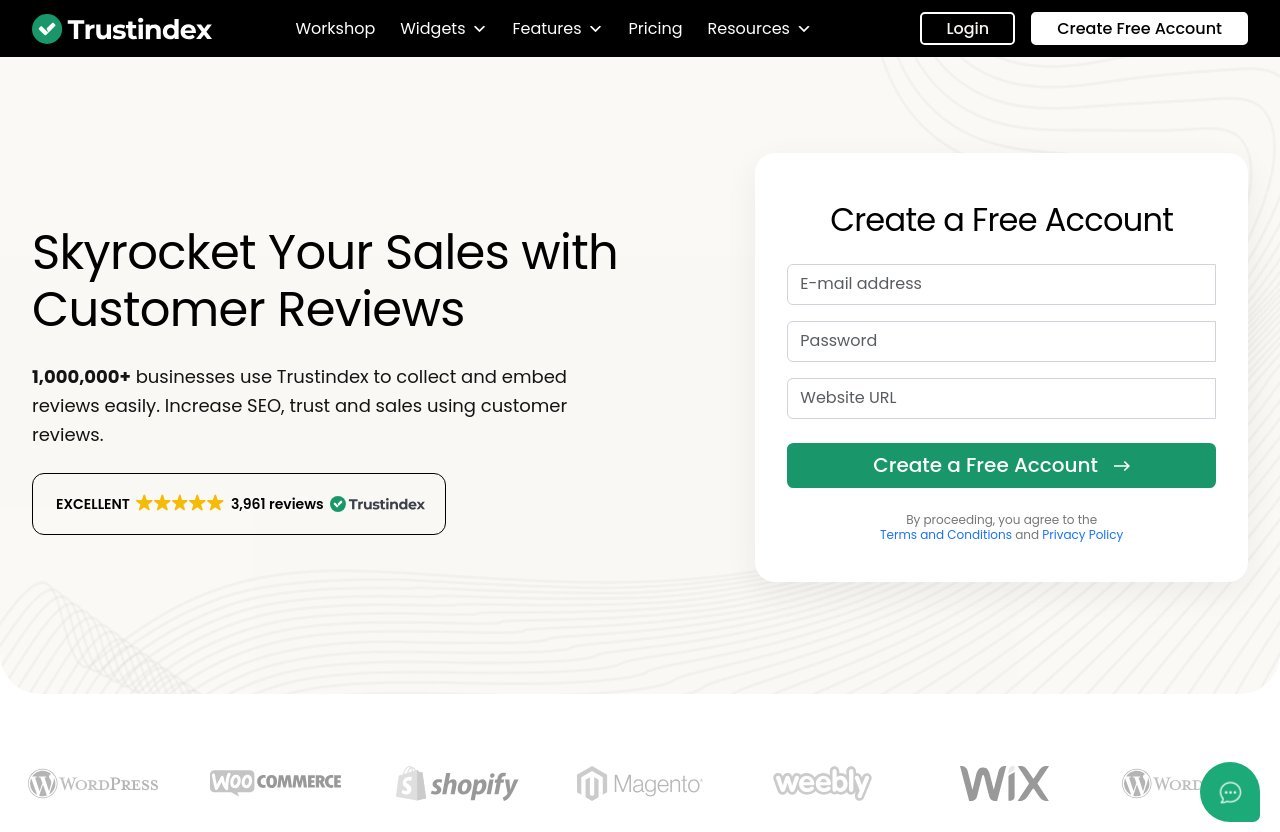
Based on the verified information provided for this review, Trustindex has official product pages describing review collection, review widgets, management tools, badges, certificates, trustmarks, and rich snippets. Its homepage states that more than 1,000,000 businesses use Trustindex to collect and embed reviews.
It also has a WordPress plugin listing that describes a free Google Reviews widget plugin and its functionality. These are meaningful legitimacy signals, particularly for businesses looking for a documented product rather than an anonymous embed script.
What Third-Party Ratings and Install Numbers Suggest
No independently verified third-party rating figures or installation numbers were supplied for this guide, so we will not invent or repeat unverified metrics. The WordPress plugin listing itself is a useful place to review current public feedback, update information, compatibility notes, and support activity before installing.
For a balanced assessment, look beyond promotional claims. Read recent user feedback, test the interface where possible, and compare the current feature list with your specific needs.
What to Check Before Publishing Reviews on Your Site
Before publishing any Trustindex reviews widget, confirm that it connects to the right business profile and accurately shows the source of the feedback. Check the displayed star rating, review text, reviewer information settings, and whether replies appear as intended.
Also review your website’s privacy policy and consent configuration. If you operate in a regulated sector or serve customers in multiple jurisdictions, seek appropriate compliance advice rather than assuming a plugin setting covers every obligation.
Best Practices for Review Authenticity
Trustindex is safest to use when it supports authentic reputation marketing rather than manufactured social proof. Only display genuine customer reviews, preserve their meaning, and do not create false endorsements.
Follow Google’s review policies and avoid incentives that require a positive review. If you moderate what appears on your own site, do so with a documented standard focused on relevance, privacy, abusive language, or legal risk—not simply on hiding legitimate criticism.
Best Practices for Showing Google Reviews Ethically and Effectively
Use Real Customer Reviews Only
The foundation of trustworthy review marketing is authenticity. Use real Google Business Profile reviews from genuine customers, and make sure your presentation does not imply that reviews came from customers who did not provide them.
This principle matters even more when using a polished trustindex google reviews widget. Attractive design can improve readability, but it should never make reviews appear more independent, more recent, or more comprehensive than they are.
Avoid Misleading Edits or Cherry-Picking Without Context
Shortening a lengthy review for layout purposes can be reasonable when the original meaning remains intact and visitors can access the fuller text where appropriate. Rewriting a customer’s wording to make it more promotional is not.
If you use rating filters or hide reviews, avoid broad claims that suggest the visible selection is a complete record. A balanced reputation strategy also includes responding professionally to criticism and using it to improve operations.
Keep Widget Styling Aligned With Brand Design
Use colors, spacing, and typography that match the surrounding page. A review widget should feel like part of the website rather than a disruptive advertisement pasted into the layout.
Keep contrast high and text readable, especially on mobile. Trustindex’s listing notes dark website support, but you should still preview every design choice on your own theme.
Refresh and Monitor Reviews Regularly
Reviews are most persuasive when they remain current and relevant. Monitor feedback on your Google Business Profile, review the website widget periodically, and make sure changes to branding or page templates have not broken the embed.
Regular monitoring also helps teams spot recurring concerns. The best review strategy is not just displaying praise; it is learning from the feedback and improving the customer experience behind it.
Final Verdict: Who Should Use Trustindex Google Reviews
Best-Fit Business Types
Trustindex is best suited to businesses that already receive meaningful customer feedback and want to use it more effectively on their website. Local businesses, service brands, ecommerce sellers, agencies, and WordPress site owners are especially likely to benefit from a structured review display and collection workflow.
It is particularly worth considering if your current approach is limited to screenshots, manual testimonial updates, or a Google profile link that takes visitors away from your site.
Pros and Tradeoffs
The major strengths are the confirmed range of review-related tools, Google reviews widget options, collection methods, badges, and WordPress implementation features. The WordPress plugin’s no-API-key connection, shortcode support, multiple layouts, local storage note, and display controls are practical advantages for many site owners.
The tradeoff is that buyers must verify current pricing and package details live before committing. You should also assess whether you genuinely need broader review collection and management tools or simply a lightweight widget.
When a Simpler Widget May Be Enough
A simpler widget may be enough for a small business with a single location, a modest number of reviews, and no need for campaign-based collection or more advanced reputation workflows. If you only want a basic testimonials block, an existing website builder component may also be sufficient.
However, if you want to collect Google reviews, create multiple display formats, manage review presentation, and scale the process across key pages or clients, Trustindex can be a more complete option.
Affiliate Recommendation and Next Step
Our conclusion is that trustindex google reviews is worth evaluating for businesses that want to convert real Google feedback into a credible on-site trust system. Its confirmed feature set is broad, but the best choice depends on your current reviews, platform, workflow, and live plan details.
If you want to test the product for your own website, you can review Trustindex through our recommendation link. Before signing up, check the official site’s current pricing information, promo banner, and checkout coupon field, then compare the available features against your business requirements.
Official website · Latest pricing & offers
FAQ
Is Trustindex Legit?
Trustindex appears to be a legitimate review marketing platform based on its official product pages, its stated user base of more than 1,000,000 businesses, and the availability of a WordPress plugin listing for its Google Reviews widget.
That does not mean every plan or feature will fit every business. Review the current product details, WordPress plugin information, and live pricing page before buying or installing.
How Much Does Trustindex Cost?
Check the live official Trustindex pricing page for current plans and prices. The official pricing URL crawl provided for this guide returned a 404, so no prices, plan names, billing periods, or feature tiers are stated here.
Before purchase, verify the current plan terms and check the official site’s promo banner and checkout coupon field for any active offer information.
How Do I Add Google Reviews to My Website With Trustindex?
The usual process is to create a Trustindex account, connect your Google Business Profile, choose a widget layout and style, then embed the widget on your website. WordPress users can use shortcode support listed for the Trustindex WordPress plugin.
Choose a suitable location such as a homepage, service page, product page, contact page, or landing page, then test the display on desktop and mobile before publishing widely.
Can Trustindex Collect Reviews Automatically?
Trustindex’s official feature navigation includes review collection features such as email campaigns, QR codes, NFC cards, and integrations. These tools can help businesses build a more consistent process for requesting customer feedback.
Businesses should still request only genuine, honest reviews and follow Google’s policies. Never pressure customers, demand positive ratings, or use misleading incentives.
Does the Trustindex WordPress Plugin Require a Google API Key?
According to the WordPress plugin listing, the Trustindex Google Reviews widget plugin lets users connect to a Google Business Profile in seconds with no Google API key required.
This can simplify setup for WordPress site owners, although you should always confirm the current installation instructions on the live plugin listing before proceeding.
What Widget Layouts Are Available for Google Reviews?
The Trustindex WordPress plugin listing identifies responsive slider, grid, list, and badge layouts. It also mentions 45 widget layouts and more than 10 predesigned widget styles.
The official Trustindex Google Reviews widget page also states that it supports multiple widget types and layouts. The best choice depends on the page: badges suit compact areas, while grids, lists, and sliders can provide more review detail.
Related Reading
- Trustindex vs other review tools
- How we evaluate software pricing pages
- A practical guide to judging whether a tool is worth it
References
- Trustindex.io – Skyrocket Your Sales with Customer Reviews
- Google Reviews Widget: The 10 Best in 2026
- Widgets for Google Reviews – WordPress plugin
- Trustindex Knowledge Base