Podsqueeze Review: Podsqueeze Pros and Cons, Features, and Pricing
Official website · Latest pricing & offers
Podsqueeze Review at a Glance
If you are comparing podsqueeze pros and cons before buying, the short answer is this: Podsqueeze is worth considering if you regularly publish audio or video podcasts and want to turn each episode into transcripts, clips, show notes, newsletters, blogs, and social posts with less manual work.
It is not the cheapest option for every casual creator, and the monthly minute and clip limits matter. But for podcasters, agencies, and content teams that already spend time repurposing episodes, the workflow can make practical sense.
Disclosure: toptrustreview.com may earn a commission if you purchase through affiliate links in this article. That does not change the analysis; the goal here is to help you decide clearly.
What Podsqueeze is
Podsqueeze is an AI podcast content creation platform built to help users launch and grow audio or video podcasts. Its main job is to turn podcast episodes into useful marketing assets.
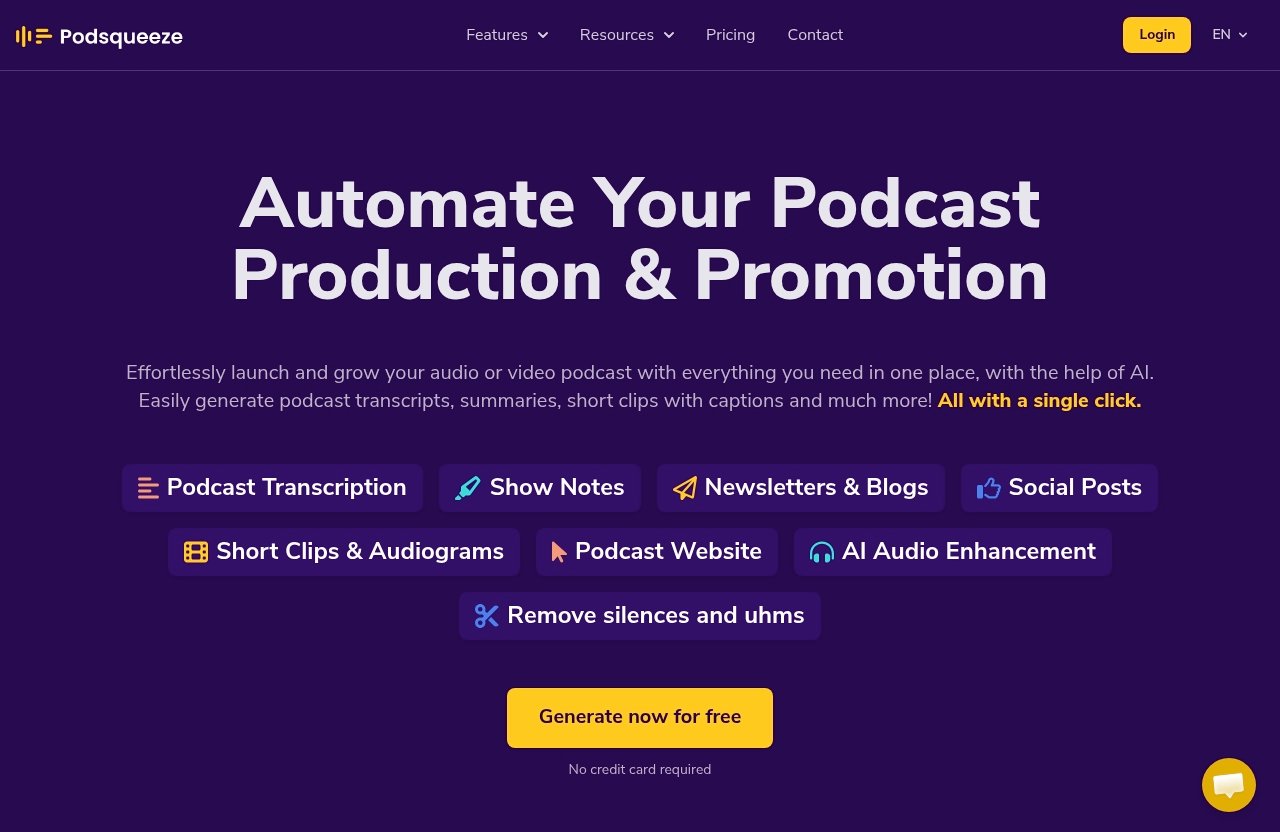
Based on the official product information, Podsqueeze can generate podcast transcripts, summaries, short clips with captions, newsletters, blogs, social posts, and AI audio enhancement.
Who this review is for
This Podsqueeze review is for creators who are tired of turning one episode into ten different content pieces manually. It is also for podcast managers, agencies, and teams that need repeatable outputs for multiple shows.
If you are comparing Podsqueeze alternatives, this guide focuses only on verified Podsqueeze features and pricing, not unsupported competitor claims.
Bottom-line verdict
Podsqueeze is best for people who publish consistently and want a podcast repurposing tool that covers the full content chain: transcript, show notes, clips, social posts, blog/newsletter content, and audio cleanup.
The main podsqueeze pros and cons come down to workflow value versus usage limits. If your show produces enough content each month, it can save meaningful time. If you only need the occasional transcript, a paid plan may be harder to justify.
You can review the current offer through Podsqueeze on toptrustreview.com if you want to compare the plans while reading.
What Podsqueeze Does
Core workflow overview
Podsqueeze helps you move from a finished podcast episode to a set of ready-to-use content assets. The typical workflow is simple: upload or convert an episode, generate a transcript, create written content, produce clips or audiograms, and polish the audio where needed.
For a creator, that means less switching between separate tools for transcription, social snippets, show notes, and short-form content.
Transcript-to-content pipeline
The strongest use case is the transcript-to-content pipeline. Podsqueeze starts with a transcript and then uses that episode material to create show notes, summaries, blog posts, newsletters, and social posts.
This is where the podsqueeze pros and cons become practical. The pro is that one episode can feed multiple content channels. The con is that you still need to review the outputs before publishing, especially if your brand voice or claims need careful editing.
Why it stands out in podcast repurposing
Podsqueeze stands out because it is not positioned as only a podcast transcription tool. It is closer to an end-to-end podcast repurposing tool.
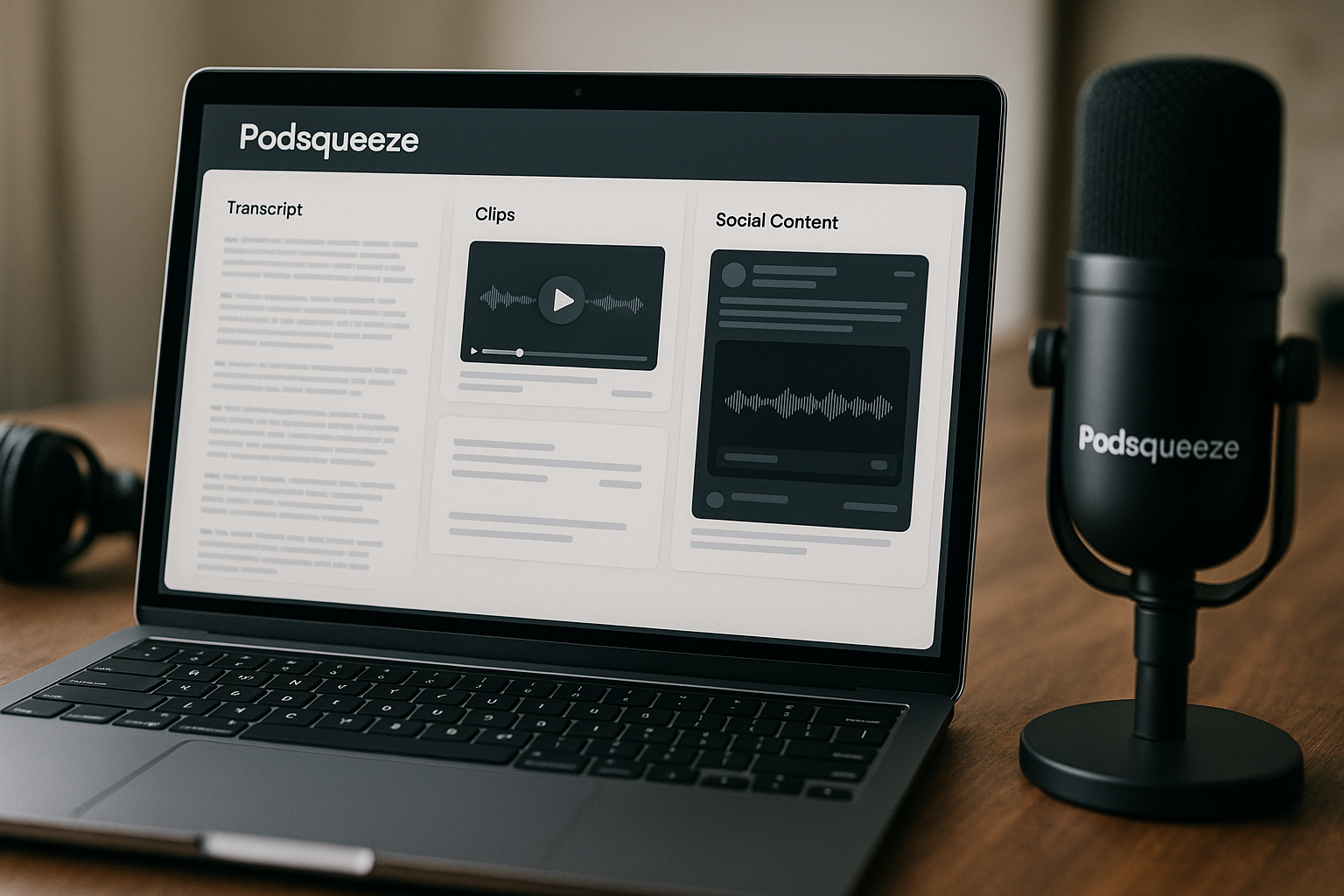
The verified feature set includes transcripts, timestamps, speaker labeling, SRT files, clips with captions, audiograms, quote images, newsletters, blog posts, social posts, audio enhancement, and podcast website or landing page capability. That combination is useful for creators who want fewer separate steps in their podcast content creation process.
If you are still comparing related workflows, our guides to [Podsqueeze vs Riverside 2026](/podsqueeze-vs-riverside-2026/) and [Klap vs Riverside: Best Platform for Podcast Clip Creation](/klap-vs-riverside-best-platform-for-podcast-clip-creation/) may also help.
Podsqueeze Features: What You Actually Get
Transcripts and speaker labeling
Podsqueeze provides full transcripts, speaker labeling, timestamps, and SRT files for subtitles. That makes it useful for podcasters who need searchable episode text, subtitle files, or a foundation for written content.
For many buyers evaluating podsqueeze pros and cons, transcripts are the baseline feature. The extra value is that the transcript can also support show notes, blogs, newsletters, and social content.
Show notes with timestamps and chapters
Podsqueeze can create summaries and show notes in your own voice. The verified show notes features include timestamps, bullet points, and mentions.
This matters because podcast show notes are often tedious to prepare manually. A show notes generator can make each episode easier to scan, especially when listeners want key takeaways before pressing play.
Clips, audiograms, and quote images
Podsqueeze supports short clips and audiograms for TikTok, Instagram, and YouTube Shorts. You can choose a template, tune clips to your style, edit subtitles, and trim video by removing specific words.
It also includes quote images in the paid plans listed on the official pricing page. These assets can help turn one long-form episode into smaller promotional pieces without starting from scratch each time.
Blog posts, newsletters, and social posts
Podsqueeze can generate actionable blog posts and ready-to-send newsletters with main takeaways. It can also create short posts and bite-sized insights for social media.
This is a major point in the podsqueeze pros and cons discussion. If you already publish across multiple channels, these outputs can reduce the blank-page problem. However, you should still edit for accuracy, formatting, and your specific point of view before publishing.
For broader content distribution planning, you may also find our guide to the [Best Social Media Scheduler for Engagement in 2026](/best-social-media-scheduler-for-engagement-2026/) useful.
Audio enhancement and filler-word removal
Podsqueeze includes AI audio enhancement. Verified audio features include removing silences and “uhms” and improving sound quality.
This does not replace good recording habits, but it can help clean up a finished episode. For podcasters who do basic post-production themselves, this feature may reduce some repetitive editing work.
Podcast website and landing pages
Podsqueeze can create a professional online hub with embedded audio players, auto-generated episode pages, and SEO-optimized show notes. The Starter plan includes a podcast website, while Pro and Agency Lite list podcast landing pages.
This feature is especially useful if you want each episode to have a shareable destination. For teams and agencies, branded episode pages can also make client review and promotion easier.
Podsqueeze Pros And Cons: Podsqueeze Pros
Saves time on content repurposing
The biggest pro is workflow compression. Instead of manually creating transcripts, show notes, social posts, newsletters, and clips in separate places, Podsqueeze centralizes much of that process.
When weighing podsqueeze pros and cons, this is the clearest advantage. If you publish weekly, even modest time savings per episode can add up quickly.
Useful output quality for show notes and quotes
Podsqueeze is designed to produce show notes, summaries, bullet points, mentions, and quote-style assets from podcast episodes. These are the types of outputs podcast teams commonly need after every recording.
The practical benefit is consistency. You can build a repeatable episode publishing checklist rather than recreating your workflow each time.
Multiple formats from one upload
Podsqueeze can turn one episode into several asset types: transcript, SRT file, show notes, clips, audiograms, quote images, blog posts, newsletters, and social posts.
That makes it a strong podcast repurposing tool for creators who care about distribution. A single long-form episode can support search, email, social media, and short-form video.
Good fit for creators, managers, and agencies
Podsqueeze includes workflow features such as organizing episodes in folders, sharing content pages with clients and teams, tuning AI voice per show, and using the podcast topics finder.
For solo creators, those features can keep content organized. For podcast managers and agencies, they can make it easier to handle multiple shows and share outputs with stakeholders.
Official website · Latest pricing & offers
Podsqueeze Pros And Cons: Podsqueeze Cons
Pricing can be a hurdle for solo hobbyists
Podsqueeze paid plans start at $8.99/month for Starter, then move to $49/month for Pro and $89/month for Agency Lite. Enterprise uses custom pricing.
For a hobbyist who publishes rarely, the value depends on whether the included monthly minutes and content outputs are actually used. This is one of the fairest podsqueeze pros and cons to consider before buying.
Usage limits on monthly minutes and clips
The plans include specific monthly podcast time and clip limits. Starter includes 120 minutes per month and 8 video clips or audiograms. Pro includes 320 minutes and 20 clips or audiograms. Agency Lite includes 600 minutes and 40 clips or audiograms.
Minutes rollover is included, which helps. Still, if your episodes are long or you produce several shows, you should calculate your monthly needs before choosing a plan.
Best value depends on how often you publish
Podsqueeze makes the most sense when you publish consistently and repurpose each episode into multiple assets. If you only need one transcript every few months, the broader feature set may be more than you need.
That does not make the tool weak. It simply means the value is tied to your workflow frequency.
Podsqueeze Pricing Explained
Podsqueeze pricing is straightforward, but the right plan depends on monthly podcast minutes, clip needs, file sizes, and whether you work alone or with clients.
Annual billing is shown with 30% off on the official pricing page, but the exact annual amounts are not listed here because they should be checked directly on the live pricing page.
| Plan | Price | Best for | Monthly minutes | Clips/audiograms |
|---|---|---|---|---|
| Starter | $8.99/mo | Hobbyist podcasters | 120 minutes | 8 |
| Pro | $49/mo | Professionals | 320 minutes | 20 |
| Agency Lite | $89/mo | Podcast agencies | 600 minutes | 40 |
| Enterprise Custom | Custom | Agencies and media companies | Custom | Custom |
Starter plan
Starter costs $8.99/month and is positioned for hobbyist podcasters. It includes 120 minutes of podcast time per month, minutes rollover, 8 video clips or audiograms, quote images, file upload up to 4GB, unlimited uploads, and unlimited YouTube conversions.
It also includes a podcast website, audio enhancement, podcast audio editor, chat with transcript, personalized results, and saved video templates.
Pro plan
Pro costs $49/month and is marked as the most popular plan for professionals. It includes 320 minutes per month, minutes rollover, 20 video clips or audiograms, quote images, file upload up to 10GB, unlimited uploads, and unlimited YouTube conversions.
It also includes podcast landing pages, audio enhancement, podcast audio editor, chat with transcript, personalized results, and saved video templates.
Agency Lite plan
Agency Lite costs $89/month and is built for podcast agencies. It includes 600 minutes per month, minutes rollover, 40 video clips or audiograms, quote images, file upload up to 10GB, unlimited uploads, and unlimited YouTube conversions.
Like Pro, it includes podcast landing pages, audio enhancement, podcast audio editor, chat with transcript, personalized results, and saved video templates.
Enterprise custom plan
Enterprise Custom uses custom pricing and is intended for agencies and media companies. It includes everything in Pro, plus custom minutes, custom clips, priority support, feature requests, team onboarding, and training.
This is the plan to consider if your publishing volume is beyond the standard tiers or if onboarding and support are important to your team.
Which plan offers the best value
For most professionals, Pro is likely the natural middle option because it offers more minutes, more clips, and larger file uploads than Starter. For agencies, Agency Lite makes more sense if the extra monthly minutes and clips match client volume.
The best value depends on your actual publishing schedule. When reviewing podsqueeze pros and cons, I would calculate minutes first, then clips, then decide whether the website or landing page features matter to your workflow.
Is Podsqueeze Worth It?
Best for solo podcasters
Podsqueeze is worth it for solo podcasters who publish regularly and want help turning each episode into multiple assets. Starter may be enough for hobbyists with shorter or less frequent episodes.
If your show is part of a serious content strategy, Pro may be easier to justify because it includes more monthly minutes and clips.
Best for teams and agencies
Podsqueeze looks especially useful for teams and agencies because it supports folders, shared content pages, AI voice tuning per show, and client/team workflows.
Agency Lite and Enterprise are the most relevant options here. The podsqueeze pros and cons for agencies are mostly about volume: if you can use the minutes and clips, the workflow is attractive; if not, the plan may be more than you need.
When to skip it
You may want to skip Podsqueeze if you only need occasional basic transcription and do not plan to repurpose episodes. You may also want to wait if your monthly podcast volume is too low to justify even the Starter plan.
It is also worth comparing your workflow with related tools. For example, our articles on [Is Repurpose.io Worth It in 2026?](/is-repurpose-io-worth-it-2026/) and [Contentstudio Reviews 2026](/contentstudio-reviews-2026/) may help if your main need is broader content distribution rather than podcast-first repurposing.
Podsqueeze vs. the Typical Manual Workflow
Time saved
A manual podcast workflow often includes transcription, editing, quote selection, show notes, blog drafting, newsletter drafting, social post writing, and clip creation. Podsqueeze combines many of those steps inside one platform.
This is the most important practical difference. It does not remove the need for human review, but it can reduce the repetitive first-draft work.
Content consistency
Manual workflows can become inconsistent when different people write show notes, cut clips, or prepare newsletters. Podsqueeze helps create repeatable outputs from each episode.
That matters for teams managing several shows. The ability to tune AI voice per show can also support more consistent podcast content creation.
Brand voice control
Podsqueeze supports show notes in your own voice and personalized results. It also lets users tune AI voice per show.
For creators comparing podsqueeze pros and cons, this is a meaningful feature. AI-generated content still needs editing, but voice tuning can help the first draft feel closer to your preferred style.
How to Use Podsqueeze More Effectively
Choose the right episode length
Before choosing a plan, estimate your average episode length and monthly publishing schedule. A weekly 30-minute show has different needs from a twice-weekly 60-minute show.
This helps you avoid underbuying minutes or overpaying for capacity you will not use.
Repurpose one episode into multiple assets
To get the best return, use Podsqueeze for more than transcripts. Turn each episode into show notes, a newsletter, social posts, short clips, quote images, and a blog post when relevant.
That is where the platform’s value becomes clearer. The strongest podsqueeze pros and cons favor users who repurpose consistently.
Use transcripts for SEO
Full transcripts, timestamps, SRT files, and SEO-optimized show notes can support better episode pages. They also make your content easier to scan and reuse.
If you use the podcast website or landing page features, treat each episode page as a content asset rather than just a media embed.
Batch content for multiple podcasts
If you manage more than one show, use folders and shared content pages to keep projects organized. Agencies can also use the client and team sharing workflow to reduce messy handoffs.
Batching episodes by show, client, or production stage can make the platform easier to manage.
Official website · Latest pricing & offers
FAQ
Is Podsqueeze free?
The official homepage says you can try Podsqueeze with no credit card required. The official pricing page shows paid plans starting at $8.99/month.
Do not assume there is a permanent free plan unless the current Podsqueeze pricing page confirms it.
What does Podsqueeze do?
Podsqueeze helps turn podcast episodes into transcripts, show notes, blog posts, newsletters, social posts, clips, audiograms, quote images, and enhanced audio.
It supports both audio and video podcast workflows.
Is Podsqueeze good for agencies?
Yes, Podsqueeze can be a good fit for agencies that manage multiple podcasts. Agency Lite and Enterprise are built for higher-volume or more advanced workflows.
Useful agency features include folders, shared content pages, AI voice tuning per show, client/team sharing, and custom Enterprise options.
Does Podsqueeze include transcripts and subtitles?
Yes. Podsqueeze provides full transcripts, speaker labeling, timestamps, and SRT files for subtitles.
That makes it useful as both a podcast transcription tool and a starting point for repurposed content.
What is the best Podsqueeze plan?
The best plan depends on your monthly minutes and clip needs. Starter is best for hobbyists, Pro is best for many professionals, Agency Lite is better for higher-volume teams, and Enterprise is for custom scaling.
If you are unsure, calculate your monthly episode minutes first.
Final Verdict
Who should buy Podsqueeze
Podsqueeze is a strong choice for podcasters, content teams, and agencies that publish consistently and want a simpler way to turn episodes into multiple content formats.
The strongest podsqueeze pros and cons point toward one conclusion: it is most valuable when you use the full workflow, not just one feature.
Who should look elsewhere
You may want to look elsewhere if you only need occasional transcripts, rarely publish, or do not create social, newsletter, blog, or clip content from your episodes.
In that case, the monthly limits and pricing may not match your actual usage.
Final recommendation
Podsqueeze is worth considering if you want an AI podcast repurposing tool that handles transcripts, show notes, clips, audiograms, newsletters, blogs, social posts, audio enhancement, and podcast pages in one workflow.
My recommendation is simple: if you publish regularly and repurpose each episode, Podsqueeze is a practical buy. If your needs are occasional or transcript-only, compare your usage carefully before subscribing.
To see the current plans and decide whether the limits fit your workflow, you can visit Podsqueeze through toptrustreview.com.
Related Reading
References
- Podsqueeze Official Homepage
- Podsqueeze Pricing
- Promote your Podcast
- Podsqueeze Reviews, Pros & Cons and Alternatives (Jun 2026)