
Webflow vs Framer: Which No-Code Website Builder Should You Choose in 2026?
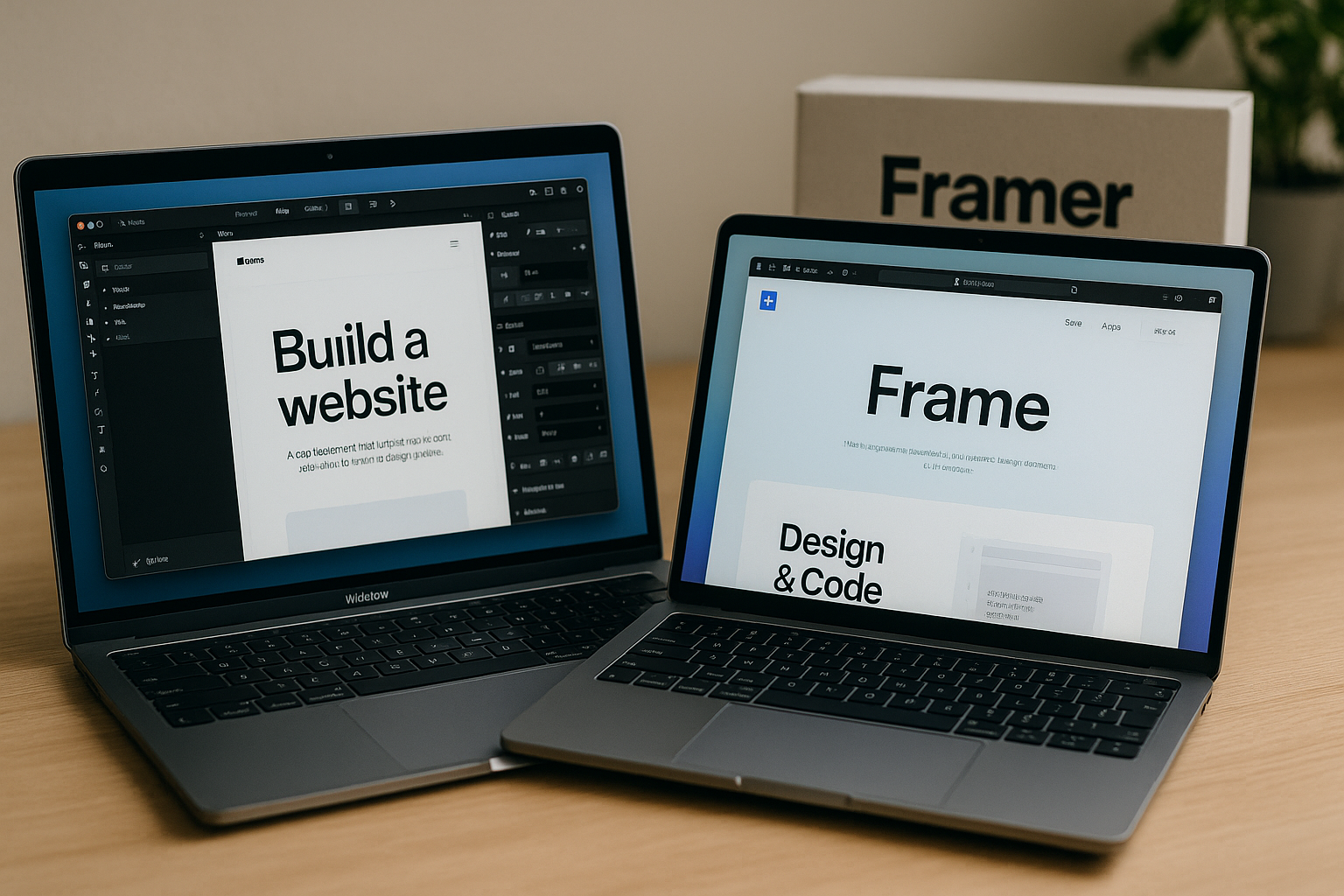
If you are comparing webflow vs framer, you are probably not asking which tool has the flashiest demo. You are asking which no-code website builder will help you launch faster, look more polished, rank in search, manage content, hand off to clients, and still feel reliable six months after launch.
That is the real buyer’s question.
Webflow and Framer both appeal to design-focused users: founders, freelancers, in-house marketers, product designers, and agencies. But they solve slightly different problems. Framer is often favored for fast, elegant marketing pages and quick design iteration. Webflow is the stronger long-term choice for complex sites, CMS-heavy projects, SEO, scalable client work, and teams that need deeper control.
Disclosure: This article may contain affiliate links. If you buy through one of these links, toptrustreview.com may earn a commission at no extra cost to you. Our recommendations are based on practical fit, not hype, and you should evaluate each platform against your own project needs.
Official website · Latest pricing & offers
Webflow vs Framer: Quick Verdict
Here is the short version of the webflow vs framer decision: choose Framer if speed and visual polish are your only priorities; choose Webflow if you need a more complete website platform with stronger long-term control.
| Buyer Priority | Better Fit | Why |
|---|---|---|
| Fast visual landing page | Framer | Often seen as quick for sleek, design-led pages |
| CMS-heavy website | Webflow | Official Webflow CMS is part of the platform |
| SEO-focused content site | Webflow | Webflow includes SEO and AEO capabilities in its platform categories |
| Agency client handoff | Webflow | Stronger fit for scalable client work, governance, and workflows |
| Low learning curve | Framer | Commonly described by market comparisons as easier for designers |
| Long-term scalability | Webflow | More depth across Build, Manage, Optimize, and Extend |
| Design control | Tie, with different strengths | Framer is fast; Webflow gives deeper production control |
The best no-code website builder is not always the simplest one. It is the one that matches the complexity of your project.
Best for designers who want speed
If your priority is launching a polished single-page site, prototype-style website, or startup landing page, Framer has a strong appeal. In many framer vs webflow comparisons, including market commentary from sources like Zapier and Mercury, Framer is typically framed as the faster, more design-native option for visual creation.
That matters if you are validating a product idea, building a founder landing page, or publishing a clean campaign microsite. For these jobs, the shortest path from design to live site can be more valuable than having the deepest platform.
Best for teams that need depth and control
For teams that care about CMS structure, SEO, collaboration, security, localization, and long-term site operations, Webflow has the stronger platform story. Webflow describes itself as an AI-native web platform for modern businesses, with official categories across Build, Manage, Optimize, and Extend.
That is the core reason this webflow vs framer 2026 comparison leans toward Webflow for serious websites. If you want deeper control and room to grow, Webflow is the safer long-term pick.
Who should choose Webflow vs Framer
Choose Webflow if you are building a site that may grow into a content hub, product marketing system, client website portfolio, localized site, or SEO asset. It is especially strong when design quality matters but so do structure, optimization, and maintainability.
Choose Framer if you need a fast, modern, design-led publishing workflow and do not expect heavy CMS needs, advanced client governance, or complex scaling workflows. In other words, webflow vs framer is less about which tool is “better” and more about whether your site is a quick visual launch or a long-term business asset.
What Webflow and Framer Are Built For

The easiest mistake in a webflow vs framer comparison is treating both tools like interchangeable website builders. They overlap, but they are built around different center points.
Webflow feels like a production website platform for teams that want control over design, content, hosting, SEO, collaboration, and extensibility. Framer is commonly positioned in the market as a fast, design-first publishing tool that helps designers move quickly.
Webflow as an AI-native web platform
Webflow’s own homepage describes it as an AI-native web platform for modern businesses. Its official platform categories are Build, Manage, Optimize, and Extend, which gives a useful lens for evaluating its role.
Official Webflow capabilities include Design, Edit content, Interactions, Collaboration, Page building, CMS, Hosting, Localize, Security, Shared Libraries, Analyze, Optimize, SEO, AEO, Apps, Figma to Webflow, Webflow Cloud, DevLink, and MCP.
That combination matters if you are building more than a simple brochure site. In a webflow vs framer decision, Webflow is better suited to buyers who want the website to become a durable marketing system.
Framer as a design-first publishing tool
Framer is often discussed as a tool that designers enjoy because it can feel close to modern visual design workflows. SERP consensus from comparison articles such as Zapier’s Framer vs Webflow guide and Mercury’s comparison generally describes Framer as fast, sleek, and approachable for design-led websites.
That does not make it weak. It makes it specialized.
If your site is primarily a beautiful landing page, portfolio, or lightweight startup marketing page, Framer may reduce friction. But if the site needs content modeling, SEO operations, structured growth, and client workflows, the webflow vs framer balance shifts toward Webflow.
Why the use case matters more than the brand
A solo designer building a personal portfolio does not need the same platform as an agency managing several client websites. A SaaS founder testing messaging does not need the same structure as a content team publishing dozens of SEO pages.
This is why a practical no-code website builder comparison should start with the job to be done. If the site is short-lived, campaign-based, and visually focused, Framer can be a smart choice. If the site is expected to evolve, rank, localize, integrate, and support multiple stakeholders, Webflow is usually the more future-proof option.
Side-by-Side Comparison: Webflow vs Framer
This is where webflow vs framer becomes a real buying decision. Below, we compare the areas that affect your daily workflow and long-term site health: ease of use, design freedom, CMS, SEO, performance, collaboration, handoff, ecommerce, and integrations.
Ease of use and learning curve
Framer is commonly seen as easier for designers who want to move quickly from visual concept to published page. If you already think in layouts, sections, animations, and components, Framer may feel more immediate.
Webflow has a steeper learning curve because it exposes more production-style concepts. You are not just placing visual elements; you are working with structure, responsive behavior, CMS collections, interactions, SEO settings, and publishing workflows.
That learning curve is not a flaw for everyone. In a webflow vs framer comparison, Webflow rewards users who want precision and control, while Framer rewards users who want speed and simplicity.
For freelancers, the question is whether you want the easiest tool today or the more capable tool over time. For agencies, Webflow’s depth can become a competitive advantage because it supports more demanding client projects.
Design freedom and interactions
Both tools appeal to people who care about visual polish. Framer is often praised in market comparisons for slick visuals and fast animation-friendly workflows, making it attractive for landing pages, personal sites, and startup launches.
Webflow offers official capabilities around Design and Interactions, which gives designers strong creative control while keeping the site within a broader website platform. It can handle refined layouts, responsive design, and production-ready visual systems.
The practical tradeoff is speed versus depth. Framer may get you to a stylish first version faster. Webflow may take longer upfront but gives more room to build a robust design system, reusable structure, and scalable client-ready site.
If your webflow vs framer decision is purely about visual speed, Framer has a strong case. If your design needs to support content scale, SEO structure, localization, and collaboration, Webflow becomes more compelling.
CMS and content management
CMS depth is one of the clearest reasons to choose Webflow. Webflow officially lists CMS as a core capability, and its pricing page identifies limited Webflow CMS on the free Starter plan and Webflow CMS on the Premium plan.
For content-heavy sites, this matters. Blogs, resource libraries, customer stories, landing page templates, author pages, event pages, and product education hubs all benefit from structured content management.
Framer may work well for simpler publishing needs, but buyers often compare webflow cms depth against Framer when they are planning long-term content operations. Where Framer is commonly seen as fast and elegant, Webflow is more often the safer choice for structured content and growing editorial workflows.
If SEO content is part of your acquisition strategy, the webflow vs framer question should heavily weight CMS structure. A beautiful website is useful, but a scalable content system can become a compounding business asset.
SEO and performance
Webflow officially includes SEO, AEO, Analyze, and Optimize in its platform capabilities. That matters for businesses that want their website to support organic search, answer engine visibility, and conversion optimization.
In practical terms, webflow seo is attractive because design, content, optimization, and publishing can live inside one platform. You can build visually rich pages while still thinking seriously about search structure, content templates, and long-term optimization.
Framer is often considered a capable option for clean marketing pages, but when buyers compare webflow vs framer for SEO-heavy projects, Webflow generally has the stronger reputation for advanced site control. As always, SEO results depend on content quality, technical setup, site architecture, backlinks, and competition—not the builder alone.
Performance also depends on implementation. A poorly built page can be slow on any platform. The safer way to think about this category is not “which tool magically ranks,” but “which tool gives my team the control needed to build, manage, and optimize search-focused pages over time?”
Collaboration and client handoff
Webflow officially lists Collaboration, Edit content, Shared Libraries, publishing workflows on platform plans, single-page publishing, site activity log & API, governance, permissions, roles, security, and enterprise configurations across its platform capabilities and higher-tier plans.
That makes Webflow a strong fit for client work and growing teams. Agencies can design and build while clients manage approved content areas. Larger teams can benefit from workflows, governance, and support options depending on plan level.
Framer can be attractive for quick client projects where the deliverable is a sleek marketing page and the client does not need complex content operations. But for repeatable agency systems, the webflow vs framer comparison often favors Webflow because handoff is not just about publishing—it is about maintainability.
This is where webflow for agencies becomes a serious point. Agencies need reusable processes, clear roles, and room to support clients after launch. Webflow’s broader platform is better aligned with that reality.
Ecommerce and integrations
For ecommerce and integrations, be careful with assumptions. The facts provided here verify Webflow capabilities such as Apps, Webflow Cloud, DevLink, MCP, code components on Premium, and secure integrations on Enterprise. Webflow also officially lists Extend as a platform category.
That makes Webflow more suitable for buyers who expect the site to connect into a broader stack. If you are building a marketing site that may later connect to product experiences, content systems, analytics, apps, or internal workflows, extensibility matters.
Framer is commonly described as simpler and faster, but buyers should verify whether it supports their exact ecommerce and integration needs before committing. For advanced workflows, the webflow vs framer decision should include not just the launch, but what happens after the site becomes important to the business.
If your site is a core revenue channel rather than a visual brochure, Webflow is generally the safer platform to evaluate first.
Webflow Pricing vs Framer Pricing
Pricing is where buyers often search for webflow vs framer cost or framer vs webflow pricing and expect a simple answer. The reality is that total cost depends on the size of the site, how many stakeholders need access, whether you need CMS, and how much governance matters.
Important note: the verified pricing details below are only for Webflow, based on Webflow’s official pricing page. This article does not invent Framer pricing. You should check Framer’s official pricing page directly before making a final budget decision.
Webflow site plans
Webflow’s official Site plans are priced in USD, per site, with applicable taxes added at checkout.
| Webflow Site Plan | Price | Officially Listed Inclusions |
|---|---|---|
| Starter | Free | Webflow.io domain, limited Webflow CMS, 2 static pages, 1 GB bandwidth, 50 form submissions, Webflow AI, MCP server, Webflow Cloud app hosting, and Free Starter Workspace |
| Basic | $15/mo billed yearly | Custom domain, 300 static pages, 10 GB bandwidth, unlimited form submissions, password protection, Webflow AI, MCP server, Webflow Cloud app hosting, and Free Starter Workspace |
| Premium | $25/mo billed yearly | Everything in Basic plus Webflow CMS, bandwidth, code components, site search, form file upload, and well-known files |
For a simple site, Basic may be enough if you do not need Webflow CMS. For content-driven projects, Premium is more relevant because it includes Webflow CMS.
In a webflow vs framer budget discussion, Webflow can look more layered than simpler tools. But those layers also let buyers match the plan to the site’s complexity.
Webflow platform plans
Webflow also lists Platform plans for larger team and enterprise needs.
| Webflow Platform Plan | Price | Officially Listed Inclusions |
|---|---|---|
| Team | $2500/mo, annual contract required | Everything in Premium plus Site & Workspace, Webflow Localize, AEO agents, publishing workflows, single-page publishing, site activity log & API, foundational governance, enhanced security & compliance, and priority support |
| Enterprise | Custom pricing | Everything in Team plus enterprise-ready scale, granular permissions, custom roles, advanced governance, secure integrations, dedicated account manager, enhanced SLAs, and custom configurations |
These plans are not aimed at casual solo creators. They are for organizations that need scale, governance, support, compliance, and controlled publishing.
That distinction is important in any webflow vs framer 2026 evaluation. Webflow’s pricing structure can feel complex, but it reflects a broader platform model.
How pricing affects total cost of ownership
The cheapest monthly plan is not always the lowest total cost. A tool that saves time at launch may cost more later if you need to rebuild, migrate content, add SEO structure, or introduce client workflows.
Webflow’s cost should be evaluated against its role in your business. If it replaces multiple tools, supports your CMS, helps your agency standardize builds, and gives your marketing team control, the value may justify the learning curve and plan complexity.
For a single landing page, Framer may be more efficient. For a long-term website system, webflow vs framer cost should include redesign cycles, content maintenance, SEO growth, and client support—not just the subscription.
Which pricing model is better for teams
For teams, Webflow’s layered model can be an advantage. Site plans support individual projects, while platform plans support governance, localization, workflows, compliance, and enterprise-ready scale.
For solo users, that same structure can feel like more than they need. This is one of Webflow’s honest tradeoffs: it is powerful, but not always the simplest option for tiny projects.
If you are buying for an agency, marketing team, or growth company, Webflow’s pricing is easier to justify when the site is a long-term asset. If you are buying for a short campaign page, Framer may deserve a close look.
Official website · Latest pricing & offers
Best Use Cases: Which Builder Fits Your Project?
The most useful webflow vs framer advice is project-specific. Below are the buyer scenarios where each platform makes the most sense.
Choose Webflow if you need CMS, SEO, and scale
Choose Webflow when your site needs structured content, search visibility, and room to grow. Examples include SaaS resource centers, B2B blogs, customer story libraries, agency sites, product education hubs, and multi-page marketing websites.
Webflow is especially strong when design and content strategy need to work together. You can create polished pages while still thinking about CMS fields, templates, SEO, AEO, localization, analytics, and optimization.
If organic traffic matters, the webflow vs framer decision should favor the tool that gives you more operational control. Webflow is not a substitute for SEO strategy, but it is a stronger foundation for serious SEO work.
Choose Framer if you need fast, polished launches
Choose Framer when you need a beautiful site live quickly and the content model is simple. It can be a strong fit for product waitlists, personal portfolios, event pages, pitch-support sites, and early-stage startup messaging tests.
This is where framer for designers is a fair description. Designers who want a fast route from visual idea to published page may enjoy Framer’s workflow.
If the project is mostly static, visually driven, and not expected to grow into a large content system, Framer can be the more efficient choice.
Choose Webflow for agencies and client sites
Agencies need more than design speed. They need repeatable workflows, client handoff, collaboration, hosting, CMS, security, SEO, and room for future changes.
That is why Webflow is often the stronger choice for agencies. It supports a more complete site lifecycle: build, manage, optimize, and extend.
In a webflow vs framer agency decision, ask what happens after launch. Can the client update content? Can the site grow? Can the agency maintain standards? Can the project support SEO and future redesigns? Webflow is usually better aligned with those needs.
Choose Framer for simple startup marketing sites
Framer can be a strong option for early-stage startups that need a polished homepage, waitlist page, or investor-facing product narrative. If the goal is speed, clarity, and visual appeal, it can reduce the time between idea and launch.
But startup sites often become more complex. A simple homepage may later need comparison pages, blog posts, changelog content, help resources, localization, analytics, and SEO landing pages.
That is the key tradeoff. Framer may help you launch quickly, while Webflow may help you avoid rebuilding once the site becomes a growth channel.
Pros and Cons of Webflow
A balanced webflow vs framer guide should be honest about Webflow. It is powerful, but that power comes with complexity.
Strengths
Webflow’s biggest strength is that it combines visual design with a broader production website platform. Official capabilities include Design, Interactions, CMS, Hosting, SEO, AEO, Collaboration, Analyze, Optimize, Localize, Security, Apps, Figma to Webflow, Webflow Cloud, DevLink, MCP, and more.
For buyers, that means Webflow can support more than a launch page. It can support a real marketing website with content operations, search strategy, team workflows, and scalable governance.
Webflow is also a strong fit for agencies and teams that want client-ready websites without giving up design control. If you want a serious framer alternative, Webflow is the most obvious place to start.
Limitations
Webflow’s main limitation is the learning curve. New users may need time to understand layout structure, responsive behavior, CMS setup, interactions, and publishing logic.
Pricing can also feel complex. Site plans and platform plans serve different levels of need, but buyers must understand what they are paying for.
In the webflow vs framer decision, Webflow is not always the fastest option for a simple page. If you just need a beautiful one-pager today, Framer may feel more lightweight.
Best-fit users
Webflow is best for agencies, freelancers building client sites, growth teams, content marketers, SEO-focused businesses, SaaS companies, and organizations that want long-term control.
It is also a strong fit for design-focused buyers who do not want to choose between visual polish and operational depth.
If your website is important to revenue, brand trust, or organic acquisition, Webflow is one of the strongest candidates for best no-code website builder.
Pros and Cons of Framer
Framer deserves a fair evaluation. In many webflow vs framer conversations, buyers are drawn to Framer because it feels modern, fast, and designer-friendly.
Strengths based on SERP consensus
Based on general SERP consensus from sources such as Zapier and Mercury, Framer is typically described as fast, visually polished, and approachable for designers. It is often recommended for sleek marketing pages, landing pages, portfolios, and rapid design iteration.
That makes it appealing for startups and solo creators who want to publish quickly. If your site does not need deep CMS structure or complex workflows, Framer may be enough.
For buyers searching webflow vs framer reddit, this is also a common theme in community-style discussions: Framer is often loved for speed and feel, while Webflow is respected for depth.
Common tradeoffs buyers should know
The main caution is outgrowing the platform. Buyers often choose Framer for speed, then later discover they need deeper CMS structure, advanced SEO control, ecommerce workflows, integrations, governance, or more complex scaling.
Because the prompt does not provide verified Framer technical specifications, it would be unfair to claim exact limitations. The safer buyer guidance is this: validate your specific content, SEO, ecommerce, and integration needs before choosing Framer for a serious long-term site.
In a webflow vs framer comparison, Framer is not necessarily worse. It is more specialized.
Best-fit users
Framer is best for designers, solo founders, creators, portfolio builders, and startups that need a polished marketing site quickly.
It is also a good fit when the site is primarily visual and the team does not need complex content operations.
If you are looking for a webflow alternative because Webflow feels too complex for a lightweight project, Framer is worth evaluating.
Decision Matrix: Webflow or Framer?
Use this matrix to make a fast webflow vs framer decision without getting lost in feature lists.
| Priority | Choose Webflow | Choose Framer |
|---|---|---|
| Launch speed | Good, but more setup | Strong fit |
| Visual polish | Strong fit | Strong fit |
| CMS depth | Strong fit | Verify carefully |
| SEO control | Strong fit | Better for simpler needs |
| Client handoff | Strong fit | Good for simple sites |
| Agency workflows | Strong fit | Less ideal for complex operations |
| Learning curve | Steeper | Often easier |
| Long-term scale | Strong fit | Better for lightweight sites |
| Enterprise governance | Strong fit on platform plans | Verify directly |
| Simple one-page site | May be more than needed | Strong fit |
If your priority is speed
Choose Framer if your main goal is launching a stylish page as quickly as possible. It is commonly viewed as faster for designers who want less setup and more immediate visual output.
Choose Webflow if speed matters, but you also need the page to become part of a larger website system later. A slightly slower build can be worth it if it prevents a rebuild.
If your priority is SEO
Choose Webflow if SEO is a meaningful acquisition channel. Webflow officially includes SEO, AEO, Analyze, and Optimize capabilities, which makes it better suited for serious search-focused sites.
Framer may still work for simple marketing pages, but the webflow vs framer SEO decision should favor Webflow when content scale and site structure matter.
If your priority is client work
Choose Webflow for agency projects, especially when clients need editable content, structured pages, collaboration, and future growth.
Framer can be useful for simple client projects, but agencies should think beyond the first launch. Long-term maintenance, handoff, and scalability often matter more than initial speed.
If your priority is content scale
Choose Webflow if you plan to publish regularly. CMS-driven sites need structure, repeatability, and SEO-friendly architecture.
Framer can be a good fit for lighter publishing needs, but buyers should verify whether it fits the full content roadmap before committing.
If your priority is low learning curve
Choose Framer if you want the smoother entry point and do not need advanced platform depth. It is often described as more accessible for designers.
Choose Webflow if you are willing to invest time in a more capable system. In the long run, that learning curve can pay off for agencies, SEO teams, and growing businesses.
Official website · Latest pricing & offers
FAQ
What are the downsides of Framer?
The main downside is that buyers may outgrow it if their needs become more complex. Framer is often chosen for speed, simplicity, and polished visual launches, but some teams later need deeper CMS structure, advanced SEO control, ecommerce workflows, integrations, or scaling processes.
That does not mean Framer is a bad choice. It means the webflow vs framer decision should be based on your future roadmap, not only today’s launch.
What is better than Webflow?
“Better” depends on the job. Simpler builders may be better for quick personal sites, one-page launches, or users who want the lowest learning curve.
But when control, CMS depth, SEO, design flexibility, collaboration, and long-term flexibility matter, Webflow is difficult to beat. If you are comparing the best no-code website builder options for a serious business site, Webflow should be high on your shortlist.
Will AI replace Webflow?
AI is more likely to augment Webflow workflows than replace the platform. Webflow already positions itself as an AI-native web platform, and its official plans include Webflow AI.
The value still comes from strategy, site architecture, messaging, design judgment, SEO planning, and execution. AI can speed up parts of the process, but it does not remove the need for a strong website platform or skilled decision-making.
Is Framer the best website builder?
Framer may be one of the best options for fast, design-led publishing. It is especially compelling for designers, founders, and creators who want polished pages without a heavy setup process.
But it is not necessarily the best website builder for every use case. For content-heavy, SEO-focused, agency, or enterprise-style projects, the webflow vs framer comparison usually points more strongly toward Webflow.
Final Verdict: The Best No-Code Builder for Design-Focused Buyers
The final webflow vs framer verdict is straightforward: Framer is excellent for speed-first, design-led websites, while Webflow is the better overall choice for buyers who want control, scalability, CMS depth, SEO, and long-term flexibility.
If your website is a lightweight landing page, Framer may be the faster path. If your website is a business asset, Webflow is the safer long-term pick.
Bottom line for solo creators
Solo creators should choose based on project complexity. If you want a portfolio, launch page, or simple brand site, Framer can be a smart option.
If you want to build a serious content site, service business website, or SEO-driven property, Webflow gives you more room to grow. For creators who want to sharpen their professional web design skills, Webflow also offers a deeper platform to master.
Bottom line for agencies
Agencies should lean Webflow. Client work usually requires more than visual polish: CMS, collaboration, hosting, SEO, governance, reusable systems, and future maintainability all matter.
In this buyer context, Webflow is the stronger commercial recommendation. It supports the full website lifecycle rather than just the first design sprint.
Bottom line for growth teams
Growth teams should choose Webflow if the website is tied to pipeline, organic search, localization, content marketing, experimentation, or brand authority. Webflow’s Build, Manage, Optimize, and Extend model is better aligned with long-term marketing operations.
If you want deeper control and room to grow, Webflow is the safer long-term pick. You can evaluate it through our partner link here: try Webflow for your next website project.
For most serious business buyers comparing webflow vs framer in 2026, the recommendation is clear: use Framer when speed is the job, but choose Webflow when the website needs to scale.
Related Reading
- Webflow vs Squarespace 2026: Which Website Builder Is Easier for Non-Technical Site Owners?
- Hostinger Review 2026: Fast, Cheap, or Both?
- Systeme.io vs Kartra: Feature Comparison 2026
References
- A powerful Framer alternative
- Plans & pricing | Webflow
- Framer vs. Webflow: Which is best?
- Framer vs. Webflow: Choosing the right website builder for your startup






