Post Planner Review 2026: Post Planner Features & Pricing
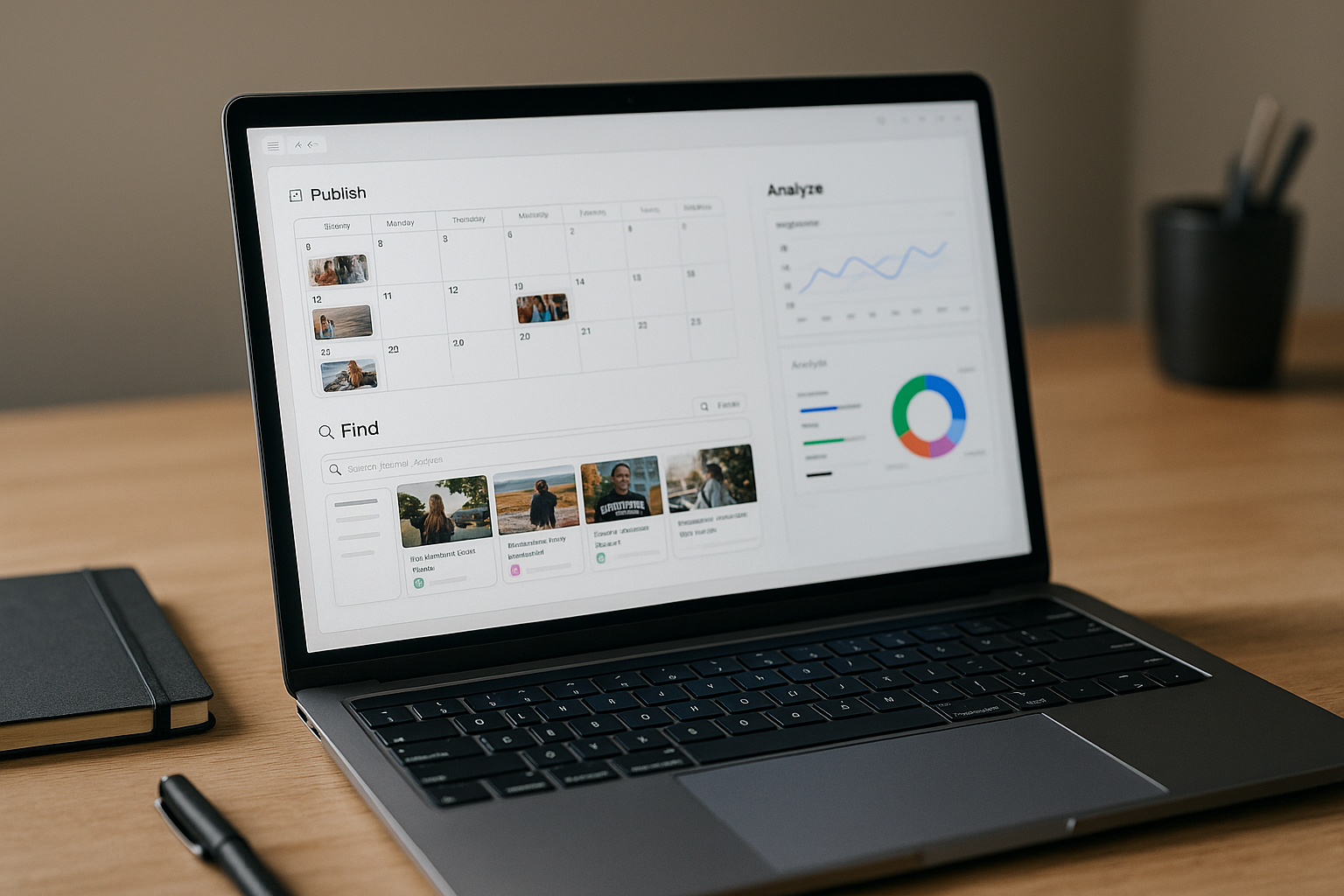
If you are comparing social media schedulers, the most important question is not just “Can it publish posts?” It is whether the post planner features actually help you find better content, organize your ideas, publish consistently, and understand what gets engagement. In this Post Planner review, I’m taking a verified-only approach: what the product officially says it does, which networks it supports, and how buyers should think about pricing before purchasing.
Post Planner is positioned as a social media scheduler built for engagement. That makes it especially interesting for creators, small businesses, and lean marketing teams that want scheduling plus content discovery instead of a bare-bones publishing calendar.
Official website · Latest pricing & offers
Post Planner in 2026: Quick verdict for buyers
Post Planner is best viewed as an engagement-focused social media content planner with discovery, design, scheduling, categorization, analytics, and mobile management in one workflow. The official homepage claim is that users can schedule posts to 10 networks and get content from top sources.
The strongest post planner features are not just publishing tools. The value comes from combining content discovery, topic buckets, previews, automated scheduling, and engagement analysis so you can plan more consistently without starting from a blank page every day.
Because this is an affiliate review, I may earn a commission if you purchase through my Post Planner link on TopTrustReview, at no extra cost to you. If you want to evaluate the live offer after reading, you can visit Post Planner via TopTrustReview and verify the current pricing before checkout.
Who this tool is best for
Post Planner is a strong fit for buyers who want a practical mix of content curation and scheduling. If you frequently ask “What should I post today?” the Discover feature may be more useful than a scheduler that only queues content you already created.
It is also a good match for small teams managing multiple channels. The ability to connect accounts, categorize posts by topic, preview content, automate publishing, and review engagement can reduce manual work across a weekly or monthly publishing cycle.
Who should skip it
You may want to skip or compare carefully if your main need is deep enterprise collaboration, highly specialized approval workflows, or advanced creative editing beyond the verified Design feature. Post Planner includes stock media editing tools, but buyers should confirm whether that is enough for their production process.
You should also pause if pricing is your deciding factor and you cannot verify the live plan details. The provided official pricing page excerpt does not expose exact plan names or prices, so this review will not invent numbers.
What Post Planner Does: Core Post Planner Features Explained
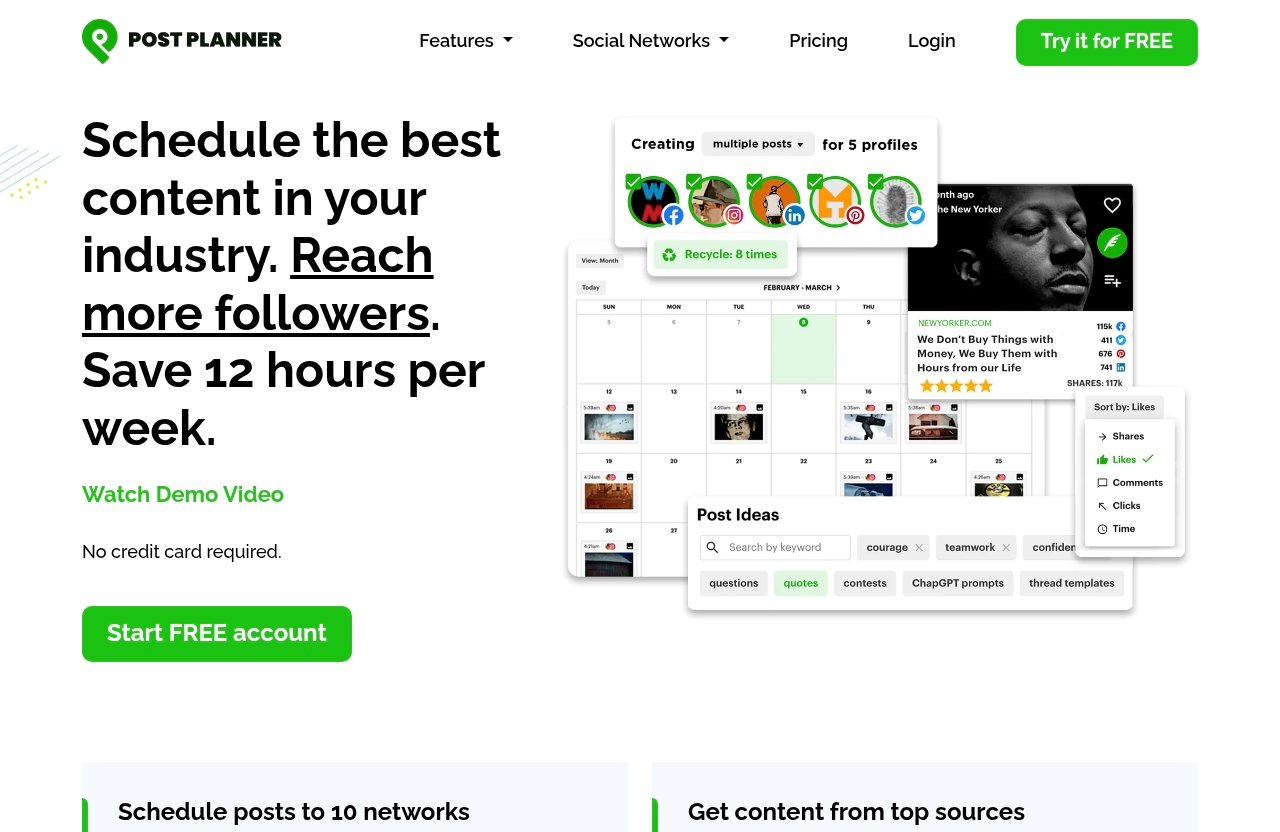
The official post planner features can be grouped into eight core areas: Connect, Discover, Design, Categorize, Create, Schedule, Analyze, and Mobile. Together, they cover the planning cycle from account management to post-performance review.
Here is a quick buyer-focused summary before we go deeper:
| Feature | Verified Function | Buyer Benefit |
|---|---|---|
| Connect | Manage all social accounts in one place | Reduces dashboard switching |
| Discover | Find high-quality content and viral post ideas | Helps avoid content gaps |
| Design | Design images with stock media editing tools | Speeds up visual creation |
| Categorize | Classify posts into topic-based buckets | Keeps content balanced |
| Create | Compose, optimize, and preview posts | Improves publishing control |
| Schedule | Automate social publishing schedule | Supports consistency |
| Analyze | Evaluate performance and engagement | Helps refine future posts |
| Mobile | Create and manage posts on your phone | Enables on-the-go planning |
Connect: manage social accounts in one place
Connect is the feature that lets users manage all social accounts in one place. For buyers, this matters because social media work gets messy fast when every platform requires a separate login, calendar, and publishing habit.
Among the verified post planner features, Connect is the foundation for a centralized workflow. It can help solo creators and small teams reduce tab-switching and keep publishing activity organized from one dashboard.
Discover: find high-quality content and viral ideas
Discover is one of the more commercially important features because it supports content ideation, not just scheduling. Post Planner says users can find high-quality content and viral post ideas, which aligns with the product’s engagement-focused positioning.
This is especially useful if your social strategy includes curated content, trend-inspired posts, or recurring topic themes. A social media scheduler with discovery can save time because you are not relying entirely on manual research or last-minute brainstorming.
Design: create images with stock media editing tools
Design allows users to create images with stock media editing tools. This does not mean it replaces every professional design platform, but it can help speed up simple visual content production.
The practical value is workflow compression. If you can find an idea, create a simple image, compose the caption, and schedule the post from the same ecosystem, you reduce friction between planning and publishing.
Categorize: organize posts into topic-based buckets
Categorize lets users classify posts into topic-based buckets. This is one of the post planner features that buyers should not underestimate, because content balance is a major part of consistent engagement.
For example, a business might use buckets for educational posts, testimonials, product updates, local content, and curated industry news. A creator might use buckets for tips, personal stories, audience questions, and promotional content.
Create: compose, optimize, and preview posts
Create is where users compose, optimize, and preview posts before publishing. The preview component is important because posts often look different depending on the network, format, and media type.
For buyers, this feature reduces avoidable mistakes. Being able to compose and preview content before it goes live can help teams catch formatting issues, weak hooks, or mismatched media before the post reaches the audience.
Schedule: automate publishing
Schedule is the core automation feature. Post Planner verifies that users can automate their social publishing schedule, which is essential for maintaining consistency across multiple platforms.
This is where the post planner features become especially practical for busy users. Instead of logging in every day to publish manually, you can plan ahead, queue content, and maintain a more predictable cadence.
Analyze: evaluate performance and engagement
Analyze allows users to evaluate post performance and engagement. This matters because scheduling without feedback can turn into repetitive posting without learning.
Post planner analytics should be viewed as a decision-support tool. Buyers should use engagement data to identify which topics, formats, and timing patterns deserve more attention, while remembering that results depend on content quality and platform fit.
Mobile: manage posts on your phone
Mobile lets users create and manage posts on their phone. This is useful for creators, owners, and marketers who do not always work from a desktop.
The post planner mobile app workflow can be valuable when you capture ideas while traveling, at events, or during customer interactions. It also gives teams more flexibility when a post needs to be adjusted outside normal working hours.
Supported social networks and what that means in practice
Post Planner’s verified supported networks are broad. The official facts confirm Facebook, Instagram, Google Business, LinkedIn, Pinterest, TikTok, Twitter/X, YouTube, Threads, and Bluesky.
That network coverage is a major part of the post planner features buyers should evaluate. If your audience is split across several platforms, central scheduling can be more valuable than managing each account separately.
Facebook, Instagram, LinkedIn, and Google Business
Post Planner supports Facebook posts, reels, and stories. It also supports Instagram posts, reels, stories, and carousels. For many brands, those two platforms alone can create a heavy weekly workload.
LinkedIn support includes profiles and pages, which is useful for professionals, founders, and B2B brands. Google Business support covers business profiles, which can matter for local businesses that want to keep their presence active.
Pinterest, TikTok, X, YouTube, Threads, and Bluesky
Post Planner supports Pinterest pins to boards and accounts. It also supports TikTok videos and shorts, Twitter/X tweets, retweets, and quote tweets, YouTube videos and shorts, Threads posts, and Bluesky posts.
This wide mix makes Post Planner more than a single-channel scheduler. Still, buyers should verify the exact workflow they need during signup or checkout, especially if a specific post type is mission-critical.
How multi-network support affects workflow
The verified homepage claim is that users can schedule posts to 10 networks. In practice, that can reduce repetitive manual posting, especially when a campaign needs to be adapted across several social channels.
The key is not to publish identical content everywhere without thought. The best use of the post planner features is to centralize planning while still tailoring captions, formats, and timing to each platform’s audience.
Post Planner Pricing in 2026: What Is Verified About Post Planner Features and Value
Post Planner pricing needs to be handled carefully. The official pricing page excerpt provided for this review does not expose exact plan names, plan prices, discounts, or hidden limits.
That means I will not invent numbers. Any buyer should confirm the current post planner pricing directly on the live official pricing page before making a purchase decision.
What the official pricing page confirms
Based on the provided verified facts, the official materials confirm the product’s feature categories and supported networks, but not exact visible prices in the excerpt. That is an important distinction.
A trustworthy post planner review should not fill in missing plan details with guesses. Pricing pages can change, and plan limits often matter as much as headline monthly cost.
How to evaluate value without guessing plan numbers
Until you verify the live pricing, evaluate value by matching the confirmed feature set to your workload. Ask whether you need discovery, design support, topic buckets, scheduling, analytics, and mobile management.
If you only need occasional manual posting, a full social media scheduler may feel unnecessary. But if you publish often across several channels, the combined post planner features may justify the cost through time saved and better organization.
Pricing-to-feature fit for different buyer types
| Buyer Type | Value Question to Ask |
|---|---|
| Solo creator | Will discovery and scheduling save enough weekly time? |
| Local business | Do Google Business and major social networks cover the needed channels? |
| Small team | Will centralized planning reduce confusion and missed posts? |
| Agency | Are the supported networks and workflow enough for client needs? |
| Content curator | Does Discover improve idea sourcing and consistency? |
The right way to assess post planner pricing is to compare the live plan cost against your posting volume, supported networks, and need for content curation. Avoid buying only because a tool has many features; buy because those features fit your actual process.
Official website · Latest pricing & offers
Is Post Planner worth it? ROI and use-case analysis
Post Planner can be worth it when your current social workflow is costing you time, consistency, or content quality. The biggest ROI drivers are likely content discovery, organized planning, automated publishing, and engagement review.
That said, no social media scheduler can guarantee reach, leads, or revenue. Results depend on content quality, posting cadence, platform behavior, audience fit, and how well you use the post planner features over time.
For solo creators
For solo creators, Post Planner may reduce the daily pressure of deciding what to post. Discover can help generate ideas, while Schedule can help batch content ahead of time.
The best fit is a creator who publishes consistently and wants a more structured system. If you rarely post or only use one platform casually, the value may be lower.
For small businesses
Small businesses often need to maintain visibility without hiring a full marketing team. Post Planner’s combination of content discovery, topic buckets, scheduling, and analytics can help owners or marketers stay organized.
The support for Google Business, Facebook, Instagram, LinkedIn, and other networks can be useful for local and online brands. Still, buyers should confirm that their most important formats are supported in the way they need.
For agencies and teams
Agencies and teams may benefit from centralized account management and multi-network scheduling. The Categorize feature can also help organize client content by campaign, topic, or content pillar.
However, agencies should verify workflow requirements before buying. If you need advanced collaboration, approvals, client permissions, or reporting depth, confirm those capabilities directly rather than assuming they are included.
Where it may feel limited
Post Planner may feel limited if you need specialized creative production, complex team operations, or analytics beyond the verified engagement and performance evaluation claims. This is not a criticism; it is a reminder to match the tool to the job.
The safest buying approach is to test the workflow against your real publishing process. Do not judge only by feature names—judge by whether the post planner features remove actual bottlenecks.
Post Planner pros and cons
Post Planner has a clear value proposition: engagement-focused scheduling with discovery and planning tools. For commercial-intent buyers, the key question is whether that focus matches the way you create and distribute content.
Below is a practical summary based only on verified product facts and cautious buyer considerations.
Strengths
| Strength | Why It Matters |
|---|---|
| Engagement-focused positioning | Aligns the tool with content performance, not just publishing |
| Content discovery | Helps users find high-quality content and viral ideas |
| Topic-based buckets | Supports balanced content planning |
| Multi-network scheduling | Helps users schedule posts to 10 networks |
| Design tools | Speeds up simple image creation with stock media editing |
| Analytics | Supports performance and engagement review |
| Mobile management | Helps users manage posts from a phone |
The biggest strength is that the post planner features support the full content planning loop. You can discover ideas, create content, organize posts, schedule them, and analyze engagement.
Potential drawbacks
The main drawback is pricing uncertainty in the provided excerpt. Since exact plan names and prices are not visible here, buyers must check the live official pricing page before purchasing.
Another possible drawback is fit. If your business needs advanced collaboration, complex approvals, or highly specialized editing, verify those needs directly before committing.
How Post Planner compares with other social scheduling tools
Post Planner should be compared as a social media scheduler plus content curation tool, not just as a calendar. Many buyers make the mistake of comparing tools only by price or number of channels.
A better comparison starts with workflow. Look at how each option helps you find content, prepare posts, organize topics, schedule consistently, and analyze results.
Feature-set comparison framework
Use this framework when comparing Post Planner alternatives:
| Comparison Area | What to Check |
|---|---|
| Content discovery | Does the tool help you find ideas or only schedule posts? |
| Network coverage | Are your required channels and formats supported? |
| Planning structure | Can you organize posts by topics or content pillars? |
| Publishing workflow | Can you preview, optimize, and automate posts easily? |
| Analytics | Can you evaluate performance and engagement? |
| Mobile access | Can you manage work from your phone? |
| Pricing transparency | Can you verify current plan costs and limits? |
This framework keeps the comparison fair without inventing competitor specifications. The right choice depends on your content process, not just a feature checklist.
When to choose Post Planner over alternatives
Choose Post Planner over alternatives when discovery, engagement-focused planning, and topic organization matter to you. The verified post planner features are especially appealing if your bottleneck is content ideas plus consistent distribution.
If your main need is only basic queueing, you may want to compare simpler tools. If your main need is enterprise-level operations, compare specialized platforms and verify whether Post Planner’s workflow is deep enough.
How to decide before you buy
Before buying, evaluate Post Planner against your real publishing needs. Do not rely only on marketing copy or assumptions.
This is where a short checklist can prevent buyer’s remorse and help you judge whether the post planner features are worth paying for.
Checklist for evaluating the plan
Use this checklist before checkout:
- Confirm the live post planner pricing on the official pricing page.
- Check whether your required social networks are supported.
- Confirm the specific formats you care about, such as reels, stories, carousels, pins, videos, shorts, or posts.
- Decide whether Discover will genuinely improve your content research.
- Review whether topic-based buckets match your planning style.
- Test whether Create and preview tools fit your approval process.
- Consider whether Analyze gives enough engagement insight for your decisions.
- Decide whether the post planner mobile app matters for your workflow.
- Compare the cost against weekly time saved and publishing consistency.
Questions to ask during trial or checkout
Ask practical questions before committing:
- How many accounts do I need to manage?
- Which networks are essential for my audience?
- How often will I schedule content?
- Will content discovery reduce my research time?
- Do I need deeper design tools outside Post Planner?
- Do I need team approvals or client workflows?
- Are the current plan limits clear on the live pricing page?
- Does the tool make my publishing process simpler after real testing?
If you can answer those clearly, you will have a much better sense of whether Post Planner is a smart purchase.
Official website · Latest pricing & offers
FAQ
How much does a post planner cost?
You should verify current pricing on the live official Post Planner pricing page before buying. The official pricing page excerpt provided for this review does not show exact plan prices, plan names, discounts, or limits, so it would be misleading to publish invented numbers.
When evaluating cost, compare the live price against the confirmed post planner features, your posting volume, supported networks, and how much time the tool could realistically save.
What are some good post planner apps?
Good post planner apps usually include scheduling, content organization, supported network coverage, analytics, and mobile access. Some buyers also need content discovery, which is where Post Planner stands out as a content curation tool as well as a scheduler.
Post Planner’s verified strengths include Discover, Schedule, Analyze, Mobile, and topic-based Categorize features. Those make it worth considering if you want a social media content planner that helps with both ideas and publishing.
What is the best social media scheduler in 2026?
The best social media scheduler in 2026 depends on your networks, workflow, analytics needs, content volume, and whether you need curation features. There is no single best option for every creator or business.
Post Planner is a strong option for engagement-focused scheduling, especially if you value discovery, topic buckets, multi-network publishing, and mobile management. Buyers who need highly advanced enterprise workflows should compare carefully before choosing.
Do scheduled posts get less views?
Scheduled posts do not automatically get fewer views just because they were scheduled. Performance usually depends more on content quality, timing, audience relevance, platform behavior, and consistency.
A scheduler can help you publish more reliably, but it cannot guarantee reach. Use analytics to learn which formats, topics, and posting times perform best for your audience.
Final Recommendation on Post Planner Features
Post Planner is a compelling option for engagement-focused creators, small businesses, and lean teams that want more than a basic publishing queue. Its verified workflow covers discovery, design, categorization, creation, scheduling, analytics, and mobile management.
The most important reason to consider it is the combination of content discovery and scheduling. If your biggest challenge is finding good ideas and publishing consistently across multiple platforms, the post planner features are well aligned with that problem.
Best fit summary
Post Planner is best for users who want to schedule posts to 10 networks, source content from top sources, organize topics into buckets, and evaluate engagement. It is especially useful for people who want a practical system for content planning rather than a blank calendar.
Before buying, verify current pricing on the official site and make sure the live plan matches your account, network, and workflow needs. If you are ready to compare the current offer, you can review Post Planner through TopTrustReview’s affiliate link and decide based on the live details.
Verdict by user type
| User Type | Recommendation |
|---|---|
| Solo creator | Strong fit if you need ideas, scheduling, and mobile management |
| Small business | Strong fit if supported networks match your audience |
| Local business | Worth considering because Google Business is supported |
| Agency | Consider, but verify team and client workflow needs |
| Enterprise team | Compare carefully if advanced collaboration is required |
| Casual user | May be more than you need if you post rarely |
Final verdict: Post Planner is worth shortlisting if you want a post planner social media scheduler built around engagement, content discovery, and consistent publishing. Just confirm the live post planner pricing before purchase, because exact plan prices are not verified in the provided pricing excerpt.
Related Reading
- Systeme.io Review 2026: Is the Systeme.io Free Plan Worth It?
- Best Social Media Automation Tools Like Repurpose.io in 2026
- Repurpose Content with Contentstudio: A Practical 2026 Blog-to-Social Workflow
References
- Post Planner: Social Media Scheduler built for Engagement
- Plans & Pricing
- Post Planner for Social Media – App Store – Apple
- Post Planner Software Pricing, Alternatives & More 2026