Taplio Customer Reviews 2026: Honest Buyer’s Guide Before You Subscribe
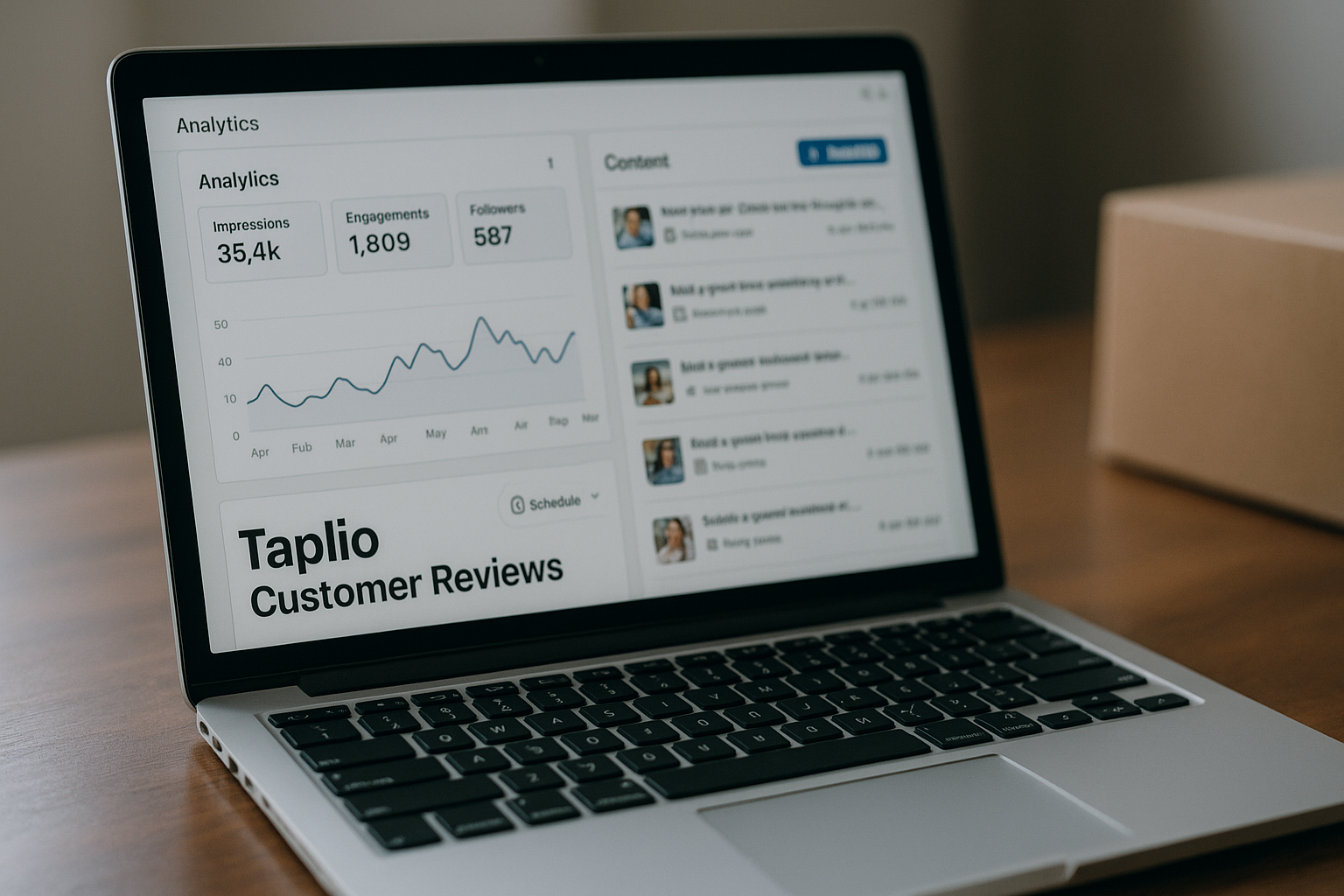
If you are searching for taplio customer reviews, you probably do not need another shiny feature list. You want to know whether real users find Taplio useful, where the tool disappoints, and whether the price makes sense for your LinkedIn goals.
This review is written from an affiliate-site perspective, so transparency matters: this article may include an affiliate link to Taplio, but the evaluation below is built around verified product facts, public review signals, and practical buying judgment. I’ll separate what Taplio officially claims from what reviewers often praise or criticize.
Official website · Latest pricing & offers
Taplio Customer Reviews at a Glance
Public taplio customer reviews tend to be positive around workflow convenience, LinkedIn content inspiration, and consistency. The more skeptical feedback usually centers on AI writing quality, price sensitivity, and whether the tool is worth it for casual LinkedIn users.
That split is important. Taplio is not just a basic post scheduler; it is positioned as a LinkedIn growth workspace. Buyers who use LinkedIn seriously may see more value than someone who only posts once or twice per month.
| Buyer Question | Short Answer |
|---|---|
| Is Taplio mainly for LinkedIn? | Yes. The official homepage positions it as an AI tool to grow on LinkedIn. |
| What do users often like? | Inspiration, scheduling, analytics, and having LinkedIn workflows in one place. |
| What are common concerns? | Generic AI output, value for money, and overkill for casual users. |
| Is Taplio worth testing? | Yes, if LinkedIn is a serious channel for you and you use the free trial with a clear goal. |
| Biggest buying risk | Paying for breadth when you only need a simple scheduler or highly custom writing. |
What buyers are trying to learn from taplio customer reviews
Most buyers reading taplio customer reviews are trying to answer a practical question: “Will this actually help me show up on LinkedIn more consistently, or will it become another subscription I forget to use?”
That is the right question. Taplio can look attractive because it bundles multiple LinkedIn-related tasks, but the value depends heavily on your routine. A founder posting weekly has a different need from a creator publishing daily or a sales operator trying to engage warm leads.
Buyers are also looking for social proof. Public review sources such as Trustpilot’s Taplio page, Taplio’s own review article, and third-party breakdowns from Kleo and Supergrow help frame the conversation, but each source has its own bias and audience.
Quick verdict: who Taplio is for and who should skip it
Taplio is most compelling for people who already know LinkedIn matters to their business. That includes founders, consultants, creators, recruiters, and sales professionals who need a structured way to find ideas, create posts, schedule content, and track what is working.
You should be more cautious if you want a cheap scheduler, fully bespoke ghostwriting, or a tool that magically turns you into a thought leader without your own input. Many taplio reviews are strongest when users treat the product as a workflow assistant, not a replacement for strategy or personal expertise.
If you want to evaluate it directly, you can review Taplio through this affiliate link: see Taplio’s current offer here. I may earn a commission if you buy, but the recommendation below is intentionally conditional, not automatic.
How review signals differ across Trustpilot, G2, Product Hunt, and Reddit
Review signals can vary because each platform attracts different users. A taplio trustpilot search may show broad customer sentiment, while G2-style reviews often focus on business software evaluation. Product Hunt feedback can skew toward launch excitement, and a taplio review reddit search may surface more skeptical or unfiltered discussion.
That does not mean one source is “right” and another is “wrong.” It means you should interpret taplio customer reviews by asking what the reviewer was trying to accomplish. Someone judging AI post drafts will have different priorities from someone who mainly wants scheduling and analytics.
Reddit-style discussions are especially useful for spotting skepticism, but they can also amplify isolated frustrations. Trustpilot and review articles are helpful for sentiment, yet they should be balanced against your own trial experience.
What Taplio Does: Verified Product Overview
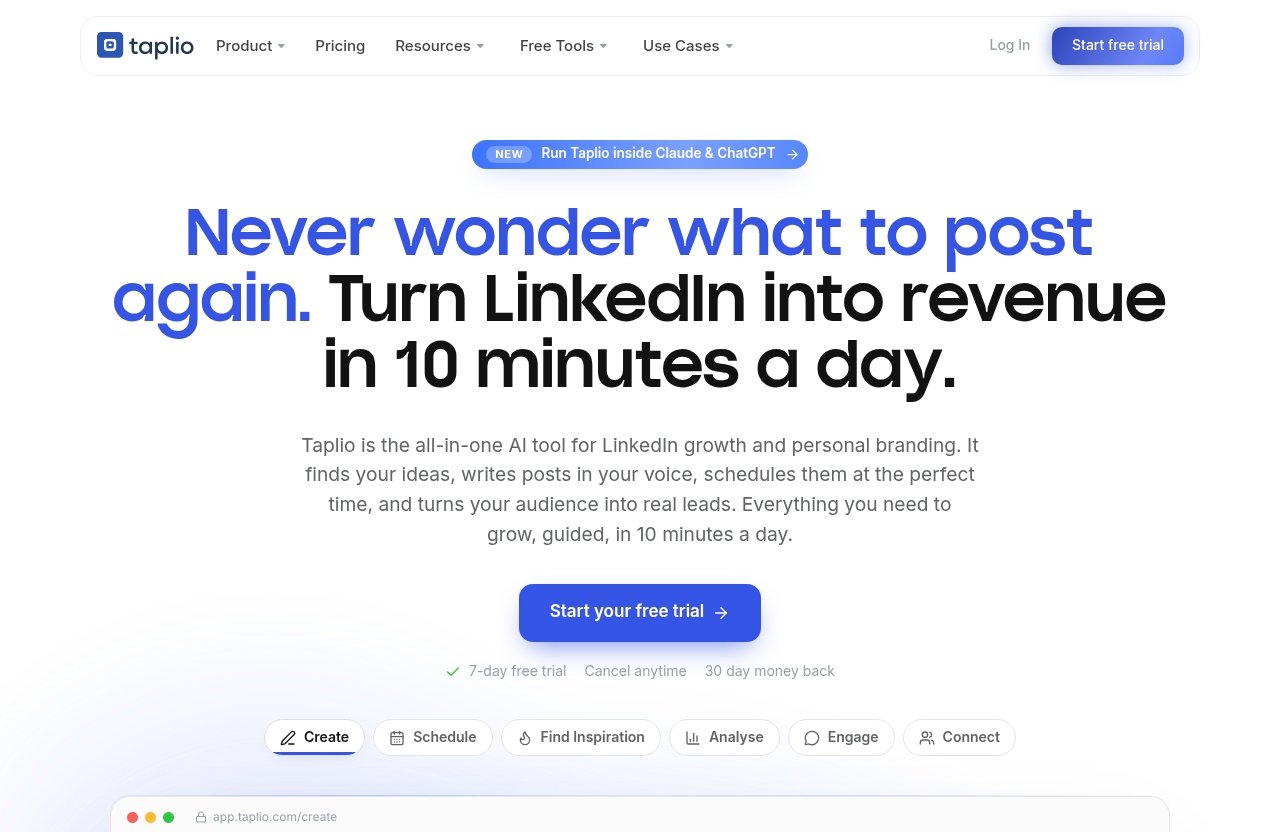
Before interpreting taplio customer reviews, it helps to separate verified product facts from user opinion. Taplio’s official homepage title is: “Taplio | AI tool to grow on LinkedIn in 10 min/day.”
That positioning matters because Taplio is built around LinkedIn growth, not general-purpose social media management. The official product areas listed by Taplio cover content creation, scheduling, analysis, engagement, automation, and education resources.
Verified core features from Taplio’s homepage
Based only on Taplio’s verified homepage facts, the product areas include:
| Official Taplio Area | What Taplio Says It Covers |
|---|---|
| Schedule | Queue posts at your best times, automatically |
| Find inspiration | Discover viral posts worth remixing |
| Analyse | See what’s working and double down |
| Connect | Auto-connect and send DMs to warm leads |
| NEW MCP | Run Taplio from Claude, ChatGPT, or any MCP-enabled LLM |
| Create | Find ideas and write posts that grow |
| Carousels | Turn any content into a swipeable carousel |
| Engage | Show up on the right people’s posts |
| Automate | Put your LinkedIn growth on autopilot |
| LinkedIn Benchmark | 60,000+ LinkedIn posts analysed each month |
| Free Tools | Free LinkedIn-related tools |
| LinkedIn Masterclasses | Educational resources |
| Help Center | Support and documentation resources |
These are verified product areas, not proof that every user gets the same outcome. A key lesson from taplio customer reviews is that features do not automatically translate into business results.
How the workflow is positioned for LinkedIn growth
Taplio’s workflow is positioned around helping users create, schedule, engage, analyze, and improve LinkedIn activity. In plain English, it tries to reduce the friction of showing up consistently on LinkedIn.
The product is especially relevant if your current bottleneck is not knowing what to post, when to post, or how to learn from past content. That is where the Taplio LinkedIn tool appears to match many positive review themes.
Still, “LinkedIn growth” can mean different things. For one user, it may mean more profile visibility. For another, it may mean lead conversations. Taplio customer reviews are most useful when you compare the reviewer’s goal with your own.
Why feature claims should be separated from user experience claims
A vendor can accurately say it offers AI writing, scheduling, analytics, and engagement tools. That does not prove the AI sounds like you, the analytics change your strategy, or the automation fits your risk tolerance.
That distinction is central to a fair review. Verified facts tell us what Taplio includes; customer sentiment tells us how people feel after using it. Both are useful, but they are not the same type of evidence.
When reading taplio reviews, look for comments that describe the user’s workflow before and after adoption. Those reviews are usually more valuable than short praise or vague complaints.
What Real Customers Like About Taplio
Positive taplio customer reviews usually cluster around convenience and consistency. The common theme is not that Taplio does everything perfectly, but that it helps users maintain a more organized LinkedIn process.
This is important because LinkedIn success often depends on repeated execution. If a tool helps someone turn scattered ideas into scheduled posts and measurable activity, it can feel valuable even if individual AI drafts still need editing.
Content inspiration and idea generation
One of the strongest positive themes in taplio customer reviews is content inspiration. Users often appreciate having ways to discover posts, remix ideas, and get past the blank-page problem.
Taplio’s verified “Find inspiration” and “Create” areas align with this. For busy operators, idea generation can be the difference between posting consistently and disappearing for weeks.
The skeptical view is that inspiration is not the same as originality. Taplio AI may help you start faster, but you still need to add personal stories, expertise, examples, and opinions if you want content that sounds credible.
Scheduling and consistency
Scheduling is another commonly praised area in public taplio reviews. Taplio’s official feature set includes the ability to queue posts at your best times automatically, which directly supports consistency.
For many users, this is not a minor feature. If LinkedIn is a real acquisition or authority channel, batching content and scheduling posts can reduce daily friction.
The practical buyer question is simple: will you actually use the scheduler weekly? If yes, Taplio may fit your routine. If no, you may be paying for a system you do not operate consistently.
Analytics and growth visibility
Taplio’s verified “Analyse” area is designed to help users see what is working and double down. Reviewers who care about improving over time often value this type of feedback loop.
Analytics can help users avoid guessing. Instead of posting randomly, you can look for patterns and refine future content based on performance signals.
That said, analytics are only useful if you are willing to interpret them. Taplio customer reviews that praise analytics usually come from users who are actively publishing and reviewing results, not passive subscribers.
All-in-one convenience for LinkedIn
Taplio’s biggest appeal may be the all-in-one nature of the platform. The official product areas cover inspiration, creation, scheduling, engagement, analysis, automation, carousels, and connect/DM workflows.
That breadth makes Taplio attractive to LinkedIn-heavy users who dislike stitching together multiple tools. It can also help creators and sales professionals keep their LinkedIn process in one place.
But all-in-one convenience has a tradeoff. If you only need one function, the broader platform may feel expensive or unnecessary. This is where taplio pros and cons become very dependent on user type.
Common Complaints and Consistent Cons
The more critical side of taplio customer reviews is just as important as the praise. Most recurring concerns are not shocking for an AI-based LinkedIn growth tool: writing quality, price sensitivity, fit, and expectations.
The key is to distinguish between a product flaw and a buyer mismatch. Sometimes Taplio may underdeliver; other times the buyer expected automation to replace strategy, voice, and human judgment.
AI output can feel generic
A recurring complaint pattern around Taplio AI is that generated content can feel generic without editing. This is a common issue with AI writing tools, especially when users expect polished thought leadership from minimal input.
In practice, buyers should assume AI drafts are starting points. You may need to add your experience, specific examples, client stories, contrarian opinions, and sharper language.
This matters because LinkedIn rewards credibility. If your posts sound like everyone else’s, the tool may help you publish more but not necessarily stand out. Taplio customer reviews are most positive when users treat AI as an assistant, not an author.
Pricing feels high compared with simpler tools
Some taplio complaints are really value-for-money concerns. If a buyer only wants basic scheduling, Taplio may feel expensive compared with simpler or narrower tools.
The verified pricing fact is that Taplio’s official pricing page headline says “Plans from $39/mo | Free Trial.” Beyond that, this article will not invent tier names, annual discounts, or plan-by-plan features.
The value question is not just “Is the price low?” It is “Will Taplio save enough time, improve enough consistency, or support enough LinkedIn pipeline activity to justify the subscription?”
Feature breadth can be overkill for casual users
Taplio’s breadth is a strength for serious LinkedIn users, but it can be overkill for casual users. If you post occasionally and do not track performance, many features may sit unused.
This is one reason taplio customer reviews can diverge. A founder using LinkedIn weekly for visibility may see Taplio as a productivity system. A casual user may see the same product as too much software for a simple need.
Before buying, be honest about your publishing cadence. If you are not ready to post and engage regularly, the tool may not fix the underlying habit problem.
Expectations versus actual results
Another common issue is the gap between expected growth and actual results. Taplio can support LinkedIn workflows, but it cannot guarantee authority, leads, followers, or engagement.
That distinction matters for commercial buyers asking, “is taplio worth it?” The answer depends on whether you already have a message, market, and reason to be active on LinkedIn.
Tools can reduce friction, but they cannot replace positioning. If your offer is unclear or your content lacks substance, Taplio may help you publish more of the same problem.
Official website · Latest pricing & offers
Red Flags to Watch Before You Buy
The biggest taplio red flags are not necessarily deal-breakers. They are warning signs that the tool may not match your expectations, budget, or risk tolerance.
A cautious buyer should review public sources, test the free trial, and evaluate the product against one real workflow. Do not subscribe because a tool looks impressive; subscribe because it solves a specific LinkedIn problem you actually have.
Overreliance on AI-generated content
The first red flag is relying too heavily on AI-generated content. If every post is produced with minimal human input, your LinkedIn presence may start to feel generic.
This is especially risky for consultants, founders, and experts whose credibility depends on original thinking. Taplio AI can help with speed, but your own perspective still needs to lead.
When judging taplio customer reviews, look for whether satisfied users are editing and personalizing drafts. That tells you more than generic praise about “saving time.”
Mismatch between social proof and your use case
Social proof is useful, but it can mislead you if the reviewer’s use case is different from yours. A creator posting daily may benefit from Taplio in ways a job seeker or occasional poster does not.
This is why taplio customer reviews should be filtered by buyer type. Ask whether the reviewer has a similar posting rhythm, business model, and LinkedIn goal.
If you mainly need a basic queue for occasional posts, Taplio alternatives may be worth comparing. Simpler or cheaper alternatives can make more sense when you do not need inspiration, analytics, engagement workflows, automation, or AI-assisted creation in one platform.
Support, cancellations, and billing questions
Support, cancellation, and billing concerns are important to check with any subscription software. This article will not claim specific Taplio support failures without verified evidence, but buyers should still do standard due diligence.
Before paying, review Taplio’s Help Center, current terms, trial conditions, and billing details. Take screenshots of plan information if needed, and make sure you understand how renewal works.
When scanning taplio complaints, separate recurring, well-documented themes from isolated frustration. Public review platforms can reveal patterns, but they can also include one-off experiences.
Automation and account-safety concerns
Taplio includes official product areas related to connecting, DMs, engagement, and automation. That makes taplio safety a legitimate buyer consideration.
LinkedIn users should be cautious with aggressive automation. Safety depends on how you use the tool, how closely you follow LinkedIn’s rules, and whether your activity looks natural and human.
If you are risk-averse, avoid mass-automation behavior and read Taplio’s guidance before using automation features. The safest approach is usually to use automation conservatively and keep human judgment in the loop.
Taplio Pricing Explained Using Verified Facts
Any discussion of taplio pricing should start with verified facts rather than assumptions. The official pricing page headline says: “Plans from $39/mo | Free Trial.”
That is the only pricing claim used here. I will not invent plan names, tier counts, annual pricing, discounts, or feature-by-plan access because those details were not provided as verified facts for this review.
Official pricing headline
The verified pricing headline is simple: plans start from $39/mo, and the pricing page mentions a free trial. For buyers comparing taplio customer reviews, this helps frame why price sensitivity appears in some feedback.
At that starting point, Taplio is not positioned like a throwaway micro-tool. Buyers should expect to evaluate it as a serious LinkedIn workflow product.
The free trial mention is important. It gives you a way to test whether Taplio fits your routine before committing longer term.
What the pricing page confirms and what it does not
The pricing page confirms the starting price and free trial language. It does not, based on the verified facts available here, confirm plan names, the number of tiers, annual billing terms, or specific feature access by plan.
That matters because review articles sometimes overstate pricing details or repeat outdated information. For a buying decision, always verify current pricing directly before checkout.
If you choose to evaluate Taplio, use the official pricing page and trial details as your source of truth. Taplio customer reviews can help with sentiment, but checkout terms should come from Taplio itself.
How to think about value versus cost
The best way to assess value is to estimate what Taplio replaces. Does it replace a separate idea file, writing assistant, scheduler, analytics spreadsheet, and manual engagement routine?
For a LinkedIn-heavy founder or consultant, that consolidation may be worthwhile. For a casual user, the same subscription may feel hard to justify.
A practical test is to ask: “Will this help me publish better LinkedIn content every week for the next three months?” If the answer is no, the price probably matters more than the feature list.
Who Should Buy Taplio — and Who Should Look Elsewhere
The pattern across taplio customer reviews suggests Taplio is best for users with a serious LinkedIn use case. It is less compelling for people who want occasional posting, bargain pricing, or fully custom human writing.
This section is where the buying decision becomes clearer. The right answer is not “everyone should buy” or “nobody should buy.” It is about fit.
Best for founders, creators, and LinkedIn-heavy operators
Taplio is likely a good fit for solo founders, consultants, creators, recruiters, and sales professionals who actively use LinkedIn. These users often need content ideas, scheduling structure, engagement prompts, and visibility into what is working.
The Taplio LinkedIn tool makes the most sense when LinkedIn is connected to revenue, authority, hiring, partnerships, or audience growth. In those cases, better consistency can have real business value.
If you already publish regularly but feel disorganized, Taplio may help systemize the process. That is where many positive taplio customer reviews appear most believable.
Not ideal for bargain hunters or ultra-niche personal brands
Taplio is probably not ideal if your main priority is the lowest possible cost. The verified starting point of $39/mo may be reasonable for business users, but it can feel high if you only need a basic scheduler.
It may also be a poor fit for ultra-niche personal brands that require deeply distinctive writing. AI assistance can speed up drafts, but it cannot fully replicate lived experience, unusual taste, or a highly specific founder voice.
If your content depends on nuance, you should test Taplio carefully. Do not judge only by whether it can generate posts; judge whether those posts sound like something you would proudly publish.
Decision checklist before subscribing
Use this checklist before relying too heavily on taplio customer reviews:
| Question | Why It Matters |
|---|---|
| Do I post on LinkedIn at least weekly? | Taplio is more valuable when used consistently. |
| Do I need more than scheduling? | The product is broader than a simple scheduler. |
| Will I edit AI drafts? | Human input improves originality and credibility. |
| Do I track performance? | Analytics matter only if you act on them. |
| Am I comfortable with automation? | Use automation conservatively and follow platform rules. |
| Can I justify $39/mo or more? | Value depends on business impact, not feature count. |
If you answer “yes” to most of these, Taplio is worth testing. If not, simpler taplio alternatives may be a better first step.
Final Verdict: Are Taplio Customer Reviews Positive Enough to Buy?
Overall, taplio customer reviews are positive enough to justify a trial for serious LinkedIn users, but not strong enough to recommend Taplio blindly to everyone. The product appears most useful when it supports an existing commitment to LinkedIn content and engagement.
The most credible case for Taplio is workflow consolidation. It helps with idea generation, creation, scheduling, analytics, engagement, automation, and related LinkedIn growth tasks. The main caution is that AI output still needs human editing, and the price may not suit casual users.
Bottom-line recommendation
Buy Taplio if LinkedIn is a meaningful business channel and you want a structured system for creating, scheduling, analyzing, and improving content. It is especially relevant for founders, creators, consultants, and sales professionals who need to show up consistently.
Skip Taplio if you only need a basic scheduler, dislike editing AI content, have a very low budget, or expect software to create a unique personal brand for you. Those expectations are where taplio customer reviews tend to become more mixed.
My balanced recommendation: test it before you commit. If you want to start that evaluation, you can use this affiliate link to check Taplio’s current free trial and pricing details.
Risk-reduction tips before checkout
Before subscribing, read current public reviews and compare them with your own needs. Start with sources like Trustpilot, then review Taplio’s own materials and independent articles from Kleo and Supergrow for broader context.
Do not overweigh one glowing review or one angry comment. Look for repeated patterns around AI quality, pricing value, workflow fit, and ease of use.
Also verify pricing and trial terms directly on Taplio’s current checkout page. Review sentiment is useful, but billing details should always be checked at the source.
How to use the free trial wisely
Use the free trial with one real test case. For example, generate ideas for one week of LinkedIn posts, edit the drafts into your voice, schedule them, and review the analytics workflow.
This will tell you more than reading another dozen taplio customer reviews. You will quickly see whether the AI output is usable, whether the scheduler fits your routine, and whether the platform feels like a productivity gain or unnecessary complexity.
Final answer: Taplio is worth considering for serious LinkedIn operators, but casual users and buyers seeking cheap, highly personalized content should look elsewhere.
Official website · Latest pricing & offers
FAQ
Is Taplio a good tool?
Taplio can be a good tool for people who use LinkedIn seriously and want help with inspiration, scheduling, analytics, engagement, and AI-assisted content creation. Many positive taplio customer reviews align with those use cases.
However, it may disappoint users who expect highly personalized writing with little editing. It is better viewed as a LinkedIn workflow assistant than a replacement for your own expertise or voice.
How much does Taplio cost?
The verified official pricing headline says: “Plans from $39/mo | Free Trial.” This article does not claim specific plan names, annual discounts, or feature-by-plan details because those were not verified in the provided facts.
Before buying, check Taplio’s current pricing page directly. Pricing pages can change, so the checkout page should be your final source of truth.
What are the most common Taplio complaints?
Common complaint themes include AI output that can feel generic, pricing sensitivity, and the possibility that Taplio is more useful for active LinkedIn operators than casual users. These are recurring patterns seen across public review discussions and buyer commentary.
The fairest interpretation is that Taplio works best when users bring their own ideas, edit drafts, and use the platform consistently. It is less convincing as a passive “set and forget” growth tool.
What are some good alternatives to Taplio?
Good Taplio alternatives depend on what you actually need. If you only need simple scheduling, a lighter scheduler may be enough. If you need distinctive thought leadership, a human writer or editorial process may matter more than another AI tool.
If you want an all-in-one LinkedIn workspace, Taplio remains relevant. If you want only one narrow function, compare simpler or cheaper alternatives before subscribing.
Is Taplio safe to use with LinkedIn?
Taplio safety depends partly on how you use features like automation, connecting, DMs, and engagement. Conservative, human-reviewed use is generally less risky than aggressive mass automation.
Before using automation, review Taplio’s Help Center and LinkedIn’s platform rules. Avoid behavior that looks spammy, excessive, or disconnected from genuine human interaction.
Related Reading
- Taplio Review Reddit: What Real Users Say Before Buying in 2026
- Post Planner Review 2026: Post Planner Features & Pricing
- Best Social Media Automation Tools Like Repurpose.io in 2026
References
- Read Customer Service Reviews of taplio.com
- Taplio Review 2026: Honest Pros, Cons, Pricing
- Taplio Review (2026): Honest Pros, Cons, Pricing, and …
- Taplio Review 2026: Features, Pricing, Safety & What …