Post Planner Free: What You Get in 2026
Official website · Latest pricing & offers
Quick Answer: What Post Planner Free Gives You in 2026
One-paragraph verdict on whether the free plan is enough for beginners
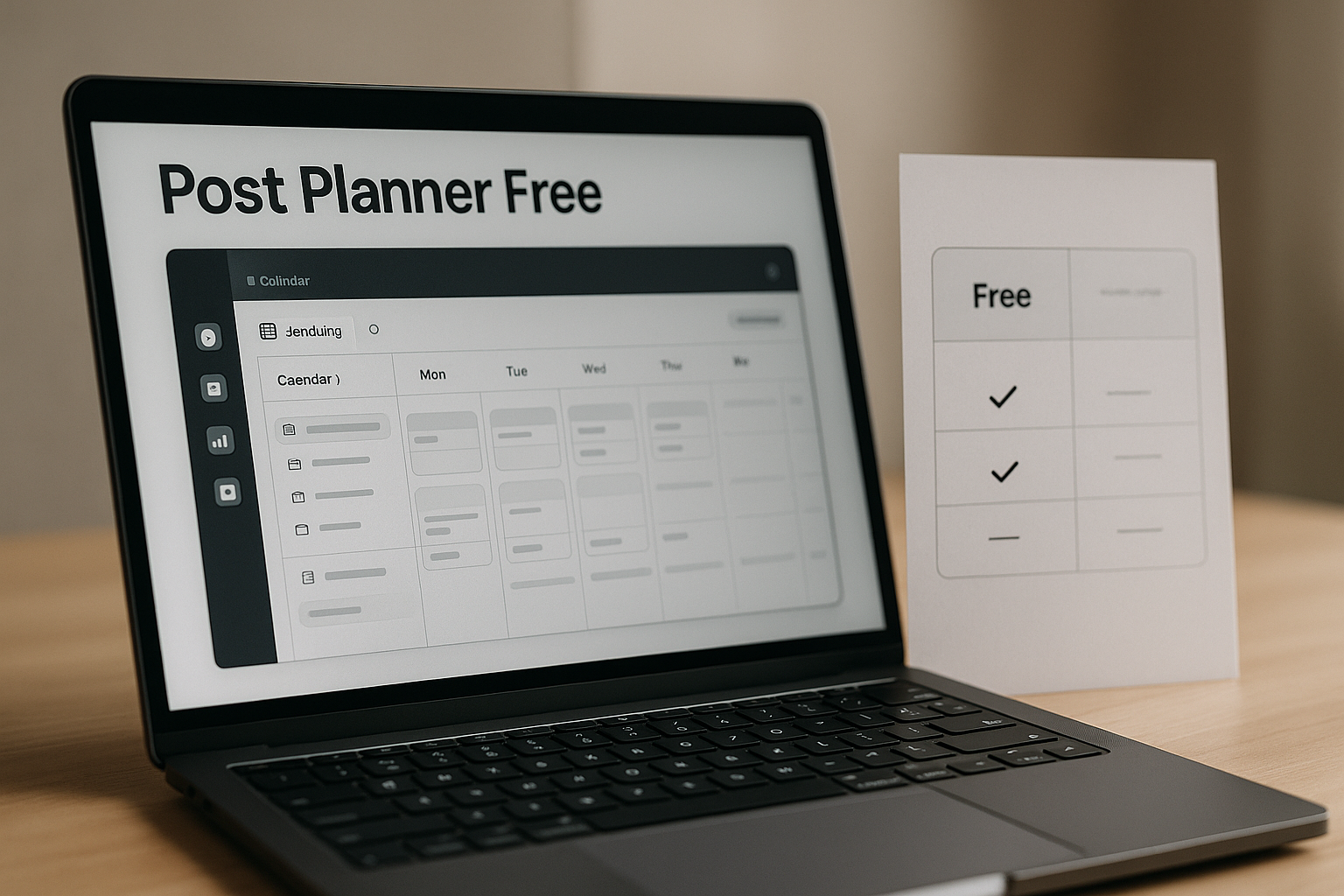
Yes, post planner free exists in 2026, and it can be enough if you are a beginner managing one social account with a light posting schedule. Based on the official Post Planner pricing page, the Free plan includes 1 social account, 1 user, 15 scheduled posts, 3 daily posts per account, and 1 AI image per month. It is best for solo creators, small-business owners, or beginners who want to test a social media scheduler free before committing to a paid plan.
The main tradeoff: low entry cost vs. strict limits
The tradeoff is simple: post planner free costs nothing, but the limits are tight. One account and one user are fine for testing, but they become restrictive if you manage several profiles, work with a team, or want a larger scheduling queue.
A quick disclosure: this review is based on official Post Planner homepage and pricing-page data available for 2026. Pricing and feature claims below are limited to what is clearly shown on those official pages, so you should always confirm the live pricing page before upgrading.
What Is Post Planner?
Core purpose of the platform
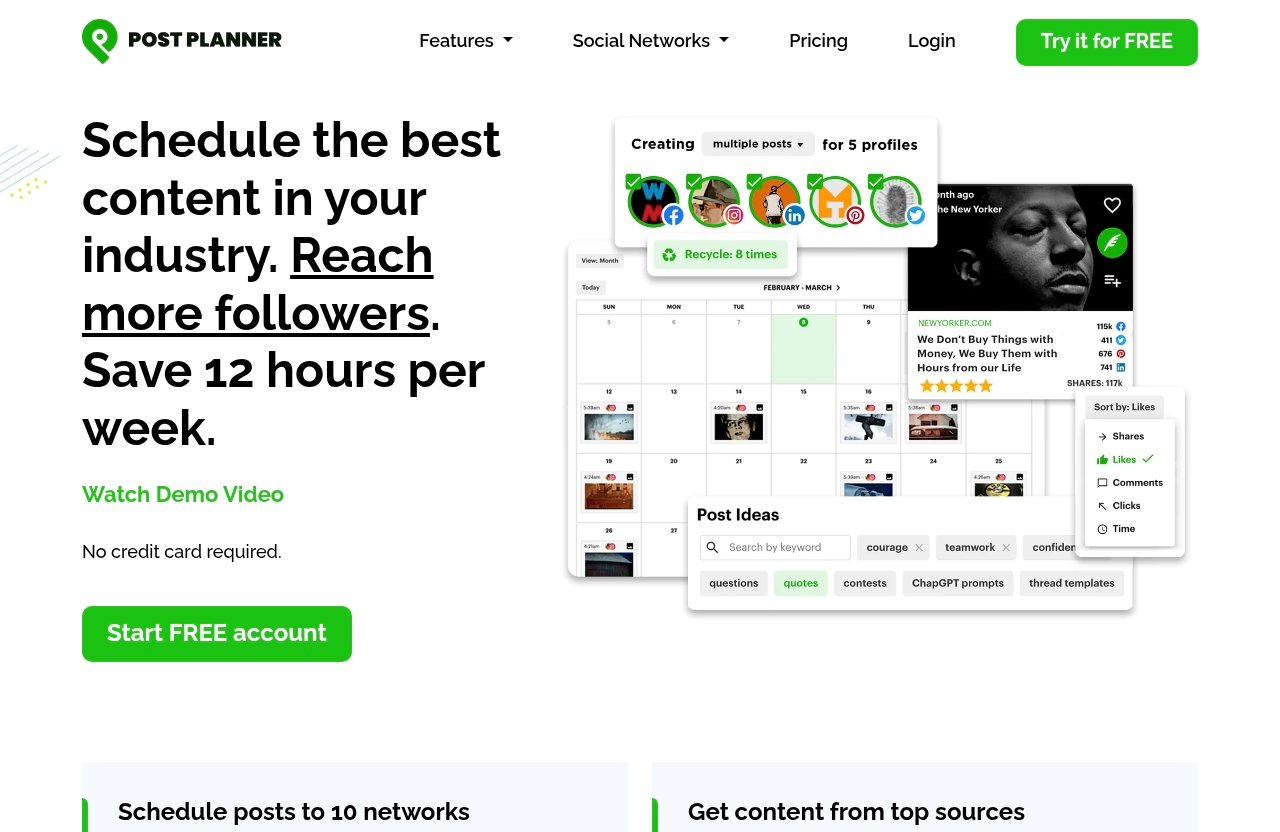
Post Planner is a social media planning and scheduling platform. Its official product areas include Connect, Discover, Design, Categorize, Create, Schedule, Analyze, and Mobile.
In practical terms, it is built to help users organize social content, create or prepare posts, schedule them, and review performance. For this post planner review, the focus is not every advanced use case, but whether the free plan gives beginners enough room to start.
Who usually uses it
Post Planner is most relevant for people who publish consistently on social media but do not want to manage every post manually. That can include solo creators, bloggers, small businesses, marketers, and social media managers.
The official pages list support for major social networks, including Facebook, Instagram, Google Business, LinkedIn, Pinterest, TikTok, Twitter/X, YouTube, Threads, and Bluesky. However, because the verified free-plan limit is 1 social account, you should not assume post planner free lets you actively manage all of those networks at once.
Post Planner Free Plan: Verified Features and Limits
Pricing and billing facts from the official page
The official pricing data confirms that the Free plan is free. For readers comparing post planner pricing, the page also lists paid plan names: Starter, Growth, Business, and Enterprise.
The official pricing excerpt provided contains multiple displayed price rows, so it should be read carefully rather than “corrected” or over-interpreted. Here is the pricing information exactly as verified from the official page excerpt:
| Plan | Pricing shown in official excerpt |
|---|---|
| Free | Free |
| Starter | $6 per month or $72 per year; the table also shows $14/mo billed annually and $168 per year |
| Growth | $42 per month or $468 per year; the table also shows $9/mo billed annually and $108 per year |
| Business | $6 per month or $72 per year in the excerpt; the table also shows $59/mo billed annually and $708 per year |
| Enterprise | $6 per month or $72 per year in the excerpt; the table also shows $39/mo billed annually and $468 per year; a separate row also shows $99/mo and $1,188 per year |
Because those displayed rows appear inconsistent in the official excerpt, I would treat the Free plan limits as the safest confirmed takeaway and check the live pricing table before choosing a paid plan. If you want to review the current offer directly, you can visit Post Planner here.
Social accounts, users, scheduled posts, daily post limits, AI images
The verified post planner free plan limits are straightforward:
| Free plan item | Official free-plan limit | What it means in real life |
|---|---|---|
| Social accounts | 1 | You can connect/manage one social account under the plan limit |
| Users | 1 | It is built for one person, not a team |
| Scheduled posts | 15 | You can keep up to 15 posts scheduled in the queue |
| Daily posts per account | 3 | You can publish up to 3 posts per account per 24 hours |
| AI images | 1 per month | You get very limited AI image generation |
These are the most important post planner scheduling limits for beginners. The plan gives you enough room to test a basic workflow, but not enough to run a busy multi-channel content operation.
What’s included across all plans: unlimited hashtags, content, and captions
The official pricing page also verifies that hashtags, content, and captions are unlimited across all plans. That means this is not where the main Free plan restriction appears.
For post planner free, the practical bottlenecks are instead the number of accounts, users, scheduled posts, daily posts, and monthly AI images. If your workflow is simple, those limits may still be workable.
What You Can Actually Do With the Free Plan
Best beginner workflows
The best beginner workflow for post planner free is simple: choose one social account, plan a small batch of content, schedule it, and review how the process feels. This is useful if you are new to scheduling and want to see whether planning ahead fits your routine.
For example, a beginner could schedule a few posts for the week, keep the queue under 15 posts, and avoid posting more than 3 times per day. That is enough for light testing without paying upfront.
What it can handle for solo creators or very small businesses
For a solo creator, post planner free can handle a small publishing rhythm. If you only use one account and post a few times per week, the 15-post queue may last several weeks.
For a very small business, it can also work as a starter setup. You might use it to plan announcements, simple updates, or recurring content ideas for one active social profile.
This makes it a reasonable post planner beginner plan if your goal is to build consistency before scaling. It is not ideal if your business already depends on frequent social media publishing across multiple channels.
Where the plan starts to feel tight
The plan starts to feel tight as soon as you want to manage more than one account. For example, if you want to schedule for Instagram and LinkedIn together, the verified Free plan limit of 1 social account becomes the main constraint.
The 15 scheduled-post queue can also fill quickly. If you like planning a full month of content in advance, post planner free may feel too limited after only a short test.
What the Free Plan Does Not Give You
Scale limits that matter fast
The biggest limitation is scale. Post planner free gives you 1 social account, 1 user, 15 scheduled posts, 3 daily posts per account, and 1 AI image per month.
That is enough to learn the tool, but it is not much room for a growing publishing system. If your content calendar expands, you will likely reach the limits quickly.
Why teams and multi-channel users will outgrow it
Teams will outgrow the Free plan because it allows 1 user. If more than one person needs access, review, or management ability, the free setup is not built for that.
Multi-channel users face the same issue with the 1 social account limit. While Post Planner supports many social networks on its platform, the verified post planner free limit means you should treat it as a one-account test environment.
When 15 scheduled posts is not enough
A 15-post queue sounds useful, but it depends on your posting frequency. If you publish once per weekday, 15 scheduled posts could cover about three workweeks. If you publish 3 times per day, the queue may cover only about five days.
That is why post planner free works best for light scheduling. It is less suitable for users who batch large amounts of content or maintain a high-volume posting calendar.
Official website · Latest pricing & offers
Post Planner Free vs Paid Plans: Should You Upgrade?
Free vs Starter
The Free plan is best for testing. Starter is the first paid plan name shown in the official pricing excerpt, with pricing displayed as $6 per month or $72 per year, while the table also shows $14/mo billed annually and $168 per year.
Because the official excerpt shows multiple price rows, do not assume the final checkout price without verifying the live page. The practical reason to compare Free vs Starter is whether the Free plan’s 1 account, 1 user, 15 scheduled posts, 3 daily posts, and 1 AI image per month are enough for you.
If those limits block your normal workflow, it may be time to evaluate a paid option. If not, post planner free is still the better low-risk starting point.
Free vs Growth
Growth is listed in the official pricing excerpt as $42 per month or $468 per year, while the table also shows $9/mo billed annually and $108 per year. Again, that pricing display should be checked on the official page before purchase.
The decision should come down to your publishing needs. If you are still testing one account, post planner free may be enough. If you are managing more active social publishing, a paid plan may make more sense after reviewing the official plan table.
This is also where beginners should be honest about volume. Paying for more capacity before you need it can be wasteful, but staying on a limited plan after you outgrow it can slow your workflow.
Free vs Business or Enterprise
Business and Enterprise are higher-tier plan names shown in the official pricing data. The excerpt lists Business as $6 per month or $72 per year, while another displayed row shows $59/mo billed annually and $708 per year.
Enterprise is shown as $6 per month or $72 per year in one part of the excerpt, while another row shows $39/mo billed annually and $468 per year. A separate row also shows $99/mo and $1,188 per year.
Because those official excerpt rows vary, the safest advice is to use post planner free first if you are a beginner, then compare the live paid-plan table when you know your needs. Business or Enterprise-style plans are generally worth considering only when you have more serious requirements, such as multiple accounts, team access, a larger queue, higher daily publishing volume, or more AI image generation.
Is Post Planner Free Enough for Beginners?
Yes, if you only need one account and light scheduling
Yes, post planner free can be enough for beginners who only need one account and light scheduling. If you are learning how to plan content, build a weekly rhythm, or test a scheduler, the free plan gives you a practical starting point.
The 15-post queue is useful for basic planning. The 3 daily posts per account limit is also enough for many beginners who do not publish heavily.
No, if you manage multiple brands or post frequently
No, post planner free is probably not enough if you manage multiple brands, multiple clients, or several social profiles. The 1 social account limit is the first major blocker.
It is also not ideal if you post frequently every day. The 3 daily posts per account limit and 15 scheduled-post queue can become restrictive for high-volume publishing.
A simple decision rule
Use this simple rule: if you can run your social media from one account, one user seat, and a 15-post queue, start with post planner free. If you need more than that, compare paid options.
Beginners should not upgrade just because paid plans exist. Upgrade when the Free plan clearly prevents you from working the way you need to work.
How Post Planner Fits Into a Beginner Social Media Workflow
Planning content themes
A beginner social media workflow usually starts with content themes. These might include educational posts, product updates, behind-the-scenes content, customer questions, or short tips.
Post Planner’s official platform areas include Discover, Design, Categorize, and Create, which are relevant to the planning process. However, unless a feature is clearly listed for the Free plan, it is best to treat these as platform capabilities rather than guaranteed free-plan inclusions.
Using the queue efficiently
With post planner free, the queue matters because you only have 15 scheduled posts. The best way to use it is to schedule your most important content first.
For example, you might plan one week at a time instead of trying to load an entire month. You should also avoid filling the queue with low-priority posts if you often need room for timely updates.
Pairing scheduling with analytics and review
The official feature areas include Schedule and Analyze, which shows that Post Planner is positioned around both publishing and review. For beginners, that matters because scheduling alone is not the full workflow.
A simple process is to plan posts, schedule them, watch what happens, and adjust future content. Even if you begin with post planner free, the habit of reviewing results is what makes a scheduler more useful over time.
The platform also lists Connect and Mobile as official feature areas, which may matter if you want to manage your workflow more flexibly. As always, confirm which capabilities apply to your specific plan before relying on them.
Post Planner Alternatives to Consider
When a free competitor may be better
It can make sense to compare post planner alternatives if your main need is a more generous free tier. For example, if another social media scheduler free plan gives you more accounts or a larger queue, it may fit your workflow better.
Because this article is based only on verified Post Planner data, I will not make unsupported claims about competitor limits. The right comparison is to check each tool’s official pricing page and compare account limits, user limits, scheduled-post capacity, and posting frequency.
When Post Planner’s free plan is the better fit
Post planner free is the better fit when you want a low-risk way to test Post Planner specifically. If you only need one account and light scheduling, the Free plan answers the basic “can I try this?” question well.
It may also be a good fit if you value starting small before deciding whether paid features are necessary. You can test the workflow first, then decide whether upgrading is justified by your real usage.
Final Verdict: Who Should Use Post Planner Free in 2026
Best for
Post planner free is best for beginners, solo creators, and very small businesses that manage one social account. It is also a practical choice for anyone who wants to test Post Planner before paying.
The Free plan is especially useful if your posting schedule is light. A 15-post queue and 3 daily posts per account can be enough when you are still building consistency.
Not ideal for
It is not ideal for teams, agencies, multi-brand creators, or users managing several social profiles. The 1 user and 1 social account limits are the biggest reasons.
It is also not ideal for high-volume publishers. If you need a large content queue or frequent daily posting, post planner free will likely feel too small.
Bottom line
The bottom line: post planner free is a legitimate beginner-friendly starting point in 2026, but it is not a full-scale social media management setup. Use it if you want to test one account, schedule lightly, and learn the workflow without paying upfront.
If your needs grow beyond 1 social account, 1 user, 15 scheduled posts, 3 daily posts per account, or 1 AI image per month, then it is time to compare the paid plans on the official pricing page. You can start by reviewing Post Planner through this link and checking the latest plan details before making a decision.
Official website · Latest pricing & offers
FAQ
Does Post Planner have a free plan?
Yes. The official pricing page lists a Free plan with 1 social account, 1 user, 15 scheduled posts, 3 daily posts per account, and 1 AI image per month.
Is Post Planner free enough for beginners?
Yes, post planner free can be enough for beginners who manage one account and post lightly. It is less suitable for people managing multiple profiles, teams, or a larger publishing schedule.
What is included in Post Planner’s free plan?
The verified Free plan includes 1 social account, 1 user, 15 scheduled posts, 3 daily posts per account, and 1 AI image per month. The official pricing page also states that hashtags, content, and captions are unlimited across all plans.
How many posts can I schedule on the free plan?
The official pricing page says you can have up to 15 scheduled posts on the Free plan. In practice, that means your queue can hold 15 posts at a time.
What are the main limits of the free plan?
The main limits are 1 social account, 1 user, 15 scheduled posts, 3 posts per account per day, and 1 AI image per month. These limits make post planner free best for testing and light beginner use, not larger social media operations.
Related Reading
- Post Planner Review 2026: Post Planner Features & Pricing
- Contentstudio Pros and Cons in 2026: A Buyer-Focused Decision Guide
- Top 5 Repurpose.io Features for Creators in 2026
References
- Post Planner: Social Media Scheduler built for Engagement
- Plans & Pricing
- 12 best social media scheduling tools for 2026
- Buffer: Social media management for everyone