Systeme.io Course Creation Tutorial 2026: Start Today
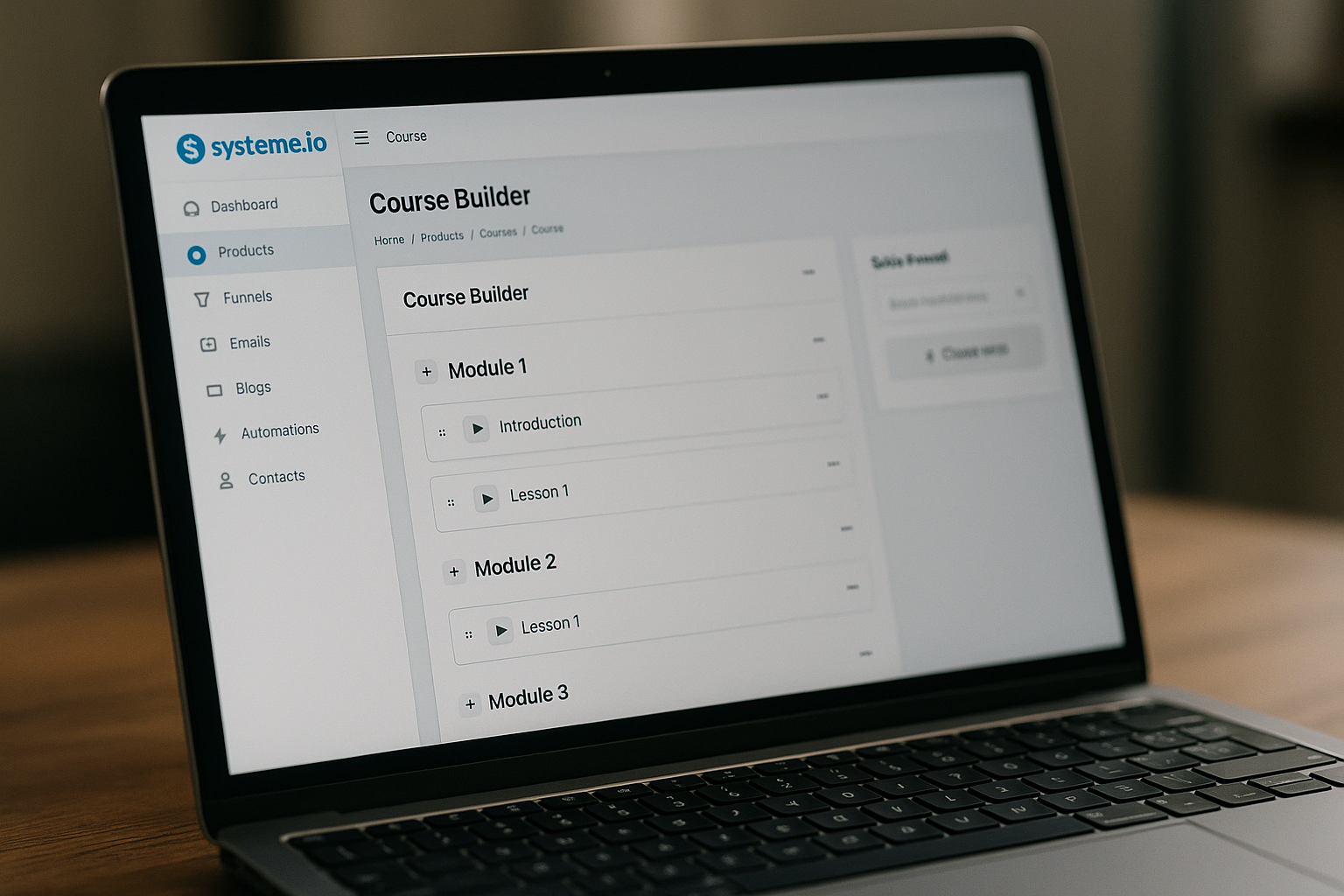
If you want to publish a paid course without connecting five different tools, this systeme.io course creation guide will walk you through the practical path from idea to launch. Systeme.io is built for sales funnels, email marketing, online courses, selling online, and blogging, so it can work as a compact course business setup for beginners.
This article is both a hands-on systeme.io tutorial and a buyer-focused decision guide. You’ll learn how to make a course on systeme.io, what to prepare first, how the plans compare, and when the free plan is enough.
This article may contain an affiliate link to Systeme.io. If you decide the platform fits your launch, you can try it through this Systeme.io link without changing the official pricing or plan details.
Official website · Latest pricing & offers
Why Systeme.io Fits a Fast, Minimal-Tool Course Launch
A good first course launch does not need to be complicated. For many creators, the hardest part is not recording lessons; it is connecting the course area, sales page, email follow-up, and student access in a way that actually works.
That is where systeme.io course creation becomes appealing. Instead of building a course in one app, a funnel in another, and emails somewhere else, you can create, host, market, and sell from one platform.
What Systeme.io includes for course creators
According to its official homepage, Systeme.io is a platform for sales funnels, email marketing, online courses, selling online, and blogging. For course creators, that means the core pieces of a simple launch can live in one place.
Its course platform page states that you can create, host, and sell courses without a separate tool. You can upload video lessons, create modules and lectures, drip content on a schedule, build quizzes, bundle multiple courses together, and manage student access automatically based on payment or enrollment rules.
For a beginner, this matters because systeme.io course creation is not only about adding lessons. It is about turning those lessons into a sellable product with a delivery process attached.
Who this tutorial is for: beginners, creators, coaches, and solopreneurs
This guide is written for people who want to move quickly but still look professional. That includes coaches packaging a framework, freelancers teaching a repeatable skill, creators selling a mini-course, and solo entrepreneurs testing a new offer.
If you are new to online course platforms, Systeme.io for beginners can feel more approachable because the course builder connects with funnels and email marketing. You still need to plan your content, but you do not need to start with a large software stack.
A practical example would be a career coach creating a four-module course on interview preparation. With systeme.io course creation, that coach can organize lessons, add a sales funnel, and deliver access from the same account.
Why an all-in-one setup reduces friction
Every extra tool adds another login, integration, and possible point of failure. A separate course app, email platform, page builder, and payment delivery workflow can work, but it often creates unnecessary setup work for a first launch.
Systeme.io reduces that friction by keeping the core launch assets together. You can focus on the offer, the student outcome, and the delivery structure before worrying about advanced tech.
That does not mean every creator will use one platform forever. But for a fast first version, systeme.io course creation gives you a cleaner path from idea to published course.
Systeme.io Course Creation: What You Need Before You Start
Before you open the dashboard, prepare the basic assets for your course. This saves time and keeps you from building a course that looks busy but does not guide students toward a clear result.
Think of this as your launch readiness checklist. The platform can host and sell the course, but you still need a focused promise, organized lessons, and a simple buying path.
A course topic that solves one clear problem
Start with one specific student problem. A beginner course should not try to cover everything you know.
For example, instead of “Marketing for Small Businesses,” a stronger first course could be “Create Your First Lead Magnet and Email Follow-Up.” That gives the course a clear outcome and makes the module structure easier.
For systeme.io course creation, clarity matters because the platform lets you build modules and lectures quickly. If the idea is unfocused, you may end up adding too many lessons before your offer is ready.
A simple course promise might follow this format:
| Course Element | Beginner-Friendly Example |
|---|---|
| Audience | New freelance designers |
| Problem | They do not know how to price a starter package |
| Outcome | Build a simple service menu and pricing page |
| Course length | 3 to 5 modules |
| Delivery style | Short video lessons, worksheets, and a quiz |
Your lesson assets: video, text, files, and quizzes
The official course platform page says you can upload video lessons, create modules and lectures, build quizzes, and bundle multiple courses together. That gives you enough structure to build a complete learning experience.
Before setup, prepare your core lesson materials. These might include short videos, written lesson summaries, downloadable worksheets, checklists, and quiz questions.
A beginner-friendly structure could look like this:
- Module 1: Foundation and goals
- Module 2: Step-by-step implementation
- Module 3: Practice and examples
- Module 4: Review, quiz, and next steps
This approach keeps systeme.io course creation manageable. You can always improve the course later, but your first version should be simple enough to publish.
Simple launch assets: sales page, checkout, and email follow-up
A course is not ready to sell just because the lessons are uploaded. You also need a basic sales path.
For a minimal launch, prepare:
- A sales page explaining the course outcome
- A purchase or enrollment path
- A short welcome email
- A student access confirmation
- A simple follow-up sequence for people who need more information
Systeme.io includes sales funnels and email marketing, so you can build these launch assets without stitching together separate systems. That is one reason people search for a systeme.io online course platform instead of only a lesson host.
How to Create a Course in Systeme.io Step by Step
This is the core systeme.io course creation workflow. The official help article explains that you start from Assets, then Courses, add a new course, fill in the basic details, choose a theme, save, and then add modules and lectures.
The steps below follow that sequence and add practical beginner tips.
Go to Assets → Courses and add a new course
Inside Systeme.io, go to Assets, then select Courses. From there, click Add a new course.
At this point, do not worry about making the course perfect. Your goal is to create the course container first, then organize the content inside it.
If you are following a systeme.io tutorial for the first time, name your course clearly. Use a student-facing name, not an internal project name like “Course Draft 1.”
Set the course name, domain, URL path, and theme
The official setup flow asks you to fill in the course name, domain, URL path, and theme. Then you save the course.
Here is what each field means in practical terms:
| Setup Item | Practical Tip |
|---|---|
| Course name | Use a clear name that matches your offer |
| Domain | Choose the domain connected to this course |
| URL path | Keep it short and readable |
| Theme | Pick a simple layout that supports easy navigation |
For systeme.io course creation, avoid overthinking the theme. A clean structure and logical lesson order matter more than decorative choices.
Create modules and lectures
After saving the course, add modules and lectures. Modules are the main sections of the course, while lectures are the individual lessons inside each module.
For example, a course called “Client Onboarding for Freelancers” could use this structure:
| Module | Lectures |
|---|---|
| Module 1: Your Onboarding System | Welcome, Course Roadmap, What Clients Need |
| Module 2: Intake and Expectations | Intake Form, Kickoff Email, Timeline Setup |
| Module 3: Delivery Workflow | File Handoff, Review Process, Revision Boundaries |
| Module 4: Finalization | Completion Checklist, Client Feedback, Next Offer |
The official help article also states that modules and lectures can be duplicated or moved. That is useful when you want to reuse a lesson format or rearrange your course after reviewing the student journey.
Add delays for drip content and enable comments
Systeme.io supports drip content by letting you set a delay after the previous lecture. This controls when students can access the next lesson.
A simple drip content systeme.io setup might release one lecture per day or one module per week. This can help students avoid rushing through the material without doing the work.
The help article also states that you can enable comments for lectures. Comments can be useful if you want students to ask questions under specific lessons, but only turn them on if you are ready to monitor and respond.
For systeme.io course creation, use drip access intentionally. Do not add delays just because the option exists; match the schedule to the amount of work students need to complete.
Activate the course and arrange content
One easy mistake is building everything but forgetting that content must be activated for students to see it. Before launch, review your modules and lectures carefully.
Check that the lesson order makes sense, the correct content is visible, and any drip delays are intentional. If you duplicate or move modules, review the final layout again.
This final pass is essential. A polished systeme.io course builder setup should feel simple to navigate from the student’s perspective.
How to Turn Your Course Into a Selling System
Once the course exists, the next step is making it sellable. Systeme.io is not only a course area; its official homepage includes sales funnels and email marketing as core platform uses.
This is where systeme.io course creation becomes part of a bigger launch system.
Connect the course to a sales funnel
A sales funnel gives potential students a path from interest to enrollment. At minimum, that path should explain the course outcome, who it is for, what is included, and how the student gets access after buying or enrolling.
You do not need a complicated funnel for your first launch. A clear sales page and purchase path are often enough to start testing your offer.
If you want to sell online courses with systeme.io, make sure the funnel matches the course promise. Do not make broad claims on the sales page if the course only solves one specific problem.
Use email marketing to nurture buyers and students
Systeme.io includes email marketing, which helps you communicate before and after enrollment. For beginners, a simple email structure is usually best.
You might create:
- A welcome email after enrollment
- A course access reminder
- A lesson progress encouragement email
- A completion reminder
- A feedback request
This keeps the student experience organized. It also helps you avoid relying only on students remembering to log in.
Set access rules so buyers get the right delivery experience
The official course platform page states that Systeme.io can manage student access automatically based on payment or enrollment rules. This is important because students should receive the correct course access without manual work every time.
Before publishing, test your own flow as carefully as possible. Confirm that the course, access timing, and student communication all align.
Strong systeme.io course creation is not just “the lessons are uploaded.” It means the right student gets the right content at the right time.
Systeme.io Pricing for Course Creators
Understanding systeme.io pricing helps you decide whether to start free or upgrade before launch. The official pricing page lists four plans: Free, Startup, Webinar, and Unlimited.
All listed plans state that no credit card is required. The key difference is capacity: funnels, automation rules, custom domains, contacts, and access to evergreen webinars on the Webinar plan.
Free plan: $0 and what it allows
The systeme.io free plan is $0. It includes limited usage: 3 funnels, 1 automation rule, 1 custom domain, and up to 2,000 contacts. The official pricing page says no credit card is required.
For a first course test, this can be enough if your setup is simple. For example, one course, one basic funnel, and a small email list may fit well within the free plan’s limits.
For systeme.io course creation, the free plan is best viewed as a testing and validation option. It gives you room to build your first version before committing to a paid plan.
Startup plan: $17 and why it matters
The Startup plan is $17. It allows up to 10 funnels, 10 automation rules, 3 custom domains, and 5,000 contacts. No credit card is required according to the official pricing page.
This plan may make sense when your course business needs more than one funnel or more automation rules. For example, you might have a lead magnet funnel, a course sales funnel, and a student onboarding flow.
If your systeme.io course creation plan includes multiple offers or more follow-up workflows, Startup gives you more room than the free plan.
Webinar plan: $47 for evergreen webinar access
The Webinar plan is $47. It allows up to 50 funnels, 100 automation rules, 10 custom domains, and 10,000 contacts. It also includes evergreen webinars, and no credit card is required.
This plan is worth considering if evergreen webinars are part of your course sales strategy. For example, a coach might use a recorded training as a structured presentation before inviting people into a paid course.
Do not upgrade only because the plan sounds more advanced. Upgrade when your launch actually needs evergreen webinars or the higher funnel, automation, domain, or contact capacity.
Unlimited plan: $97 for maximum flexibility
The Unlimited plan is $97. It includes unlimited funnels, contacts, automation rules, and custom domains, plus early access to new features. No credit card is required.
This plan is designed for creators who do not want to manage limits across multiple funnels, domains, contacts, and automations. It can fit larger course libraries or more complex selling systems.
For a beginner, Unlimited is not always necessary on day one. But if your systeme.io course creation roadmap includes multiple courses, bundles, and ongoing campaigns, it may be simpler to remove capacity limits.
How to choose the right plan for your course launch
Use the plan limits to decide, not guesswork. Start by counting the funnels, automations, custom domains, and contacts you realistically need for your first launch.
| Plan | Price | Verified Limits and Fit |
|---|---|---|
| Free | $0 | 3 funnels, 1 automation rule, 1 custom domain, up to 2,000 contacts; good for testing |
| Startup | $17 | 10 funnels, 10 automation rules, 3 custom domains, 5,000 contacts; good for more launch assets |
| Webinar | $47 | 50 funnels, 100 automation rules, 10 custom domains, 10,000 contacts; includes evergreen webinars |
| Unlimited | $97 | Unlimited funnels, contacts, automation rules, and custom domains; includes early access to new features |
If you are unsure, begin with the smallest plan that supports your launch. You can upgrade when your funnel count, automation needs, domain setup, or contact list grows.
Official website · Latest pricing & offers
Best Practices to Make Your First Course Look Professional
A professional course is not always the biggest course. It is the course that helps students understand what to do next.
For systeme.io course creation, your goal should be clarity, consistency, and completion.
Keep modules short and outcome-based
Each module should move the student toward a specific result. Avoid turning every idea into a separate lesson.
For example, instead of a module called “Everything About Branding,” use “Choose Your Brand Message” or “Create Your Simple Visual Style.” Outcome-based names make the course feel more actionable.
Use consistent lesson naming and lesson order
Consistent lesson names make the course easier to follow. You might use a repeatable pattern such as “Watch,” “Do,” and “Review.”
A simple sequence could be:
- Lesson 1: Watch the walkthrough
- Lesson 2: Complete the worksheet
- Lesson 3: Check your work
- Lesson 4: Take the quiz
This structure works especially well for systeme.io course creation because modules and lectures can be moved or duplicated. A consistent format makes future editing easier.
Add quizzes, resources, and a simple completion path
Systeme.io’s course platform page states that you can build quizzes. Use quizzes to reinforce key ideas, not to make the course feel harder than necessary.
Add resources where they genuinely help. A checklist, template, or worksheet can turn a short lesson into something students can apply immediately.
A simple completion path might end with a final review lecture, a quiz, and a “next steps” lesson. That gives students a clear finish line.
Avoid overbuilding before launch
Many beginners delay publishing because they keep adding lessons. More content does not always mean a better student experience.
If the course solves the promised problem, publish the first version and improve it from real feedback. Overbuilding can make systeme.io course creation feel heavier than it needs to be.
Common Mistakes to Avoid When Using Systeme.io for Courses
Most course setup problems are avoidable. The platform gives you the structure, but you still need to make clear decisions before publishing.
Here are the mistakes I would watch for first.
Trying to build too many lessons before validating demand
A first course should be focused. If you create 40 lessons before confirming that people want the outcome, you may waste time polishing the wrong offer.
Start with the minimum course that delivers the promised result. You can expand later with bonus lessons, bundles, or advanced modules.
This is one of the most important systeme.io course creation lessons for beginners: publish something useful before trying to build an entire academy.
Ignoring the checkout and follow-up emails
Course delivery is only part of the launch. Students also need a smooth buying and onboarding experience.
Review the sales funnel, enrollment path, welcome email, and access instructions before sending traffic to your offer. If students are confused after purchase, the course will feel less professional even if the lessons are good.
Choosing the wrong plan too early
Do not upgrade just because you think you might need more capacity later. Use the verified systeme.io pricing limits to make a practical decision.
The free plan can be enough for testing. Startup, Webinar, or Unlimited may be better when your funnels, automation rules, custom domains, contacts, or webinar needs exceed the lower plan.
Forgetting to activate modules and lectures
The official help article states that content must be activated for students to see it. This is a small step, but it can create a serious launch problem if missed.
Before announcing your course, review every module and lecture. Make sure the correct content is active and arranged in the intended order.
Systeme.io vs. Separate Tools: Why Minimal Stacks Win for Course Launches
A separate stack can work, but it often creates more setup than a beginner needs. If your goal is to launch a first course quickly, fewer tools usually means fewer technical distractions.
That is why systeme.io course creation is attractive for creators who want a practical path to publishing and selling.
One platform for course delivery, funnels, and email
Systeme.io combines online courses, sales funnels, email marketing, selling online, and blogging. For course creators, that means your course delivery and marketing assets can live closer together.
This is especially useful when you are still testing your offer. You can build the course, connect the sales path, and communicate with students without managing multiple systems.
Lower setup complexity for solo creators
Solo creators usually do not have a technical team. Every extra integration can slow down the launch.
With a minimal stack, you spend more time improving the offer and less time troubleshooting connections. This is a major benefit of using a systeme.io online course platform for a first launch.
When a separate stack may still make sense
A separate stack may make sense if you have highly specific technical requirements, an established workflow, or a team that already manages multiple tools. Some advanced businesses prefer specialized systems for each function.
But if your priority is speed, simplicity, and a clean first launch, an all-in-one setup is often more practical. For many beginners, systeme.io course creation is enough to start selling and delivering a structured course.
Should You Start on the Free Plan or Upgrade?
The best plan depends on your actual launch needs. Do not choose based on fear; choose based on limits.
For most first-time creators, the decision comes down to funnels, automation rules, custom domains, contacts, and whether evergreen webinars matter.
When the free plan is enough
The Free plan is enough when you want to test a simple course idea. It gives you $0 access with limited usage: 3 funnels, 1 automation rule, 1 custom domain, and up to 2,000 contacts.
If you are building one course, one basic funnel, and a small follow-up process, this can be a practical starting point. It is also useful if you want to learn how to make a course on systeme.io before paying.
When you may need more funnels, contacts, or automation
Upgrade when your launch outgrows the free plan’s limits. Startup gives you more funnels, automation rules, custom domains, and contacts. Webinar adds evergreen webinars and higher limits. Unlimited removes limits on funnels, contacts, automation rules, and custom domains.
For example, you may need Startup if you want separate funnels for a lead magnet, course sale, and student onboarding. You may need Webinar if evergreen webinars are central to your selling system.
For larger systeme.io course creation plans, Unlimited can reduce the need to monitor capacity as closely.
How to upgrade without rebuilding your course
A smart way to start is to build the course structure first, then upgrade only when your launch system requires it. Your content strategy should not depend on buying the biggest plan immediately.
Map your course, modules, lectures, sales funnel, and email follow-up. Then compare that setup with the verified plan limits.
If you want to try an all-in-one setup, you can start through this Systeme.io affiliate link and choose the plan that fits your launch needs.
Conclusion: Build, Publish, and Sell Your First Course Today
Systeme.io course creation is a practical option for creators who want to build, host, market, and sell a course with fewer tools. The platform supports course modules, lectures, video lessons, drip content, quizzes, bundles, funnels, email marketing, and automated student access based on payment or enrollment rules.
The most important thing is to start with a focused course promise. Build the simplest version that helps students get a real outcome, then improve it after launch.
A simple next-step checklist
Use this checklist before publishing:
- Choose one clear course outcome
- Outline 3 to 5 modules
- Prepare videos, text lessons, files, and quizzes
- Create the course under Assets → Courses
- Add modules and lectures
- Set drip delays only where useful
- Enable comments only if you will manage them
- Activate visible content
- Connect the course to a simple sales funnel
- Add basic email follow-up
- Choose the plan that matches your limits
This keeps systeme.io course creation simple and action-focused.
Best first action for new creators
Your best first action is not to build a huge course. It is to create a small, useful course that solves one problem and can be sold through a simple system.
If you are brand new, start with the free plan to test your idea. Upgrade when your funnels, contacts, automation, domains, or evergreen webinar needs make it necessary.
Official website · Latest pricing & offers
FAQ
How do I create a course in Systeme.io?
Go to Assets, then Courses, and click Add a new course. Fill in the course name, domain, URL path, and theme, then save the course.
After that, add modules and lectures. You can duplicate or move modules and lectures, set drip delays, enable comments, and activate content so students can see it.
Is Systeme.io free for course creation?
Yes. The official pricing page lists a Free plan at $0 with limited usage.
The Free plan includes 3 funnels, 1 automation rule, 1 custom domain, and up to 2,000 contacts. It also states that no credit card is required.
Can I sell a course with Systeme.io?
Yes. Systeme.io is designed for online courses, sales funnels, email marketing, and selling online.
Its course platform page states that you can create, host, and sell courses without a separate tool. It can also manage student access automatically based on payment or enrollment rules.
Does Systeme.io support drip content?
Yes. The official help article states that you can set a delay after the previous lecture to control when students get access.
This makes drip content in Systeme.io useful for scheduled learning paths, such as releasing one lesson per day or one module per week.
Which Systeme.io plan is best for beginners?
For most beginners, the Free plan is the best place to test a simple course idea because it costs $0 and includes limited usage. It is especially useful if you are learning the platform and validating demand.
The Startup plan may be a better fit if you need more capacity, including up to 10 funnels, 10 automation rules, 3 custom domains, and 5,000 contacts. Choose based on your actual launch needs, not assumptions.
Related Reading
- Systeme.io vs Mailchimp: which platform fits your business?
- Is Systeme.io good for beginners?
- Top 10 GoHighLevel features for agencies
References
- Systeme.io online courses feature page
- How to create a course using systeme.io
- The 8-Step Guide to Create Online Courses That Sell
- How Much Does it Cost to Build Your First Online Course?