Barn2 Table Plugins: Best Use Cases for WooCommerce Stores in 2026
If you are comparing Barn2 table plugins for a WooCommerce store, the real question is not “Are tables useful?” It is “Will a table layout help my customers find, compare, and order products faster than a standard shop grid?”
That depends heavily on your business model. In my experience reviewing WooCommerce store layouts, table-style ordering works best when customers already have buying intent: wholesale buyers, restaurant customers, repeat purchasers, and shoppers comparing many similar products.
Barn2’s WooCommerce Product Table is its bestselling plugin and is designed to list WooCommerce products in a searchable table layout with filters. You can review the current official product details through Barn2 via TopTrustReview before deciding whether it fits your store.
Official website · Latest pricing & offers
What Barn2 table plugins are and who they are for
Simple definition of Barn2 table plugins
Barn2 table plugins are premium WordPress, WooCommerce, and Shopify tools from Barn2 that help display content in structured table layouts. For WooCommerce store owners, the most relevant option is WooCommerce Product Table, often searched as barn2 woocommerce product table or woocommerce product table barn2.
Instead of forcing shoppers through image-heavy product grids, this type of product table plugin for WooCommerce can present products in rows and columns. Barn2’s official use cases include quick order forms, large product catalogs, restaurant order systems, wholesale layouts, and more.
The practical goal is simple: reduce friction when shoppers need speed, search, filtering, and side-by-side scanning.
How product tables differ from standard WooCommerce catalog layouts
A standard WooCommerce shop page usually emphasizes product images, cards, and individual product pages. That works well for visual browsing, fashion, lifestyle products, and impulse purchases.
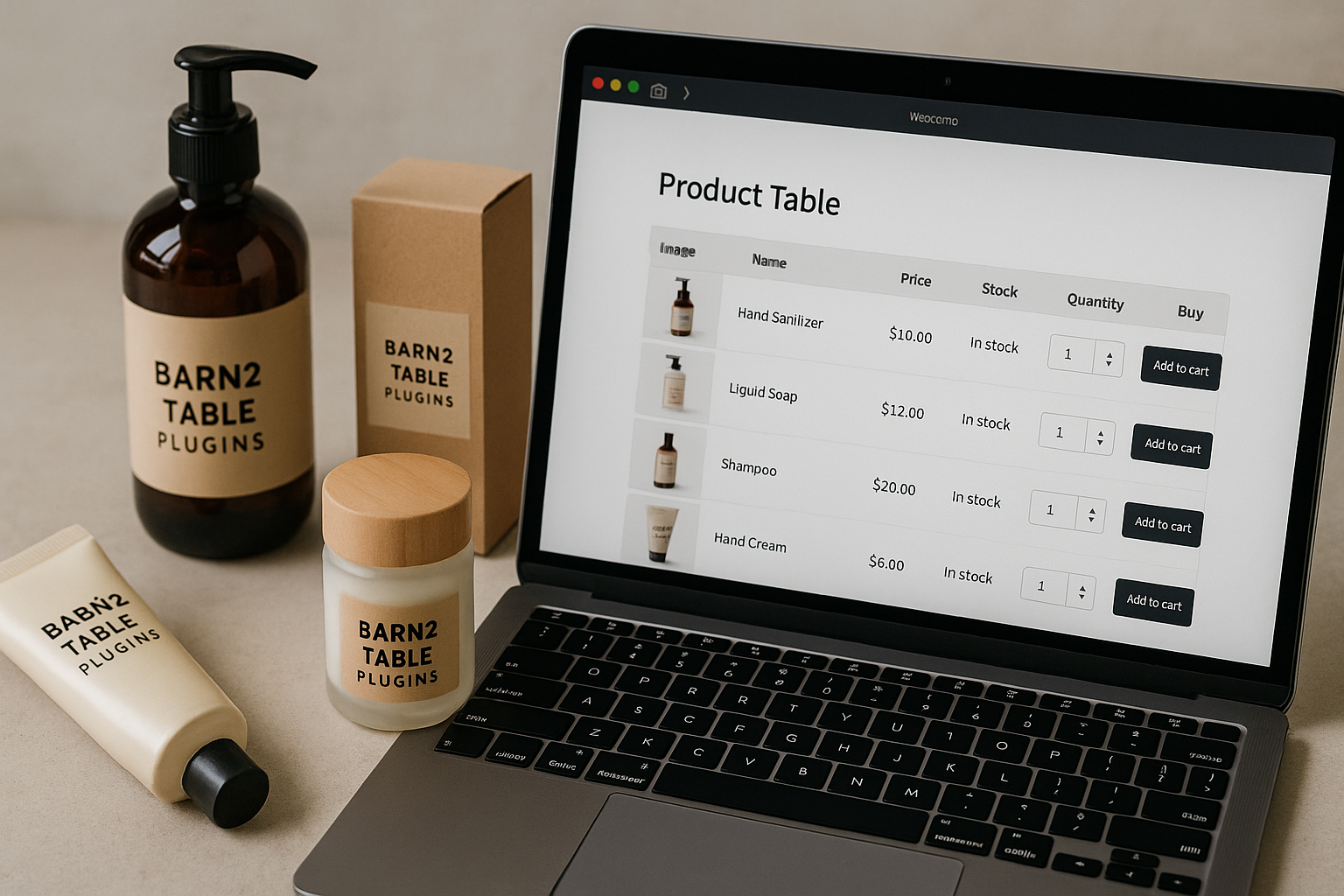
Barn2 table plugins take a more functional approach. A searchable product table lets customers scan many products at once, sort information, use filters, and add items from a tighter layout.
Here is the basic difference:
| Layout Type | Best For | Main Strength |
|---|---|---|
| Standard WooCommerce grid | Visual browsing and brand storytelling | Images and product presentation |
| Product table layout | Fast discovery, comparison, and ordering | Search, sorting, filters, and compact product data |
| One-page order form | Repeat orders and bulk purchasing | Fewer clicks and faster cart building |
Why tables help shoppers move faster
Tables help when the shopper’s problem is not inspiration but efficiency. If a customer needs to find a SKU, compare product details, or order several items quickly, a grid can feel slow.
Barn2 table plugins are especially useful when your customers know what they want, or at least know how they want to narrow the catalog. Searchable and sortable product tables make it easier to move from “I need this item” to “I’ve added it to cart.”
That is why the format is common for B2B catalogs, food menus, parts lists, and repeat-order stores.
Best use cases for Barn2 table plugins
Wholesale and B2B stores
Wholesale and B2B buyers rarely shop like casual retail customers. They often buy multiple products, compare SKUs, check prices, and place repeat orders.
This is where Barn2 table plugins make strong commercial sense. A wholesale order form plugin should help buyers move quickly through a catalog without opening dozens of product pages.
For example, a packaging supplier might sell boxes, labels, tape, and mailers in many sizes. A normal grid would make the customer jump between pages. A searchable product table can show product information in rows, so buyers can scan options and build an order more efficiently.
A product table layout is especially useful for wholesale stores when:
- Products have similar names or variants
- Buyers order in bulk
- Customers search by SKU or product type
- The catalog is functional rather than visual
- Speed matters more than lifestyle imagery
The tradeoff is that a table may feel plain if your brand depends on emotional product presentation. But for B2B purchasing, plain can be powerful.
Restaurants and food ordering sites
Barn2 officially mentions restaurant order systems as a use case for WooCommerce Product Table. That makes sense because food ordering is often time-sensitive.
A restaurant customer usually wants to scan categories, compare dishes, and add items quickly. A restaurant order form plugin built around a table can reduce the need to open separate product pages for every dish.
Barn2 table plugins can work well for:
- Takeaway menus
- Catering menus
- Bakery pre-orders
- Meal prep services
- Cafés with repeat lunch customers
- Grocery-style local food ordering
The biggest benefit is one-page ordering behavior. If customers can view items, use filters, and add products from a compact layout, the experience can feel faster than a traditional WooCommerce grid.
However, restaurants with highly visual menus may still need strong images and descriptions. A table layout should not remove appetite appeal; it should make ordering easier.
Large catalogs with many SKUs
Large SKU catalogs are one of the clearest use cases for Barn2 table plugins. If your store sells hundreds or thousands of product variations, a standard grid can become hard to navigate.
Barn2’s WooCommerce Product Table is designed to create searchable and sortable product tables or a one-page order form. That matters when shoppers need to narrow a large catalog quickly.
Good examples include:
- Auto parts
- Electronic components
- Office supplies
- Industrial products
- Hardware items
- Medical or lab supplies
- Replacement parts
- Craft materials with many sizes or colors
With a large catalog, discovery is the main challenge. Customers may know part of a product name, a category, a SKU, or a feature. A searchable product table gives them a more direct path than scrolling through image grids.
If you run a large-catalog WooCommerce store, the key question is whether your current layout makes shoppers work too hard. If customers frequently use search, filters, or support chat to find products, a table layout may be worth testing.
Reorder-heavy stores and repeat customers
Repeat-order stores are another strong fit for Barn2 table plugins. These customers are not browsing casually. They are returning to buy the same or similar products again.
A one-page order form can be especially helpful here. The fewer clicks between product discovery and checkout, the better.
Examples include:
- Wholesale food suppliers
- Cleaning supply stores
- Office supply stores
- Pet supply subscriptions or refills
- Business consumables
- Replacement filter or parts stores
- Educational supply catalogs
For repeat buyers, speed often matters more than product storytelling. They may already trust your store and understand the products. Your job is to make reordering painless.
A standard WooCommerce grid may still be fine for first-time shoppers. But for logged-in customers, trade buyers, or existing clients, a table layout can feel much more efficient.
Stores that need quick comparison shopping
Some stores sell products that customers compare based on clear attributes. In these cases, Barn2 table plugins can support better decision-making by placing product data in a scannable format.
Comparison-focused stores might sell:
- Software licenses or digital products
- Courses or training packages
- Technical equipment
- Supplements with different quantities
- Parts with different specifications
- Books, resources, or documents
- Professional tools
A sortable product table helps when the buying decision depends on comparing details. Customers can scan rows, look across columns, and choose based on practical criteria.
This is not always better than a visual layout. If your products are differentiated mostly by design, emotion, or lifestyle appeal, a grid may convert better. But if shoppers compare facts, tables usually make the process clearer.
When a product table is better than a traditional shop page
Faster product discovery
A product table is usually better when customers need to find specific products quickly. Search and filtering reduce the friction of browsing through multiple pages.
Barn2 table plugins support this use case by putting products into searchable table layouts. Instead of clicking category after category, shoppers can narrow the list and move toward ordering.
This is especially helpful for stores where product names, SKUs, or categories matter more than large product photography.
Better for scanning lots of items at once
Traditional grids can become inefficient when customers need to compare many items. Each product card takes up space, and important details may be hidden until the shopper opens a product page.
A sortable product table can show more items in a compact format. That makes it easier to scan a large set of products without losing context.
For SKU-heavy stores, this can make the difference between a shopper finding the right item and giving up.
Helpful when customers already know what they want
If customers arrive with a product name, SKU, category, or reorder list in mind, Barn2 table plugins are often a better fit than a standard grid.
These shoppers do not need a slow browsing journey. They need a direct route to the right product.
This is why table layouts often work well for B2B, wholesale, restaurant, and repeat-purchase models.
Not ideal for highly visual, impulse-driven brands
A product table is not always the best choice. If your store sells fashion, art, luxury goods, handmade products, or visually driven lifestyle items, a table may feel too functional.
In those cases, a traditional WooCommerce grid can better support brand experience, product photography, and emotional buying. You might still use Barn2 table plugins for a wholesale area or quick-order page, but not necessarily as your main storefront.
The honest answer: tables are best when efficiency is the selling point.
Official website · Latest pricing & offers
What you can show in a Barn2 product table
Products, prices, SKUs, images, variations, and buttons
A Barn2 product table can be used to create product listings and flexible order forms. In practical WooCommerce use, that means presenting product data in a structured table so shoppers can scan and order more efficiently.
Common table elements may include product details such as products, prices, SKUs, images, variations, and add-to-cart-style buttons, depending on your configuration and current plugin options. Before buying, check Barn2’s official product page to confirm the exact display controls available in the latest version.
For stores with many similar products, even small details like SKU visibility can make ordering easier.
Filters, search, and sorting
The official product description for WooCommerce Product Table emphasizes searchable and sortable product tables with filters. That is the core reason many store owners consider Barn2 table plugins.
Search helps customers jump directly to relevant items. Sorting helps them compare. Filters help them reduce a large catalog into a manageable list.
Together, these features are most valuable when your catalog is too complex for a simple grid.
Tables on shop pages, category pages, or anywhere with a block or shortcode
Official product information mentions adding tables on shop pages, category pages, or other pages using a block or shortcode. That flexibility matters because not every store should replace its entire shop layout at once.
You might use a table for:
- A wholesale order page
- A restaurant menu page
- A specific product category
- A reorder page for existing customers
- A large catalog section
- A quick order form
This selective approach is often the safest way to test Barn2 table plugins before redesigning your full WooCommerce experience.
Barn2 table plugin lineup worth knowing
WooCommerce Product Table
WooCommerce Product Table is Barn2’s bestselling plugin. It lists WooCommerce products in a searchable table layout with filters and can be used for searchable and sortable product tables or a one-page order form.
This is the main plugin to consider if your goal is selling products faster through WooCommerce. If you are looking for barn2 product table, this is the product-focused option.
It is best suited for product catalogs, wholesale ordering, restaurant ordering, large SKU lists, and quick order forms.
Posts Table Pro
Posts Table Pro is different. It lists posts, pages, custom post types, custom fields, and taxonomies in a searchable, sortable table.
That makes it useful for content-heavy WordPress sites rather than WooCommerce product ordering. For example, it may suit resource libraries, directories, knowledge bases, or structured content collections.
It is still part of the broader Barn2 table-style approach, but it is not the same as a product table plugin for WooCommerce.
How they differ in practical use
The practical difference is simple:
| Plugin | Main Purpose | Best For |
|---|---|---|
| WooCommerce Product Table | Display WooCommerce products in searchable, sortable tables | Product listings, order forms, wholesale layouts, restaurant ordering |
| Posts Table Pro | Display WordPress content in searchable, sortable tables | Posts, pages, custom post types, custom fields, and taxonomies |
If you sell products, start with WooCommerce Product Table. If you organize WordPress content, Posts Table Pro is the better fit.
When comparing Barn2 table plugins, do not choose based only on the table format. Choose based on what you need to display.
How to decide if Barn2 is the right fit for your store
Checklist for store owners
Use this checklist before buying or implementing Barn2 table plugins:
| Question | If Yes, A Table May Help |
|---|---|
| Do customers search for specific SKUs or product names? | Strong fit |
| Do you sell many similar products? | Strong fit |
| Do customers often reorder the same items? | Strong fit |
| Do buyers compare price, SKU, or product details? | Strong fit |
| Do you serve wholesale or B2B customers? | Strong fit |
| Do you need a one-page order form? | Strong fit |
| Is your store mainly visual or lifestyle-led? | Maybe not the main layout |
| Do customers need storytelling before purchase? | Grid may be better |
Also check the official Barn2 pages for current product details. The official homepage states Barn2 provides detailed documentation and expert support, which is useful if you are changing an important store layout.
Signs you need a product table
You may need a product table if customers regularly struggle to find items, ask support for product links, or abandon browsing large categories.
A searchable product table is especially useful when product discovery depends on filtering and sorting rather than visual exploration. If buyers already know what they need, a table can shorten the path to cart.
You should also consider a one-page order form if customers commonly buy multiple items in one session.
Signs a normal grid layout is enough
A normal WooCommerce grid may be enough if your catalog is small, your products are highly visual, or most customers browse for inspiration.
For example, a boutique selling a small seasonal collection may not need Barn2 table plugins as the main shop layout. Product images, styling, and storytelling may matter more.
In that case, you might still use a table on a wholesale page or internal quick-order section, but keep the public shop visual.
Recommended workflow before you buy
Audit your catalog
Before choosing Barn2 table plugins, audit your catalog honestly. Count how many products, categories, and SKUs customers must navigate.
Look for friction points:
- Large categories with many similar items
- Products that differ mainly by size, SKU, or specification
- Reorder products
- Items customers often search for directly
- Categories with high support questions
This tells you where a product table could improve the buying experience.
Identify top-value products
Do not start by converting your whole shop. Identify the categories that matter most commercially.
For example, if 30 products generate most repeat orders, those products may deserve a quick order form first. If one category has hundreds of SKUs, test a sortable product table there.
This focused approach reduces risk and helps you judge whether the layout actually improves ordering.
Test a table layout on one category
A practical first step is to test WooCommerce Product Table on one high-value category or dedicated order page. You can review the official Barn2 information through Barn2 via TopTrustReview and confirm the latest features before implementing.
If you are searching for “barn2 table plugins free download,” be careful. Barn2 offers premium-quality plugins, and pricing was not visible in the provided official pricing snapshot because that page returned a 404. Verify pricing, licensing, and purchase terms directly on the official Barn2 site before buying.
Measure whether customers find items faster
After testing, measure behavior. Do customers use search? Are they adding more items per order? Are support questions decreasing? Are repeat buyers completing orders faster?
The value of Barn2 table plugins should show up in practical improvements: faster discovery, easier comparison, and smoother ordering.
If the table does not improve those outcomes, you may only need a better category structure or standard WooCommerce filters.
Official website · Latest pricing & offers
FAQ
What types of stores benefit most from Barn2 table plugins?
Wholesale, restaurant, B2B, large-catalog, and repeat-order stores usually benefit most from Barn2 table plugins. These stores need customers to search, sort, compare, and order quickly.
Is WooCommerce Product Table good for large product catalogs?
Yes. Barn2’s official positioning describes WooCommerce Product Table as useful for searchable tables, quick order forms, and large product catalogs.
Can I use Barn2 table plugins for restaurant ordering?
Yes. Barn2 explicitly lists restaurant order systems and quick order forms among the official use cases for WooCommerce Product Table.
What’s the difference between WooCommerce Product Table and Posts Table Pro?
WooCommerce Product Table is for WooCommerce products and order forms. Posts Table Pro is for posts, pages, custom post types, custom fields, and taxonomies.
Can Barn2 tables be added anywhere on a site?
Official product pages mention adding tables on shop pages, category pages, or other pages using a block or shortcode. Always confirm the latest placement options on Barn2’s official site.
Final verdict: who should choose Barn2 table plugins
Best fit summary
Barn2 table plugins are best for stores where customers value speed, clarity, and comparison over visual browsing. The strongest fits are wholesale stores, B2B catalogs, restaurants, large SKU stores, and repeat-order businesses.
WooCommerce Product Table is especially relevant if you need a wholesale order form plugin, restaurant order form plugin, searchable product listings, or a one-page order form.
Who should skip it
You may not need Barn2 table plugins as your primary shop layout if your store is small, image-led, or built around emotional product discovery.
Fashion, art, luxury, and lifestyle brands may get better results from a polished visual grid. In those cases, a table can still be useful for a secondary order page, but it should not replace the experience customers expect.
Bottom-line recommendation
Choose Barn2 table plugins if your customers need to find, compare, and order products quickly. They are most compelling when your catalog is large, functional, SKU-heavy, or built around repeat purchases.
If your store’s main problem is slow product discovery or inefficient ordering, Barn2’s table approach is worth serious consideration in 2026. Just confirm current features, support, documentation, and pricing directly on the official Barn2 site before purchasing.
Related Reading
- Barn2 WooCommerce Plugins 2026 Buyer’s Guide
- How to Set Up WordPress on Hostinger in 2026
- Best Cloud Hosting for WordPress in 2026
References
- WooCommerce Product Table Plugin – Fast Order Forms & Search
- Quality WordPress & WooCommerce Plugins by Barn2 Plugins
- WordPress Table Plugin: List Posts, Pages & Custom Post Types
- Barn2 Plugins (@barn2media) – WordPress user profile