Post Planner Pros and Cons Review 2026: Quick Buying Verdict
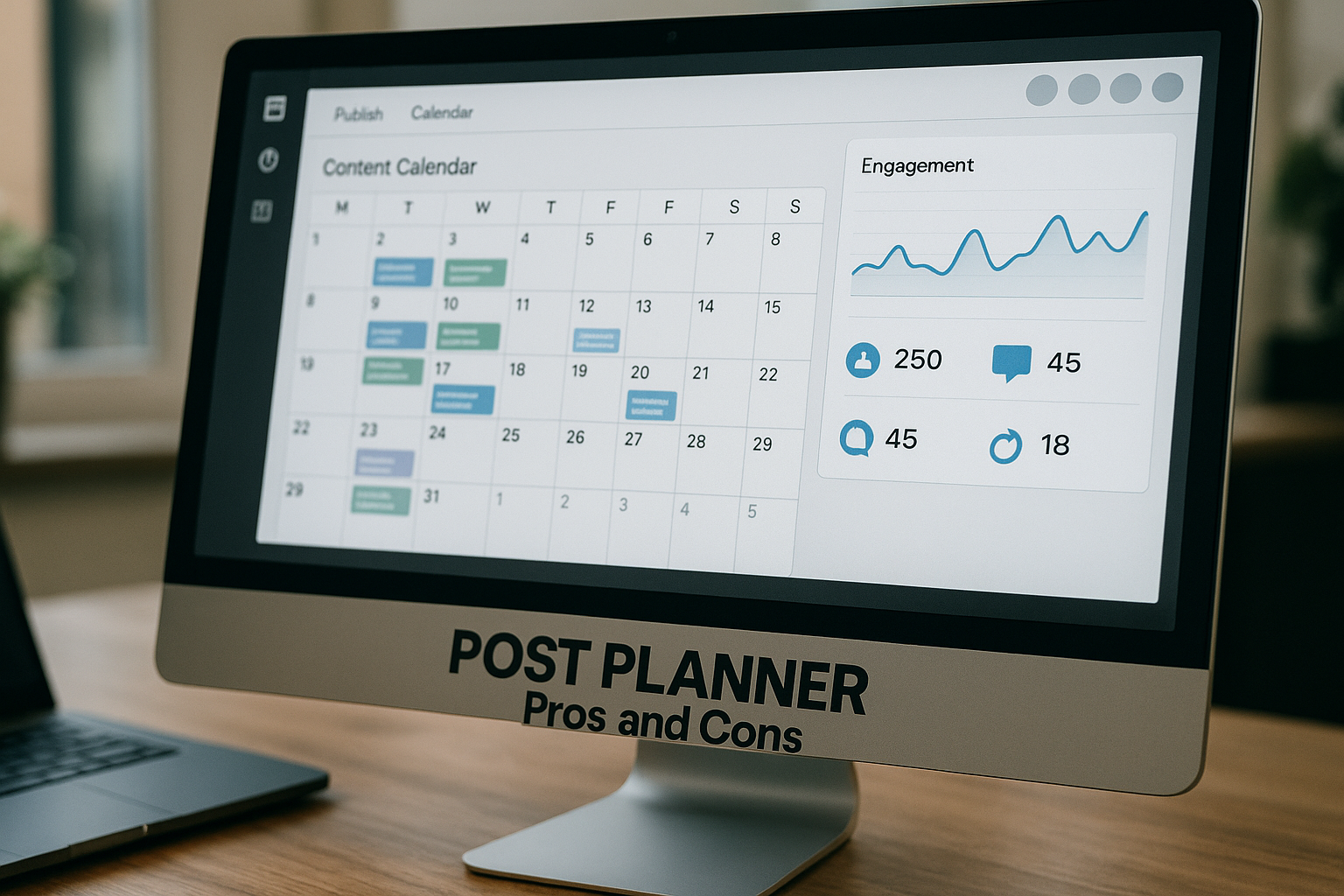
If you are comparing social media scheduling tools, this post planner pros and cons review is designed to help you decide quickly. Post Planner describes itself on its official homepage as a “Social Media Scheduler built for Engagement,” and that positioning matters: it is not just about queuing posts, but about helping users find ideas, organize content, publish consistently, and evaluate engagement.
My short take: Post Planner looks strongest for small businesses, creators, and marketing teams that want a practical social media scheduler with content discovery, scheduling automation, categories, analytics, and mobile access in one workflow. It may be less ideal if you need a deep enterprise marketing suite, highly advanced approval workflows, or platform-native tools for every specialized interaction. This review covers verified Post Planner features, pricing guidance, best-fit users, tradeoffs, and whether it deserves a spot on your shortlist.
Official website · Latest pricing & offers
Post Planner at a Glance
What Post Planner is
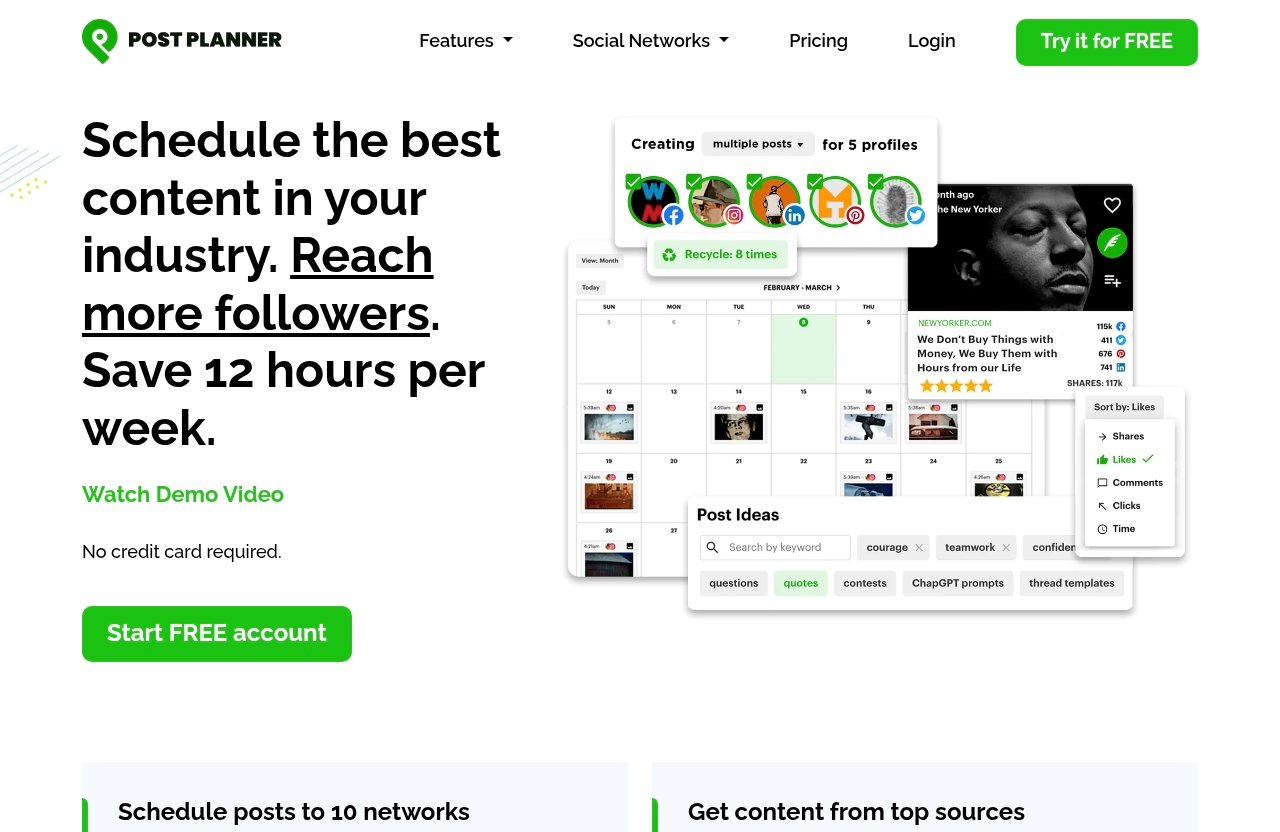
Post Planner is a social media management tool focused on planning, creating, scheduling, and analyzing posts across multiple networks. According to the official Post Planner homepage and pricing page, its core feature areas include Connect, Discover, Design, Categorize, Create, Schedule, Analyze, and Mobile.
That means the tool is built around a practical publishing workflow: connect your accounts, find content ideas, design or prepare posts, sort them into categories, preview them, schedule them, and review engagement. For users researching post planner pros and cons, the biggest appeal is that these steps are brought together instead of being scattered across separate tools.
Officially listed supported networks include Facebook, Instagram, Google Business Profile, LinkedIn, Pinterest, TikTok, Twitter/X, YouTube, Threads, and Bluesky.
Who this review is for
This post planner review is for people who already know they need help publishing consistently but are unsure whether Post Planner is the right tool. You may be a small business owner trying to avoid missed posts, a solo creator looking for viral content ideas, or a marketer comparing Post Planner alternatives.
It is also useful if you are deciding between manual posting and a scheduling platform. I will focus on buying factors that matter in real workflows: time saved, content organization, platform coverage, pricing clarity, analytics, and fit.
Before using any affiliate recommendation, I suggest evaluating whether the tool matches your posting volume, channels, and team setup. If Post Planner seems aligned with your needs after this review, you can review it through this transparent affiliate link: Post Planner.
The fastest verdict
The fastest verdict on post planner pros and cons is simple: Post Planner is worth considering if you want an engagement-focused scheduler that combines content discovery, post organization, publishing automation, and basic performance review in one place.
Its main strengths are ease of workflow, idea discovery, multi-platform scheduling, topic-based categories, analytics, and mobile management. Its main tradeoffs are fit-related: users needing enterprise-level collaboration, complex approval chains, or highly specialized native platform features may want to compare it against more advanced tools before buying.
Post Planner Pros
Easy-to-use all-in-one workflow
One of the clearest Post Planner pros is the all-in-one workflow. The official Connect feature is designed to help users manage social accounts in one place, which can reduce the daily friction of switching between platforms.
In practical terms, this matters because social media management often breaks down when the process is too fragmented. If your ideas live in one app, images in another, captions in a spreadsheet, and publishing happens manually, consistency becomes harder.
For small teams, the appeal is straightforward: fewer moving parts. In a balanced post planner pros and cons review, this is one of the benefits most likely to influence a buying decision.
Content curation and viral idea discovery
Post Planner’s Discover feature is designed to help users find high-quality content and viral post ideas. This makes it useful as a content curation tool, especially for people who struggle with “what should I post today?”
The benefit is not that a tool can replace your brand voice or strategy. Rather, it can speed up research and give you starting points for content that is more likely to connect with an audience.
For example, a local business could look for relevant industry ideas, then adapt them into helpful posts for its own customers. A creator could use discovery as a brainstorming layer before creating original commentary.
Post categories for organized planning
The Categorize feature lets users classify posts into topic-based buckets. This is a practical advantage because most good social calendars are not just random posts in a queue.
Categories can help you balance educational posts, promotional updates, community content, product highlights, and curated content. When I evaluate a social media scheduler, this kind of structure is important because it helps prevent a feed from becoming repetitive.
For users comparing post planner pros and cons, categories are especially useful if you post frequently or manage more than one content theme.
Compose, preview, and schedule in one place
Post Planner’s Create and Schedule features cover composing, optimizing, previewing, and automating your social publishing schedule. This is where the tool’s workflow becomes most valuable.
Instead of writing a post directly inside each social platform, you can prepare content ahead of time, see how it looks, and schedule it into your calendar. That can help avoid rushed captions, missed posting windows, and inconsistent publishing.
This is especially helpful for teams that batch content. If you set aside one or two focused sessions per week to plan posts, a scheduler can make the rest of the week feel more manageable.
Analytics and mobile management
The Analyze feature is designed to evaluate post performance and engagement. While you should always compare analytics depth against your specific reporting needs, having performance review inside the same workflow is useful.
The Mobile feature also matters. Post Planner officially lists mobile functionality for creating and managing posts on your phone, which is valuable for creators and business owners who are not always at a desk.
In real use, mobile access can help with last-minute edits, quick approvals, or checking the queue while traveling. For many users, this improves consistency without requiring them to stay tied to a laptop.
Post Planner Cons
May not suit users needing advanced enterprise features
The first limitation in any honest post planner pros and cons discussion is fit. Post Planner appears best positioned as an engagement-focused social media scheduler, not necessarily as a full enterprise command center.
If your organization needs advanced governance, complex permission structures, legal review workflows, or highly customized reporting across departments, you should carefully compare whether Post Planner meets those requirements. The official feature list confirms scheduling, discovery, design, categories, analytics, mobile, and account management, but buyers should verify any advanced team needs directly before purchasing.
This is not a defect; it is a buying filter. A simpler workflow can be a benefit for small teams, but larger organizations may need more specialized capabilities.
Platform and workflow limitations to consider
Post Planner officially supports Facebook, Instagram, Google Business Profile, LinkedIn, Pinterest, TikTok, Twitter/X, YouTube, Threads, and Bluesky. That is broad coverage, but social networks often have platform-specific rules, formats, and native features.
Before buying any scheduler, check whether your exact content types and workflow are supported the way you expect. For example, some creators rely heavily on native platform interactions, trend tools, music libraries, stickers, or in-app editing features.
A scheduler can organize publishing, but it may not fully replace everything you do inside each native social app.
Content curation is helpful but not a substitute for original strategy
The Discover feature is a major benefit, but it should not be mistaken for a full content strategy. Curated ideas can inspire better posting, but your audience still needs original perspective, brand positioning, and consistent messaging.
If you simply repost ideas without adapting them, your content may feel generic. The strongest use case is combining Post Planner’s content discovery with your own expertise.
This is especially important for businesses in competitive niches. The tool can help you find ideas faster, but it cannot decide your brand promise, customer pain points, or unique point of view.
Best for engagement-focused publishing, not a full marketing stack
Post Planner’s official positioning is a social media scheduler built for engagement. That makes it useful for publishing consistency, content planning, and engagement review.
However, if you need a full marketing stack that includes CRM, email automation, landing pages, ad management, social listening, customer support, and attribution modeling, you may need additional tools. Post Planner can be part of a marketing workflow, but buyers should not assume it replaces every marketing platform.
For readers weighing post planner pros and cons, this is the key distinction: it is mainly a social publishing and planning tool, not an all-purpose business operating system.
Features That Matter Most
Manage all social accounts in one place
Post Planner’s Connect feature is meant to centralize social account management. For anyone managing more than one platform, this can reduce the repetitive work of logging in, copying captions, and remembering where each post needs to go.
The officially listed supported networks are:
| Supported Network | Why It Matters |
|---|---|
| Useful for pages, communities, and business updates | |
| Important for visual brands and creators | |
| Google Business Profile | Helpful for local business visibility |
| Useful for B2B, professional, and founder-led content | |
| Strong for evergreen visual discovery | |
| TikTok | Useful for short-form video strategies |
| Twitter/X | Helpful for timely updates and conversations |
| YouTube | Important for video-based publishing |
| Threads | Useful for text-led social engagement |
| Bluesky | Relevant for emerging social conversations |
This broad platform list is one of the stronger Post Planner features for users who publish across multiple channels.
Find high-quality content and viral post ideas
The Discover feature helps users find high-quality content and viral post ideas. In a practical workflow, this can reduce blank-page syndrome.
For example, instead of starting every Monday wondering what to post, you can look for proven ideas in your niche, then adapt them into your own calendar. This can be especially useful for small teams without a dedicated strategist.
A good post planner pros and cons review should be clear about the outcome: discovery helps you move faster, but the best results still come from tailoring ideas to your audience.
Design images with stock media editing tools
Post Planner’s Design feature includes image design with stock media editing tools. This can be useful when you need simple visuals without opening a separate design platform for every post.
For social media, speed matters. A basic image editing workflow can help you prepare quote graphics, announcements, educational visuals, or promotional posts more efficiently.
That said, design needs vary. If your brand requires advanced creative production, you may still use dedicated design software alongside Post Planner.
Classify posts into topic-based buckets
The Categorize feature lets you classify posts into topic-based buckets. This is more valuable than it may sound because a strong social calendar needs balance.
A business might use categories such as tips, testimonials, offers, behind-the-scenes posts, curated articles, and community questions. A creator might use categories like personal stories, tutorials, recommendations, and audience prompts.
This structure helps you avoid overposting one content type. It also makes batching easier because you can plan by category rather than improvising one post at a time.
Automate publishing and evaluate performance
The Schedule feature automates your social publishing schedule, while Analyze helps evaluate post performance and engagement. Together, these features turn posting into a repeatable process.
Scheduling can help you plan ahead, maintain consistency, and avoid missed posts during busy weeks. Analytics then helps you understand which posts are getting engagement so you can adjust future content.
For many buyers comparing post planner pros and cons, this combination is the main reason to use a scheduler instead of relying entirely on manual posting.
Official website · Latest pricing & offers
Post Planner Pricing Explained
Current plans and verified prices
Post Planner pricing should be verified directly on the official pricing page before publishing or purchasing. The pricing page is the authoritative source for current plan names, prices, limits, and any trial or promotional details.
Because the provided verified product facts do not include complete current plan names or exact prices, I will not invent numbers here. That is intentional. Pricing pages can change, and a trustworthy post planner review should avoid outdated or guessed figures.
If you are comparing Post Planner alternatives, open the live pricing page and confirm:
| Pricing Factor | What to Verify |
|---|---|
| Monthly or annual billing | Check whether both options are available |
| Plan names | Confirm current official plan tiers |
| Account limits | Match limits to your social channels |
| User or team limits | Important for agencies and teams |
| Feature access | Confirm which plans include needed tools |
| Trial or free access | Verify whether any current offer exists |
What to check before you buy
Do not judge Post Planner pricing by the headline price alone. Compare value based on how you actually publish.
Ask yourself how many social accounts you manage, how often you post, whether you need content discovery, and whether categories will make your calendar easier to maintain. Also consider whether mobile access and analytics are important to your daily workflow.
If your team spends hours each week planning, writing, and publishing manually, a scheduler can pay for itself in time saved. If you only post occasionally to one platform, you may need less software.
Free trial and decision checklist
If you are searching for “post planner free” or a free trial, verify the current offer directly on the official Post Planner site. Do not rely on old screenshots, expired promotions, or third-party summaries.
Before buying, use this quick decision checklist:
| Question | Buy Signal |
|---|---|
| Do you manage multiple social networks? | Post Planner may be a strong fit |
| Do you need help finding content ideas? | Discover may be valuable |
| Do you batch content ahead of time? | Scheduling and categories can help |
| Do you need enterprise-grade workflows? | Compare carefully before buying |
| Do you rely heavily on native app features? | Keep some manual posting in your process |
| Do you need current pricing certainty? | Verify the official pricing page first |
If the checklist lines up with your needs, you can evaluate the tool further here: Post Planner.
Best Use Cases
Small businesses
Post Planner is a strong fit for small businesses that want to stay visible without spending all day inside social apps. The combination of discovery, scheduling, design, and analytics can help owners plan ahead and post consistently.
A local service business, for example, could schedule educational tips, customer updates, seasonal reminders, and Google Business Profile posts in advance. That kind of consistency is often difficult when posting is handled manually between customer work.
For small businesses researching post planner pros and cons, the biggest benefit is operational simplicity.
Creators and solo marketers
Creators and solo marketers often need to produce content quickly while maintaining a recognizable voice. Post Planner can help by giving them content ideas, a place to compose posts, and scheduling automation.
The mobile feature is especially useful for solo operators who manage content while traveling, attending events, or working outside normal office hours. They can still adjust posts and manage publishing without being tied to a desktop.
However, creators who depend heavily on native app editing, trending sounds, or platform-specific interactions should keep manual posting as part of their routine.
Agencies and client-side social teams
Agencies and client-side social teams may benefit from Post Planner’s centralized account management and topic-based categorization. Being able to organize posts by content type can make calendars easier to maintain.
For lighter agency workflows, the tool may help manage recurring publishing tasks. For more complex client operations, buyers should verify team, approval, permissions, and reporting requirements directly before committing.
This is where fit matters more than hype. Post Planner can simplify publishing, but agencies should confirm it matches their operating model.
Teams that want scheduled engagement
Post Planner’s official promise around engagement makes sense for teams that want planned, consistent publishing rather than random posting. Its workflow supports idea discovery, content preparation, scheduling, and performance review.
This is especially useful for teams that want to avoid gaps in their calendar. Scheduled posting can keep your brand active even when the team is busy with launches, service delivery, or client work.
Still, scheduled engagement should not become robotic. The best results usually come from combining planned content with real-time replies and community interaction.
How Post Planner Compares to the Typical Alternative Workflow
Scheduling versus manual posting
The typical alternative to Post Planner is manual posting across each native platform. Manual posting gives you direct access to each app’s latest features, but it can be time-consuming and inconsistent.
A scheduler helps you plan ahead, publish across multiple channels, and reduce daily decision fatigue. That is why scheduling tools are popular with businesses and creators who want consistency.
In a practical post planner pros and cons comparison, scheduling wins on organization and time savings, while manual posting can still win for spontaneity and native platform interaction.
Where it saves time
Post Planner can save time in several parts of the publishing workflow. Content discovery reduces research time, categories improve planning, the composer helps prepare posts, and scheduling automates publishing.
The biggest time savings usually happen when users batch content. Instead of creating one post at a time every day, you can plan a set of posts in advance and let the schedule run.
This can also reduce missed posts. When content is prepared ahead of time, busy days are less likely to derail your social presence.
Where manual posting may still win
Manual posting still has a place. Some creators prefer native apps for real-time trends, comments, direct engagement, music selections, interactive stickers, and platform-specific creative tools.
For example, if you are responding to a breaking trend on TikTok or using a new Instagram feature, the native app may offer more control. Manual posting can also feel more personal when you are actively engaging with a live audience.
The best workflow is often hybrid: use Post Planner for consistent planned content, then use native apps for timely interaction and platform-specific creativity.
Final Verdict: Is Post Planner Worth It?
Best for value-conscious schedulers
The final verdict on post planner pros and cons is that Post Planner is worth considering for users who want a practical, engagement-focused social media scheduler without overcomplicating the workflow.
Its strongest advantages are multi-platform management, content discovery, topic categories, composing and previewing, scheduling automation, analytics, and mobile access. Those features map directly to common social media problems: inconsistent posting, lack of ideas, scattered workflows, and limited time.
It is best for small businesses, creators, solo marketers, and lean teams that want to publish more consistently and make better use of content ideas.
Who should skip it
You may want to skip or compare more deeply if you need advanced enterprise features, complex approval workflows, or a full marketing stack beyond social scheduling. You should also verify exact pricing, plan limits, and any free trial details on the official Post Planner pricing page before buying.
Overall, this post planner pros and cons review finds Post Planner to be a sensible shortlist option for engagement-focused publishing. It is not the right tool for every team, but for users who want planning, curation, scheduling, and performance review in one place, it is a strong candidate.
Official website · Latest pricing & offers
FAQ
Is a post planner good?
Yes, a post planner can be good if you want to publish consistently, plan ahead, and reduce manual posting work. Post Planner is especially relevant for users who want an engagement-focused scheduler with content ideas, multi-platform publishing, categories, analytics, and mobile access.
What are the downsides of using a planner?
The main downsides are potential loss of spontaneity, dependence on a scheduling workflow, and possible limits compared with native platform tools. Some creators still prefer manual posting for real-time trends, in-app editing, direct interaction, and platform-specific features.
How much does a post planner cost?
Post Planner pricing should be checked directly on the official pricing page because plan names, prices, limits, and offers can change. Since complete verified pricing figures are not included in the provided source facts, the safest recommendation is to confirm current details before purchasing.
Which social media post planner is the best?
The best social media post planner depends on your platforms, content volume, team size, analytics needs, approval workflow, and budget. Post Planner is a good candidate if you want content discovery, scheduling, categories, and engagement-focused publishing, but users needing enterprise-level workflows should compare alternatives carefully.
Related Reading
- Post Planner Free: What You Get in 2026
- Contentstudio Free Trial 2026: How to Test It Before You Pay
- Systeme.io Email Marketing Review 2026: Email Marketing Tests
References
- Post Planner: Social Media Scheduler built for Engagement
- Plans & Pricing
- Post Planner Reviews, Pros and Cons
- Post Planner Review 2026: Pricing, Features, Pros & Cons …