Systeme.io Email Marketing Review 2026: Email Marketing Tests
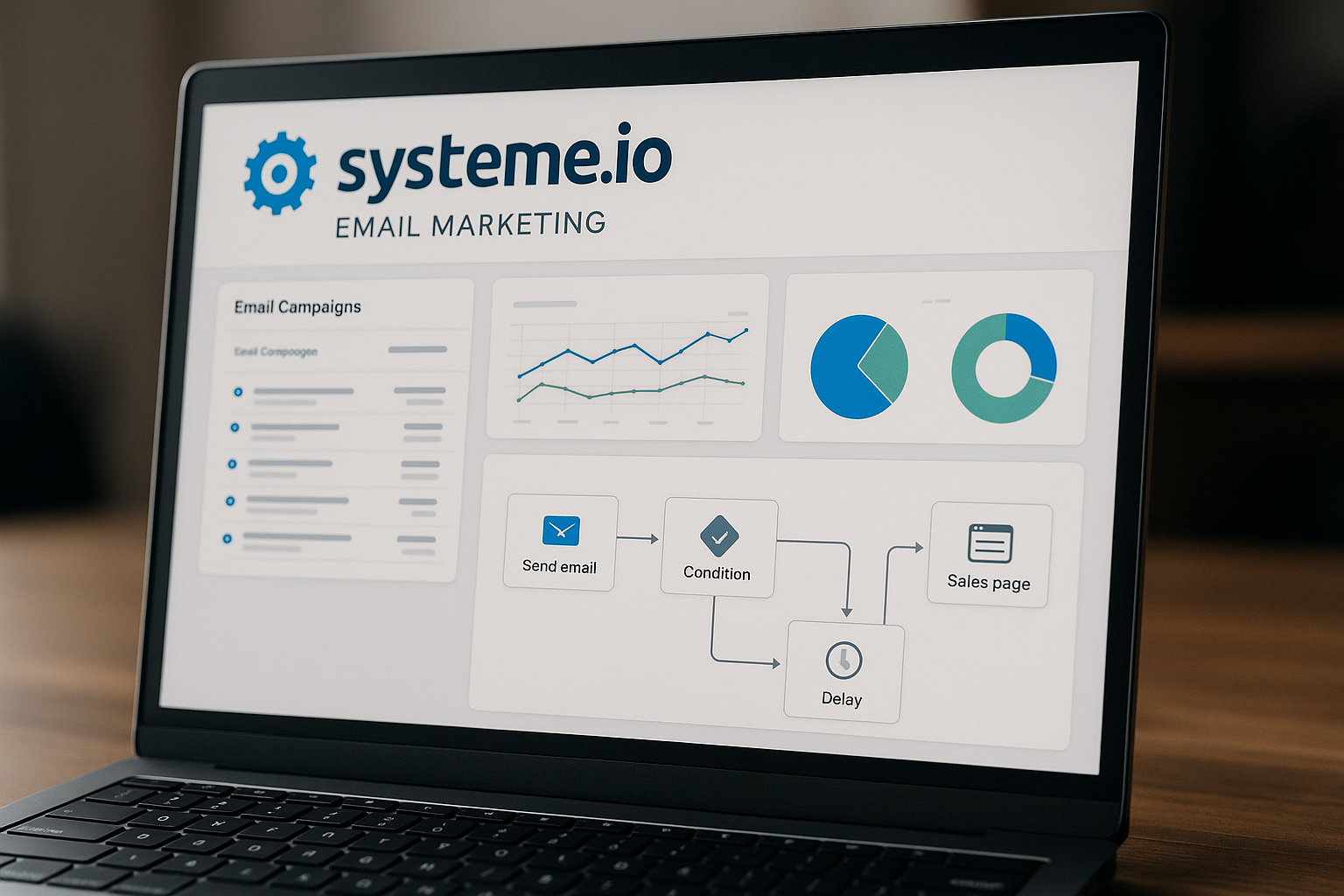
If you are evaluating systeme.io email marketing in 2026, the key question is not whether the platform has an email tool. It does. The better question is whether it can reliably support your broadcasts, automations, segmentation, newsletters, and list growth without forcing you into a separate email marketing platform too early.
My practical verdict: systeme.io is a strong option for creators, coaches, course sellers, solo marketers, and small businesses that want email marketing connected directly to funnels, checkout, courses, websites, and automations. It is especially attractive because the free plan is genuinely usable for testing: it includes up to 2,000 contacts, unlimited email sends, and no credit card requirement.
This review is commercially oriented, and toptrustreview.com may earn a commission if you sign up through affiliate links. That does not change the testing approach below: start with the free plan, run your own deliverability and automation checks, and upgrade only when your contact count and workflow needs justify it.
Official website · Latest pricing & offers
Systeme.io Email Marketing in 2026: Quick Verdict
Who this review is for
This systeme.io email marketing review is for marketers who want to know whether the platform is good enough as a real email marketing tool, not just as an add-on inside an all-in-one platform.
It is especially relevant if you are:
- Building a list from funnels or landing pages
- Sending newsletters or promotional broadcasts
- Creating automated lead nurturing sequences
- Selling courses, products, or services online
- Comparing an all-in-one marketing platform with a standalone email automation tool
The best way to evaluate systeme.io is to treat it like a working email system and test it under realistic conditions. That means checking deliverability behavior, campaign setup, segmentation, automation logic, editor usability, and reporting before relying on it for a major launch.
Bottom-line pros and limitations
The biggest strength of systeme.io email marketing is convenience. The official homepage positions systeme.io as a platform for sales funnels, email marketing, online courses, selling online, and blogging, and it says the platform powers 500,000+ entrepreneurs.
For email-focused users, the headline advantage is that emails sent are unlimited on every plan, including the Free plan. You also get broadcasts, automated sequences, list tagging, newsletter scheduling, segmentation, a drag-and-drop editor, and real-time stats on open rates, clicks, and sales.
The limitation is that “unlimited email sends” does not mean every plan is unlimited overall. Contacts, campaigns, automation rules, workflows, tags, funnels, A/B tests, websites, and custom domains all vary by plan. Advanced teams may also want deeper email-only capabilities than an all-in-one platform is designed to prioritize.
Best-fit use cases for marketers
In my view, systeme.io email marketing fits best when email is part of a broader marketing system. If a subscriber opts in through a funnel, buys through checkout, or completes a course module, systeme.io can connect those actions to automated sequences without needing Zapier or API connections.
Good-fit use cases include:
- Lead magnet delivery
- Welcome sequences
- Weekly newsletters
- Launch broadcasts
- Course onboarding emails
- Buyer follow-up sequences
- Basic segmentation by interest or behavior
- Simple sales funnel automation
If your email program requires highly complex enterprise workflows, advanced data modeling, or deep email-only reporting, you should test carefully before migrating. For many smaller teams, though, the balance of email, funnels, automations, and price is compelling.
What Is systeme.io Email Marketing?
Core email features at a glance
systeme.io email marketing is the email module inside systeme.io’s broader all-in-one marketing platform. According to the official email marketing page, it lets you build your list, send broadcasts, create automated sequences, and segment contacts inside your account without needing a separate email tool.
The core email features include:
| Feature | What it helps you do |
|---|---|
| Broadcasts | Send one-time emails to your audience |
| Automated sequences | Nurture leads or customers over time |
| List tagging | Organize contacts by behavior or interest |
| Newsletter scheduling | Plan content or promotional emails in advance |
| Segmentation | Target specific groups instead of emailing everyone |
| Drag-and-drop editor | Build visual emails without coding |
| Real-time stats | Track open rates, clicks, and sales |
For beginners, the appeal is simplicity. You can manage funnels, contacts, email campaigns, and sales activity in one place instead of connecting multiple tools.
How it connects with funnels and automation
The main strategic benefit of systeme.io email marketing is that it is integrated with funnels, courses, and checkout. The official email marketing page says automated sequences can trigger when a contact opts in, makes a purchase, or completes a course module.
That matters because many email marketing problems are not just writing problems. They are connection problems. If your opt-in form, payment page, course access, and email system are separated across different platforms, every handoff adds setup work and potential errors.
With systeme.io, a simple flow might look like this:
- A visitor opts in through a funnel.
- The contact is added to your account.
- A tag or automation rule organizes the contact.
- An email campaign starts.
- Follow-up emails are sent based on your sequence timing.
That is the kind of setup that makes the platform practical for solo marketers and small teams.
Why the all-in-one setup matters
An all-in-one setup is not automatically better than using dedicated tools. But it can reduce friction, especially if you are still building your first reliable funnel and email system.
With systeme.io email marketing, you can test the full customer journey from opt-in to follow-up to sale inside one account. That makes it easier to diagnose where a campaign is breaking: the landing page, the offer, the email sequence, or the checkout step.
This is why I would not judge systeme.io only by its email editor. The bigger value is the connection between email and the rest of the marketing flow.
Systeme.io Email Marketing Tests: What to Evaluate
Broadcast sending test
A useful systeme.io email marketing test starts with broadcasts. Broadcasts are one-time emails, so they are ideal for testing newsletter sending, promotional emails, launch announcements, and content updates.
For a practical broadcast test, create a small seed list using email addresses you control across multiple inbox providers. Send a simple text-based email first, then a more designed email using the visual editor. Check whether the email arrives, where it lands, and whether links track as expected.
Do not draw broad conclusions from one send. Email placement can vary based on sender reputation, domain setup, content, list quality, and recipient engagement. A better test is repeated sending over several campaigns with clean contacts and realistic content.
Automation workflow test
The next systeme.io email marketing test should focus on automation. Since the platform supports campaigns, automation rules, and workflows, you want to confirm that the right emails fire at the right time.
A simple test sequence could include:
- Opt in through a funnel
- Confirm the contact is created
- Confirm the correct tag is applied
- Confirm the email campaign starts
- Check the delay between emails
- Review whether the test email arrives correctly
- Confirm links and personalization display properly
This is where systeme.io’s all-in-one structure helps. Because funnels and email automations live in the same account, you can test the journey without adding third-party connection tools.
Segmentation and tagging test
A serious systeme.io email marketing review should also test segmentation. Sending every email to every contact is rarely the best long-term strategy.
Create a few practical audience groups, such as:
- New lead
- Buyer
- Course student
- Webinar registrant
- Newsletter subscriber
- Product interest segment
Then test whether tags and segments help you send more targeted messages. For example, a buyer should not receive the same “buy now” sequence as someone who has not purchased yet. A subscriber interested in one topic may not need every promotion you send.
Editor usability test
Editor usability matters more than many reviews admit. If the email builder is slow, confusing, or easy to break, your team will avoid sending consistently.
Systeme.io supports both a classic editor and a visual editor for campaign emails. The help article says the visual editor uses a drag-and-drop canvas with content elements like images, text, and buttons, plus sections and columns. The classic editor supports attachments and substitute variables.
One important caution: the help article says changing editors while working on an email will lose the content you have been working on. So choose your editor before building a full message, especially for important campaigns.
Reporting and performance tracking test
The official email marketing page says systeme.io provides real-time stats on open rates, clicks, and sales. In practice, your test should verify whether the reporting gives you enough clarity to make marketing decisions.
For each test campaign, check:
- Open rate visibility
- Click tracking
- Sales attribution where relevant
- Broadcast performance
- Campaign performance
- Whether the data is easy to interpret
Avoid obsessing over one metric. Open rates can be affected by inbox privacy features and tracking limitations. Clicks, conversions, unsubscribes, replies, and sales behavior usually give a fuller picture.
Deliverability: How Well Do Emails Land?
What the official platform claims
Deliverability is one of the most important parts of systeme.io email marketing, but it is also one of the easiest areas to misunderstand. A platform can provide sending infrastructure and deliverability-focused systems, but your results still depend heavily on your sender behavior.
The official email marketing page emphasizes that systeme.io lets users send email campaigns, broadcasts, automated sequences, and newsletters from inside the platform. It also says you can send unlimited emails to all contacts, even on the free plan.
However, unlimited sends should not be confused with guaranteed inbox placement. No email tool can fairly promise identical deliverability outcomes for every sender, every list, and every campaign.
What to test before trusting a new sender
Before using systeme.io email marketing for a major launch, test deliverability with your own accounts and seed inboxes. This is not because systeme.io is unusual; it is simply good email marketing practice.
Your deliverability test should include:
| Test area | What to check |
|---|---|
| Sender identity | Whether your sender email is set up correctly |
| Inbox placement | Whether test emails land in inbox, promotions, spam, or other folders |
| Multiple providers | How emails behave across different inbox providers |
| Link behavior | Whether links work and appear trustworthy |
| Content quality | Whether your copy looks promotional, spammy, or misleading |
| Engagement | Whether subscribers open, click, reply, and stay subscribed |
| List hygiene | Whether you avoid stale, purchased, or unengaged lists |
Do not rely on one test address. Use multiple inbox providers and repeat the test with different email types: plain-text style, newsletter style, and promotional style.
Best practices to improve inbox placement
To get the best from systeme.io email marketing, focus on the fundamentals that affect any sender. Deliverability is not just a platform feature; it is a sender reputation outcome.
Best practices include:
- Use a legitimate sender identity.
- Send to people who opted in.
- Avoid purchased or scraped lists.
- Start with smaller, engaged segments.
- Keep subject lines honest.
- Remove inactive or poor-quality contacts.
- Test before large promotional sends.
- Watch opens, clicks, replies, complaints, and unsubscribes.
Your own list quality matters. A small, engaged list often performs better than a large, cold list. If you are moving from another platform, avoid importing old contacts and immediately sending heavy promotional campaigns without testing.
Broadcasts, Newsletters, and Scheduling
How broadcasts work inside systeme.io
systeme.io email marketing includes broadcasts for one-time messages. This is useful when you want to send a timely update rather than place someone into a longer automated sequence.
Common broadcast examples include:
- Product announcements
- Flash promotions
- Weekly content updates
- Launch reminders
- Event notifications
- Course updates
- Customer notices
The official pricing page says emails sent are unlimited on every plan. That is a meaningful advantage for marketers who send regular newsletters or frequent campaign updates, as long as they remain within contact and feature limits for their plan.
Scheduling newsletters for campaigns
The official email marketing page says systeme.io supports newsletter scheduling. This makes systeme.io newsletters practical for creators and businesses that publish on a consistent calendar.
For example, you might schedule:
- A weekly educational newsletter
- A monthly product update
- A pre-launch content series
- A reminder email before an offer closes
- A post-purchase onboarding message
When testing scheduling, check the setup process, timing, formatting, and reporting after the email sends. I recommend sending scheduled emails to seed addresses first before using them with your full audience.
A/B testing subject lines
The official email marketing page says you can plan and test newsletters with scheduling and A/B testing. The pricing page also lists A/B test limits by plan: 1 on Free, 10 on Startup, 50 on Webinar, and unlimited on Unlimited.
For systeme.io email marketing, A/B testing is most useful when you have a clear hypothesis. For example, you might compare a benefit-driven subject line against a curiosity-driven one.
Do not test too many things at once. For beginners, subject lines and offer angles are usually the easiest starting points. Experienced marketers may also test send timing, content format, and call-to-action framing, while staying within the platform’s available limits.
Automations and Email Campaigns
Creating a campaign from scratch
Creating systeme.io email campaigns starts in the Emails area. The help article says you go to Emails > Campaigns, click Create, add a name, sender email address, and description, then save.
After that, campaign emails can be created with either the classic editor or visual editor. The classic editor supports attachments and substitute variables, while the visual editor offers a drag-and-drop canvas with elements like images, text, and buttons.
A practical setup process looks like this:
- Create a new campaign.
- Add the campaign name and description.
- Choose the sender email address.
- Create the first email.
- Select the classic or visual editor.
- Write the email content.
- Configure timing.
- Save and test the campaign.
The help article specifically says you can save and test the campaign to receive a test email. Use that feature before sending anything to real subscribers.
Sending delays and trigger logic
A major benefit of systeme.io email marketing is that automated sequences can be triggered by behavior inside the platform. According to the official email marketing page, sequences can trigger when a contact opts in, makes a purchase, or completes a course module.
The help article also says you can configure sending delays, times, and days of the week for campaign emails. This matters because timing changes the subscriber experience.
For example:
- Send a lead magnet delivery email immediately.
- Wait a day before sending a story-based nurture email.
- Send a product education email later in the week.
- Avoid sending certain sequence emails on specific days if that fits your strategy.
Good automation is not about sending more email. It is about sending the right email at the right stage.
Automation rules vs workflows
When comparing systeme.io automations, it helps to understand plan limits. The pricing page separates automation rules and workflows, and both have different limits by plan.
| Plan | Automation rules | Workflows |
|---|---|---|
| Free | 1 | 1 |
| Startup | 10 | 5 |
| Webinar | 100 | 20 |
| Unlimited | Unlimited | Unlimited |
For email-focused users, this is one of the most important pricing differences. The Free plan is excellent for testing, but one automation rule and one workflow may become restrictive once your list, funnels, and offers grow.
If your automations are simple, Startup may be enough. If you need many audience paths, purchase follow-ups, course-related triggers, or campaign branches, you should review the Webinar and Unlimited limits carefully.
Use cases for lead nurturing and sales sequences
systeme.io email marketing works well for straightforward lead nurturing and sales sequences. Because the email module connects with funnels, checkout, and courses, you can build practical customer journeys without stitching together separate tools.
Example use cases:
- New subscriber welcome sequence
- Lead magnet delivery and follow-up
- Sales page visit follow-up
- Purchase confirmation sequence
- Course onboarding emails
- Module completion follow-up
- Re-engagement campaign for tagged contacts
Before upgrading, map your actual automations on paper. Count how many rules, workflows, campaigns, tags, funnels, and contacts you need. That will make plan selection much easier.
Official website · Latest pricing & offers
Segmentation, Tags, and Personalization
Tag-based organization
systeme.io tags help you organize contacts. The pricing page lists tag limits by plan: 1 on Free, 10 on Startup, 100 on Webinar, and unlimited on Unlimited.
Tags can represent interests, status, behavior, or customer type. For example:
- Lead
- Buyer
- Course student
- Newsletter subscriber
- Interested in offer A
- Attended event
- Completed module
For systeme.io email marketing, tag limits are important. The Free plan is useful for basic testing, but one tag may not be enough for a more segmented email strategy.
Segmenting contacts for targeted sends
The official email marketing page mentions segmentation and list tagging. In practical terms, systeme.io segmentation helps you send more relevant messages instead of treating every contact the same.
Useful segments might include:
| Segment | Example message |
|---|---|
| New leads | Welcome and education sequence |
| Buyers | Onboarding or upsell education |
| Course students | Progress reminders |
| Newsletter subscribers | Weekly content updates |
| Warm prospects | Limited-time offer sequence |
| Inactive contacts | Re-engagement email |
Segmentation becomes more valuable as your audience grows. Early on, simple segments are enough. Later, you may want more refined groups based on product interest, purchase behavior, or engagement.
Substitute variables and personalization
The help article says the classic editor supports substitute variables. This allows a level of personalization inside systeme.io email marketing, depending on the contact data available in your account.
Personalization should be used carefully. Adding a first name is helpful only if the data is clean. A relevant message based on interest or behavior is usually more powerful than superficial personalization.
For example, a buyer receiving setup guidance feels more personalized than a generic newsletter with a name inserted at the top. Strong segmentation and clean tags often matter more than decorative personalization.
Pricing: Which Plan Makes Sense for Email Marketing?
Free plan
The systeme.io free plan is one of the safest ways to test systeme.io email marketing because it costs $0 and requires no credit card. The official pricing page says it includes access to all core features with limited usage.
Free plan limits include:
- 3 funnels
- 1 automation rule
- 1 custom domain
- Up to 2,000 contacts
- 1 email campaign
- Unlimited email newsletters
- 1 workflow
- 1 A/B test
- 1 tag
- 1 CRM pipeline
- 1 website
- Unlimited emails sent
This is enough for a real pilot test. You can build a simple funnel, collect leads, send newsletters, test one campaign, and evaluate deliverability before paying.
If you want to test it yourself, you can start with the free plan through systeme.io here and run the email marketing tests outlined in this review before deciding whether to upgrade.
Startup plan
The Startup plan is listed at $17, with no credit card required. It expands the key limits while keeping the plan accessible for smaller businesses.
Startup plan limits include:
- Up to 10 funnels
- 10 automation rules
- 3 custom domains
- 5,000 contacts
- 10 email campaigns
- Unlimited newsletters
- 5 workflows
- 10 A/B tests
- 10 tags
- 5 CRM pipelines
- 5 websites
- Unlimited emails sent
For many email-focused users, Startup is the first practical upgrade from Free. It gives you more room for multiple campaigns, tags, funnels, and automations without jumping directly to larger limits.
Webinar plan
The Webinar plan is listed at $47, with no credit card required. It increases the limits significantly for marketers who need more campaigns and automation capacity.
Webinar plan limits include:
- Up to 50 funnels
- 100 automation rules
- 10 custom domains
- 10,000 contacts
- 100 email campaigns
- Unlimited newsletters
- 20 workflows
- 50 A/B tests
- 100 tags
- 20 CRM pipelines
- 20 websites
- Unlimited emails sent
For systeme.io email marketing, this plan makes sense if your list and campaign structure are growing. It is also more suitable if you use many tags, multiple funnels, and more advanced automation paths.
Unlimited plan
The Unlimited plan is listed at $97, with no credit card required. It includes unlimited funnels, contacts, automation rules, custom domains, email campaigns, newsletters, workflows, A/B tests, tags, and websites, plus early access to new features.
The pricing page lists CRM pipelines at 100 on Unlimited. Emails sent are unlimited, as they are on every plan.
This plan is best for users who have outgrown counting limits. If your business runs many funnels, audience segments, campaigns, and workflows, Unlimited reduces the need to constantly manage capacity.
Which plan is best for email-focused users
The best plan depends on list size and automation complexity, not just price. Since all plans include unlimited email sends, the main decision factors are contacts, campaigns, automation rules, workflows, tags, and funnels.
| User type | Likely starting plan |
|---|---|
| Testing the platform | Free |
| Small list with simple automations | Free or Startup |
| Growing marketer with multiple campaigns | Startup |
| More advanced segmentation and automation | Webinar |
| High-volume all-in-one marketing setup | Unlimited |
For most readers, I recommend starting with Free, testing deliverability and workflow logic, then upgrading only when you clearly need more contacts, tags, campaigns, rules, or workflows. That is the lowest-risk path.
Systeme.io vs Other Email Marketing Tools
Where systeme.io wins
systeme.io email marketing wins when you value simplicity and integration. Instead of paying for separate tools for funnels, email, courses, selling online, and blogging, systeme.io brings those functions into one platform.
Its strongest advantages are:
- Free forever entry point
- No credit card required
- Unlimited emails sent on every plan
- Built-in funnels and checkout connections
- Course-related automation triggers
- Broadcasts and automated sequences
- Tags and segmentation
- Beginner-friendly setup
For marketers who want to launch quickly, the integrated workflow can be more valuable than having a more complex standalone email setup.
Where specialized tools may still win
Specialized email marketing tools may still be better for teams with very advanced requirements. Without making unsupported claims about specific competitors, it is fair to say that dedicated email-only platforms often focus deeply on email-specific workflows, analytics, testing, and subscriber management.
If your team needs sophisticated internal processes, highly customized reporting, or complex segmentation logic beyond the limits you can comfortably manage in systeme.io, test carefully before switching.
The right question is not “Which platform has the longest feature list?” The better question is “Which platform supports my actual email strategy with the least friction?”
Who should avoid switching
You should avoid switching to systeme.io email marketing too quickly if your current system is already working well and your automations are complex. Migration always carries risk, especially if you have many active campaigns, tags, customer segments, and reporting processes.
You may also want to wait if:
- Your list data is messy.
- You cannot test deliverability properly.
- You need features not confirmed in the official systeme.io materials.
- Your team depends on advanced email-only workflows.
- You are not ready to rebuild automations and campaigns.
If you are unsure, run a parallel test. Build one funnel, one segment, one campaign, and one broadcast inside systeme.io before moving your full email program.
Pros and Cons of systeme.io Email Marketing
Pros
The main pros of systeme.io email marketing are practical rather than flashy.
Key advantages include:
- Unlimited emails sent on all plans
- Free plan with up to 2,000 contacts
- No credit card required
- Broadcasts, newsletters, and automated sequences
- Integrated funnels, checkout, and courses
- Tags and segmentation
- Classic and visual email editors
- Real-time stats on opens, clicks, and sales
- Useful plan progression as your list grows
The platform is particularly strong for creators and small businesses that want to connect list building, email follow-up, and selling in one place.
Cons
The trade-offs are mostly about limits and specialization.
Potential drawbacks include:
- Free plan has only 1 automation rule
- Free plan has only 1 workflow
- Free plan has only 1 tag
- Email campaigns are limited by plan
- Contacts are limited until Unlimited
- Advanced email teams may want deeper email-only functionality
- Switching editors while editing an email can cause content loss
- The all-in-one ecosystem may not fit every tech stack
These are not dealbreakers for every user. But they are important if email is a major revenue channel for your business.
Best decision factors
When deciding whether systeme.io email marketing is right for you, focus on five practical questions:
- How many contacts do you have now?
- How many campaigns do you need?
- How many tags and segments will you actually use?
- How complex are your automations?
- Can you verify deliverability with your own testing?
If the Free or Startup plan covers your current needs, systeme.io can be a very cost-effective starting point. If you already need many workflows, tags, and campaigns, compare the Webinar and Unlimited limits before moving.
Final Verdict: Is systeme.io Good for Email Marketing in 2026?
Who should use it
Yes, systeme.io email marketing is good for the right type of marketer in 2026. It is strongest for people who want email connected to funnels, courses, checkout, websites, and automations without managing several separate platforms.
You should consider it if you are:
- Starting or growing an email list
- Selling digital products, courses, or services
- Sending newsletters and promotions
- Building simple to moderate automations
- Looking for a free plan before committing
- Prioritizing all-in-one convenience
The unlimited email sends across every plan make it especially attractive, but plan limits still matter. Check contacts, campaigns, automation rules, workflows, and tags before upgrading.
Who should choose another tool
You may want another tool if email marketing is already a large, complex operation inside your business. Advanced teams with highly specialized reporting, segmentation, and workflow needs should validate whether systeme.io can match their requirements before migrating.
Also, do not choose any email platform based only on a sales page. Deliverability depends on sender reputation, list quality, authentication, engagement, content, and sending habits. Your own testing matters more than generic claims.
If your current platform is performing well, use systeme.io first as a controlled test environment rather than a full replacement.
Action steps to start testing
The best path is simple: start small, test honestly, and upgrade only when the limits make sense.
Recommended action steps:
- Create a free account.
- Set up a simple funnel.
- Add test contacts and seed inboxes.
- Build one campaign.
- Send a broadcast.
- Test tags and segmentation.
- Review opens, clicks, and sales tracking.
- Check inbox placement across providers.
- Compare your needs with plan limits.
You can try the free plan via this systeme.io access link, then run the same email marketing tests described above. In my view, that is the fairest way to decide whether systeme.io email marketing fits your business in 2026.
Official website · Latest pricing & offers
FAQ
Does systeme.io allow unlimited email sends?
Yes. The official pricing page says emails sent are unlimited on all plans, including Free, Startup, Webinar, and Unlimited.
Can I create automated email sequences in systeme.io?
Yes. Systeme.io supports automated campaigns, automation rules, and workflows. The help center shows how to create a campaign, set sending delays, choose timing, and send a test email.
Is systeme.io good for newsletters and broadcasts?
Yes, for many creators and small businesses. The official email marketing page says you can send broadcasts and schedule newsletters, which makes it useful for promotions, launches, and content updates.
How many contacts can I store on systeme.io’s free plan?
The official pricing page lists up to 2,000 contacts on the Free plan. The Free plan also includes unlimited email sends, but it has limits on campaigns, tags, automation rules, workflows, and funnels.
Does systeme.io include segmentation and tagging?
Yes. The official email marketing page mentions segmentation and list tagging, which help you organize contacts and send more targeted emails.
Related Reading
- Systeme.io vs ConvertKit: Best for Creators in 2026?
- Systeme.io Course Creation Tutorial 2026: Start Today
- Gohighlevel for Small Business: Best Plan, Pricing, and Buyer’s Guide 2026
References
- Send unlimited emails for free
- How to set up an email campaign
- Systeme.io – Features
- Systeme.io Pricing — Free, Startup, Webinar, Unlimited Plans