Lalal.AI vs Adobe Podcast: Which Audio Cleanup Tool Should Creators Choose in 2026?
Official website · Latest pricing & offers
LALAL.AI vs Adobe Podcast: quick verdict for creators
If you are comparing LALAL.AI vs Adobe Podcast, the fastest way to decide is this: LALAL.AI is better suited for stem separation, vocal removal, music workflows, speaker isolation, and deeper audio cleanup across mixed content. Adobe Podcast-style enhancement is better aligned with quick speech polishing, voice clarity, and background-noise reduction for spoken recordings.
This is not a generic “which audio editor is better?” comparison. The real question is whether your project needs source separation or voice enhancement.
Who should choose LALAL.AI
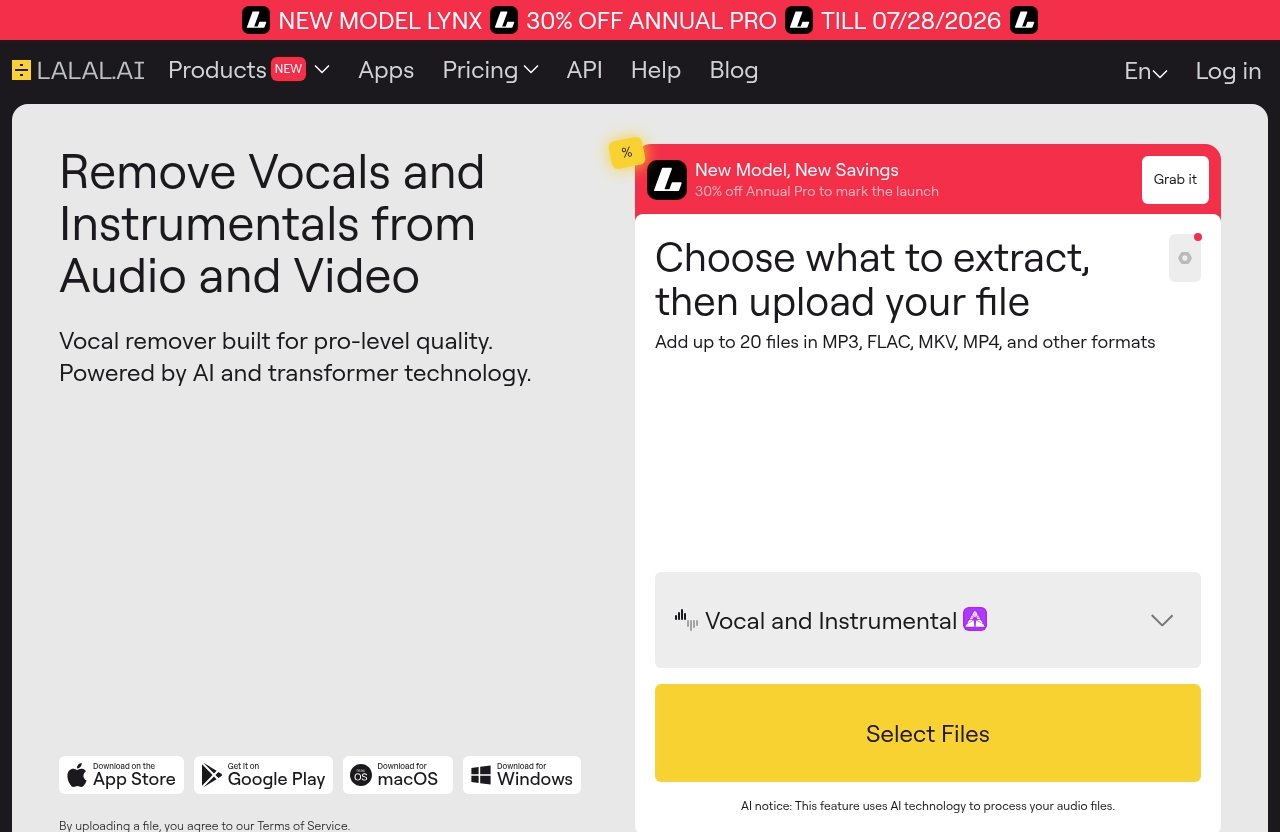
Choose LALAL.AI if you need to separate audio into usable parts. Its official tools include Vocal Remover, Stem Splitter, Voice Cleaner, Voice Changer, Voice Cloner, Echo & Reverb Remover, and Lead/Back Splitter.
That makes it a stronger fit for creators who work with music beds, interviews, podcast clips, video audio, backing tracks, vocals, or mixed recordings. In practical terms, LALAL.AI vs Adobe Podcast often comes down to whether you need to extract something from audio, not just make speech sound better.
LALAL.AI is especially relevant if you need:
- Vocal removal from music, audio clips, or video
- Instrumental extraction
- Drums, bass, guitar, synth, string, and wind stem separation
- Voice cleanup from noisy or mixed recordings
- Echo and reverb reduction
- Lead and backing vocal separation
- Desktop, mobile, VST, or API access
Who should choose Adobe Podcast-style enhance tools
Choose Adobe Podcast-style enhancement if your main goal is simple spoken-word improvement. Adobe Podcast Enhance is commonly positioned around improving speech clarity and reducing background noise.
That can be enough for solo podcasters, remote guests, narrators, and creators who only need a cleaner voice track. If your recording is primarily speech and you do not need audio stem separation, Adobe Podcast-style processing may be the simpler choice.
The key limit is that Adobe Podcast is not positioned as a music stem splitter. If you need drums, bass, vocals, guitar, or backing-vocal separation, the LALAL.AI vs Adobe Podcast decision moves clearly toward LALAL.AI.
At-a-glance use case comparison
| Workflow | Better fit | Why |
|---|---|---|
| Clean a spoken podcast track | Adobe Podcast-style enhance or LALAL.AI Voice Cleaner | Adobe is focused on speech polish; LALAL.AI helps when cleanup or isolation is needed |
| Remove vocals from a song | LALAL.AI | Vocal Remover is built for separating vocals and instrumentals |
| Extract drums, bass, guitar, synth, strings, or wind instruments | LALAL.AI | Stem Splitter supports multistem extraction |
| Improve a noisy voiceover | Adobe Podcast-style enhance | Best when the task is quick speech clarity |
| Clean an interview with mixed background audio | LALAL.AI | Voice Cleaner can remove background music, plosives, mic rumble, and unwanted noises |
| Repurpose podcast clips with music or overlapping audio | LALAL.AI | Better fit when separation is part of the workflow |
| Build developer audio workflows | LALAL.AI | API is available for developers |
What each tool is built to do
The most common mistake in a LALAL.AI vs Adobe Podcast comparison is treating both products as interchangeable “AI audio cleaners.” They overlap in some speech-cleanup scenarios, but they are built around different jobs.
One is a broader separation and cleanup platform. The other is known primarily as a voice enhancement tool for spoken audio.
LALAL.AI: stem separation and voice cleanup
LALAL.AI is built around separating and cleaning audio sources. Its Vocal Remover can remove vocals and instrumentals from music tracks, audio clips, or video. Its Stem Splitter can extract vocals, instrumental, drums, bass, guitar, synth, string, and wind instruments.
That matters because many creator problems are not just “make this sound nicer.” They are often more specific: remove the music bed, isolate a voice, extract a clean vocal, separate backing vocals, or pull instruments from a mixed track.
LALAL.AI also includes Voice Cleaner, which removes background music, vocal plosives, mic rumble, and other unwanted noises. For creators dealing with podcast post-production AI workflows, that combination of separation and cleanup is the bigger advantage.
Adobe Podcast: speech enhancement and clarity
Adobe Podcast Enhance is best understood as a speech-focused enhancement tool. Based on widely visible product positioning, it is associated with improving voice clarity and reducing background noise.
That is useful when your recording is already mostly speech. For example, a creator recording a narration in a bedroom, office, or other imperfect environment may want a cleaner, more polished voice.
In the LALAL.AI vs Adobe Podcast debate, Adobe Podcast-style enhancement makes the most sense when the source is simple: one voice, minimal music, no need to extract stems, and no complex remixing or repurposing goal.
Why the difference matters in real projects
Stem separation and voice enhancement solve different production problems.
Voice enhancement tries to make speech sound clearer, more present, and less noisy. Stem separation tries to split a mixed recording into components, such as vocal, instrumental, drums, bass, or guitar.
Here is the practical difference:
| Need | Category | Tool direction |
|---|---|---|
| “Make my podcast guest sound clearer” | Voice enhancement | Adobe Podcast-style enhance may be enough |
| “Remove the music behind this speaker” | Source separation / cleanup | LALAL.AI is more relevant |
| “Extract the vocal from this song” | Stem separation | LALAL.AI |
| “Clean mic rumble and plosives” | Voice cleanup | LALAL.AI Voice Cleaner |
| “Make a rough narration sound more polished” | Speech enhancement | Adobe Podcast-style enhance |
This is why LALAL.AI vs Adobe Podcast is less about brand preference and more about workflow fit.
LALAL.AI features, apps, and creator use cases
LALAL.AI is a broader audio cleanup and separation platform, not just a single-purpose podcast enhancer. For creators, the value is that several related tasks live under one ecosystem: removing vocals, splitting stems, cleaning voices, changing voices, cloning voices, reducing echo, and separating lead and backing vocals.
That makes it useful for podcasters, YouTubers, musicians, editors, agencies, and developers who need more than basic voice polish.
Stem Splitter for multitrack extraction
The LALAL.AI Stem Splitter extracts vocals, instrumental, drums, bass, guitar, synth, string, and wind instruments. This is the biggest functional difference in LALAL.AI vs Adobe Podcast.
For musicians and producers, that can support remixing, practice tracks, arrangement study, sampling preparation, and content repurposing. For video editors, it can help separate music from speech or isolate elements that are otherwise stuck together in one exported file.
Common creator use cases include:
- Extracting vocals from a music track
- Creating instrumental versions
- Pulling drums or bass for remix references
- Separating guitar, synth, strings, or wind instruments
- Repurposing a mixed video soundtrack
- Preparing audio assets for edits, shorts, reels, or ads
This is where an audio stem separation tool has a clear edge over a simple voice enhancement tool.
Voice Cleaner for dialogue and noisy recordings
LALAL.AI Voice Cleaner removes background music, vocal plosives, mic rumble, and other unwanted noises. That makes it relevant for podcast audio cleanup when recordings include more than steady background hiss.
In real production work, noisy audio is rarely one simple problem. A guest might have a low-frequency desk rumble, a clipped plosive on “p” sounds, or background music bleeding into speech. A general speech enhancer may improve perceived clarity, but it may not address every separation-style problem.
Voice Cleaner is useful when you need to rescue:
- Podcast interviews
- Video dialogue
- Voiceovers with mic rumble
- Recordings with unwanted background music
- Spoken clips pulled from mixed video
- Audio that needs cleanup before repurposing
For LALAL.AI vs Adobe Podcast, this is one of the overlap areas. Both may help spoken audio, but LALAL.AI is more attractive when cleanup involves isolating or removing specific unwanted elements.
Voice Cloner, Voice Changer, and Echo & Reverb Remover
Beyond stem splitting and voice cleaning, LALAL.AI includes several tools for more specialized creator workflows.
Its Voice Changer can transform and change voice in music, audio recordings, and video files. Its Voice Cloner can build a personalized AI voice model from your own recordings and audio samples. Its Echo & Reverb Remover can remove echo and reverb from vocals, voice recordings, songs, and videos.
These features matter for creators who work across formats. A podcast editor may need echo reduction, a video creator may need voice transformation, and a music producer may need vocal processing options after extraction.
LALAL.AI also offers Lead/Back Splitter, which separates lead and backing vocals with pinpoint accuracy. For music workflows, that is a highly specific capability that Adobe Podcast-style enhancement is not designed to replace.
Desktop, mobile, VST plugin, and API
LALAL.AI is available beyond a single web workflow. Verified platform support includes a desktop app for Windows, macOS, and Linux, plus iOS and Android apps for phones and tablets.
It also offers a VST plugin that runs locally inside your DAW. That is particularly useful for producers and audio engineers who prefer to stay inside a music production environment instead of constantly exporting and reuploading files.
For teams and software builders, LALAL.AI also has an API built for developers. In a practical LALAL.AI vs Adobe Podcast comparison, that matters if you are building repeatable workflows for client production, content repurposing, or internal tools.
Adobe Podcast Enhance: where it fits best
Adobe Podcast Enhance fits best when the problem is straightforward speech improvement. If you recorded a spoken track in an imperfect room and want it to sound clearer, this kind of voice enhancement tool can be a practical option.
The important point is to avoid expecting it to behave like a stem separation platform. It is not positioned around extracting drums, bass, guitar, synth, strings, wind instruments, lead vocals, or backing vocals.
Voice enhancement for spoken-word audio
Adobe Podcast-style enhancement is most relevant for spoken-word creators. That includes podcasters, narrators, educators, consultants, and video creators who record voice tracks.
When the recording is mostly speech, the value is speed. You are not trying to separate a full mix into components; you just want a cleaner voice.
For creators comparing LALAL.AI vs Adobe Podcast, Adobe Podcast-style enhancement is the simpler path when the audio problem is limited to “make this spoken recording sound more polished.”
Cleaning up dialogue recorded in imperfect environments
Many creators record in bedrooms, offices, conference rooms, or remote-call setups. Those spaces can introduce fan noise, room tone, echo, keyboard sounds, and inconsistent mic distance.
Adobe Podcast Enhance is commonly discussed as a way to improve speech clarity and reduce background noise. That makes it useful for quick dialogue cleanup where the voice remains the only important source.
However, if the dialogue is mixed with music, overlapping content, or other audio elements you need to remove, LALAL.AI may be the more practical choice.
When browser-based enhancement is enough
Sometimes you do not need a full production workflow. You may have one voice file, one episode intro, or one short narration that simply needs improvement.
In that scenario, a browser-based speech enhancement process may be enough. It can be especially appealing for non-technical creators who do not want to think about stems, plugins, or DAW workflows.
But if you repeatedly work with music, videos, podcasts, interviews, and repurposed clips, LALAL.AI vs Adobe Podcast becomes a broader workflow decision rather than a one-file cleanup choice.
Official website · Latest pricing & offers
Side-by-side comparison for real workflows
The best way to compare these tools is by production scenario. Different creators mean different definitions of “clean audio.”
A podcaster may care about voice clarity. A music producer may care about isolated stems. A video editor may care about removing music from dialogue. An agency may care about repeatability and developer access.
Podcast editing
For pure podcast editing, Adobe Podcast-style enhancement can be a good fit when the job is simple speech polish. If the host and guest are on separate clean tracks, and the main issue is background noise or dullness, speech enhancement may solve enough of the problem.
LALAL.AI becomes more valuable when podcast audio is messy. If there is background music, plosives, mic rumble, or mixed audio pulled from video, LALAL.AI Voice Cleaner and separation tools are more relevant.
For podcast post-production AI workflows, I would frame LALAL.AI vs Adobe Podcast like this: choose Adobe-style enhancement for quick polish, and choose LALAL.AI when cleanup involves separating or removing specific audio elements.
YouTube voiceovers
YouTube creators often deal with more varied audio than podcasters. A single video may include narration, background music, interview clips, screen recordings, and reused footage.
If the voiceover is a clean standalone file, Adobe Podcast-style enhancement can be enough. It is a good match for creators who mainly want clearer narration.
If the voiceover is embedded in a mixed video file, LALAL.AI is usually more useful. Its Vocal Remover, Voice Cleaner, and Stem Splitter can help extract, remove, or clean elements that are not available as separate tracks.
This is an important commercial decision: if your YouTube workflow includes repurposing old videos, cleaning mixed clips, or removing music beds, LALAL.AI vs Adobe Podcast leans toward LALAL.AI.
Music and remix workflows
For music and remix workflows, LALAL.AI is the obvious fit. Its Stem Splitter supports vocals, instrumental, drums, bass, guitar, synth, string, and wind instruments.
Adobe Podcast is not positioned as a music stem separation tool. It is not the right product if you need to extract instrumental parts or separate lead and backing vocals.
Musicians and producers may use LALAL.AI for:
- Vocal extraction
- Instrumental creation
- Drum or bass isolation
- Remix preparation
- Practice tracks
- Arrangement analysis
- Lead and backing vocal separation
In this workflow, the LALAL.AI vs Adobe Podcast comparison is not close. Adobe Podcast-style enhancement is for speech; LALAL.AI is built for audio stem separation.
Interview cleanup and speaker isolation
Interview cleanup sits in the middle. Some interviews only need speech enhancement. Others require deeper cleanup because the recording contains background music, room noise, plosives, rumble, or overlapping sound.
If your goal is simply to make a guest sound clearer, Adobe Podcast-style enhancement may be the faster option. If your goal is to isolate usable voice from a complicated recording, LALAL.AI deserves stronger consideration.
Speaker isolation is especially important for repurposing. A content team may need to pull a clean quote from a webinar, remove background audio from an interview clip, or prepare short-form clips from a mixed recording.
For those use cases, LALAL.AI vs Adobe Podcast is really a question of whether speech enhancement is enough or whether you need separation.
Team workflows and developer use
Teams need repeatability. Agencies, editing teams, and production companies often handle many files from different clients, microphones, rooms, and content formats.
LALAL.AI has several workflow advantages here: desktop apps for Windows, macOS, and Linux; mobile apps for iPhone, iPad, Android phones, and Android tablets; a VST plugin for DAW use; and an API for developers.
That gives teams more ways to integrate audio cleanup for creators into existing processes. A developer can build with the API, while a producer can use the VST plugin inside a DAW.
Adobe Podcast-style enhancement may still be useful for fast speech cleanup, but based on verified information available here, LALAL.AI offers the broader platform footprint.
Pricing and value: what we can verify
Pricing is where comparison articles often become unreliable. For this LALAL.AI vs Adobe Podcast review, it is important to separate verified information from assumptions.
I will not invent competitor prices, hidden limits, trial terms, or plan names. Value should be judged by workflow fit first, then by current pricing on each official website.
LALAL.AI pricing page overview
LALAL.AI has an official Plans & Extras pricing page. It also has an Enterprise Solution offering.
The provided official pricing-page information does not expose exact numeric plan prices in the source excerpt, so I am not listing prices or plan names here. For current numbers, users should check LALAL.AI’s official pricing page directly.
From a value perspective, LALAL.AI makes the most sense when you will actually use its specialized capabilities: Vocal Remover, Stem Splitter, Voice Cleaner, Echo & Reverb Remover, Lead/Back Splitter, Voice Changer, Voice Cloner, desktop apps, mobile apps, VST plugin, or API.
What is not verified for Adobe Podcast
Adobe Podcast pricing is not verified here. No official competitor pricing page was provided for this article, so I am not making claims about its current price, plan structure, trial availability, limits, or bundled access.
That matters because pricing can change quickly. If Adobe Podcast Enhance is part of a broader Adobe workflow for you, check Adobe’s official pages before making a buying decision.
For this comparison, the more reliable distinction is functional: Adobe Podcast-style tools are aimed at voice enhancement, while LALAL.AI is aimed at stem separation and broader audio cleanup.
How to judge value without guessing
The safest way to judge value is to match the tool to the task.
If you only need occasional voice polish, paying for a broad stem separation workflow may not be necessary. If you regularly work with music, mixed video, noisy interviews, and content repurposing, a narrower speech enhancer may become limiting.
Use this simple value test:
| Question | If yes, lean toward |
|---|---|
| Do you need vocals or instrumentals separated? | LALAL.AI |
| Do you need drums, bass, guitar, synth, strings, or wind stems? | LALAL.AI |
| Do you mainly need speech to sound clearer? | Adobe Podcast-style enhance |
| Do you need cleanup from background music, plosives, or mic rumble? | LALAL.AI |
| Do you need DAW, desktop, mobile, or API options? | LALAL.AI |
| Do you need a quick one-file spoken-word polish? | Adobe Podcast-style enhance |
Pros and cons of each platform
No tool is best for every creator. A fair LALAL.AI vs Adobe Podcast comparison should acknowledge that specialization is both a strength and a limit.
LALAL.AI gives you more separation and cleanup options. Adobe Podcast-style enhancement keeps the focus narrower and simpler for speech.
LALAL.AI pros and limits
Pros
- Strong fit for stem separation and vocal removal
- Extracts vocals, instrumental, drums, bass, guitar, synth, string, and wind instruments
- Voice Cleaner removes background music, plosives, mic rumble, and other unwanted noises
- Echo & Reverb Remover supports vocals, voice recordings, songs, and videos
- Lead/Back Splitter separates lead and backing vocals
- Desktop apps for Windows, macOS, and Linux
- iOS and Android apps
- VST plugin runs locally inside your DAW
- API available for developers
Limits
- May be more tool than you need for simple speech polish
- Best results still depend on source audio quality
- Users who only want one-click voice enhancement may prefer a narrower tool
- Current pricing should be checked directly on the official Plans & Extras page
LALAL.AI is strongest when your production problem involves extracting, removing, cleaning, or repurposing parts of audio.
Adobe Podcast pros and limits
Pros
- Good fit for spoken-word enhancement
- Useful for improving speech clarity
- Relevant for reducing background noise in voice recordings
- Simple option when the recording is mostly dialogue
- Easier to understand for creators who do not need stems
Limits
- Not positioned as a music stem separation tool
- Not the right choice for extracting drums, bass, guitar, synth, strings, or wind instruments
- Less suitable when you need vocal removal or instrumental extraction
- Adobe pricing is not verified in this article
- May be limiting for mixed-content repurposing workflows
Adobe Podcast-style enhancement is best when the source is speech and the desired result is a clearer voice, not separated audio components.
Best-fit user profiles
Here is the cleanest way to think about LALAL.AI vs Adobe Podcast by user profile.
| User profile | Best fit | Reason |
|---|---|---|
| Solo podcaster with basic voice cleanup needs | Adobe Podcast-style enhance | Focused on speech clarity |
| Podcast editor handling messy files | LALAL.AI | Better for cleanup and isolation tasks |
| YouTube editor repurposing mixed clips | LALAL.AI | Useful for separating voice, music, and stems |
| Music producer or remixer | LALAL.AI | Built for stem extraction |
| Agency with many audio formats | LALAL.AI | Broader platform and API options |
| Creator needing quick narration polish | Adobe Podcast-style enhance | Simple speech-focused workflow |
Best choice by creator type
The right choice depends less on your job title and more on your source files. Still, most creators fall into predictable patterns.
Below is the practical recommendation I would give after testing this kind of workflow logic across podcasts, videos, music edits, and client content cleanup.
Podcasters
If your podcast workflow is mostly clean speech, Adobe Podcast-style enhancement can be enough. It is a sensible choice when you record one host or one guest and want quick voice clarity.
Choose LALAL.AI if your podcast workflow includes messy interviews, background music, plosives, mic rumble, reverb, repurposed clips, or audio pulled from video. Its Voice Cleaner and separation tools make it more flexible for real post-production problems.
For serious podcast audio cleanup, the LALAL.AI vs Adobe Podcast answer depends on whether you need a nicer voice track or more control over what gets removed.
Video creators
Video creators often need more than speech enhancement. You may need to clean voiceovers, remove music from a clip, extract a vocal, or reuse old footage where the original project files are gone.
That is where LALAL.AI becomes more useful. Vocal Remover, Stem Splitter, Voice Cleaner, and Echo & Reverb Remover all support common video-editing cleanup tasks.
Adobe Podcast-style enhancement is still useful for simple narration. But if your channel mixes talking head footage, music, interviews, and repurposed clips, LALAL.AI offers the more practical toolkit.
Musicians and producers
Musicians and producers should choose LALAL.AI. The reason is straightforward: Adobe Podcast is not positioned for music stem separation.
The LALAL.AI stem splitter can extract vocals, instrumental, drums, bass, guitar, synth, string, and wind instruments. The platform also includes Vocal Remover and Lead/Back Splitter, which are directly relevant to music production.
If your work involves remixing, practice tracks, vocal isolation, instrumental creation, or arrangement analysis, LALAL.AI vs Adobe Podcast is an easy decision.
Agencies and editors
Agencies and editors need flexibility because client audio is unpredictable. One client may send a clean voiceover, another may send a noisy Zoom-style interview, and another may send a video export with music baked in.
LALAL.AI is better suited to that range because it supports multiple cleanup and separation tasks. Its desktop, mobile, VST, and API options also make it easier to fit into different production systems.
Adobe Podcast-style enhancement can still be part of a simple speech-polish workflow. But as a primary audio cleanup for creators solution, LALAL.AI has the broader use case coverage.
How to choose the right tool in 30 seconds
If you are still comparing LALAL.AI vs Adobe Podcast, use this final framework. It cuts through feature lists and focuses on the outcome you actually need.
The right tool is the one that removes the right problem from your workflow.
Ask what you need to remove
Start with the thing you want gone.
If you need to remove vocals, instrumentals, background music, plosives, mic rumble, echo, reverb, or unwanted noises, LALAL.AI is the stronger candidate. Its toolset is built around removing and separating specific audio elements.
If you mainly need to reduce background noise and make speech sound clearer, Adobe Podcast-style enhancement may be enough.
Ask whether you need stems or speech polish
This is the core LALAL.AI vs Adobe Podcast decision.
Choose LALAL.AI if you need stems: vocals, instrumental, drums, bass, guitar, synth, strings, wind instruments, lead vocals, or backing vocals. Choose Adobe Podcast-style enhancement if you need speech polish and do not care about separating the source audio.
A simple rule: if you would describe the job as “extract,” “remove,” “separate,” or “isolate,” start with LALAL.AI. If you would describe it as “make this voice clearer,” start with Adobe Podcast-style enhancement.
Ask whether your workflow is music-first or voice-first
Music-first workflows should choose LALAL.AI. Voice-first workflows with simple spoken audio may choose Adobe Podcast-style enhancement.
Mixed workflows are where LALAL.AI becomes more compelling. If you create podcasts, videos, shorts, music edits, interviews, and client clips, you will likely benefit from a tool that handles both stem separation and voice cleanup.
If you need stem separation or advanced cleanup beyond basic speech enhancement, you can review LALAL.AI through our affiliate link here: check LALAL.AI on TopTrustReview. It is the better-fit option when your audio work involves extraction, isolation, remixing, or repurposing rather than only quick voice polish.
Official website · Latest pricing & offers
FAQ
Is LALAL.AI better than Adobe Podcast for podcasts?
It depends on the podcast task. Adobe Podcast-style enhancement is better aligned with quick speech polish and voice clarity.
LALAL.AI is better when podcast work involves stem separation, speaker isolation, background music removal, mic rumble, plosives, echo, reverb, or mixed audio cleanup. For complex podcast post-production AI workflows, LALAL.AI is usually the more flexible option.
Can LALAL.AI replace Adobe Podcast Enhance?
LALAL.AI can handle many voice cleanup and isolation tasks, but it is not the exact same type of speech-enhancement tool. The overlap is partial.
If your workflow is only “make this spoken recording clearer,” Adobe Podcast Enhance may fit well. If you also need vocal removal, stem splitting, echo reduction, reverb removal, or music-related cleanup, LALAL.AI can cover more ground.
Is Adobe Podcast good for music stem separation?
Adobe Podcast is positioned for voice enhancement and background-noise reduction, not music stem separation. It is not the right tool if you need to separate drums, bass, guitar, synth, strings, wind instruments, vocals, or instrumentals.
For music and remix workflows, LALAL.AI is the better fit because its Stem Splitter and Vocal Remover are built for those jobs.
What is LALAL.AI used for?
LALAL.AI is used for vocal removal, stem splitting, voice cleaning, voice changing, voice cloning, echo and reverb removal, and lead/back vocal splitting.
Its official tools include Vocal Remover, Stem Splitter, Voice Cleaner, Voice Changer, Voice Cloner, Echo & Reverb Remover, and Lead/Back Splitter. Creators use it for music stems, podcast audio cleanup, video audio repair, voice isolation, and content repurposing.
Which tool should I choose for noisy interviews?
Choose based on the goal. If you mainly want speech to sound clearer and reduce general background noise, Adobe Podcast-style enhancement may be enough.
If the interview has background music, rumble, plosives, echo, reverb, overlapping audio, or you need speaker isolation from a mixed track, LALAL.AI is the better fit. For noisy interviews that need more than simple voice enhancement, LALAL.AI is worth checking.
Related Reading
References
- LALAL.AI Enterprise Solutions: Podcast Post-Production
- Compare Adobe Podcast vs. LALAL.AI in 2026
- Compare Adobe Podcast VS LALAL AI
- LALAL.AI vs Adobe and Rip X!!!!!