
Webflow Features Review 2026: Best Features Explained
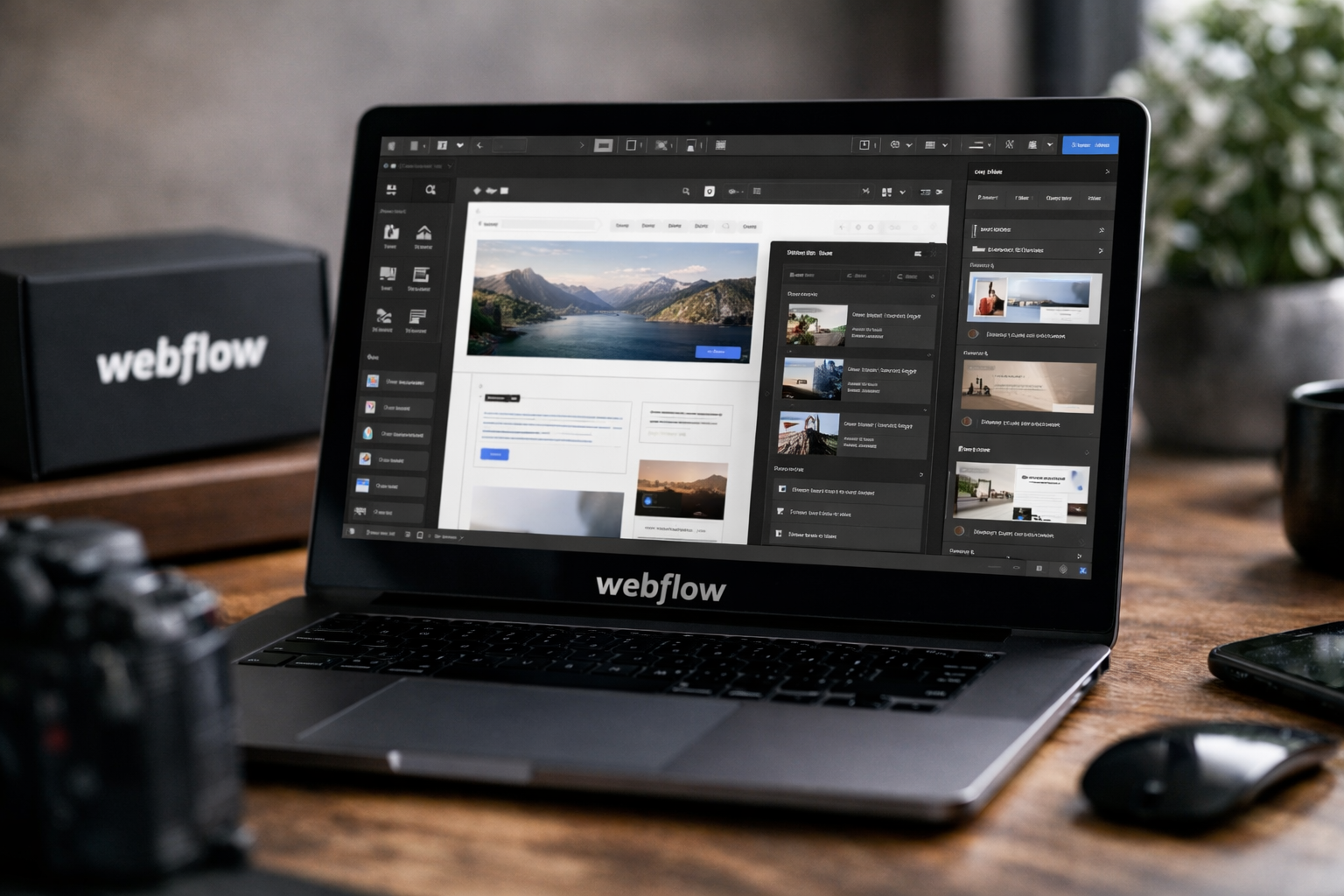
Webflow is a high-control web platform for teams that want to design, publish, manage, and optimize professional websites without separating every part of the workflow across different tools. The biggest reason buyers evaluate webflow features is simple: the platform combines visual site building, a structured CMS, managed hosting, SEO tools, collaboration, and extensibility in one environment.
This Webflow review 2026 is based on verified official product pages and current pricing information. It is intended for marketers, designers, agencies, startups, and growing businesses weighing whether Webflow’s design flexibility and managed platform approach justify the investment.
Official website · Latest pricing & offers
Webflow Review 2026: Quick Verdict
Webflow is a strong choice for buyers who need more creative and structural control than a basic template-first website builder provides. Its greatest value is not one isolated tool; it is the way visual design, content management, hosting, SEO, collaboration, and development-oriented extensions work together.
The trade-off is that Webflow is not the cheapest or simplest route to a basic online presence. Businesses that only need a few static pages and minimal customization may find the platform more capable than necessary.
Who Webflow is best for
Webflow is especially well suited to marketing teams, design-led businesses, agencies, and startups that consider their website an important growth asset. These buyers benefit most from the platform’s visual control, content workflows, reusable systems, and webflow CMS capabilities.
It is also a practical fit for organizations that want their marketers and designers to handle more website updates while retaining a structured publishing process. The available webflow features are particularly compelling when site quality, brand consistency, and iteration speed matter.
When Webflow is the wrong fit
Webflow may be the wrong fit for someone who wants the fastest possible way to publish a very simple website with almost no learning curve. The visual builder is powerful, but that flexibility requires users to understand layouts, responsive behavior, and content structure.
It may also be unnecessary for sites that do not need a CMS, custom design, regular optimization, or a collaborative workflow. Buyers should avoid paying for platform depth they will not use.
Bottom-line recommendation
For teams building marketing sites, content-rich sites, brand-led experiences, and scalable web operations, Webflow is worth serious consideration. Its integrated approach can reduce the friction of moving from design to live publishing while keeping ownership of the website closer to the people responsible for its performance.
The best buying approach is to start with the free Starter plan, test the relevant webflow features, and only upgrade when your site, content, or governance requirements make a paid plan worthwhile.
What Webflow Is and Why It Matters in 2026

Webflow positions itself as an AI-native web platform built around four connected areas: Build, Manage, Optimize, and Extend. Rather than treating website creation as a one-time design task, it supports the ongoing work of publishing, maintaining, improving, and scaling a site.
For modern businesses, that connected workflow matters. A website often needs new campaign pages, updated content, localization, search optimization, and internal review processes—not just an attractive homepage.
Webflow as an AI-native web platform
Webflow AI is included with the Starter and Basic site plans listed in current official pricing, as well as higher plan tiers through included features. Webflow also lists an MCP server as part of Starter and Basic plan access, alongside Webflow Cloud app hosting.
The important buyer takeaway is that Webflow is positioning AI and extensibility within the platform rather than as a separate, disconnected add-on. Still, buyers should evaluate AI capabilities against their own workflow rather than assume they replace strategic design, content review, or technical oversight.
How it differs from traditional no-code builders
Many website tools prioritize fast template selection and simple editing. Webflow instead emphasizes a visual design environment, page building, interactions, content management, and collaboration for teams that need greater control.
That makes Webflow less of a “pick a template and publish” product and more of a platform for managing a professional website lifecycle. The breadth of webflow features is a benefit for capable teams, but it is also why onboarding can feel more involved than with simplified builders.
Why buyers still care about Webflow features
Buyers care because websites increasingly serve several jobs at once: explaining a product, generating leads, publishing content, supporting campaigns, and representing a brand across markets. A disconnected stack can make each of those jobs slower.
Webflow brings Design, Edit content, Interactions, Collaboration, and Page building into its Build and Manage experience. It also includes Optimize categories such as Analyze, Optimize, SEO, and AEO, while Extend covers Apps, Figma to Webflow, Webflow Cloud, DevLink, and MCP.
Webflow Features List: The Core Capabilities Buyers Should Know
This webflow features list is most useful when viewed through a buyer’s workflow. The platform is designed to help teams build pages, manage structured content, optimize visibility, and extend a website without treating those activities as unrelated projects.
Design and page building
Webflow Design and Page building capabilities give teams a visual route to creating branded layouts and web experiences. For marketers and designers, the practical value is being able to work on pages with more control than a rigid, template-only system generally offers.
This is particularly useful for campaign landing pages, product marketing pages, company websites, and design-conscious brand experiences. Strong webflow design features can help keep visual decisions close to the people who understand the brand.
Interactions and motion design
Interactions are part of Webflow’s official Build capabilities. They allow teams to incorporate motion and interactive behavior into the website experience through the platform’s visual workflow.
From a commercial perspective, interactions matter because motion can help guide attention, communicate hierarchy, or make a product story clearer. They should be used deliberately, however; good motion supports usability rather than becoming decoration that distracts from a conversion path.
CMS and content editing
The webflow CMS is central to the platform’s appeal for content-rich websites. It gives teams a structured way to manage dynamic content and update it through Webflow’s content editing capabilities.
For buyers, this means a site can be designed as a reusable system instead of requiring every article, resource, or landing page to be created from scratch. The value of these webflow features increases as content volume and publishing frequency grow.
Hosting and security
Webflow hosting is part of the overall platform offer, not a separate task users must independently coordinate. Site plans include bandwidth allocations, while Basic includes password protection and Premium includes increased hosting-related capabilities as listed by Webflow.
For non-technical teams, the appeal is operational simplicity. Design, CMS access where included, and hosting are managed in a connected environment, reducing the number of moving parts involved in getting a site live.
Integrations and extensions
Webflow integrations and extension-oriented capabilities include Apps, Figma to Webflow, Webflow Cloud, DevLink, and MCP. These categories matter because few growing teams operate with a website in complete isolation from their design, development, analytics, or operational workflows.
The right extension path depends on the team’s stack and technical skills. Buyers should confirm compatibility and implementation requirements before making a platform decision, particularly for complex internal systems or secure integrations.
Webflow Design Features Explained
The visual design environment is the flagship reason many buyers choose Webflow. It is built for teams that want to create custom layouts and responsive experiences while working in a visual canvas.
Visual canvas and responsive design
Webflow’s visual design workflow lets users build and adjust pages visually instead of relying only on manual code editing. This can improve collaboration between designers, marketers, and developers because the live website structure is closer to the design process.
Responsive design control is especially valuable when a site needs to work across different screen sizes. Buyers should still expect to test pages carefully, because visual flexibility does not eliminate the need for thoughtful quality assurance.
Custom layouts without code
One of the most attractive webflow features is the ability to create more tailored page layouts without making code the starting point for every change. This supports brands that want to avoid looking identical to competitors using the same limited template patterns.
That does not mean Webflow removes the need for web design knowledge. Teams get better outcomes when someone understands design systems, spacing, hierarchy, content structure, and responsive behavior.
Reusable components and shared libraries
Reusable systems are essential when a website expands beyond a handful of pages. Webflow includes Shared Libraries among its platform capabilities, helping teams support more consistent work across site experiences.
For agencies and multi-stakeholder organizations, this is a practical governance benefit. Reusable patterns can reduce repetitive design work and make it easier to preserve a consistent brand experience as different people contribute.
How design teams collaborate
Collaboration is an official Webflow capability, and it matters because web projects rarely belong to one person. Designers may shape the visual system, marketers may own messaging, and reviewers may need a structured publishing process.
The result is a better fit for teams than a design tool that stops at a prototype. Webflow’s value is that the design process can lead toward a publishable, managed website rather than ending at a handoff stage.
Webflow CMS Features Explained
The Webflow CMS is a major reason to choose Premium over a simple static-site plan. It helps turn a website into a structured publishing system for content that follows repeatable formats.
Content modeling for dynamic sites
A CMS is useful when a site contains recurring content types, such as articles, resources, team profiles, locations, or campaign entries. Webflow CMS supports a structured approach to organizing that content rather than treating every new page as a standalone design exercise.
This makes webflow features more valuable for businesses with ongoing content needs. A properly planned content model can help a team scale publishing while keeping layouts consistent.
Editing content in context
Webflow includes Edit content as a core capability. The practical advantage is that content stakeholders can focus on keeping website information current within the same platform used to build and manage the site.
For marketing teams, this can shorten the distance between a content update and a live page. It still requires clear roles, review practices, and content standards—especially when multiple contributors publish to the same site.
Content-heavy use cases
Webflow CMS is well suited to content-rich marketing websites, resource hubs, editorial sections, directories, and recurring landing-page formats. These are the scenarios where structured content and reusable page patterns provide the clearest return.
The platform may also be appropriate for a business that expects its website to grow with its marketing program. The webflow CMS is less essential for a simple brochure site with a small number of static pages.
CMS limitations to know
CMS access is not included in the Basic plan described in official Webflow pricing. The free Starter plan includes limited Webflow CMS, while Premium includes Webflow CMS for content-rich sites with robust CMS and traffic needs.
That plan distinction is important. Buyers should map their site’s content requirements before selecting a plan instead of assuming every tier provides the same content-management depth.
Webflow Hosting, Security, and Performance
Webflow hosting is valuable because it keeps a core operational layer of the website inside the same platform as design and content management. For teams that do not want to coordinate multiple vendors for every change, this can simplify day-to-day site ownership.
Managed hosting
Starter includes a webflow.io domain, while Basic and Premium include custom domain access according to the verified plan details. Webflow Cloud app hosting is also listed on Starter and Basic, with higher tiers including the features of lower tiers.
Managed hosting is not automatically the best solution for every technical architecture, but it is attractive for organizations that prefer a more unified website environment. The strength of these webflow features is management convenience, not an unsupported promise of universal performance superiority.
Bandwidth and scaling
Starter includes 1 GB bandwidth, Basic includes 10 GB bandwidth, and Premium includes bandwidth as part of its content-rich site positioning. Team and Enterprise are designed for growing teams and organizations that require more control, scale, governance, and customization.
Buyers should evaluate bandwidth needs carefully as part of webflow pricing decisions. A site’s traffic profile, content approach, and operational requirements should guide plan selection.
Security and protection
Basic includes password protection. Team includes foundational governance, enhanced security and compliance, plus a site activity log and API. Enterprise adds granular permissions, custom roles, advanced governance, secure integrations, enhanced SLAs, and custom configurations.
These plan differences matter for businesses where access control and accountability are purchasing priorities. Security needs should be assessed with internal technical and compliance stakeholders rather than assumed from a general feature list.
Why hosting matters for non-technical teams
For a non-technical marketing team, separate design, content, and hosting tools can create avoidable handoffs. Webflow brings those layers closer together, which can make website ownership more manageable.
That said, managed webflow hosting does not remove the need for disciplined publishing, access control, and page testing. It gives teams a more connected operating model, not a substitute for responsible website management.
Official website · Latest pricing & offers
Webflow SEO and AEO Features
Webflow SEO is relevant to buyers because a visually impressive website still needs to be discoverable. Webflow groups SEO and AEO within its Optimize capabilities, reflecting the need to think about both traditional search and emerging AI-driven discovery.
On-page SEO controls
Webflow’s SEO positioning supports teams that need to optimize pages as part of their regular publishing workflow. For marketers, the advantage is that page building, content updates, and optimization can be considered together rather than handled in separate systems.
Effective webflow seo still depends on strategy. Clear information architecture, helpful content, accurate language, and purposeful pages remain essential regardless of the platform used.
Technical SEO
Technical SEO is often a reason buyers prefer a structured web platform over an assortment of disconnected tools. Webflow’s managed approach can make it easier for teams to keep website operations centralized.
However, a platform cannot guarantee rankings. Businesses should validate their own technical requirements, content migration needs, analytics setup, and governance process before committing to any website platform.
AEO / AI search visibility
AEO, or answer engine optimization, is an official Webflow Optimize category, and Team includes AEO agents. This is notable for organizations preparing content for how people discover information through AI-assisted search experiences.
The sensible way to approach AEO is to create clear, useful, well-structured information that answers real customer questions. Webflow AI and AEO capabilities may support evolving workflows, but they do not replace subject-matter expertise or editorial accuracy.
Why SEO buyers compare Webflow
SEO-focused buyers compare webflow features because website quality, content operations, and publishing speed affect how easily a team can maintain optimization practices. A platform that supports regular updates can be strategically valuable for an active marketing program.
Webflow is most compelling here when a business wants design, content, and optimization teams working from a shared system. It is less compelling if SEO is limited to occasional edits on a tiny static site.
Webflow for Teams, Agencies, and Enterprise Buyers
Webflow becomes more differentiated as organizational needs become more complex. The Team and Enterprise platform plans focus on control, workflows, localization, governance, and support rather than just individual page creation.
Collaboration and publishing workflows
Team includes Site & Workspace, publishing workflows, single-page publishing, a site activity log and API, foundational governance, and priority support. These capabilities are designed for growing teams that need control without unnecessary complexity.
For agencies, publishing workflows can help separate draft work from approved changes. For internal marketing teams, they can support more predictable review and release processes.
Localization and global sites
Webflow Localize is included with Team. Webflow localization is relevant for companies that need to manage a web presence across markets and languages as part of a broader growth strategy.
Localization requires more than translation; it also involves editorial review, regional context, and governance. Buyers should evaluate their internal localization process alongside the platform capability.
Governance, permissions, and compliance
Team includes enhanced security and compliance, while Enterprise expands this with granular permissions, custom roles, advanced governance, and secure integrations. These are meaningful differences for organizations with formal website controls.
Enterprise is not simply a larger version of a site plan. It is a custom solution for organizations that require configurable operations, stronger governance, and a more tailored support structure.
Enterprise-grade support
Team includes priority support. Enterprise includes a dedicated account manager, enhanced SLAs, and custom configurations, according to official Webflow pricing information.
These offerings are relevant when website operations are business-critical and internal teams need a formal relationship with the platform provider. Smaller organizations should not assume they need Enterprise-level features simply because they plan to grow.
Webflow Pricing in 2026
Webflow pricing is split between site plans and platform plans. All listed prices are in USD, per site, with applicable taxes added at checkout.
Site plans
| Plan | Verified Price | Best Use According to Webflow | Key Included Items |
|---|---|---|---|
| Starter | Free | Exploring and experimenting with Webflow | webflow.io domain, limited Webflow CMS, 2 static pages, 1 GB bandwidth, 50 form submissions, Webflow AI, MCP server, Webflow Cloud app hosting, Free Starter Workspace |
| Basic | $15/month billed yearly | Simple sites that do not need a CMS | Custom domain, 300 static pages, 10 GB bandwidth, unlimited form submissions, password protection, Webflow AI, MCP server, Webflow Cloud app hosting, Free Starter Workspace |
| Premium | $25/month billed yearly | Content-rich sites with robust CMS and traffic needs | Everything in Basic, plus Webflow CMS, bandwidth, code components, site search, form file upload, and well-known files |
Platform plans
| Plan | Verified Price | Best Use According to Webflow | Key Included Items |
|---|---|---|---|
| Team | $2,500/month with annual contract required | Growing teams needing more control without complexity | Everything in Premium, plus Site & Workspace, Webflow Localize, AEO agents, publishing workflows, single-page publishing, site activity log & API, foundational governance, enhanced security & compliance, priority support |
| Enterprise | Custom pricing | Organizations needing a flexible, fully customizable solution | Everything in Team, plus enterprise-ready scale, granular permissions, custom roles, advanced governance, secure integrations, dedicated account manager, enhanced SLAs, custom configurations |
What each plan is best for
Starter is the sensible place to learn the product and test the available webflow features without a financial commitment. Basic is intended for simple custom-domain sites that do not require a CMS.
Premium is the more relevant site plan for content-rich marketing sites because it includes Webflow CMS and additional listed capabilities. Team and Enterprise should be evaluated by organizations that need localization, workflow controls, governance, security, and more formal support.
Which plan offers the best value
For a small static business site, Basic can offer value if its included custom domain, static page allowance, bandwidth, and form submission access match the project. For a content-led site, Premium is the clearer fit because Basic does not include the full Webflow CMS.
The best value depends on requirements, not just the monthly number. Buyers should compare webflow pricing against the cost and complexity of managing separate design, hosting, content, and collaboration tools.
Pros and Cons of Webflow
A credible Webflow review should recognize that its strengths are closely connected to its limitations. More control often means more decisions, more structure, and a greater need for capable users.
Biggest advantages
- Strong visual design control for custom, brand-focused websites.
- Integrated webflow CMS for content-rich publishing workflows on eligible plans.
- Webflow hosting included as part of the platform experience.
- SEO and AEO positioning within the Optimize category.
- Collaboration, Shared Libraries, and publishing workflows for growing teams.
- Extensibility through Apps, Figma to Webflow, Webflow Cloud, DevLink, and MCP.
- Team and Enterprise capabilities for localization, governance, permissions, and support.
Main drawbacks
- A steeper learning curve than basic template-led website builders.
- Higher pricing than simple tools may justify for a minimal website.
- Important capabilities, including full CMS access and advanced governance, depend on plan selection.
- Buyers with complex technical requirements must validate integrations, security, and workflow needs before purchase.
- Webflow ecommerce is not assessed in this review because the verified product facts supplied for this article focus on website, CMS, hosting, and platform capabilities.
Best-fit use cases
Webflow is a strong fit for high-quality marketing websites, content hubs, branded landing-page systems, agency client sites, and businesses that need active website management. These webflow features are most valuable when the site is expected to evolve regularly.
It is less ideal for buyers who only need a small, low-maintenance website and do not need CMS, design flexibility, optimization workflows, or team controls.
Is Webflow Worth It for Your Business?
Webflow is worth the investment when website quality and operational control contribute directly to marketing, brand, or growth goals. The platform is not automatically the right answer for every business, but its integrated capabilities can be valuable for the right operating model.
Best for marketers
Marketers benefit when they need campaign pages, ongoing content, SEO work, and faster publishing within a coordinated website environment. Premium becomes especially relevant where Webflow CMS is necessary for structured content operations.
Marketers should choose Webflow when they have enough internal design and content capability to use the platform well. A powerful tool does not compensate for unclear messaging or weak conversion strategy.
Best for designers
Designers are among the strongest-fit users because Webflow offers visual control, responsive design work, interactions, and reusable systems. It is particularly appealing when a designer wants to move beyond static prototypes toward a live, managed website.
Figma to Webflow can be relevant for teams that use both tools in their process. Figma and Webflow serve different roles, with Webflow focused on building and publishing the actual website.
Best for agencies
Agencies can benefit from shared systems, collaboration, publishing workflows, Webflow localization, and governance features available at higher plan levels. The platform can support a more repeatable delivery process for design-led client work.
Agencies should carefully align plan costs with their client model. Team pricing is substantial, so its added controls and support should solve real operational needs.
Best for startups and scaling teams
Startups should consider Webflow when they need a polished marketing site that can grow into a content and optimization asset. The free Starter plan provides a low-risk way to evaluate the product before moving to a paid plan.
Scaling teams should look beyond basic site creation. If localization, workflows, security, compliance, and formal governance are becoming essential, Team or Enterprise may be more appropriate than relying solely on site-plan capabilities.
Official website · Latest pricing & offers
FAQ
Is Webflow still relevant in 2026?
Yes. Webflow remains relevant because it combines visual site design, CMS, hosting, collaboration, SEO, AEO, and extensibility in one platform. Its webflow features are particularly useful for teams that want a website to be an active marketing and publishing system rather than a static digital brochure.
Is Webflow as good as WordPress?
They are different types of website platforms, and the better choice depends on your operating needs. Webflow’s verified strengths include integrated design, CMS, managed hosting, SEO/AEO positioning, and workflow-oriented capabilities; buyers should compare those strengths against their own content, technical, and governance requirements.
What’s better, Figma or Webflow?
Neither replaces the other. Figma is primarily used for design and prototyping, while Webflow is built for creating and publishing live websites. Choose Webflow when the objective is to turn design work into an operational website with hosting, content management, and optimization workflows.
What are the pros and cons of Webflow?
The main advantages are design freedom, webflow CMS access on appropriate plans, hosting, SEO/AEO capabilities, collaboration, and extensions. The main drawbacks are the learning curve, higher cost than basic builders, and the fact that certain capabilities depend on the plan you choose.
Final Recommendation
Webflow is a strong purchase for businesses that need a high-control website platform rather than a simple template tool. Its best qualities are the connected webflow design features, structured CMS workflow, managed hosting approach, optimization categories, and team-level governance options.
Who should buy Webflow now
Buy Webflow if your organization values design quality, regularly publishes content, needs flexibility for campaign pages, or wants marketers and designers to work more directly on the website. Premium is the logical site-plan direction for content-rich websites, while Team and Enterprise are built for organizations needing localization, workflows, governance, and advanced support.
Who should skip it
Skip Webflow if your needs are limited to a very small static site and you want the simplest possible editing experience. It is also not the right purchase if your team lacks the time or skills to use a more capable visual platform effectively.
Affiliate call to action
If the platform’s design control, webflow CMS options, hosting, and collaboration tools fit your needs, start with the free plan and evaluate the workflow firsthand. You can explore Webflow through this trusted Webflow partner link after reviewing the plan details that apply to your site.
Related Reading
- Webflow vs Elementor: Best Design Option in 2026?
- Systeme.io vs HubSpot: Which Platform Is Better for Lean Small Businesses in 2026?
- Cloudways vs Hostinger: Which Hosting Is Better Value in 2026?
References
- Webflow: Web design, CMS, & hosting features
- Latest updates and features
- Plans & pricing | Webflow
- Best Features Websites






