Create YouTube Shorts From Podcast with Klap: A Practical 2026 Guide
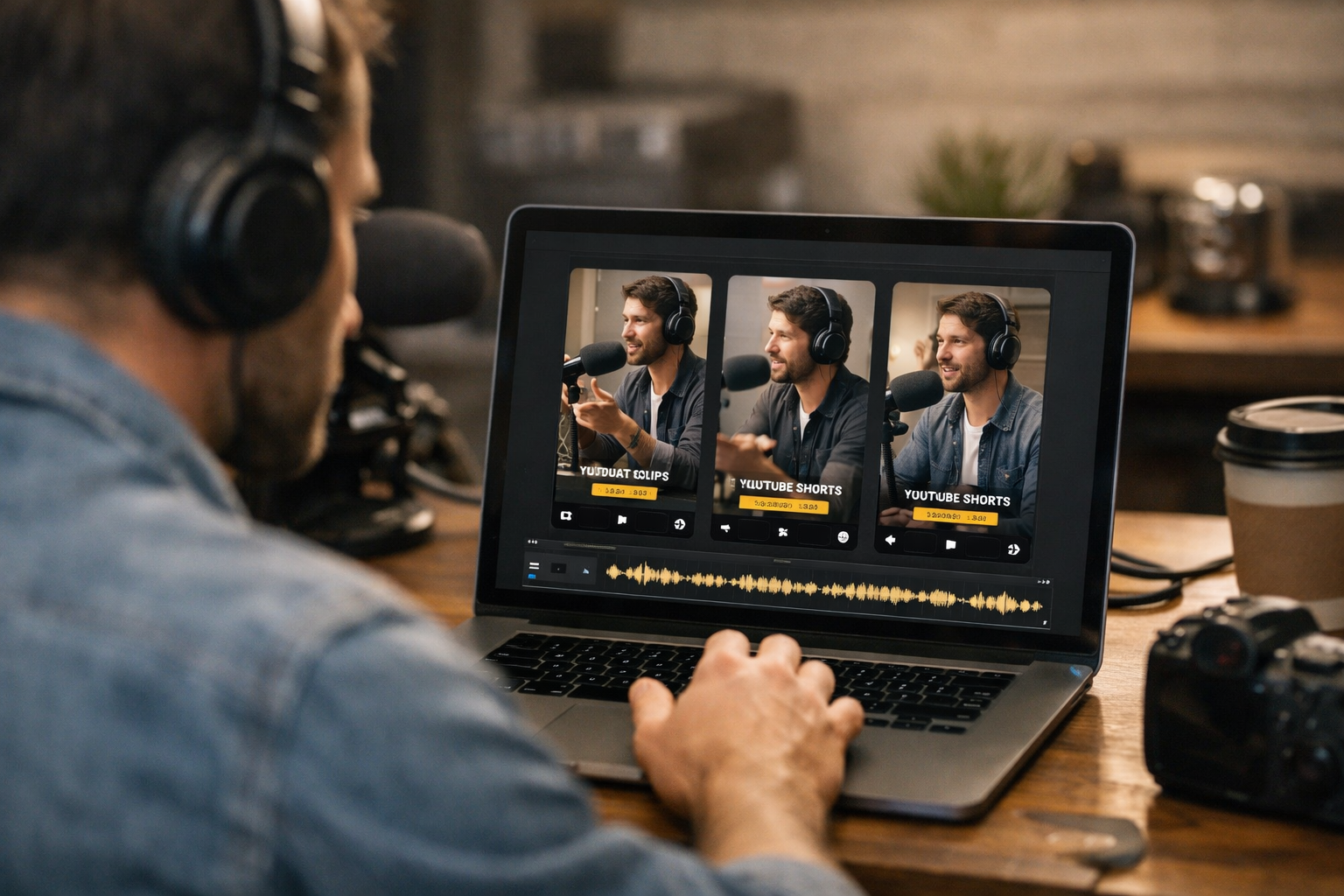
A full podcast episode can contain dozens of valuable ideas, stories, debates, and practical tips. The challenge is that many potential listeners will never commit to watching a long episode before they know who you are. When you create YouTube Shorts from podcast with Klap, you can turn those standout moments into short vertical videos designed to introduce your show to new viewers.
YouTube Shorts are useful for discovery because they give individual ideas from an episode their own opportunity to reach an audience. Instead of asking someone to watch an entire conversation first, you can lead with a compelling answer, surprising opinion, useful takeaway, or memorable exchange.
For podcast creators, the practical goal is not to replace long-form content. It is to repurpose each episode more efficiently, publish consistently, and give people more entry points into the full show. Klap is built to turn long videos into TikToks, Reels, and Shorts in one click, helping creators identify and prepare short-form clips with less manual editing.
Official website · Latest pricing & offers
What Klap Does for Podcast Shorts
Why Podcast Creators Repurpose Long Episodes Into Shorts
Podcast production takes real effort. Recording, booking guests, preparing topics, editing, publishing, and promoting a single episode can take far longer than the conversation itself. Letting that work result in only one long video can limit its reach.
Podcast clips for YouTube Shorts help separate the strongest ideas from the full conversation. A sharp 30-second insight from a guest, a controversial take, or a concise piece of advice may resonate with someone who would not yet watch a 60-minute episode.
When you create YouTube Shorts from podcast with Klap, one recorded conversation can support a broader content workflow. The full episode remains your core asset, while short clips help promote it across YouTube and other vertical-video platforms.
How Klap Turns Long-Form Video Into Short-Form Clips
Klap is an AI clipping tool that turns long videos into short clips for TikTok, Reels, and YouTube Shorts. You can upload a video or use a YouTube link, then let the platform create clip suggestions from the longer source.
The service uses AI to create engaging clips, generate captions, reframe video for different platforms, and score clips for viral potential. That combination is particularly relevant for video podcasters, because a standard podcast recording is usually designed for a wide, long-form viewing experience rather than vertical mobile viewing.
In practical terms, Klap can help you move from one long interview or solo episode to multiple short-form assets. You still need to review the results and apply your own editorial judgment, but the initial clip-finding work is substantially more streamlined than starting every clip from a blank timeline.
What Makes Klap a Strong Fit for Podcasts
Podcast conversations naturally contain moments that work well as standalone clips: a guest’s bold answer, an actionable lesson, a relatable story, or a concise disagreement. The hard part is finding those best moments from podcast recordings efficiently.
Klap is a strong fit when your show includes video and you want to create short clips from podcast episodes without manually reviewing every second of footage. AI-generated captions and vertical reframing also address two essentials for short-form viewing: readable context and a mobile-friendly layout.
Klap states that it has made 8.5M clips for 3.5M creators and is trusted by 3.5M happy users. Those figures do not guarantee results for an individual podcast, but they show that the platform is focused on a large creator audience.
How To Create YouTube Shorts From Podcast With Klap
Step 1: Prepare Your Podcast Video
Before you create YouTube Shorts from podcast with Klap, start with the clearest possible source video. Use the version with understandable dialogue, stable visuals, and the full conversation included. Clean source material makes it easier to assess clips before publishing.
Video podcasts are the most natural starting point because YouTube Shorts require a visual format. If your original show is audio-only, you will need to create a video version before producing a visual Short. That could mean recording future episodes on camera or pairing audio with an appropriate visual presentation before uploading.
It also helps to know your episode’s strongest sections in advance. Make a short note of timestamps for key stories, useful frameworks, audience questions, emotional reactions, or surprising statements. You may not need those notes for every clip, but they make final review faster.
Step 2: Upload Your Episode or Paste a YouTube Link
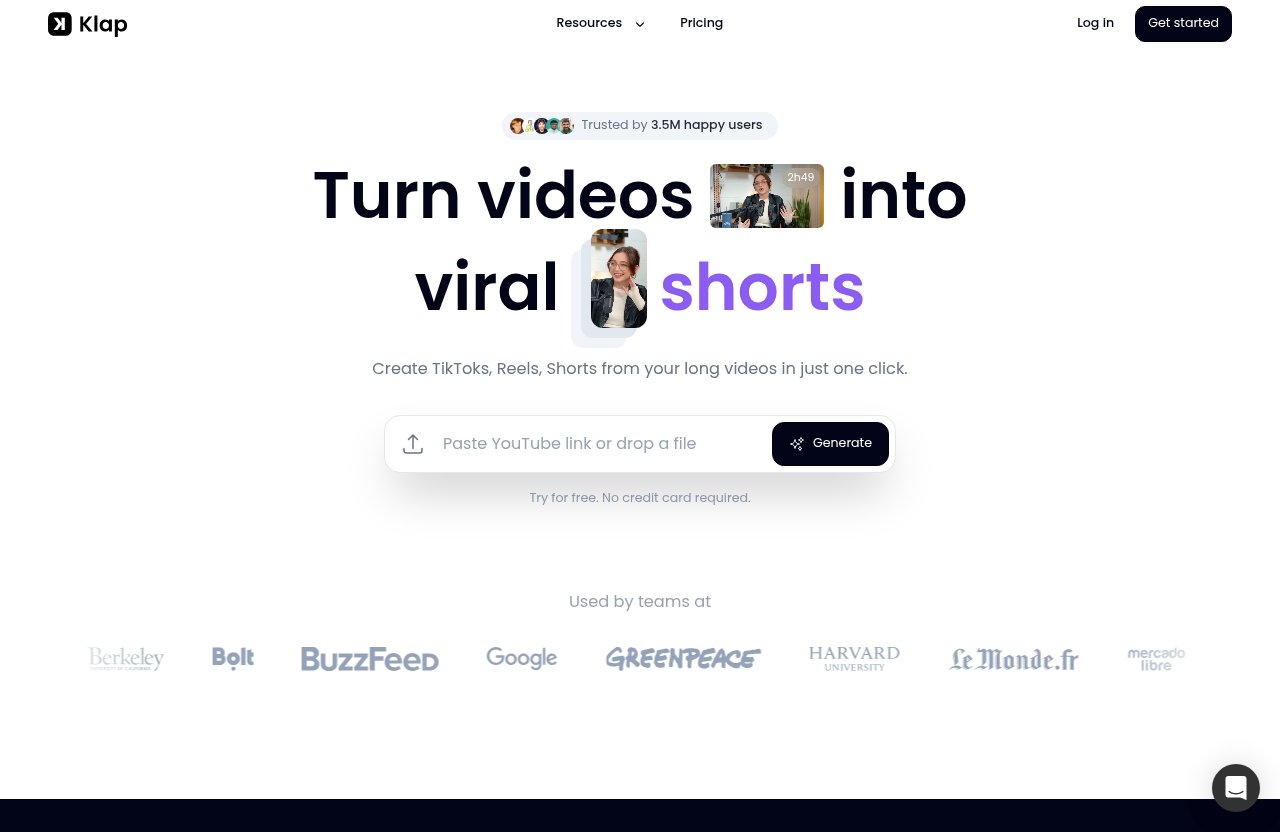
Open Klap and provide your long-form video. The workflow supports uploading a video or pasting a YouTube link, which is useful if your episode is already live on your channel.
At this stage, avoid overthinking the first pass. The purpose is to give the AI a complete source from which it can identify potential short clips. If you are experimenting with a new workflow, use a recent episode that has clear conversations and multiple distinct talking points.
If you decide Klap fits your process, Top Trust Review may earn a commission when you try it through our Klap affiliate link, at no extra cost to you. That affiliate relationship does not change the need to review every generated clip before it represents your podcast.
Step 3: Let Klap Find Clip-Worthy Moments
Once the source video is processed, Klap uses AI to create engaging clips from the longer recording. This is the central advantage for creators who want a long video to Shorts AI workflow rather than manually locating every possible highlight.
Klap also scores clips for viral potential. Treat this score as a helpful prioritization signal, not as a promise that a clip will perform well. Your audience knowledge, the context of the conversation, and the strength of the opening seconds still matter.
The official Klap homepage provides a rule of thumb that a one-minute video produces about five clips. Actual output from a podcast episode will depend on its content, pacing, and how many sections make sense as complete, understandable short videos.
Step 4: Review, Fine-Tune, and Export
The review stage is where your editorial standards matter most. When you create YouTube Shorts from podcast with Klap, check that the clip begins with enough context, ends at a natural point, and accurately reflects what the speaker meant.
Pay particular attention to captions, framing, and speaker changes. A clip may be technically interesting but still need trimming if the opening takes too long to get to the point. If a guest makes a nuanced statement, avoid editing it so aggressively that its meaning changes.
Use your own judgment on brand voice. A business podcast might favor clear educational insights, while a comedy or entertainment show may select reaction-driven moments. The best clip is not always the most dramatic one; it is the one that works independently while encouraging interest in the broader show.
Step 5: Publish the Clip as a YouTube Short
After reviewing the final vertical clip, publish it to YouTube as a Short. Give the title enough context that viewers understand the topic without needing to know the full episode first.
A simple publishing checklist can keep your process consistent:
| Check Before Publishing | Why It Matters |
|---|---|
| The opening is interesting immediately | Viewers should quickly understand why they should keep watching |
| The clip covers one clear idea | A focused Short is easier to follow |
| Captions are accurate and readable | Many viewers watch short-form video without sound |
| The framing keeps speakers visible | Vertical viewing needs a deliberate layout |
| The title matches the clip | Clear expectations help the right audience find it |
Repeat this workflow across your episode library. Over time, you can learn which types of podcast to reels and Shorts content best represent your show and attract the audience you want.
Best Practices for Better Podcast Shorts
Choose Moments With Strong Hooks
The first few seconds have an important job: they must give viewers a reason to continue. A strong hook can be a surprising claim, a direct question, an emotionally honest admission, or a practical promise.
For example, an interview guest saying, “The biggest mistake founders make is…” is naturally more clip-ready than a slow transition into a topic. When you create YouTube Shorts from podcast with Klap, look for moments that begin close to the key idea rather than relying on a long setup.
Hot takes, concise lessons, myths being challenged, and real personal stories tend to be useful starting points. However, select clips that match your podcast’s standards rather than chasing drama that does not serve your audience.
Prioritize Clear Speaker Visuals and Clean Audio
A compelling conversation loses impact if viewers cannot understand it. Choose segments with clear speech, limited overlap, and visuals that make it obvious who is talking.
This is especially important for remote interviews, multi-person panels, and podcasts with frequent interruptions. Klap’s AI Reframe 2 can resize videos for platforms and apply layouts including Split Screen, Screencasts, and Gaming, giving different types of recordings a more suitable vertical presentation.
If the source audio is difficult to hear, captions can help, but they cannot fully compensate for confusing sound. For future recordings, prioritize good microphones and a simple visual setup that keeps speakers visible.
Keep Clips Focused on One Idea
The most useful YouTube Shorts from podcast episodes usually communicate one complete thought. A viewer should be able to understand the point without watching the entire conversation.
Avoid packing several unrelated ideas into one clip merely because the moments are interesting. Split them into separate Shorts instead. This approach provides more publishing options and gives every insight room to land.
A clear structure often works well:
- Start with a hook or direct statement.
- Explain the core insight.
- End with a conclusion, example, or memorable line.
Use Captions To Improve Retention
Captions give viewers a way to follow the conversation in environments where audio is unavailable or inconvenient. They also provide immediate visual context, particularly when the clip begins with a guest speaking mid-thought.
Klap provides AI-generated captions, which can speed up the captioning part of a podcast shorts editor workflow. Still, review the wording before posting, especially for guest names, technical terms, industry jargon, and numbers.
When you create YouTube Shorts from podcast with Klap, keep captions readable rather than treating them as decoration. The goal is to support the message, not overwhelm the screen with text.
Test Multiple Clips From the Same Episode
A single podcast may include different types of potential clips: practical advice, humor, an emotional story, a bold opinion, or a useful quote. Testing multiple angles from the same episode helps you discover what best suits your viewers.
Do not assume the segment you personally liked most will be the only useful Short. The clip that receives the strongest response may be a simple explanation that solves a specific viewer problem.
This does not mean publishing every generated suggestion. It means making thoughtful selections and using your results to guide future clip choices. Consistency and learning matter more than trying to predict a perfect post every time.
Official website · Latest pricing & offers
Klap Features That Matter Most for Podcasters
AI Clipping
AI Clipping is included with Klap plans and is the core feature for turning longer video into smaller pieces of content. For podcasters, this means less time spent locating possible clip points manually.
The value is most obvious for longer interviews, panel discussions, and educational episodes with many worthwhile sections. Instead of viewing your source video only as one full episode, you can treat it as a library of short-form ideas.
AI Reframe 2 for Vertical Layouts
AI Reframe 2 resizes videos for any platform. It can also apply layouts including Split Screen, Screencasts, and Gaming.
For video podcasts, reframing matters because the original recording may be wide, while Shorts are viewed vertically. A split-screen layout can be particularly relevant when two people are speaking remotely or when a host and guest both need to remain visible.
AI-Generated Captions
Klap provides AI-generated captions, which are relevant for fast-moving social feeds and spoken podcast clips. Captions help viewers understand the main idea even when they are unable to listen immediately.
Review is still an essential part of publishing. Treat automatically generated text as a strong starting point, then check it for accuracy and readability before sharing.
Virality Scoring
Klap can score clips for viral potential. This is useful as an additional signal when reviewing several generated options from the same episode.
A score should not replace your editorial decision. The best choice for your channel should be on-topic, understandable, accurate, and aligned with your audience—even if another segment appears more broadly attention-grabbing.
High-Resolution Export
For creators comparing tools, export quality is naturally important. However, Klap’s verified product facts provided for this guide do not specify an export resolution. It is best not to assume a particular high-resolution export setting without checking the current product interface or official documentation.
That level of care is useful whenever you create YouTube Shorts from podcast with Klap. Verify the final clip looks clear, captions are readable, and framing works properly before publishing it publicly.
Klap Pricing and Plans
Basic Plan
Klap’s Basic plan is intended for individuals. It includes 100 clips per month and costs $14 per month when billed yearly.
This can be a practical starting point for a solo host who publishes regularly and wants to create multiple clips from each video episode. All plans include AI Clipping, unlimited social accounts, and Analytics.
Pro Plan
The Pro plan is for professionals. It includes 300 clips per month and costs $39 per month when billed yearly.
This plan may suit creators managing a larger release schedule, producing content for more than one show, or repurposing long-form content more aggressively across TikToks, Reels, and Shorts.
Pro+ Plan
The Pro+ plan is for teams. It includes 1,000 clips per month and costs $94 per month when billed yearly.
For a production team, agency-style workflow, or media brand handling multiple creators, the higher clip allowance may better match the volume of content being processed.
| Plan | Intended User | Clips Per Month | Price Per Month, Billed Yearly |
|---|---|---|---|
| Basic | Individuals | 100 | $14 |
| Pro | Professionals | 300 | $39 |
| Pro+ | Teams | 1,000 | $94 |
Which Plan Fits Solo Creators vs Teams
The right plan depends on how often you publish and how many clips you want to review, not simply how long your episodes are. A solo podcaster may find the Basic plan sufficient, while a professional creator with several long episodes each month may need more capacity.
Teams producing content for multiple podcasts may benefit from Pro+ because of its 1,000-clip monthly allowance. Before committing, estimate your expected output and use the free trial to determine whether Klap fits your editing process.
When Klap Is the Right Tool for Podcast Creators
Creators Who Want Speed Over Manual Editing
Klap is well suited to creators who want to reduce the repetitive work involved in finding potential short clips. If you have previously spent hours scrubbing through a long episode for quotable moments, an AI podcast clip generator can provide a faster first pass.
That does not remove the need for review. It simply shifts your attention toward selecting, refining, and publishing the clips that best represent your show.
Podcasters Publishing Consistently
Consistent publishing creates more opportunities for repurposing. If you release video episodes regularly, the amount of source material can quickly become difficult to manage manually.
When you create YouTube Shorts from podcast with Klap, you can build a repeatable routine around each episode: process the long video, review clips, select the strongest ideas, and schedule posts over time.
Teams Repurposing Content Across Multiple Platforms
Klap is positioned to create TikToks, Reels, and Shorts from long videos. That makes it relevant for teams that want one source episode to support several short-form publishing channels.
The key benefit is format efficiency rather than a guarantee of reach. Each platform and audience may respond differently, so review captions, titles, and the final presentation for the channel where you plan to post.
Creators Who Want More Output From Each Episode
Klap is a good option when your main goal is to extract more usable content from recordings you already produce. A long interview may contain many strong standalone moments that would otherwise remain buried inside the complete episode.
It may be less suitable if you only want highly custom, heavily stylized edits or need full frame-by-frame control over every creative choice. In those cases, manual editing may remain your preferred process.
Klap vs Manual Podcast Clip Editing
Time Savings
Manual editing requires you to identify moments, create vertical compositions, add captions, and prepare each clip individually. That can be worthwhile, but it takes time—especially with long recordings.
Klap speeds up the initial repurposing process by using AI to create clip suggestions from long videos. For a creator producing frequent content, that can make it easier to evaluate more potential clips without starting every edit from scratch.
Workflow Simplicity
A manual workflow can involve several tools and multiple editing steps. Klap brings AI clipping, reframing, captions, and clip scoring into a focused short-form workflow.
If you want to create YouTube Shorts from podcast with Klap, the process is straightforward: provide the source video, review suggested clips, refine your selection, and publish. The workflow is particularly appealing for creators who value a simpler path from long episode to vertical content.
Creative Control
Manual editing offers the highest degree of creative control. You can dictate the exact cut points, animations, pacing, color choices, sound design, and on-screen composition.
Klap is more useful when speed and scale are higher priorities. You can still review and fine-tune outputs, but creators with an exact visual editing style may prefer manual work for their most important clips.
Best Use Cases for Each Approach
| Situation | Klap May Be Better | Manual Editing May Be Better |
|---|---|---|
| You publish long video podcasts frequently | Yes, for faster clip discovery and repurposing | Possible, but more time-intensive |
| You need many clips from one episode | Yes, for reviewing multiple AI-generated options | Useful only if you have editing capacity |
| You need precise creative choices | Useful as a starting point | Better for maximum control |
| You want captions and reframing in the workflow | Yes, these are verified Klap capabilities | Possible with separate editing steps |
| You are creating a flagship promotional trailer | Helpful for ideas | Often better for a custom edit |
The balanced answer is that these approaches can work together. Use Klap to identify and produce routine social clips quickly, then reserve manual editing for trailers, brand campaigns, or especially important moments that deserve more custom attention.
Official website · Latest pricing & offers
FAQ
How to make YouTube Shorts from podcasts?
Start with a video version of your podcast. Upload the episode to Klap or paste a YouTube link, let the AI identify potential clips, review the vertical outputs, check captions and framing, then export your chosen clip and upload it as a YouTube Short.
This workflow helps you repurpose podcast into Shorts while maintaining control over what is ultimately published.
How many Shorts can you get from one podcast episode with Klap?
Klap’s official homepage offers a rule of thumb that a one-minute video produces about five clips. Actual output will vary depending on the length of the episode, how many clear standalone moments it contains, and the clips you choose to keep.
A longer episode does not automatically mean every section should become a Short. Focus on quality, clarity, and relevance.
Does Klap add captions automatically?
Yes. Klap provides AI-generated captions for videos. You should still review captions before posting to correct names, specialist terms, or any wording that does not accurately reflect the speaker.
Can Klap make clips for platforms besides YouTube Shorts?
Yes. Klap is positioned to turn long videos into TikToks, Reels, and Shorts in one click. This makes it useful for creators who want to adapt a podcast episode into vertical content for more than one platform.
Is Klap free to try?
Yes. Klap’s official homepage says it offers a free trial with no credit card required. A trial is a sensible way to see whether its AI clipping, captions, and reframing workflow suits your podcast before choosing a paid plan.
Related Reading
References
- Klap | Turn videos into viral TikToks, Reels & Shorts
- How to Create Podcast Clips for TikTok, Reels & Shorts – Klap
- Reddit discussion on AI clipped shorts for podcasting
- PodcastAI vs Klap: Which AI Clip Tool Is Better for Podcast Shorts?