How to Edit Klap Shorts Before Publishing: A Practical 2026 Workflow
Knowing how to edit klap shorts before posting is what separates a quick AI cut from a clip that feels intentional, clear, and on-brand. Klap can turn longer videos into vertical content quickly, but every creator should review the hook, captions, framing, and context before a Short goes live.
This guide may include affiliate links to Klap, including our Klap recommendation link. We recommend it when its workflow fits your content process—not as a replacement for editorial judgment. The best results come from using AI to speed up the first draft, then applying a focused human review.
Official website · Latest pricing & offers
What “editing Klap Shorts” actually means before publishing
Why AI-generated shorts still need a human pass
AI can identify promising moments, create vertical clips, and generate captions, but it cannot fully understand your audience, your brand voice, or the subtle context behind every sentence. A clip may be technically coherent while still opening too slowly, missing the real point, or making a quote sound incomplete.
When you edit klap shorts, think of the generated clips as strong starting points rather than finished posts. A short review protects you from caption errors, awkward cuts, unclear context, and framing that does not support the message.
Creators should always review caption accuracy and clip context before posting because AI can miss nuance, names, sarcasm, technical terms, and the meaning created by the surrounding conversation.
What you can and should refine in Klap
The practical goal of klap shorts editing is not to endlessly tweak every frame. It is to make a few high-impact improvements before publishing:
- Remove slow or irrelevant opening words.
- Make the hook clearer and more specific.
- Review AI-generated captions for accuracy and readability.
- Check that the speaker and visual subject are framed appropriately.
- Choose clips that deliver a complete, useful idea.
- Confirm that the final clip suits the platform and your audience.
Klap’s official tools information states that it can generate Shorts, crop, resize, translate, add subtitles, and auto-publish. Still, the editorial decisions behind an effective short remain yours.
The goal: better hooks, cleaner captions, stronger clip choices
A useful edit klap shorts workflow has three priorities: earn attention quickly, make the message easy to follow, and end with a satisfying payoff. If a viewer cannot understand the point without watching the original long video, the clip likely needs adjustment—or should not be selected.
In my experience reviewing repurposed video content, the best-performing candidates usually have one clear message. They do not try to summarize an entire interview, tutorial, or podcast segment in a few seconds.
How Klap works: upload, generate, review, and export
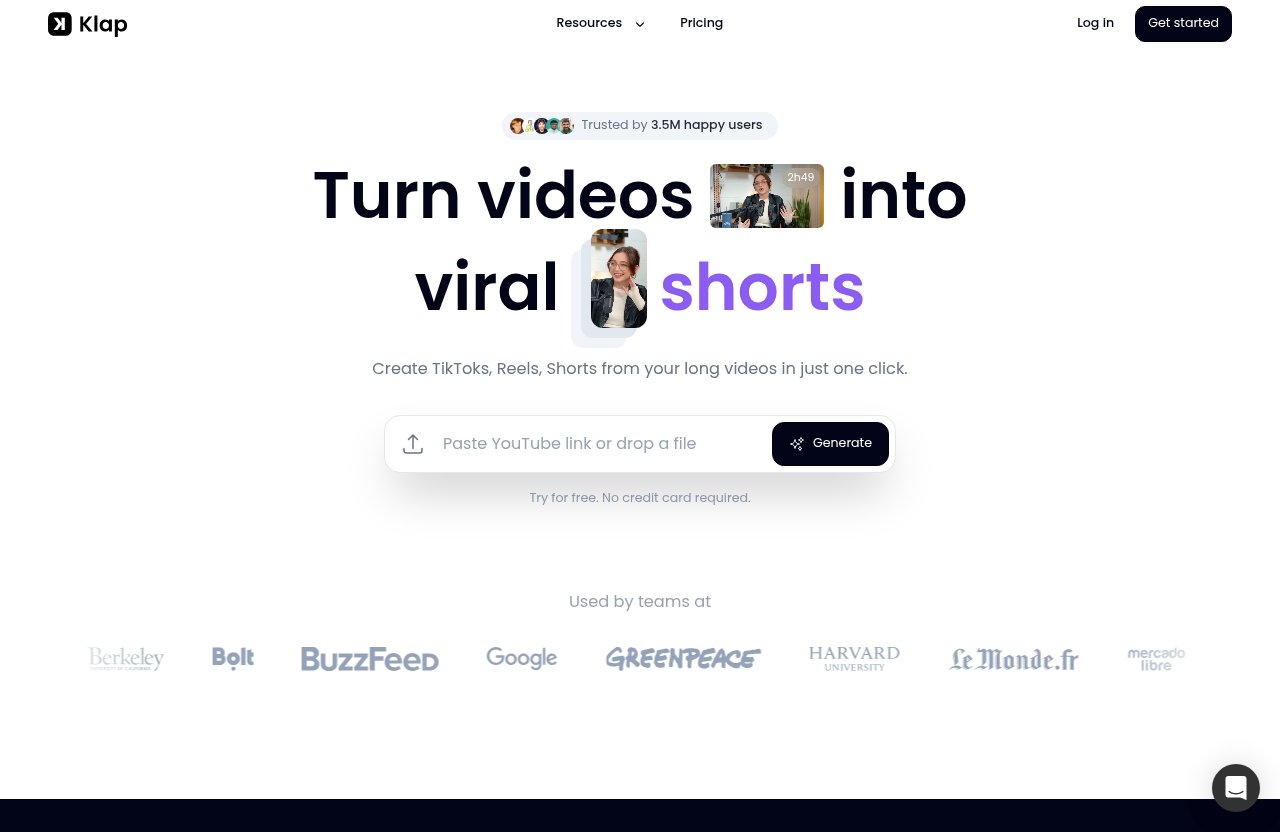
Paste a YouTube link or upload a video file
Klap’s workflow begins with a source video. You can paste a YouTube link or upload a video file, then use the tool to turn longer content into vertical videos for TikToks, Reels, and Shorts.
This makes it useful for creators who already publish podcasts, webinars, tutorials, interviews, commentary, or talking-head videos. Instead of beginning each short from scratch, you begin with moments pulled from content you have already created.
AI creates multiple vertical clips in minutes
Klap turns long videos into multiple vertical clips. According to the official Klap homepage, a one-minute video produces about five video clips, giving you several options to review rather than forcing you to settle for a single AI selection.
That variety is valuable, but it is also why you should edit klap shorts with a selection mindset. Look for the clip that makes sense fastest, not simply the one that sounds most dramatic in isolation.
Make final touches and export in high resolution
Klap provides AI-generated captions and lets users make final touches before exporting in high resolution. Treat this final-touch stage as your quality-control pass.
Before a klap export shorts workflow is complete, review the opening, caption text, pacing, crop, and ending. A few minutes of review can prevent a rushed-looking post from representing your brand.
Step-by-step: how to edit Klap shorts before publishing
Step 1: open the generated clip list and rank the strongest moments
Start by watching every candidate clip once without editing. Your first pass should answer a simple question: would someone who has never seen the long video understand why this matters?
Rank your clips into three groups:
| Clip Group | What It Means | What To Do |
|---|---|---|
| Strong | Clear topic, immediate interest, useful payoff | Edit and prepare for publishing |
| Possible | Good idea but weak start or slightly unclear context | Improve the hook or trim the opening |
| Skip | Needs too much background or ends without a point | Do not force it into a Short |
When you edit klap shorts, selecting fewer, stronger clips is usually better than publishing every generated option. Your audience sees the final result, not the time saved in creating it.
Step 2: trim weak openings and keep the first 1–2 seconds sharp
Many source videos begin with natural speech filler: “So,” “I think,” “the thing is,” or a long setup before the useful thought arrives. Those phrases may work in a long-form conversation, but they can weaken a short-form opening.
Trim toward the first meaningful statement whenever possible. The first one to two seconds should tell viewers what they will learn, challenge an assumption, or create enough curiosity to keep watching.
For example:
- Weak: “One thing I’ve been thinking about recently is how people approach content…”
- Stronger: “Most creators waste time editing the wrong part of a video.”
This is a core part of how to edit klap shorts effectively: begin close to the value, not close to the original conversation.
Step 3: replace or tighten the hook text
A klap hook edit should reinforce what viewers hear rather than repeat it word for word. Use short on-screen text that gives the viewer a reason to stay.
Try one of these structures:
| Hook Type | Example |
|---|---|
| Curiosity | “The editing mistake nobody notices” |
| Outcome | “Make your Shorts easier to watch” |
| Contrast | “More clips does not mean better content” |
| Problem | “Why viewers leave in the first seconds” |
Keep the hook honest. If the clip does not deliver on the promise, the text may draw an initial view but it will not build trust with the audience you want.
Step 4: clean up captions for readability and pacing
A klap captions edit should focus on comprehension first. Read every caption while listening to the clip, then fix words that are incorrect, confusing, too dense, or out of sync with the speaker’s idea.
Avoid long blocks of text. Viewers should be able to read captions in quick glances while also watching the speaker or visual content.
A practical caption review includes:
- Correcting names, products, acronyms, and technical language.
- Removing accidental repeated words.
- Adding punctuation where it improves meaning.
- Breaking long sentences into short visual lines.
- Keeping the displayed text aligned with the spoken point.
Step 5: check framing, speaker tracking, and vertical layout
Next, check whether the visual framing helps or hurts the message. A strong spoken moment can lose impact if the speaker’s face is poorly positioned, if a key visual is cut off, or if the crop makes the clip feel cramped.
Watch for examples where the source video relies on a presentation slide, screen recording, product demonstration, or multiple speakers. In those cases, make sure the essential visual information is still visible in the vertical layout.
This step matters when you edit klap shorts for multiple destinations. The same message may work across Shorts, Reels, and TikTok, but it still needs to be comfortable to watch in a vertical feed.
Step 6: preview each clip on mobile-sized viewing
Do not review only from a large desktop screen. Preview the clip at a small size, because that is closer to how most viewers will encounter it.
Ask these questions:
- Can I understand the hook immediately?
- Are the captions readable without pausing?
- Is the speaker or key visual easy to see?
- Does the clip make sense without the longer video?
- Does the ending feel complete?
If the answer is “not quite,” make one targeted improvement instead of adding unnecessary effects or text.
Step 7: export the final version in high resolution
Once the clip has passed your review, make the final touches and export in high resolution. Keep a simple naming system for your exported files so you can identify the topic, source video, and version later.
A consistent review process is more important than a complicated one. The more often you edit klap shorts with the same checklist, the faster you will spot weak hooks, unclear clips, and caption problems.
How to improve hooks so the clip gets watched
Use curiosity, outcome, or contrast hooks
A good hook gives viewers a reason to continue. It does not need to be dramatic; it needs to be clear.
Curiosity hooks introduce an unanswered question: “Why does this clip lose viewers?” Outcome hooks promise a specific benefit: “A faster way to choose your best short.” Contrast hooks challenge a common assumption: “A viral-looking moment is not always your best clip.”
For a klap hook edit, match the wording to what the clip actually proves. If the content provides a practical tip, lead with the outcome. If it explains a surprising mistake, use contrast or curiosity.
Cut filler before the point lands
The fastest hook improvement is often subtraction. Remove greetings, throat-clearing, vague qualifiers, and conversational detours that delay the key idea.
When you edit klap shorts, listen for the first sentence that a new viewer would care about. Start as close to that sentence as the clip’s meaning allows.
Match hook style to the platform
Shorts, Reels, and TikToks all reward clarity, but your audience may respond differently depending on the platform and topic. A business audience may prefer direct outcomes, while an entertainment or commentary audience may tolerate more curiosity-led framing.
Use a consistent brand voice. A calm educational creator does not need exaggerated hooks to be compelling; a precise promise can be stronger than a loud one.
Official website · Latest pricing & offers
How to edit captions for clarity and retention
Shorten long captions into readable lines
Klap provides AI-generated captions, which gives you a useful foundation. But a klap caption cleanup should ensure the text can be read quickly on a phone.
Aim for thought-sized lines rather than full transcript paragraphs. If a sentence is long, break it where the listener naturally processes the idea.
Break text at natural speech pauses
Caption breaks should follow the rhythm of speech. Splitting a phrase in the wrong place can make it harder to read, even when every word is technically correct.
For example, this is easier to scan:
Your first clip
is rarely your best clip.
Than this:
Your first clip is rarely
your best clip.
The difference is small, but these details add up across a short-form content library.
Emphasize key words without clutter
If your editing workflow supports text emphasis, use it sparingly. Highlight the one or two words that carry the main meaning, such as “hook,” “context,” “proof,” or “result.”
Do not turn every word into a visual effect. The purpose of captions is to support the message, not compete with it.
Check emoji use and brand tone
Emoji can add personality, but they are not automatically right for every creator or subject. Use them only if they fit your normal voice and improve clarity.
A professional education channel, financial topic, or serious interview may need a cleaner presentation. The right klap captions edit should sound like your brand, not like a generic template.
How to choose better clip selections from Klap’s outputs
Prefer clips with a complete idea in one short segment
The strongest klap clip selection contains a beginning, a point, and a payoff. A viewer should not need a previous segment to understand the conclusion.
Look for clips where the speaker states a problem and offers a solution, shares an opinion and explains why, or makes a claim and supports it. These self-contained moments are easier to trust and share.
Keep clips with a strong opening and a clear payoff
A clip can start well but still disappoint if it ends mid-thought. Before you edit klap shorts for publishing, confirm that the final seconds answer the question raised at the beginning.
A useful payoff could be a practical takeaway, a concise conclusion, a clear example, or a memorable final line. Avoid endings that feel like the speaker was cut off simply because the original video continued.
Avoid clipped moments that need too much context
Some moments only work because of a previous question, a visual demonstration, or a longer conversation. If viewers would need to know who “they” are, what “that” refers to, or why the speaker is reacting, the clip may be too dependent on context.
You can sometimes solve this with a concise hook or a tighter starting point. If not, choose a different clip rather than publishing something confusing.
Use the virality score as a starting point, not the final decision
If Klap presents a virality score, use it as a helpful signal for prioritizing your review. It is not a prediction or a guarantee that a clip will perform well with your specific audience.
Your subject expertise matters more. A clip with a slightly lower score may be the better choice if it addresses a frequent customer question, matches your content strategy, or delivers stronger brand value.
Pre-publish quality checklist for Klap Shorts
Accuracy check
- Are names, numbers, products, and technical terms correct?
- Does the clip preserve the speaker’s intended meaning?
- Is any claim presented with appropriate context?
Brand voice check
- Does the hook sound like your usual content?
- Is the language appropriate for your audience?
- Does the clip feel useful rather than overly sensational?
Caption readability check
- Can viewers read each line quickly on a phone?
- Are punctuation and line breaks natural?
- Have you completed a final klap caption cleanup?
Cropping and framing check
- Is the speaker or key visual clearly visible?
- Are important visuals cut off by the vertical crop?
- Does the layout support the point being made?
CTA and upload readiness check
- Does the ending feel complete?
- Is any call to action relevant and non-distracting?
- Is the high-resolution export ready for the platform you plan to use?
This checklist is the simplest way to edit klap shorts consistently without turning every post into a lengthy production project.
Common mistakes when editing AI-generated Shorts
Leaving the hook too slow
The most common issue is keeping too much of the original introduction. Long-form speakers often build toward a point, while short-form viewers expect the point to arrive quickly.
Solve this by trimming to the first relevant statement and adding a concise hook that accurately frames the value.
Publishing captions with errors
AI-generated captions save time, but they should never be treated as final without a review. Misspelled names, incorrect terminology, or missing punctuation can make otherwise good content look careless.
A quick klap captions edit is especially important for niche subjects, interviews, and videos that use industry vocabulary.
Choosing clips that lack context
A dramatic sentence is not always a complete short. If a viewer cannot understand the reference or conclusion, the clip may create confusion instead of interest.
Prioritize clarity over novelty. The best ai-generated shorts edit often involves rejecting a tempting moment that does not stand alone.
Over-editing until the message is lost
The opposite problem is trimming so aggressively that the clip loses its natural rhythm or nuance. Do not remove necessary context just to make a video shorter.
Keep enough setup for the viewer to understand the point, then remove everything that does not serve the central message.
When to use Klap as-is vs. when to do a manual edit
Use the AI cut when the moment is already strong
Use a generated cut with minimal changes when it opens clearly, has accurate captions, stays visually understandable, and lands on a complete thought. In these cases, a light review may be all you need.
This is where Klap can be particularly efficient: it gives you multiple short-form starting points from long-form content without requiring every clip to be built from zero.
Edit manually when the intro is weak or the clip feels vague
Spend more time refining clips when the first seconds are slow, the captions are unclear, or the selected moment depends heavily on prior context. These are high-impact fixes that can make a decent candidate genuinely publishable.
Knowing how to edit klap shorts does not mean manually rebuilding every output. It means recognizing which clips deserve attention and which should be skipped.
Batch workflows for creators posting frequently
If you publish often, review generated clips in batches. First choose the strongest candidates, then do all hook edits, then caption checks, then final mobile previews.
This approach reduces context switching and helps you maintain a consistent standard. For more planning help, see our related [Klap pricing and plan guide](/klap-pricing-guide/).
Official website · Latest pricing & offers
FAQ
How to use Klap AI for free?
Klap lets users try the product for free, and no credit card is required according to its official homepage. Use the free option to evaluate whether the clipping and review workflow fits your content process before choosing a paid plan.
How much does Klap app cost?
Klap’s annual-billed plans are Basic at $14 per month for 100 clips per month, Pro at $39 per month for 300 clips per month, and Pro+ at $94 per month for 1,000 clips per month. All plans include AI Clipping, unlimited social accounts, and Analytics, according to Klap’s official pricing page.
Can I edit the captions in Klap before publishing?
Yes. Klap provides AI-generated captions, and its homepage states that users can make final touches before exporting. Review caption accuracy, line breaks, readability, pacing, and tone before you publish.
Can Klap make multiple Shorts from one long video?
Yes. Klap turns long videos into TikToks, Reels, and Shorts, and its official homepage says that a one-minute video produces about five video clips. Review the available options and choose the ones that communicate a complete idea.
In conclusion, the best way to edit klap shorts is to treat AI output as an efficient first draft. Review the hook, caption clarity, visual framing, and clip context, then export only the versions that feel complete, accurate, and useful to your audience.
Related Reading
- How to Use Klap to Turn Long Videos Into Viral Shorts
- Klap Pricing 2026: Plans, Value, and Which Tier Fits Your Workflow
- Contentstudio Login: Official Sign-In Guide and Access Help
References
- Klap | Turn videos into viral TikToks, Reels & Shorts
- AI Video Tools for Creators – Klap
- How to Edit YouTube Shorts for Viral Growth – Klap
- YouTube Shorts Help