Best Contentstudio Alternatives for AI Repurposing 2026

Official website · Latest pricing & offers
Intro: why people look for ContentStudio alternatives in 2026
People researching the best contentstudio alternatives are usually not looking for a completely different category of software. They still want a reliable social media platform, but may need easier onboarding, a more focused AI repurposing workflow, different collaboration controls, or a simpler price-to-feature balance.
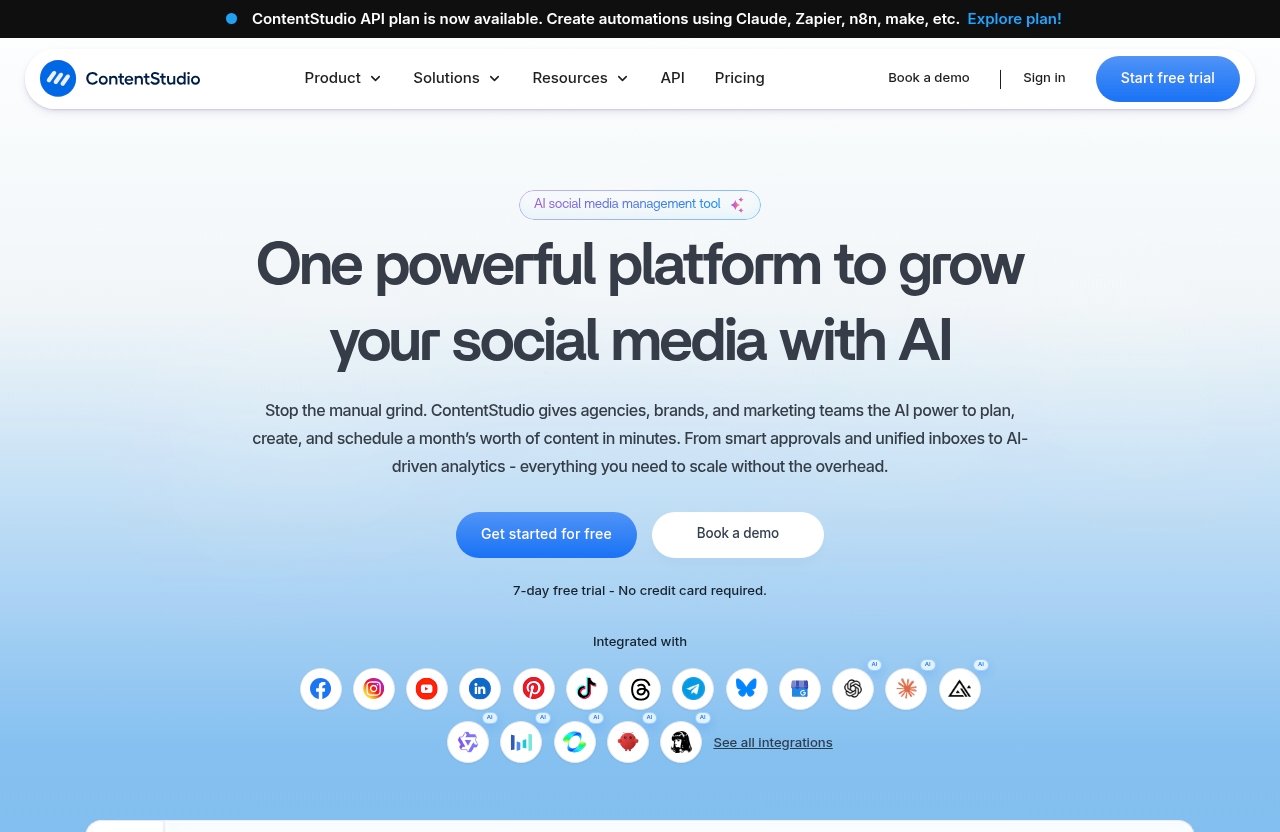
ContentStudio remains a capable unified social media management tool. Its official product pages position it as a platform for planning and scheduling content, creating AI-generated captions and images, analyzing social KPIs, handling social customer care, monitoring conversations, and managing content feeds.
Affiliate disclosure: TopTrustReview may earn a commission if you purchase through our ContentStudio partner link. This does not affect our editorial assessment or the price you pay.
What ContentStudio does well
ContentStudio is a strong all-in-one option for teams that do not want separate tools for publishing, engagement, monitoring, and reporting. Its official homepage lists Publish, AI Studio, Analyze, Engage, Social Listening, and Discover as core modules.
The platform also lists practical workflow features such as Workspaces, Calendar/Planner, smart scheduling, content libraries, bulk scheduling, approval workflows, client management, automation, white-label capabilities, competitor analytics, Google Ads Analytics, and Meta Ads Analytics. For agencies, that combination can reduce the need to move between several dashboards.
Its AI capabilities are also broader than basic caption generation. ContentStudio lists an AI content library, clip maker, and AI video generator, which may appeal to teams looking for content repurposing software inside a larger social publishing environment.
Why some users still switch
The best contentstudio alternatives tend to appeal to users with narrower needs. A solo creator may want a lightweight posting workflow rather than a full client-management suite. A small team may prioritize rapid setup, while an enterprise may require deeper governance and structured approvals.
Some buyers also compare ContentStudio competitors because AI repurposing is not one uniform task. Turning a webinar into short clips, transforming an article into LinkedIn posts, and adapting a long-form video into network-specific captions each require different workflows. If that is your primary use case, a more specialized tool can be the better fit.
Others simply want fewer moving parts. A platform with extensive modules can be valuable, but it can also feel heavier than necessary when the real requirement is scheduling a handful of posts each week.
How this guide chooses the best alternatives
This guide evaluates the best contentstudio alternatives through a commercial decision lens: AI repurposing usefulness, publishing simplicity, team workflows, reporting needs, pricing clarity, and network coverage. The recommendations are based on the supplied SERP themes, the official ContentStudio homepage and pricing information, and established comparison signals such as the G2 ContentStudio alternatives category.
Where competitor pricing, integrations, network counts, or exact features are not verified in the supplied data, this article avoids presenting them as fact. Treat the recommendations as a shortlist, then confirm current plans and capabilities on each vendor’s website before purchasing.
Quick comparison: the best ContentStudio alternatives at a glance
The right choice depends less on which platform has the longest feature list and more on how your team creates, adapts, approves, and publishes content.
| Use Case | Recommended Tool | Why It Stands Out | Consider It If |
|---|---|---|---|
| Best overall for AI repurposing | ContentIn | A focused option for LinkedIn-oriented content workflows | Your main goal is turning ideas and long-form material into professional posts |
| Best for agencies and team workflows | ContentStudio or Sendible | ContentStudio offers verified client-management, approvals, workspaces, and white-label features | You manage client accounts and need a more complete operating system |
| Best for beginners | Buffer | Commonly considered a simpler publishing-led option | You want straightforward social media scheduling tools |
| Best for social publishing on a budget | SocialPilot | Often evaluated as a value-focused social management choice | You need practical publishing for a growing team |
| Best for multi-network coverage | Hootsuite or ContentStudio | Both are generally considered broad social management platforms | Network breadth and centralized governance matter most |
The best contentstudio alternatives are not automatically “better” platforms. They are better only when their workflows match your volume, team structure, and content format.
For a closer look at a commonly compared publishing workflow, see our Buffer vs ContentStudio for AI repurposing guide.
Best overall for AI repurposing
ContentIn is the strongest starting point for creators and marketers who are primarily focused on LinkedIn-first repurposing. Its market positioning is more specialized than a broad social suite, which can be useful when your output is mostly thought-leadership posts rather than multi-client social operations.
For teams that need clips, captions, scheduling, listening, and reporting together, ContentStudio can still be more practical. The key question is whether you need a specialist writing workflow or a wider publishing system.
Best for agencies and team workflows
ContentStudio is difficult to dismiss for agencies because its verified features include workspaces, approval workflow, client management, white-label options, and white-label reseller capabilities. These are operational features, not just publishing extras.
Sendible is another name often included among contentstudio competitors for agency-oriented buyers. Confirm its current collaboration, reporting, client, and plan details directly with the vendor before treating it as a direct like-for-like replacement.
Best for beginners
Buffer is widely associated with a simpler publishing experience and is a sensible option for teams that want to avoid an overly complex dashboard. It is often the first name considered in a buffer vs contentstudio comparison because both address social scheduling, but their overall platform scope differs.
A beginner should not choose based on brand familiarity alone. Test how quickly you can draft, schedule, edit, and review a week of content before committing.
Best for social publishing on a budget
SocialPilot is frequently evaluated by cost-conscious teams looking for social publishing value. It is worth considering when you need a socialpilot alternative comparison that emphasizes practical scheduling rather than an expansive suite of modules.
However, do not assume lower headline cost means lower total cost. Check user seats, posting limits, analytics access, approval needs, and any AI-related usage constraints before comparing plans.
Best for multi-network coverage
Hootsuite remains a familiar choice for organizations that need centralized social management across several channels. It is most relevant for buyers who prioritize governance, visibility, and established team processes over a narrow repurposing-only workflow.
ContentStudio also presents itself as a multi-platform social scheduler with publishing, engagement, listening, and analytics functions. Compare the exact networks and publishing permissions you need, as these can change by plan and platform.
How to choose the right ContentStudio alternative
Before switching, map your current workflow from source content to published post. The best contentstudio alternatives should remove a real bottleneck, not merely replace one dashboard with another.
AI repurposing quality
Start with the content source: podcasts, webinars, blogs, customer interviews, newsletters, or long-form videos. Then determine the desired output: short social posts, video clips, visual assets, captions, or platform-specific rewrites.
The strongest AI content repurposing tools should help you move from source material to usable drafts without creating excessive editing work. Ask for a trial workflow: repurpose one real asset, review the output, and measure the time needed to make it publication-ready.
If video is central to your strategy, also review our guide on how to repurpose a webinar into shorts. A scheduling platform is only as useful as the quality and consistency of the content entering it.
Scheduling and automation
Scheduling is more than choosing a date and time. Evaluate the calendar, draft process, bulk publishing controls, recurring needs, asset storage, and whether the platform makes it easy to adjust content after approvals.
ContentStudio’s official feature list includes Calendar/Planner, smart scheduling, bulk scheduling, automation, and a content library. A contentstudio replacement should offer a clearly better experience for the specific scheduling behavior that currently slows your team down.
Team collaboration and approvals
A solo creator may need only a clean draft-to-publish path. Agencies and internal marketing teams usually need reviewers, ownership, client feedback, approval states, and clear accountability.
This is where many best social media management tools separate themselves. A simpler tool can be ideal for one person, while a platform with workspaces and approvals may save meaningful time when multiple people touch every post.
Analytics and reporting
Reporting needs vary widely. A creator may only need a clear view of content performance, while a marketing manager may need KPI tracking, client-ready reporting, and competitor context.
ContentStudio officially lists Analyze and competitor analytics, alongside Google Ads Analytics and Meta Ads Analytics. When reviewing alternatives, verify whether reporting is included in the relevant plan and whether it covers the metrics your stakeholders actually expect.
Pricing transparency and credit limits
Pricing pages can look comparable until you account for usage restrictions. Ask whether AI generation, video creation, users, profiles, client workspaces, analytics, or publishing volume are limited separately.
The best contentstudio alternatives make it easy to understand what happens when your team grows. If you cannot estimate monthly usage from a vendor’s pricing information, treat that uncertainty as a cost risk rather than a minor detail.
Network coverage and publishing depth
Do not just count social networks. Check whether the tool supports the publishing formats, permissions, analytics, inbox functions, and workflow controls you need on each priority channel.
A platform can appear broad on paper but still be unsuitable for your key network. For example, a founder focused on LinkedIn should assess creator-oriented workflows; our Taplio for founders resource may be useful for that specific use case.
Best ContentStudio alternatives for AI repurposing in 2026
ContentIn: best for LinkedIn-first creators
Best for: Consultants, founders, and B2B creators who prioritize LinkedIn content over broad social operations.
ContentIn is a strong option when the goal is writing, refining, and repurposing ideas into LinkedIn-led content. The ContentIn alternatives material supplied in the SERP context supports considering it within this specialized creator category.
Compared with ContentStudio, ContentIn may be better for users who want a narrower workflow and do not require unified social listening, client management, broad analytics, or a social customer-care module. Confirm current publishing and AI capabilities with ContentIn before making a final decision.
Distribution.ai: best for small teams repurposing across formats
Best for: Small teams that want to explore AI-led content repurposing without adopting a larger social management suite.
Distribution.ai is relevant to buyers evaluating content distribution and repurposing workflows. Its appeal is likely strongest when the team’s priority is adapting one source asset into multiple content formats rather than managing a large social operations stack.
It may be a better fit than ContentStudio when your workflow starts with content transformation and ends with light distribution. It is less clearly suited to buyers who need verified functions such as social listening, customer-care workflows, client management, and unified analytics.
Buffer: best for simple publishing workflows
Best for: Creators and small teams that value a clear, low-friction social publishing process.
Buffer is one of the most recognizable social media scheduling tools and a common Hootsuite alternative for buyers seeking simplicity. It may be preferable to ContentStudio if your team does not use a large feature set and wants a more focused publishing experience.
In a buffer vs contentstudio decision, choose Buffer when usability and basic workflow clarity matter more than operating a unified platform with listening, discovery, client management, and multiple AI-related modules. Verify its latest AI and collaboration details before assuming feature parity.
SocialPilot: best value for growing teams
Best for: Growing businesses that need social publishing and team coordination while keeping operational complexity in check.
SocialPilot is commonly considered in value-driven social management comparisons. It deserves a place on this list because buyers often look for a socialpilot alternative when they need useful team publishing functions without moving into an enterprise-heavy system.
It may be better than ContentStudio for a team that wants a more streamlined platform and does not need every all-in-one module. It may be less compelling for agencies that rely on ContentStudio’s verified workspaces, white-label functionality, AI video generation, and client-management features.
Hootsuite: best for larger teams and governance
Best for: Larger organizations that need centralized oversight and established governance processes.
Hootsuite is a long-standing social management platform and remains a sensible option for teams where approval discipline, centralized administration, and multi-network coordination are central. It is not necessarily the best choice for lean creator teams focused mainly on AI content repurposing.
As a contentstudio replacement, Hootsuite is most relevant when your company wants a more governance-oriented operating model. Confirm current plan-level functionality, supported networks, reporting options, and onboarding requirements on the official Hootsuite site.
Sprout Social: best for advanced enterprise workflows
Best for: Larger marketing organizations with mature processes and advanced stakeholder expectations.
Sprout Social is frequently positioned as a premium social management option and a serious sprout social alternative consideration for enterprise buyers. It is most appropriate when social is a strategic, cross-functional program rather than a lightweight publishing channel.
Sprout Social may be better than ContentStudio for organizations that value enterprise-oriented workflow depth and can support a more structured implementation. It may be excessive for creators, new teams, or buyers whose main need is practical content repurposing and scheduling.
Publer / Sendible / MeetEdgar / Metricool / RecurPost: best niche fits
Best for: Buyers with a specific workflow requirement rather than a need for one broad replacement platform.
Publer, Sendible, MeetEdgar, Metricool, and RecurPost appear regularly in social media management comparison results. They are worth evaluating as niche options, particularly if your requirements center on a specific publishing style, reporting preference, repeatable content process, or agency workflow.
SocialKit, Typefully, and RADAAR can also be relevant depending on your preferred network and team setup. Typefully, for example, is likely more relevant to creator-led writing workflows than to full social operations, while broader platforms may suit multi-person teams. Because current specifications were not verified in the supplied data, confirm exact capabilities directly before choosing.
Official website · Latest pricing & offers
Best alternatives by use case
For creators repurposing long-form content into social posts
Start with ContentIn or Distribution.ai if your business depends on turning long-form material into social-ready drafts. These options are more aligned with a specialist repurposing mindset than a broad management suite.
ContentStudio remains viable if you want AI-assisted content work plus scheduling, analytics, engagement, and monitoring in the same environment. Readers comparing specialist tools may also find our best Syllaby alternatives for 2026 useful.
For agencies managing multiple clients
ContentStudio is often the more practical choice for agency work because its official list includes workspaces, approval workflow, client management, white-label features, and white-label reseller capability. Those features directly address multi-client operations.
Sendible is another logical shortlist candidate for agencies. Evaluate both tools with a real client workflow: content intake, approval, revisions, reporting, access control, and monthly publishing.
For small teams that need faster onboarding
Buffer and SocialPilot are strong starting points for small teams that prioritize straightforward adoption. These platforms are often considered when a team wants social publishing without an extensive setup process.
The best contentstudio alternatives for this group are the ones people will actually use consistently. A smaller feature set can be an advantage if it improves adoption and reduces training time.
For teams that only need a few social networks
If you only publish to a limited number of priority networks, avoid paying for complexity you will not use. A simpler scheduler may be enough, provided it supports your formats, posting rhythm, and basic reporting needs.
ContentStudio is better suited to teams that expect their requirements to expand into listening, engagement, AI creation, client workflows, or multi-platform oversight. Match the tool to the next 12 months of needs, not just this week’s posting calendar.
For buyers looking for lower-complexity tools
Buffer, SocialPilot, and selected niche tools are the first places to look if a full social suite feels unnecessarily heavy. Their appeal is not that they are universally superior; it is that they may offer a more direct route from draft to published post.
For this buyer, a contentstudio replacement should reduce decisions and manual steps. During trials, measure how many screens, approvals, and edits are required to publish one campaign.
ContentStudio vs alternatives: when ContentStudio is still the better choice
If you need 11-network breadth
Network breadth should be validated by checking each vendor’s current supported-channel list and plan restrictions. The supplied verified ContentStudio facts support its role as a unified social media management platform, but buyers should confirm exact network availability and publishing depth before treating any platform as a match.
If your organization manages several active channels, ContentStudio’s broader collection of publishing, engagement, listening, and analytics modules can be more convenient than pairing a niche repurposing tool with separate social management software.
If you want publishing, analytics, inbox, listening, and automation in one platform
ContentStudio’s official homepage lists Publish, Analyze, Engage, Social Listening, Discover, and AI Studio. That is a compelling combination for teams that want fewer vendor relationships and a more connected workflow.
Many best contentstudio alternatives are better in one focused area, such as creator writing or simple scheduling. They may not be better if your actual need is to coordinate planning, publishing, analysis, customer care, listening, and automation from one system.
If you work in agency/client-management workflows
ContentStudio deserves particular consideration for agencies because its verified features include workspaces, client management, approval workflow, white-label options, and a content library. Those functions can matter more than a marginal difference in AI writing output.
Before switching, assess whether the alternative can handle your real approval chain and client access model. The wrong platform can make a team’s workflow look simpler during a demo while creating more coordination work after implementation.
Pricing and value: what to know before switching
ContentStudio’s official pricing page states that plans start from $19 per month. That makes it important to compare the platform on total value rather than assume that an alternative is automatically cheaper or more economical.
For more context on the product’s commercial structure, read our ContentStudio pricing plans overview.
The problem with headline pricing
Competitor pricing was not verified in the supplied data, so this guide does not present price figures for Buffer, Hootsuite, SocialPilot, Sprout Social, or other tools. Always review current vendor pricing directly before making a purchasing decision.
Compare the complete package: number of users, profiles, client workspaces, analytics access, approval functionality, publishing volume, and AI features. A lower starting price can be irrelevant if the plan excludes the workflow your team needs.
AI credit limits and hidden workflow friction
AI features can be limited by credits, usage rules, or plan tiers. Before you switch, determine whether your expected number of generated posts, images, clips, or video assets fits within the plan you are considering.
The best contentstudio alternatives should also reduce editing friction. If AI output needs substantial rewriting, or if final publishing requires exporting content into another tool, the apparent convenience may disappear quickly.
When a cheaper tool can cost more in time
A cheaper platform can become more expensive when it creates manual work. Examples include copying captions between tools, chasing approvals in email, assembling reports manually, or managing client assets outside the platform.
For a creator publishing occasionally, simplicity may outweigh deeper functionality. For an agency or busy marketing team, a unified platform such as ContentStudio may offer stronger value if its verified workflow modules replace multiple disconnected processes.
Final recommendation: which ContentStudio alternative should you pick?
The best contentstudio alternatives depend on the role of social media in your business. Choose based on the workflow you need to improve, not simply on which brand appears most often in search results.
| Recommendation | Best Choice | Decision Rationale |
|---|---|---|
| Best overall pick | ContentIn | Best starting point for LinkedIn-first creators who want specialized content repurposing |
| Best budget pick | SocialPilot | A sensible candidate for teams seeking practical, lower-complexity social publishing |
| Best agency pick | ContentStudio or Sendible | ContentStudio has verified client, workspace, approval, and white-label features; compare Sendible directly for fit |
| Best enterprise pick | Hootsuite or Sprout Social | Most relevant for larger teams with governance and structured workflow requirements |
Best overall pick
ContentIn is the most logical first trial for LinkedIn-focused creators whose main goal is transforming ideas and long-form material into stronger social content. It is a specialist choice rather than a full content operations platform.
Best budget pick
SocialPilot is worth testing for teams that value a practical publishing workflow and want to avoid unnecessary complexity. Confirm current pricing and plan limits before deciding that it is the lower-cost option for your specific team.
Best agency pick
ContentStudio is still a leading choice for agencies that need workspaces, approvals, client management, white-label capabilities, scheduling, analytics, and content operations in one platform. Sendible belongs on the shortlist, but compare both against your actual client workflow.
Best enterprise pick
Hootsuite and Sprout Social are the most relevant options for organizations with larger teams and governance-heavy needs. They are less likely to be the best choice for creators whose primary requirement is fast AI repurposing.
The practical next step is to trial two or three tools using the same source asset, content calendar, approval process, and reporting requirement. That hands-on comparison will reveal whether you need a lightweight repurposing tool, a simple scheduler, or a complete ContentStudio-style social management system.
Official website · Latest pricing & offers
FAQ
Is Hootsuite still the best?
Hootsuite is still a strong option for larger teams that need centralized management and governance-heavy workflows. It may not be the best fit for creators or small teams that mainly want simple AI repurposing, quick onboarding, and uncomplicated scheduling.
Is there anything better than Hootsuite?
Yes, depending on your use case. Buffer or SocialPilot may be more suitable for smaller teams that want simpler workflows, while ContentIn or Distribution.ai may be more relevant for creators focused on long-form-to-social repurposing.
What are some free social media management tools similar to Hootsuite?
Free social media management tools exist, but free plans typically have limited scheduling, network, user, analytics, or AI capabilities. Compare the posting limits, supported networks, and access to AI functionality before relying on a free option for a business workflow.
What features should I prioritize in a ContentStudio alternative?
Prioritize AI repurposing quality, scheduling, analytics, approvals, collaboration, network coverage, and pricing rules that fit your expected volume. The right tool should make your existing workflow faster rather than adding another disconnected system.
Why do users leave ContentStudio?
Based on common SERP comparison themes, some users look elsewhere because they want a simpler workflow, have a narrower use case, or feel that a full-featured platform is more than they need. Others may compare AI credit structures and feature depth to find a closer fit for their daily publishing process.
Related Reading
- ContentStudio pricing plans explained
- ContentStudio vs Buffer for AI repurposing
- Taplio for founders
References
- ContentStudio Pricing | Plans From $19 per Month
- ContentStudio: Unified Social Media Management Tool
- Top 10 ContentStudio Alternatives & Competitors in 2026
- 5 Best ContentStudio Alternatives in 2026 (Compared)