Kululu Review 2026: Pricing, Pros & Cons
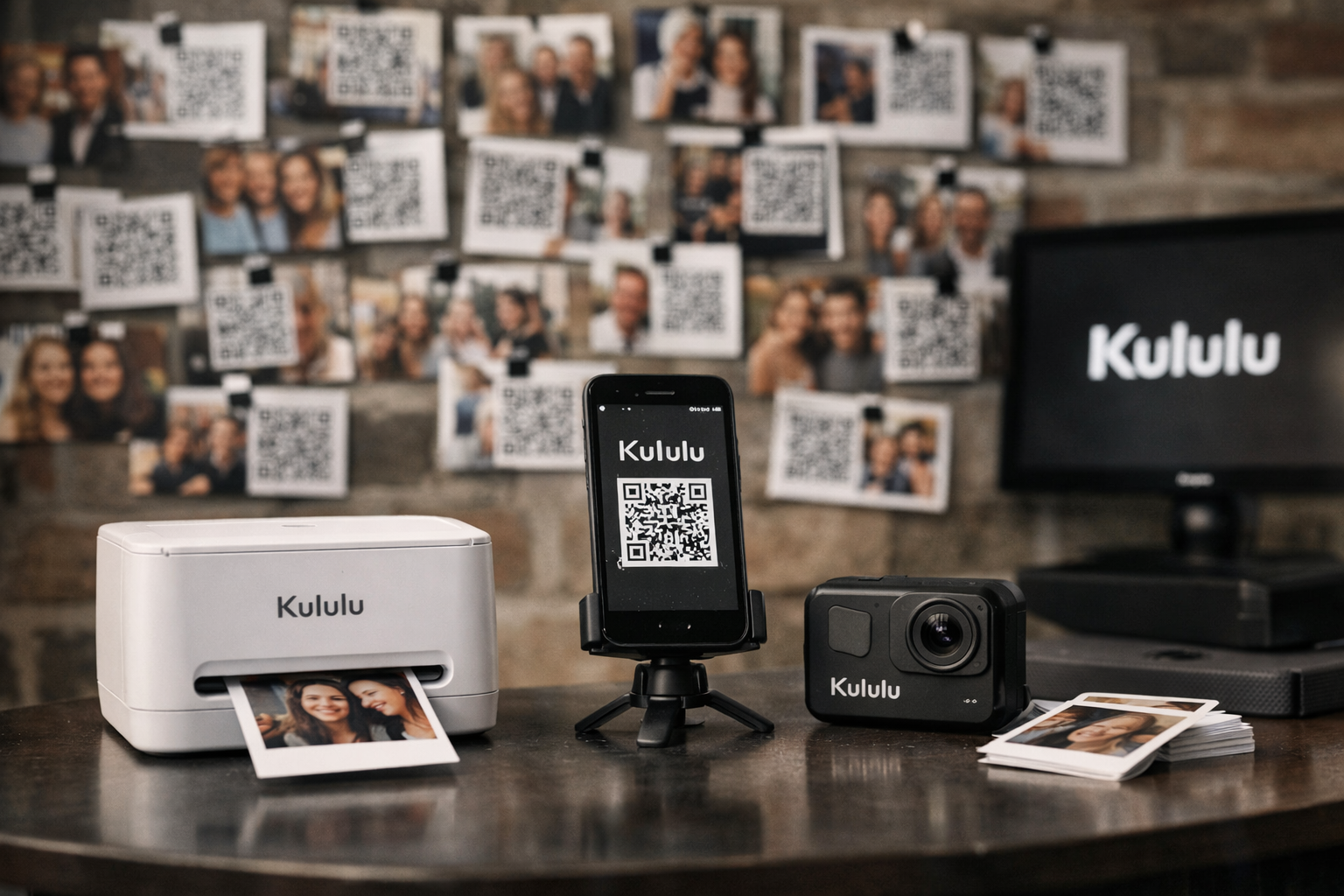
This kululu review is for event hosts who want an uncomplicated way to collect guest photos and videos without asking everyone to install another app. Kululu is a browser-based event photo sharing platform: create a private digital album, share a QR code or link, let guests upload, and optionally display contributions on a Live Photo Wall in real time.
My practical verdict: Kululu looks like a strong fit for weddings, birthday parties, and smaller-to-mid-sized events where low guest friction matters more than complex event-management controls. Its no-download approach and private sharing are meaningful advantages, but buyers should still check the current plan limits carefully before choosing a package.
Disclosure: TopTrustReview may earn a commission if you sign up through our Kululu affiliate link, at no additional cost to you. This does not affect the assessment below.
Official website · Latest pricing & offers
Kululu Review 2026: Quick Verdict
Kululu’s core proposition is refreshingly clear: it turns one event link or QR code into a private place where attendees can add photos, videos, captions, and text posts. The optional Live Photo Wall can make those uploads part of the event itself rather than something guests see only afterward.
For buyers comparing a dedicated event-sharing service with generic cloud folders or social media, this kululu review finds the platform most compelling when you need easy participation and a polished shared-memory experience.
Who Kululu is best for
Kululu is best suited to hosts who value simple guest access. That includes couples who want candid wedding photos, party hosts who want everyone’s perspective, and organizers who need a live slideshow without an app-installation hurdle.
It is especially worth considering if these are your priorities:
- A private album for a defined guest list
- QR-code and browser-link access
- Photo and video uploads from guests
- Captions and text posts alongside media
- A live slideshow for a reception, party, or event screen
- One-click downloading after the event
The official plan guidance also makes Kululu relevant to events of different sizes, from small gatherings to larger public-facing occasions that need moderation tools.
Who should look elsewhere
A kululu review should not treat simplicity as a universal benefit. If your event requires detailed attendee registration, advanced approval workflows, sophisticated brand controls, or a broader event-marketing system, a more specialized platform may be a better match.
You may also want a Kululu alternative if your decision depends on seeing precise pricing before purchase. The official plan guidance is useful, but buyers should confirm the current plan details, available limits, and promotional terms directly on the checkout or pricing page.
Hosts running very large events should be especially deliberate. Kululu’s official guidance points larger events and public events toward Pro, so the lower plans may not provide sufficient room for heavy participation.
Bottom-line summary
Kululu appears to solve one event problem very well: making it easy for guests to contribute memories from their own phones. The browser-first approach, private album, live slideshow, and downloadable archive are practical features rather than unnecessary extras.
The short version of this kululu review: choose Kululu when you want a friendly, low-friction guest photo wall. Skip it if you need an all-in-one event operations suite or highly customized workflows beyond simple sharing and display.
What Is Kululu and How Does It Work?
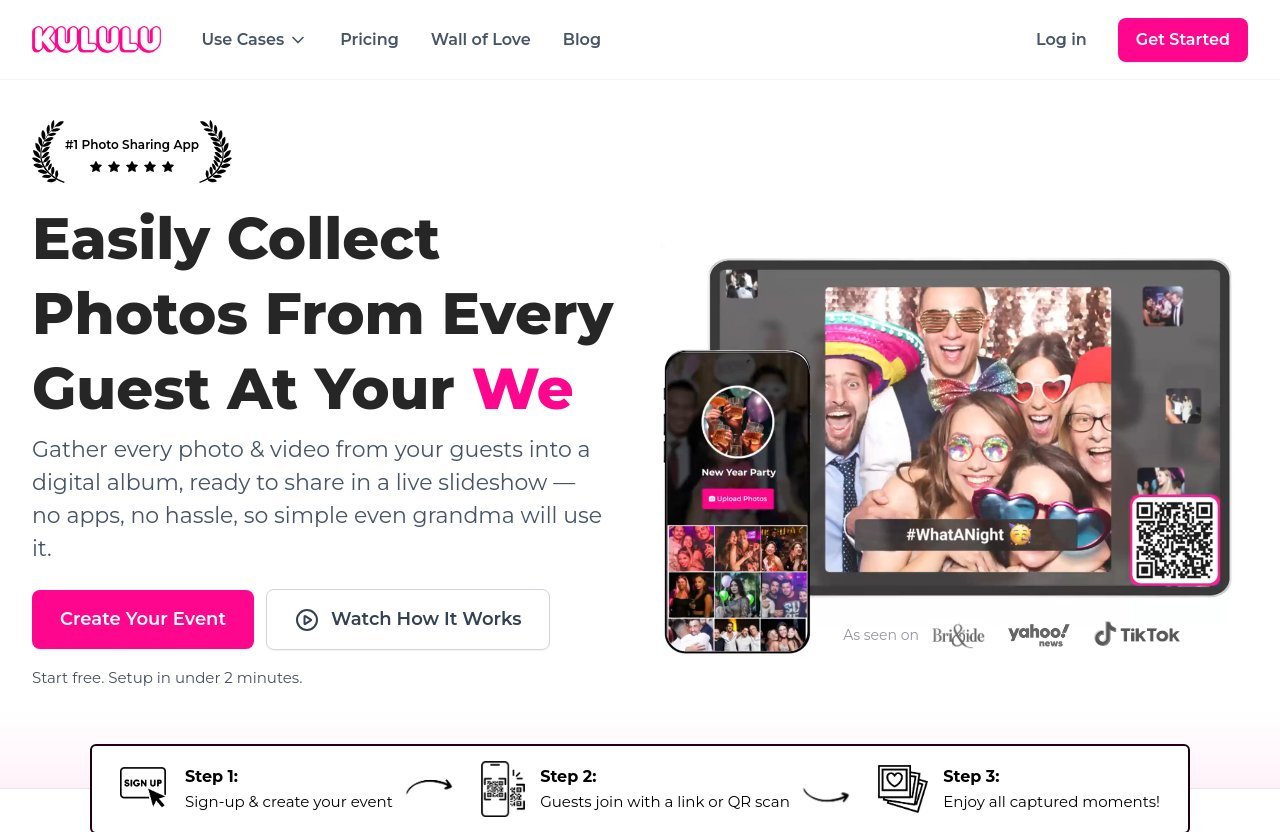
Kululu is an event photo-sharing platform built around private digital albums. The host creates an event, configures the album’s appearance, and shares access with the people they want to invite.
Guests then use the provided QR code or album link to participate from a browser. They do not need to download a Kululu app or create an account, which is a major practical distinction for mixed-age guest groups and busy events.
Guest upload flow
The workflow is straightforward. A host creates an album for the wedding, party, conference, or company event, then gives guests a link or a QR code to scan.
Once inside, guests can submit photos and videos. They can also add captions and text posts, so the album can capture messages, context, and reactions—not only camera-roll images.
This part of the kululu review matters because the easier the upload process is, the more likely guests are to participate. At real events, even a small sign-in obstacle can mean fewer contributions.
QR code and link access
QR access is useful because it fits naturally into event materials. Hosts can put the code on a welcome sign, table card, invitation, or presentation slide, while the album link works well in an email, group message, or event page.
There is no required app download or registration for guests. Searches for a “kululu app” can therefore be slightly misleading: Kululu’s value is that guests can upload through their browser rather than needing a dedicated mobile app.
The host controls who receives the access route. According to the official homepage, photos are private and accessible only to people the host shares them with.
Live Photo Wall and digital album
The Live Photo Wall, also described as a live slideshow, displays new uploads in real time. For receptions, parties, and conferences, this can give guests an immediate reason to contribute because they can see their images appear during the event.
The digital album remains useful after the event ends. Hosts can customize its title, date, colors, and backgrounds, then later download everything as a zipped folder in one click.
In practical terms, this kululu review sees the Live Photo Wall as the feature that separates Kululu from simply opening a shared cloud folder. It creates participation during the event, while the album preserves the content afterward.
Kululu Pricing 2026: Plans, Limits, and Value
Kululu pricing should be assessed by event size and expected upload volume, not merely by the initial price shown on a promotion. The official pricing page lists Free, Plus, and Pro plan options, but exact plan prices should be checked directly because visible pricing and offers can change.
As of the official information provided for this review, Kululu advertises a limited-time 50% off promotion on all plans. Do not assume that this offer is permanent; verify it before paying.
PRODUCT FACTS: official pricing plans
The verified official plan guidance is as follows:
| Plan | Official guidance | Best practical fit |
|---|---|---|
| Free | May suit small events around 10–20 guests | A tiny gathering or a low-stakes test |
| Plus | Recommended for small/medium weddings, parties, or events up to 100 guests and no more than 500 shared photos | Most private celebrations with moderate participation |
| Pro | Recommended for big events with 150+ guests and/or lots of photos; also public events such as conferences needing moderation tools | Large weddings, conferences, and public-facing events |
This is the most useful way to approach kululu pricing if exact figures are not fully visible: match the plan to attendance, likely content volume, and whether moderation is necessary.
There is no verified basis here for inventing a specific Kululu cost. Before buying, review the current plan page for the exact amount, plan duration, feature availability, and any conditions attached to the promotion.
How to choose the right plan
Start with a conservative estimate of guest participation. A 100-person wedding may produce far fewer than 100 contributors, but a group of enthusiastic guests can still generate a large number of uploads.
The Free plan may be enough if you are testing the workflow or hosting an intimate event of roughly 10–20 guests. If you are asking, “is Kululu free?” the answer is yes, there is a Free plan, but it is positioned by the official guidance for smaller events.
Plus is the clearer choice for many weddings and parties that stay within the stated recommendation of up to 100 guests and no more than 500 shared photos. Pro is the more sensible option for 150+ guests, high-volume uploads, or public events needing moderation.
A good buying rule in this kululu review is to choose based on your busiest plausible scenario, not your average scenario. Running out of room during a once-only event is more frustrating than selecting an appropriately sized plan beforehand.
Money-back guarantee and limited-time discount
Kululu’s official pricing page states that there is a money-back guarantee if the product is not used at the event, subject to its Fair Refund Policy. Read that policy before purchasing, because the condition that the product not be used is important.
The same page states that a limited-time 50% discount applies to all plans. Promotions can be helpful, but they should not be the sole reason to buy. The better question is whether Kululu’s QR uploads, privacy, live slideshow, and download option suit your event format.
Key Features That Matter Most
The best event-photo tools reduce friction for guests and reduce cleanup work for the host. Kululu’s verified features focus on both goals: easy contributions during the event and consolidated downloading afterward.
Guest photos, videos, captions, and text posts
Guests can contribute photos and videos, but Kululu also supports captions and text posts. That adds useful context to the album—whether it is a message to a couple, a note about a conference session, or a description of a funny party moment.
For a buyer reading a kululu review, this is more valuable than it may initially sound. Captions can make a large album easier to revisit because individual images retain their story rather than becoming an anonymous stream.
No-app access for guests
No required download and no registration are among Kululu’s strongest practical features. Guests join through the shared link or QR code in their browser, which makes the process more approachable for attendees who are unwilling to install event-specific software.
This also helps organizers. Instead of writing detailed setup instructions, they can simply tell guests to scan and upload. That is a small but meaningful advantage at weddings and events where attention is limited.
Customization and privacy controls
Hosts can customize the album title, date, colors, and backgrounds. These options should be enough for event-themed presentation without turning setup into a design project.
Privacy is equally important. The official homepage says photos are private and available only to the people the host shares them with. For family celebrations and company events, that private-access model may be preferable to asking guests to post on public social networks.
One-click download and sharing
Afterward, the host can download all content as a zipped folder in one click. That makes it easier to archive memories, give files to a photographer, or create a backup without manually saving each contribution.
The sharing model is also simple: use an album link or QR code to invite people. This kululu review considers that combination of simple sharing and simple export a major reason to consider the platform.
Official website · Latest pricing & offers
Pros and Cons of Kululu
Kululu has a focused feature set. That makes it easy to evaluate: its strengths are clearest for participation and presentation, while its potential weaknesses arise when an organizer expects more complex event software.
Main advantages
- Guests do not need an app download or registration.
- QR-code and link sharing are easy to distribute at an event.
- Photos, videos, captions, and text posts support richer contributions.
- The Live Photo Wall can create real-time engagement.
- Private album access is suitable for personal or internal events.
- Hosts can customize basic album presentation.
- Everything can be downloaded as a zipped folder in one click.
- Official plan guidance makes it easier to match the service to event size.
The main appeal in this kululu review is that the platform is designed for people who want guests to actually participate, not merely receive an invitation to a shared folder.
Potential drawbacks
The following points are decision considerations rather than claims of product failure. First, lower-tier plan guidance includes guest and photo-volume boundaries, so hosts must estimate attendance and uploads carefully.
Second, some buyers may want deeper customization, multi-layered administration, or more elaborate event workflows than a streamlined album platform provides. If those requirements are central, research a Kululu alternative rather than assuming a lightweight photo-sharing product will cover every operational need.
Finally, the exact Kululu cost may require a visit to the official pricing page. Buyers who need complete budget certainty should verify current prices and promotion terms before committing.
Best use-case tradeoffs
The tradeoff is simple: Kululu favors accessibility over complexity. It is likely more useful when the goal is “scan, upload, enjoy the slideshow” than when the goal is detailed event production or enterprise content governance.
For a small event, the Free plan may provide an easy way to assess whether the guest behavior and interface fit your group. For a larger celebration, Plus or Pro should be selected according to official guidance rather than simply choosing the cheapest option.
Is Kululu Good for Weddings, Parties, and Corporate Events?
Kululu can work across several event types, but the right plan and setup vary. The platform is most persuasive where shared guest content adds value and participation needs to be almost effortless.
Weddings
Weddings are a natural fit for the kululu review use case. Guests often take candid moments that photographers do not capture, and a QR code at the reception makes it easy to gather those images in one place.
For smaller or medium weddings, the official guidance recommends Plus for up to 100 guests and no more than 500 shared photos. Larger weddings with 150+ guests or substantial content volume should look at Pro.
Use the Live Photo Wall thoughtfully. It can be entertaining during a reception, but hosts should decide in advance whether every upload is suitable for public display and whether moderation is needed.
Birthdays and private celebrations
Birthdays, anniversaries, reunions, baby showers, and house parties benefit from Kululu’s low-friction access. Hosts can place a QR code near food, drinks, or the guest book and let people contribute when convenient.
For intimate occasions, the Free plan may be enough under the official 10–20 guest guidance. Plus becomes more logical when attendance and uploads increase.
The private album is particularly useful for events where guests want to share personal photos without posting them publicly. That combination of privacy and simplicity is a strong point in this kululu review.
Conferences and company events
For conferences and company events, Kululu can provide a live visual stream of attendee activity. It may be useful for team celebrations, internal off-sites, product events, or community gatherings where organizers want user-generated photos in a controlled destination.
The official pricing guidance specifically identifies Pro for public events like conferences that need moderation tools. That is important: public participation creates different risks and review needs than a private family party.
For a business event, establish clear guidance on what attendees should upload and who will manage the album. The tool can be simple for guests while still needing a responsible host-side process.
Kululu Reviews: What Users Like and What They Complain About
This section is a trust note: the product facts in this article come from Kululu’s official pages. Broader sentiment should be treated as directional, based on public review signals and discussion-style feedback, not as independently verified performance data for every event.
Common praise themes
Across public-facing review and testimonial-style content, the recurring positive themes for a kululu review are typically ease of guest participation, QR convenience, and the enjoyment of seeing content appear on a live display.
People evaluating wedding and party tools often value the absence of downloads or registration because guests are more likely to engage. The ability to collect everything in one private album and download it afterward is another practical benefit that commonly resonates.
A Kululu review blog or testimonial page can be useful for understanding how hosts use the product, but treat selected testimonials as examples rather than a complete representation of every customer experience.
Common complaint themes
Searches for “kululu complaints” or “kululu reviews reddit” may surface individual concerns and comparisons, but forum-style posts are inherently anecdotal. Their usefulness lies in identifying questions to investigate before purchase, not in treating one report as conclusive.
The most reasonable concerns to check are plan capacity, the suitability of a live display for your audience, and whether the platform’s simplicity matches your desired level of control. Buyers comparing Kululu vs Guestpix should compare current plan terms, privacy options, upload experience, and event-specific requirements directly rather than relying on broad claims.
How to interpret review sentiment
Look for patterns across multiple independent sources, and separate opinions about an event host’s setup from the product itself. For example, unclear QR placement or weak venue internet can affect guest participation with any browser-based sharing approach.
This kululu review 2026 recommends testing the guest flow yourself before event day. Open the link on different phones, scan the QR code from the intended distance, and confirm how the Live Photo Wall will be used.
How Kululu Compares on Decision Factors
Rather than making unsupported head-to-head claims, it is more useful to assess Kululu against the criteria that matter when choosing any event photo-sharing platform.
Ease of use
Kululu’s strongest decision-factor score is likely ease of entry. Guests access an album with a QR code or link and do not need registration or a download.
That makes it especially attractive for events with varied age groups or attendees who will not spend time configuring software. The host still needs to set up the album and share access, but the guest-side process is intentionally light.
Guest experience
The combination of uploads, captions, text posts, and a Live Photo Wall gives guests several ways to participate. They can share a quick image, leave a message, or watch other contributions appear in the live slideshow.
In this kululu review, that experience is more interactive than simple file collection. Still, hosts should communicate expectations, particularly where photos may appear on a visible screen.
Event management features
Kululu is fundamentally an event photo-sharing product, not a complete event-management platform. Its verified strengths are digital albums, private sharing, customization, guest uploads, real-time display, and downloading.
For large public events, Pro is the officially recommended plan where moderation tools are needed. Organizations needing deeper workflows should verify every required control before purchase instead of assuming it is included.
Budget fit
Budget fit depends on scale. The Free plan may suit a 10–20 guest event, Plus is officially recommended for small and medium events up to 100 guests and 500 photos, and Pro is aimed at 150+ guest or high-volume events.
The official 50% limited-time discount can improve value, but the best buying decision is based on capacity and event importance. For a once-in-a-lifetime wedding, selecting the right plan matters more than saving a small amount on a plan that may be too limited.
Final Verdict: Should You Use Kululu in 2026?
Kululu is worth considering if your priority is a private, easy-to-join event album that guests can access instantly through a QR code or link. Its core experience is sensible: collect photos and videos, support captions and messages, show a live slideshow if desired, then download everything afterward.
Best reasons to buy
Choose Kululu if you want:
- No-app, no-registration guest access
- A private place for shared event photos and videos
- A Live Photo Wall for real-time engagement
- Basic visual customization for the album
- Simple post-event downloading in a zipped folder
- Plan guidance that covers small gatherings through large public events
For many wedding and party hosts, this kululu review finds that these basics are exactly what matter most.
Reasons to skip
Consider another solution if you need highly advanced event administration, unusually deep customization, or a platform that does much more than collect and display attendee content. You should also skip a purchase until you confirm current pricing if the precise cost is essential to your budget.
For large events, do not assume a smaller plan will be adequate. Follow the official recommendation toward Pro for 150+ attendees, high-volume content, or public events needing moderation.
Final recommendation
My final kululu review conclusion is that Kululu is a strong, practical choice for hosts who want frictionless guest photo sharing rather than complicated software. It is particularly well suited to weddings, parties, and company gatherings where QR access and a live slideshow will encourage participation.
Before buying, estimate your guest count and likely upload volume, review the current pricing page and Fair Refund Policy, and test the QR flow on site. If the simple browser-based experience matches your needs, you can check Kululu’s current plans and offer before your event.
Official website · Latest pricing & offers
FAQ
Is Kululu good?
Kululu appears to be a good fit for simple, guest-friendly event photo sharing. Its main strengths are QR and link access, no required app download or registration, private albums, and the optional Live Photo Wall.
It is best for weddings, parties, and similar events where hosts want to collect candid guest content without creating a complicated process.
Who owns Kululu?
Ownership information is not clearly established in the official product facts and review signals provided for this article. For the most current information, check Kululu’s official About, legal, or contact pages directly before making a purchase decision.
What is the best photo sharing platform for weddings?
The best platform depends on what you prioritize: ease of use, private access, live display, customization, download options, and price. Kululu is a strong option for couples who want browser-based guest uploads through a QR code and the option of a live slideshow.
Before choosing, compare each service using your guest count, expected upload volume, and whether moderation or advanced controls are necessary.
Can you download photos from Kululu?
Yes. According to Kululu’s official homepage, users can download all event content as a zipped folder in one click.
Related Reading
References
- Kululu: Event Photo Sharing with QR Code | Easy & Free
- Pricing
- Kululu Reviews – Wall of Love
- Kululu Reviews: Pricing, Pros, Cons & Alternatives