Mydesigns vs Canva: Which Wins for POD in 2026?
For print-on-demand sellers, the mydesigns vs canva decision is less about which tool makes a prettier single graphic and more about which one helps you get products listed, mocked up, and published faster. Canva is a broad, template-based creation tool that can be useful for simple graphics. MyDesigns is purpose-built around POD production, including bulk mockups, product batches, and publishing to stores.
My quick verdict: choose MyDesigns if your goal is to build a repeatable merch operation across Etsy, Shopify, WooCommerce, or TikTok. Choose Canva if you primarily need a simple general design workflow and plan to handle the POD listing work elsewhere.
Official website · Latest pricing & offers
MyDesigns vs Canva: Quick Verdict for POD Sellers
Who Should Choose MyDesigns
In the mydesigns vs canva comparison, MyDesigns is the practical pick for sellers who care about production speed. It is designed for people who need to move from a design library to mockups, listings, and multiple storefronts without rebuilding the same product setup repeatedly.
Its core value is operational. Every plan includes AI credits, bulk mockups, and bulk publishing to Etsy, Shopify, WooCommerce, and TikTok. That makes it especially relevant for sellers with an expanding catalog or more than one sales channel.
Who Should Choose Canva
Canva makes sense for creators who want an approachable workspace for making simple graphics, social content, text-based designs, or quick visual concepts. It is generally best viewed as a creative starting point rather than a complete POD business system.
If you only publish a few designs occasionally, a general design workflow may be all you need. But as listings, variations, and shops grow, you will still need a separate process for mockups, catalog management, and product publishing.
Bottom-Line Recommendation by Seller Type: MyDesigns vs Canva
For a hobby seller, Canva can be enough for creating basic artwork before using other services to sell it. For a serious merch seller, mydesigns vs canva comes down to workflow: MyDesigns is built to reduce repetitive production tasks.
My recommendation is straightforward. Use Canva when design convenience is the main priority; use MyDesigns when listing volume, store management, and speed to market affect your revenue.
What MyDesigns Actually Offers for Print on Demand
Bulk Design, Mockup, and Listing Workflow
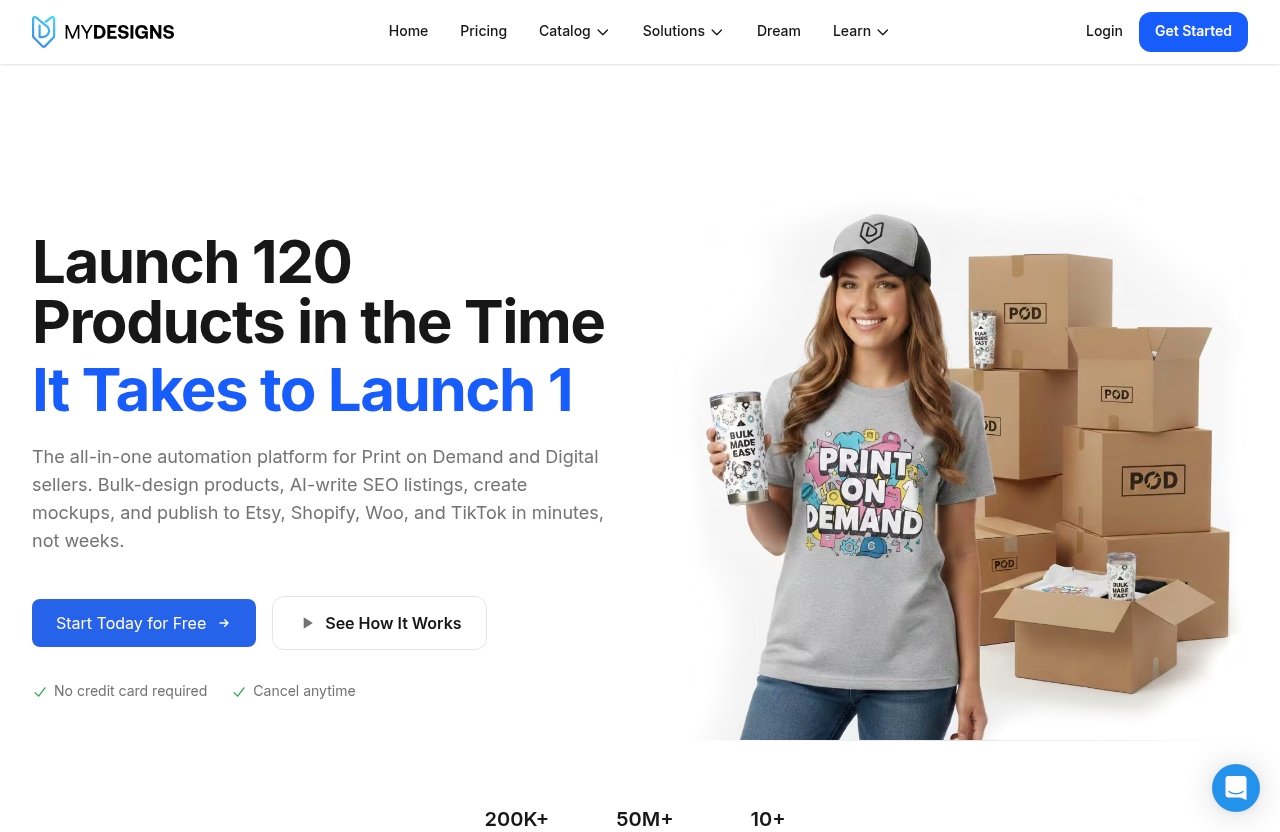
MyDesigns centers its offer on the work that often slows POD businesses down after the artwork is ready. Rather than treating a design as a standalone file, it helps sellers organize designs, create mockups in bulk, prepare product batches, and publish product listings across supported channels.
This matters because POD sellers rarely win by making only one product. They win by testing designs across niches, products, colors, and storefronts while keeping their visual presentation consistent. In my review of the mydesigns vs canva workflow, this production focus is the clearest distinction.
MyDesigns supports bulk publishing to Etsy, Shopify, WooCommerce, and TikTok on every plan. Sellers can also use bulk mockups, which is a meaningful time-saver when a catalog includes many related products.
AI Credits, Catalog Access, and Store Limits
Each MyDesigns plan includes monthly AI credits, though the allowance rises by plan. Starter includes 250 credits per month, Pro includes 600, and Pro Plus includes 2,000.
The available store limits also scale with the plan. Starter includes one shop each on Etsy, Shopify, WooCommerce, and TikTok; Pro includes three shops on each platform; and Pro Plus supports unlimited shops on every platform.
Pro also adds Scout AI, catalog import and export, and bulk video mockups. These are operational tools that matter more once you are testing a wider catalog or managing an established POD business.
How MyDesigns Helps Sellers Scale
The strongest reason to consider MyDesigns is that it treats POD as a repeatable commercial process. You can use its design library, build batches, create mockups, and publish at volume rather than approaching every listing as a separate manual project.
For sellers comparing canva alternatives for pod, this is important: MyDesigns is not merely another design canvas. It is a platform aimed at getting more products live with fewer repetitive steps.
The company reports that more than 20,000 sellers use the platform and that more than 3.3 million products are live. Its published trust signals also include a 4.9 rating on Capterra and 4.8 on G2. Those figures do not guarantee a fit for every store, but they provide useful context for buyers evaluating mydesigns reviews.
How Canva Fits Into a POD Workflow
Where Canva Is Strong for Creatives
Canva fits naturally at the ideation and creation stage of a POD workflow. A seller may use it to assemble a simple text-based design, draft a promotional graphic, or create visual assets for a launch.
For beginners, a general design workflow can feel less intimidating than a production platform. It can help someone move from an idea to an exportable visual without starting with complex store-management decisions.
That said, the mydesigns vs canva question changes as soon as the creator wants to turn one design into a commercial product range. Artwork is only the first step; product setup, mockups, listings, and channel publishing are where the workload starts to multiply.
Where Canva Usually Needs Extra POD Tools
Canva is commonly used for design creation, but POD sellers usually need other tools to handle the business side. That can include creating product mockups, managing product data, organizing listings, and publishing products to multiple storefronts.
A creator can certainly export designs from Canva and use them in a separate fulfillment or listing process. The tradeoff is that this creates handoffs between tools. Those handoffs are manageable at low volume but can become slow when you are launching dozens of products.
This is why the mydesigns vs canva cost conversation should not focus solely on subscription price. The cost of manually repeating listing tasks, correcting inconsistent product data, and managing assets across tools can be higher than the monthly software bill.
Why Some Sellers Pair Canva With a POD Platform
Many sellers do not need to make this an either-or decision. Canva can be used for early-stage creative work, while MyDesigns handles the POD execution layer once designs are ready.
That combination can work well for sellers who prefer Canva’s general design environment but need MyDesigns bulk publishing, product batching, mockups, and shop connections. In other words, use each tool for the job it is better suited to perform.
Templates, Speed, and Ease of Use
Template-Driven Design for Beginners
Both tools can support beginners, but they support different kinds of beginners. Canva is often easier for someone who is primarily trying to make a simple visual quickly using a familiar, template-based approach.
MyDesigns is easier to appreciate once you understand the POD production sequence. The interface and workflow are more valuable when you are thinking in terms of designs, products, mockups, listings, shops, and batches—not just a single image.
For the first design, Canva may feel more immediate. For the hundredth product listing, the mydesigns vs canva advantage can shift toward MyDesigns because production efficiency becomes more important than a blank creative canvas.
Speed for Batch Creation and Publishing
Speed means different things depending on your business stage. A designer making one shirt graphic may prioritize fast creation, while a store operator may prioritize getting many products live accurately and consistently.
MyDesigns offers product batches of up to 24 products on Starter, 48 on Pro, and 120 on Pro Plus. That structure is useful for sellers who want to turn a collection into a coordinated release rather than manually rebuilding each product one at a time.
Bulk publishing also separates MyDesigns from a general graphics tool. If Etsy, Shopify, WooCommerce, and TikTok are part of your strategy, centralized publishing can remove a substantial amount of repetitive work.
Learning Curve: Simple Design vs Production Workflow in MyDesigns vs Canva
The learning curve in mydesigns vs canva is really a choice between learning creative software and learning a sales-production workflow. Canva may be simpler for a new user focused only on visuals, while MyDesigns asks sellers to think about catalog organization, stores, and batches.
That is not necessarily a drawback. POD sellers who want to scale need to learn those business processes eventually, whether they use MyDesigns or stitch together multiple tools.
My practical advice is to start with a small collection. Upload a few designs, create a controlled batch, review your mockups, and publish to one store before attempting a large rollout.
Official website · Latest pricing & offers
Commercial Output: Which Tool Is Better for Selling Merch at Scale?
Bulk Publishing and Product Batching
For commercial output, MyDesigns has the clearer advantage. The platform is built around POD workflows, while Canva is best understood as a general-purpose design tool that may contribute artwork to those workflows.
The difference becomes obvious when you are managing product volume. MyDesigns bulk publishing can send listings to Etsy, Shopify, WooCommerce, and TikTok, while its plan-based batch limits provide a practical way to organize launches at different business sizes.
For sellers evaluating the best POD platform for merch sellers, this is the key question: can the tool help you get a larger, more consistent catalog live without turning every launch into manual admin work? In the mydesigns vs canva comparison, MyDesigns is designed specifically for that outcome.
Mockups and Video Mockups
Mockups are commercial assets, not an afterthought. They influence how clearly shoppers understand the product and whether your storefront looks consistent across a collection.
All MyDesigns plans include bulk mockups. Starter includes custom and own PSD mockups, while Pro and Pro Plus include the features from Starter. Pro also adds bulk video mockups, which may be useful for sellers who want more dynamic product presentation.
MyDesigns mockups are especially relevant when you are launching multiple designs at once. Instead of treating every image as a separate task, sellers can build a more repeatable visual process around their catalog.
Catalog Import/Export and Design Library
Catalog control becomes increasingly valuable as a store grows. Pro and Pro Plus include catalog import and export, allowing sellers to work more efficiently with larger product collections.
Storage rises from 40 GB in Starter to 100 GB in Pro and 1 TB in Pro Plus. That may matter if you retain many artwork files, product assets, and mockup variations in one operating system.
This is also where mydesigns shopify workflows can become more attractive for growing brands. A seller with multiple storefronts needs a reliable method for keeping products and assets organized, not simply a place to make individual graphics.
MyDesigns Pricing Explained
Starter Plan
Starter costs $19.99 per month when billed annually at $239.88 per year, or $24.99 month to month. It includes 250 AI credits each month, batches of up to 24 products, one shop each on Etsy, Shopify, WooCommerce, and TikTok, and 40 GB of design library storage.
It also includes custom and own PSD mockups, one MyDesigns Store with a 6% fee, and 2% off the print catalog. For a newer seller, this is the entry-level option for testing a more structured POD workflow.
Pro Plan
Pro costs $39.99 per month when billed annually at $479.88 per year, or $49.99 month to month. It includes everything in Starter, plus 600 AI credits monthly, batches of up to 48 products, and three shops on each supported platform.
Pro adds bulk video mockups, Scout AI to find what sells, catalog import and export, two MyDesigns Stores with a 4.5% fee, 100 GB of storage, and 5% off the print catalog. For many active sellers, this is likely the most balanced mydesigns pricing tier.
Pro Plus Plan
Pro Plus costs $79.99 per month when billed annually at $959.88 per year, or $99.99 month to month. It includes everything in Pro, along with 2,000 AI credits monthly, batches of up to 120 products, unlimited shops on every platform, and 1 TB of design library storage.
It also provides three MyDesigns Stores with a 3% fee, 10% off the print catalog, and priority support. Sellers running multiple brands, channels, or high-volume launches are the clearest audience for this plan.
| Plan | Annual Billing Rate | Month-to-Month Rate | Products Per Batch | Shop Access |
|---|---|---|---|---|
| Starter | $19.99/month ($239.88/year) | $24.99/month | 24 | 1 shop each on Etsy, Shopify, WooCommerce, and TikTok |
| Pro | $39.99/month ($479.88/year) | $49.99/month | 48 | 3 shops each on Etsy, Shopify, WooCommerce, and TikTok |
| Pro Plus | $79.99/month ($959.88/year) | $99.99/month | 120 | Unlimited shops on every platform |
Free Start Option and Risk-Free Trial
You can start free with no credit card required. Every paid plan includes a seven-day money-back guarantee, and you can cancel anytime.
Checkout runs through Stripe, meaning card information goes to Stripe rather than MyDesigns. If you are comparing mydesigns vs canva cost, this free-start option gives you a sensible way to evaluate the production workflow before committing.
Pros and Cons of MyDesigns for POD Sellers
Main Advantages
MyDesigns is strongest where POD sellers need operational leverage. Its bulk publishing, bulk mockups, product batching, multi-platform shop support, and growing design-library allowances are directly tied to the work of running a merch business.
The platform also gives sellers a route to expand from one shop to multiple channels without needing to replace their core workflow. MyDesigns support is particularly relevant at the Pro Plus level, which includes priority support.
Potential Drawbacks
MyDesigns is not positioned as a pure, general graphic-design environment. Sellers whose only need is to make occasional simple visuals may find a broader creation tool sufficient and may not use the operational features enough to justify a paid plan.
There is also a learning curve around any production system. To get real value from MyDesigns bulk publishing, you need organized files, clear product plans, and a willingness to standardize how you create and launch collections.
Best Use Cases
MyDesigns is a good fit for Etsy sellers expanding to Shopify, WooCommerce, or TikTok; stores launching multiple designs per week; and teams that need a more repeatable listing process. It also suits merchants who want mockups and publishing connected to their design library.
When reading mydesigns vs canva reddit discussions or other informal reviews, separate the needs of casual creators from established sellers. A tool can be unnecessary for a hobbyist and still be highly valuable for someone managing a real product catalog.
MyDesigns vs Canva: Final Recommendation
Best for Beginners
A complete beginner who only wants to create simple graphics may be comfortable starting with Canva. It can help reduce the friction of turning an idea into a visual asset.
However, beginners with a clear intent to sell POD products should at least test MyDesigns early. Learning a production-focused system from the beginning can prevent messy listing processes later.
Best for Scaling Sellers
For sellers serious about catalog growth, mydesigns vs canva is not a close call. MyDesigns is the better fit because it provides bulk mockups, product batching, publishing to Etsy, Shopify, WooCommerce, and TikTok, plus plan-based shop management.
Pro is a logical consideration for sellers who need three shops on each platform, catalog import/export, and bulk video mockups. Pro Plus becomes more relevant when unlimited shops, larger batches, greater storage, and priority support match your operating volume.
Best for Teams and High Volume
Teams and high-volume sellers benefit most from repeatable processes. MyDesigns offers a more unified path from design library to commercial listing output, especially when several channels or large product batches are involved.
You can review the platform directly through this MyDesigns offer if bulk POD workflow is your main priority. This page may contain affiliate links; the recommendation favors MyDesigns when you need POD automation and bulk publishing, while Canva remains a sensible option for general-purpose design tasks.
Official website · Latest pricing & offers
FAQ
Who Is Canva's Biggest Competitor?
Canva’s biggest competitor depends on the job being done. For general design creation, the market includes many types of creative tools; for POD production, MyDesigns is a strong competitor because it focuses on bulk mockups, product batches, listing workflows, and publishing.
If you sell merchandise rather than simply create graphics, compare the production process behind the artwork. MyDesigns is usually the more relevant choice for scaling store operations.
How Much Does MyDesigns Cost?
MyDesigns Starter costs $19.99 per month billed annually at $239.88 per year, or $24.99 month to month. Pro costs $39.99 per month billed annually at $479.88 per year, or $49.99 month to month; Pro Plus costs $79.99 per month billed annually at $959.88 per year, or $99.99 month to month.
You can start free without a credit card, and paid plans have a seven-day money-back guarantee. Choose based on your batch volume, shop count, storage needs, and whether you need Pro-level catalog tools.
Why Don't Designers Use Canva?
Some professional designers prefer more specialized software when they need deeper control over a creative project. Canva is often chosen for speed and simplicity, but it may not match every advanced or highly specific design workflow.
For POD sellers, the better question is whether your design tool also supports commercial execution. If listing speed matters, pair your preferred design process with MyDesigns or use it as the production hub.
Is There Any Better App Than Canva?
There is no universally better app because the right tool depends on the workflow. For general graphic creation, Canva may be a practical choice; for POD sellers who need bulk publishing, store management, mockups, and product batching, MyDesigns can be a better fit.
The best decision is based on where your business loses time today. If the bottleneck is creating a visual, use a simple design tool; if it is getting a catalog live across stores, MyDesigns is the stronger option.
Related Reading
- MyDesigns vs Kittl: Which AI Design Tool Is Better for POD Sellers?
- MyDesigns vs Printify: Which POD Platform Is Better for Creators?
- MyDesigns Review BBB: Trust, Pricing, and Buyer Risks in 2026
References
- MyDesigns Pricing: Starter, Pro and Pro Plus Plans
- Print on Demand and Digital Products Platform | MyDesigns
- Compare Canva vs MyDesigns 2026
- Canva vs MyDesigns – 2026 Comparison