Tally vs Google Forms: Which Form Builder Is Better in 2026?

Choosing between tally vs google forms comes down to more than collecting answers. For a quick internal survey, Google Forms is familiar and practical. But for client-facing forms, lead capture, payment collection, and branded workflows, Tally offers a more polished experience with substantially more room to grow.
After reviewing the capabilities listed on Tally’s official product and pricing pages, my quick take is straightforward: Tally is the stronger Google Forms alternative for creators, marketers, freelancers, agencies, and small businesses. It keeps simple form creation approachable while adding the logic, customization, integrations, and conversion-focused details that basic forms often lack.
Official website · Latest pricing & offers
Quick verdict: Tally vs Google Forms in 2026
The short version of tally vs google forms is that Google Forms is enough for uncomplicated information gathering, while Tally is better when the form is part of your customer journey. That difference matters when someone is requesting a quote, booking a service, submitting files, buying something, or joining your email list.
Who should choose Tally
Choose Tally if your form is visible to prospects, customers, clients, or an audience you want to impress. Tally forms are especially well suited to branded lead generation forms, client onboarding, paid digital product orders, applications, quizzes, and feedback flows.
Tally’s official free plan includes unlimited forms and submissions, payments, signatures, file uploads, conditional logic and calculations, redirects, and integrations. For many solo operators, that is enough to replace several separate tools without immediately paying for advanced software.
Who should choose Google Forms
Google Forms remains a sensible option for simple internal surveys, team check-ins, classroom questionnaires, or basic data collection. If your priority is getting a functional form out quickly and the design does not need to represent your brand, its familiar interface can be enough.
It is also a reasonable choice for teams that already use Google tools heavily and do not need a more tailored front-end experience. The key limitation is not that it cannot collect responses; it is that a basic form can feel disconnected from the experience you want prospects to have.
Bottom-line recommendation
In the tally vs google forms decision, I would recommend Tally for most public-facing and revenue-related forms. It gives you a free starting point, a less rigid form-building workflow, and advanced capabilities that can support a business as its needs become more sophisticated.
Google Forms is the simpler default. Tally is the better upgrade when conversion, branding, qualification, and automation matter.
What Tally and Google Forms are built for
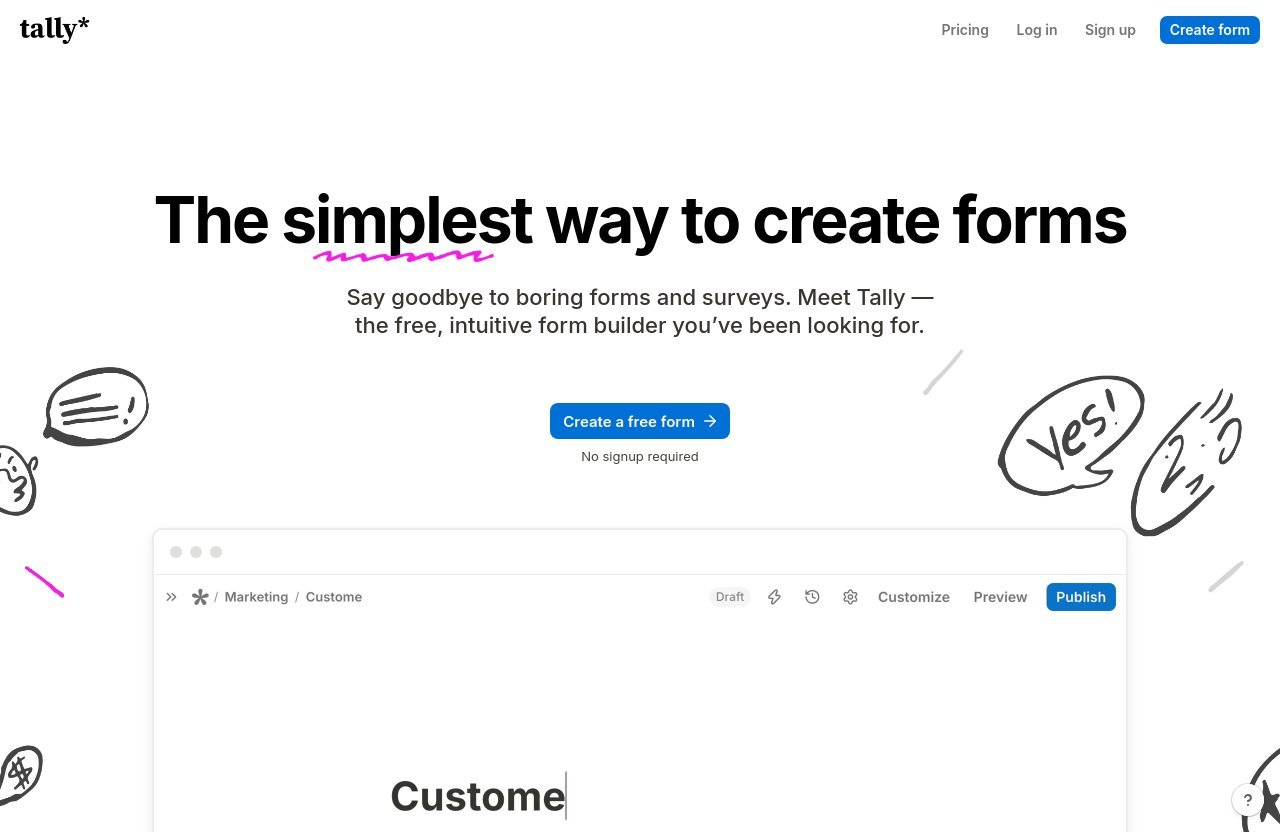
The central difference in tally vs google forms is product philosophy. One tool is primarily known as a straightforward way to ask questions and collect responses. The other is designed to help you build forms that feel more like a purposeful part of your website, campaign, or client process.
Google Forms: simple, functional, familiar
Google Forms is best understood as a functional, no-frills option for basic questionnaires and data gathering. It is familiar to many people, which can make it a convenient default for internal work where speed and familiarity are more important than visual presentation.
For example, an operations manager collecting staff availability or a teacher creating a short survey may not need advanced presentation options. In those situations, a basic form is often all that is required.
Tally: modern, conversion-focused forms
Tally is a free form builder that works like a text document: you begin typing and insert the blocks you need. According to Tally’s official homepage, no signup is required to start building, which removes friction for someone who wants to test an idea before committing to a platform.
In practical tally vs google forms terms, Tally is built for forms that do more than record answers. You can use it to qualify leads, route respondents based on answers, calculate totals, collect payments, capture signatures, and send people to the right next step.
Where their product philosophies differ
Google Forms prioritizes straightforward administration. Tally places more emphasis on the respondent’s journey, which is why it is a compelling online form builder for marketing and service businesses.
That distinction affects outcomes. A generic form may collect the same contact details as a branded one, but a well-structured form can establish trust, pre-qualify a prospect, and reduce manual follow-up work before a conversation even begins.
Feature comparison: where Tally pulls ahead
The strongest case in tally vs google forms is not a single feature. It is the way Tally combines useful form-building tools in its free plan, allowing small teams to create more complete workflows without treating every meaningful feature as an upgrade.
| Capability | Why It Matters for a Business Workflow | Tally Availability Based on Official Pages |
|---|---|---|
| Unlimited forms and submissions | Lets you run multiple campaigns, intake flows, and surveys | Free plan, subject to fair usage |
| Conditional logic and calculations | Creates personalized, qualifying form journeys | Free plan |
| Payments, signatures, and uploads | Supports sales, agreements, and client intake | Free plan |
| Redirects and thank-you pages | Moves respondents toward a next step | Free plan |
| Integrations and webhooks | Connects form data to existing workflows | Free plan integrations listed |
Unlimited forms and submissions on the free plan
Tally offers unlimited forms and unlimited submissions for free, subject to fair usage guidelines. That is a meaningful advantage for a freelancer or small business that needs separate forms for discovery calls, newsletter signups, testimonials, project inquiries, event registrations, and support requests.
A tally vs google forms evaluation should account for how often your needs change. When you are not worried about a low submission ceiling, you can test different offers, audiences, and form formats more freely.
Conditional logic, calculations, and answer piping
Conditional logic forms show relevant questions only when a respondent’s earlier answers make them necessary. Instead of making every prospect scroll through irrelevant fields, you can build a cleaner, more personalized path.
Tally also lists calculations and answer piping as free features. Calculations can be useful for quote estimators or score-based quizzes, while answer piping lets you reuse a response later in the form for a more tailored experience. These details can make a form feel less like paperwork and more like a guided interaction.
Payments, signatures, file uploads, and hidden fields
Tally supports collecting payments, signatures, file uploads, and hidden fields. For businesses, these are not niche additions; they are often what turn a form from a passive questionnaire into a working operational tool.
For example, forms with payments can support a paid consultation request or a simple digital offer. File uploads are helpful when a design client needs source materials, and signatures can streamline acknowledgements or agreements. Hidden fields can help marketers pass campaign or source information into their workflow without asking the visitor to enter it manually.
Custom thank-you pages and redirects
A completed form should rarely be the end of the journey. Tally’s free plan includes custom Thank You pages and redirect on completion, allowing you to send respondents to a booking calendar, relevant download page, onboarding resource, or next offer.
This is an often-overlooked point in tally vs google forms comparisons. A form that captures a lead but does not direct that person clearly can waste the momentum you just earned. A thoughtful confirmation step keeps the interaction moving.
Integrations with Sheets, Notion, Airtable, Zapier, Make, and webhooks
Tally lists Google Sheets, Notion, Airtable, Zapier, Make, and webhooks among its free plan integrations. That gives businesses flexibility to send form data where the team already works instead of relying on manual copy-and-paste.
For a marketing agency, an inquiry can be added to a lead tracker. For a creator, a customer response can trigger an onboarding process. For a consultant, a detailed intake can become a client record. The feature is valuable because it shortens the time between collecting information and acting on it.
Design and branding: why Tally feels more premium
For public-facing tally vs google forms use cases, design is not superficial. It influences whether a visitor believes the form belongs to a credible, organized business and whether they feel comfortable completing it.
Document-style editor vs rigid form building
Tally’s document-style editor is one of its most practical differentiators. Rather than feeling like you are assembling fields in a rigid interface, you can write naturally and insert blocks as the form takes shape.
This format is useful when your form needs context. A consultant can explain a service before asking qualifying questions. A creator can place copy, instructions, and questions in a sequence that resembles a focused landing page rather than a bare questionnaire.
Branding, custom domains, CSS, and link previews on Pro
Tally’s Pro plan includes removing Tally branding, custom domains, advanced customization, custom CSS, and customizable link previews. These are valuable upgrades for teams that need the form to look and feel like an integrated extension of their website.
In the tally vs google forms comparison, this matters most for agencies and established brands. A custom domain and brand-consistent styling create a more seamless experience when a prospect moves from your website or ad campaign to a form.
Why design affects completion rates and trust
No responsible reviewer should promise that a prettier form will automatically produce a specific conversion lift. Results depend on traffic quality, the offer, question length, and audience intent. Still, good design and relevant question flow can reduce uncertainty and make completion feel easier.
A polished form is especially important when asking for sensitive details, payment information, project files, or a substantial time commitment. Tally’s customization options give users more control over that first impression than a basic, dated-looking form experience.
Official website · Latest pricing & offers
Pricing breakdown: free plans and paid upgrades
Pricing changes how most buyers approach tally vs google forms. Google Forms is commonly used as a default basic option, but Tally’s pricing structure is worth examining because its free plan already includes capabilities many businesses would otherwise expect to pay for.
Tally free plan value
Tally’s Free plan includes unlimited forms and unlimited submissions, along with payment collection, signatures, file uploads, custom Thank You pages, self email notifications, redirects, conditional logic and calculations, duplicate-submission prevention, password protection, and the option to close forms by limit or date.
The free plan also includes answer piping, support for 45+ languages and right-to-left layouts, plus Google Sheets, Notion, Airtable, Zapier, Make, and webhook integrations. For a free form builder, that is a particularly strong set of tools for building practical marketing and service workflows.
Tally Pro features and price
Tally Pro costs $24 per month. It includes everything in Free, plus removal of Tally branding, custom domains, unlimited team members, partial submissions, advanced customization, custom CSS, email notifications, custom email domains, customizable link previews, workspaces and folders, unlimited uploads, visit analytics, drop-off analytics, and version history up to 30 days.
The Pro plan is most relevant when your form is a visible part of marketing or client acquisition. Analytics and drop-off data, for example, help you identify where people abandon a form so you can simplify questions or adjust the order.
Tally Business features and price
Tally Business costs $74 per month. It includes everything in Pro, plus control over data retention, email verification, version history up to 90 days, and additional business features listed by Tally.
This tier is more appropriate for organizations that need stronger operational controls or more structured data management. It is unlikely to be necessary for every freelancer, but it gives growing teams a path beyond the free or Pro plan.
How to assess value vs Google Forms
When evaluating tally vs google forms, avoid looking at monthly cost alone. Consider the time saved from automation, the professionalism of the form experience, and whether the form can support payment, qualification, follow-up, and measurement in one flow.
Google Forms may still cost you nothing for simple tasks, and that can be the right answer. But if a form contributes to revenue or leads, Tally’s free plan—and later its paid upgrades—can offer better practical value than trying to force a basic tool into a more demanding workflow.
Best use cases: when Tally is the better choice
Tally is not automatically better for every task. It is better when a form needs to support a business process, communicate a brand, or help turn anonymous visitors into qualified contacts.
Lead generation and landing page forms
Lead generation forms work best when they ask only the necessary questions and give visitors a clear next step. Tally’s conditional logic, hidden fields, redirects, and integrations can help marketers build leaner flows for different traffic sources or audience segments.
For instance, a paid campaign can send leads to a form that captures campaign context through hidden fields, asks qualifying questions based on service interest, and redirects suitable prospects to book a call. That is a much more intentional funnel than simply collecting an email address.
Client onboarding and service intake
For a freelancer, agency, or consultant, client intake can involve project goals, budget, deadlines, file uploads, and approvals. Tally can gather those details in one place, including signatures and uploads where appropriate.
This is where tally vs google forms becomes a workflow decision rather than a design preference. Conditional questions prevent clients from seeing irrelevant sections, while integrations can route complete submissions into your project-management or CRM process.
Creators selling products or collecting payments
Creators can use forms with payments for paid consultations, workshop registration, digital resources, pre-orders, or application-based offers. Tally’s official free-plan feature list includes payment collection, which makes it an accessible option for testing a paid offer without immediately adopting a complex checkout stack.
A payment form should still be clear about what someone is buying and what happens next. Use the custom Thank You page or redirect feature to set expectations, provide access instructions, or invite the buyer to complete a next onboarding step.
Quizzes, surveys, and segmentation forms
Interactive quizzes and surveys can provide valuable audience insights when they are structured well. Tally’s calculations, conditional logic, and answer piping can support score-based experiences, tailored questions, and more relevant result paths.
For example, a marketer could build a short “readiness” quiz that assigns points to answers and sends respondents to a resource matching their result. This makes the form useful to both the visitor and the business rather than treating every response identically.
Teams that need collaboration and analytics
Tally Pro includes unlimited team members, workspaces and folders, form visit analytics, drop-off analytics, and version history. These features help a team organize forms and understand whether people are beginning but failing to complete an important workflow.
For teams comparing google forms vs tally forms, analytics may be a deciding factor. It is difficult to improve a lead form intelligently if you cannot see where respondents lose interest or which versions performed better over time.
When Google Forms is still enough
A balanced tally vs google forms review should acknowledge that Google Forms is not a poor choice by default. It remains useful when the stakes are low, the form is internal, and presentation is not a major concern.
Internal surveys and quick admin tasks
Google Forms is often enough for staff polls, meeting availability, simple feedback collection, or internal requests. In these cases, a team usually values familiarity and speed more than custom styling or advanced respondent paths.
There is no reason to overcomplicate a five-question internal survey. Use the tool that your team can access and understand immediately.
Simple data collection without branding needs
If you only need names, email addresses, and a few short answers, a simple form may be all you need. This is particularly true for temporary or one-off data collection where the respondent experience is not tied closely to a brand perception.
The point is to match the tool to the job. A free, functional form can be perfectly appropriate when no payment, qualification, automation, or customized follow-up is involved.
Teams already deep in Google Workspace
Teams embedded in Google Workspace may prefer keeping basic forms within their familiar ecosystem. Familiarity can reduce training time and make quick internal collaboration easier.
However, once an external form becomes a lead-generation asset or part of a paid service process, it is worth reassessing whether familiarity alone is enough. That is the point where Tally tends to become the more capable option.
Pros and cons summary
Here is the practical summary for buyers who want a quick tally vs google forms comparison before choosing.
Tally pros
- Free plan includes unlimited forms and submissions, subject to fair usage guidelines.
- No signup is required to begin creating a form.
- Document-style builder is approachable and flexible for content-rich forms.
- Free features include payments, signatures, file uploads, logic, calculations, redirects, and integrations.
- Pro adds custom domains, custom CSS, analytics, drop-off analytics, and team organization tools.
- Tally states that it is GDPR compliant, hosted in Europe, uses no cookie tracking, and encrypts data in transit and at rest.
Tally cons
- Some advanced branding, analytics, customization, and data-management features require a paid plan.
- Teams accustomed to Google’s interface may need a short adjustment period.
- Its broader capabilities can be unnecessary for a very basic internal questionnaire.
Google Forms pros
- Familiar and simple for many users.
- Well suited to quick internal surveys and basic administrative data collection.
- A practical default for teams that want a no-frills approach.
Google Forms cons
- Less suitable when a form needs to feel like a polished brand or campaign asset.
- May be limiting for advanced workflows involving conversion optimization, personalized question paths, or client-facing presentation.
- Basic forms can feel detached from a carefully designed website or marketing funnel.
Official website · Latest pricing & offers
FAQ
Is Tally or Google Forms better?
For most public-facing business use cases, Tally is better. In the tally vs google forms decision, Tally is the stronger choice for branded, conversion-focused, and feature-rich forms, while Google Forms is better suited to very simple internal use.
Tally’s listed capabilities—including payments, signatures, file uploads, conditional logic, calculations, redirects, and integrations—make it more adaptable for marketing and client workflows.
Is there anything better than Google Forms?
Yes. Tally is one of the best Google Forms alternative options for creators, marketers, freelancers, agencies, and small businesses that need more design control and advanced functionality.
It is especially worth considering if you need conditional logic forms, custom workflows, forms with payments, or a more polished form experience for prospective customers.
How much does Tally forms cost per month?
Tally has a Free plan with unlimited forms and submissions, subject to fair usage guidelines. Its Pro plan costs $24 per month, while its Business plan costs $74 per month.
Pro adds capabilities such as custom domains, custom CSS, analytics, partial submissions, unlimited team members, and more. Business adds features including data-retention controls, email verification, and version history up to 90 days.
Does Tally so use AI?
The official Tally pages reviewed for this article do not list AI as a core product feature. I would not choose Tally based on an assumed AI capability.
Instead, its documented strengths are form creation, conditional logic, calculations, payment collection, signatures, file uploads, customization, integrations, and analytics on applicable plans.
Our recommendation for creators and marketers
For creators and marketers, the answer to tally vs google forms is usually clear: use Tally when the form represents your business, supports a campaign, or moves a prospect toward a purchase or conversation.
Why Tally is the better upgrade
Tally combines a beginner-friendly, document-style experience with features that support real commercial workflows. Its free plan covers a remarkable amount of ground, while Pro provides the brand controls and analytics that serious lead-generation forms often need.
My recommendation is based on the verified capabilities Tally lists on its official pages and an editorial assessment of how those capabilities translate into practical use. Tally will not fix a weak offer or poor traffic quality, but it gives you a far better platform for presenting a strong offer clearly.
Who should still stick with Google Forms
Stick with Google Forms if you are creating a quick internal poll, administrative checklist, or basic data-collection form where branding and automation do not matter. It remains a sensible tool for simple jobs.
Do not switch tools merely because a more advanced option exists. Switch when your form needs to contribute to trust, qualification, client experience, or revenue.
Final decision framework
Choose Google Forms if you need:
- A quick internal survey or simple questionnaire
- A familiar, minimal setup
- Basic data collection without brand requirements
Choose Tally if you need:
- Better-looking, more flexible tally forms
- Lead qualification and personalized question paths
- Payment collection, signatures, uploads, or calculations
- Integrations and automated workflows
- Branding, custom domains, analytics, or team collaboration on Pro
Ultimately, tally vs google forms is a choice between basic data collection and a more complete form experience. If you are ready to build forms that support lead capture, client onboarding, and conversion-focused marketing, you can try Tally through our affiliate link and see whether its workflow fits your business.
Related Reading
- Tally pricing 2026: plans, limits, and value
- Tally vs Typeform: Best Form Builder for 2026
- Clickfunnels vs Kartra: The Serious Marketer’s Comparison for 2026
References
- Tally, the free Google Forms alternative for modern forms.
- Google Forms vs Tally: 2026 comparison guide
- Tally Forms vs Google Forms: Which form builder is better …
- Google Forms vs Tally (2026): Pricing, Features & Which …