Best Form Builders Like Tally in 2026

Choosing between the best form builders like Tally comes down to more than attractive templates. Buyers need to compare free-plan flexibility, integrations, customization, workflow requirements, and how comfortably a tool fits their team’s data-handling expectations.
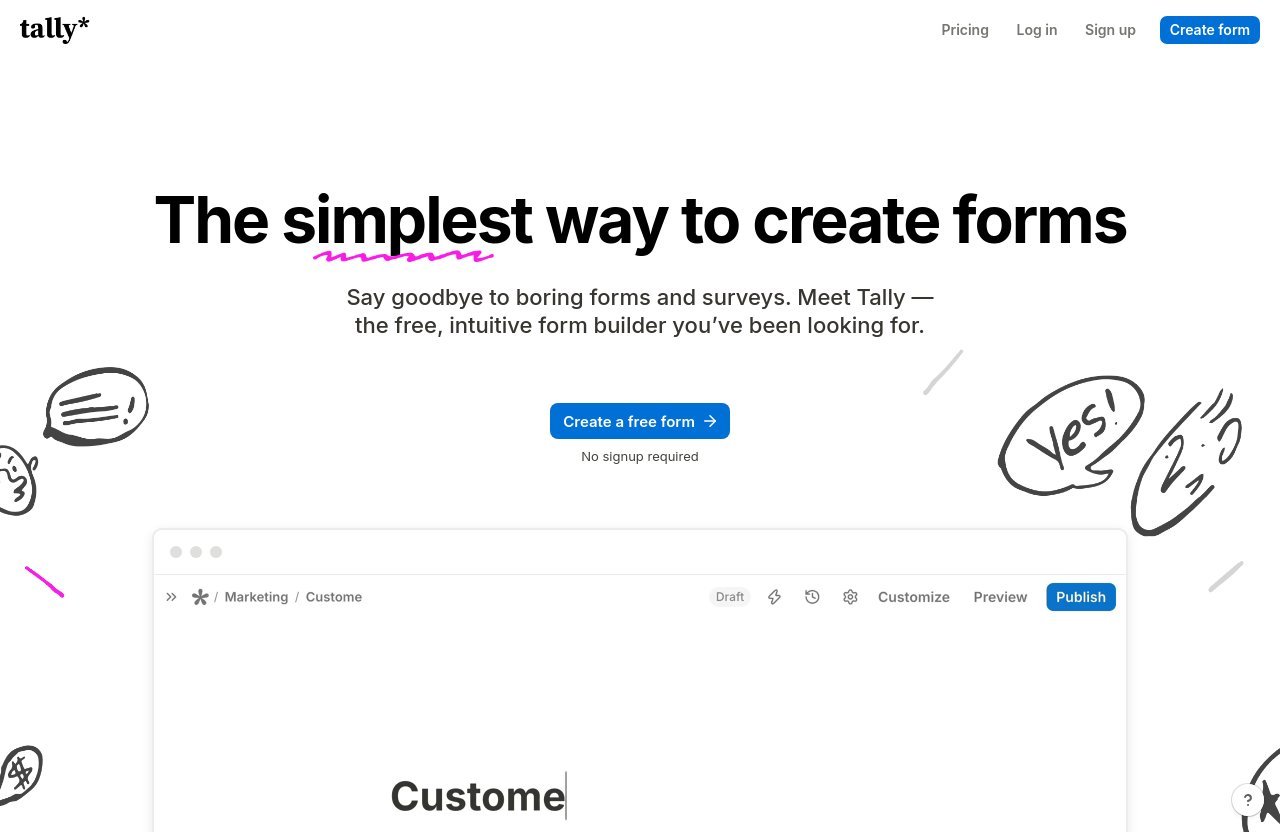
Tally is a strong benchmark because it makes form creation feel as straightforward as writing a document. Its Notion-style form builder is fast to learn, requires no signup to start building, and offers unusually capable free usage for many creators and small teams.
Disclosure: TopTrustReview may earn a commission if you sign up through qualifying affiliate links, including our link to Tally. This does not change our evaluation; choose the platform that best matches your requirements.
Official website · Latest pricing & offers
Best Form Builders Like Tally in 2026: What Buyers Should Compare First
The best form builders like Tally solve different problems. Some prioritize polished, conversational respondent experiences. Others focus on integrations, visual layout control, or established operational workflows.
Before switching tools, identify what is actually limiting your current setup. A form builder can be excellent for lead capture but less appropriate for a complex internal process, a branded client campaign, or a data-heavy workflow.
Why Tally Is the Reference Point
Tally is particularly compelling for people who want to publish forms quickly without learning a complicated editor. Its document-style approach is intuitive for creators, startups, marketers, and teams already comfortable with Notion-like writing interfaces.
The free plan is unusually broad for a no-code form builder. Tally also takes privacy seriously: it is GDPR compliant, hosts data in Europe, and states that data is encrypted in transit and at rest. That combination makes it a practical baseline in a form builder comparison 2026 process.
Here are the verified Tally plan details buyers should know:
- Free plan: unlimited forms, unlimited submissions, collect payments, collect signatures, collect file uploads, custom Thank You page, self email notifications, redirect on completion, conditional logic & calculations, prevent duplicate submissions, password protect forms, close forms on limit or date, answer piping, 45+ languages & RTL support, Google Sheets integration, Notion integration, Airtable integration, Zapier integration, Make integration, webhooks.
- Pro plan: $24 per month. Includes everything in Free, plus remove Tally branding, custom domains, collaboration with unlimited team members, partial submissions, advanced customization, custom CSS, email notifications, custom email domains, customize link preview, workspaces & folders, unlimited uploads, form visit analytics, drop-off analytics, version history up to 30 days, and premium integrations including Google Analytics and Meta Pixel.
- Business plan: $74 per month. Includes everything in Pro, plus control data retention, verify emails, version history up to 90 days, and more to come.
In practical use, Tally’s strongest free-plan advantages are its unlimited forms and submissions, logic, calculations, integrations, payment collection, signatures, uploads, and multilingual support. Paid plans become more relevant when branding removal, custom domains, collaborative management, advanced analytics, email customization, or retention controls matter.
The 6 Decision Factors That Matter Most: Free Plan, Limits, Integrations, Branding, Logic, and Privacy
When comparing form builders like Tally, use the same six criteria for every contender:
- Free-plan value: Check whether a platform supports your expected response volume and essential fields without forcing an early upgrade.
- Limits and operations: Review limits around submissions, files, team access, branding, and form management before migrating.
- Integrations: Consider where responses need to go next, such as Notion, Airtable, Google Sheets, HubSpot, Salesforce, or automation tools.
- Branding: Decide whether a clean form URL, custom domain, logo control, and tailored visual appearance are important.
- Logic and workflow: Lead qualification, conditional questions, calculations, notifications, redirects, and follow-up workflows can be more important than templates.
- Privacy and data handling: For client, employee, or regulated data, look beyond design and assess hosting, data retention, encryption, and compliance information.
A useful rule is to avoid paying for complexity you will not use. The best no-code form builder is usually the one that supports your next workflow step without creating extra administration.
Who Should Stay With Tally vs Who Should Switch
Stay with Tally if you value speed, a clean writing-first editor, generous free usage, and practical tools such as conditional logic, answer piping, pre-population, reCAPTCHA, partial submissions, notifications, and redirects. It is a particularly sensible option for solo operators, early-stage startups, internal request forms, waitlists, client intake forms, and lightweight payment or signature collection.
Switch to one of the other online form builders like Tally if a specific requirement outweighs Tally’s simplicity. For example, teams needing deeper CRM-oriented integrations may prefer Fillout, while brand-led campaigns may benefit from Fomr’s visual emphasis. Typeform is worth considering when the survey experience itself is central to participation.
Quick Comparison Table: The Best Tally Alternatives at a Glance
This table is designed to help buyers create a shortlist without assuming that every platform has the same plans, limits, or workflow depth.
| Tool | Best fit | Main reason to shortlist it | Main trade-off to assess |
|---|---|---|---|
| Tally | Fast, flexible no-code forms | Strong free-plan capabilities and Notion-style editing | Less suitable if pixel-level design control is the top priority |
| Fillout | Integration-focused teams | Often positioned as a free Tally alternative with deeper workflow integrations | Confirm the specific connectors and workflow requirements for your stack |
| Fomr | Design-conscious teams | Stronger focus on visual design control | May be unnecessary for simple internal forms |
| Jotform | Mature form operations | Broader, established form-platform approach | Can feel heavier than a minimalist form tool |
| Google Forms | Basic surveys and internal collection | Familiar zero-cost starting point | Less polished for branded external experiences |
| Typeform | Conversational surveys | One-question-at-a-time interaction style | May be excessive for straightforward data collection |
| Paperform or Noteforms | Content-led forms | Useful alternatives for content-rich or structured capture | Evaluate which editing model feels best for your team |
Best for Free Unlimited Responses
Tally is the clearest starting point for buyers looking for free form builders like Tally with room to grow. Its verified free plan includes unlimited forms and unlimited submissions, subject to fair usage guidelines, alongside core functionality that many tools reserve for paid plans.
For buyers whose definition of “free” is simply “easy and familiar,” Google Forms remains a sensible baseline. But for free usage with a more polished form-building experience, Tally deserves close consideration.
Best for Notion/Airtable Workflows
For teams working heavily in Notion and Airtable, Tally and Fillout are the most relevant names to compare. Tally’s verified free plan includes Notion and Airtable integrations, plus Google Sheets, Zapier, Make, and webhooks.
Fillout is commonly highlighted for deeper integrations with platforms including HubSpot, Notion, Airtable, Salesforce, and Monday.com. That makes a Fillout vs Tally evaluation most useful when submissions must feed sales, support, or operations workflows rather than just land in a spreadsheet.
Best for Conversational Forms
Typeform is the best-known option for buyers who want a question-by-question survey experience. This style can reduce the visual burden of a long questionnaire and make market research or feedback collection feel more guided.
Tally can still be a better choice when speed and flexible form composition matter more than the interaction format. A Typeform vs Tally decision should therefore focus on respondent experience rather than assuming one approach is universally better.
Best for Feature Depth
Jotform is a reasonable option for organizations that need a broader, more mature form platform. It is often considered by teams that have progressed beyond basic contact forms and want a tool that can support ongoing operational form needs.
The trade-off is simplicity. Buyers choosing between Jotform alternatives and Tally should ask whether their process truly requires a more extensive platform or whether a lighter no-code form builder would keep ownership easier.
Best for Zero-Cost Simplicity
Google Forms remains a default choice because it is familiar, accessible, and uncomplicated for basic surveys. It is especially useful when a team needs a quick internal questionnaire and already works in Google Workspace.
However, Google Forms is not a direct substitute for the polished, adaptable experience offered by many form builders like Tally. It is best treated as a practical baseline rather than a branding-focused form solution.
Best for Content-Rich Forms
Paperform and Noteforms are worth shortlisting when form content needs to feel more like a structured page than a traditional questionnaire. This can be useful for applications, detailed briefings, content-led lead capture, or structured information requests.
Both belong in a wider Tally alternatives review, but the decision should come down to how your team wants to combine explanatory content, prompts, and data collection in one experience.
1. Fillout: Best for Teams That Need Deeper Integrations
Why Fillout Shows Up in Nearly Every Tally Comparison
Fillout appears frequently in discussions of form builders like Tally because it is positioned as a free Tally alternative with an emphasis on deeper integrations. For workflow-driven teams, the appeal is not simply building a form; it is moving submitted information into the systems where work happens.
The integrations commonly associated with Fillout include HubSpot, Notion, Airtable, Salesforce, and Monday.com. This makes it especially relevant for businesses that need forms to connect with sales pipelines, project workflows, or centralized databases.
When Fillout Is a Better Fit Than Tally
Fillout may be a stronger option if your form is the front end of a multi-tool process. A marketing team sending qualified leads to a CRM, an operations team updating a project system, or a client-services business routing responses into a structured database may prioritize integration depth over a simple document-style editor.
Tally still works well for many connected workflows because its free plan includes key integrations and webhooks. But Fillout can be the better fit when your selection process begins with the question, “What needs to happen after someone submits?”
Trade-Offs to Consider Before Switching
Before moving, map the exact fields and destinations your workflow needs. “More integrations” is only useful if the integrations support the actions, data structure, and handoff your team actually requires.
Also consider form ownership. A lightweight Tally form can be easier for a nontechnical teammate to revise, while a deeply connected workflow may demand more planning, documentation, and testing.
2. Fomr: Best for Visual Design Control
Who Needs More Layout Control Than Tally Provides
Fomr is a relevant Tally alternative for teams that care heavily about visual presentation. Tally’s document-style editor is a strength because it removes friction, but that same simplicity may not satisfy teams that want a more art-directed landing-page feel.
Brand agencies, design-led businesses, and campaign marketers often need forms to feel like a seamless continuation of the surrounding website. In those situations, visual control can carry more weight than the fastest possible build process.
Branding and Visual Customization Use Cases
Choose Fomr when your form is part of a public-facing brand moment: a campaign registration page, premium client application, partnership inquiry, or curated product waitlist. These use cases often benefit from stronger control over spacing, hierarchy, imagery, and the overall impression created before someone submits.
Tally Pro offers advanced customization, custom CSS, custom domains, branding removal, and link-preview customization. That may be sufficient for many businesses, but Fomr deserves a look when design flexibility is the primary buying criterion.
Where a Document-Style Editor Still Wins
For internal forms, changing questions frequently, or getting a form live before a campaign deadline, Tally’s writing-first editor is difficult to beat. Team members can generally understand and update it without needing a design system or a specialized handoff process.
This is the core distinction between these form builders like Tally: choose Fomr when form design is a strategic asset, and choose Tally when efficient form ownership matters more than pixel-level control.
3. Jotform: Best for Feature Depth and Mature Form Operations
When Advanced Form Building Matters More Than Simplicity
Jotform is best considered when forms are a recurring operational system rather than an occasional marketing tool. Buyers often investigate it when they need a more established platform for multiple teams, complex processes, or a wide range of form-related needs.
This category of buyer should assess governance, form organization, operational consistency, and the effort needed to maintain forms over time. A more capable platform can be worthwhile if the process itself is business-critical.
Templates, Workflows, and Operational Use Cases
Templates and reusable workflows can matter when a business repeatedly launches forms for onboarding, applications, requests, registrations, or internal approvals. For these teams, standardization may matter as much as the appearance of any individual form.
That does not automatically make Jotform better than Tally. Tally is often the better answer where a clean, adaptable form is enough and the team wants to avoid unnecessary platform overhead.
Reasons Buyers May Prefer a Heavier Platform
A heavier platform can make sense when form operations involve multiple stakeholders and established processes. It can also appeal to buyers who want to consolidate their form activity into a single, mature environment.
For everyone else, the leaner experience is usually more valuable. The best form builder like Tally is not necessarily the platform with the longest feature list; it is the one that makes reliable form operations easiest for your team.
Official website · Latest pricing & offers
4. Google Forms: Best for Zero-Cost Basic Surveys
Why It Remains a Default Choice
Google Forms is familiar to a huge number of users, which is its main advantage. It is a practical choice for quick feedback forms, internal polls, simple event questions, and uncomplicated information collection.
For organizations already embedded in Google Workspace, its accessibility can reduce training and adoption friction. It is often the quickest way to get a basic survey in front of colleagues.
Where It Falls Short Versus Tally
In a Google Forms vs Tally comparison, Tally is typically more appealing for an external-facing form that needs a refined experience. Tally offers a Notion-style builder and, on its verified free plan, supports payments, signatures, uploads, conditional logic, calculations, answer piping, redirects, and major workflow integrations.
Google Forms is not trying to be the same kind of product. It is a reliable basic survey tool, but buyers needing stronger presentation, flexible form blocks, and broader workflow potential should compare it closely with Tally.
The Best Scenarios for Teams Already Using Google Workspace
Use Google Forms when simplicity, familiarity, and internal distribution are more important than brand presentation. It fits classroom feedback, lightweight employee questionnaires, team polls, and straightforward data gathering.
Consider Tally when the form is customer-facing, needs richer logic, or must support actions such as payments, signatures, or uploads without making the form feel like a basic survey.
5. Typeform: Best for Conversational Surveys
When One-Question-at-a-Time Flows Outperform Standard Forms
Typeform is most compelling when question flow is part of the respondent experience. Showing one prompt at a time can make a survey feel less dense, especially for feedback collection, research, quizzes, or audience discovery.
This approach is not automatically better for every form. A short lead form or internal request may be completed faster when users can see all relevant fields at once.
Brand Perception and Respondent Experience
For customer research and brand-sensitive surveys, a conversational flow can feel intentional and engaging. It can also help teams focus respondents on one decision at a time rather than presenting a long checklist.
That is why form builders like Tally and Typeform serve adjacent but different preferences. Tally is excellent for quickly composing flexible forms, while Typeform is the specialist option when sequential interaction is a central part of the experience.
Why It May Be Overkill for Lightweight Lead Capture
A one-question-at-a-time format can be more than a basic email capture or contact request needs. If the form’s job is simply to qualify a lead and send the details to a CRM or spreadsheet, Tally’s direct, document-like format is often more efficient.
Choose Typeform when the interaction itself improves response quality. Choose Tally when the primary goal is collecting information with minimal friction.
6. Paperform or Noteforms: Best for Content-Rich and Structured Data Capture
Use Cases Where Long-Form Content Matters
Paperform and Noteforms are reasonable alternatives for forms that need more explanatory content around the questions. This matters for detailed applications, service briefs, event information, multi-step requests, and complex intake experiences.
A content-rich form can reduce confusion by providing context exactly where respondents need it. The key question is whether your form should behave like a page with embedded data collection or like a streamlined questionnaire.
When Structure and Presentation Must Coexist
Use these tools when the presentation of instructions, sections, and prompts needs to work alongside structured responses. They can be useful for businesses whose forms need to educate, qualify, and collect information in the same experience.
Tally can also support rich form composition through its block-based approach. Still, Paperform or Noteforms may appeal to buyers who prefer a different balance between long-form content and field structure.
How These Tools Differ From a Notion-Style Editor
A Notion-style form builder emphasizes writing and assembling blocks quickly. That is Tally’s advantage: it feels natural to draft, edit, rearrange, and publish without much interface complexity.
Paperform and Noteforms should be evaluated based on how their editing model supports your particular content workflow. For some teams, the best Tally alternative is simply the tool whose authoring experience feels most natural during real form revisions.
How to Choose the Right Tally Alternative for Your Use Case
Choose Based on Integrations
For a solo creator, Tally’s Google Sheets, Notion, Airtable, Zapier, Make, and webhook support may cover the full workflow. For a team where forms must update CRM or project-management processes, Fillout is a stronger candidate to investigate.
Start with a data map: identify where responses originate, where they must go, who acts on them, and what follow-up should happen. This is more useful than selecting a tool based on appearance alone.
Choose Based on Branding and Design Control
Choose Tally if you want a clean, quick-to-build form and expect to make frequent edits. Move toward Fomr if visual identity, page composition, and design control are central to campaign performance.
For many small teams, Tally Pro is the sensible middle ground because it adds branding removal, custom domains, advanced customization, and custom CSS. Agencies and design-led businesses should still test whether that level of control meets their standards before committing.
Choose Based on Response Volume and Free-Plan Generosity
Tally remains one of the strongest options for buyers seeking a Tally alternative free experience without immediately compromising on useful capabilities. Its free plan supports unlimited forms and submissions, subject to fair usage guidelines, making it a particularly good option for unpredictable demand.
Google Forms is best for straightforward free surveys. Fillout should be evaluated by workflow-focused users who value integrations. The right choice depends on whether volume, simplicity, or connected operations is your priority.
Choose Based on Privacy and Data Handling
Privacy-sensitive teams should review each vendor’s current data-handling documentation before collecting customer, employee, or regulated information. Do not treat design or popularity as a substitute for due diligence.
Tally provides a strong starting point for buyers with privacy concerns because it is GDPR compliant, Europe-hosted, and uses encryption in transit and at rest. Its Business plan also adds control over data retention and email verification, which may matter for organizations with stricter governance needs.
Final Verdict: The Best Form Builders Like Tally in 2026
The best form builders like Tally are not interchangeable. Tally remains the strongest overall choice for buyers who want fast no-code form creation, a familiar document-style editor, robust free-plan functionality, practical integrations, and privacy-conscious infrastructure.
Best Overall Alternative
Fillout is the best alternative to investigate for teams that need deeper integration potential with business systems such as HubSpot, Notion, Airtable, Salesforce, and Monday.com. It is the most relevant option when form submissions must drive a larger workflow.
Best Free Option
Tally is the best free option for many creators and small teams because its verified free plan includes unlimited forms and submissions along with payments, signatures, file uploads, logic, calculations, integrations, and other advanced capabilities.
Google Forms remains the simplest zero-cost choice for basic internal surveys. But for a polished public-facing form, Tally is usually the more capable starting point.
Best Option if You Want to Stay Closest to Tally
If you like Tally’s straightforward approach, staying with Tally is often the best decision. Upgrade to Pro when custom branding, custom domains, unlimited team collaboration, analytics, or advanced customization become important; consider Business when data retention controls, email verification, and longer version history are required.
Ultimately, the best form builders like Tally match the way your team works. Choose Tally for speed and flexibility, Fillout for workflow depth, Fomr for visual control, Typeform for conversational surveys, Jotform for broader operations, and Google Forms for uncomplicated internal collection.
Official website · Latest pricing & offers
FAQ
What Are Some Good Alternatives to Tally Forms?
Good Tally alternatives include Fillout for integration-focused workflows, Fomr for visual design control, Typeform for conversational surveys, Google Forms for straightforward basic surveys, and Paperform or Noteforms for content-rich forms. Jotform is also worth considering for teams seeking a broader form operations platform.
What Is the Best Alternative to Tally?
The best alternative depends on your priority. Fillout is a strong option for deeper integrations, Fomr is suitable for design flexibility, Typeform fits conversational UX, and Google Forms is best for basic zero-cost surveys. Tally itself remains the best choice for many users who value simple building and generous free usage.
Which Free Form Builder Is the Best?
Tally is one of the best free form builders for users who need flexible features and unlimited forms and submissions, subject to fair usage guidelines. Google Forms is the simplest option for basic surveys, while Fillout is worth comparing for workflow-oriented users.
What Replaced Tally?
Tally has not been replaced. Instead, buyers compare it with other no-code form builders when they need more design control, deeper integrations, conversational surveys, or a different operational workflow.
Related Reading
References
- Tally – Create Beautiful Forms for Free | Unlimited Forms & Submissions
- Tally Pricing | Free Form Builder with Unlimited Responses
- Fillout: the free Tally alternative
- Best Tally alternatives: 6 form builders worth considering