Is Mydesigns Worth It in 2026? Honest Verdict
Is MyDesigns worth it in 2026? For active print-on-demand sellers managing a growing catalog across more than one sales channel, the answer is usually yes—provided they genuinely use its bulk creation, mockup, and publishing workflow. For a hobby seller with a handful of designs, it can be more platform than necessary.
This is an affiliate review of MyDesigns for toptrustreview.com. This page contains an affiliate link to MyDesigns, but the recommendation is based on workflow fit and value—not commission. I would rather see a small seller skip an unnecessary subscription than pay for automation they will not use.
Official website · Latest pricing & offers
Quick Verdict: Is MyDesigns Worth It in 2026?
MyDesigns is not a magic shortcut to POD sales. It is a workflow platform designed to reduce the repetitive work between creating a design and getting many products published across connected stores.
The core question is simple: do you spend enough time creating listings, preparing mockups, organizing files, and publishing products that automation would save meaningful hours? If yes, MyDesigns can be a practical investment. If no, a leaner setup may make more sense.
Short Answer by Seller Type
Is MyDesigns worth it for a multi-channel seller? Yes, especially if you regularly upload collections rather than individual products. Its bulk workflow has more value when your catalog, product count, or number of connected shops is rising.
For a newer seller, the answer is more conditional. The platform can help establish better habits early, but beginners who are still testing a few designs may not need paid automation immediately. Starting free first is the sensible move.
| Seller Type | Verdict | Why |
|---|---|---|
| Hobby seller with a small catalog | Usually no | The subscription may outweigh the time saved |
| New POD seller testing designs | Maybe | Start free and validate your workflow first |
| Etsy-focused seller with recurring uploads | Often yes | Bulk mockups and publishing can reduce repetitive tasks |
| Multi-store POD business | Strong yes | Store connections, batch capacity, and catalog control matter more |
| Small POD team | Strong yes | A shared, repeatable workflow can be more valuable than isolated tools |
Best-Fit Use Cases
The strongest MyDesigns use case is a seller who produces design collections and wants a central place to prepare product visuals, manage a design library, and publish at scale. Every paid plan includes AI credits, bulk mockups, and bulk publishing to Etsy, Shopify, WooCommerce, and TikTok.
Is MyDesigns worth it when you run several stores or publish often? It becomes easier to justify because the platform addresses the operational bottleneck: repetitive production work. Instead of treating every listing as a separate mini-project, you can think in batches.
It is also a reasonable fit for sellers who want to work with both print-on-demand and digital products from one platform. That does not remove the need for niche research, original designs, pricing decisions, or customer service—but it can reduce the mechanical workload around those jobs.
When It Is Not Worth Paying For
Is MyDesigns worth it for someone who only needs a few polished mockups each month? Probably not. A dedicated mockup tool, a basic design workflow, or manual listing creation may be less expensive and less complicated.
Skip a paid plan if you do not plan to publish in batches, connect shops, or build a meaningful catalog. The platform’s value is tied to using multiple parts of the workflow. Paying for a broad POD system to solve one small problem is rarely a smart purchase.
What MyDesigns Actually Does
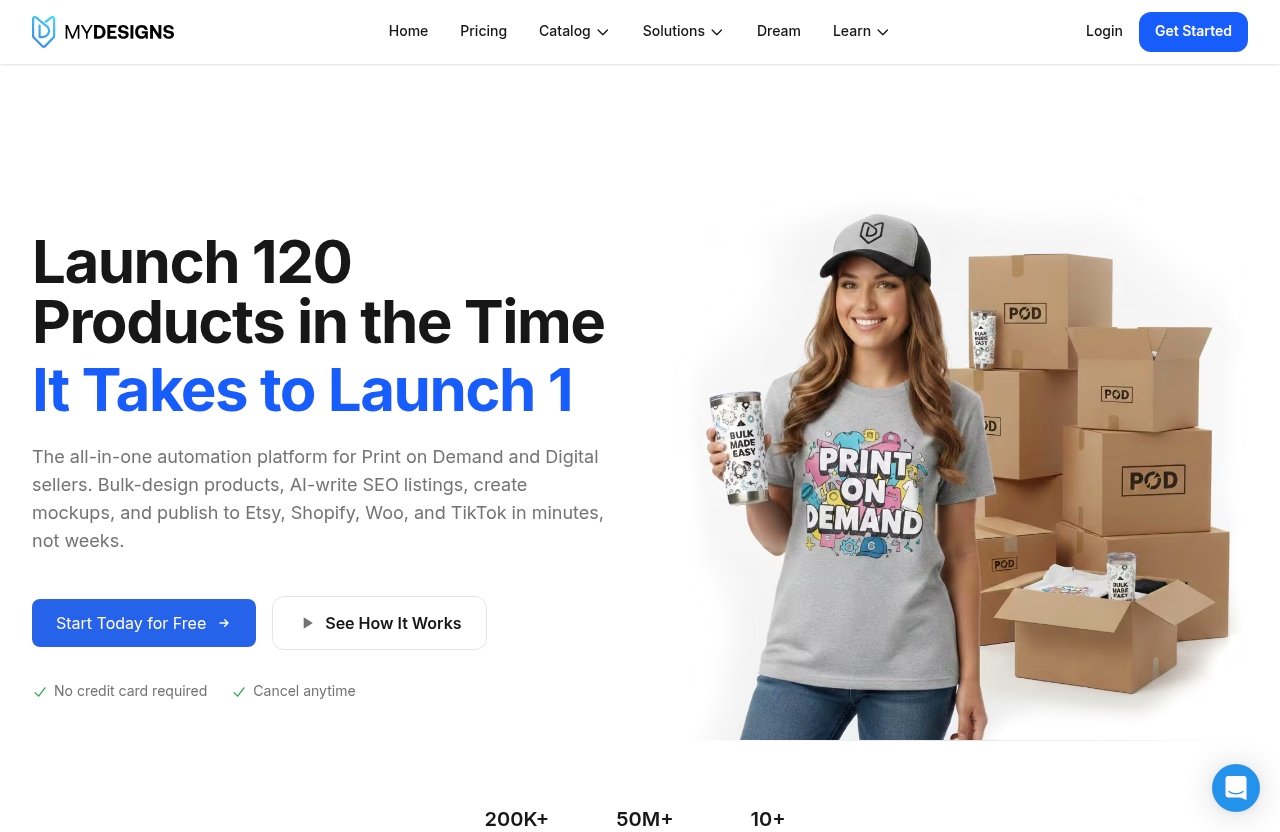
MyDesigns is a print-on-demand and digital products platform. In practical terms, it is built to put design management, product preparation, mockup generation, listing work, and store publishing into one operating workflow.
Is MyDesigns worth it as an all-in-one workspace? That depends on whether you value consolidation. Sellers often lose time moving files between design tools, mockup software, spreadsheets, listing drafts, and individual store dashboards. MyDesigns aims to reduce that tool-switching.
Bulk Product Creation
Bulk creation is the operational reason many established sellers will consider MyDesigns. Rather than handling every product one by one, you can work through products and listings in batches.
This matters because POD workload expands quickly. One artwork can lead to multiple product types, variants, mockups, titles, descriptions, and store listings. The more designs and products you manage, the more manual clicks become a real cost.
Is MyDesigns worth it for catalog management? It can be, because its paid plans include a design library, with capacity increasing by plan. The Starter plan includes 40 GB, Pro includes 100 GB, and Pro Plus includes 1 TB. That is useful for sellers who want a more organized home for a growing collection of source designs and assets.
Mockups and Bulk Video Mockups
Every plan includes bulk mockups, which is one of the more practical features for a seller building many listings. Product visuals are not just decorative; they are part of how shoppers understand an item before buying it.
The Pro and Pro Plus plans add bulk video mockups. For sellers who want motion-based product presentation as part of their listing workflow, that can be a meaningful difference between plans.
Is MyDesigns worth it for mockups alone? Usually, no. Bulk mockups become valuable when tied to the rest of the platform: product creation, design storage, listing preparation, and publishing. If mockups are your only requirement, compare narrower tools before subscribing.
AI Credits, Scout AI, and Listing Workflow
MyDesigns AI credits are included with every paid plan. Starter includes 250 AI credits per month, Pro includes 600, and Pro Plus includes 2,000. The exact value of those credits depends on how heavily you use the AI tools in your workflow.
Pro and Pro Plus also include Scout AI, which MyDesigns describes as helping users find what sells. That may be useful as an input for research, but it should not replace independent judgment. A research tool can help generate ideas; it cannot guarantee demand, originality, or a profitable niche.
Some sellers appreciate the speed of AI-supported listing work, while others prefer more guidance or a simpler, more manual process. That is a fair concern. AI output still needs editing, accurate keywords, sensible product choices, and a final quality check before publishing.
Publishing and Store Management
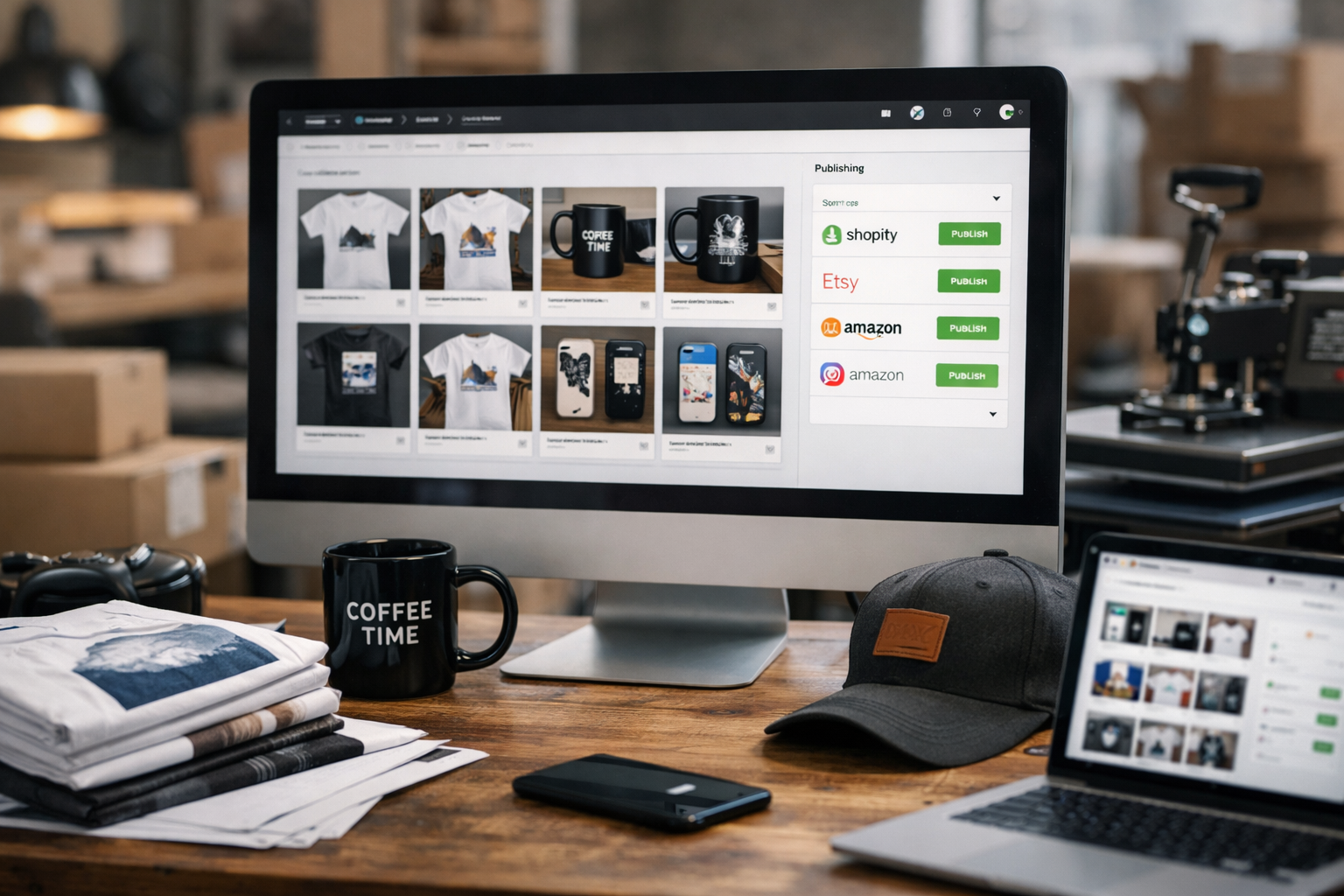
All paid plans include bulk publishing to Etsy, Shopify, WooCommerce, and TikTok. That multi-channel capability is central to the MyDesigns print-on-demand value proposition.
Is MyDesigns worth it for sellers with more than one storefront? It is far more compelling than it is for a single-store, low-volume seller. Starter supports one shop on each platform, Pro supports three shops on each platform, and Pro Plus supports unlimited shops on every platform.
MyDesigns also includes MyDesigns Stores: one on Starter, two on Pro, and three on Pro Plus. Catalog import and export are available on Pro and Pro Plus, which may matter to sellers who need more flexibility around catalog administration.
MyDesigns Pricing in 2026: Plans, Limits, and Value
MyDesigns pricing is straightforward in structure: Starter for smaller operations, Pro for growing sellers who need more capacity and tools, and Pro Plus for high-volume or multi-store businesses.
Is MyDesigns worth it at its entry price? The Starter plan can be fair value if it replaces enough repetitive tasks each month. But buyers should choose based on batch sizes, number of stores, AI usage, and library needs—not simply the lowest monthly price.
| Plan | Yearly Billing | Month-to-Month | Best For |
|---|---|---|---|
| Starter | $19.99/month, billed yearly ($239.88/year) | $24.99/month | Individual sellers with one shop per platform |
| Pro | $39.99/month, billed yearly ($479.88/year) | $49.99/month | Growing sellers with multiple shops and larger batches |
| Pro Plus | $79.99/month, billed yearly ($959.88/year) | $99.99/month | High-volume and multi-store operations |
Starter Plan Breakdown
The MyDesigns Starter plan costs $19.99 per month when billed yearly, totaling $239.88 per year and saving $60 versus monthly billing. It is also available at $24.99 month to month.
Starter includes 250 AI credits per month, 24 products per batch, one shop each on Etsy, Shopify, WooCommerce, and TikTok, custom and own PSD mockups, one MyDesigns Store, a 6% fee, 40 GB of design library storage, and 2% off the print catalog.
Is MyDesigns worth it on Starter? It is a sensible paid entry point for a seller who already has a real publishing routine and wants to make it faster. It is less convincing for someone who creates only occasional listings.
Pro Plan Breakdown
The MyDesigns Pro plan costs $39.99 per month when billed yearly, or $479.88 annually, with a stated $120 savings compared with monthly billing. The month-to-month option is $49.99.
Pro includes everything in Starter, plus 600 AI credits per month, 48 products per batch, three shops each on Etsy, Shopify, WooCommerce, and TikTok, bulk video mockups, Scout AI, catalog import and export, two MyDesigns Stores, a 4.5% fee, 100 GB of design library storage, and 5% off the print catalog.
For many active sellers, Pro is likely the practical middle ground. Is MyDesigns worth it at the Pro level? Yes, if your operation has outgrown single-shop limits, smaller batches, and a basic asset library. Otherwise, Starter may be the more disciplined choice.
Pro Plus Plan Breakdown
MyDesigns Pro Plus costs $79.99 per month when billed yearly, or $959.88 annually, representing a stated $240 savings compared with monthly billing. The month-to-month price is $99.99.
It includes everything in Pro, plus 2,000 AI credits per month, 120 products per batch, unlimited shops on every platform, three MyDesigns Stores, a 3% fee, 1 TB of design library storage, 10% off the print catalog, and priority support.
Is MyDesigns worth it on Pro Plus? It is best viewed as an operations plan, not a beginner plan. Unlimited connected shops and 120-product batches only create value if you have the volume and process to use them.
Free Start Option and Refund Policy
MyDesigns states that you can start free with no credit card required. That is the right first step for cautious buyers who want to inspect the interface and decide whether the workflow fits how they actually work.
Every paid plan comes with a seven-day money-back guarantee. If AI credits are used during those seven days, those credits are deducted. MyDesigns also states that you can cancel anytime, checkout runs on Stripe, and Stripe PCI Level 1 security is used.
Real ROI: When MyDesigns Pays for Itself
The best way to assess is MyDesigns worth it is not to guess at future sales. Instead, estimate the time you currently spend on repetitive tasks: preparing mockups, organizing files, creating listings, and publishing products across stores.
If a platform saves time but you do not use the saved time to improve designs, publish more quality listings, optimize your shop, or serve customers better, the financial return may be limited. Automation is useful only when it removes work that is truly slowing you down.
Time Savings vs Manual Workflow
A manual POD workflow often involves downloading artwork, placing it into mockup scenes, naming files, uploading assets, filling listing fields, and repeating similar work across sales channels. None of these tasks is individually difficult, but the repetition compounds quickly.
Is MyDesigns worth it for time savings? It can be when batches are part of your normal process. A seller publishing collections will likely notice more benefit than someone who adds a single listing now and then.
The platform does not eliminate quality control. You still need to inspect mockups, verify product details, review titles and descriptions, and ensure that every listing is accurate. Think of it as reducing setup work, not replacing management.
Who Gets the Best ROI
Sellers with recurring product launches, several connected shops, or a rapidly expanding design library are most likely to see ROI. The Pro and Pro Plus plan capacities matter more when batch size and shop count are genuine constraints.
Is MyDesigns worth it for a growing POD business? Often, yes, once administrative work becomes a consistent drag. A seller with no repeatable process will benefit less than one already producing and publishing in regular batches.
Teams can also benefit because a centralized workflow makes it easier to keep assets and publishing activity organized. That does not automatically make the tool right for every team, but it can reduce the chaos of scattered folders and disconnected processes.
Hidden Costs to Consider
The subscription is not the only cost to evaluate. Your time to learn the system, review listings, and maintain quality still has value. You should also understand the MyDesigns Store fees attached to each plan: 6% on Starter, 4.5% on Pro, and 3% on Pro Plus.
Print catalog discounts are another part of the calculation: 2% on Starter, 5% on Pro, and 10% on Pro Plus. These can affect value for sellers using the print catalog, but they should not be used to justify a larger plan that exceeds your actual workflow needs.
How to Estimate Break-Even
To decide whether is MyDesigns worth it for your business, calculate your approximate monthly subscription cost and compare it with the time you expect to save. Then ask whether that saved time has a productive use.
A simple framework is:
- Track how long a typical manual batch takes today.
- Estimate how often you publish a comparable batch each month.
- Identify which tasks MyDesigns could realistically reduce.
- Compare the likely time savings with your plan cost and any relevant store fees.
- Start free or choose monthly billing if you still need proof from your own workflow.
This approach is more honest than assuming automation will create revenue on its own.
Official website · Latest pricing & offers
MyDesigns Pros and Cons
A good MyDesigns review should not treat a broad feature set as an automatic win. The same integrated platform that helps a high-volume seller can feel unnecessarily complex to someone who needs a simple tool.
Biggest Advantages
The main advantages are workflow-focused:
- Bulk mockups are included on every paid plan.
- Bulk publishing is available for Etsy, Shopify, WooCommerce, and TikTok.
- AI credits are included across paid plans.
- Plans scale in batch size, shop capacity, design library space, and MyDesigns Store capacity.
- Pro and Pro Plus include Scout AI, catalog import and export, and bulk video mockups.
- Higher-tier plans reduce MyDesigns Store fees and increase print catalog discounts.
- A free start option and seven-day money-back guarantee reduce purchase risk.
Is MyDesigns worth it because of these strengths? Yes, for sellers who use several of them together. The value comes from the combined workflow, not from checking off a feature list.
Biggest Drawbacks
The main downside is that an all-in-one system can introduce complexity. Sellers who only need one feature may find that a focused tool is easier to learn and simpler to manage.
General community discussion around platforms like this is mixed in the expected way: some users praise speed and automation, while others want clearer guidance, a less clunky AI listing experience, or more consistent support. Those concerns are worth taking seriously, especially if you prefer a very lightweight workflow.
A search such as “mydesigns worth it reddit” can surface informal user opinions, but treat anecdotes as starting points, not final proof. Your own catalog size, marketplace mix, and working style should carry more weight than any single review.
Learning Curve and Quality Control
Is MyDesigns worth it if you dislike learning new software? Possibly not. The platform asks you to understand batches, product setup, mockup choices, publishing, shop connections, and asset organization. There is a payoff for mastering that process, but it is still a process.
Quality control remains non-negotiable. Check your product selections, visuals, listing language, and destination-store details before publishing. Bulk automation can multiply a well-organized workflow—but it can also multiply mistakes if you publish without reviewing.
Who Should Buy MyDesigns—and Who Should Skip It
The clearest buying decision comes from matching the plan to the seller’s actual operating volume. Do not buy based on ambition alone; buy when your present workflow gives the platform something useful to automate.
Ideal Buyer Profile
Is MyDesigns worth it for the ideal buyer? Yes. The ideal customer is an active POD seller who has a growing design catalog, publishes product groups rather than isolated listings, and wants to operate across Etsy, Shopify, WooCommerce, or TikTok.
This buyer values an organized design library, bulk mockups, and faster publishing more than having the simplest possible interface. They are willing to learn a system because their current manual workflow is already costing them time.
Not Ideal for Beginners
Beginners are not automatically a bad fit, but they should be careful. If you are still learning POD fundamentals—product-market fit, design standards, niche selection, listing quality, and store setup—more software may not solve the real problem.
For this group, MyDesigns free access is the sensible starting point. Is MyDesigns worth it as a paid commitment before you have a publishing rhythm? Usually not. Learn the workflow first and upgrade only when the limits are relevant.
Not Ideal If You Only Need One Feature
If your only goal is to make a mockup, edit a design, or manage a handful of listings, an integrated POD platform may be excessive. A narrower MyDesigns alternative—or a simpler combination of tools—could be better value.
The same applies to sellers with one small store and minimal publishing volume. You do not need to optimize a process that barely exists yet.
Best for Growing POD Teams
Growing teams are among the best candidates because coordination becomes harder as product volume increases. A single platform for asset storage, batch work, mockups, and publishing can help reduce duplicated effort.
Is MyDesigns worth it for a team? It can be, particularly at the Pro or Pro Plus level when larger batches, more shops, and greater storage capacity align with real operating needs. Choose Pro Plus only if its expanded limits are being used, not because it sounds more future-proof.
MyDesigns vs Alternatives: What to Compare Before You Buy
The right comparison is not necessarily MyDesigns versus one named competitor. It is MyDesigns versus the workflow you would otherwise build using separate design, mockup, storage, research, and publishing tools.
MyDesigns vs Using Separate Tools
A separate-tool setup can be flexible. You can select a specialist tool for each task and change one part of the workflow without replacing everything else. The drawback is friction: files move between systems, work may be duplicated, and publishing can become disconnected from design organization.
Is MyDesigns worth it versus a stitched-together stack? It is more likely to be if you value having bulk mockups, AI credits, asset storage, and publishing in the same operational environment. It is less likely to be if you already have a smooth system that does not create bottlenecks.
When a Leaner Alternative May Be Smarter
A leaner alternative can be smarter for sellers who only need basic design work, occasional mockups, or one simple sales channel. There is no prize for using a full-featured platform when a smaller workflow already works.
Before switching tools, identify the exact friction you are trying to remove. If the problem is lack of design ideas, poor conversion, or unclear niche positioning, publishing automation may not be the answer.
Questions to Ask Before Subscribing
Ask these questions before choosing a plan:
- How many products do I realistically publish in a typical batch?
- Do I operate one shop or several shops on supported platforms?
- Will I use AI credits regularly, occasionally, or not at all?
- Do I need bulk video mockups, Scout AI, or catalog import and export?
- How much design library storage do I need now?
- Will the MyDesigns Store fee and print catalog discount affect my economics?
- Do I want an integrated workflow or a simpler specialist tool?
You can assess the platform directly through the MyDesigns free start option before committing to a paid plan.
Final Verdict: Is MyDesigns Worth It for You?
Is MyDesigns worth it? For serious, multi-channel POD sellers who publish in batches and want to reduce repetitive production work, yes. It has a coherent set of tools—bulk mockups, AI credits, design storage, store connections, and bulk publishing—that can support a more efficient catalog workflow.
For hobbyists, very small catalogs, and sellers who only want a single capability, the answer is usually no. The platform is not a replacement for strong designs, market judgment, or quality control, and those sellers may be better served by a simpler stack.
Verdict by Budget Level
At the lower end, the Starter plan makes the most sense for an individual seller with one shop on each supported platform and manageable batch requirements. Pro is the stronger fit for a growing seller who needs larger batches, more shops, bulk video mockups, Scout AI, and catalog import/export.
Pro Plus is a business-level choice. Its 120-product batches, unlimited shops, 1 TB library, 2,000 monthly AI credits, 3% fee, 10% print catalog discount, and priority support are valuable only when your workflow volume supports them.
Verdict by Business Stage
New sellers should start free and focus on learning whether the platform’s workflow feels natural. Growing sellers should consider Starter or Pro once repetitive listing and publishing work becomes a consistent time drain.
Established businesses with multiple stores and frequent launches are the strongest Pro Plus candidates. Is MyDesigns worth it at that stage? It can be, because operational time and catalog management become more important as volume rises.
Final Recommendation
My final MyDesigns review recommendation is direct: buy if you are an active POD seller who will use bulk creation, bulk mockups, and multi-channel publishing regularly. Consider it carefully if you are growing but still validating your product workflow. Skip it if you are a hobbyist, have a tiny catalog, or simply need a mockup tool.
The decision should come down to workflow intensity, not hype. If your manual process is slowing down a real publishing schedule, explore MyDesigns here. If you rarely publish, keep your stack lean until the volume justifies automation.
Official website · Latest pricing & offers
FAQ
How much does MyDesigns cost?
MyDesigns pricing has three paid tiers. Starter costs $19.99 per month billed yearly ($239.88 per year) or $24.99 month to month. Pro costs $39.99 per month billed yearly ($479.88 per year) or $49.99 month to month. Pro Plus costs $79.99 per month billed yearly ($959.88 per year) or $99.99 month to month.
Every paid plan includes a seven-day money-back guarantee. If AI credits are used during that period, the used credits are deducted.
What are some alternatives to MyDesigns?
The best MyDesigns alternative depends on what you are trying to replace. If you want an all-in-one POD workflow, compare platforms based on how they handle design organization, mockups, product setup, and publishing. If you only need mockups or basic design work, a narrower tool may be more appropriate.
Avoid comparing platforms by feature count alone. Compare the tools against your real workflow, publishing volume, connected stores, and willingness to manage multiple systems.
Is MyDesigns free?
MyDesigns offers a free start option with no credit card required. Paid plans provide the stated plan capacities and features, including AI credits, bulk mockups, and bulk publishing.
The best approach is to start free, review the workflow, and only move to a paid plan when the platform’s batch, shop, storage, or AI allowances match your needs.
Is Designs a legit website?
MyDesigns appears to be a legitimate platform based on its official site, published plan details, Stripe checkout, PCI Level 1 security statement, and third-party review badges shown on its pricing page, including 4.9 on Capterra and 4.8 on G2.
That said, legitimacy is not the same as fit. Evaluate whether MyDesigns solves enough of your POD workflow problems to justify a paid subscription before purchasing.
Related Reading
- Best Mydesigns Alternatives in 2026
- Mydesigns vs Canva: Which Wins for POD in 2026?
- Mydesigns vs Printify: Which POD Platform Is Better for Creators?
References
- MyDesigns: Print on Demand and Digital Products Platform
- MyDesigns Pricing: Starter, Pro and Pro Plus Plans
- Read Customer Service Reviews of mydesigns.io
- Reviews: MyDesigns: Print on Demand – Create Custom …