Rss.com Pricing 2026: Plans, Features, and Value
This RSS.com pricing guide breaks down the current Free, Plus, Pro, Max, and Custom/Enterprise options for podcasters deciding where to host and grow a show. I reviewed the official RSS.com pricing page and homepage information for this 2026 update, with an emphasis on real buying decisions rather than promotional claims.
RSS.com starts with a genuinely free, no-expiration tier and scales into paid plans for monetization, teams, multi-show publishing, video podcasts, and API access. Pricing can change, so verify the latest details on the official site before purchasing.
Official website · Latest pricing & offers
RSS.com Pricing 2026: Quick Verdict
RSS.com offers a practical progression: Free for publishing fundamentals, Plus for creators adding monetization and richer production tools, Pro for teams and multiple shows, and Max for video-heavy publishers and integrations. Custom and Enterprise options serve organizations that need campaign management and video at scale.
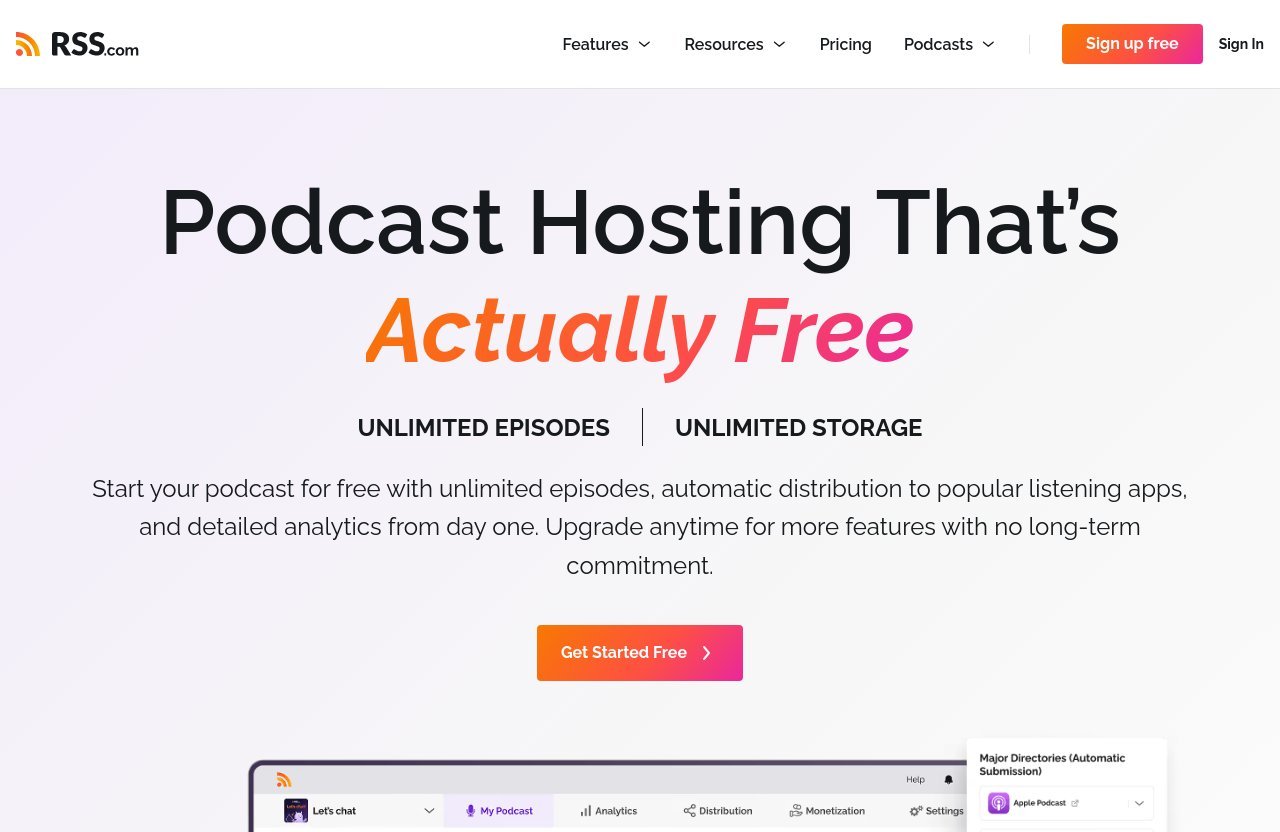
The core value is straightforward. Every plan includes unlimited episodes and downloads, while annual billing reduces the paid-plan price by 25%, according to the official pricing page.
Who RSS.com is best for
RSS.com is a relevant option for new podcasters who want to launch without an upfront hosting bill, as well as established creators who need monetization tools. It also fits agencies, networks, and internal teams that manage more than one show.
The platform’s stated distribution covers Spotify, Apple Podcasts, YouTube, Amazon Music, and other major listening apps. That makes it especially useful for creators who want broad distribution without treating publishing as a manual, platform-by-platform process.
The best-value plan at a glance
For many independent creators, the RSS.com Plus plan is the most balanced paid option. It introduces ad earnings with as few as 10 downloads, Apple Podcasts paid subscriptions, AI-generated transcripts, advanced analytics, and audio-to-YouTube video creation.
At $15 per month when billed annually, Plus is the natural upgrade when a podcast moves from publishing to building revenue and understanding its audience. The monthly option costs $19.99, which may suit creators who prefer billing flexibility.
When the free plan is enough
The RSS.com free plan is enough for a new or hobby podcaster who mainly needs reliable publishing, distribution, analytics, a podcast website, and listener donations. It has no trial period and no expiration date, so there is no deadline forcing an upgrade.
Because it includes unlimited episodes, audio, and downloads, beginners do not need to choose a paid tier simply because they publish frequently. That is a meaningful distinction when assessing podcast hosting pricing on a limited budget.
RSS.com Plans and Prices Explained
The following RSS.com pricing table reflects the official plan information available for 2026. Paid annual billing is listed as a lower effective monthly rate, with the full annual amount paid upfront.
| Plan | Monthly Billing | Annual Billing | Best Fit |
|---|---|---|---|
| Free | $0/month | $0/month | New and hobby podcasters |
| Plus | $19.99/month | $15/month ($180 billed annually) | Monetizing solo creators |
| Pro | $34.99/month | $26/month ($312 billed annually) | Teams and up to 10 podcasts |
| Max | $49.99/month | $37/month ($444 billed annually) | Video-focused and integration-led publishing |
| Custom / Enterprise | Talk to us | Talk to us | Advanced campaigns and video at scale |
RSS.com states that annual billing saves 25% on Plus, Pro, and Max. It also states that paid plans can be canceled anytime and come with a 30-day money-back guarantee.
Free plan: $0/month
The Free plan costs $0 per month and is described by RSS.com as always free, with no trial and no expiration. It is not a limited-time onboarding offer.
For a creator validating a podcast idea or publishing a personal show, this tier covers the essential workflow without recurring hosting costs. It also provides a clear starting point before deciding whether premium monetization or production features are necessary.
Plus plan: $15/month billed annually or $19.99 monthly
The RSS.com Plus plan costs $19.99 on monthly billing. With annual billing, it works out to $15 per month, billed as $180 annually.
This plan is built for creators who have moved beyond basic publishing and want to make their show commercially active. The lower annual rate is the better-value route for someone who expects to use those tools consistently over a full year.
Pro plan: $26/month billed annually or $34.99 monthly
The RSS.com Pro plan is $34.99 per month when paid monthly. Annual billing is $26 per month, charged as $312 annually.
Pro becomes more relevant when podcasting is a shared operation rather than a one-person project. Its ability to host up to 10 podcasts and add unlimited team members directly addresses multi-show and collaborative workflows.
Max plan: $37/month billed annually or $49.99 monthly
The RSS.com Max plan costs $49.99 per month or $37 per month with annual billing, billed as $444 annually. RSS.com positions this tier for publishers that need unlimited audio and video podcasts, video monetization, and full API access.
Max is not automatically the right choice for every video podcaster. Its value is strongest when publishing video regularly, distributing a single upload to both Apple Podcasts and YouTube, or connecting podcast operations to other tools.
Custom and Enterprise plans
Custom and Enterprise pricing requires contacting RSS.com directly. These plans include everything in Max, then add campaign management for dynamically inserted ads, including real-time geotargeting.
They also support video at scale with ad-free options. That makes this category more relevant for businesses or larger publishing operations with specialized advertising and video requirements than for a typical individual creator.
What Each RSS.com Plan Includes
The RSS.com plans follow a cumulative structure: each paid plan includes the previous tier’s features before adding more capabilities. That makes it easier to evaluate whether an upgrade solves a specific operational need.
Free features
The Free plan includes unlimited episodes, audio, and downloads. Users can publish their show on Apple Podcasts, Spotify, and more, receive a free website for the podcast, accept listener donations, and track downloads and podcast growth.
RSS.com also states that Free users get automatic distribution to popular listening apps and detailed analytics from day one. For an entry-level plan, this covers the essential hosting and publishing foundation without an expiry date.
Plus features
Plus includes everything in Free, along with ad earnings with as few as 10 downloads. It also enables paid subscriptions on Apple Podcasts, helping eligible creators offer premium access through that ecosystem.
Additional Plus capabilities include creating YouTube videos from audio episodes, AI-generated transcripts, advanced show and audience analytics, and unlimited voicemails. In practical terms, this is the tier for creators turning a published podcast into a more measured, monetizable media project.
If these tools match your next stage of growth, you can review the current offer through this RSS.com plan page before committing to monthly or annual billing.
Pro features
The RSS.com Pro plan includes all Plus features and supports up to 10 podcasts. It also adds unlimited team members, which matters when producers, editors, clients, or stakeholders need to work around the same podcast operation.
Pro users can see all-time analytics for every show and automatically create transcripts for every episode. It also includes keeping 70% of ad revenue with PAID, which is a notable consideration for publishers assessing the plan’s monetization structure.
Max features
Max includes everything in Pro plus unlimited audio and video podcasts. A single upload can publish to Apple Podcasts and YouTube, simplifying a workflow that otherwise involves handling audio and video distribution separately.
The plan also includes 70% of video ad revenue and full API access for tool connections. The RSS.com Max plan is therefore best understood as a publishing and integration tier, not simply a higher-priced version of standard audio hosting.
Custom/Enterprise add-ons
Custom and Enterprise plans add a campaign manager for dynamic ad insertion, including real-time geotargeting. They also cover video at scale with ad-free options.
These additions are operational features that may matter to organizations managing campaigns rather than individual episodes alone. Since pricing is not publicly listed, prospective buyers should discuss their requirements directly with RSS.com.
Official website · Latest pricing & offers
Which RSS.com Plan Is Best for You?
The best RSS.com pricing tier depends less on download volume and more on what you need the platform to do. Start with the publishing workflow, monetization method, number of shows, team involvement, and video requirements.
Solo beginner podcaster
A solo beginner should generally start with Free. It provides unlimited episodes and downloads, distribution, detailed analytics, a podcast website, and listener donations without a monthly charge.
This is the sensible option for learning the publishing process or testing a concept. A new creator can build a back catalog and assess audience response before paying for monetization or advanced production features.
Creator ready to monetize
Plus is the most logical plan for a creator who wants monetization options beyond listener donations. It provides ad earnings with as few as 10 downloads and paid subscriptions on Apple Podcasts, alongside advanced analytics and AI-generated transcripts.
This tier also suits audio-first creators who want YouTube versions of episodes without building a separate video production workflow from scratch. For most growing independent shows, Plus represents the clearest feature-to-cost step up.
Agency, team, or multi-show use
Pro is the better fit for an agency, production team, or creator with a portfolio of shows. It supports up to 10 podcasts and unlimited team members, helping centralize a collaborative setup.
The all-time analytics for every show and automatic transcripts for every episode are particularly relevant when handling an ongoing publishing schedule. Those features are more useful to a multi-show operation than to a single experimental podcast.
Video-first podcaster
Max is the plan to consider for a video-first publisher. It supports unlimited audio and video podcasts, lets one upload publish to Apple Podcasts and YouTube, and includes 70% of video ad revenue.
Full API access also makes Max the appropriate choice when podcast data or workflows need to connect with other tools. RSS.com specifically positions Max for faster video monetization, but buyers should still choose it only if those video and integration features are central to their workflow.
When to skip a higher tier
Do not upgrade just because a higher plan exists. A creator who only needs publishing, distribution, baseline analytics, and donations may get everything necessary from Free.
Likewise, a single-show creator without a team or video workflow may find Pro and Max unnecessary. The best podcast hosting value comes from paying for a feature when it solves an immediate need, not from buying the widest feature set by default.
RSS.com Value for Money: What Stands Out
The strongest value argument in this RSS.com review 2026 is that the entry-level plan is usable rather than merely symbolic. Paid tiers then add distinct functions for commercial growth, team operations, and video publishing.
Unlimited episodes and downloads on every plan
Unlimited episodes, audio, and downloads are available on the Free plan and therefore on the tiers above it. This means publishing volume alone does not force a creator into a paid plan.
That structure is helpful for podcasters who release regularly and want predictable hosting access. It also lets creators judge upgrades based on monetization, analytics depth, teams, or video—not basic episode availability.
Free website and distribution
Every plan includes a free podcast website and access to distribution across major listening apps. RSS.com lists Spotify, Apple Podcasts, YouTube, Amazon Music, and other major apps among its distribution destinations.
For a new show, those basics reduce the number of separate services needed to establish a public presence. They are also why the Free tier can be a viable long-term starting point rather than only a temporary trial substitute.
Monetization starting on lower tiers
The RSS.com Plus plan opens ad earnings with as few as 10 downloads and Apple Podcasts paid subscriptions. This allows a creator to consider commercial options before needing a team-oriented plan.
RSS.com also lists ads, subscriptions, listener support, affiliate opportunities, Value 4 Value/Boostagrams, and Podcasting 2.0 features among its monetization options. The right method depends on the audience and show format, so creators should evaluate the available tools against their own revenue model.
Annual billing savings
Annual billing offers a stated 25% saving across the paid plans. Plus falls from $19.99 monthly to $15 monthly when billed annually; Pro drops from $34.99 to $26; and Max moves from $49.99 to $37.
Annual billing is best for a show with established plans and predictable use of paid features. Monthly billing costs more but may be preferable when testing a new workflow or keeping short-term flexibility.
30-day money-back guarantee
RSS.com states that paid plans include a 30-day money-back guarantee and can be canceled anytime. This reduces some of the risk of moving from the free tier into a paid plan.
Still, confirm the current terms on the official pricing page before checkout. Terms, pricing, and available product details can change over time.
RSS.com Pricing Compared With the Market
At a high level, RSS.com positions itself across the full range from first-time podcasters to advanced publishing operations. Its plan structure centers on a free starting point, then reserves monetization, team management, broad video workflows, and API access for paid upgrades.
How RSS.com positions itself
The RSS.com cost structure is tiered by workflow complexity. Free focuses on publishing and distribution, Plus adds creator monetization and production tools, Pro targets multi-show collaboration, and Max expands into unlimited video podcasting and API connections.
That approach is easy to understand for buyers comparing podcast hosting pricing at a high level. Rather than selecting based on episode or download limits, the decision is primarily about business and production requirements.
Why the free plan matters
A permanent Free plan with unlimited episodes and downloads gives RSS.com a clear entry point for cautious buyers. It allows creators to launch, distribute, measure initial growth, and accept donations without paying for hosting first.
For buyers comparing entry-level options, this can make the platform easier to evaluate in real use. There is no stated trial countdown or expiration date requiring an immediate financial decision.
Why paid plans may justify the cost
Paid plans may justify their cost when the added features align with actual revenue or operational needs. Plus adds ads, paid subscriptions, transcripts, advanced analytics, and audio-to-video creation; Pro adds multi-show and team capabilities; Max adds broad video publishing and API access.
The annual discount makes the paid tiers more compelling for committed users. However, the appropriate plan is the one that supports a current objective, not necessarily the highest tier available.
Potential Downsides and Watchouts
A balanced RSS.com pricing assessment should account for what each plan does not include. The platform’s tiering is clear, but that means certain useful capabilities are restricted to specific paid levels.
Monthly pricing is higher than annual
Monthly billing costs more than annual billing for Plus, Pro, and Max. RSS.com states that annual billing saves 25%, but the annual option requires paying the full yearly amount upfront.
Creators unsure about their long-term needs may prefer monthly billing despite the higher effective rate. Those confident in their requirements can assess whether annual savings justify the upfront payment.
Not every feature is on every plan
The Free plan does not include the Plus-only ad earnings feature, Apple Podcasts paid subscriptions, YouTube video creation from audio, AI-generated transcripts, advanced analytics, or unlimited voicemails. Pro-only and Max-only capabilities are similarly reserved for their relevant tiers.
For example, unlimited team members and up to 10 podcasts are Pro features, while unlimited audio and video podcasts plus API access belong to Max. Review the feature list carefully before selecting a plan based solely on price.
Custom needs require contacting sales
Custom and Enterprise plans are listed as “Talk to us,” rather than showing public pricing. Organizations needing campaign management, real-time geotargeting, or video at scale will need a direct conversation with RSS.com.
That is reasonable for specialized requirements, but it means there is no public self-serve price to compare. Buyers should prepare their campaign, video, and ad-free-option requirements before reaching out.
Official website · Latest pricing & offers
FAQ
How much does RSS.com cost in 2026?
RSS.com offers a Free plan at $0 per month. Paid plans are Plus at $19.99 monthly or $15 per month billed annually ($180 annually), Pro at $34.99 monthly or $26 per month billed annually ($312 annually), and Max at $49.99 monthly or $37 per month billed annually ($444 annually).
Custom and Enterprise plans require contacting RSS.com. The official pricing page states that annual billing saves 25% on paid plans.
Is RSS.com free forever?
Yes. The official pricing page says the RSS.com free plan has no trial, no expiration, and is always free. It includes unlimited episodes, audio, downloads, distribution, a podcast website, listener donations, and analytics features.
What is the best RSS.com plan for monetization?
Plus is the best starting point for creators focused on monetization because it includes ad earnings with as few as 10 downloads and paid subscriptions on Apple Podcasts. It also adds advanced analytics and other creator tools.
Pro and Max expand monetization-related capabilities further. Pro includes keeping 70% of ad revenue with PAID, while Max adds 70% of video ad revenue.
Can I switch RSS.com plans later?
RSS.com indicates that users can upgrade anytime, and paid plans can be canceled anytime. The Free plan has no long-term commitment because it has no expiration.
Before changing plans, check the current account and billing terms directly with RSS.com. This is particularly important if you are switching between monthly and annual billing.
Does RSS.com offer annual discounts?
Yes. RSS.com annual billing saves 25% on the Plus, Pro, and Max plans, according to the official pricing page. Annual billing is $180 for Plus, $312 for Pro, and $444 for Max.
Final Verdict: Is RSS.com Worth It in 2026?
The RSS.com pricing model is worth considering for creators who want a free route into podcast hosting and clear upgrade paths as their needs become more advanced. Its plan differences are tied to meaningful use cases: monetization, team collaboration, multiple podcasts, video publishing, and integrations.
Best overall value
Plus is the best overall value for most creators who are ready to grow beyond basic hosting. At $15 per month billed annually, it combines monetization options, advanced analytics, AI-generated transcripts, unlimited voicemails, and YouTube video creation from audio.
Best free option
Free is the best option for beginners, hobby shows, and creators validating an idea. Unlimited episodes and downloads, distribution, a podcast website, donations, and analytics make it a capable starting point with no expiration pressure.
Best premium upgrade
Pro is the strongest premium upgrade for teams and publishers with up to 10 podcasts, while Max is the right choice for video-first workflows and full API access. For advanced organizations, Custom and Enterprise provide campaign management and video-at-scale options.
Overall, RSS.com offers a sensible value ladder: start Free, choose Plus for creator monetization, move to Pro for teams, and select Max when video publishing and integrations become core requirements.
Related Reading
References
- Podcast Hosting Pricing | RSS.com
- RSS.com: Free Podcast Hosting – Unlimited Episodes & Audio
- Podcast Hosting Platforms Compared: Pricing, Features & Reviews 2026