My Designs AI Review: A Practical 2026 Guide for POD and Digital Product Sellers
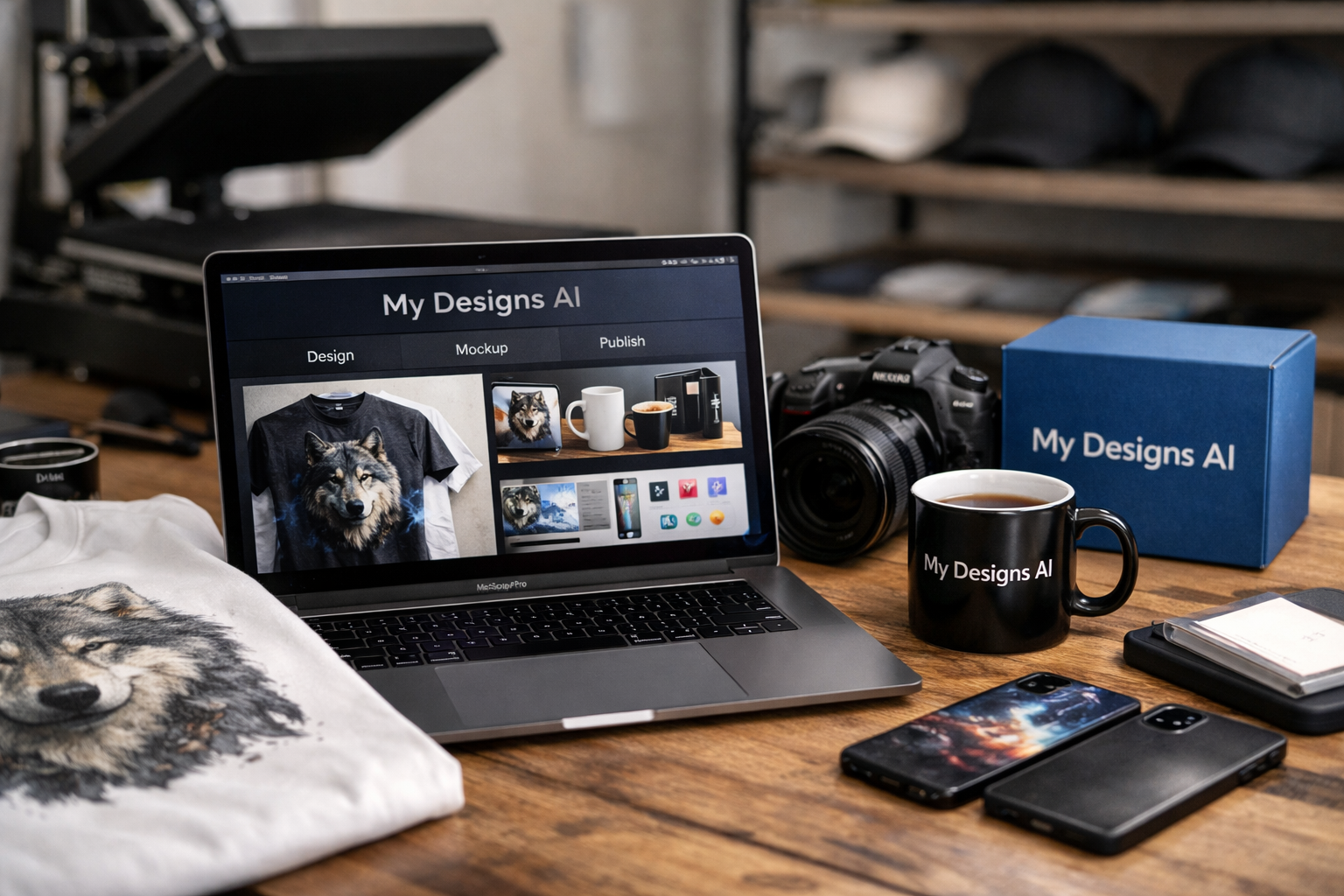
MyDesigns AI is a commerce-focused platform for print-on-demand and digital product sellers who want to create designs, build mockups, prepare listings, and publish products from one workspace. This my designs ai review focuses on the practical question buyers need answered: does its AI actually reduce the repetitive work of running a product catalog?
Unlike a stand-alone art generator, MyDesigns connects creative tasks with selling tasks. It is designed for people managing Etsy listings, Shopify print on demand stores, WooCommerce catalogs, TikTok shops, or a MyDesigns Store—not simply generating a single image for personal use.
TopTrustReview may earn a commission if you purchase through links in this article, at no extra cost to you. Our assessment is based on the official MyDesigns homepage and pricing details, with an emphasis on verified features rather than income or ranking promises.
Official website · Latest pricing & offers
What Is MyDesigns AI?
A simple definition of the platform
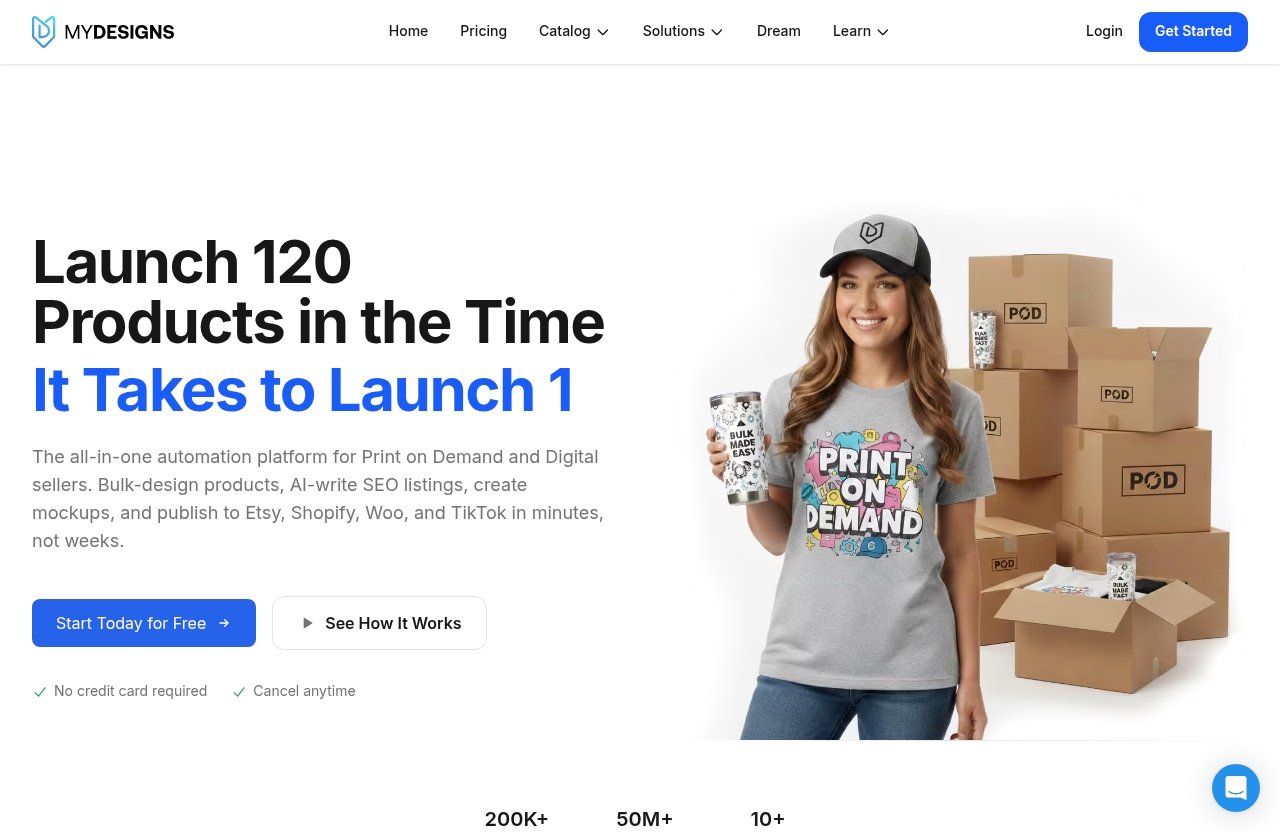
MyDesigns is a print-on-demand and digital products platform that combines design creation, mockups, listing preparation, and store publishing. Its AI tools include Scout AI, Dream AI, and Vision AI, while its core workflow supports batch-based product work.
In simple terms, my designs ai helps a seller move from an idea to a publishable product listing without constantly switching between separate design, mockup, and marketplace tools. The platform’s value is in connecting those steps rather than treating them as unrelated tasks.
How it fits print-on-demand and digital product workflows
A normal POD workflow can involve research, art creation, product setup, mockup generation, title writing, tagging, and store uploads. That becomes slow when each design needs to be listed across multiple products or storefronts.
MyDesigns brings these activities together in one seller-oriented environment. It supports bulk mockups and bulk publishing to Etsy, Shopify, WooCommerce, and TikTok on every plan, according to official plan details. That makes it relevant to both print-on-demand sellers and creators selling downloadable digital products.
Why it is more than a basic AI image generator
A conventional AI design generator is mainly about producing visuals. It may be useful at the beginning of a product idea, but it does not necessarily help with product presentation, keyword-oriented listing fields, or publishing.
The my designs ai approach is broader. Dream AI supports design creation, Vision AI assists with listing content, and the platform’s bulk tools help turn prepared designs into sellable catalog entries. This is why it should be evaluated as a POD platform, not only as an AI image tool.
How MyDesigns AI Works in a Seller Workflow
From research to product idea
The workflow can begin with Scout AI, which MyDesigns describes as a tool that finds what sells. In practical terms, research tools matter because sellers need product ideas informed by demand rather than relying entirely on guesswork.
For a creator building a seasonal collection or expanding an existing niche, my designs ai can make the research stage part of the same system used for production and publishing. It does not guarantee sales, but it can give sellers a more organized starting point for deciding what to create next.
Generating and refining designs
Dream AI is MyDesigns’ AI-assisted design creation feature. It can be useful when a seller needs visual starting points for a new collection, concepts for a product theme, or assets to refine before moving into the rest of the store workflow.
The key consideration is that AI-generated output should not be treated as “finished” by default. Sellers still need to assess whether a design suits their brand, product format, customer expectations, and any applicable marketplace or intellectual-property requirements. The strongest workflow is usually AI assistance followed by deliberate seller review.
Creating mockups and listing details
Once a design is ready, MyDesigns supports custom and own PSD mockups, while Pro and Pro Plus also include bulk video mockups. Product presentation is not a minor detail: customers often decide whether to click based on the first product image and whether they can picture the item in use.
Vision AI is positioned to write titles, descriptions, and tags. For sellers handling dozens of products, an Etsy listing AI workflow can reduce the blank-page problem and help maintain a more consistent format across a catalog. It should still be reviewed before publishing so wording remains accurate, on-brand, and aligned with the actual product.
Publishing to multiple stores
The last step is where a connected platform can save the most time. MyDesigns supports bulk publishing to Etsy, Shopify, WooCommerce, and TikTok, with the number of connected shops determined by the plan.
For sellers operating in more than one channel, my designs ai provides a single workspace for preparing catalog work before distributing it. Instead of rebuilding the same listing repeatedly, the goal is to create once, check the details, and publish through the available integrations.
Key AI Features and Why They Matter
Scout AI: finding demand and inspiration
Scout AI is the discovery feature MyDesigns describes as finding what sells. Research is often the least visible part of a successful product workflow, yet it shapes which topics, styles, and product directions a seller spends time on.
For a beginner, Scout AI can make product ideation less intimidating. For an established shop, it can help create a structured research habit before committing time to a larger batch. It is best viewed as decision support—not a replacement for knowing your audience or validating a niche.
Dream AI: generating original designs
Dream AI helps with AI-assisted design generation. This matters most when a seller needs to explore multiple visual directions quickly or develop starting concepts for a themed product range.
The my designs ai workflow becomes more useful when Dream AI output can flow into mockups and listings rather than remaining isolated in a design folder. Still, sellers should refine their work, confirm commercial suitability, and avoid assuming an AI-generated design is automatically distinctive or marketplace-ready.
Vision AI: writing platform-ready listings
Vision AI helps create titles, descriptions, and tags for listings. Writing these fields repeatedly can become a major bottleneck, especially when each design appears on multiple products.
In practice, Vision AI can give sellers a usable draft that they can edit for clarity and accuracy. A good listing should correctly describe the product, avoid unsupported claims, and use language that fits the specific storefront. AI can speed up drafting, but human review remains essential.
Bulk mockups and bulk publishing
Bulk tools are where MyDesigns has a clear operational focus. A bulk mockup generator can help a seller apply designs across product presentations without manually recreating every image one by one.
Bulk publishing matters for the same reason: catalog work is repetitive. My designs ai is most compelling for sellers who are regularly processing batches, because the platform’s features are built around managing volume rather than completing one isolated creative task.
Who MyDesigns AI Is Best For
Print-on-demand sellers
MyDesigns is a logical fit for POD sellers who need a repeatable process for moving designs into product listings. The platform combines creation support, mockup tools, listing assistance, and store publishing in one workflow.
A seller with an expanding apparel, wall art, gift, or accessory catalog may find this more useful than juggling a separate art generator and multiple marketplace dashboards. The benefit is primarily workflow consolidation, not a promise of automatic sales.
Digital product sellers
Digital product sellers can also benefit from a platform that supports design production and listing preparation. Downloadable products still need compelling previews, structured descriptions, relevant tags, and organized catalog management.
For this audience, my designs ai can be particularly practical when a creator sells several variations of a design, template, printable, or themed bundle. The same consideration applies: the platform helps organize and accelerate the workflow, but the seller remains responsible for product quality and customer fit.
Etsy and multi-store sellers
Etsy sellers may appreciate AI-assisted listing drafts and bulk publishing, while multi-store operators have an even stronger use case. Publishing to Etsy, Shopify, WooCommerce, and TikTok is included across plans, although shop limits vary.
If your work involves repeatedly logging into several platforms to build similar listings, MyDesigns can reduce duplicate setup work. Those who search for a my designs ai login solution are likely looking for this centralized operational benefit rather than a one-off design tool.
Small teams and high-volume operators
Small teams benefit when design, mockup, and listing processes are easier to standardize. Higher-volume operators may also value larger batch limits, more AI credits, increased storage, and wider shop access available on higher plans.
The platform is less compelling for someone who only makes occasional personal graphics. It is built for catalog production, so its strongest value appears when a seller has an ongoing pipeline of products to prepare and publish.
Official website · Latest pricing & offers
MyDesigns Pricing Plans Explained
Official MyDesigns plan details show three paid tiers—Starter, Pro, and Pro Plus—alongside a free start option. Every paid plan includes AI credits, bulk mockups, and bulk publishing to Etsy, Shopify, WooCommerce, and TikTok.
| Plan | Annual Billing Price | Month-to-Month Price | AI Credits per Month | Products per Batch |
|---|---|---|---|---|
| Starter | $19.99/month billed yearly at $239.88/year | $24.99/month | 250 | 24 |
| Pro | $39.99/month billed yearly at $479.88/year | $49.99/month | 600 | 48 |
| Pro Plus | $79.99/month billed yearly at $959.88/year | $99.99/month | 2,000 | 120 |
Starter plan
The Starter plan costs $19.99/month billed yearly at $239.88/year, saving $60 versus monthly billing. It is also available at $24.99 month to month.
Official Starter features include 250 AI credits per month, 24 products per batch, and one shop each on Etsy, Shopify, WooCommerce, and TikTok. It also includes custom and own PSD mockups, one MyDesigns Store with a 6% fee, 40 GB of design library storage, and 2% off the print catalog.
For a newer seller, my designs ai Starter is the clearest entry point if you need a real publishing workflow but do not yet operate multiple shops on each platform.
Pro plan
The Pro plan costs $39.99/month billed yearly at $479.88/year, saving $120 versus monthly billing. Its month-to-month price is $49.99.
Pro includes everything in Starter, plus 600 AI credits per month, 48 products per batch, and three shops each on Etsy, Shopify, WooCommerce, and TikTok. It also adds bulk video mockups, Scout AI, catalog import and export, two MyDesigns Stores with a 4.5% fee, 100 GB of design library storage, and 5% off the print catalog.
This plan is likely the practical middle option for a growing seller who needs Scout AI, more batch capacity, or more than one shop per sales channel.
Pro Plus plan
The Pro Plus plan costs $79.99/month billed yearly at $959.88/year, saving $240 versus monthly billing. It costs $99.99 month to month.
It includes everything in Pro, with 2,000 AI credits per month, 120 products per batch, and unlimited shops on every platform. Official plan details also list three MyDesigns Stores with a 3% fee, 1 TB of design library storage, 10% off the print catalog, and priority support.
For an agency, established brand, or high-volume operator, my designs ai Pro Plus makes sense when unlimited shops and larger processing capacity are more valuable than the lower subscription cost of the other plans.
Free start option and refund policy
MyDesigns says users can start free with no credit card needed. That makes the my designs ai free option useful for exploring the interface and deciding whether the workflow fits your business before paying.
Every paid plan has a 7-day money-back policy. If AI credits were used, their value is deducted from the refund amount. You can cancel anytime and keep access through the paid period. The checkout process runs on Stripe, and MyDesigns states that card information goes to Stripe rather than MyDesigns.
Pros and Trade-Offs to Consider
Where MyDesigns AI stands out
The main strength is the end-to-end seller workflow. MyDesigns combines AI-assisted creation, research, mockups, listing content, catalog work, and multi-platform publishing instead of asking sellers to assemble each piece themselves.
Its plan structure also scales in practical ways: more AI credits, bigger product batches, more connected shops, more storage, and better print catalog discounts at higher levels. The pricing page additionally highlights trust signals of 4.9 on Capterra and 4.8 on G2.
Possible limitations for casual users
MyDesigns is likely more platform than a casual user needs. Someone who only wants to generate a single my designs ai logo concept or occasional social media graphic may not benefit from catalog management and publishing tools.
There is also a learning consideration. A connected seller workflow has more moving parts than a simple art generator, including product setup, mockup selection, listing review, and storefront publishing. Those steps are valuable for sellers, but they require time to use responsibly.
When a simpler AI design tool may be enough
A simpler tool may be a better choice if your only need is experimental image creation. The same is true if you do not sell online, do not need product mockups, and have no reason to publish to ecommerce platforms.
Choose MyDesigns when the work extends beyond creating an image. The platform earns its place when creation, listings, mockups, and store operations need to work together.
How MyDesigns Compares With Broader AI Creative Tools
Workflow-focused vs general-purpose AI tools
General-purpose creative AI tools are often designed for many kinds of visual or written content. They can be flexible, but they may leave the seller to handle product formatting, marketplace listing fields, and publishing separately.
MyDesigns is more specialized. The my designs ai value proposition is not simply “make an image with AI”; it is helping turn a design into a product listing that can be managed at scale.
Why seller-specific tools can outperform generic generators
A generic generator may be enough for brainstorming, but ecommerce sellers often lose time after the image is made. They still need mockups, titles, descriptions, tags, product organization, and store uploads.
A seller-specific system can reduce tool switching and keep product data closer to the creative process. That does not make it automatically better for everyone, but it is a meaningful advantage for people with recurring catalog work.
When to choose MyDesigns over a general creative suite
Choose MyDesigns when you sell physical POD products or digital goods and need a repeatable production-to-publishing process. It is especially relevant if Etsy listing AI assistance, bulk mockups, and multi-store publishing are part of your weekly workflow.
Choose a broad creative suite if you need diverse content formats outside commerce and do not require store integrations. The right decision depends on whether your bottleneck is making visuals or operating a product catalog.
Is MyDesigns AI Worth It?
Best case for beginners
For beginners, MyDesigns can be worth considering when the goal is to learn a structured selling workflow rather than collect disconnected tools. The free start option with no credit card needed lowers the risk of exploring whether the interface and process feel manageable.
Starter offers a defined path into AI credits, batch processing, one shop on each supported platform, PSD mockups, and storage. It is best for someone ready to create and list products consistently—not someone looking only for free artwork.
Best case for growing shops
Growing shops are the strongest use case for MyDesigns. As product numbers increase, repeated mockup preparation, listing writing, and store publishing can take more time than the original design work.
Pro adds Scout AI, catalog import and export, bulk video mockups, increased batch size, more shops, and more AI credits. For a seller actively expanding across Etsy, Shopify, WooCommerce, or TikTok, that operational lift may justify the subscription more clearly than it would for a hobbyist.
Best case for agencies or teams
Teams and agencies should look most closely at Pro Plus if they manage numerous storefronts or larger batches. Unlimited shops on every platform, 120 products per batch, 2,000 monthly AI credits, 1 TB of storage, and priority support address needs that are less relevant to a single small shop.
Overall, my designs ai is worth it for sellers who value a connected commerce workflow and expect to use bulk tools regularly. It is probably not worth paying for if you only need an occasional AI image generator. If you want to assess the current platform directly, you can start free through the official MyDesigns offer before choosing a paid plan.
Official website · Latest pricing & offers
FAQ
What does MyDesigns do?
MyDesigns is a print-on-demand and digital products platform for creating designs, making mockups, preparing listings, and publishing products from one workspace. Its official AI features include Scout AI, Dream AI, and Vision AI.
Is MyDesigns free?
MyDesigns says you can start free with no credit card needed. Paid plans are Starter at $19.99/month billed yearly or $24.99 month to month, Pro at $39.99/month billed yearly or $49.99 month to month, and Pro Plus at $79.99/month billed yearly or $99.99 month to month.
Who is MyDesigns best for?
MyDesigns is best for POD sellers, digital product sellers, Etsy sellers, and multi-store operators who need AI-assisted design and listing workflows alongside bulk mockups and publishing. It is particularly suited to sellers managing recurring catalog work.
Does MyDesigns create designs automatically?
MyDesigns includes Dream AI to help generate and refine design ideas. However, the full workflow also involves seller review, mockup creation, listing preparation, and publishing, so it should not be treated as a completely hands-off product business tool.
Can MyDesigns publish to Etsy and Shopify?
Yes. Official MyDesigns pricing details list bulk publishing to Etsy, Shopify, WooCommerce, and TikTok on every plan. The number of supported shops depends on the subscription tier.
Related Reading
References
- MyDesigns: Print on Demand and Digital Products Platform
- MyDesigns Pricing: Starter, Pro and Pro Plus Plans
- Read Customer Service Reviews of mydesigns.io