Cloudways Alternatives: 7 Best Managed Cloud Hosting Options Compared
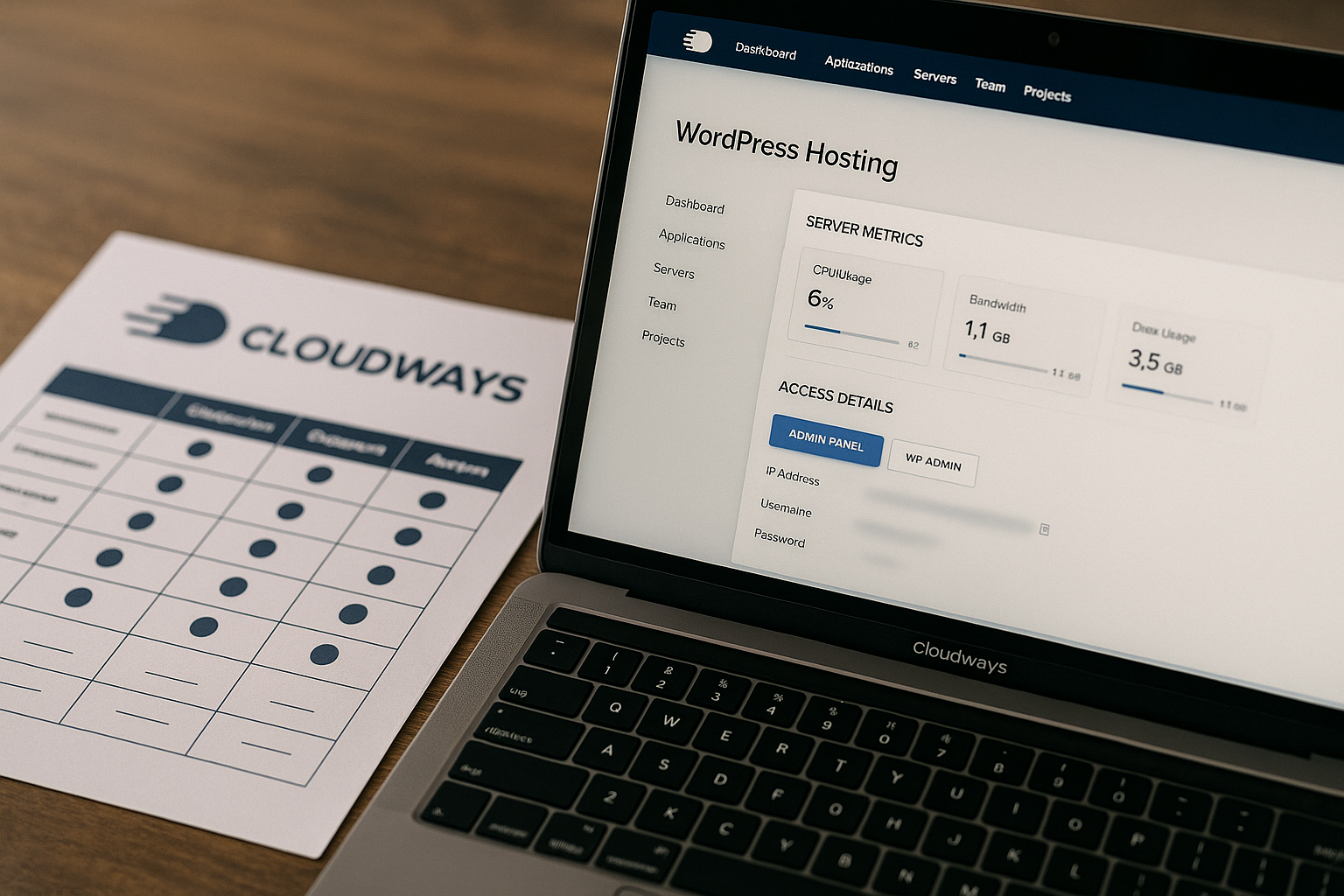
If you are comparing cloudways alternatives, the quick answer is this: Cloudways is still a strong benchmark for flexible managed cloud hosting, but it is not the perfect fit for every site owner. RunCloud is closest if you want VPS-style control, Kinsta and Flywheel are better fits for premium managed WordPress, Nexcess is compelling for commerce, SiteGround and Hostinger are simpler mainstream options, and NoFrillsCloud is worth considering if you want a niche managed cloud provider.
People usually look for cloudways alternatives for four reasons: they want something cheaper, simpler, more hands-off, or better aligned with a specific use case like agency workflows, WooCommerce, or developer control. This guide compares the options practically, without inventing pricing claims or pretending one host is best for everyone.
Official website · Latest pricing & offers
Quick Verdict: The Best Cloudways Alternatives at a Glance

Cloudways remains a strong baseline because it gives users managed access to cloud infrastructure without requiring them to configure everything manually. But the best cloudways alternatives depend heavily on how much control, support, and simplicity you want.
| Rank | Provider | Best For | Short Verdict |
|---|---|---|---|
| 1 | RunCloud | VPS users and technical site owners | Closest operational alternative if you want control and can manage more responsibility |
| 2 | Kinsta | Premium WordPress hosting | Strong fit for teams that want less server management and a polished managed WordPress experience |
| 3 | SiteGround | Simpler WordPress hosting | Good for users who want mainstream hosting with less cloud complexity |
| 4 | Flywheel | Agencies and freelancers | Client-friendly managed WordPress hosting with workflow simplicity |
| 5 | Nexcess | WooCommerce and content-heavy sites | Useful for stores and sites that need managed hosting tailored to commerce |
| 6 | Hostinger | Budget-conscious buyers | Often considered by shoppers looking for a lower-cost, simpler alternative |
| 7 | NoFrillsCloud | Niche managed cloud users | Worth a look for buyers who want managed cloud hosting from a smaller specialist |
Best overall for simplicity
For simplicity, SiteGround is one of the easiest cloudways alternatives to understand. It is a better fit if you do not want to think much about cloud providers, server sizing, or infrastructure layers.
Kinsta and Flywheel are also simple, but they focus more specifically on managed WordPress. If your goal is to reduce decision fatigue, these providers may feel more straightforward than a flexible cloud platform.
Best for performance
Kinsta is the strongest premium managed WordPress pick in this comparison. It is designed for users who want performance-focused hosting without doing much server administration.
Cloudways can also perform very well because it supports multiple cloud providers, including DigitalOcean, Vultr, Linode, AWS, and Google Compute Engine, according to the official Cloudways homepage. The better choice depends on whether you want infrastructure flexibility or a more curated managed WordPress environment.
Best for agencies
Flywheel is the most agency-friendly option here because its positioning appeals to freelancers, studios, and teams managing client websites. Its biggest advantage is operational simplicity: fewer technical decisions, cleaner workflows, and a more client-centered feel.
Cloudways can still be a good agency platform, especially with its Client Billing & Reporting product listed on the official homepage. But for agencies that want a more polished WordPress-only workflow, Flywheel deserves serious consideration.
Best budget-friendly option
Hostinger and a VPS paired with RunCloud are the most common budget-oriented directions. This does not mean they are always the cheapest in every situation, because live pricing changes and included support levels matter.
If you are comparing cloudways alternatives mainly to reduce costs, check each provider’s current pricing page and confirm what is included. A cheaper monthly price can become less attractive if you need extra tools, migrations, backups, or hands-on support.
Best for hands-off managed hosting
Kinsta, Flywheel, and Nexcess are the strongest hands-off choices in this list. They are especially attractive if you want to spend less time managing server-level details.
Cloudways Autonomous, listed on the official Cloudways homepage as fully managed WordPress hosting for sites, is also relevant here. If you already like Cloudways but want less manual management, compare Cloudways’ own Autonomous option before switching away.
What Cloudways Does Well — and Why People Start Looking Elsewhere
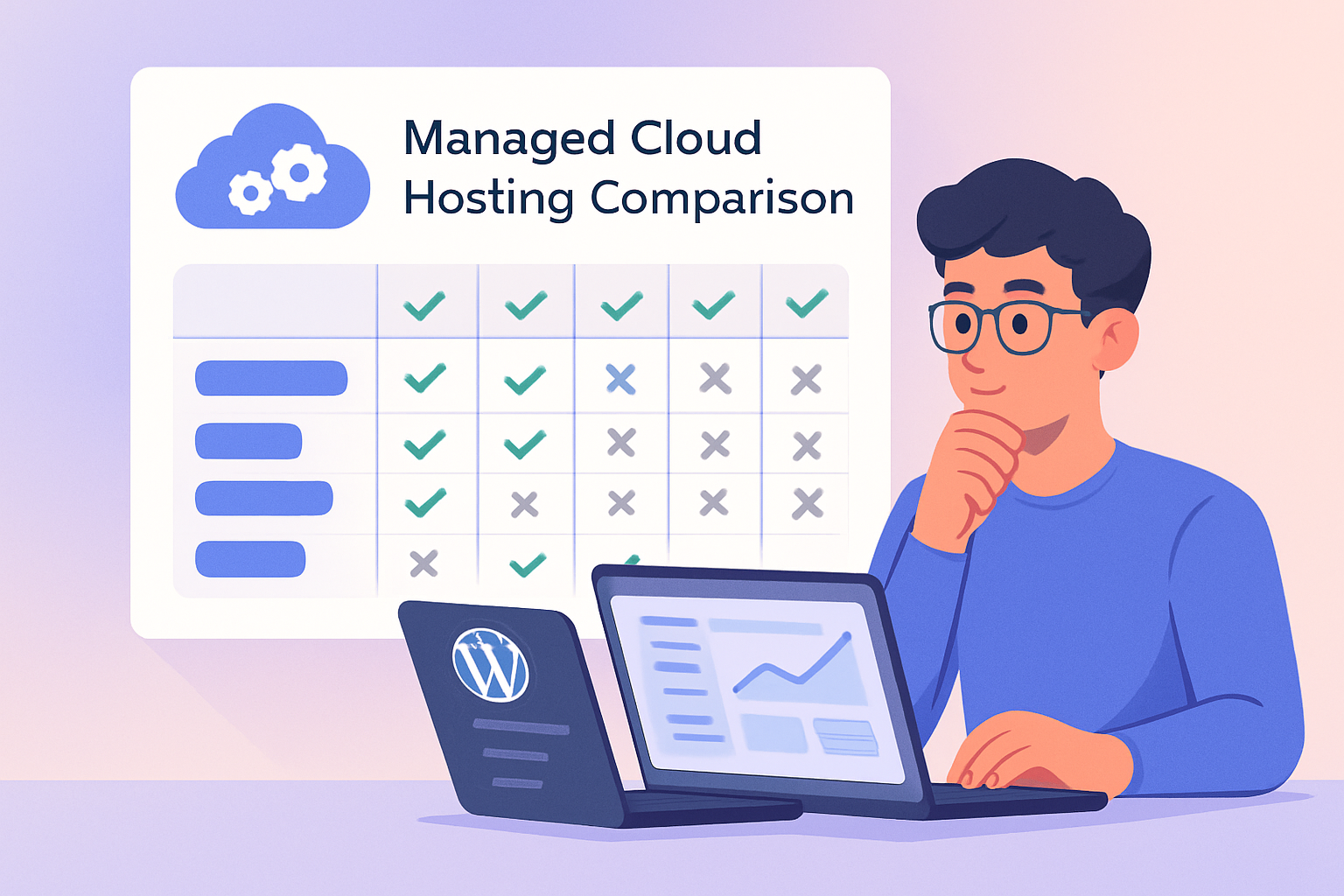
Before comparing cloudways alternatives, it helps to understand what Cloudways is actually good at. The official homepage title describes it as “Managed Cloud Hosting Platform Simplified,” which captures the appeal well: it gives users a managed layer over cloud infrastructure.
According to the official Cloudways homepage, the platform supports WordPress, Laravel, Magento, WooCommerce, and PHP. It also lists features such as performance, security, 24×7 expert support, free migration, and free SSL.
Cloudways’ core strengths
Cloudways is attractive because it sits between traditional shared hosting and fully self-managed cloud servers. You get more infrastructure choice than many mainstream hosts, but you do not have to build a server stack from scratch.
The official Cloudways homepage lists cloud providers including DigitalOcean, Vultr, Linode, AWS, and GCE, meaning Google Compute Engine. That range is one reason Cloudways is often used as a reference point in a cloud hosting comparison.
Cloudways also shows several product options on its official homepage:
| Cloudways Product | Official Homepage Positioning |
|---|---|
| Cloudways Flexible | Customisable managed hosting for WordPress |
| Cloudways Autonomous | Fully managed WordPress hosting for sites |
| Client Billing & Reporting | Automate recurring billing, payments, and invoices |
| Cloudways AI Copilot | AI-powered instant troubleshooting insights |
Those facts matter because Cloudways is not only a single hosting plan. It is a managed cloud hosting platform with multiple product directions.
Common reasons buyers compare alternatives
Most shoppers do not look for cloudways alternatives because Cloudways is bad. They compare because their priorities change.
Common reasons include:
- They want a simpler dashboard and fewer infrastructure decisions.
- They want premium managed WordPress support.
- They want cheaper hosting for smaller sites.
- They want a more agency-oriented workflow.
- They want hosting tailored to WooCommerce or ecommerce.
- They prefer a traditional hosting brand over a cloud platform.
- They read discussions on cloudways alternatives reddit threads and want a second opinion.
In practice, the right host depends on how much responsibility you want. Cloudways gives flexibility, but some users want convenience more than control.
When Cloudways is still the right choice
Cloudways is still a strong choice if you like choosing from multiple cloud providers and want a managed layer for WordPress, WooCommerce, Laravel, Magento, or PHP applications. It is also a good fit if you are comfortable with cloud concepts but do not want unmanaged VPS administration.
If you want to evaluate Cloudways directly, you can review its current offering through Cloudways via TopTrustReview. Just remember to check the live pricing page before making any numeric plan comparisons.
Cloudways may be the better option if you value infrastructure flexibility more than a simplified WordPress-only experience.
How We Evaluated These Cloudways Alternatives
This comparison is based on use-case fit, official product positioning where available, and practical buying criteria. It is not based on unverifiable claims, scraped pricing, or assuming every provider serves the same audience.
The best cloudways alternatives are not simply “hosts like Cloudways.” Some are closer functional substitutes, while others solve different problems such as simpler WordPress management, agency workflows, or lower-cost hosting.
Performance and stack
Performance depends on infrastructure, caching, resource allocation, optimization, and how well a host manages WordPress or application workloads. A host can be fast in one scenario and less ideal in another.
For this guide, I treated performance as a practical category rather than a single benchmark number. Vendor speed claims should always be verified against real tests, your site type, your traffic pattern, and current official documentation.
Management experience
Management experience is one of the biggest differences between Cloudways and many cloudways competitors. Cloudways gives users a managed cloud platform, but it still expects some comfort with servers, applications, staging, backups, and scaling choices.
A provider like Kinsta, Flywheel, or Nexcess may feel more hands-off. A tool like RunCloud may feel more flexible, but it usually asks the user to take more responsibility for the VPS layer.
Support and migrations
Support quality matters more when your site earns revenue. Cloudways lists 24×7 expert support and free migration on its official homepage, which are important decision factors for site owners moving from another platform.
For the alternatives, support should be evaluated through current official support pages, user feedback, and your own pre-sales experience. I recommend contacting support before buying if your site is business-critical.
Pricing transparency
Pricing changes frequently in hosting. Because the provided crawl could not fetch Cloudways’ official pricing page, this article does not state Cloudways numeric plan prices.
The same caution applies to competitor pricing. Always check live pricing pages and compare renewal rates, included migrations, backups, storage, bandwidth policies, support level, and add-ons before buying.
Best-fit use cases
The most useful way to compare cloudways alternatives is by scenario:
| Use Case | Strong Candidates |
|---|---|
| Developer control | RunCloud, Cloudways |
| Premium WordPress | Kinsta, Flywheel |
| Agencies | Flywheel, Cloudways, Kinsta |
| WooCommerce | Nexcess, Cloudways, Kinsta |
| Budget sites | Hostinger, RunCloud with VPS |
| Simpler mainstream hosting | SiteGround, Hostinger |
| Managed cloud niche | NoFrillsCloud, Cloudways |
This use-case approach is more honest than declaring a single winner. Hosting decisions are rarely one-size-fits-all.
1. RunCloud
RunCloud is one of the closest functional cloudways alternatives because it appeals to people who like cloud servers but want a control panel to simplify management. It is not identical to Cloudways, though, because the responsibility model can be different.
With RunCloud, the typical buyer is more comfortable thinking about VPS providers, server setup, and operational ownership. That can be a strength or a drawback, depending on your skill level.
Who it’s best for
RunCloud is best for developers, technical site owners, and agencies that want more control over the server layer. It fits users who are comfortable choosing and maintaining a VPS provider separately.
If you are the kind of person who likes optimizing servers and comparing infrastructure providers, RunCloud may feel empowering. If you want hosting to “just work” with minimal decisions, it may feel like extra work.
How it compares with Cloudways
Cloudways packages managed cloud hosting into a more unified platform experience. RunCloud is more of a server management control panel for users who bring or manage their own VPS environment.
That makes RunCloud one of the best cloudways alternatives for control, but not necessarily for convenience. The tradeoff is simple: you may reduce platform dependency or improve flexibility, but you usually accept more operational responsibility.
Pros and tradeoffs
| Pros | Tradeoffs |
|---|---|
| Strong fit for technical users | More VPS responsibility |
| Flexible server management approach | Less beginner-friendly |
| Good for users who want control | Support boundaries may differ from fully managed hosting |
| Useful for agencies with technical staff | Requires more confidence with infrastructure choices |
RunCloud can be excellent if you know what you are doing. But for non-technical WordPress owners, the learning curve can outweigh the benefits.
Best use cases
RunCloud is a good fit for:
- Developers managing multiple client projects.
- Agencies with in-house technical skills.
- Users who want a VPS control panel instead of a bundled managed cloud platform.
- Site owners comparing Cloudways with a potentially leaner operational model.
If you are comparing runcloud because you saw it mentioned in forums or cloudways alternatives reddit discussions, focus less on price alone and more on responsibility. Cheaper is not always better if you lose the support model you need.
2. Kinsta
Kinsta is one of the strongest cloudways alternatives for wordpress when the goal is premium managed WordPress hosting. It is better suited to users who want a polished WordPress-first platform rather than a broader managed cloud environment.
The main appeal is reduced server tinkering. Kinsta is often considered by businesses, agencies, publishers, and ecommerce teams that want performance-oriented WordPress hosting with a more curated experience.
Who it’s best for
Kinsta is best for WordPress site owners who want hosting to feel managed, optimized, and less infrastructure-heavy. It is also a good fit for teams that value support and operational polish.
If your site is revenue-generating and you do not want to manage server-level decisions, Kinsta should be on your shortlist. It is especially relevant for businesses that would rather pay for convenience than spend internal time troubleshooting infrastructure.
How it compares with Cloudways
Cloudways gives you more flexibility across different applications and cloud providers. Kinsta narrows the focus toward managed WordPress.
That difference matters. If you host WordPress, Laravel, Magento, WooCommerce, and PHP projects, Cloudways may feel more adaptable. If your world is mostly WordPress, Kinsta may feel simpler and more purpose-built.
Pros and tradeoffs
| Pros | Tradeoffs |
|---|---|
| Premium managed WordPress positioning | Less broad than a multi-application cloud platform |
| Less server administration | May not fit users who want deep infrastructure control |
| Strong fit for business WordPress sites | Check current pricing before comparing value |
| Polished user experience | WordPress-first focus may not suit mixed app stacks |
Kinsta is not the cheapest path for every site. Its value is strongest when reduced maintenance, support, and WordPress-specific management matter more than raw flexibility.
Best use cases
Kinsta is a strong choice for:
- Business WordPress sites.
- Publishers and content brands.
- Agencies that want premium WordPress hosting for clients.
- WooCommerce stores that prefer managed WordPress infrastructure.
- Teams that want fewer server decisions.
For many buyers, the Kinsta vs Cloudways decision comes down to flexibility versus focus. Cloudways gives more provider and app flexibility; Kinsta gives a more curated WordPress experience.
3. SiteGround
SiteGround is one of the more mainstream cloudways alternatives for WordPress users who want a simpler hosting experience. It is not the same type of platform as Cloudways, but that is exactly why some shoppers prefer it.
If Cloudways feels too cloud-oriented, SiteGround may feel more familiar. It is a practical option for site owners who want a managed feel without spending much time thinking about infrastructure.
Who it’s best for
SiteGround is best for bloggers, small businesses, and WordPress users who want a straightforward hosting provider. It is especially relevant for people moving up from basic hosting but not ready for a more technical managed cloud setup.
It can also suit users who want a recognizable hosting interface and support process. For many small sites, ease of use matters more than granular cloud control.
How it compares with Cloudways
Cloudways is more flexible from an infrastructure standpoint. SiteGround is simpler and more conventional.
If your goal is managed cloud hosting with provider choice, Cloudways is the stronger fit. If your goal is to get a WordPress site online with less complexity, SiteGround may be easier to live with.
Pros and tradeoffs
| Pros | Tradeoffs |
|---|---|
| Simpler for mainstream WordPress users | Less cloud-provider flexibility |
| Familiar hosting experience | May not satisfy users who want server-level control |
| Good fit for small businesses and bloggers | Advanced scalability needs require careful evaluation |
| Easier decision process | Not a direct Cloudways-style platform replacement |
SiteGround’s appeal is convenience. It is not trying to be the same kind of cloud abstraction layer as Cloudways.
Best use cases
SiteGround is a good fit for:
- Small business websites.
- Blogs and content sites.
- First-time WordPress site owners.
- Users who want simpler hosting management.
- Buyers who find Cloudways more flexible than they need.
If your comparison is mostly about ease of use, SiteGround deserves a look. If it is about cloud architecture, Cloudways and RunCloud are more directly comparable.
Official website · Latest pricing & offers
4. Flywheel
Flywheel is one of the best cloudways alternatives for agencies, freelancers, and WordPress professionals who want smooth workflows. Its appeal is not just hosting infrastructure; it is the day-to-day experience of managing client sites.
Flywheel is especially relevant if your work involves launching, handing off, or maintaining WordPress sites for clients. In that scenario, workflow simplicity can be more valuable than server flexibility.
Who it’s best for
Flywheel is best for freelancers, small agencies, designers, and WordPress-focused teams. It suits users who want managed WordPress hosting that feels client-friendly.
If you are building sites for non-technical clients, Flywheel can be easier to explain and operate. It may also reduce the friction of managing multiple WordPress projects.
How it compares with Cloudways
Cloudways can work well for agencies, particularly because the official homepage lists Client Billing & Reporting for automating recurring billing, payments, and invoices. That makes Cloudways relevant to service providers.
Flywheel, however, is more narrowly focused on managed WordPress workflows. If your agency only works with WordPress, that focused experience may feel cleaner than a broader managed cloud platform.
Pros and tradeoffs
| Pros | Tradeoffs |
|---|---|
| Agency-friendly WordPress workflow | Less suitable for non-WordPress apps |
| Client-centered management experience | Less infrastructure flexibility than Cloudways |
| Good fit for freelancers and designers | Check current plan limits and pricing |
| Reduces technical friction | Not ideal for users wanting cloud provider choice |
Flywheel is not the obvious pick for developers who want maximum server control. It is better for teams that want to move quickly and keep client operations clean.
Best use cases
Flywheel is a good fit for:
- Freelancers managing client WordPress sites.
- Agencies that value workflow simplicity.
- Designers who want hosting without deep infrastructure decisions.
- WordPress-only client portfolios.
- Teams prioritizing support and usability.
For agency buyers, the practical question is this: do you want Cloudways’ flexibility, or Flywheel’s WordPress-focused client experience?
5. Nexcess
Nexcess is a strong option in a cloud hosting comparison for WordPress and ecommerce users, especially those running WooCommerce or content-heavy sites. It is often considered by buyers who want managed hosting tailored to stores and more demanding websites.
Nexcess is not simply a cheaper substitute. Its appeal is specialization, particularly for sites where performance, stability, and support are tied directly to revenue.
Who it’s best for
Nexcess is best for ecommerce store owners, WooCommerce users, and businesses with content-heavy WordPress sites. It can also be a good fit for teams that want more managed help around commerce-oriented workloads.
If your store generates revenue every day, hosting decisions should account for support, platform fit, and operational risk. Nexcess may be worth comparing if you want hosting that feels more commerce-aware.
How it compares with Cloudways
Cloudways supports WooCommerce and Magento according to the official Cloudways homepage. That makes it relevant for ecommerce, especially for users who want cloud provider flexibility.
Nexcess appeals more to buyers who want a managed hosting experience oriented around stores and heavier sites. Cloudways may be more flexible; Nexcess may feel more specialized.
Pros and tradeoffs
| Pros | Tradeoffs |
|---|---|
| Strong fit for WooCommerce and ecommerce | Less broad cloud-provider choice than Cloudways |
| Managed hosting approach | May not suit users who want deep server control |
| Useful for revenue-generating sites | Check current plan details carefully |
| Good for store owners wanting support | Not always the simplest option for tiny sites |
Nexcess is most compelling when hosting quality directly affects sales. For a small brochure site, it may be more than you need.
Best use cases
Nexcess is a good fit for:
- WooCommerce stores.
- Ecommerce brands.
- Membership sites.
- Content-heavy WordPress websites.
- Businesses that want managed hosting with commerce relevance.
If you are comparing nexcess with Cloudways, ask whether you want flexible cloud infrastructure or a more commerce-focused managed environment.
6. Hostinger
Hostinger is one of the most searched cloudways alternatives for budget-conscious buyers. It attracts users who want lower-cost hosting, simpler setup, and a more mainstream hosting experience.
The comparison is not purely technical. Many people searching cloudways vs hostinger are really asking whether they need managed cloud hosting at all.
Who it’s best for
Hostinger is best for small websites, beginners, budget buyers, and users who want a simpler hosting path. It is also relevant for side projects, starter blogs, portfolios, and local business sites.
If your site is new and does not need advanced cloud flexibility, Hostinger may be easier to justify. But if your site is complex or revenue-critical, compare support, performance needs, and scalability carefully.
How it compares with Cloudways
Cloudways is more cloud-focused and supports multiple providers through its managed platform. Hostinger is more mainstream and budget-oriented.
That makes Hostinger attractive if Cloudways feels like more platform than you need. But it also means users should not assume they are buying the same type of hosting experience.
Pros and tradeoffs
| Pros | Tradeoffs |
|---|---|
| Budget-friendly positioning | Not a direct managed cloud equivalent |
| Beginner-friendly appeal | Less flexible than Cloudways for infrastructure choice |
| Suitable for small sites | May not be ideal for complex workloads |
| Easy to understand for new users | Support and plan inclusions should be checked live |
Hostinger can be a practical choice if your site is small and your budget is tight. Just avoid choosing on price alone if uptime, support, or ecommerce reliability are critical.
Best use cases
Hostinger is a good fit for:
- New WordPress sites.
- Small business websites.
- Personal blogs.
- Budget-conscious projects.
- Users who want simpler hosting than Cloudways.
For shoppers looking for “Cloudways alternatives free” or very cheap hosting, the better framing is “lowest total cost with acceptable support.” Free or ultra-cheap hosting can cost more later if it creates performance or migration problems.
7. NoFrillsCloud
NoFrillsCloud is a niche managed cloud hosting option that appears in competitor discussions and SERP comparisons. It can add variety to your shortlist if you want something outside the most common hosting brands.
Because smaller or niche providers can change offerings quickly, verify all current claims directly from official pages before buying. That includes pricing, support scope, migrations, backups, security features, and infrastructure details.
Who it’s best for
NoFrillsCloud is best for users who want a managed cloud alternative but are open to a smaller provider. It may appeal to buyers who value support, speed, and security but do not necessarily want a large mainstream host.
It is also worth considering if you have already compared Cloudways, Kinsta, SiteGround, Flywheel, Nexcess, and Hostinger and still want another managed cloud option.
How it compares with Cloudways
Cloudways has a clearer public positioning as a managed cloud hosting platform, with official homepage facts listing multiple cloud providers, supported apps, and features such as 24×7 expert support, free migration, and free SSL.
NoFrillsCloud should be evaluated as a niche alternative rather than a one-to-one replacement. It may fit some users well, but buyers should verify exactly what is managed and what remains their responsibility.
Pros and tradeoffs
| Pros | Tradeoffs |
|---|---|
| Niche managed cloud alternative | Less broadly known than major competitors |
| May appeal to users wanting focused support | Verify current feature claims carefully |
| Adds variety beyond mainstream hosts | Fewer third-party comparisons may be available |
| Potential fit for managed cloud buyers | Not always easy to compare directly with Cloudways |
NoFrillsCloud is worth researching, but it requires more due diligence. Smaller providers can be excellent, but you should validate support responsiveness before moving a production site.
Best use cases
NoFrillsCloud is a good fit for:
- Users seeking a niche managed cloud host.
- Site owners who want alternatives beyond large brands.
- Buyers who prioritize support conversations before purchase.
- Projects where you can test performance before migrating fully.
If you are seriously considering NoFrillsCloud, run a pre-sales support test. Ask about migrations, backups, security, scaling, and what happens during traffic spikes.
Cloudways vs the Alternatives: Which One Should You Choose?
The best way to choose among cloudways alternatives is to start with your operating style. Do you want flexibility, simplicity, lower cost, or less maintenance?
Most bad hosting decisions happen when buyers compare providers only by monthly price. A smarter approach is to compare responsibility, support, workflow, and the cost of your own time.
Choose Cloudways if you want flexibility
Choose Cloudways if you want managed cloud hosting with multiple provider choices and support for different applications. According to the official homepage, Cloudways supports WordPress, Laravel, Magento, WooCommerce, and PHP.
It is also a strong fit if you want features listed on the official homepage such as performance, security, 24×7 expert support, free migration, and free SSL. If those match your needs, Cloudways should stay on your shortlist.
Choose a simpler host if you want convenience
Choose SiteGround or Hostinger if Cloudways feels more advanced than you need. These providers may make more sense for smaller sites, beginners, and users who want a familiar hosting experience.
Choose Flywheel if convenience means agency workflow simplicity. Choose Kinsta if convenience means a premium WordPress-first managed environment.
Choose a VPS control panel if you want lower cost
Choose RunCloud if you are comfortable managing a VPS layer and want a control panel approach. This can be attractive for technical users who want more control over infrastructure decisions.
But do not treat RunCloud as automatically better just because it may reduce some platform costs. The hidden cost is your time, knowledge, and responsibility for server-level choices.
Choose premium managed WordPress if you want less maintenance
Choose Kinsta, Flywheel, or Nexcess if you want less server maintenance and a more managed WordPress or commerce-focused experience. These options make sense when your site is important enough that convenience and support outweigh raw flexibility.
Here is a practical scenario guide:
| Scenario | Best Direction |
|---|---|
| Solo blogger | SiteGround or Hostinger |
| Budget buyer | Hostinger or RunCloud with VPS, after checking live pricing |
| Developer | RunCloud or Cloudways |
| Agency | Flywheel, Cloudways, or Kinsta |
| WooCommerce store | Nexcess, Cloudways, or Kinsta |
| Scaling business site | Kinsta, Cloudways, or Nexcess |
| Mixed app stack | Cloudways or RunCloud |
If you are still unsure, start by deciding whether you want cloud flexibility or managed convenience. That single choice will eliminate half the list.
Cloudways Pricing and Plans to Know Before You Compare
Pricing is one of the biggest reasons people search for cloudways alternatives, but it is also where comparisons often become unreliable. Hosting prices, renewal terms, included resources, and add-ons change regularly.
Because the official Cloudways pricing page could not be fetched in the provided crawl, this guide does not make numeric Cloudways pricing claims. Before publishing or purchasing, check the current Cloudways pricing page directly.
PRODUCT FACTS from official Cloudways pages
Based on verified official Cloudways homepage information, Cloudways is positioned as “Managed Cloud Hosting Platform Simplified.” Its official homepage lists several products and platform facts.
| Category | Verified Cloudways Homepage Facts |
|---|---|
| Products | Cloudways Flexible, Cloudways Autonomous, Client Billing & Reporting, Cloudways AI Copilot |
| Cloud Providers | DigitalOcean, Vultr, Linode, AWS, GCE / Google Compute Engine |
| Supported Apps | WordPress, Laravel, Magento, WooCommerce, PHP |
| Listed Features | Performance, Security, 24×7 Expert Support, Free Migration, Free SSL |
Cloudways Flexible is described on the official homepage as customisable managed hosting for WordPress. Cloudways Autonomous is described as fully managed WordPress hosting for sites.
The official homepage also lists Client Billing & Reporting for recurring billing, payments, and invoices, plus Cloudways AI Copilot for AI-powered instant troubleshooting insights.
How to interpret Cloudways pricing
When comparing Cloudways pricing with cloudways alternatives, do not look only at the starting monthly number. Compare what is included and what work remains on your plate.
Important questions include:
- Which cloud provider or infrastructure is included?
- Are migrations included?
- Is SSL included?
- What support level is available?
- What security features are managed?
- How easy is it to scale?
- Are backups, staging, email, or add-ons included?
- What happens at renewal?
Cloudways’ official homepage highlights free migration, free SSL, 24×7 expert support, performance, and security. Those inclusions should be weighed against any alternative’s current plan details.
What to verify before buying
Before choosing Cloudways or any alternative, verify live pricing and terms from official pages. Do not rely only on forum screenshots, outdated reviews, or old comparison tables.
Check:
- Current monthly and annual pricing.
- Renewal pricing.
- Trial or refund terms.
- Included resources.
- Support scope.
- Migration rules.
- Backup policy.
- Overage or scaling costs.
- Application support.
- Ecommerce suitability.
If Cloudways still fits your needs after that review, you can compare its live offer through Cloudways via TopTrustReview. If another provider better matches your workflow, that is a valid decision too.
Official website · Latest pricing & offers
FAQ
Who are Cloudways competitors?
Cloudways competitors depend on what you want to replace. RunCloud or a similar VPS control panel is one of the closest functional alternatives if you want control over cloud servers.
Kinsta, SiteGround, Flywheel, Nexcess, Hostinger, and NoFrillsCloud appeal to different segments. They are better viewed as use-case-based cloudways alternatives for simplicity, premium managed WordPress, agencies, commerce, budget hosting, or niche managed cloud hosting.
Is Cloudways the best hosting?
Cloudways can be a strong managed cloud hosting choice, especially for users who value flexibility, performance-oriented infrastructure choices, and a managed platform layer. But “best” depends on your priorities.
If you want simpler WordPress hosting, Kinsta, Flywheel, or SiteGround may feel better. If you want lower-cost control and can manage more responsibility, RunCloud may be more appealing.
What is the cheapest alternative to Cloudways?
The cheapest alternative changes over time, so you should verify current official pricing before deciding. Budget-friendly options often include Hostinger or a VPS paired with RunCloud, but the lowest advertised price is not always the best value.
Compare included support, migrations, backups, renewal rates, and your own time. A low-cost host can become expensive if it creates performance, support, or management problems.
Is Cloudways good for WordPress?
Yes. According to the official Cloudways homepage, Cloudways supports WordPress and offers Cloudways Flexible for customisable managed hosting for WordPress, plus Cloudways Autonomous for fully managed WordPress hosting for sites.
The official homepage also lists free SSL, free migration, 24×7 expert support, performance, security, and cloud-provider choices including DigitalOcean, Vultr, Linode, AWS, and Google Compute Engine. That makes Cloudways suitable for many WordPress sites, especially when flexibility matters.
Final Recommendation
The best cloudways alternatives are not all trying to solve the same problem. RunCloud is the closest if you want a VPS control panel and more control. Kinsta is the strongest premium WordPress-style pick. Flywheel is excellent for agency workflows. Nexcess is compelling for WooCommerce and commerce-heavy sites. SiteGround and Hostinger are simpler mainstream options, while NoFrillsCloud is a niche managed cloud alternative worth verifying.
Cloudways still deserves a serious look if you want flexible managed cloud hosting with multiple provider choices and support for WordPress, Laravel, Magento, WooCommerce, and PHP. If you want less server decision-making, choose a more curated managed WordPress host. If you want lower cost and have technical confidence, consider RunCloud or Hostinger depending on your needs.
Best overall pick
For most users who want flexibility without going fully unmanaged, Cloudways remains the benchmark. Among the alternatives, RunCloud is the closest operational substitute, while Kinsta is the strongest premium WordPress-focused option.
Best premium pick
Kinsta is the best premium pick for WordPress-first businesses that want less maintenance and a more curated managed hosting experience. Flywheel is close behind for freelancers and agencies that value client workflows.
Best budget pick
Hostinger is the best budget-oriented direction for simpler sites, while RunCloud plus a VPS may appeal to technical users trying to control costs. Always check current official pricing before deciding.
Best hands-off managed choice
Kinsta, Flywheel, and Nexcess are the best hands-off managed choices, depending on whether your priority is premium WordPress, agency workflow, or ecommerce. If you still want managed cloud flexibility, Cloudways should remain on your shortlist.
Related Reading
References
- No Cloudways Alternatives Match Cloudways’ Hosting Power
- Top 5 Best Cloudways Alternatives – For Cheaper/Better Hosting
- The Faster, More Secure Cloudways Alternative – NoFrillsCloud
- Kinsta vs Cloudways: Enterprise performance without complexity