Crocoblock vs Elementor Pro: Which WordPress Tool Is Better in 2026?
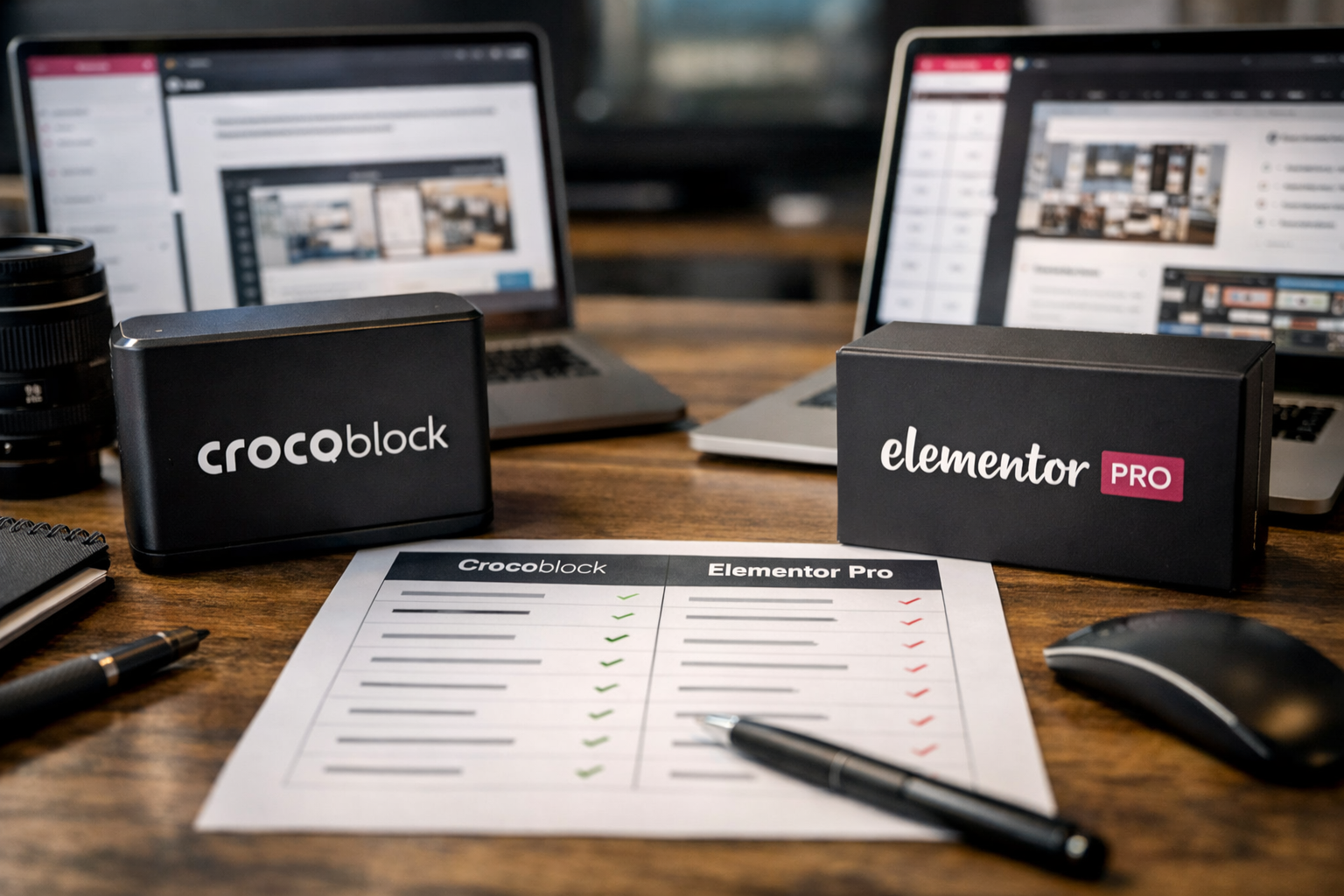
Choosing between crocoblock vs elementor pro is less about finding one universal winner and more about matching the tool to the type of website you build. Elementor Pro is typically the faster, simpler option for visual marketing sites, while Crocoblock brings the structured data, advanced listings, filtering, and booking tools that complex WordPress projects often need.
This comparison is based on verified Crocoblock product information and widely understood Elementor Pro use cases. If you purchase through links on this site, we may earn a commission at no added cost to you.
Official website · Latest pricing & offers
Crocoblock vs Elementor Pro: Quick Verdict for Elementor Users
For most Elementor users, the crocoblock vs elementor pro decision comes down to website complexity. Elementor Pro is generally easier for building polished pages quickly. Crocoblock is more compelling when the site needs to manage data, not just display pages.
| If You Need To Build… | Better Starting Point | Why |
|---|---|---|
| A simple service-business website | Elementor Pro | Familiar visual workflow and fewer moving parts |
| Landing pages, portfolio pages, or basic blogs | Elementor Pro | Fast design-first production |
| A directory, listing site, membership-style content hub, or real-estate site | Crocoblock | Dynamic content structure, filters, relations, and templates |
| A rental, appointment, or booking website | Crocoblock | Dedicated booking and appointment tools |
| An advanced WooCommerce store | Crocoblock + Elementor Pro | Greater product, filtering, and template flexibility |
| Recurring client websites with mixed requirements | Both | A flexible visual design and dynamic-content stack |
Best for simple marketing sites
Elementor Pro is typically the smoother fit for straightforward business websites. If your work is mostly about creating homepages, service pages, lead-generation layouts, contact forms, and promotional popups, the familiar Elementor interface can make launching faster.
In this type of crocoblock vs elementor pro comparison, buying a large dynamic suite for a five-page brochure site can be overkill. Start with the simplest tool that satisfies the scope.
Best for dynamic or content-heavy sites
Crocoblock is the stronger option for websites built around structured content. Think directories, property listings, job boards, vehicle inventories, course catalogs, travel sites, local guides, and editorial hubs with custom content types.
Its approach goes beyond adding design widgets. Crocoblock is designed to help WordPress professionals create custom post types, taxonomies, relationships, options pages, forms, and dynamic templates without code.
Best value if you already use Elementor
If Elementor is already your preferred page builder, Crocoblock can be an extension rather than a replacement. It adds specialized tools where native visual design workflows can become restrictive, particularly for data-heavy sites.
For many professional builders, the practical answer to crocoblock vs elementor pro is not either/or. Elementor Pro handles visual page production, while Crocoblock supports the underlying content system and advanced front-end interactions.
What Crocoblock Is and What It Adds to Elementor
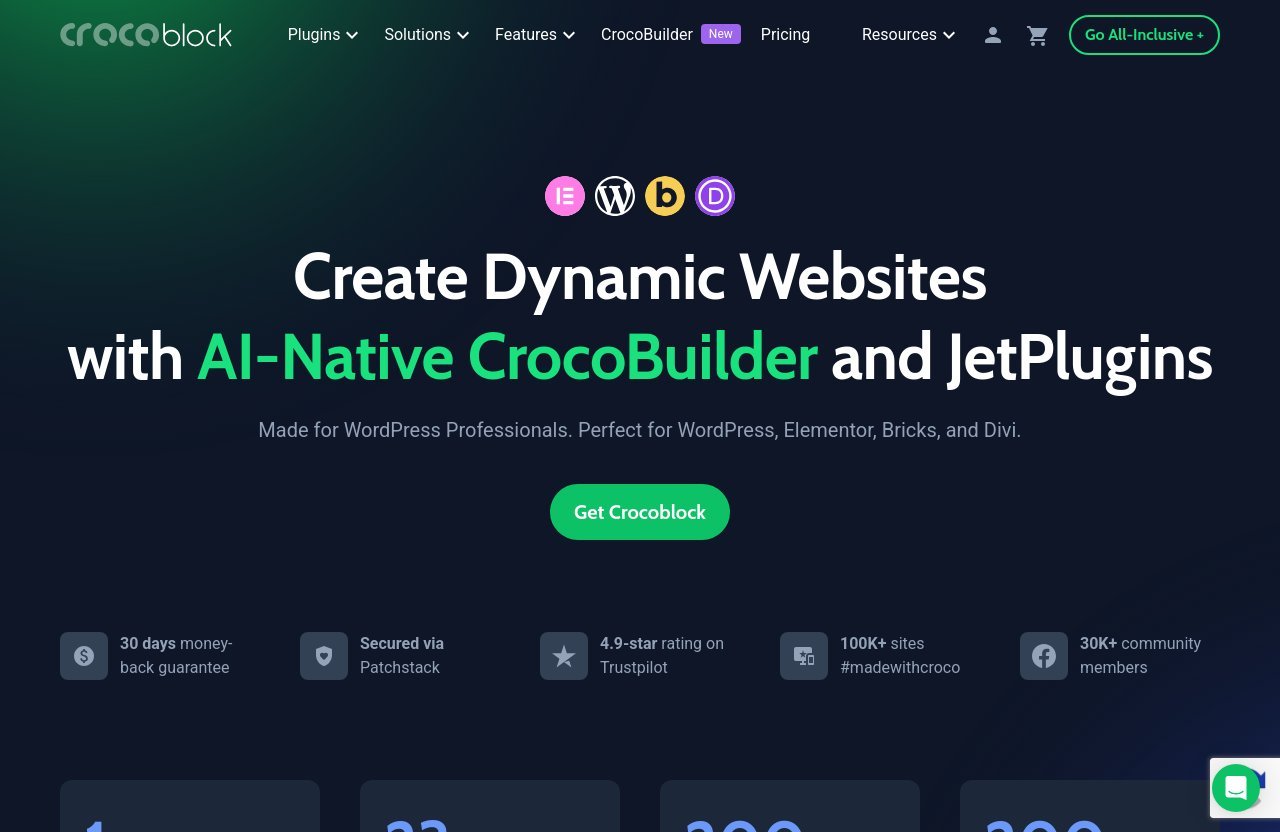
Crocoblock is a modular WordPress toolkit made for professionals building more than standard static pages. It works with WordPress, Elementor, Bricks, and Divi, so it is not limited to a single builder ecosystem.
For Elementor users, the most important point is that Crocoblock extends what a visual builder can do with structured data. It is particularly relevant when your project needs content relationships, searchable listings, conditional templates, booking logic, or tailored WooCommerce experiences.
Core Crocoblock platform overview
Based on the official Crocoblock site, the platform includes one CrocoBuilder, 23 JetPlugins, 200 widgets, and more than 200 templates. The toolkit includes products for dynamic content, WooCommerce, menus, filters, forms, popups, reviews, booking, appointments, and more.
The central dynamic-content tool is JetEngine. In a typical jetengine vs elementor pro discussion, JetEngine is not really a direct page-builder substitute; it is an advanced data-management layer. It supports custom post types, taxonomies, relations, options pages, and dynamic page templates.
This makes Crocoblock especially useful when a site owner wants to add new listings or products through WordPress and have those items automatically populate polished front-end layouts.
JetPlugins vs single-plugin add-ons
A major Crocoblock advantage is the breadth of its connected toolkit. Instead of assembling separate tools from many vendors, you can use JetPlugins designed for related workflows.
For example, a real-estate directory could combine JetEngine for listing data, JetSmartFilters for property filtering, JetSearch for faster search behavior, JetWooBuilder for connected store elements, and JetFormBuilder for inquiries. That integrated logic is why Crocoblock is often considered a strong WordPress dynamic content plugin ecosystem rather than merely a widget collection.
Of course, modularity also means choosing which tools are necessary. You do not need to activate every available plugin for every website.
CrocoBuilder and the broader ecosystem
Crocoblock also highlights CrocoBuilder, described officially as an AI-native site builder with developer-grade control, atomic DOM output, unified CSS control, and AI-native components. The wider offering includes Dynamic Templates, Widgets, DevTools, CodeLab, AI Builder, MCP, AI MCP server and Command Center, AI Features, Performance, and REST API resources.
That broader direction matters in a crocoblock vs elementor pro evaluation. Crocoblock is building for people who need design capabilities alongside a sophisticated workflow for content, logic, and maintainability.
What Elementor Pro Is Best Known For
Elementor Pro is generally known as the premium version of the popular Elementor visual builder. It is often the first upgrade users consider when they want more control over page design, site templates, forms, popups, and marketing-focused WordPress layouts.
It remains a practical choice because many WordPress users already know the Elementor editing experience. The learning curve is usually less intimidating than a dynamic-content setup involving custom fields, post types, relationships, and query logic.
Typical Elementor Pro workflow
A typical Elementor Pro workflow starts with visual page construction. You choose or create a page template, add content sections, adjust spacing and responsive settings, then apply site-wide styling and templates where needed.
This is efficient for common business requirements. A freelancer can often create a strong homepage, services page, team section, blog template, lead form, and popup campaign without turning the site into a complex content application.
Why users choose Pro first
Most users choose Pro because it feels direct. It emphasizes what visitors see: layout, typography, calls to action, responsive presentation, and reusable design components.
In an elementor pro comparison, that design-first simplicity is an important benefit rather than a limitation. A local accountant, consultant, agency, restaurant, or SaaS startup may not need custom data relationships or faceted filtering at all.
Where it usually feels complete
Elementor Pro typically feels complete for standard websites that have a clear page hierarchy and limited content types. It is especially comfortable for marketing teams that need to update campaigns or launch pages without involving a developer.
However, the crocoblock vs elementor pro balance changes when a site needs users to browse hundreds of structured records, narrow results by multiple criteria, compare products, reserve dates, or submit data through custom workflows.
Feature-by-Feature Comparison
The most useful way to assess crocoblock vs elementor pro is feature depth, not a simplistic checklist. Elementor Pro is typically a better fit for visual production. Crocoblock offers more specialized tools for advanced WordPress functionality.
| Capability | Elementor Pro | Crocoblock |
|---|---|---|
| Visual page design | Strong design-first workflow | Strong when paired with supported builders and dynamic tools |
| Custom post types and relationships | May require additional solutions for advanced setups | JetEngine is built for CPTs, taxonomies, relations, options pages, and templates |
| Forms and popups | Commonly used for marketing forms and popups | JetFormBuilder and JetPopup add specialized workflow options |
| WooCommerce customization | Useful for store presentation | JetWooBuilder, JetProductGallery, JetCompareWishlist, and JetProductTables broaden options |
| Filtering and search | Often needs external extensions for advanced catalogs | JetSmartFilters and JetSearch are dedicated tools |
| Menus | Standard navigation needs are straightforward | JetMenu supports more advanced menu experiences |
| Bookings and appointments | Usually needs a separate booking solution | JetBooking and JetAppointment target these needs |
| Interactive effects | Strong visual and motion-oriented experience | JetTricks adds interactive content tools |
| Dynamic listings | Can work with supporting plugins | Crocoblock is purpose-built for data-driven listings |
Design and layout controls
Elementor Pro is generally the more natural choice when design is the main challenge. Users can work visually and quickly iterate on pages without first modeling complex content structures.
Crocoblock also provides widgets and templates, but its primary value is not simply replacing a page-builder design workflow. It becomes more persuasive when layouts need to pull from dynamic sources, display listings automatically, or adapt to different content types.
Dynamic content and custom post types
This category is where Crocoblock is clearly stronger. JetEngine is built for creating custom post types, taxonomies, relations, options pages, forms, and dynamic templates without code.
For example, a travel directory may need destinations, accommodations, tour operators, amenities, locations, price ranges, and related entries. A simple page builder can display content attractively, but Crocoblock provides a framework for organizing and presenting that information at scale.
For anyone seeking the best WordPress builder for dynamic content, Crocoblock deserves serious consideration. Elementor Pro alone may be sufficient for visual templates, but dynamic architecture is where specialized functionality becomes valuable.
Forms, popups, and conversion tools
Elementor Pro is widely used for lead forms and promotional popups, making it a sensible choice for campaigns and standard conversion funnels. For many small businesses, those tools cover the key marketing needs.
Crocoblock expands the conversation with JetFormBuilder and JetPopup. This may matter when forms need to interact with custom data or support more tailored workflows. In a crocoblock vs elementor pro decision, choose based on what happens after the visitor submits the form, not only how the form looks.
WooCommerce templates and product pages
For basic store layouts, Elementor Pro can be a practical visual option. It can help merchants produce branded product pages and promotional store sections without custom coding.
Crocoblock is more interesting for advanced catalog requirements. Its official product list includes JetWooBuilder, JetProductGallery, JetCompareWishlist, and JetProductTables. These are relevant for stores that need comparison functionality, richer galleries, table-driven product browsing, or more dynamic product experiences.
If you are looking for a WooCommerce builder for Elementor that goes beyond a standard storefront presentation, Crocoblock provides more specialized building blocks.
Filters, search, menus, and bookings
Complex browsing is one of the clearest Crocoblock use cases. JetSmartFilters is designed for filtering, JetSearch handles search-related functionality, and JetMenu supports advanced navigation.
This combination is valuable for directories and large WooCommerce catalogs. Visitors can filter cars by make, model, fuel type, budget, and location; or filter rentals by capacity, dates, features, and neighborhood.
Crocoblock also offers JetBooking and JetAppointment. These tools make the platform relevant to rental businesses, accommodation sites, appointment-based services, and other time-dependent workflows. Elementor Pro remains easier for a basic site, but Crocoblock is better aligned with these operational features.
Motion effects and interactive content
Elementor Pro is often favored by designers for visually engaging page experiences. For a campaign landing page or brand site, motion and layout refinement can be more important than database-style content logic.
Crocoblock includes JetTricks, which is aimed at interactive content. The right choice depends on intent: use Elementor Pro when the project is primarily a polished marketing presentation; consider Crocoblock when interactivity needs to work with dynamic data, listings, or reusable templates.
Official website · Latest pricing & offers
Workflow Comparison: Which Tool Feels Easier in Real Projects?
The workflow question in crocoblock vs elementor pro is nuanced. Elementor Pro is often easier on day one. Crocoblock can be more efficient over the life of a complex site.
One-plugin convenience vs modular stack
Elementor Pro feels relatively unified for design-led websites. That is valuable when you are working to a tight deadline and need a clean client handoff.
Crocoblock’s modular structure asks you to think more carefully about requirements. You may need to configure content types, meta fields, listing templates, queries, filters, and relationships before the front end feels complete.
That setup time is not a drawback if the website genuinely needs those systems. It can prevent the messy workaround approach of creating dozens of manually maintained pages for content that should have been structured from the beginning.
How Elementor users usually build faster
Elementor users usually build faster when the project has predictable pages. A lawyer’s website, creative portfolio, fitness studio site, or consultant’s sales funnel can often be delivered with a straightforward visual template process.
The client can update text, images, articles, and campaign sections in familiar places. In that environment, an Elementor Pro workflow is appropriately efficient.
Where Crocoblock adds setup time but more control
Crocoblock demands more planning, especially with JetEngine. You need to decide what data exists, how it connects, which fields are required, and how users should browse it.
Once that foundation is in place, though, you can create templates that scale. Add a new property, restaurant, doctor, event, product, or course once in the WordPress admin, and the site can use that record across listings, detail pages, filters, searches, and related-content sections.
This is where the elementor vs crocoblock discussion should focus: static page speed versus structured-site scalability. Crocoblock may also reduce plugin sprawl by covering several advanced functions inside one connected ecosystem.
Pricing and Value: When Crocoblock Makes Financial Sense
It is wise to assess crocoblock pricing in terms of total project value, not just the subscription cost. Crocoblock’s official pricing page lists a wide range of tools, including JetEngine, JetSmartFilters, JetWooBuilder, JetBooking, JetAppointment, JetMenu, JetSearch, JetPopup, JetFormBuilder, and more.
For a simple website, that breadth may be unnecessary. For an agency or a business building a directory, booking platform, content hub, or advanced store, replacing multiple disconnected add-ons can make the suite more attractive.
What the official Crocoblock pricing page promises
Based on Crocoblock’s official information, subscribers receive free real-time support across subscriptions, including Zoom calls, live chat, and tickets. The support is described as human-powered and available 24/5.
The official site also highlights a 30-day money-back guarantee and Patchstack security. Other trust signals include a stated 4.9-star Trustpilot rating, more than 100K sites marked as #madewithcroco, and a community of more than 30K members.
Which types of sites justify the suite
Crocoblock makes more financial sense when one project needs several of its specialized tools. A booking site that also requires dynamic listings, search, filters, custom forms, and tailored templates is a strong example.
It can also make sense for agencies. If you repeatedly build content-heavy client sites, a reliable toolbox may be more valuable than purchasing and maintaining individual plugins for every new requirement.
How to think about ROI instead of sticker price
The right question is not, “Which tool is cheapest?” It is, “Which tool reduces build time, plugin overlap, maintenance friction, and future redesign costs for this project?”
In a crocoblock vs elementor pro evaluation, Elementor Pro may offer better value for a single simple marketing website. Crocoblock can offer better value when advanced site functions would otherwise require several separate paid plugins and custom development.
Before buying, review the current offer details on the official site’s promo banner and checkout coupon field. If your project needs JetEngine-style dynamic functionality, you can explore the suite through this Crocoblock recommendation and verify which tools match your workflow.
Best Use Cases: Which One Should You Buy?
The best buying decision is scenario-based. Neither platform is automatically the best purchase for every WordPress website.
Small business brochure sites
Choose Elementor Pro for a standard small-business website with a handful of service pages, testimonials, a blog, contact details, and lead-generation content. It is generally more direct and easier to hand off to less technical clients.
Crocoblock can still work here, but the advanced stack may not create enough extra value unless the business plans to add listings, bookings, or a complex searchable resource library later.
Blogs, magazines, and content hubs
For a conventional blog, Elementor Pro may be enough. For a magazine or content hub with multiple post types, sophisticated archive layouts, author directories, topic relationships, and filterable resources, Crocoblock becomes far more compelling.
This is a strong crocoblock review use case because the suite’s dynamic templates and data tools can help publishers avoid manually creating repeatable page structures.
WooCommerce stores
Use Elementor Pro when the goal is a visually branded store with relatively standard product pages. Use Crocoblock when the store needs product comparisons, advanced product tables, richer galleries, more complex navigation, or catalog filtering.
For growing stores, the crocoblock vs elementor pro answer is often both. Elementor can support the visual brand experience, while Crocoblock’s WooCommerce-focused tools address more specialized catalog behavior.
Directories, marketplaces, and booking sites
These are Crocoblock’s strongest scenarios. Directories and marketplaces depend on structured content, search, filtering, listing templates, submission workflows, and relationships between records.
Booking sites also need more than a nice landing page. JetBooking and JetAppointment are relevant tools for businesses that manage reservations or appointments. If that is your business model, Crocoblock is usually the more suitable foundation.
Pros and Cons of Crocoblock vs Elementor Pro
Crocoblock strengths
- Strong support for dynamic WordPress websites and complex content structures.
- JetEngine supports custom post types, taxonomies, relations, options pages, and dynamic templates.
- Dedicated tools for filtering, search, menus, bookings, appointments, WooCommerce, forms, and popups.
- Works with Elementor, Bricks, Divi, and WordPress.
- Can reduce reliance on unrelated third-party plugins for advanced projects.
- Official site highlights real-time human support, Patchstack security, and a 30-day money-back guarantee.
Crocoblock trade-offs
- More powerful workflows require more planning and a steeper learning curve.
- Not every JetPlugin is relevant to every site.
- Simple brochure sites may not justify the extra configuration.
- Builders must understand content architecture, not only visual design.
Elementor Pro strengths
- Usually easier for straightforward, design-led WordPress projects.
- Familiar visual workflow for Elementor users.
- A practical choice for marketing pages, standard business sites, blogs, and promotional layouts.
- Often easier to teach to clients who only need basic content updates.
- Broad mainstream ecosystem and extensive user familiarity.
Elementor Pro trade-offs
- Advanced, data-driven functionality may require extra tools.
- Complex directories, bookings, and filtered catalogs can push users beyond a simple page-builder workflow.
- It may not be the most efficient standalone answer for heavily structured websites.
Final Recommendation: Which Is Better?
The honest answer to crocoblock vs elementor pro is that Crocoblock is better for advanced dynamic websites, while Elementor Pro is typically better for straightforward visual website production.
Choose Crocoblock if…
Choose Crocoblock if you need custom post types, taxonomies, content relationships, dynamic listings, advanced filtering, search, booking, appointments, directories, marketplaces, or complex WooCommerce layouts.
It is particularly suitable when your WordPress site behaves like a searchable platform rather than a collection of static pages. For that type of project, Crocoblock’s JetPlugins offer meaningful functional depth.
Choose Elementor Pro if…
Choose Elementor Pro if you mainly build landing pages, service sites, portfolios, simple blogs, and standard small-business websites. It is typically the more approachable solution for people who want a familiar visual builder and do not need complex data systems.
It is also a sensible choice if your priority is quickly producing polished pages rather than architecting a large content-driven platform.
Choose both if…
Choose both if you build client websites regularly and want maximum flexibility. Elementor Pro can remain the comfortable visual layer, while Crocoblock provides the dynamic infrastructure when a project grows beyond standard templates.
That combined stack is often the best conclusion in a professional crocoblock vs elementor pro decision. If advanced functionality is part of your roadmap, consider reviewing Crocoblock’s current official options before piecing together separate plugins.
Official website · Latest pricing & offers
FAQ
Is Crocoblock good?
Yes, Crocoblock is good for WordPress users who need dynamic content, custom post types, filters, bookings, searchable listings, or advanced WooCommerce layouts. It is more than a basic widget pack because it supports the underlying structure of data-driven sites.
For simple marketing websites, it may be more capability than necessary. Its value rises with project complexity.
Is there anything better than Elementor?
“Better” depends on the project. For a standard brochure website, Elementor Pro can be the easier and more efficient choice.
For complex, data-driven websites, a Crocoblock-powered workflow can outperform Elementor Pro alone. The better option is the one that fits your content model, visitor needs, and maintenance requirements.
Is Elementor still worth it in 2026?
Yes, Elementor is still worth it in 2026 for users who want a familiar visual builder for marketing sites, blogs, portfolios, and standard business pages. Its design-first workflow remains useful for launching attractive pages efficiently.
That said, advanced sites may benefit from additional tools. The crocoblock vs elementor pro choice becomes more important when you need custom data, filtering, bookings, or complex product experiences.
Is Crocoblock free?
No. Crocoblock is a paid subscription suite rather than a free tool. Its official site highlights a 30-day money-back guarantee, real-time support for subscribers, and a broad collection of JetPlugins and related resources.
Whether it is worth paying for depends on whether your site needs advanced functionality. For a simple design-only project, Elementor Pro may be enough; for a dynamic WordPress build, Crocoblock can be a more complete investment.
Related Reading
References
- Elementor Pro vs Crocoblock: Which is the Best Page Builder?
- Elementor Free vs. Pro: Features and Widget Differences
- Crocoblock Review: Is It Still Worth It in 2025?
- Using Elementor Pro with JetPlugins: Key Guidelines