Best Autods Features for Beginners: A Practical 2026 Guide
Starting a dropshipping store can feel like a long list of repetitive jobs: finding products, building listings, monitoring stock, adjusting prices, and handling orders. The best AutoDS features bring those tasks into one workflow, helping beginners spend less time switching between tools and more time improving their store.
This guide looks at the AutoDS tools that are most useful when you are new to dropshipping. The focus is not on doing everything at once. It is on choosing the simplest features first, understanding what they do, and building a practical system you can manage.
Official website · Latest pricing & offers
What AutoDS Is and Why Beginners Use It
AutoDS is a dropshipping platform with tools for product finding, product importing, sourcing, store management, pricing, fulfillment, and tracking updates. It integrates with sales channels including Shopify, Facebook, Etsy, WooCommerce, eBay, Amazon, Wix, and TikTok Shop.
For a beginner, the main appeal is convenience. Rather than trying to connect separate research, listing, and operational tools, you can use AutoDS to organize several important store tasks in one place.
The Simple Problem AutoDS Solves for New Dropshippers
New sellers often begin by doing every task manually. They search for potential items, copy product details into their store, watch supplier listings for changes, and update customers after orders are sent.
The best AutoDS features help reduce that manual workload. Product research tools can help you discover ideas, the product importer can speed up listing creation, and inventory or price-related automation can reduce the need for constant checks.
Automation does not replace good business decisions. You still need to choose sensible products, review supplier information, set prices carefully, and market your store. However, it can remove many repeatable administrative steps.
Who This Guide Is for: First-Time Store Owners and Side Hustlers
This guide is designed for first-time dropshippers, side hustlers, and small store owners who want a more structured launch process. It is especially relevant if you do not want to spend hours copying information between supplier pages and your store.
AutoDS may also fit sellers who prefer an all-in-one approach. Instead of mastering every available tool immediately, you can begin with a small set of functions and add more when your store needs them.
Quick Summary of the Easiest Features to Start With
If you are overwhelmed by the number of available tools, start with these:
| Feature | What It Helps With | Why It Is Beginner-Friendly |
|---|---|---|
| Product research | Finding product ideas | Gives you a starting point for store research |
| AutoDS marketplace and trending products | Browsing product opportunities | Helps narrow a large product selection |
| Products importer | Creating listings faster | Reduces repetitive listing work |
| AI title and description tools | Improving listing copy | Helps make product pages clearer |
| Product and order management | Keeping operations organized | Makes routine store tasks easier to track |
These best AutoDS features for beginners cover the basic path from product idea to published listing and order management.
Best AutoDS Features for Beginners: The Fastest Wins First
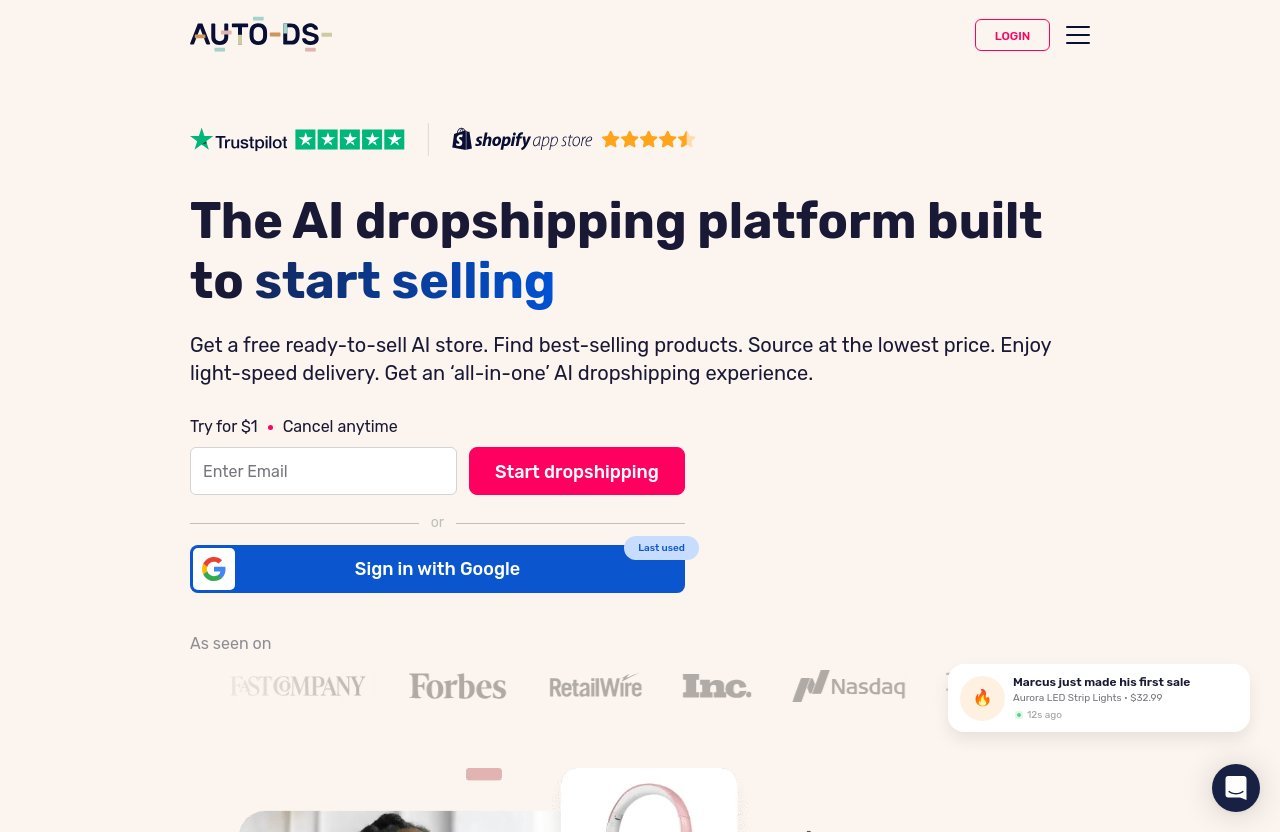
The right feature depends on where you are stuck. Some beginners need product ideas, while others already have products in mind but need a faster way to build their store.
1. Product Research and Winning Product Discovery
AutoDS product research tools are built to support product finding. The platform also lists product finding, ads spy tools, and access to 800M+ bestselling products within the Import plan’s included features.
For beginners, this is helpful because product selection is often the first major hurdle. Instead of relying purely on guesswork, you can use available research resources to build a shortlist of products worth reviewing.
The key word is “reviewing.” AutoDS can help you find possible products, but you should still check whether the item suits your target customer, has understandable benefits, and can be marketed clearly.
2. AutoDS Marketplace and Trending Products
The AutoDS marketplace and AutoDS trending products tools can be useful when you need inspiration without searching supplier sites one by one. They give you a place to explore product categories and potential listing ideas.
This is one of the best AutoDS features for someone who has not yet chosen a niche. You can browse options, notice patterns, and compare ideas against your own store direction.
Do not treat trending status as automatic proof that an item will work. A product may be popular but still be a poor fit for your audience, margins, or brand. Use trends as a research starting point, not a final answer.
3. Products Importer for Faster Listings
The AutoDS product importer helps sellers bring products into their store more efficiently. The Bulk product importer is included with the Starter plan and above, while the platform’s product importer is a core feature category.
Listing products manually can take a surprising amount of time. You may need to copy titles, descriptions, images, variants, and other details, then review everything again before publishing.
For that reason, the AutoDS product importer is among the most practical tools for new store owners. It can make product setup more consistent and leave you with more time to refine the listing instead of building it from scratch.
4. Product Title and Description Optimization
A supplier’s original title or description is not always suitable for a customer-facing store. It may be overly long, unclear, or written with search terms that do not help shoppers understand the product.
AutoDS offers title and description optimization, and its AI product title and description generator can help with product copy. The Starter plan includes title and description optimization.
Among the best AutoDS features for beginners, this is valuable because clear product pages build trust. Use the generated or optimized text as a draft, then edit it so it accurately reflects the product and matches your store’s voice.
5. Automatic Price Optimization
Pricing is not a one-time task in dropshipping. Supplier costs can change, and monitoring every item manually becomes harder as your catalog grows.
AutoDS automatic price optimization is designed to assist with this operational area. It is particularly useful once you have multiple active listings and want a more organized way to manage pricing changes.
That said, beginners should still understand their own margins. Before relying on automation, review your product cost, shipping considerations, selling price, and expected business expenses. Automation supports your pricing process; it should not replace your pricing strategy.
6. Product and Order Management
The Import plan includes product and order management. This is an important foundation because a store becomes difficult to run when products, orders, and supplier actions are handled across disconnected spreadsheets and browser tabs.
Product and order management gives beginners a more centralized workflow. You can spend less effort tracking basic operations and more effort responding to customer questions, improving listings, and evaluating what is selling.
This may not seem as exciting as AutoDS winning products research, but it is one of the features that makes daily store management more sustainable.
7. Automatic Tracking Updates
Customers generally want to know what is happening after they place an order. AutoDS lists automatic tracking updates as a Starter plan feature.
For a growing beginner store, tracking updates can reduce a repetitive post-purchase task. It also supports a more organized customer experience, especially when you are managing multiple orders.
The practical lesson is simple: do not wait until you are overwhelmed by order volume to think about order communication. Setting up operational systems early can prevent avoidable confusion later.
8. Fulfillment Automation
AutoDS offers product sourcing and Fulfilled by AutoDS among its feature categories. These tools relate to the sourcing and fulfillment side of a dropshipping workflow.
AutoDS fulfillment automation can be appealing because fulfillment is where product selection turns into a real customer experience. A smoother process may help you spend less time on repeated order-related actions.
Still, keep oversight in place. Review product quality expectations, supplier details, shipping information, and customer messages. The best AutoDS features make processes easier to manage, but they do not remove your responsibility to run the store carefully.
Which AutoDS Features Should a Beginner Use First?
Starting with every feature at once can slow you down. A better approach is to use AutoDS in stages, beginning with the tools that help you launch a clean, manageable first store.
Best Setup Order for Your First Week
A straightforward first-week setup could look like this:
- Connect your store through a supported integration.
- Use AutoDS product research and the marketplace to collect product ideas.
- Select a small number of products you can explain and market clearly.
- Import those products into your store.
- Review titles, descriptions, images, variants, and pricing before publishing.
- Learn the product and order management area before your first orders arrive.
- Add tracking and fulfillment-related workflows as your store begins operating.
This sequence lets you experience the best AutoDS features for beginners without creating a huge catalog before you know what works for your audience.
What to Ignore at the Start if You Are Overwhelmed
You do not need to use every feature in your first few days. For example, print on demand, ads spy tools, Claude AI chat-to-sell, Shopify product page AI template tools, custom sourcing, and broader multi-store management can wait if they are not part of your immediate plan.
It is smarter to launch a focused store with a few well-reviewed listings than to import many products you have not evaluated. Your first goal should be learning a repeatable workflow.
Once you understand product research, importing, listing edits, and order management, you can explore additional AutoDS features based on real business needs.
The Simplest Workflow for Finding, Importing, and Selling Products
The simplest workflow is:
Find → evaluate → import → optimize → publish → manage.
Use AutoDS trending products or product research to discover ideas. Evaluate whether each item suits your audience, then import the products you choose and improve the customer-facing content.
After publishing, monitor your store operations through product and order management. This workflow is why the best AutoDS features are most useful when viewed as connected steps rather than separate tools.
Official website · Latest pricing & offers
AutoDS Pricing Plans and Which One Makes Sense for Beginners
AutoDS pricing plans are organized around product capacity and included tools. Your best option depends on the number of products you plan to manage and whether you need features such as bulk importing, custom sourcing, or automatic tracking updates.
Import Plan: What the Entry-Level Plan Includes
The Import plan costs $26.90 per month and supports up to 200 products. It includes Generate a fully-built store, access to 800M+ bestselling products, product and order management, business analytics, and 200 variations.
For a beginner with a focused catalog, this can be a reasonable starting point. The 200-product capacity is more than enough for many first stores that want to test a smaller selection carefully.
The included product and order management tools make this plan relevant for sellers who want to centralize basic operations without immediately moving into more advanced workflows.
Starter Plan: Why It May Fit Growing Beginners
The Starter plan costs $39.90 per month and supports 201–500 products. It includes everything in Import, plus custom sourcing, Bulk product importer, title and description optimization, automatic tracking updates, and 500 variations.
This plan may fit a beginner who has moved beyond a very small product catalog. It is also worth considering if bulk importing, listing optimization, and tracking updates are priorities from the beginning.
For many users, these are some of the best AutoDS features because they address common time-consuming tasks: listing setup, product copy, and after-order updates.
Advanced and Enterprise: When to Consider Them
The Advanced plan costs $66.90 per month and supports 501–1,000 products. It includes everything in Starter, plus management for up to three stores, VIP support, and 1,000 variations.
The Enterprise plan has custom pricing and supports 1,000+ products. It includes everything in Advanced, plus 2,000+ variations.
These options are generally more relevant when your product catalog or store operations have already expanded. Beginners should choose based on present needs rather than paying for scale before they have a proven workflow.
The 3-Day Trial and How to Test AutoDS Safely
AutoDS offers a 3 Day Trial For $0.99, and you can cancel any time. This is a practical way to assess the interface and decide whether the tools match your working style.
Use the trial to connect your store, review the dashboard, research a few products, and test the importing process. Avoid treating the trial as a rush to build a giant store; use it to see whether the core workflow feels manageable.
Before subscribing, review the current offer details on the official site, including the promo banner and checkout coupon field. This helps ensure you are looking at the most current available information.
How AutoDS Compares on Ease of Use for New Sellers
The value of a platform is not only its feature list. It also depends on whether a beginner can use those features in a sensible order without losing track of important tasks.
What Makes AutoDS Beginner-Friendly
AutoDS is beginner-friendly because it groups several common dropshipping functions under one platform. Product finding, importing, product management, order management, sourcing, and pricing-related tools are part of the wider AutoDS ecosystem.
The best AutoDS features for beginners are especially useful when you want fewer disconnected processes. Having a central place to handle key operational tasks can make the learning process feel less fragmented.
The range of supported integrations is also useful for sellers who already know which sales channel they want to use, whether that is Shopify, WooCommerce, Etsy, eBay, Amazon, Wix, Facebook, or TikTok Shop.
Where New Users May Still Need a Learning Curve
No automation platform removes the need to learn dropshipping basics. You will still need to understand product research, customer expectations, margins, supplier evaluation, and store policies.
There is also a learning curve in deciding which settings and tools are appropriate for your business. Beginners should take time to review imported listings and not assume that every automated output is ready to publish without edits.
In my view, the most successful first-time users treat AutoDS as a workflow assistant. They learn one process at a time instead of expecting the software to make every strategic decision.
How to Decide If the Tool Is Worth It for Your First Store
Ask yourself where you currently spend the most time. If you are repeatedly researching products, creating listings, updating content, checking orders, or tracking operational details manually, AutoDS may be worth testing.
It may be less necessary if you only plan to sell a handful of items and genuinely prefer a completely manual workflow. But when your goal is to build an organized store with room to grow, the best AutoDS features can justify the platform’s cost through saved administrative time.
Best Use Cases for AutoDS Beginners
AutoDS is not only for one type of seller. Its feature mix can support different beginner situations, from a first Shopify store to a side hustle that needs clearer daily processes.
Launching a Shopify Store Faster
For a Shopify beginner, the product importer, title and description tools, and Shopify product page AI template feature category can help speed up store preparation. The practical benefit is less time spent building every product page manually.
You should still check that your product pages are accurate, easy to read, and consistent with your brand. Faster setup is useful only when the final customer experience remains clear and trustworthy.
Testing Product Ideas Without Handling Everything Manually
A new seller may want to test a limited number of ideas before committing to a larger catalog. AutoDS product research, marketplace browsing, and trending product tools can help create a shortlist.
Then, the product importer and optimization tools can help you turn selected ideas into listings. This is a more controlled way to test than publishing dozens of unreviewed products.
Saving Time on Routine Store Operations
Once products are live, operations matter just as much as research. Product and order management, inventory management, automatic price optimization, and AutoDS tracking updates are relevant tools for reducing repetitive operational work.
This is where the best AutoDS features become especially practical. They can help you establish a process for routine store maintenance rather than relying on memory and scattered notes.
Using AutoDS as a System Instead of a Collection of Tools
The strongest use case for AutoDS is using its features as one connected system. You can research products, source or import them, improve listings, manage orders, and use automation where appropriate.
That does not mean every seller needs every feature. It means your tools should support a simple process that you understand and can repeat as your store grows.
Potential Downsides and Things Beginners Should Know
A balanced decision requires looking beyond convenience. AutoDS can reduce manual work, but it cannot guarantee that a product will sell or that every business decision will be correct.
AutoDS Is Powerful, but It Is Not Fully Hands-Off
Automation can make certain actions easier, but a dropshipping store still needs human oversight. You need to review products, monitor customer concerns, check store content, and make decisions about marketing and brand positioning.
Do not assume that an imported listing is perfect without reviewing it. The best approach is to use automation for repetitive work while keeping control of customer-facing quality.
Why Beginners Still Need to Validate Products and Margins
The best AutoDS features can help you find and manage products, but product viability still depends on your own evaluation. Consider whether the item solves a clear problem, has a suitable target audience, and can be explained honestly.
You also need to understand margins before selling. Review product-related costs and set pricing with a realistic view of your business expenses. No automatic tool can replace this basic planning.
What to Check Before Scaling Your Store
Before adding many more products or expanding to more stores, review your existing workflow. Check that your listings are accurate, orders are being handled properly, and customer communication is organized.
Also confirm that you understand your data, your products, and your supplier-related process. Scaling a system that is disorganized only creates more work later.
Official website · Latest pricing & offers
FAQ
Is There Anything Better Than AutoDS?
“Better” depends on your budget, sales channel, workflow, and the specific features you need. Some sellers may prefer a specialized tool for one task, while others want an all-in-one platform.
AutoDS is a strong option for beginners who value product research, importing, sourcing, order management, and automation in one system. Compare platforms based on the tasks you want to simplify, not just on feature counts.
Is AutoDS Actually Worth It?
AutoDS can be worth it if its automation and centralized workflow save you meaningful time. For a beginner who wants to reduce repetitive work around product discovery, listing setup, pricing, and store operations, that convenience can be valuable.
It is not automatically worth it for everyone. Use the trial to assess whether you will realistically use the best AutoDS features in your own store.
Can I Make Money With AutoDS?
AutoDS is a tool, not a guarantee of profit. Your results depend on product choice, pricing, supplier reliability, marketing, customer service, and how well you manage your store.
The platform may help you work more efficiently, but you still need a sound business approach. Treat it as support for execution rather than a shortcut to guaranteed income.
Which One Is Better, AutoDS or Zendrop?
A complete comparison would require verified, current facts about both platforms. For this guide, AutoDS is worth considering if you want product research, importing, sourcing, fulfillment-related tools, pricing support, and operational automation within one platform.
The better choice depends on which workflow fits your store. Review the current features and pricing of both services before making a decision.
Final Verdict: The Best AutoDS Features for Beginners
AutoDS is most useful for beginners when it helps them simplify their first store instead of adding more complexity. The platform’s product research, product importer, listing optimization, product and order management, and automation tools can support a more organized launch.
Top 3 Features to Start With
The three best AutoDS features to start with are:
- Product research and marketplace browsing for generating and evaluating product ideas.
- Products importer for building listings faster.
- Product and order management for keeping daily operations organized.
Once those basics feel comfortable, automatic tracking updates, price optimization, sourcing, and fulfillment-related tools can become more useful.
Who Should Try AutoDS First
AutoDS is a sensible option for first-time dropshippers and side hustlers who want a centralized system rather than a collection of disconnected tools. It is particularly relevant if manual listing work and day-to-day store administration are slowing down your launch.
If you want to evaluate the platform for your own workflow, you can explore AutoDS through this affiliate link. This recommendation is based on its beginner-relevant feature set and the value of testing an organized workflow before committing to a larger tool stack.
Bottom Line for Beginner Dropshippers
The best AutoDS features for beginners are not necessarily the most advanced ones. They are the tools that help you research products, publish cleaner listings, and manage routine tasks with less manual effort.
Start small, review everything you publish, and use automation thoughtfully. AutoDS can help you get a store running sooner, but lasting results still come from careful product selection, realistic pricing, and consistent customer-focused store management.
Related Reading
References
- AutoDS AI Dropshipping Platform – Official Homepage
- AutoDS Pricing – Try AutoDS with a 3 Day Trial
- Best AutoDS Features For Finding Winning Products In 2026