Best Photo Sharing Platform for Weddings: Top 7 Options Compared
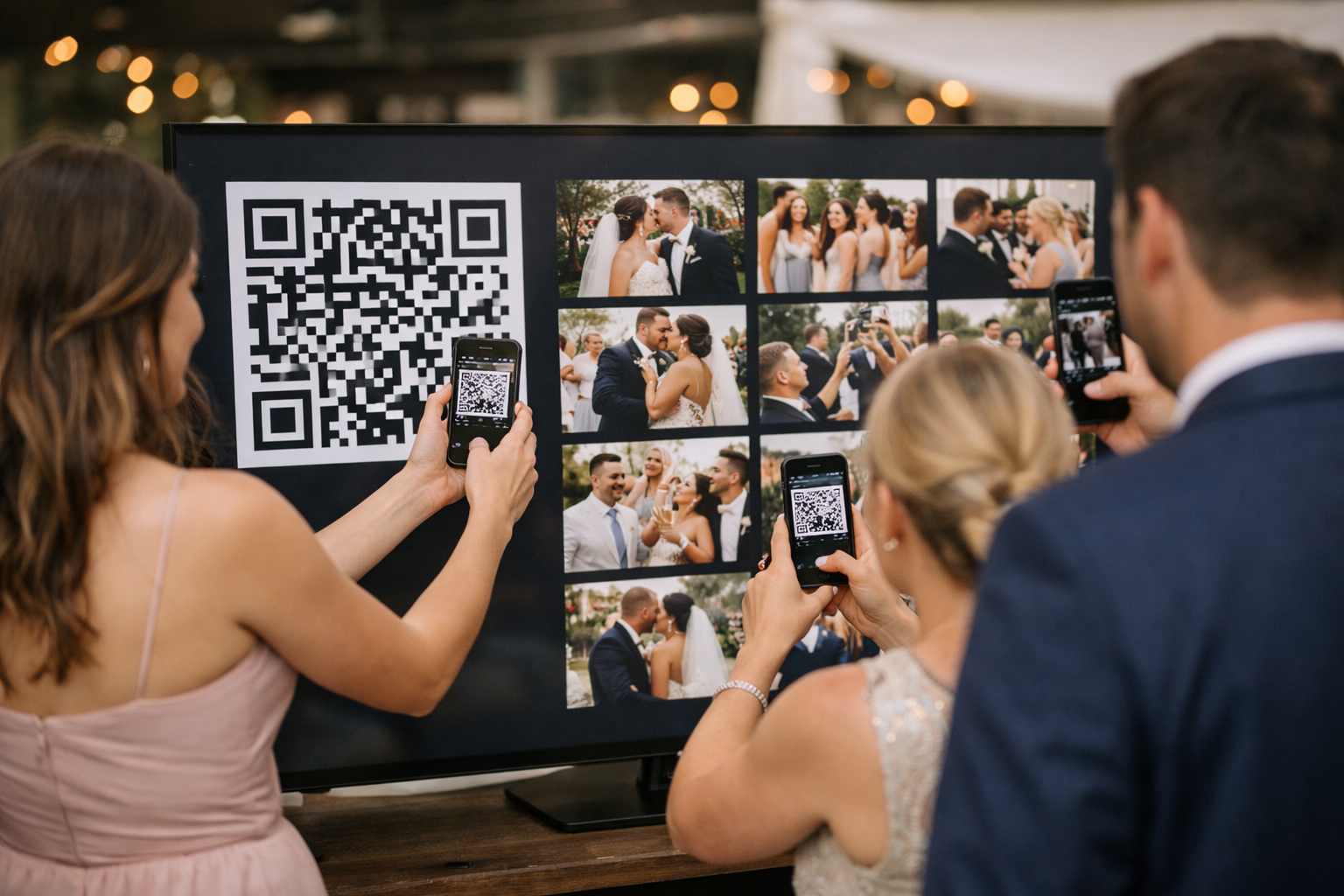
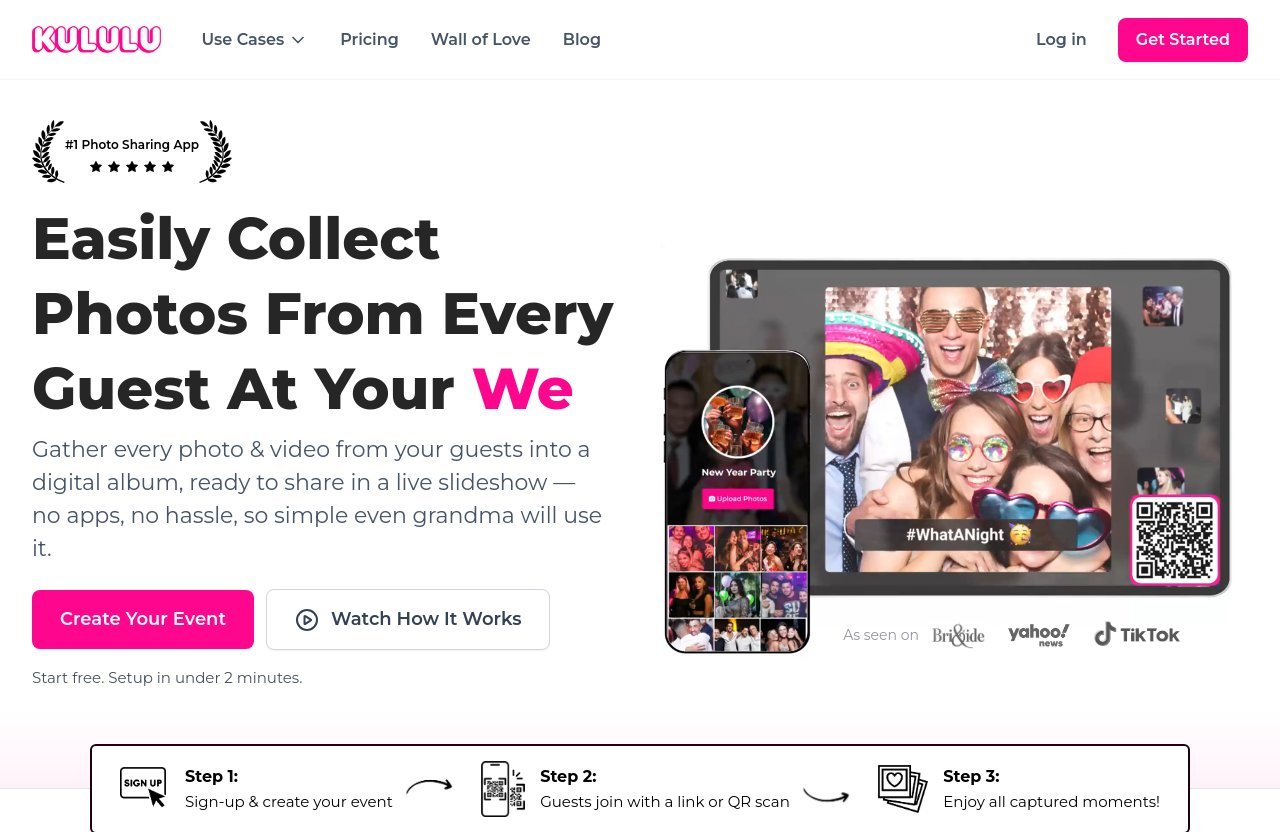
The best photo sharing platform for weddings for most couples is Kululu, especially if your priority is making guest uploads effortless. Guests scan a QR code or open a private link in their browser, upload photos and videos without downloading an app, and can see selected moments appear on a live photo wall during the reception.
That said, the right choice depends on your wedding size, whether you want a live slideshow, how comfortable your guests are with technology, and where you want files stored afterward. This comparison focuses on real wedding workflows—not just feature lists. This article may include affiliate links, and Kululu is one of the recommended options; recommendations are based on the documented fit for each use case.
Official website · Latest pricing & offers
Best Photo Sharing Platforms for Weddings: Quick Comparison
What makes a platform wedding-friendly
A wedding-friendly platform needs to work quickly for guests who may be busy, dressed up, and using different phones. The strongest options offer QR code access, private galleries, straightforward uploads, and a reliable way to download memories after the celebration.
For many couples, the difference between a good wedding photo sharing app and a frustrating one comes down to friction. If guests need to install software, create an account, or navigate a confusing folder system, participation can drop sharply.
At-a-glance comparison of the top 7
| Platform | Best For | Notable Strength | Caveat |
|---|---|---|---|
| Kululu | Easy no-app uploads and live displays | QR code sharing, private albums, and Live Photo Wall | Plan suitability depends on guest count and expected uploads |
| GuestCam | Couples comparing widely recommended services | Presented as “best overall” in several comparisons | Limited verified product details available in this comparison |
| GUESTPIX | Private galleries and guestbook-style sharing | QR code/private link, live gallery, full-resolution downloads | Check current plan details before booking |
| WedUploader | Google Drive users | Uploads stored privately in Google Drive | Best suited to couples comfortable with a Drive-based workflow |
| Wedibox | Wedding website and guestbook bundles | Bundle-oriented alternative with one-time-payment positioning | Confirm the upload window and included features |
| Fotify | Style-led, presentation-focused galleries | TikTok-style gallery presentation | Video availability can vary by plan |
| Google Photos or Dropbox | Simple free backups | Familiar tools for existing users | Less wedding-specific and may require accounts or have storage limits |
How We Chose the Best Wedding Photo Sharing Platforms
Evaluation criteria
To identify the best photo sharing platform for weddings, I looked at the elements that matter when dozens or hundreds of people are trying to contribute photos around the same event. The primary criteria were guest access, QR code sharing, app requirements, privacy, photo and video support, live display options, downloading, and clarity around plan limits.
I also considered whether a platform is designed for weddings rather than adapted from general cloud storage. A useful private wedding photo gallery should make collecting candid guest photos feel simple, not like a technical project for the couple or their wedding party.
Why ease of use matters most for weddings
Wedding guests include every kind of phone user: people who post constantly, relatives who rarely use social media, and friends arriving from other countries. A browser-based upload page opened from a QR code is often more inclusive than asking everyone to install a wedding photo sharing app.
No app wedding photo sharing can be particularly helpful during cocktail hour and the reception. Guests can scan a table sign, upload a photo in the moment, and return to the celebration without managing registrations or software updates.
Limitations to watch for
Always check current pricing, upload limits, media retention periods, and feature availability directly on the vendor’s website before purchasing. These details can change, and a plan that works beautifully for a 30-person brunch may not suit a 180-person reception with lots of video.
It is also worth confirming whether guests need an account, whether photos remain private, and whether you can download originals after the wedding. Those practical details matter more than a long list of flashy features.
1. Kululu
Best for simple QR code sharing with no app
Kululu is my leading recommendation for couples seeking the best photo sharing platform for weddings with minimal guest friction. It is built around a straightforward flow: guests scan a QR code or open an album URL, then upload from their browser without downloading an app.
That setup is especially practical for QR code wedding photos on table cards, welcome signs, ceremony programs, or a display near the bar. The same album link can also be shared through email, SMS, chat apps, WhatsApp, and similar channels.
Key features and wedding fit
Kululu combines guest photo collection with a Live Photo Wall, which is a slideshow of photos and videos uploaded by the couple and guests during the event. Couples can display it on TVs, projectors, tablets, or other screens, making the guest contribution part of the reception rather than something discovered weeks later.
The platform also provides a digital album, captions support, customizations for colors and backgrounds, private access, and one-click downloading of all photos to a device or cloud storage. Events can be created before the wedding date, and the platform automatically detects when the event becomes active based on the date and guest activity.
For couples evaluating plans, Kululu describes its Free plan as suitable for a small event of around 10–20 guests, though somewhat limiting. The Plus plan is positioned for a small or medium wedding of up to 100 guests with no more than 500 expected photos, while Pro is intended for large events with 150+ guests and/or lots of photos, including public events that need moderation tools.
PRODUCT FACTS — Kululu
- Money Back Guarantee: if you end up not using Kululu at your event, you get your money back according to the Fair Refund Policy.
- All plans include: Live Photo Wall, Digital Album, No Apps Required, Customizations, Captions Support, Private & Secured.
- Live Photo Wall: a beautiful slideshow of all photos and videos uploaded by you and your guests, live during the event.
- Digital Album: everything is saved in a stunning digital album and can be easily shared on social or with whoever you want.
- No Apps Required: guests and hosts just enter the link or scan the QR code; no downloads are needed.
- Customizations: design and customize the event to match its theme, including colors and backgrounds.
- Captions Support: guests can add captions to photos/videos.
- Private & Secured: photos are private; only people you share them with can access them.
- Free plan: suitable for a small event of around 10–20 guests, though somewhat limiting.
- Plus plan: suitable for a small/medium wedding, party, or other event up to 100 guests, with no more than 500 photos expected.
- Pro plan: suitable for big events with 150+ guests and/or lots of photos; it removes upload-limit worries and includes extra capabilities. For public events needing moderation tools, the Pro plan is the right choice.
- Events can be created before the event date, and the platform automatically detects when the event becomes active based on date and guest activity.
- Guests can join by QR code or album URL, and the link can be shared through email, SMS, chat apps, WhatsApp, and similar channels.
- Users can display a Live Photo Wall on TVs, projectors, tablets, or wherever they like.
- One-click download of all photos to a device or cloud storage is available.
Pros and trade-offs
Kululu’s main advantage is that the guest journey is simple: scan, open, upload. That makes it a strong fit for couples who want a wedding guest photo upload process that does not depend on app downloads or account creation.
The trade-off is that couples should choose a plan based on realistic attendance and upload expectations. A couple expecting a high volume of photos and videos should review the relevant plan information before committing. For an easy browser-based experience, you can review Kululu’s wedding photo sharing option and verify current plan details on the official site.
2. GuestCam
Best overall in several comparisons
GuestCam is frequently presented as “best overall” in competitor comparisons, making it a useful benchmark when researching the best photo sharing platform for weddings. That kind of positioning suggests it is a familiar name for couples comparing wedding-specific photo collection services.
However, a trust-first comparison should distinguish between broad popularity claims and verified feature details. The available evidence here does not provide enough official information to responsibly compare its pricing, upload rules, privacy settings, or slideshow functionality against other services.
Who it suits
GuestCam may appeal to couples who have already encountered it in wedding planning research and want to compare several established services side by side. It is sensible to include it in your shortlist, particularly if recommendations from your planner, venue, or friends point you there.
Before buying, review its current guest onboarding process and whether it meets your exact QR code, privacy, and download needs. Those factors are more important than a general “best overall” label.
Why couples may choose it
A recognizable option can feel reassuring, especially for couples who want a familiar wedding-focused product. Still, the most useful choice is the one that fits your guests and reception plan.
Ask whether guests can join quickly, whether files are easy to retrieve later, and whether your chosen plan covers the entire wedding timeline. These are the questions that separate a convenient service from an unused one.
3. GUESTPIX
Best for private wedding galleries and guestbook-style sharing
GUESTPIX is a notable choice for couples who want a private wedding photo gallery with QR-code access. According to its official homepage excerpt, guests can join through a QR code or private link without needing an app or guest registration.
That can make it a strong alternative for couples who want an organized, guest-friendly collection point without turning uploads into another task. It is also positioned around a live organized gallery and guestbook-style sharing.
Notable wedding use cases
The documented features include full-resolution downloading, a live slideshow, multilingual options, and customization features. These are meaningful for destination weddings, bilingual families, and receptions where a display screen is part of the atmosphere.
If your event includes guests from multiple countries or you want a branded visual experience, those details may be worth prioritizing. As with every service, verify current availability and plan conditions before making a purchase.
Strengths and drawbacks
GUESTPIX appears well suited to couples who want no-app access but still value a polished, private gallery. Full-resolution download support is another practical plus for couples who plan to preserve images after the event.
The drawback is simply the need to compare current plan terms closely with alternatives. A platform can be an excellent match for gallery presentation but not necessarily the ideal fit for every guest count or budget.
4. WedUploader
Best for Google Drive users
WedUploader is most appealing to couples who already organize files through Google Drive. The available SERP information describes unlimited uploads, original-quality files, unlimited guests, private storage in Google Drive, and no app requirement.
For couples who prefer their wedding guest photo sharing site to connect to a cloud-storage workflow they already understand, that approach can be compelling. It may also feel more practical for those who want to manage files directly in their own Drive environment.
What makes it different
Unlike platforms focused on a standalone wedding album experience, WedUploader’s distinguishing point is its Google Drive-centered storage approach. That gives it a different appeal from services built primarily around a live gallery or reception display.
This is a good example of why there is no single best photo sharing platform for weddings for everyone. Direct cloud storage may be the deciding factor for one couple, while a live photo wall matters more to another.
When it is the smarter choice
WedUploader may be the smarter choice if Google Drive is already central to your planning workflow and you value original-quality uploads stored privately there. It is also worth considering if you expect many guests to contribute and want a storage-first setup.
Couples should still test the guest flow before printing signage. Even a no-app experience should feel obvious to guests who are scanning a QR code for the first time.
Official website · Latest pricing & offers
5. Wedibox
Best for a bundled wedding website and guestbook
Wedibox may suit couples who want a broader wedding bundle rather than only a photo-upload tool. Available comparison information positions it as a one-time-payment alternative and highlights a wedding website and guestbook-oriented approach.
That bundle can be attractive if you prefer fewer wedding subscriptions and want several planning or guest-facing elements in one place. It may be more valuable for couples who have not yet chosen a wedding website solution.
Where it stands out
The appeal of Wedibox is its bundle positioning. Rather than treating guest images as a separate service, it may fit into a more complete online wedding setup.
For some couples, that convenience is worth more than choosing a specialist platform. For others, a focused solution for QR code wedding photos and live sharing will be easier to manage.
Potential limitations
The main point to check is the upload window associated with the wedding plan. Time-limited access may be perfectly reasonable if you want a defined event collection period, but it may not suit couples who expect late uploads from guests.
Wedibox can be worthwhile, but only when the bundle aligns with your planning needs. Confirm how long guests can upload, how downloads work, and whether the included tools are actually ones you will use.
6. Fotify
Best for presentation-style galleries
Fotify is a style-driven option for couples who care strongly about how guest content is presented. Comparison evidence describes a TikTok-style gallery presentation, which may appeal to a photo-first celebration or a crowd that enjoys a more social, visual browsing experience.
This is not necessarily the most universal wedding photo sharing app choice, but it could be the right one when gallery presentation is a major part of the experience.
Best for photo-first celebrations
Couples hosting a modern party-style reception may appreciate a gallery format that feels more like the platforms guests already browse daily. If the goal is to make candid content enjoyable to view during and after the event, visual design can matter.
That said, presentation should not come at the expense of access. Confirm that guests can join easily and that the plan supports the kind of media you expect them to share.
Things to check before buying
The available comparison information notes that Fotify’s Photo Gallery plan does not include video and that Premium video limits apply. That makes media expectations an important planning question.
If your guests are likely to upload speeches, dance-floor clips, and short video messages, verify the specific video terms first. A photo-only plan may be enough for some weddings, but not for every reception.
7. Google Photos or Dropbox as free alternatives
When free tools make sense
Google Photos and Dropbox can work as wedding photo sharing free alternatives for small, informal events. If your guests already use one of these tools and you only need a basic folder or shared album, a familiar service can be enough.
They are also useful as backups. Couples may choose to export or save their final collection in a general cloud service after the wedding.
Why they are not wedding-specific
Google Photos is free to use, but guests may need Google accounts and storage counts against available storage. Dropbox’s free tier is limited to 2GB and does not provide wedding-specific gallery features.
Neither option is designed around the complete wedding guest experience. They may lack the simple, event-focused flow, private gallery presentation, QR code onboarding, and live slideshow wedding photos features that dedicated services prioritize.
Trade-offs for couples
General cloud tools are best when everyone involved is already comfortable with them and expectations are modest. They can become less convenient when guests use mixed devices, do not have the right accounts, or need extra guidance.
For a larger event, the best photo sharing platform for weddings is usually one that gives guests a purpose-built upload page and gives the couple a clean way to download everything afterward.
How to Choose the Best Photo Sharing Platform for Your Wedding
Small weddings vs large weddings
For a small wedding, the biggest question is often whether you need a paid specialist tool at all. A simple private link or free shared album may be enough if attendance is low and you do not expect many uploads.
For large weddings, upload volume and guest simplicity matter more. Look for a platform with a clear fit for your guest count, straightforward QR access, and a plan that does not leave you guessing about photo limits.
Privacy and moderation needs
Private access matters when family moments, children, or sensitive personal details may appear in photos. Check who can see the gallery, whether album links can be shared freely, and what control the couple has over access.
Moderation can become more important at very large or public-facing events. If images will appear on a screen during the reception, think about whether you need review tools before content is displayed.
QR code signs, live slideshow, and download quality
A great wedding guest photo upload plan starts with visible signage. Put the QR code where guests naturally pause: the welcome table, bar, dinner tables, restroom mirrors, or photo booth area. Include a short instruction such as “Scan to add your photos and videos.”
Use this checklist when comparing the best photo sharing platform for weddings:
- Can guests upload through a browser without an app?
- Can you use a QR code and private link?
- Does the plan suit your guest count and expected volume?
- Is the album private and easy to manage?
- Can you show a live slideshow during the reception?
- Can you download all photos and videos afterward?
- Are photo and video limits clear before you buy?
- How long can guests continue uploading after the event?
Best Use Cases by Couple Type
For low-tech guests
Choose a no-app QR-code platform. The fewer steps between scanning and uploading, the more likely grandparents, coworkers, and less tech-confident guests are to contribute.
Kululu and GUESTPIX are especially relevant here because their documented workflows allow guests to join through a QR code or link without app downloads. For low-tech guests, browser access is usually more valuable than advanced editing or social-style presentation.
For big weddings with lots of candid photos
For a large reception, prioritize clear upload capacity, private storage, and an easy post-event download process. WedUploader may appeal to couples who want files stored privately in Google Drive, while Kululu’s Pro plan is positioned for 150+ guests and/or lots of photos.
The best wedding photo sharing app for a large event is not always the one with the longest feature list. It is the one with terms that match your realistic upload volume and a workflow your guests will actually use.
For couples who want a live photo wall
A live display can turn passive guest photos into a shared reception activity. Kululu is a particularly strong fit because its Live Photo Wall displays uploaded photos and videos live on TVs, projectors, tablets, or another screen.
GUESTPIX also lists a live slideshow among its documented capabilities. If a live wall is central to your reception vision, test the display setup before the wedding and make sure your venue has suitable Wi-Fi, screens, and power access.
Final Verdict: Which Wedding Photo Sharing Platform Should You Pick?
Best overall for most couples
Kululu is the best photo sharing platform for weddings for couples who want an easy, private, browser-based workflow with QR codes, guest photo and video uploads, a digital album, and a live photo wall. It is particularly practical when you want guests to participate without downloading an app or creating an account.
Its plan guidance also makes it easier to think about fit by event size, from a small gathering to a large wedding. Before purchasing, verify the current plan terms and choose based on your expected attendance and upload volume.
Best budget option
Google Photos or Dropbox can be reasonable for a very small event with tech-comfortable guests and modest storage needs. They are better viewed as simple sharing tools or backups than as full wedding-first experiences.
For a free or low-cost route, be realistic about account requirements, storage constraints, and the extra instructions guests may need.
Best premium experience
For a polished guest experience centered on quick participation and a live display, Kululu is the strongest all-around choice in this roundup. If that matches your priorities, explore the current details through Kululu’s official offer page, then confirm pricing, plan limits, and refund terms directly with the vendor before booking.
Ultimately, the best photo sharing platform for weddings is the one that makes it easiest for your actual guests to share candid memories while protecting your privacy and preserving the final collection.
Official website · Latest pricing & offers
FAQ
What is the best wedding photo sharing site?
The best wedding photo sharing site depends on what matters most to you. For couples who want simple no-app uploads, QR code access, private sharing, and a live display, Kululu is a strong option. Others may prefer WedUploader for Google Drive storage, GUESTPIX for its gallery-focused features, or Wedibox for a broader wedding bundle.
What is the best app for sharing wedding photos?
Many of the best options are web-based rather than traditional apps. That is often better for weddings because guests do not need to install anything. A no-app wedding photo sharing platform accessed through a QR code or private link can be more convenient than asking every guest to download a wedding photo sharing app.
What is the best way for wedding guests to share photos?
For most weddings, the easiest approach is a QR code that opens a private browser-based upload page. Put the QR code on signs around the venue, provide a short instruction, and share the album link in advance through text, email, or WhatsApp for guests who want to upload before or after the event.
Is Wedibox worth it?
Wedibox can be worth considering for couples who want a bundled wedding website and guestbook-style product, particularly if its one-time-payment positioning suits their budget. However, check the upload window, included features, download process, and whether the bundle solves needs you actually have. If your top priority is effortless guest uploads and a live photo wall, a specialist platform may be a better fit.
Related Reading
- Best Review Widgets with Trustindex in 2026
- Is Clickfunnels Legit? Honest 2026 Review
- Best Digital Vault for Families in 2026
References
- 11 Best Wedding Photo Sharing Sites & Apps (Compared)
- Capture every wedding moment through your guests eyes
- Why You Need a QR Code for Wedding Pictures By Guests
- WedUploader – Wedding Guest Photo Sharing With QR Code