Bybit KYC Verification Guide 2026: Steps, Rules, and Issues
Exclusive reader offer
Completing your bybit kyc identity verification is a fundamental requirement before accessing most crypto trading features and services on the Bybit platform. By verifying your identity with standard government-issued credentials, you fulfill platform compliance obligations, secure your personal profile, and ensure account access across available products. This guide outlines the exact verification process, supported identity documents, key jurisdictional restrictions, and how to resolve common submission issues.
Affiliate disclosure: This article may contain affiliate links. If you buy through them, we may earn a commission at no extra cost to you. Details were checked on November 15, 2026 and can change.
Risk Note: Cryptocurrency prices are volatile, and market values can fluctuate unpredictably. Trading digital assets—especially complex instruments such as derivatives, futures, and margin trading involving financial leverage—carries substantial risk and can lead to significant financial loss. This article provides procedural information for educational purposes and is not financial, investment, or legal advice.
Official website · Latest pricing & offers
Quick Answer: How Bybit KYC Works
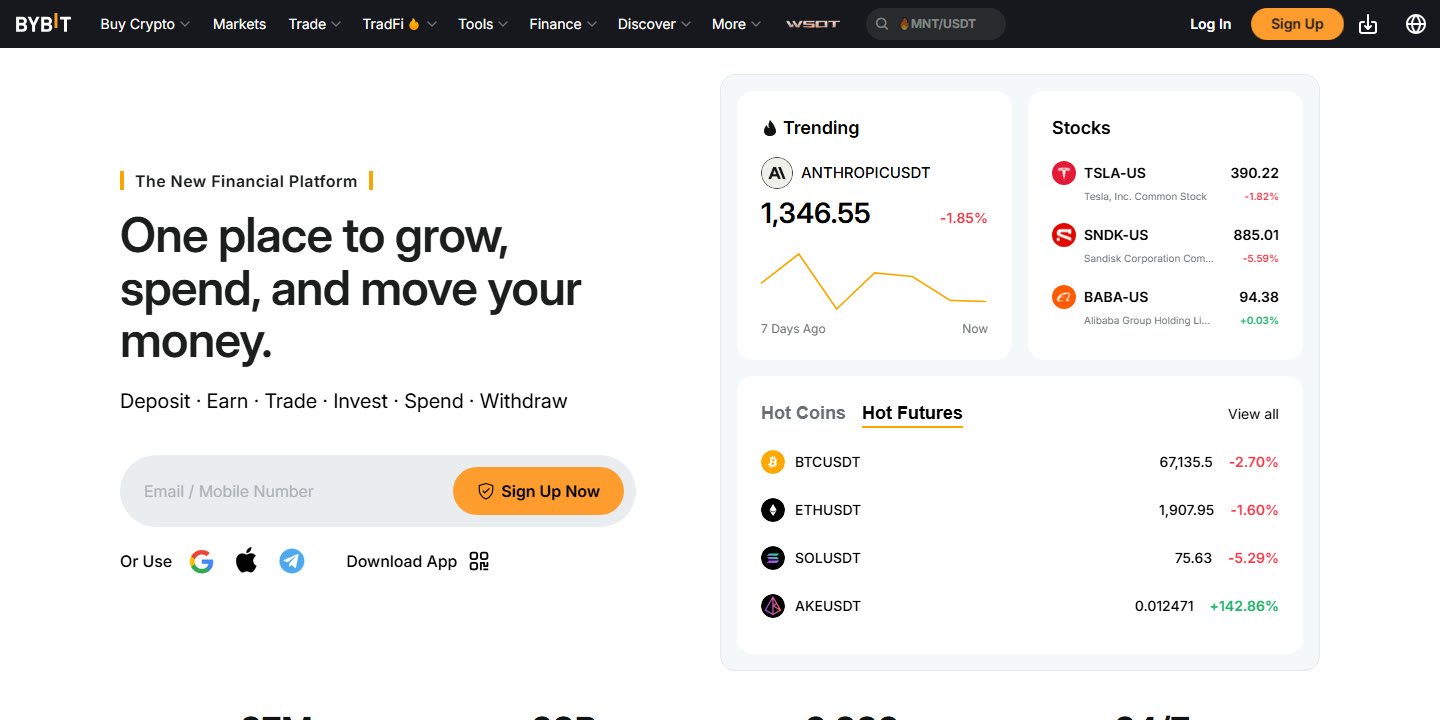
Identity verification on Bybit validates user accounts against regulatory standards, preventing identity fraud and unauthorized account access. The process requires submitting valid personal credentials through the platform interface or mobile app.
- Mandatory Verification: Completing identity checks is a core component of operating a Bybit trading profile.
- Standard Documentation: Typical submissions require an official government-issued ID (such as a passport, identity card, or driver’s license) and a facial biometric scan.
- Regional Eligibility: Users residing in excluded jurisdictions (including the United States, Chinese Mainland, Singapore, Canada, and others) cannot register or complete verification.
- Processing Time: Automated facial recognition and document analysis often complete verification within minutes, though manual reviews can take longer.
- Account Safety: Completing KYC helps protect user ownership and facilitates customer support assistance during account recovery.
What Is Bybit KYC and Why Is Identity Verification Required?
KYC stands for “Know Your Customer,” a global regulatory standard implemented by financial institutions and digital asset platforms. On Bybit, the KYC protocol ensures that each user operating an account is a verified individual or corporate entity. By linking verifiable real-world identities to exchange accounts, the platform complies with global anti-money laundering (AML) and counter-terrorist financing (CTF) mandates.
For traders, identity verification establishes account security. If you ever lose access to your two-factor authentication device, password, or primary email, having a completed verification profile allows Bybit’s customer support team—accessible through 24/7 live chat—to confirm your identity and safely restore account management rights. Furthermore, completing the verification process is essential for accessing account features, promotional campaigns, and deposit incentives.
If you are setting up your account for the first time, you can consult our detailed Bybit Sign Up Guide to review initial account creation steps before moving forward with identity verification.
Prerequisites and Documents Required for Bybit KYC
Before initiating the verification workflow, preparing the necessary documentation helps avoid automated rejection. Depending on your nationality and residential status, Bybit accepts standard government-issued identity documents.
Supported Identification Types
To pass identity verification, you must upload a clear, unedited image of one of the following valid documents:
- International Passport: Must show your full name, photo, date of birth, passport number, and expiration date across the primary bio page.
- National Identity Card: Both the front and back of the plastic card must be captured clearly.
- Driver’s License: A valid government-issued driver’s license showing your photograph, residential jurisdiction, and full legal name.
- Residence Permit: Applicable for foreign residents living legally within a non-restricted jurisdiction.
Document Quality Standards
Automated verification engines screen every image submitted. To ensure immediate approval, adhere to these technical standards:
- Validity: The document must be currently valid and not expired. Temporary paper permits or expired cards will be rejected.
- Clarity and Legibility: All four corners of the document must be visible within the frame. Avoid glare, heavy shadows, blurriness, or reflections from room lighting.
- Authenticity: Do not use photo editing software to modify details, redact information, or adjust colors. Scanned photocopies or screenshots of digital photos are generally rejected in favor of direct live photos.
- Matching Information: The legal name, nationality, and birthdate shown on the document must correspond precisely with the details entered on your Bybit profile.
Step-by-Step Walkthrough: How to Complete Bybit KYC Verification
The verification sequence can be performed either on a desktop browser via the official Bybit website or directly through the Bybit mobile application available on Google Play and the Apple App Store. The mobile app often provides a smoother experience due to built-in smartphone cameras handling facial recognition.
Step 1: Access the Identity Verification Section
Log into your Bybit account. In the top-right corner of the desktop navigation bar, hover over your profile avatar and click on Account & Security. From the settings dashboard, select the Identity Verification tab to review your current verification status.
Step 2: Choose Your Country of Residence
Select your country of nationality and current country of residence from the dropdown list. Ensure you do not select a restricted jurisdiction. If your country is listed among Bybit’s service-restricted regions, you will not be permitted to proceed with verification.
Step 3: Select Your Document Type
Choose the identity document you wish to present (Passport, ID Card, Driver’s License, or Residence Permit). Ensure the physical document is in hand before proceeding.
Step 4: Upload Document Images
If you are using a mobile device, the app will prompt you to capture live photos of the front and back of your identity document. If using a desktop computer, you can take photos using your webcam or scan a QR code to transfer the verification session directly to your smartphone. Ensure all text and borders are sharp and readable.
Step 5: Perform the Facial Liveness Scan
Once document photos are accepted, you will be prompted to complete a 3D biometric selfie scan. Position your face inside the on-screen oval frame. Follow the visual prompts, which may include slowly rotating your head in a circle or looking directly into the lens. Ensure you are in a well-lit room, remove hats, sunglasses, and face coverings, and avoid bright backlights.
Step 6: Submit and Await Review
After completing the facial scan, confirm your submission. The system will initiate automated analysis. Status updates will appear on your Identity Verification screen, and you will receive an account notification once processing finishes.
Jurisdictional Availability and Service Restrictions
Identity verification cannot bypass Bybit’s strict geographical boundaries. Under official policy, Bybit does not offer services to residents or citizens of excluded jurisdictions. Attempting to submit identity credentials from an excluded region will result in immediate rejection.
| Region Category | Countries and Jurisdictions Included | Verification Status |
|---|---|---|
| Excluded Jurisdictions | United States, Chinese Mainland, Hong Kong, Singapore, Canada, North Korea, Cuba, Iran, Uzbekistan, and others. | Strictly Prohibited. Cannot register or verify. |
| Product-Restricted Regions | United Kingdom (general trading permitted; products like xStocks restricted). | KYC permitted for eligible services. |
| Promotion-Restricted Regions | European Economic Area (EEA), Germany, France, Belgium, UK, Hong Kong. | KYC permitted; excluded from certain referral/card promos. |
| Supported Global Regions | All countries not appearing on official restricted lists. | Full KYC and service access available. |
If your country of residence is on Bybit’s official restricted list, you cannot create an account or complete verification. Users should always consult Bybit’s official Service-Restricted Countries page to verify current regional compliance rules before attempting onboarding.
Common Bybit KYC Problems and How to Fix Them
While Bybit’s automated verification framework processes many applications smoothly, technical errors and document mismatches can lead to failed verification attempts. Below are the most frequent issues and operational remedies.
1. Document Rejected Due to Poor Image Quality
Rejections frequently stem from camera flash reflections obscuring critical text, blurry captures, or cropped corners. To fix this, place your document flat on a contrasting, dark surface in a room with natural, diffused light. Turn off camera flash, hold the phone steady, and ensure all four edges of the card are visible inside the guidelines.
2. Facial Liveness Scan Mismatch
If the facial scan fails to match the photo on your physical ID, the system will decline the application. This often occurs if lighting casts deep facial shadows, if your appearance has changed significantly (such as dramatic hair or facial hair changes), or if you are wearing heavy eyewear. Retake the scan in clear daylight with a neutral facial expression and glasses removed.
3. Unsupported or Expired Document
Submitting expired passports, student identity cards, corporate badges, or utility bills for identity verification will cause an instant failure. Only unexpired government-issued identification cards, passports, or driver’s licenses are valid for identity verification.
4. Country of Residence Conflict
If your submitted document indicates citizenship or residence in a restricted territory (such as the United States or Canada), verification will be denied immediately. Bybit does not service clients residing in these jurisdictions under any circumstances.
5. System Processing Delays
Occasionally, an application gets flagged for manual compliance review rather than automated verification. While automated scans often take mere minutes, manual reviews can require additional time. If your verification status remains pending beyond standard operational windows, reach out to Bybit’s support team via their 24/7 live chat system on the official platform.
Bybit Referral Rules and Account Rewards After Verification
Once you have created your account and completed your identity verification, you become eligible to participate in platform incentive programs. When registering, you can enter our referral code W7LKGG4 in the designated referral field. Entering a referral code is completely optional at sign-up and can be left blank if you choose.
According to the official Bybit Referral Program FAQ, new referees who deposit at least $100 within 7 days of signing up receive a 10 USDT bonus. In addition, trading at least $500 on Spot and/or Derivatives within 30 days provides an additional 15 USDT bonus (the referring user receives the same bonus amounts). Referrers can earn a net trading fee commission of up to 30%, which is capped at $5,000 per quarter starting February 7, 2026. Note that trading pairs with zero fees are excluded from commission calculations.
It is not verified whether a referral code can be attached to an account after registration is completed; therefore, users wanting to apply one should enter it directly on the sign-up form. For an in-depth breakdown of available welcome incentives and bonus conditions, read our guide on the Bybit Referral Code W7LKGG4 and explore our Bybit Sign Up Bonus Guide.
Keep in mind that Bybit does not operate referral programs in Germany, the United Kingdom, France, Belgium, Hong Kong, or any regions where Bybit does not operate. Furthermore, users residing in the European Economic Area (EEA) are ineligible for certain promotional programs, such as Bybit Card referral offers. Specific new-user tasks and rewards are updated periodically, so you should always check the official Bybit Rewards Hub for current active terms.
Pros and Cons of Completing Bybit KYC
Understanding the benefits and operational considerations of undergoing identity verification helps you decide how to manage your crypto exchange activities.
Advantages
- Account Security: Verifying your identity establishes concrete proof of account ownership, allowing 24/7 live chat support to assist with credential resets and account recovery.
- Regulatory Compliance: Ensures uninterrupted access to Bybit’s platform features in accordance with global financial standards.
- Promotion Eligibility: Verified users can participate in reward tasks, promotional deposit tiers, and referral bonuses available in the Rewards Hub.
- Swift Mobile Processing: The Bybit mobile app streamlines document capture and biometric scanning, reducing verification turnaround times.
Disadvantages and Considerations
- Strict Regional Exclusions: Users from restricted countries (e.g., United States, Singapore, Canada) are barred from passing KYC and cannot trade.
- Data Sharing Requirements: Users who prefer complete anonymity cannot operate an unverified account on platforms enforcing strict compliance frameworks.
- Automated Glitches: Sensitive biometric checks can occasionally flag minor lighting issues, requiring multiple submission attempts.
Who Should Complete Bybit KYC (and Who Cannot)
Identity verification on Bybit is tailored for specific traders while strictly barring others based on geography and compliance standards.
Who It Is For
- Eligible Global Traders: Individuals living in non-restricted regions seeking an exchange platform with deep liquidity and 24/7 live customer support.
- Traders Seeking Platform Security: Users who want the protection of documented ownership in case of lost authenticators or compromised login credentials.
- Reward Program Participants: New users planning to meet deposit and trading milestones (such as depositing $100 or trading $500) to claim promotional USDT bonuses.
Who It Is Not For
- Residents of Restricted Countries: Individuals physically located in or holding documentation from the United States, Chinese Mainland, Singapore, Canada, North Korea, Cuba, Iran, Uzbekistan, or other excluded areas.
- Anonymity-Only Enthusiasts: Anyone unwilling to upload personal government identification documents and complete biometric facial recognition.
- Certain European Residents Seeking Specific Promotions: Traders in Germany, the UK, France, or Belgium who expect full referral reward program access, as Bybit explicitly does not run referral programs in those specific countries.
Alternative Identity Verification Frameworks Across Crypto Exchanges
Every major digital asset exchange enforces compliance and identity verification measures, though operational approaches and tier thresholds can differ across the industry:
- Centralized Custodial Exchanges: Platforms like Bybit, Kraken, and Coinbase require mandatory government document verification and facial scanning to satisfy global AML regulations before allowing trading or deposits. For broader platform comparisons, see our review of the Top 10 Cryptocurrency Exchanges Providers.
- Tiered Verification Platforms: Some centralized exchanges utilize multi-stage verification tiers where basic account details permit limited functionality, while comprehensive identity and residential proof are reserved for elevated withdrawal thresholds.
- Non-Custodial Decentralized Protocols (DEXs): Decentralized protocols operate on self-custodial smart contracts and generally do not collect personal identification documents. However, DEX platforms lack fiat gateway integration, centralized customer service, and account recovery options if private keys are lost.
Official website · Latest pricing & offers
FAQ
How long does Bybit KYC verification take to process?
Automated verification typically processes submitted credentials quickly if documents and facial scans are clear. If your application triggers a manual security or compliance review, the turnaround time may take longer. You can check your real-time status in the Identity Verification section of your account.
What identity documents are accepted for Bybit KYC?
Bybit accepts official, unexpired government-issued identification documents. These include international passports, national identity cards, valid driver’s licenses, and legal residence permits. Documents must be fully legible, unedited, and display all four corners.
Can I trade on Bybit without completing KYC verification?
No. Bybit enforces mandatory identity verification across its platform. Users must complete identity verification using an official ID and facial scan to access trading, deposit, and withdrawal services.
Why was my Bybit KYC application rejected?
Common rejection reasons include blurry or cropped document photos, flash glare obscuring details, an expired identity card, biometric mismatch during the facial liveness scan, or submitting credentials from an excluded jurisdiction such as the United States or Canada.
Can users in the United States or Canada complete Bybit KYC?
No. The United States and Canada are explicitly listed on Bybit’s service-restricted list. Individuals residing in or holding identification from these excluded jurisdictions cannot sign up or pass identity verification.
Is a referral code required to complete Bybit KYC?
No. The referral code field during registration is completely optional and can be left blank. If you choose to use one, you can enter code W7LKGG4 when creating your account to qualify for eligible referral and deposit rewards per program rules.