Cloudways for Bloggers: Is It Good for Traffic Growth?

Official website · Latest pricing & offers
Cloudways for Bloggers: Quick Verdict
Cloudways for bloggers is a credible upgrade option for site owners who have outgrown the limits of cheap, beginner-oriented hosting. It is designed around managed cloud hosting, with a clear focus on performance, security, support, and the ability to choose from major cloud infrastructure providers.
This is an affiliate review, which means Top Trust Review may earn a commission if you choose Cloudways through a link in this article, at no additional cost to you. My assessment is based on the official product information provided and a practical buyer’s perspective: hosting can support faster, more stable pages, but it cannot replace useful content, technical SEO, or audience-building work.
Who This Review Is for
This Cloudways for bloggers review is for content creators, niche-site owners, affiliate publishers, and established blog operators who are seeing more visits, publishing more content, or preparing for promotional traffic spikes.
It is particularly relevant when your current host feels like a bottleneck. Slow admin areas, inconsistent page speed, downtime concerns, and limited room to grow are all signs that basic shared hosting may no longer fit your site.
Who Should Probably Skip It
Cloudways may not be the best match for someone launching a first blog with almost no traffic and a very limited budget. At that stage, the absolute lowest monthly cost and a simplified setup may matter more than cloud flexibility or performance headroom.
It is also not a magic fix for a poorly optimized site. Large images, heavy themes, too many plugins, and inefficient scripts can still slow down a blog regardless of the hosting environment.
Bottom-Line Recommendation
For bloggers whose priorities have shifted toward stability, speed, and scalability, Cloudways is worth serious consideration. The service officially serves Bloggers & Publishers and offers managed hosting options for WordPress, including Cloudways Flexible and Cloudways Autonomous.
If you are comparing upgrade paths, you can review the current Cloudways offer through this Cloudways affiliate link and verify the latest product details before committing.
Why Blogging Traffic Changes the Hosting Conversation
When Shared Hosting Starts Slowing Down
Beginner hosting often works well enough when a blog is new, lightly visited, and has a simple content stack. The conversation changes as a site gains search visibility, develops an email audience, adds affiliate pages, or receives social-media attention.
More visitors mean more simultaneous page requests. A blog with a growing library of posts, images, category pages, plugins, and analytics tools needs hosting that can handle routine traffic without making the reader experience feel sluggish.
Cloudways for bloggers becomes most relevant at this transition point. It is not about chasing a hosting brand because it is popular; it is about recognizing when reliability and site responsiveness have commercial value.
How Speed Affects User Experience and Rankings
Page speed affects how a visitor experiences your site. When pages respond quickly, readers can move from an article to a related guide, newsletter form, product comparison, or internal link with less friction.
Search engines use many signals, and no responsible host can promise rankings or traffic gains. Still, stable and efficient hosting can remove one avoidable technical obstacle by helping support faster page delivery and a more consistent experience.
For publisher-style sites, this matters beyond SEO. A slow site can reduce engagement, discourage repeat visits, and make it harder for readers to reach monetized pages. This is why blog hosting for traffic growth should be evaluated as part of a broader performance strategy, not as an isolated purchase.
Why Uptime Matters During Traffic Spikes
Traffic is rarely perfectly predictable. A post may get picked up in a newsletter, appear in search results for a timely topic, earn a backlink, or receive a burst of social attention.
During those moments, your hosting needs to be dependable. If readers cannot access your content during a spike, the opportunity may be lost, and you may also create a poor impression for returning visitors.
Cloudways positions its platform around performance and a seamless platform experience. For a blog that is becoming a business asset, this focus is more relevant than simply choosing the lowest advertised price.
What Cloudways Is and How It Works for Bloggers
Managed Cloud Hosting in Plain English
Cloudways is a managed cloud hosting platform. In practical terms, it gives site owners a managed layer for deploying and operating websites on cloud infrastructure from providers listed by Cloudways: DigitalOcean, Vultr, Linode, AWS, and GCE.
That matters because bloggers do not necessarily want to manage every server-level task themselves. Managed cloud hosting for bloggers aims to provide a more guided hosting experience while retaining access to cloud-provider choices.
Cloudways for bloggers is therefore different from a basic one-size-fits-all shared hosting package. You are choosing a managed platform and a cloud infrastructure route that should fit your site’s present needs and future growth plans.
Who Cloudways Serves
Official Cloudways product pages specifically identify Bloggers & Publishers among the audiences it serves. That is a meaningful distinction because publishing sites have unique demands: content updates, audience spikes, regular media uploads, and a need for dependable access to high-value articles.
Cloudways also serves broader website types, so it is not limited to personal blogs. That can be useful for creators who expect to add a store, landing pages, client resources, or custom functionality as their operation expands.
For a broader look at the platform outside the publishing context, see our [Cloudways review for growing businesses](/best-hosting-for-growing-business).
Supported Apps for Bloggers
WordPress is often the obvious choice for editorial sites, and Cloudways officially lists WordPress among its supported applications. This makes Cloudways for WordPress bloggers a relevant option for content-driven sites that need a familiar publishing workflow.
The official homepage also lists Laravel, Magento, WooCommerce, and PHP. That support can matter if your blog eventually includes a WooCommerce shop, a custom PHP tool, or a more specialized application alongside the content site.
| Officially Listed App | Potential Blogger Use |
|---|---|
| WordPress | Editorial blogs, niche sites, content publishers |
| WooCommerce | Blogs adding product sales or digital products |
| PHP | Custom site functions or tools |
| Laravel | Custom web applications |
| Magento | Larger ecommerce-focused projects |
Cloudways Features That Matter Most for Blog Growth
Performance Features
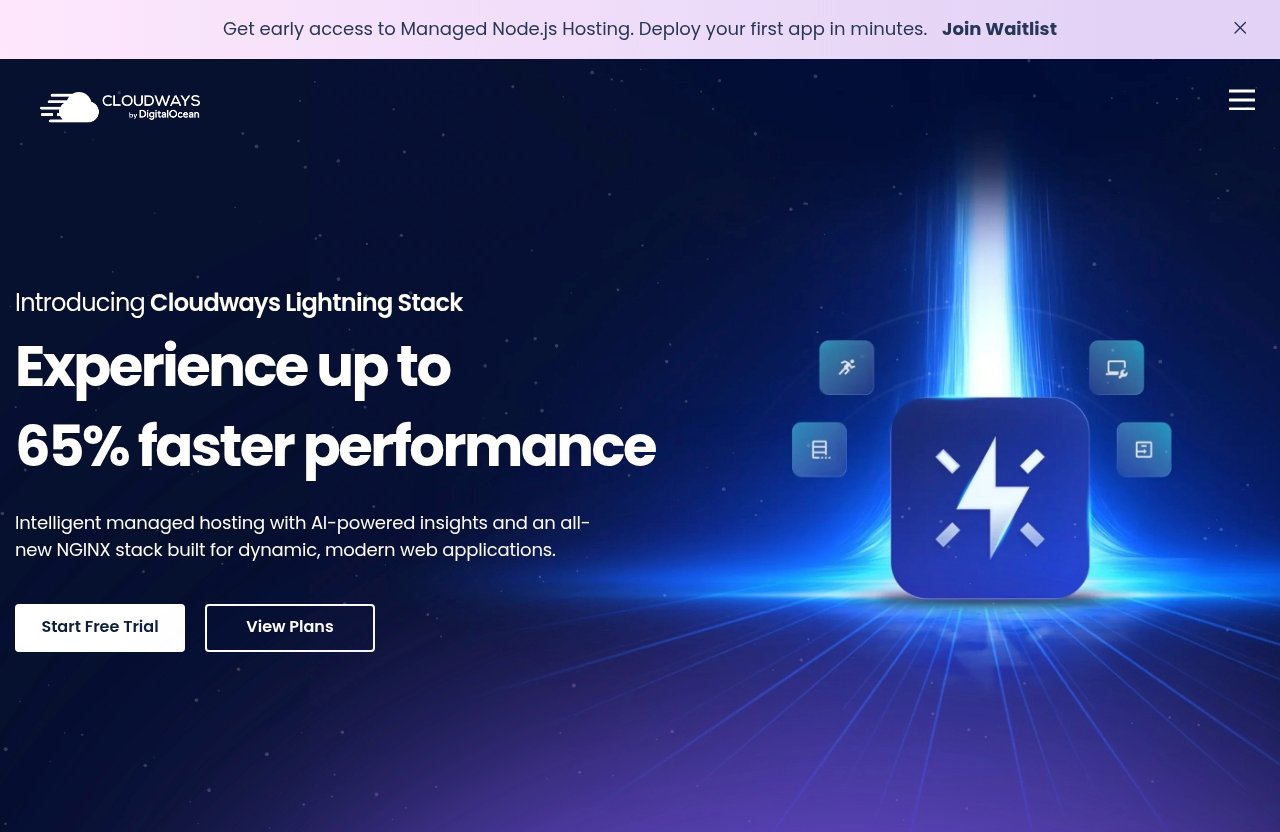
Performance is one of the core features highlighted on the official Cloudways homepage. The company also states that users can “Experience lightning-fast loading times and seamless platform.”
For bloggers, the practical takeaway is not a guaranteed ranking jump. Rather, a performance-oriented environment can support the work you already do to make pages efficient: choosing a sensible theme, compressing images, reducing unnecessary plugins, and keeping content pages focused.
Cloudways for bloggers makes the most sense when hosting is one part of a deliberate site-quality process. Good content and sound technical choices still matter, but the underlying environment should not create avoidable delays.
Security and Backup-Related Benefits
Security is another official Cloudways feature. This is important for publishers because a compromised blog can interrupt publishing, damage reader trust, and create a substantial cleanup task.
The supplied official product facts do not provide specific backup details, retention periods, or restoration processes. Before buying, verify the current backup-related options, responsibilities, and any associated terms directly on the live Cloudways site.
This is a worthwhile diligence step for any host. Even with a managed platform, blog owners should maintain a documented recovery process and know exactly how their content, media, and configuration are protected.
Support, Migration, and SSL
Cloudways officially highlights 24×7 Expert Support, Free Migration, and Free SSL. These three features are particularly practical for bloggers moving away from a basic host.
Free Migration can reduce the friction of switching an established blog. Free SSL supports encrypted connections, while around-the-clock expert support can be valuable if a site issue occurs outside normal working hours.
A cloudways hosting review should not treat support as a minor extra. For a site producing leads, affiliate revenue, subscriptions, or advertising income, the ability to seek expert help is part of the overall hosting value.
Cloudways Pricing for Bloggers
Official Pricing Facts to Know
The most responsible answer on Cloudways for bloggers pricing is that you should verify the live pricing page before purchasing. The official pricing-page material provided for this review did not expose readable public plan tiers or price figures.
For that reason, I will not invent monthly rates, claim a lowest-cost plan, or compare prices that cannot be confirmed. Cloudways offers Cloudways Flexible, described as customizable managed hosting for WordPress, and Cloudways Autonomous, described as fully managed hosting for WordPress.
Value Considerations for Growing Blogs
Cloudways for bloggers cost should be judged against the cost of a poor hosting fit, not only against the cheapest entry-level package. If outages, slow pages, migration work, or support limitations are affecting a revenue-producing blog, a higher-quality hosting setup may offer better practical value.
That does not mean every blog needs an upgrade. A small hobby project may reasonably prioritize affordability, while an established publisher may place more value on managed support, security, performance, and cloud-provider flexibility.
| Consideration | Questions to Ask Before Choosing |
|---|---|
| Traffic pattern | Is your readership stable, increasing, or prone to sudden spikes? |
| Site value | Does downtime affect leads, affiliate revenue, sales, or subscribers? |
| Technical comfort | Do you want a managed platform rather than more server administration? |
| Growth plans | Will you add more content, a shop, or custom features? |
| Budget | Does the current live price fit your publishing economics? |
What to Verify Before Choosing a Plan
Check the current Cloudways plans on the official website, including live pricing, available provider choices, included services, and any terms relevant to your setup. Confirm whether Cloudways Flexible or Cloudways Autonomous better matches your WordPress requirements.
Also consider which listed cloud provider best fits your preferences. Cloudways DigitalOcean may be one route you evaluate, while Vultr, Linode, AWS, and GCE are also officially listed provider options.
Official website · Latest pricing & offers
Is Cloudways Good for Traffic Growth?
Best for Blogs With Rising Traffic
Cloudways for bloggers is a strong fit for sites that are already gaining traction and need hosting to keep pace. This may include a niche site adding search traffic, a creator launching campaigns, or a publisher with a growing archive of evergreen content.
The key advantage is not that Cloudways creates visitors. Traffic growth comes from content quality, search visibility, promotion, audience trust, and distribution. What hosting can do is help support a site that remains accessible and responsive as more people arrive.
When Cloudways Can Help With Speed Bottlenecks
Cloudways can be worth considering when your current host appears to be the limiting factor. A slow dashboard, inconsistent loading, poor responsiveness at busy times, and difficulty scaling are practical reasons to investigate managed cloud hosting.
Before migrating, look at the whole site. Test pages on mobile, review your theme and plugin stack, optimize images, and identify unnecessary third-party scripts. Moving to a better environment is more effective when the blog itself is maintained well.
This is also why simplistic comparisons such as Cloudways vs Hostinger can be misleading. The right choice depends on your traffic, budget, desired level of management, and the importance of performance to your business—not on a generic winner label.
What It Does Not Automatically Solve
Cloudways for bloggers does not automatically improve content quality, earn backlinks, fix poor keyword targeting, or guarantee first-page rankings. It also does not remove the need to monitor plugins, update software, and make sensible publishing decisions.
Think of hosting as infrastructure. Better infrastructure can make it easier for readers and search crawlers to access a well-built website, but it is not a replacement for a useful editorial strategy.
For creators improving their entire publishing workflow, our [Contentstudio vs Buffer comparison](/contentstudio-vs-buffer-for-ai-repurposing) may also help with evaluating content repurposing tools.
Cloudways vs Typical Beginner Blog Hosting
Where Cloudways Is Stronger
The central Cloudways advantage is its managed cloud hosting positioning. Officially highlighted strengths include Performance, Security, 24×7 Expert Support, Free Migration, and Free SSL, alongside cloud-provider options from DigitalOcean, Vultr, Linode, AWS, and GCE.
That combination is attractive for growing blogs that need more than a low entry price. It gives site owners a path built around managed WordPress hosting choices and cloud infrastructure rather than a purely beginner-focused hosting experience.
Where Budget Hosting May Still Win
Typical entry-level hosting may still be the sensible choice for a new site with limited traffic and minimal revenue. Its main appeal is often straightforward affordability and simplicity.
Cloudways for bloggers may be more than a very early-stage project needs. If you are still validating an idea, have no meaningful traffic, or want the least expensive route possible, focus on building content and confirming audience demand first.
How to Decide Based on Your Stage
Choose based on the cost of compromise. If your site is a casual experiment, low-cost hosting can be perfectly reasonable. If it is a business asset with valuable traffic and time-sensitive promotions, performance and support deserve more weight.
A useful decision framework is simple: upgrade when your current host is causing observable problems or preventing planned growth. Do not upgrade solely because a platform is popular.
Real-World Use Cases for Bloggers
New Blog With Growth Plans
A new blogger with serious ambitions may choose Cloudways from the start if they value managed cloud hosting and expect to publish heavily. This is most reasonable when the budget allows for it and the creator wants to avoid a migration after rapid growth.
However, it is not a requirement for success. The better question is whether the platform’s managed features and cloud options are proportionate to the project’s current stage.
Established Content Site With Search Traffic
An established blog with consistent organic visitors has more to lose from unstable performance. Readers may arrive across hundreds of evergreen posts, and slow loading on high-intent pages can create unnecessary friction.
Cloudways for bloggers is especially relevant here because performance, security, support, free migration, and SSL are official priorities. The platform is positioned for publishers who treat their sites as ongoing operations rather than occasional personal projects.
Affiliate or Niche Site Handling Spikes
Affiliate and niche sites can experience irregular traffic patterns around seasonal events, product launches, news coverage, or a newly ranking commercial page. In these cases, stability matters because a traffic spike often arrives when a site has the most to gain.
Cloudways does not promise revenue or conversions. But a dependable, performance-focused hosting setup can support a smoother path from a visitor landing on a guide to reading comparisons and taking the next step.
How to Set Up Cloudways for a Blog
Choose an App and Cloud Provider
Start by choosing the application that matches your site. WordPress will be the usual choice for most editorial blogs, while WooCommerce may suit bloggers adding a store. Cloudways also officially supports PHP, Laravel, and Magento.
Next, review the officially listed cloud provider options: DigitalOcean, Vultr, Linode, AWS, and GCE. Select based on your own needs and the current options available in the Cloudways dashboard.
Migrate Your Site
If you already have a blog elsewhere, review the Free Migration option highlighted by Cloudways. Before beginning a move, document your domain settings, essential plugins, current site functionality, and any email or third-party integrations connected to the website.
After migration, test key pages carefully. Check the homepage, recent posts, high-traffic articles, forms, menus, internal links, and mobile display before treating the move as complete.
Turn On SSL and Basic Optimization
Cloudways lists Free SSL as an official feature, so make sure encrypted access is active before directing visitors to the migrated site. Then address basic site maintenance: update WordPress and plugins, remove unused extensions, optimize images, and limit unnecessary scripts.
Cloudways for bloggers works best when the host and website are both managed thoughtfully. Hosting provides the foundation, while site optimization determines how efficiently your actual pages use that foundation.
Final Recommendation and Best-Fit Summary
Best for Growing Bloggers
Cloudways for bloggers is best suited to publishers who have outgrown bargain hosting or want to build on managed cloud infrastructure from the beginning. It is particularly relevant for WordPress-driven content sites where performance, security, expert support, free migration, and SSL have real operational value.
The platform’s official support for Bloggers & Publishers and its choice of listed cloud providers make it a practical option for sites with meaningful growth plans.
Not Ideal for Ultra-Tight Budgets
It is not automatically the best choice for every beginner. If your blog is new, lightly visited, and highly budget-sensitive, a simpler low-cost option may be sufficient while you build a content base.
As traffic, revenue, and site complexity increase, the value calculation can change. At that point, the limitations of basic hosting may cost more in lost time and poor reader experience than a more capable setup.
Final Affiliate-Style Recommendation
My conclusion is that Cloudways for bloggers is a sensible upgrade candidate when speed, uptime, scalability, and managed support matter more than choosing the cheapest possible host. It can support a stronger technical foundation for traffic growth, without making unrealistic promises about rankings or revenue.
If that matches your stage, review the current options and pricing through Cloudways here, then compare the live details against your traffic, budget, and technical needs.
Official website · Latest pricing & offers
FAQ
How Much Does Cloudways Cost Per Month?
Cloudways pricing should be checked directly on the live official Cloudways pricing page before you purchase. The official pricing information supplied for this review did not include readable public plan tiers or monthly prices, so it would be inaccurate to quote a number here.
Which Hosting Provider Is Best for Blogging?
The best provider depends on your traffic level, performance requirements, budget, and technical comfort. Cloudways is a strong option for growing blogs that need managed cloud hosting, performance-focused infrastructure, security, support, free migration, and free SSL.
Is Cloudways Only for WordPress?
No. Cloudways officially lists support for WordPress, Laravel, Magento, WooCommerce, and PHP. It also identifies Bloggers & Publishers as an audience it serves.
Is Cloudways Good for Hosting?
Yes, Cloudways is a credible hosting option for users who want managed cloud hosting with officially highlighted Performance, Security, 24×7 Expert Support, Free Migration, and Free SSL. It is especially worth considering when a blog is growing and basic hosting no longer provides enough confidence in speed, stability, or scalability.
Related Reading
- Cloudways Review: Best Hosting for Growing Business?
- Cloudways Affiliate Program Review 2026: Commission, Payouts, and Promotion Strategy
- How to Use Gohighlevel in 7 Easy Steps
References
- Hosting for Bloggers for high performing blogs
- Cloudways: Managed Cloud Hosting Platform Simplified
- Cloudways Hosting Review: Is It The Best Host For Your …
- Cloudways Review 2026: 6 Years Hosting Our Sites On It