How to Use Skool for Membership Site Setup and Launch

Learning how to use Skool for membership site creation starts with a simple goal: give people a clear reason to join, an easy path to get value, and a community worth returning to. Skool combines community discussions, course-style content, and live interaction tools in one place, which can reduce the complexity of a typical membership stack.
This guide walks you through choosing a plan, building your community, organizing member access, using membership questions, and launching with confidence. The recommendations below are practical guidance; pricing and platform feature facts are based only on official Skool sources.
Official website · Latest pricing & offers
What Skool Is and Why It Works for Membership Sites
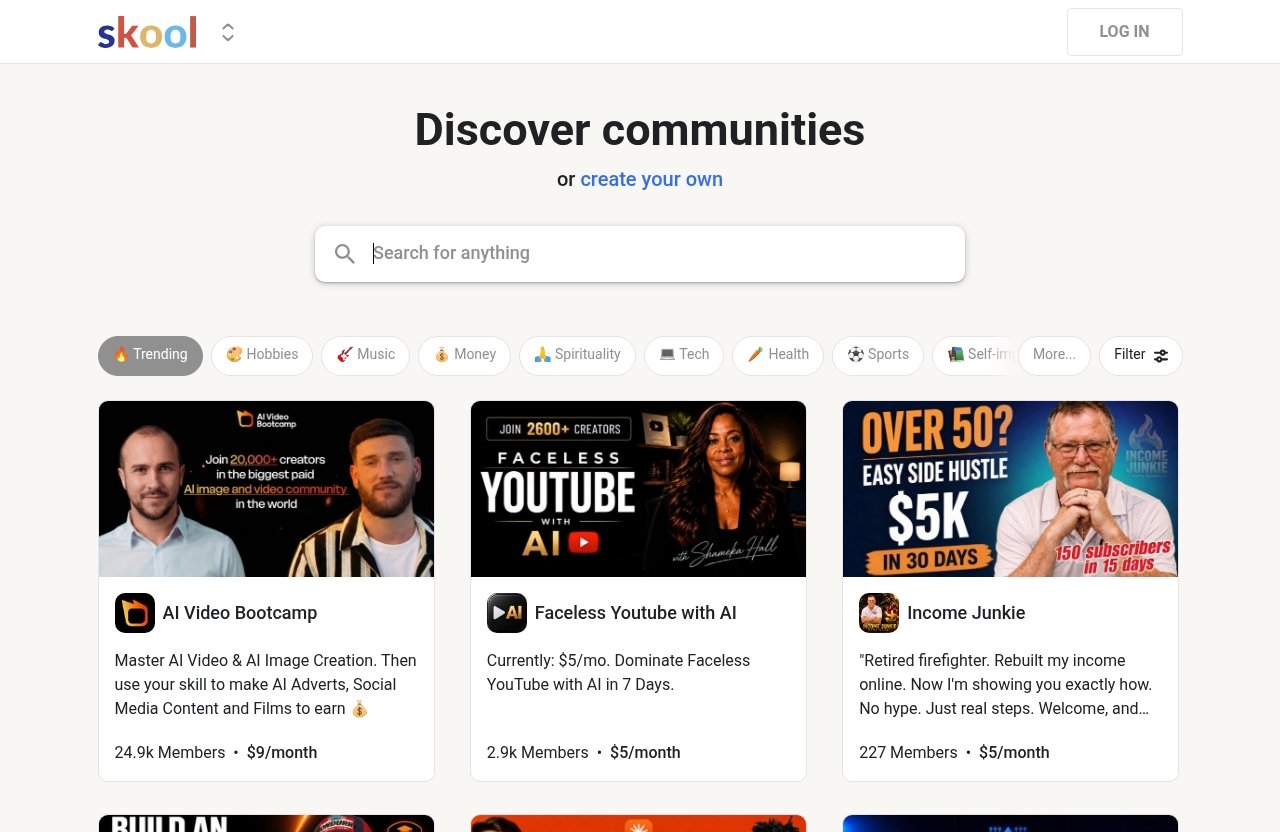
Skool is a platform where people can discover communities or create their own, including free and paid communities. For creators, the practical appeal is having a central place for discussions, educational content, and member activity instead of sending members across several disconnected tools.
When deciding how to use Skool for membership site growth, focus less on software features and more on the member experience. Your members should understand what they receive, where to begin, and what to do each week.
Skool as an all-in-one community + course platform
Skool can support a membership model that combines a community area with structured learning resources. This makes it useful for creators who want to teach a process while also giving members a place to ask questions, share progress, and connect with peers.
Official Skool pricing information states that both available plans include unlimited members, courses, videos, and live calls. That means a basic Skool membership setup can begin without having to calculate member caps or course limits.
A course alone can become passive and easy to abandon. A community alone can become noisy without direction. The strongest memberships use both: clear lessons for progress and discussion prompts for accountability.
Who Skool is best for
Skool is best suited to creators with a focused outcome and an audience that benefits from learning together. Coaches, consultants, educators, niche business owners, and creators with repeatable frameworks can all use this format effectively.
For example, a fitness coach could build weekly training lessons and member check-ins. A freelance consultant could offer templates, feedback sessions, and peer-led discussions. In each case, how to use Skool for membership site success depends on creating a repeatable member journey rather than constantly adding more content.
It can also work for people who are new to online communities. If you need an introduction to the platform’s workflow, see our [Skool tutorial for beginners](/skool-tutorial).
When Skool is a better fit than a traditional membership stack
A traditional membership stack may involve a website builder, course host, payment tool, video tool, email system, and community platform. That arrangement can be useful when you need extensive customization, but it also creates more setup points to manage.
Skool is a more practical fit when you want a streamlined Skool paid community with courses, videos, live calls, and member interaction managed in one platform. It is especially attractive for a first launch where speed and clarity matter more than a fully custom website.
If your business needs advanced sales funnels, complex automation, or a broader CRM workflow, a separate tool may be appropriate. For comparison, review [Systeme.io for digital products: a practical selling guide](/systeme-io-for-digital-products) and our [GoHighLevel pipelines: ultimate setup guide](/gohighlevel-pipelines).
Skool Pricing and Plan Choice for Membership Sites
Skool pricing is straightforward in structure, but your decision affects margins once you begin selling. The official pricing page lists a Hobby plan and a Pro plan, with monthly and yearly billing options and a note that yearly billing includes “2 months free!”
When considering how to use Skool for membership site revenue, evaluate the monthly platform cost alongside the transaction fee. Do not choose based on features alone, because the official plan details show that both plans include the same core unlimited capacity.
Hobby plan: what you get
The Hobby plan costs $9 per month according to Skool’s official pricing page. It includes unlimited members, unlimited courses, unlimited videos, unlimited live calls, a custom URL, and affiliates.
The Hobby plan has a 10% transaction fee. For a new creator testing a small offer, the low monthly cost may make it a reasonable starting point, although the transaction fee should be part of your revenue forecast.
Pro plan: what changes
The Pro plan costs $99 per month. Like Hobby, it includes unlimited members, courses, videos, live calls, a custom URL, and affiliates.
The main verified difference to consider is the 2.9% transaction fee on Pro compared with 10% on Hobby. This means the question is not whether Pro unlocks essential community capacity; it is whether your sales volume and budget make the different fee structure a better business decision.
For a current breakdown, read [How much does Skool cost in 2026?](/how-much-does-skool-cost) and check the official Skool pricing page before making a purchase decision.
How to choose the right plan for a new membership
My recommendation for a new membership is to model both plans using conservative sales assumptions. Estimate your expected member payments, then compare the impact of the platform subscription and transaction fee at that level.
Start with a simple table like this:
| Decision factor | Hobby plan | Pro plan |
|---|---|---|
| Official monthly price | $9/month | $99/month |
| Official transaction fee | 10% | 2.9% |
| Unlimited members, courses, videos, and live calls | Yes | Yes |
| Best evaluated for | Lower upfront software cost | Lower transaction fee structure |
A small beta launch does not need a complicated financial model. The important part of how to use Skool for membership site planning is knowing your break-even point before you announce a price.
How to Set Up Your Skool Membership Step by Step
The best Skool community setup follows the member journey in order: discover the community, understand the offer, join, find the first action, and return for continued progress. Build and test that journey before inviting a large audience.
Avoid treating setup as a branding exercise only. A polished name matters, but member clarity matters more.
Create your community and choose a name: How to Use Skool for Membership Site Basics
Create your community around one defined promise. A vague name such as “The Success Hub” forces potential members to work out what it means, while “The Freelance Proposal Lab” immediately signals the topic and likely outcome.
In this early stage of how to use Skool for membership site creation, write one sentence that answers: “Who is this for, and what can they reasonably achieve here?” Use that sentence in your description, welcome post, promotional content, and onboarding material.
Before publishing, prepare these essentials:
- A clear community name and short description
- A defined ideal member profile
- A simple explanation of what members receive
- A welcome post with a first action
- A small starter collection of useful lessons or resources
- A schedule for your first live call or community prompt
Do not promise daily access, unlimited personal feedback, or outcomes you cannot reliably deliver. Your offer should match your available time and expertise.
Set your custom URL and branding
Both official Skool plans include a custom URL. Choose a URL that is short, recognizable, and consistent with the name people see in your promotion.
Keep branding functional. Use a clear visual identity, but do not delay launch because you are deciding between several logo versions. A future member should be able to identify the community, understand the benefit, and know where to start in a few seconds.
This is a key checkpoint in how to use Skool for membership site design: review the page from the perspective of someone who has never heard of you. If they cannot identify the offer quickly, revise the copy before driving traffic.
Configure privacy and access settings
Decide whether your community is free, paid, or structured around a limited entry group. Skool’s homepage shows that communities can be free or paid, so your access decision should support your specific business model.
For a paid community, explain what access includes and who should not join. Clear boundaries reduce refund requests and help attract people who are likely to participate.
A useful positioning formula is:
This community helps [specific person] achieve [specific outcome] through [your method, resources, and community support].
If you are still comparing platforms for a paid offer, [How to replace ClickFunnels with Systeme.io in 2026](/replace-clickfunnels-with-systeme-io) may help you evaluate a more funnel-centered setup.
Connect payments and test the checkout flow
Before launch, set up the payment process available for your selected membership model. Then test the complete joining experience yourself or with a trusted beta member.
A reliable Skool membership setup test includes the following:
- Open the community page on desktop and mobile.
- Read the description as if you are a first-time visitor.
- Complete the payment and joining path.
- Confirm the welcome experience is visible immediately after entry.
- Check that the first lesson, post, or action is easy to find.
- Verify that members know how to get help.
The most common mistake here is assuming that a configured checkout is a tested checkout. When you learn how to use Skool for membership site launches, test every step rather than relying on memory or admin access.
How to Structure Your Membership for Retention: How to Use Skool for Membership Site Retention
Retention begins before the first payment. Members stay when they make visible progress, understand the next step, and feel that participation is worthwhile.
Your structure should reduce uncertainty. A new member should never have to ask, “What am I supposed to do first?”
Organize the classroom and community areas
Use the classroom content for evergreen material: foundational lessons, templates, recordings, frameworks, and repeatable processes. Use the community for questions, accountability, wins, feedback, and timely announcements.
Do not upload everything you have ever created. For Skool for online courses, a small, logically ordered starter path is more useful than an overwhelming library.
A practical sequence is:
| Area | Purpose | Example |
|---|---|---|
| Start Here | First-week orientation | Welcome lesson and community rules |
| Core Method | Primary transformation | Step-by-step modules |
| Resource Library | Supporting materials | Templates, checklists, recordings |
| Community Feed | Ongoing participation | Questions, wins, and weekly prompts |
Plan your onboarding experience
Strong Skool onboarding turns a paying member into an active participant quickly. Your welcome content should point members to one achievable action, such as introducing themselves, completing a short lesson, or sharing their current challenge.
Tell new members where to find help. Skool’s official help center has a Skool basics for members resource, which can be useful for people who need guidance on the platform itself.
For how to use Skool for membership site retention, aim to create an early win in the first few days. That might be a completed worksheet, a clearer plan, feedback on a question, or a helpful connection with another member.
Use events and live calls to create momentum
Official Skool plan details list unlimited live calls on both Hobby and Pro. Use that capacity with intention rather than scheduling calls simply to look active.
A recurring weekly office hour, implementation session, or focused Q&A is often easier to maintain than multiple unstructured calls. Record the important insights as resources, then direct new members to the most relevant replay.
Live interaction is valuable because it creates a reason to return. It also helps you hear the language members use, which can improve your curriculum and sales messaging.
Set a weekly content and engagement rhythm
A sustainable weekly rhythm usually beats a high-volume content sprint followed by silence. Choose a schedule you can maintain for several months.
For example, you could publish a Monday action prompt, host a midweek live call, and invite members to share wins or questions on Friday. This approach gives your Skool paid community predictable touchpoints without turning content production into a full-time burden.
Official website · Latest pricing & offers
How to Use Membership Questions to Qualify New Members
Membership questions can help you understand who is joining and what they need before they enter the community. Used well, they improve onboarding and help you spot mismatched applicants early.
They are not a replacement for a clear offer. In a thoughtful how to use Skool for membership site strategy, questions should support member fit rather than add unnecessary friction.
Where to enable membership questions
According to Skool’s official help center, go to SETTINGS > Plugins > EDIT next to Membership questions. From there, you can turn the feature on and add your questions.
Review the official Membership Questions help article before configuring your form, especially if you are changing the questions for an active community.
What question types are available
The official guidance lists three answer types:
- Text box
- Multiple choice
- Email address
Choose the format that produces useful answers with minimal effort. A multiple-choice question can help identify a member’s experience level, while a text question can uncover their main challenge.
How many questions you can add
Skool allows a maximum of three membership questions. Only one question can use the email address answer type.
This limit is useful because it forces focus. Ask only for information you will genuinely use to improve the joining experience, member segmentation, or future programming.
How to use answers to improve onboarding
A practical approach is to ask what stage a member is at, what outcome they want, and—if appropriate—an email address. Then use the responses to shape your welcome message, recommend the right starting resource, and identify common topics for future calls.
For example, if many people report the same beginner obstacle, create a short starter lesson or FAQ post addressing it. This is one of the most direct ways how to use Skool for membership site operators can turn feedback into better retention.
Launch Checklist for a Paid Community on Skool
A launch does not require a huge audience, but it does require a tested offer and a clear member journey. Use this Skool launch checklist before opening enrollment publicly.
Pre-launch content to prepare
Prepare enough content to make the membership useful on day one. You do not need a massive library, but you do need a coherent starting path.
- Community description and member promise
- Welcome post and community expectations
- A “Start Here” lesson or orientation
- Three to five core resources or lessons
- One scheduled live call or event
- A simple FAQ and support process
- A first-week engagement prompt
Beta testing with early members
Invite a small group of people who fit your ideal member profile. Ask them to join, use the onboarding flow, find the first lesson, and tell you where they felt confused.
For anyone researching how to create a membership site with Skool, beta feedback is more valuable than guessing. Listen for repeated friction points, then fix the wording, navigation, or content sequence before wider promotion.
Pricing and offer validation
Set a price that reflects the outcome, access level, and effort you can consistently provide. Be specific about what members receive, but do not create artificial urgency or promise income, health, or business results you cannot substantiate.
Validate the offer through conversations and beta participation. If people hesitate, find out whether the issue is audience fit, unclear value, timing, or price—not simply a lack of promotional effort.
Launch-day promotion checklist
On launch day, give people a clear explanation and one next step. Promote the problem your membership solves, the member it serves, the opening resources, and the reason to join now.
If you decide Skool fits your model, you can explore the platform through our Skool link. Make sure your promotion directs people to a clear community description rather than assuming they already understand the offer.
Best Practices to Grow a Skool Membership Site
Growth is not only about adding members. Healthy growth means attracting suitable members, helping them activate, and retaining them through useful progress.
As you refine how to use Skool for membership site operations, measure what members actually do after joining. Participation, questions, completed lessons, call attendance, and shared wins reveal more than vanity metrics.
Create a simple promise and outcome
Your membership should solve one central problem for one identifiable group. “Helping creators grow” is broad; “helping freelance designers create a repeatable client referral process” is easier to understand and market.
A focused promise also guides your content decisions. If a lesson does not help the core member move toward the stated outcome, archive it or place it in a secondary resource area.
Use gamification and participation cues
Participation cues are simple prompts that make engagement easier. Ask a specific weekly question, invite members to post a small win, or create a consistent thread for implementation updates.
The goal is not to pressure people into posting. It is to make the desired next action obvious, especially for quieter members who need a low-risk way to join the conversation.
Keep the offer focused
A common temptation is expanding the membership every time someone requests a new topic. Instead, serve the main transformation well and use feedback to improve the core experience.
A focused Skool community setup is easier to explain, easier to onboard, and easier for members to recommend. You can add adjacent offers later if demand is clear.
Reduce churn with clear wins
Members often leave when they feel stuck, overwhelmed, or uncertain about the value received. Counter this with progress markers: a first-week task, a 30-day milestone, a resource roadmap, or a recurring opportunity to get feedback.
When you understand how to use Skool for membership site retention, you stop asking only, “What more can I upload?” Instead, ask, “What result can a member achieve next?”
Common Mistakes to Avoid When Using Skool for Membership Sites: How to Use Skool for Membership Site Wisely
Most membership problems are not platform problems. They come from unclear positioning, weak onboarding, inconsistent delivery, or a pricing structure that does not match the business model.
Fix the member experience before adding complexity.
Overcomplicating the offer
Do not launch with several unrelated courses, multiple audience types, and a long list of vague benefits. A narrow offer is easier to validate and easier for members to understand.
Start with one problem, one audience, and one transformation. Once you have evidence of demand, expand carefully based on member behavior and feedback.
Launching without onboarding
A member who joins and sees a blank or confusing space may never return. Your first welcome message should explain where to go, what to do, and how to ask for help.
This is why how to use Skool for membership site planning should include onboarding before promotion. The first 10 minutes matter more than the next 10 pieces of content you intended to create.
Ignoring member feedback
Feedback does not mean following every request. It means looking for patterns in member questions, cancellations, live calls, and community discussions.
If several members struggle with the same point, improve the relevant lesson or create a clearer starting resource. Make changes based on evidence rather than one loud opinion.
Choosing the wrong payment structure
Review Skool pricing before launch and revisit it as your revenue changes. The Hobby and Pro plans have different monthly prices and transaction fees, so your best choice can change as sales volume changes.
Do not treat the lower monthly price as automatically cheaper overall. Build a simple forecast and use official pricing information rather than assumptions.
Is Skool Worth It for a Membership Site?
Skool can be worth considering if you want a community-centered membership with course delivery and live interactions in the same environment. Its official plans include unlimited members, courses, videos, and live calls, while plan selection mainly affects monthly cost and transaction fees.
The best answer to how to use Skool for membership site success is not “use every available feature.” It is to build a focused offer, make onboarding easy, create a predictable engagement rhythm, and improve from real member feedback.
Best use cases for solo creators
Solo creators can benefit from a simpler operating model. If you want to teach a specific framework, answer member questions, and run recurring calls without stitching together many platforms, Skool is a practical option to evaluate.
Keep the scope realistic. Build a membership that you can support consistently alongside your existing client work, content creation, or business obligations.
Best use cases for educators and coaches
Educators and coaches can use Skool for structured learning alongside peer accountability. The combination is especially useful when progress improves through discussion, feedback, implementation sessions, or shared milestones.
Your expertise is still the product. The platform supports delivery, but clear teaching, boundaries, and reliable member support determine whether people stay.
When another platform may be a better fit
Another platform may be better if you require deeply customized website design, complex CRM automation, sophisticated funnel logic, or an ecommerce experience beyond a community-first membership. In that case, compare options based on your actual operational needs.
For many first-time creators, though, learning how to use Skool for membership site setup is a sensible route to launching a focused paid community without overbuilding. Start small, test with a beta group, make the first member experience excellent, and scale only after you have a repeatable system.
Official website · Latest pricing & offers
FAQ
How do you use Skool for a membership site?
Create a community, define access and payment settings, organize your content into a clear starting path, and use posts and live calls to keep members engaged. The most effective approach is to give new members one obvious first action and a predictable weekly rhythm.
Is Skool good for paid communities?
Yes, it can be a good fit for creators who want community discussion, course-style content, videos, and live calls in one platform. Whether it is right for you depends on your offer, audience, pricing model, and need for customization.
How much does Skool cost for a membership site?
According to the official Skool pricing page, the Hobby plan costs $9 per month and the Pro plan costs $99 per month. Both include unlimited members, courses, videos, and live calls, while Hobby has a 10% transaction fee and Pro has a 2.9% transaction fee.
Can I add membership questions in Skool?
Yes. Skool’s help center says you can enable Membership questions through SETTINGS > Plugins > EDIT, add up to three questions, and choose text box, multiple choice, or email address answer types. Only one question can use the email address option.
How do I launch a Skool membership with no audience?
Start with a narrow promise and invite a small beta group that matches your ideal member profile. Use their feedback to validate the offer, strengthen onboarding, and gather early proof of value before promoting the membership more broadly.
Related Reading
- Systeme.io for digital products: a practical selling guide
- Gohighlevel pipelines: ultimate setup guide
References
- Skool: Discover Communities or Create Your Own
- Skool: Pricing
- Skool basics for members
- How to set up Membership Questions? – Skool Help Center