Is Crayo AI Worth It in 2026? A Practical Buyer’s Review
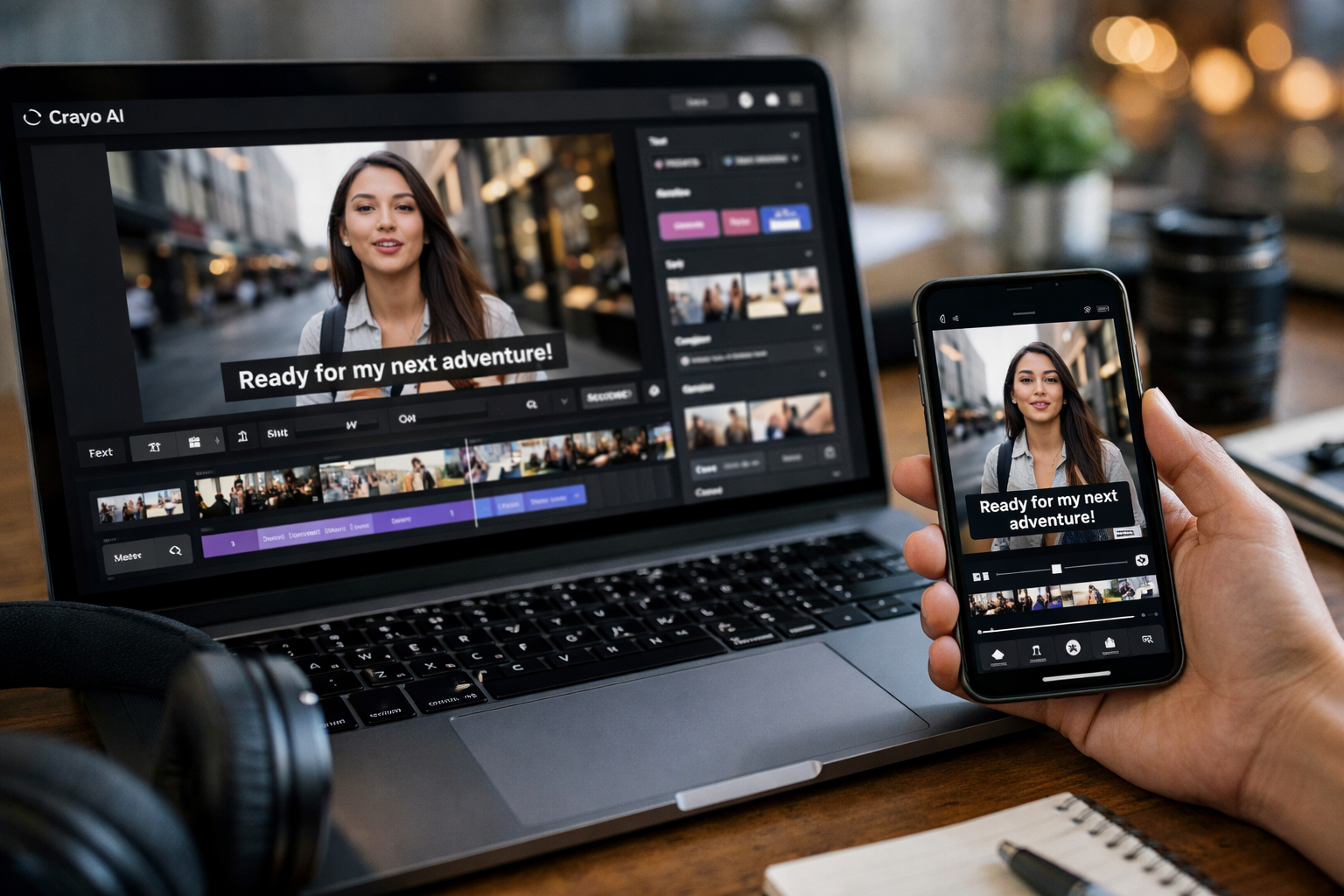
Official website · Latest pricing & offers
Quick Verdict: Is Crayo AI Worth It In 2026?
The One-Sentence Answer
Is Crayo AI worth it in 2026? Yes, if you regularly produce short-form videos and will genuinely use its clipping, captions, voiceovers, and story-video workflows enough to justify a paid subscription. It is less compelling for occasional creators who only make a few clips per month or need a deep, professional-grade editing suite.
For this Crayo AI review, I evaluated the official homepage and pricing page rather than relying on unverified feature lists. The core takeaway is simple: Crayo offers an all-in-one short-form creation workflow, but its value depends heavily on how many workflow credits, exports, and voiceover minutes you use.
Best For Vs Not Worth It For
Crayo AI is best for creators publishing YouTube Shorts, TikToks, Reels, or faceless videos on a consistent schedule. If you want to turn ideas, source material, text stories, or longer clips into short vertical content without jumping across multiple tools, the subscription can make practical sense.
It is probably not worth it for someone who edits one video occasionally, prefers detailed timeline control, or already has a reliable production workflow. The question is not whether the tools exist; it is whether is Crayo AI worth it for your own monthly output.
What Decides The Value
The deciding factors are usage volume and workflow fit. Crayo’s plans include every listed tool, but the plans differ in workflow credits, export minutes, voiceover minutes, AI image allowances, storage, and View Tracker credits.
If AI-generated video workflows and frequent exports are central to your publishing process, the higher limits can be useful. If you only want captions or basic trimming, the monthly cost may feel high relative to your actual use.
What Crayo AI Actually Does
Core Use Case: Short-Form Video Editing
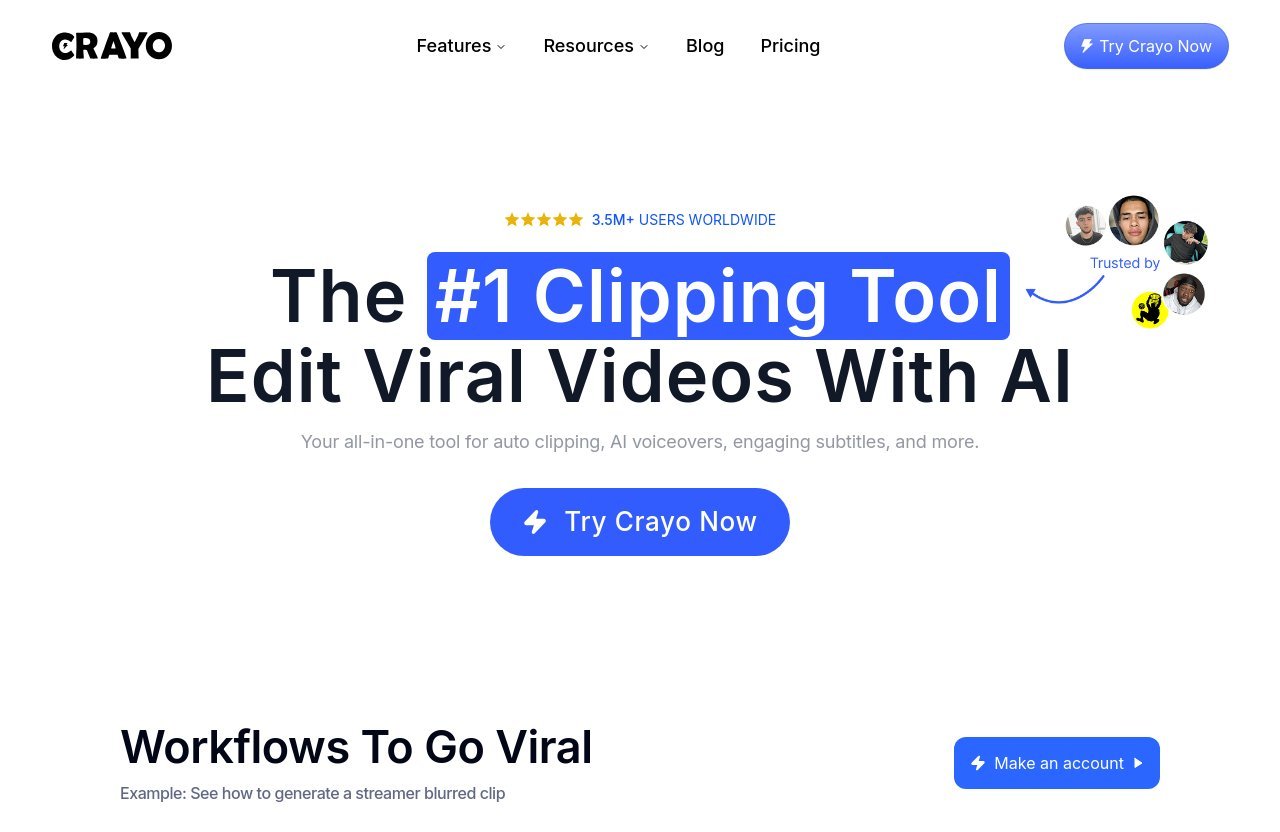
Crayo describes itself as “The AI Video Editor” and “#1 Clipping Tool.” Its primary role is helping creators make short-form content through a web-based editor, automated clipping workflows, captions, voiceovers, story videos, and related AI-assisted tools.
At its core, Crayo AI for Shorts is built around reducing the time between an idea and a publishable vertical video. That is different from positioning it as a complete replacement for every traditional editing application. The strongest fit is quick, repeatable social content rather than complicated long-form productions.
If you are wondering is Crayo AI worth it for clipping existing footage, its appeal is the convenience of having clipping and creation tools under one account. It also offers an iPhone app, where users can clip, caption, and export projects with the same account and projects used on the web.
Key Workflows And Tools Included On Every Plan
Every paid plan includes all Crayo tools. That matters because buyers are not paying for feature unlocks between Hobby, Clipper, and Pro; they are paying for different monthly usage limits.
The official tool list includes:
- AI voiceovers
- AI images
- Voice changer
- Face swap
- Subtitle remover
- Icon generator
- Speech enhancer
- AI brainstorm
- YouTube and TikTok downloader
- Advanced video editor
- Content library campaigns
- Unlimited tracked accounts and posts
Crayo also includes AutoClip, Reddit videos, Fake Texts, and other AI-generated video workflows that use workflow credits. The breadth is useful for creators who want one place to test several short-form formats instead of subscribing to narrowly focused utilities.
How The Workflow Fits Faceless Content Creators
Crayo AI for faceless channels makes the most sense when your content format is repeatable. For example, you may want narrated story clips, text-led videos, repurposed source footage, automated captions, AI-generated visuals, or rapid variations on a proven idea.
The platform supports most languages when you provide text in that language, according to its official FAQ. That can be useful for creators working across audiences, although you should personally test your preferred language and voice style before committing to a higher-volume plan.
For faceless channel operators, is Crayo AI worth it often comes down to whether it removes enough repetitive production work. It will be more valuable for a channel with a publishing system than for someone still experimenting with one-off video ideas.
Crayo AI Pricing In 2026
Monthly Vs Quarterly Pricing
Crayo AI pricing has three paid plans: Hobby, Clipper, and Pro. Buyers can pay monthly or choose quarterly billing for a lower monthly-equivalent price.
| Plan | Monthly Billing | Quarterly Billing | Quarterly Charge |
|---|---|---|---|
| Hobby | $29/month | $19/month equivalent | $57 every 3 months |
| Clipper | $59/month | $39/month equivalent | $117 every 3 months |
| Pro | $129/month | $79/month equivalent | $237 every 3 months |
Quarterly billing lowers the effective monthly cost, but it also means paying for three months at once. Since Crayo’s official FAQ says there are no refunds, this is a meaningful buying consideration rather than a minor checkout detail.
When assessing is Crayo AI worth it, I would treat monthly billing as the lower-risk choice for first-time users. Once you know your output reliably fits the platform, quarterly billing may offer better value.
Hobby Plan Value Analysis
The Hobby plan costs $29 per month, or $19 per month equivalent when billed quarterly at $57 every three months. It includes:
| Hobby Plan Allowance | Monthly Limit |
|---|---|
| Workflow credits | 250 |
| Export time | 2 hours |
| Voiceover minutes | 30 minutes |
| AI images | 100 |
| Storage | 25GB |
| View Tracker credits | 100 |
This is the logical entry point for an individual creator who publishes short-form content but does not need large-scale output. Two export hours can be enough for a modest posting schedule, depending on the final length of each video.
The Hobby tier makes is Crayo AI worth it easier to answer for a creator who wants the full toolset without immediately paying for agency-level limits. Still, do not choose it purely because it is the cheapest plan; check whether 30 voiceover minutes and two export hours match your typical production month.
Clipper Plan Value Analysis
The Clipper plan costs $59 per month, or $39 per month equivalent with quarterly billing of $117. Its included limits are:
| Clipper Plan Allowance | Monthly Limit |
|---|---|
| Workflow credits | 1,000 |
| Export time | 10 hours |
| Voiceover minutes | 120 minutes |
| AI images | 300 |
| Storage | 100GB |
| View Tracker credits | 500 |
For a daily poster, this is the most balanced Crayo AI pricing option on paper. The jump from Hobby to Clipper is substantial across all main usage categories, especially workflow credits, export capacity, voiceover minutes, and storage.
If you publish several videos a week, is Crayo AI worth it may lean toward Clipper because the Hobby plan’s allowances could become restrictive. The price is higher, but the extra capacity is designed for a much more consistent publishing cadence.
Pro Plan Value Analysis
The Pro plan is $129 per month, or $79 per month equivalent when billed quarterly at $237. It includes:
| Pro Plan Allowance | Monthly Limit |
|---|---|
| Workflow credits | 3,000 |
| Export time | 30 hours |
| Voiceover minutes | 180 minutes |
| AI images | 500 |
| Storage | 500GB |
| View Tracker credits | 2,500 |
Pro is intended for high-output creators and workflows that repeatedly generate, revise, export, and store large volumes of video. The 30 export hours and 500GB of storage stand out most for people managing a large content library.
For most solo creators, the Pro tier is difficult to justify unless production volume already supports it. Is Crayo AI worth it at this level? Only if your workflow consistently uses the added capacity and you would otherwise pay for several separate creation tools.
Feature Breakdown: What You Get On Every Plan
Workflow Credits And What They Mean
Workflow credits are used for AI-generated videos. Crayo states that one workflow credit equals one AI-generated video, including AutoClip, Reddit videos, Fake Texts, and more.
In plain English, credits measure how often you can use Crayo’s automated video-generation workflows during the month. They are not the same thing as export minutes. You could have workflow credits available but still need to watch your export allowance.
This distinction is crucial to is Crayo AI worth it because heavy users may encounter the limits differently. A creator who generates many automated video drafts needs enough credits, while a creator who spends more time editing longer pieces needs enough export minutes.
Export Minutes
Export minutes refer to the length of video you can generate from the editor each month. The Hobby plan includes two hours, Clipper includes 10 hours, and Pro includes 30 hours.
For example, a 30-second export uses 30 seconds of your monthly export time. This sounds straightforward, but it becomes important if you create lots of versions, re-exports, or longer edits. Buyers should estimate output based on finished-video duration rather than only counting the number of posts they plan to make.
For a frequent short-form publisher, is Crayo AI worth it improves when the export allowance comfortably exceeds expected output. Buying a plan with almost no buffer can turn a seemingly affordable subscription into a frustrating constraint.
AI Voiceovers, AI Images, Storage, And View Tracker Credits
Each plan includes different limits for AI voiceovers, AI images, storage, and View Tracker credits. These allowances increase progressively from Hobby through Pro.
Voiceovers are particularly important for faceless formats. Hobby includes 30 voiceover minutes monthly, Clipper includes 120 minutes, and Pro includes 180 minutes. If narration is central to your content, calculate your likely script length before subscribing.
The AI image allowance ranges from 100 per month on Hobby to 500 on Pro. Storage ranges from 25GB to 500GB. These limits help clarify whether is Crayo AI worth it for creators who keep projects, assets, and generated media inside one platform rather than downloading and managing everything elsewhere.
Unlimited Tracked Accounts And Posts
All plans include unlimited tracked accounts and posts. This is separate from the monthly View Tracker credit allowance, so buyers should not assume that “unlimited tracked accounts” means unlimited use of every tracking-related function.
The practical value is strongest for creators who use research and monitoring to shape their content ideas. If you rarely analyze accounts or posts, this feature should not heavily influence your decision.
Is Crayo AI Good For Your Use Case?
Best For YouTube Shorts And Faceless Channels
Crayo is most naturally aligned with YouTube Shorts and faceless content workflows. The mix of AI voiceovers, AI images, captions, story-video formats, clipping, and text-driven creation can reduce the number of separate steps required to publish short vertical videos.
For someone asking is Crayo AI worth it for faceless channels, the answer is generally yes when your videos follow repeatable formats. It is especially relevant if you need frequent narrated clips, fast captioning, and a web-based editor that can also be accessed through the iPhone app.
However, buyers should judge the output against their own standards. An efficient workflow is valuable only if the final pacing, voice choice, captions, and visual style are acceptable for the audience you are trying to build.
Best For Daily Creators And Agencies
Daily creators are likely to see the clearest value from the Clipper plan because its limits provide more room for routine publishing. The Clipper plan has 1,000 workflow credits, 10 export hours, 120 voiceover minutes, 300 AI images, and 100GB of storage per month.
Agencies or high-volume operators may need Pro, particularly where many exports and large project storage are required. Still, Crayo’s official plan descriptions focus on usage allowances, not on team management or enterprise collaboration features.
That means is Crayo AI worth it for an agency depends on the individual production workflow. It may work well as a creator-facing content engine, but buyers needing formal approvals, complex permissions, or broad client-management features should verify those requirements directly before subscribing.
Not Ideal For Teams Needing Broader Video Production
Crayo’s stated focus is short-form AI video creation and clipping. That is a strength when it matches the job, but it also defines the boundary of the product.
Teams producing highly customized brand films, long-form documentaries, complex motion graphics, or multi-layered post-production may need broader video production capabilities. There is nothing wrong with choosing a specialized short-form tool, but do not buy it expecting it to cover every possible editing scenario.
If your research extends beyond Crayo, our comparison of [Higgsfield vs Runway](/higgsfield-vs-runway) may help you think more carefully about workflow fit rather than chasing a generic feature checklist.
Official website · Latest pricing & offers
Pros And Cons Based On Official Facts And SERP Signals
Pros
The strongest benefits are grounded in Crayo’s official product and pricing information:
- Every paid plan includes all listed Crayo tools.
- It combines clipping, captions, AI voiceovers, AI images, story-video tools, and an advanced editor in one subscription.
- Workflow credits are clearly defined as one credit per AI-generated video.
- The plans show clear monthly limits for exports, voiceovers, images, storage, and View Tracker credits.
- It supports most languages when users provide text in that language.
- The iPhone app works with the same account and projects as the web platform.
- Users own the rights to videos they create, according to the official FAQ.
- Users can cancel in settings, with access continuing until the end of the billing cycle.
For creators who value consolidation, is Crayo AI worth it can be easier to answer than with a collection of disconnected niche tools. The trade-off is that you need to use enough of the bundled workflow to justify the subscription.
Cons
There are also practical limitations buyers should weigh:
- The official pricing page presents paid plans rather than a listed free plan.
- The official FAQ says there are no refunds.
- Quarterly pricing requires an upfront three-month charge.
- Usage is capped through workflow credits, export minutes, voiceover minutes, AI images, storage, and View Tracker credits.
- The product’s clearest focus is short-form video, which may not suit every editing need.
- Plans are differentiated mainly by limits, not by exclusive tool access.
These Crayo AI pros and cons should be evaluated realistically. If you do not expect to use automated generation, voiceovers, or frequent exports, an all-in-one plan can become more expense than value.
What Reviews Suggest About Satisfaction
Public SERP sources, including Trustpilot and third-party review articles, can be useful for spotting recurring themes, but they should not replace checking the official plan terms. Individual reviews reflect personal workflows, expectations, and timing, so they are not proof that every user will have the same experience.
In practical terms, review research should focus on whether people with a similar use case value speed and convenience over deep editing flexibility. Searches such as “crayo ai worth it reddit” can provide anecdotal discussion, but Reddit posts and review platforms are not official product documentation.
The better approach is to use those opinions as context, then base your purchase decision on verified Crayo AI pricing, your expected output, and the no-refund policy. That is also the more responsible way to assess Crayo AI legitimacy: verify the official service, terms, pricing, and cancellation conditions rather than treating scattered comments as definitive.
Who Should Buy Crayo AI In 2026?
Hobby Users
Hobby is best for individual creators who want to try a complete short-form creation workflow without paying for the highest limits. At $29 monthly or $57 per quarter, it provides access to all tools with 250 workflow credits and two export hours per month.
For this user, is Crayo AI worth it when they publish often enough to use AI voiceovers, captions, clips, and exports as part of a consistent content habit. It is not the automatic choice for a person who makes one experimental video every few weeks.
Growing Creators
Growing creators who publish regularly should look closely at Clipper. It costs $59 monthly or $117 per quarter and increases the key allowances enough to support a much more active workflow.
This is the plan I would consider first for a creator posting daily or close to daily. The larger export, voiceover, image, and storage limits reduce the chance that normal usage hits a ceiling too quickly.
Power Users
Power users with high monthly output, multiple ongoing content formats, and substantial project storage needs are the logical audience for Pro. The $129 monthly price or $237 quarterly price needs a clear production reason behind it.
For a high-volume operator, is Crayo AI worth it when the platform is a core part of an established publishing system. If that is not already true, starting smaller is usually the more disciplined buying choice.
Who Should Skip Crayo AI
Users Who Need Refunds
Skip Crayo if a refundable trial period is essential to your buying process. The official FAQ states that there are no refunds.
You can cancel anytime through settings, and the plan remains active until the billing cycle ends. But cancellation is not the same as a refund, so do not assume you can recover the cost after testing a plan.
People Making Low-Volume Videos
Creators producing very few videos may struggle to justify the Crayo AI monthly price. The official pricing page does not list a free plan, so there is a real subscription cost even at the entry level.
For low-volume needs, is Crayo AI worth it is usually a tougher argument. A tool becomes good value when it saves repeated work, not simply because it offers many features that remain unused.
Teams That Need Advanced Versatility
Teams that need extensive collaboration systems, advanced professional post-production, or a platform designed around varied video formats should be cautious. Crayo’s official positioning is strongest for AI-assisted short-form content and clipping.
This does not make Crayo a poor product. It simply means buyers should match the tool to the job. The same careful approach applies when checking other subscriptions, whether you are asking [is Rezi free](/is-rezi-free), reviewing [MyDesigns AI](/my-designs-ai), or comparing a business platform through our [ClickFunnels review](/clickfunnels-review-free).
How Crayo Compares On Value, Not Features Alone
Speed And Simplicity
Crayo’s value proposition is not that every individual tool is unique. It is that key short-form workflows sit in one environment: AI-assisted generation, voiceovers, captions, images, clipping, editing, tracking, and mobile access.
That can save time for creators who otherwise move files among multiple tools. For them, is Crayo AI worth it is really a question of workflow simplicity and how much administrative friction the platform removes.
Cost Efficiency By Output Volume
The lower-cost Hobby plan can be efficient for a moderate content schedule, while Clipper appears better suited to regular publishing. Pro only becomes cost-efficient when output volume is high enough to use its 3,000 workflow credits, 30 export hours, 180 voiceover minutes, 500 AI images, and 500GB storage.
The important point is to compare the monthly cost to your anticipated output, not to the longest possible feature list. A cheaper plan with limits that fit your workload is better value than an expensive plan whose capacity you never reach.
Risk Factors To Consider Before Subscribing
The primary risk factor is buying more capacity than you need, especially on quarterly billing. Because the official FAQ says there are no refunds, it is sensible to estimate your likely number of AI-generated videos, export duration, narration time, and storage needs before choosing a plan.
Another risk is expecting a broader creative suite than the official short-form positioning suggests. If you are evaluating safety or legitimacy questions for several paid tools, the due-diligence approach in our [FX Replay safety review](/is-fx-replay-safe) is similar: verify official policies, understand financial commitments, and avoid assumptions.
Final Verdict: Is Crayo AI Worth It?
Best Overall Recommendation
Is Crayo AI worth it? For consistent short-form creators, yes—provided you choose a plan based on realistic usage and accept the no-refund policy. Its strongest value is the combination of AI-assisted short-form workflows, voiceovers, captions, clipping, editing, and mobile continuity within one account.
It is not the best purchase for every creator. If your work is low-volume, highly customized, or centered on long-form production, the subscription may not return enough value each month.
The Plan Most People Should Start With
Most buyers should start with Hobby if they are testing whether Crayo fits their actual content workflow. It provides every listed tool at the lowest monthly price, with 250 workflow credits, two export hours, 30 voiceover minutes, 100 AI images, and 25GB storage.
Creators already publishing frequently may be better served by Clipper. Its 10 export hours and 120 voiceover minutes make it the more practical middle-ground plan for sustained short-form output.
If you have reviewed the limits and believe the workflow suits your needs, you can check Crayo’s official site and current plan details. This is an affiliate link, which may earn Top Trust Review a commission at no extra cost to you.
When To Choose Another Tool
Choose another tool if you require refunds, only create a small number of videos, or need specialized long-form and advanced production capabilities. Also look elsewhere if the plan limits do not match your content schedule.
The final answer to is Crayo AI worth it is clear: it is a sensible paid option for repeatable Shorts, clips, and faceless-content workflows, but it is only good value when you use its allowances regularly. Start with the smallest plan that supports your output, then move up only when your usage proves you need more capacity.
Official website · Latest pricing & offers
FAQ
How Good Is Crayo AI?
Crayo AI is good for fast short-form and faceless video workflows, particularly for creators who want captions, clipping, voiceovers, AI images, and editing tools in one platform. It is more focused on speed and repeatable content production than deep, highly customized editing flexibility.
Whether is Crayo AI worth it for you depends on how often you publish and whether its monthly usage limits fit your workflow.
How Much Is Crayo AI Per Month?
The official Crayo AI monthly price is $29 for Hobby, $59 for Clipper, and $129 for Pro. Quarterly billing offers lower monthly-equivalent prices: $19 for Hobby, $39 for Clipper, and $79 for Pro.
Quarterly plans are billed as $57 every three months for Hobby, $117 every three months for Clipper, and $237 every three months for Pro.
Is Crayo AI Free To Use?
No free plan is listed on the official pricing page. The displayed plans are Hobby, Clipper, and Pro, all of which are paid subscriptions.
If you are searching “is Crayo AI free,” it is important not to confuse cancellation flexibility with free access. Users can cancel through settings, but the official FAQ also says there are no refunds.
Is There A Free Alternative To Crayo AI?
There may be free or freemium video-editing alternatives, but their features, limits, and terms vary significantly. Before switching based on price alone, compare whether a free option actually covers the short-form workflow you need, including clipping, captions, narration, AI-assisted creation, exports, and storage.
A free alternative can be worthwhile for occasional editing. For creators who need a repeatable all-in-one process, the better question is whether the paid workflow savings make Crayo worthwhile.
Related Reading
- Is Rezi Free in 2026? What You Get
- Higgsfield vs Runway: Which Is Better for AI Video Creation?
- My Designs AI Review: A Practical 2026 Guide for POD and Digital Product Sellers
References
- Crayo – The AI Video Editor
- Crayo Pricing | Plans for every creator
- Read Customer Service Reviews of crayo.ai
- Crayo AI Review 2026: Features, Pricing, Pros & Cons